maintenance CADILLAC CT6 2017 1.G Owners Manual
[x] Cancel search | Manufacturer: CADILLAC, Model Year: 2017, Model line: CT6, Model: CADILLAC CT6 2017 1.GPages: 337, PDF Size: 3.89 MB
Page 2 of 337

Cadillac CT6 Owner Manual (GMNA-Localizing-MidEast-10293390) - 2017 -
CRC - 6/21/16
ContentsIntroduction . . . . . . . . . . . . . . . . . . . . . . . . . . 2
In Brief . . . . . . . . . . . . . . . . . . . . . . . . . . . . . . . 5
Keys, Doors, and Windows . . . . . . . . . 28
Seats and Restraints . . . . . . . . . . . . . . . 55
Storage . . . . . . . . . . . . . . . . . . . . . . . . . . . . . 103
Instruments and Controls . . . . . . . . 107
Lighting . . . . . . . . . . . . . . . . . . . . . . . . . . . . 163
Infotainment System . . . . . . . . . . . . . 170
Climate Controls . . . . . . . . . . . . . . . . . . 171
Driving and Operating . . . . . . . . . . . . 184
Vehicle Care . . . . . . . . . . . . . . . . . . . . . . . 244
Service and Maintenance . . . . . . . . . 310
Technical Data . . . . . . . . . . . . . . . . . . . . 321
Customer Information . . . . . . . . . . . . 325
Index . . . . . . . . . . . . . . . . . . . . . . . . 327
Page 6 of 337
Cadillac CT6 Owner Manual (GMNA-Localizing-MidEast-10293390) - 2017 -
CRC - 6/21/16
IN BRIEF 5
In Brief
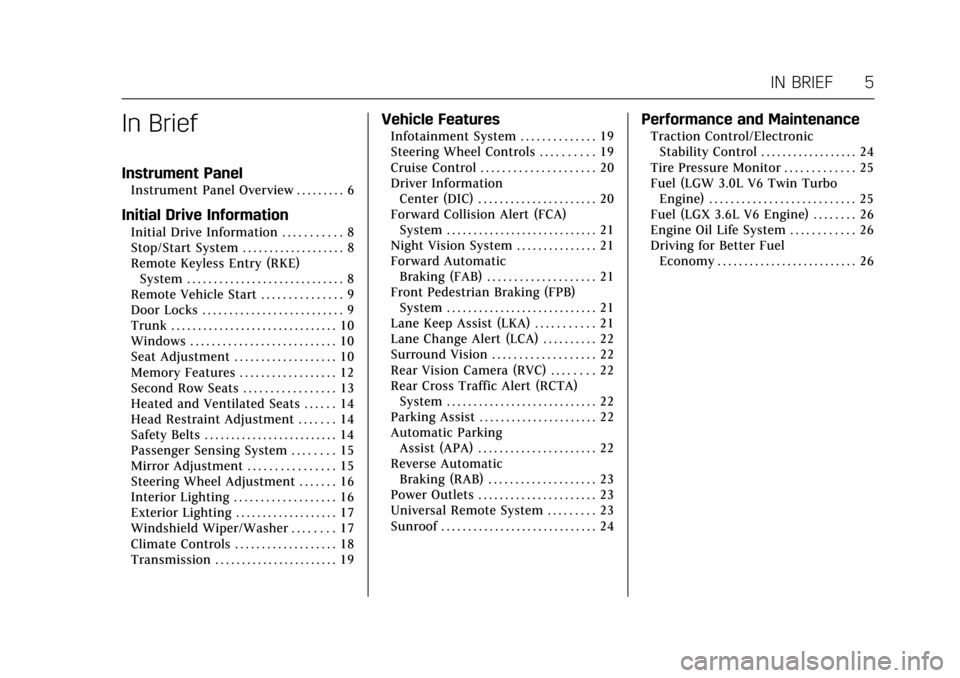
Instrument Panel
Instrument Panel Overview . . . . . . . . . 6
Initial Drive Information
Initial Drive Information . . . . . . . . . . . 8
Stop/Start System . . . . . . . . . . . . . . . . . . . 8
Remote Keyless Entry (RKE)System . . . . . . . . . . . . . . . . . . . . . . . . . . . . . 8
Remote Vehicle Start . . . . . . . . . . . . . . . 9
Door Locks . . . . . . . . . . . . . . . . . . . . . . . . . . 9
Trunk . . . . . . . . . . . . . . . . . . . . . . . . . . . . . . . 10
Windows . . . . . . . . . . . . . . . . . . . . . . . . . . . 10
Seat Adjustment . . . . . . . . . . . . . . . . . . . 10
Memory Features . . . . . . . . . . . . . . . . . . 12
Second Row Seats . . . . . . . . . . . . . . . . . 13
Heated and Ventilated Seats . . . . . . 14
Head Restraint Adjustment . . . . . . . 14
Safety Belts . . . . . . . . . . . . . . . . . . . . . . . . . 14
Passenger Sensing System . . . . . . . . 15
Mirror Adjustment . . . . . . . . . . . . . . . . 15
Steering Wheel Adjustment . . . . . . . 16
Interior Lighting . . . . . . . . . . . . . . . . . . . 16
Exterior Lighting . . . . . . . . . . . . . . . . . . . 17
Windshield Wiper/Washer . . . . . . . . 17
Climate Controls . . . . . . . . . . . . . . . . . . . 18
Transmission . . . . . . . . . . . . . . . . . . . . . . . 19
Vehicle Features
Infotainment System . . . . . . . . . . . . . . 19
Steering Wheel Controls . . . . . . . . . . 19
Cruise Control . . . . . . . . . . . . . . . . . . . . . 20
Driver Information Center (DIC) . . . . . . . . . . . . . . . . . . . . . . 20
Forward Collision Alert (FCA) System . . . . . . . . . . . . . . . . . . . . . . . . . . . . 21
Night Vision System . . . . . . . . . . . . . . . 21
Forward Automatic Braking (FAB) . . . . . . . . . . . . . . . . . . . . 21
Front Pedestrian Braking (FPB) System . . . . . . . . . . . . . . . . . . . . . . . . . . . . 21
Lane Keep Assist (LKA) . . . . . . . . . . . 21
Lane Change Alert (LCA) . . . . . . . . . . 22
Surround Vision . . . . . . . . . . . . . . . . . . . 22
Rear Vision Camera (RVC) . . . . . . . . 22
Rear Cross Traffic Alert (RCTA) System . . . . . . . . . . . . . . . . . . . . . . . . . . . . 22
Parking Assist . . . . . . . . . . . . . . . . . . . . . . 22
Automatic Parking Assist (APA) . . . . . . . . . . . . . . . . . . . . . . 22
Reverse Automatic Braking (RAB) . . . . . . . . . . . . . . . . . . . . 23
Power Outlets . . . . . . . . . . . . . . . . . . . . . . 23
Universal Remote System . . . . . . . . . 23
Sunroof . . . . . . . . . . . . . . . . . . . . . . . . . . . . . 24
Performance and Maintenance
Traction Control/Electronic Stability Control . . . . . . . . . . . . . . . . . . 24
Tire Pressure Monitor . . . . . . . . . . . . . 25
Fuel (LGW 3.0L V6 Twin Turbo Engine) . . . . . . . . . . . . . . . . . . . . . . . . . . . 25
Fuel (LGX 3.6L V6 Engine) . . . . . . . . 26
Engine Oil Life System . . . . . . . . . . . . 26
Driving for Better Fuel Economy . . . . . . . . . . . . . . . . . . . . . . . . . . 26
Page 25 of 337

Cadillac CT6 Owner Manual (GMNA-Localizing-MidEast-10293390) - 2017 -
CRC - 6/21/16
24 IN BRIEF
Sunroof
If equipped with a sunroof, the
ignition must be in ON/RUN or ACC/
ACCESSORY, or in Retained Accessory
Power (RAP), to operate the sunroof.
SeeIgnition Positions 0195 and
Retained Accessory Power (RAP) 0198.
1. SLIDE Switch
2. TILT Switch
Slide Switch
Express-Open/Express-Close : Press
the rear or front of
D(1) to the
second detent and release to
express-open or express-close the
sunroof.
Open/Close (Manual Mode) : Press
the rear of
D(1) to the first detent
and hold to open the sunroof. Press
the front of
D(1) to the first detent
and hold to close the sunroof.
Tilt Switch
Vent Feature : Press and hold the
front of
E(2) to vent the sunroof.
Press and hold the rear of
E(2) to
close the sunroof vent.
See Sunroof 052.
Performance and
Maintenance
Traction Control/Electronic
Stability Control
The Traction Control System (TCS)
limits wheel spin. The system is on
when the vehicle is started.
The StabiliTrak system assists with
directional control of the vehicle in
difficult driving conditions. The
system is on when the vehicle is
started.
.
To turn off TCS, press and
release
Yon the center console.
iilluminates in the instrument
cluster and the appropriate DIC
message displays. See Ride Control
System Messages 0148.
. Press and release
Yagain to turn
TCS back on.
. To turn off both TCS and
StabiliTrak, press and hold
Yon
the center console until
gandi
illuminate in the instrument
Page 26 of 337
Cadillac CT6 Owner Manual (GMNA-Localizing-MidEast-10293390) - 2017 -
CRC - 6/21/16
IN BRIEF 25
cluster. The appropriate DIC
message displays. SeeRide Control
System Messages 0148.
. Press and release
Yagain to turn
on both systems.
See Traction Control/Electronic Stability
Control 0208.
The vehicle has Driver Mode Control.
See Driver Mode Control 0209.
Tire Pressure Monitor
This vehicle may have a Tire Pressure
Monitor System (TPMS).
The low tire pressure warning light
alerts to a significant loss in pressure
of one of the vehicle's tires. If the warning light comes on, stop as soon
as possible and inflate the tires to the
recommended pressure shown on the
Tire and Loading Information label.
See
Vehicle Load Limits 0191. The
warning light will remain on until the
tire pressure is corrected.
The low tire pressure warning light
may come on in cool weather when
the vehicle is first started, and then
turn off as the vehicle is driven. This
may be an early indicator that the tire
pressures are getting low and the tires
need to be inflated to the proper
pressure.
The TPMS does not replace normal
monthly tire maintenance. Maintain
the correct tire pressures.
See Tire Pressure Monitor
System 0280.
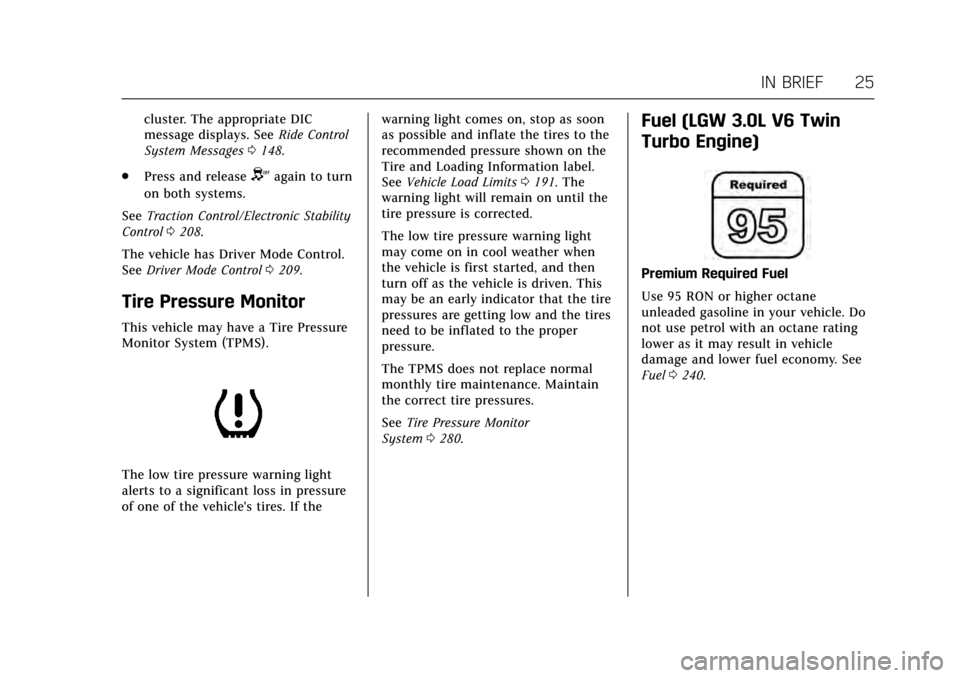
Fuel (LGW 3.0L V6 Twin
Turbo Engine)
Premium Required Fuel
Use 95 RON or higher octane
unleaded gasoline in your vehicle. Do
not use petrol with an octane rating
lower as it may result in vehicle
damage and lower fuel economy. See
Fuel 0240.
Page 28 of 337

Cadillac CT6 Owner Manual (GMNA-Localizing-MidEast-10293390) - 2017 -
CRC - 6/21/16
IN BRIEF 27
.Avoid idling the engine for long
periods of time.
. When road and weather
conditions are appropriate, use
cruise control.
. Always follow posted speed limits
or drive more slowly when
conditions require.
. Keep vehicle tires properly
inflated.
. Combine several trips into a
single trip.
. Replace the vehicle's tires with the
same TPC Spec number molded
into the tire's sidewall near
the size.
. Follow recommended scheduled
maintenance.
Page 85 of 337
Cadillac CT6 Owner Manual (GMNA-Localizing-MidEast-10293390) - 2017 -
CRC - 6/21/16
84 SEATS AND RESTRAINTS
Adding Equipment to the
Airbag-Equipped Vehicle
Adding accessories that change the
vehicle's frame, bumper system,
height, front end, or side sheet metal
may keep the airbag system from
working properly. The operation of the
airbag system can also be affected by
changing any parts of the front seats,
safety belts, the airbag sensing and
diagnostic module, steering wheel,
instrument panel, any of the airbag
modules, ceiling or pillar garnish trim,
front sensors, side impact sensors,
or airbag wiring.
Your dealer and the service manual
have information about the location of
the airbag sensors, sensing and
diagnostic module, and airbag wiring.
In addition, the vehicle has a
passenger sensing system for the front
outboard passenger position, which
includes sensors that are part of the
passenger seat. The passenger sensing
system may not operate properly if
the original seat trim is replaced with
non-GM covers, upholstery, or trim; or
with GM covers, upholstery, or trim
designed for a different vehicle. Anyobject, such as an aftermarket seat
heater or a comfort-enhancing pad or
device, installed under or on top of
the seat fabric, could also interfere
with the operation of the passenger
sensing system. This could either
prevent proper deployment of the
passenger airbag(s) or prevent the
passenger sensing system from
properly turning off the passenger
airbag(s). See
Passenger Sensing
System 079.
The vehicle has rollover roof-rail
airbags. See Different Size Tires and
Wheels 0288 for additional important
information.
If your vehicle needs to be modified
because you have a disability and you
have questions about whether the
modifications will affect the vehicle's
airbag system, or if you have
questions about whether the airbag
system will be affected if the vehicle is
modified for any other reason, see
your dealer.
Airbag System Check
The airbag system does not need
regularly scheduled maintenance or
replacement. Make sure the airbag
readiness light is working. See Airbag
Readiness Light 0126.
Caution
If an airbag covering is damaged,
opened, or broken, the airbag may
not work properly. Do not open or
break the airbag coverings. If there
are any opened or broken airbag
coverings, have the airbag covering
and/or airbag module replaced. For
the location of the airbags, see
Where Are the Airbags? 075. See
your dealer for service.
Page 124 of 337
Cadillac CT6 Owner Manual (GMNA-Localizing-MidEast-10293390) - 2017 -
CRC - 6/21/16
INSTRUMENTS AND CONTROLS 123
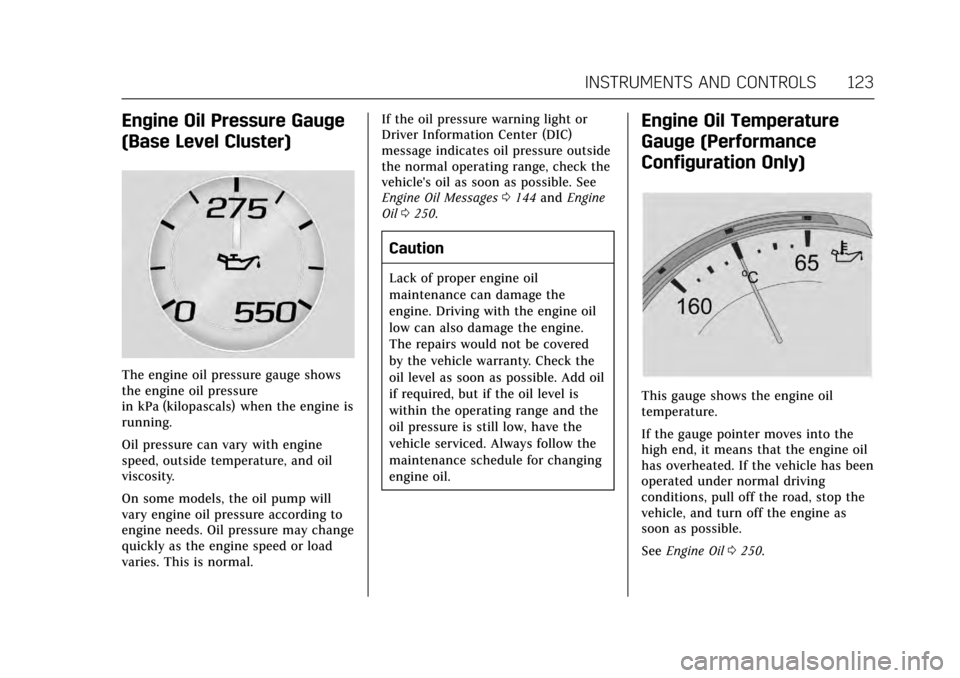
Engine Oil Pressure Gauge
(Base Level Cluster)
The engine oil pressure gauge shows
the engine oil pressure
in kPa (kilopascals) when the engine is
running.
Oil pressure can vary with engine
speed, outside temperature, and oil
viscosity.
On some models, the oil pump will
vary engine oil pressure according to
engine needs. Oil pressure may change
quickly as the engine speed or load
varies. This is normal.If the oil pressure warning light or
Driver Information Center (DIC)
message indicates oil pressure outside
the normal operating range, check the
vehicle's oil as soon as possible. See
Engine Oil Messages
0144 and Engine
Oil 0250.
Caution
Lack of proper engine oil
maintenance can damage the
engine. Driving with the engine oil
low can also damage the engine.
The repairs would not be covered
by the vehicle warranty. Check the
oil level as soon as possible. Add oil
if required, but if the oil level is
within the operating range and the
oil pressure is still low, have the
vehicle serviced. Always follow the
maintenance schedule for changing
engine oil.
Engine Oil Temperature
Gauge (Performance
Configuration Only)
This gauge shows the engine oil
temperature.
If the gauge pointer moves into the
high end, it means that the engine oil
has overheated. If the vehicle has been
operated under normal driving
conditions, pull off the road, stop the
vehicle, and turn off the engine as
soon as possible.
See Engine Oil 0250.
Page 129 of 337
Cadillac CT6 Owner Manual (GMNA-Localizing-MidEast-10293390) - 2017 -
CRC - 6/21/16
128 INSTRUMENTS AND CONTROLS
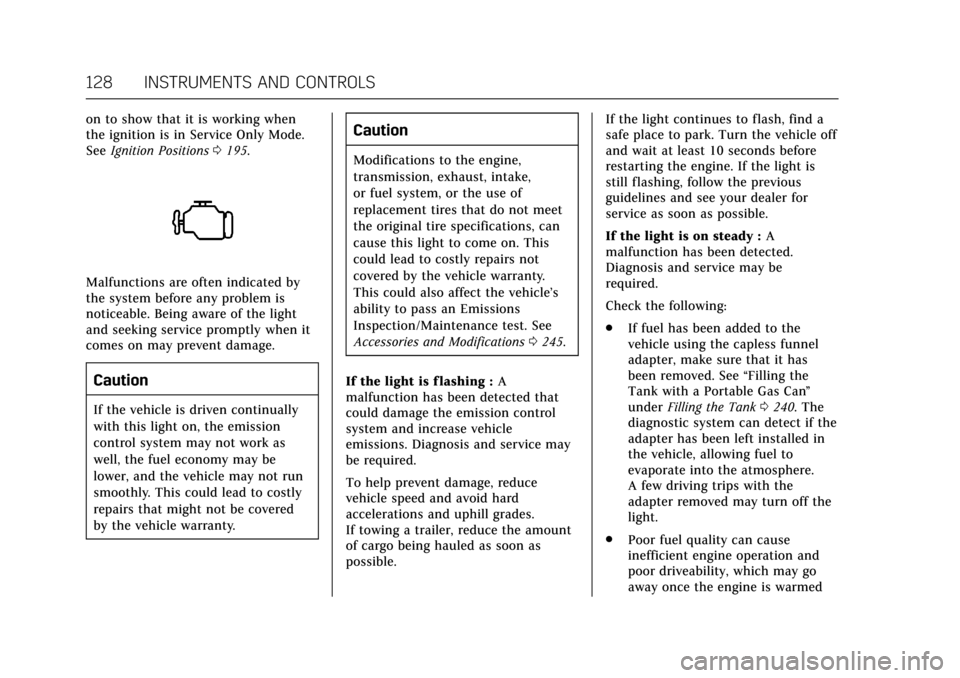
on to show that it is working when
the ignition is in Service Only Mode.
SeeIgnition Positions 0195.
Malfunctions are often indicated by
the system before any problem is
noticeable. Being aware of the light
and seeking service promptly when it
comes on may prevent damage.
Caution
If the vehicle is driven continually
with this light on, the emission
control system may not work as
well, the fuel economy may be
lower, and the vehicle may not run
smoothly. This could lead to costly
repairs that might not be covered
by the vehicle warranty.
Caution
Modifications to the engine,
transmission, exhaust, intake,
or fuel system, or the use of
replacement tires that do not meet
the original tire specifications, can
cause this light to come on. This
could lead to costly repairs not
covered by the vehicle warranty.
This could also affect the vehicle’s
ability to pass an Emissions
Inspection/Maintenance test. See
Accessories and Modifications 0245.
If the light is f lashing : A
malfunction has been detected that
could damage the emission control
system and increase vehicle
emissions. Diagnosis and service may
be required.
To help prevent damage, reduce
vehicle speed and avoid hard
accelerations and uphill grades.
If towing a trailer, reduce the amount
of cargo being hauled as soon as
possible. If the light continues to flash, find a
safe place to park. Turn the vehicle off
and wait at least 10 seconds before
restarting the engine. If the light is
still flashing, follow the previous
guidelines and see your dealer for
service as soon as possible.
If the light is on steady :
A
malfunction has been detected.
Diagnosis and service may be
required.
Check the following:
. If fuel has been added to the
vehicle using the capless funnel
adapter, make sure that it has
been removed. See “Filling the
Tank with a Portable Gas Can ”
under Filling the Tank 0240. The
diagnostic system can detect if the
adapter has been left installed in
the vehicle, allowing fuel to
evaporate into the atmosphere.
A few driving trips with the
adapter removed may turn off the
light.
. Poor fuel quality can cause
inefficient engine operation and
poor driveability, which may go
away once the engine is warmed
Page 130 of 337

Cadillac CT6 Owner Manual (GMNA-Localizing-MidEast-10293390) - 2017 -
CRC - 6/21/16
INSTRUMENTS AND CONTROLS 129
up. If this occurs, change the fuel
brand. It may require at least one
full tank of the proper fuel to turn
the light off. SeeFuel0240.
If the light remains on, see your
dealer.
Emissions Inspection and
Maintenance Programs
If the vehicle requires an Emissions
Inspection/Maintenance test, the test
equipment will likely connect to the
vehicle's Data Link Connector (DLC).
The DLC is under the instrument
panel to the left of the steering wheel.
Connecting devices that are not used
to perform an Emissions Inspection/
Maintenance test or to service the
vehicle may affect vehicle operation.
See Add-On Electrical Equipment 0243.
See your dealer if assistance is needed. The vehicle may not pass
inspection if:
.
The light is on when the engine is
running.
. The light does not come on when
the ignition is in Service
Only Mode.
. Critical emission control systems
have not been completely
diagnosed. If this happens, the
vehicle would not be ready for
inspection and might require
several days of routine driving
before the system is ready for
inspection. This can happen if the
12-volt battery has recently been
replaced or run down, or if the
vehicle has been recently serviced.
See your dealer if the vehicle will not
pass or cannot be made ready for
the test.
Brake System Warning
Light
The vehicle brake system consists of
two hydraulic circuits. If one circuit is
not working, the remaining circuit can still work to stop the vehicle. For
normal braking performance, both
circuits need to be working.
If the warning light comes on, there is
a problem with the braking system.
Have the brake system inspected
right away.
This light should come on briefly
when the engine is started. If it does
not come on then, have it fixed so it
will be ready to warn you if there is a
problem.
If the light comes on and stays on,
there is a base brake problem.
{Warning
The brake system might not be
working properly if the brake
system warning light is on. Driving
(Continued)
Page 134 of 337
Cadillac CT6 Owner Manual (GMNA-Localizing-MidEast-10293390) - 2017 -
CRC - 6/21/16
INSTRUMENTS AND CONTROLS 133
For vehicles with the reconfigurable
cluster, this light may not come on
when starting the vehicle.
Caution
The engine coolant temperature
warning light indicates that the
vehicle has overheated. Driving with
this light on can damage the engine
and it may not be covered by the
vehicle warranty. SeeEngine
Overheating 0259.
The engine coolant temperature
warning light comes on when the
engine has overheated.
If this happens pull over and turn off
the engine as soon as possible. See
Engine Overheating 0259.
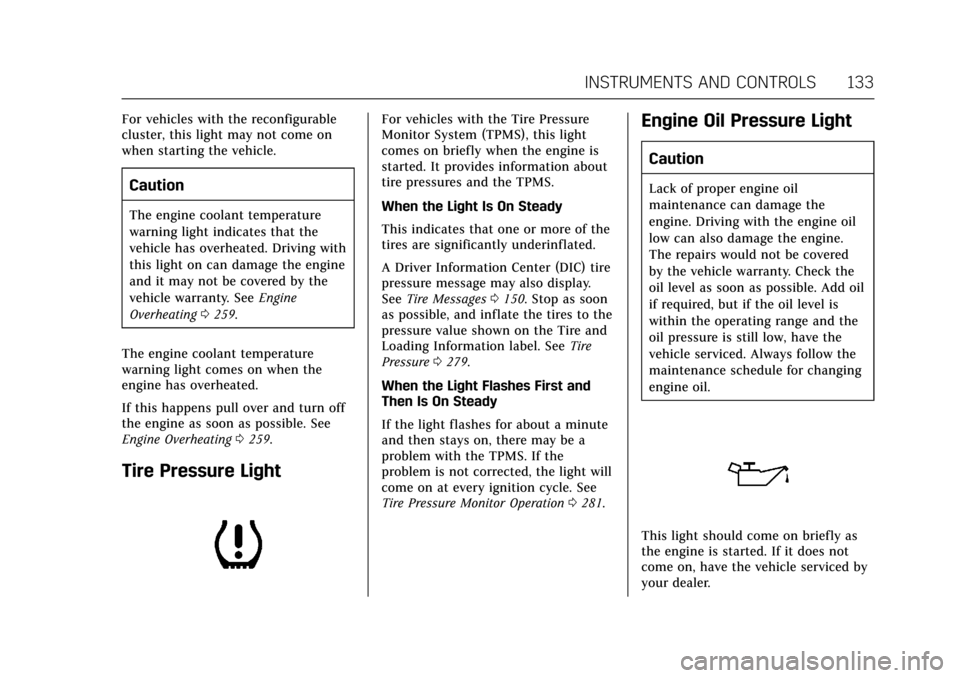
Tire Pressure Light
For vehicles with the Tire Pressure
Monitor System (TPMS), this light
comes on briefly when the engine is
started. It provides information about
tire pressures and the TPMS.
When the Light Is On Steady
This indicates that one or more of the
tires are significantly underinflated.
A Driver Information Center (DIC) tire
pressure message may also display.
See Tire Messages 0150. Stop as soon
as possible, and inflate the tires to the
pressure value shown on the Tire and
Loading Information label. See Tire
Pressure 0279.
When the Light Flashes First and
Then Is On Steady
If the light flashes for about a minute
and then stays on, there may be a
problem with the TPMS. If the
problem is not corrected, the light will
come on at every ignition cycle. See
Tire Pressure Monitor Operation 0281.Engine Oil Pressure Light
Caution
Lack of proper engine oil
maintenance can damage the
engine. Driving with the engine oil
low can also damage the engine.
The repairs would not be covered
by the vehicle warranty. Check the
oil level as soon as possible. Add oil
if required, but if the oil level is
within the operating range and the
oil pressure is still low, have the
vehicle serviced. Always follow the
maintenance schedule for changing
engine oil.
This light should come on briefly as
the engine is started. If it does not
come on, have the vehicle serviced by
your dealer.