service indicator CADILLAC CT6 2018 1.G User Guide
[x] Cancel search | Manufacturer: CADILLAC, Model Year: 2018, Model line: CT6, Model: CADILLAC CT6 2018 1.GPages: 445, PDF Size: 7.7 MB
Page 148 of 445
Cadillac CT6 Owner Manual (GMNA-Localizing-U.S./Canada-11292458) -
2018 - crc - 2/14/17
INSTRUMENTS AND CONTROLS 147
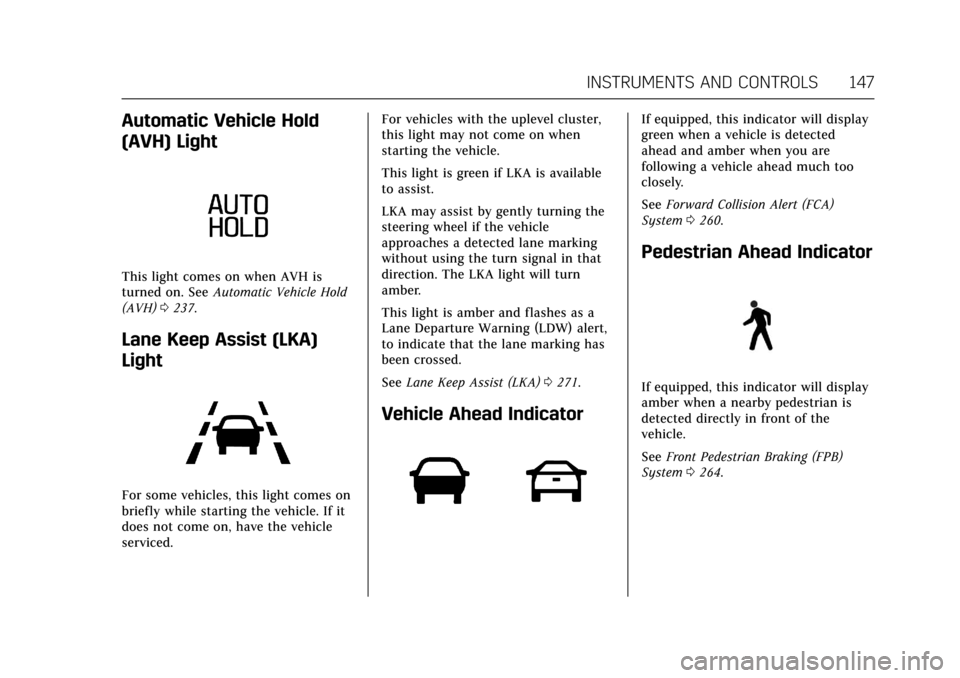
Automatic Vehicle Hold
(AVH) Light
This light comes on when AVH is
turned on. SeeAutomatic Vehicle Hold
(AVH) 0237.
Lane Keep Assist (LKA)
Light
For some vehicles, this light comes on
briefly while starting the vehicle. If it
does not come on, have the vehicle
serviced. For vehicles with the uplevel cluster,
this light may not come on when
starting the vehicle.
This light is green if LKA is available
to assist.
LKA may assist by gently turning the
steering wheel if the vehicle
approaches a detected lane marking
without using the turn signal in that
direction. The LKA light will turn
amber.
This light is amber and flashes as a
Lane Departure Warning (LDW) alert,
to indicate that the lane marking has
been crossed.
See
Lane Keep Assist (LKA) 0271.
Vehicle Ahead Indicator
If equipped, this indicator will display
green when a vehicle is detected
ahead and amber when you are
following a vehicle ahead much too
closely.
See Forward Collision Alert (FCA)
System 0260.
Pedestrian Ahead Indicator
If equipped, this indicator will display
amber when a nearby pedestrian is
detected directly in front of the
vehicle.
See Front Pedestrian Braking (FPB)
System 0264.
Page 149 of 445
Cadillac CT6 Owner Manual (GMNA-Localizing-U.S./Canada-11292458) -
2018 - crc - 2/14/17
148 INSTRUMENTS AND CONTROLS
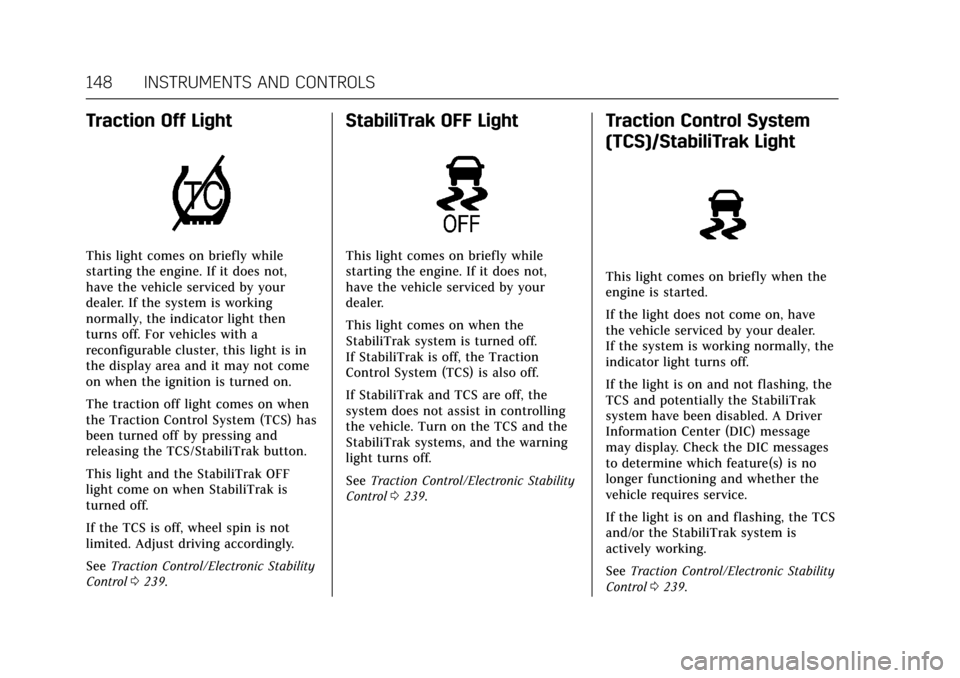
Traction Off Light
This light comes on briefly while
starting the engine. If it does not,
have the vehicle serviced by your
dealer. If the system is working
normally, the indicator light then
turns off. For vehicles with a
reconfigurable cluster, this light is in
the display area and it may not come
on when the ignition is turned on.
The traction off light comes on when
the Traction Control System (TCS) has
been turned off by pressing and
releasing the TCS/StabiliTrak button.
This light and the StabiliTrak OFF
light come on when StabiliTrak is
turned off.
If the TCS is off, wheel spin is not
limited. Adjust driving accordingly.
SeeTraction Control/Electronic Stability
Control 0239.
StabiliTrak OFF Light
This light comes on briefly while
starting the engine. If it does not,
have the vehicle serviced by your
dealer.
This light comes on when the
StabiliTrak system is turned off.
If StabiliTrak is off, the Traction
Control System (TCS) is also off.
If StabiliTrak and TCS are off, the
system does not assist in controlling
the vehicle. Turn on the TCS and the
StabiliTrak systems, and the warning
light turns off.
See Traction Control/Electronic Stability
Control 0239.
Traction Control System
(TCS)/StabiliTrak Light
This light comes on briefly when the
engine is started.
If the light does not come on, have
the vehicle serviced by your dealer.
If the system is working normally, the
indicator light turns off.
If the light is on and not flashing, the
TCS and potentially the StabiliTrak
system have been disabled. A Driver
Information Center (DIC) message
may display. Check the DIC messages
to determine which feature(s) is no
longer functioning and whether the
vehicle requires service.
If the light is on and flashing, the TCS
and/or the StabiliTrak system is
actively working.
See Traction Control/Electronic Stability
Control 0239.
Page 150 of 445
Cadillac CT6 Owner Manual (GMNA-Localizing-U.S./Canada-11292458) -
2018 - crc - 2/14/17
INSTRUMENTS AND CONTROLS 149
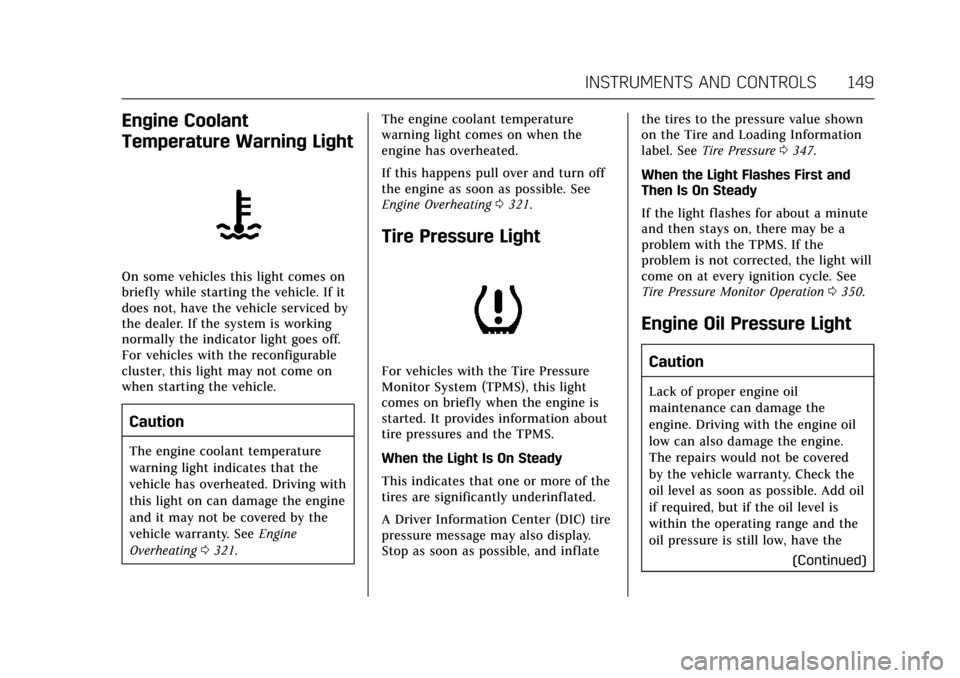
Engine Coolant
Temperature Warning Light
On some vehicles this light comes on
briefly while starting the vehicle. If it
does not, have the vehicle serviced by
the dealer. If the system is working
normally the indicator light goes off.
For vehicles with the reconfigurable
cluster, this light may not come on
when starting the vehicle.
Caution
The engine coolant temperature
warning light indicates that the
vehicle has overheated. Driving with
this light on can damage the engine
and it may not be covered by the
vehicle warranty. SeeEngine
Overheating 0321. The engine coolant temperature
warning light comes on when the
engine has overheated.
If this happens pull over and turn off
the engine as soon as possible. See
Engine Overheating
0321.
Tire Pressure Light
For vehicles with the Tire Pressure
Monitor System (TPMS), this light
comes on briefly when the engine is
started. It provides information about
tire pressures and the TPMS.
When the Light Is On Steady
This indicates that one or more of the
tires are significantly underinflated.
A Driver Information Center (DIC) tire
pressure message may also display.
Stop as soon as possible, and inflate the tires to the pressure value shown
on the Tire and Loading Information
label. See
Tire Pressure 0347.
When the Light Flashes First and
Then Is On Steady
If the light flashes for about a minute
and then stays on, there may be a
problem with the TPMS. If the
problem is not corrected, the light will
come on at every ignition cycle. See
Tire Pressure Monitor Operation 0350.
Engine Oil Pressure Light
Caution
Lack of proper engine oil
maintenance can damage the
engine. Driving with the engine oil
low can also damage the engine.
The repairs would not be covered
by the vehicle warranty. Check the
oil level as soon as possible. Add oil
if required, but if the oil level is
within the operating range and the
oil pressure is still low, have the
(Continued)
Page 151 of 445
Cadillac CT6 Owner Manual (GMNA-Localizing-U.S./Canada-11292458) -
2018 - crc - 2/14/17
150 INSTRUMENTS AND CONTROLS
Caution (Continued)
vehicle serviced. Always follow the
maintenance schedule for changing
engine oil.
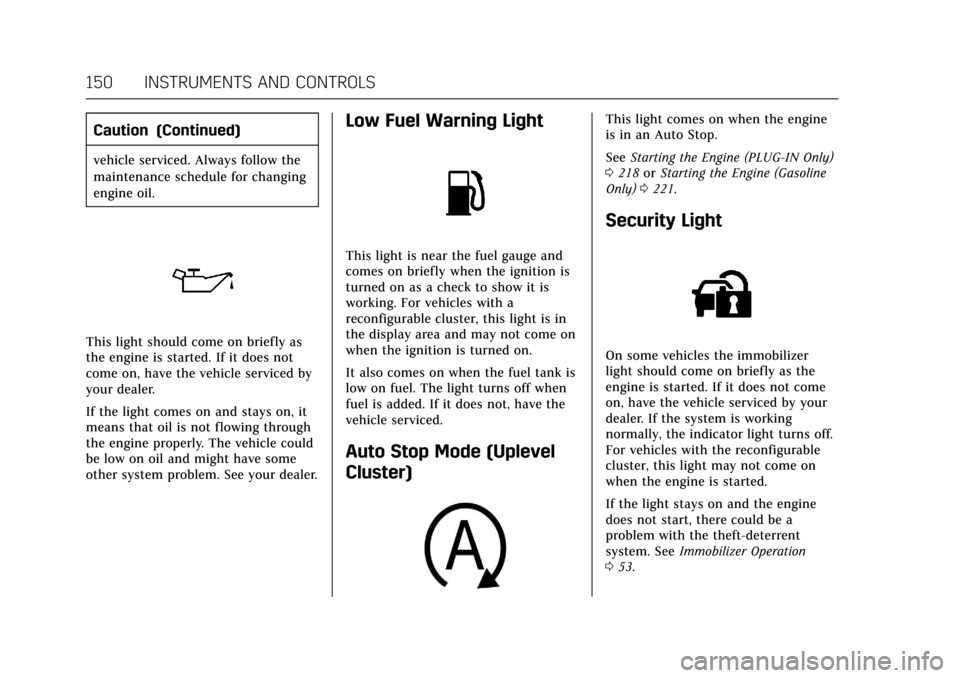
This light should come on briefly as
the engine is started. If it does not
come on, have the vehicle serviced by
your dealer.
If the light comes on and stays on, it
means that oil is not flowing through
the engine properly. The vehicle could
be low on oil and might have some
other system problem. See your dealer.
Low Fuel Warning Light
This light is near the fuel gauge and
comes on briefly when the ignition is
turned on as a check to show it is
working. For vehicles with a
reconfigurable cluster, this light is in
the display area and may not come on
when the ignition is turned on.
It also comes on when the fuel tank is
low on fuel. The light turns off when
fuel is added. If it does not, have the
vehicle serviced.
Auto Stop Mode (Uplevel
Cluster)
This light comes on when the engine
is in an Auto Stop.
SeeStarting the Engine (PLUG-IN Only)
0 218 orStarting the Engine (Gasoline
Only) 0221.
Security Light
On some vehicles the immobilizer
light should come on briefly as the
engine is started. If it does not come
on, have the vehicle serviced by your
dealer. If the system is working
normally, the indicator light turns off.
For vehicles with the reconfigurable
cluster, this light may not come on
when the engine is started.
If the light stays on and the engine
does not start, there could be a
problem with the theft-deterrent
system. See Immobilizer Operation
0 53.
Page 219 of 445
Cadillac CT6 Owner Manual (GMNA-Localizing-U.S./Canada-11292458) -
2018 - crc - 2/14/17
218 DRIVING AND OPERATING
2. Shift the vehicle to N (Neutral).This can be done while the
vehicle is moving. After shifting
to N (Neutral), firmly apply the
brakes and steer the vehicle to a
safe location.
3. Come to a complete stop, shift to P (Park), and turn off the
ignition.
4. Set the parking brake. See Electric Parking Brake 0235.
{Warning
Turning off the vehicle while
moving may cause loss of power
assist in the brake and steering
systems and disable the airbags.
While driving, only shut the vehicle
off in an emergency.
If the vehicle cannot be pulled over,
and must be shut off while driving,
press and hold ENGINE START/STOP
for longer than two seconds, or press
twice in five seconds. ACC/ACCESSORY (Amber Indicator
Light) :
This mode allows you to use
some electrical accessories when the
engine is off.
With the ignition off, pressing the
button one time without the brake
pedal applied will place the ignition
system in ACC/ACCESSORY.
The ignition will switch from ACC/
ACCESSORY to off after five minutes
to prevent battery rundown.
ON/RUN/START (Green Indicator
Light) : This mode is for driving and
starting. With the ignition off, and the
brake pedal applied, pressing the
button once will turn the ignition on.
Once engine cranking begins, release
the button. Engine cranking will
continue until the engine starts.
See Starting the Engine (PLUG-IN Only)
0 218 orStarting the Engine (Gasoline
Only) 0221. The ignition will then
remain on.
Service Mode
This power mode is available for
service and diagnostics, and to verify
the proper operation of the
malfunction indicator lamp as may be required for emission inspection
purposes. With the vehicle off, and the
brake pedal not applied, pressing and
holding the button for more than
five seconds will place the vehicle in
Service Mode. The instruments and
audio systems will operate as they do
when the ignition is on, but the
vehicle will not be able to be driven.
The engine will not start in Service
Mode. Press the button again to turn
the ignition off.
Starting the Engine
(PLUG-IN Only)
{Warning
Shifting out of P (Park) with the
hood open, into any gear, may
cause the vehicle to move. To help
avoid serious injury to yourself or
others, be sure the vehicle
remains in P (Park) while the
hood remains open.
Page 228 of 445
Cadillac CT6 Owner Manual (GMNA-Localizing-U.S./Canada-11292458) -
2018 - crc - 2/14/17
DRIVING AND OPERATING 227
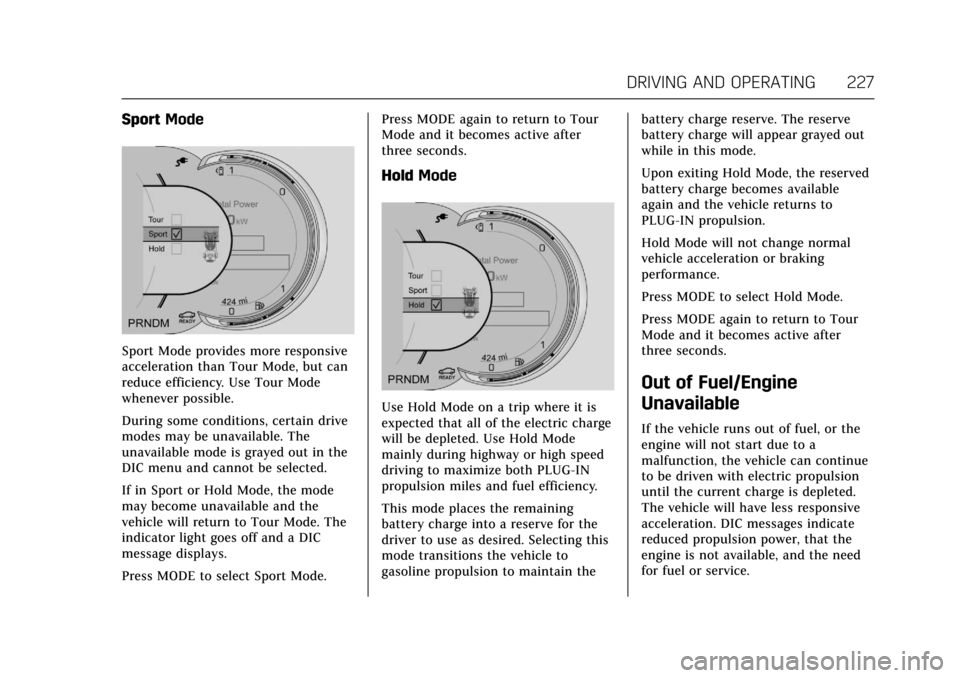
SportMode
Sport Mode provides more responsive
acceleration than Tour Mode, but can
reduce efficiency. Use Tour Mode
whenever possible.
During some conditions, certain drive
modes may be unavailable. The
unavailable mode is grayed out in the
DIC menu and cannot be selected.
If in Sport or Hold Mode, the mode
may become unavailable and the
vehicle will return to Tour Mode. The
indicator light goes off and a DIC
message displays.
Press MODE to select Sport Mode. Press MODE again to return to Tour
Mode and it becomes active after
three seconds.
Hold
Mode
Use Hold Mode on a trip where it is
expected that all of the electric charge
will be depleted. Use Hold Mode
mainly during highway or high speed
driving to maximize both PLUG-IN
propulsion miles and fuel efficiency.
This mode places the remaining
battery charge into a reserve for the
driver to use as desired. Selecting this
mode transitions the vehicle to
gasoline propulsion to maintain the battery charge reserve. The reserve
battery charge will appear grayed out
while in this mode.
Upon exiting Hold Mode, the reserved
battery charge becomes available
again and the vehicle returns to
PLUG-IN propulsion.
Hold Mode will not change normal
vehicle acceleration or braking
performance.
Press MODE to select Hold Mode.
Press MODE again to return to Tour
Mode and it becomes active after
three seconds.
Out of Fuel/Engine
Unavailable
If the vehicle runs out of fuel, or the
engine will not start due to a
malfunction, the vehicle can continue
to be driven with electric propulsion
until the current charge is depleted.
The vehicle will have less responsive
acceleration. DIC messages indicate
reduced propulsion power, that the
engine is not available, and the need
for fuel or service.
Page 253 of 445
Cadillac CT6 Owner Manual (GMNA-Localizing-U.S./Canada-11292458) -
2018 - crc - 2/14/17
252 DRIVING AND OPERATING
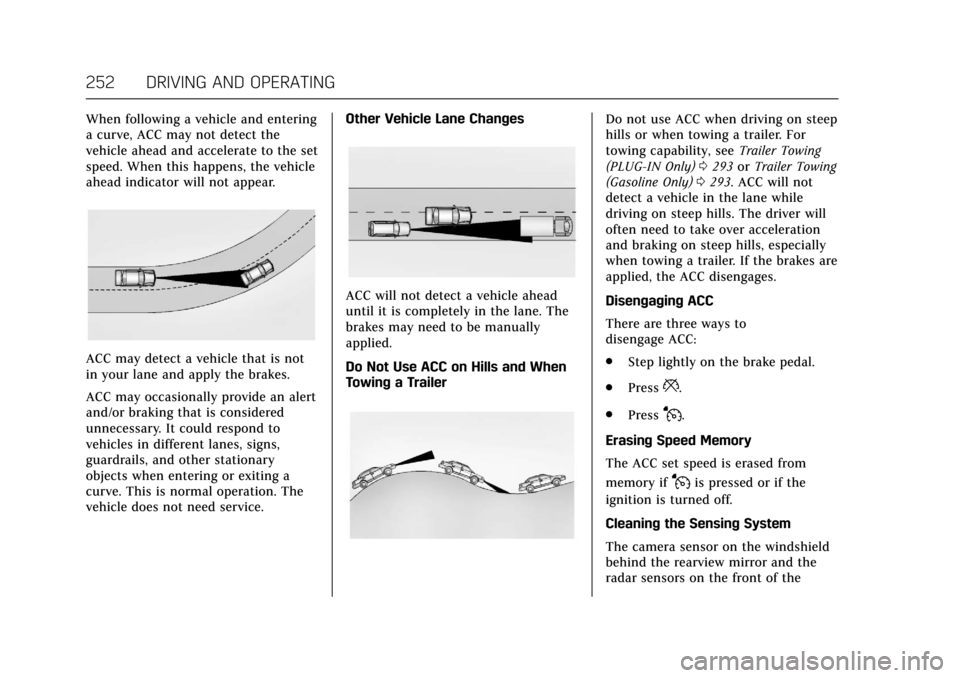
When following a vehicle and entering
a curve, ACC may not detect the
vehicle ahead and accelerate to the set
speed. When this happens, the vehicle
ahead indicator will not appear.
ACC may detect a vehicle that is not
in your lane and apply the brakes.
ACC may occasionally provide an alert
and/or braking that is considered
unnecessary. It could respond to
vehicles in different lanes, signs,
guardrails, and other stationary
objects when entering or exiting a
curve. This is normal operation. The
vehicle does not need service.Other Vehicle Lane Changes
ACC will not detect a vehicle ahead
until it is completely in the lane. The
brakes may need to be manually
applied.
Do Not Use ACC on Hills and When
Towing a Trailer
Do not use ACC when driving on steep
hills or when towing a trailer. For
towing capability, see
Trailer Towing
(PLUG-IN Only) 0293 orTrailer Towing
(Gasoline Only) 0293. ACC will not
detect a vehicle in the lane while
driving on steep hills. The driver will
often need to take over acceleration
and braking on steep hills, especially
when towing a trailer. If the brakes are
applied, the ACC disengages.
Disengaging ACC
There are three ways to
disengage ACC:
. Step lightly on the brake pedal.
. Press
*.
. Press
J.
Erasing Speed Memory
The ACC set speed is erased from
memory if
Jis pressed or if the
ignition is turned off.
Cleaning the Sensing System
The camera sensor on the windshield
behind the rearview mirror and the
radar sensors on the front of the
Page 263 of 445
Cadillac CT6 Owner Manual (GMNA-Localizing-U.S./Canada-11292458) -
2018 - crc - 2/14/17
262 DRIVING AND OPERATING
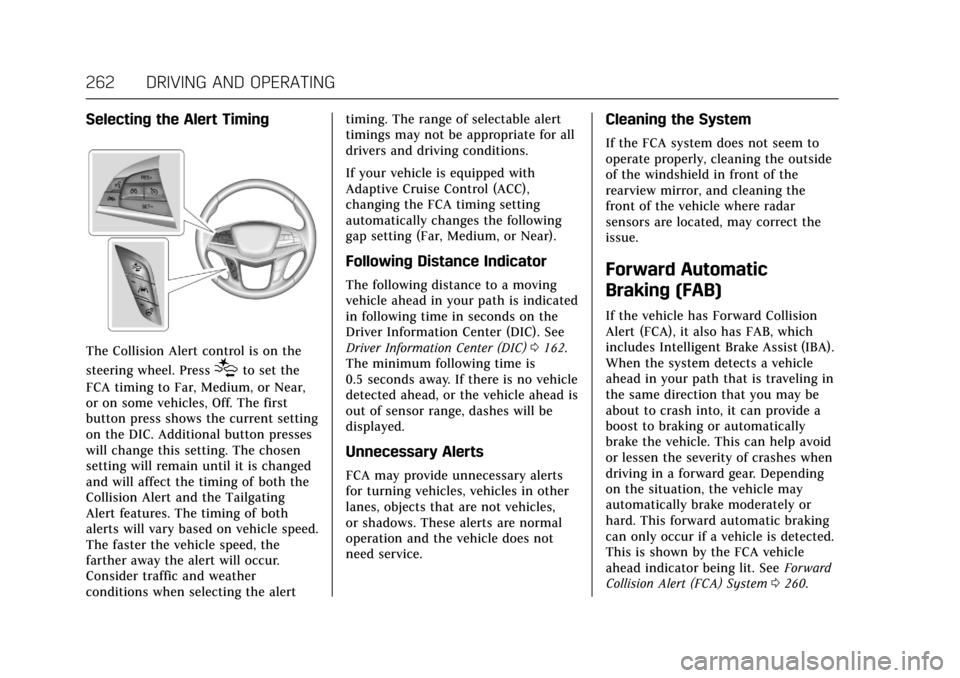
Selecting the Alert Timing
The Collision Alert control is on the
steering wheel. Press
[to set the
FCA timing to Far, Medium, or Near,
or on some vehicles, Off. The first
button press shows the current setting
on the DIC. Additional button presses
will change this setting. The chosen
setting will remain until it is changed
and will affect the timing of both the
Collision Alert and the Tailgating
Alert features. The timing of both
alerts will vary based on vehicle speed.
The faster the vehicle speed, the
farther away the alert will occur.
Consider traffic and weather
conditions when selecting the alert timing. The range of selectable alert
timings may not be appropriate for all
drivers and driving conditions.
If your vehicle is equipped with
Adaptive Cruise Control (ACC),
changing the FCA timing setting
automatically changes the following
gap setting (Far, Medium, or Near).
Following Distance Indicator
The following distance to a moving
vehicle ahead in your path is indicated
in following time in seconds on the
Driver Information Center (DIC). See
Driver Information Center (DIC)
0162.
The minimum following time is
0.5 seconds away. If there is no vehicle
detected ahead, or the vehicle ahead is
out of sensor range, dashes will be
displayed.
Unnecessary Alerts
FCA may provide unnecessary alerts
for turning vehicles, vehicles in other
lanes, objects that are not vehicles,
or shadows. These alerts are normal
operation and the vehicle does not
need service.
Cleaning the System
If the FCA system does not seem to
operate properly, cleaning the outside
of the windshield in front of the
rearview mirror, and cleaning the
front of the vehicle where radar
sensors are located, may correct the
issue.
Forward Automatic
Braking (FAB)
If the vehicle has Forward Collision
Alert (FCA), it also has FAB, which
includes Intelligent Brake Assist (IBA).
When the system detects a vehicle
ahead in your path that is traveling in
the same direction that you may be
about to crash into, it can provide a
boost to braking or automatically
brake the vehicle. This can help avoid
or lessen the severity of crashes when
driving in a forward gear. Depending
on the situation, the vehicle may
automatically brake moderately or
hard. This forward automatic braking
can only occur if a vehicle is detected.
This is shown by the FCA vehicle
ahead indicator being lit. See Forward
Collision Alert (FCA) System 0260.
Page 265 of 445

Cadillac CT6 Owner Manual (GMNA-Localizing-U.S./Canada-11292458) -
2018 - crc - 2/14/17
264 DRIVING AND OPERATING
FAB and IBA can be disabled through
vehicle personalization. See“Collision/
Detection Systems” underVehicle
Personalization 0170.
{Warning
Using FAB or IBA while towing a
trailer could cause you to lose
control of the vehicle and crash.
Turn the system to Alert, or if the
vehicle has ACC to Off, when
towing a trailer.
A system unavailable message may
display if:
. The front of the vehicle or
windshield is not clean.
. Heavy rain or snow is interfering
with object detection.
. There is a problem with the
StabiliTrak system.
The FAB system does not need
service.
Front Pedestrian Braking
(FPB) System
If equipped, the FPB system may help
avoid or reduce the harm caused by
front-end crashes with nearby
pedestrians when driving in a
forward gear. FPB displays an amber
indicator,
~, when a nearby
pedestrian is detected directly ahead.
When approaching a detected
pedestrian too quickly, FPB provides a
red flashing alert on the windshield
and rapidly beeps or pulses the driver
seat. FPB can provide a boost to
braking or automatically brake the
vehicle. This system includes
Intelligent Brake Assist (IBA), and the
Forward Automatic Braking (FAB)
System may also respond to
pedestrians. See Forward Automatic
Braking (FAB) 0262.
The FPB system can detect and alert
to pedestrians in a forward gear at
speeds between 8 km/h (5 mph) and
80 km/h (50 mph). During daytime
driving, the system detects
pedestrians up to a distance of
approximately 40 m (131 ft). During
nighttime driving, system performance is very limited. If the vehicle is
equipped with the Night Vision
system, during nighttime driving, the
vehicle can detect and alert to
pedestrians whenever in a
forward gear.{Warning
FPB does not provide an alert or
automatically brake the vehicle,
unless it detects a pedestrian. FPB
may not detect pedestrians,
including children:
. When the pedestrian is not
directly ahead, fully visible,
or standing upright, or when
part of a group.
. Due to poor visibility,
including nighttime
conditions, fog, rain, or snow.
. If the FPB sensor is blocked
by dirt, snow, or ice.
. If the headlamps or
windshield are not cleaned or
in proper condition.
(Continued)
Page 281 of 445
Cadillac CT6 Owner Manual (GMNA-Localizing-U.S./Canada-11292458) -
2018 - crc - 2/14/17
280 DRIVING AND OPERATING
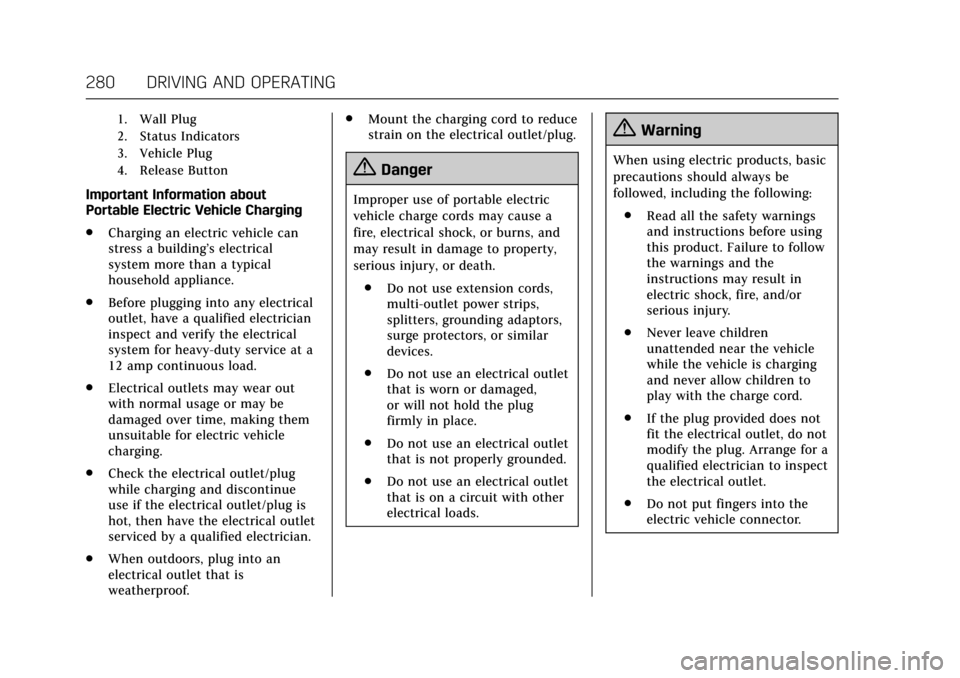
1. Wall Plug
2. Status Indicators
3. Vehicle Plug
4. Release Button
Important Information about
Portable Electric Vehicle Charging
.Charging an electric vehicle can
stress a building’s electrical
system more than a typical
household appliance.
. Before plugging into any electrical
outlet, have a qualified electrician
inspect and verify the electrical
system for heavy-duty service at a
12 amp continuous load.
. Electrical outlets may wear out
with normal usage or may be
damaged over time, making them
unsuitable for electric vehicle
charging.
. Check the electrical outlet/plug
while charging and discontinue
use if the electrical outlet/plug is
hot, then have the electrical outlet
serviced by a qualified electrician.
. When outdoors, plug into an
electrical outlet that is
weatherproof. .
Mount the charging cord to reduce
strain on the electrical outlet/plug.
{Danger
Improper use of portable electric
vehicle charge cords may cause a
fire, electrical shock, or burns, and
may result in damage to property,
serious injury, or death.
. Do not use extension cords,
multi-outlet power strips,
splitters, grounding adaptors,
surge protectors, or similar
devices.
. Do not use an electrical outlet
that is worn or damaged,
or will not hold the plug
firmly in place.
. Do not use an electrical outlet
that is not properly grounded.
. Do not use an electrical outlet
that is on a circuit with other
electrical loads.
{Warning
When using electric products, basic
precautions should always be
followed, including the following:
. Read all the safety warnings
and instructions before using
this product. Failure to follow
the warnings and the
instructions may result in
electric shock, fire, and/or
serious injury.
. Never leave children
unattended near the vehicle
while the vehicle is charging
and never allow children to
play with the charge cord.
. If the plug provided does not
fit the electrical outlet, do not
modify the plug. Arrange for a
qualified electrician to inspect
the electrical outlet.
. Do not put fingers into the
electric vehicle connector.