manual transmission CADILLAC CTS 2006 1.G Owners Manual
[x] Cancel search | Manufacturer: CADILLAC, Model Year: 2006, Model line: CTS, Model: CADILLAC CTS 2006 1.GPages: 442, PDF Size: 2.57 MB
Page 77 of 442
Keys...............................................................2-3
Remote Keyless Entry System.........................2-4
Remote Keyless Entry System Operation...........2-5
Doors and Locks.............................................2-8
Door Locks....................................................2-8
Central Door Unlocking System........................2-9
Power Door Locks..........................................2-9
Delayed Locking.............................................2-9
Programmable Automatic Door Locks..............2-10
Rear Door Security Locks..............................2-10
Lockout Protection........................................2-11
Trunk..........................................................2-12
Windows........................................................2-14
Power Windows............................................2-15
Sun Visors...................................................2-18
Theft-Deterrent Systems..................................2-18
Theft-Deterrent System..................................2-18
Immobilizer..................................................2-20
Immobilizer Operation....................................2-20Starting and Operating Your Vehicle................2-22
New Vehicle Break-In....................................2-22
Ignition Positions..........................................2-22
Retained Accessory Power (RAP)...................2-24
Starting the Engine.......................................2-25
Engine Coolant Heater..................................2-26
Automatic Transmission Operation...................2-27
Manual Transmission Operation......................2-30
Parking Brake..............................................2-33
Shifting Into Park (P)
(Automatic Transmission)............................2-34
Shifting Out of Park (P)
(Automatic Transmission)............................2-36
Parking Your Vehicle
(Manual Transmission)...............................2-36
Parking Over Things That Burn.......................2-37
Engine Exhaust............................................2-37
Running the Engine While Parked...................2-38
Section 2 Features and Controls
2-1
Page 86 of 442
Programmable Automatic
Door Locks
If your vehicle has an automatic transmission, the
vehicle is programmed so that the doors will lock
automatically when all doors are closed, the ignition
is on, and the shift lever is moved out of PARK (P). The
doors will automatically unlock when you stop the
vehicle and move the shift lever back into PARK (P).
If your vehicle has a manual transmission, the vehicle is
programmed so that the doors will lock automatically
after the vehicle speed reaches 5 mph (8 km). The doors
will automatically unlock when the ignition is turned
off and the key is removed from the ignition.
If someone needs to exit the vehicle once the doors
are locked, have that person use the manual lever
or power door lock switch. When the door is closed
again, it will not lock automatically. Use the manual lever
or the power door lock switch to lock the door.
The power door locks can be programmed through
prompts displayed on the Driver Information
Center (DIC). These prompts allow you to choose
various lock and unlock settings. For more information
on programming, seeDIC Vehicle Personalization
on page 3-70.
Rear Door Security Locks
Your vehicle has rear door security locks that prevent
passengers from opening the rear doors on your vehicle
from the inside.
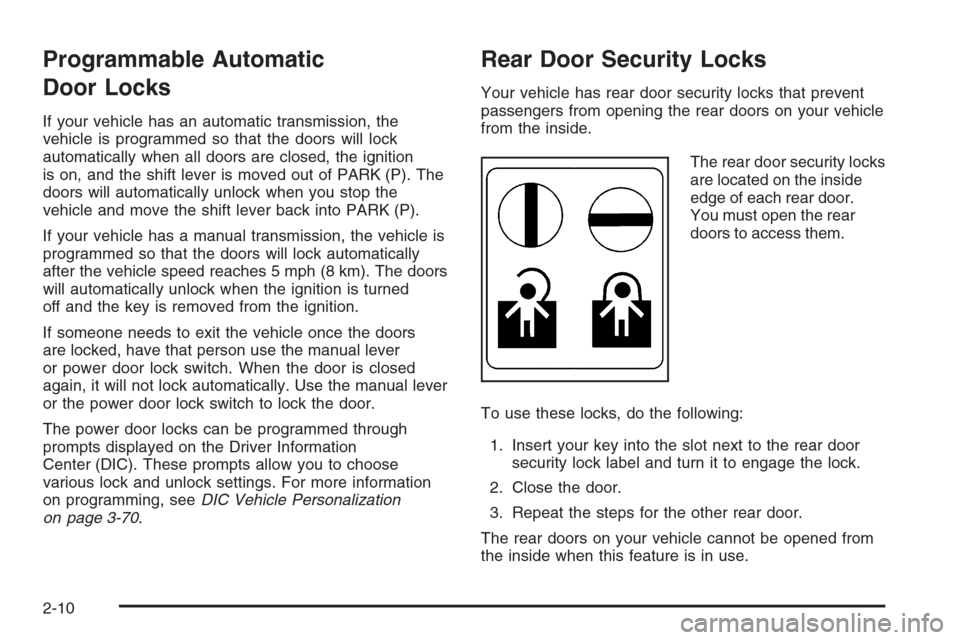
The rear door security locks
are located on the inside
edge of each rear door.
You must open the rear
doors to access them.
To use these locks, do the following:
1. Insert your key into the slot next to the rear door
security lock label and turn it to engage the lock.
2. Close the door.
3. Repeat the steps for the other rear door.
The rear doors on your vehicle cannot be opened from
the inside when this feature is in use.
2-10
Page 88 of 442
Trunk
{CAUTION:
It can be dangerous to drive with the trunk lid
open because carbon monoxide (CO) gas can
come into your vehicle. You cannot see or
smell CO. It can cause unconsciousness and
even death. If you must drive with the trunk lid
open or if electrical wiring or other cable
connections must pass through the seal
between the body and the trunk lid:
Make sure all other windows are shut.
Turn the fan on your heating or cooling
system to its highest speed and select the
control setting that will force outside air
into your vehicle. See Climate Control
System.
If you have air outlets on or under the
instrument panel, open them all the way.
SeeEngine Exhaust on page 2-37.
Trunk Lock Release
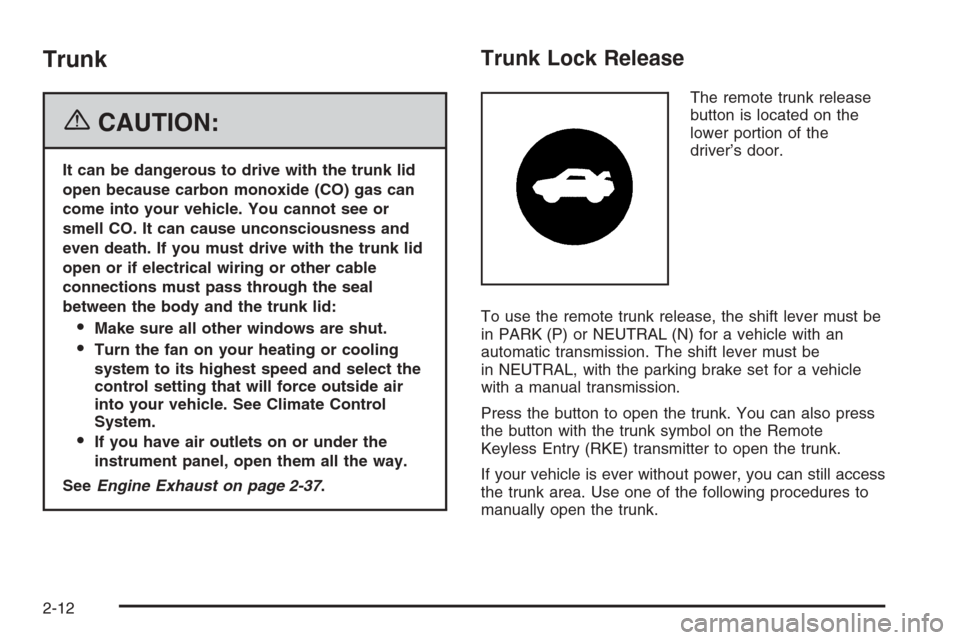
The remote trunk release
button is located on the
lower portion of the
driver’s door.
To use the remote trunk release, the shift lever must be
in PARK (P) or NEUTRAL (N) for a vehicle with an
automatic transmission. The shift lever must be
in NEUTRAL, with the parking brake set for a vehicle
with a manual transmission.
Press the button to open the trunk. You can also press
the button with the trunk symbol on the Remote
Keyless Entry (RKE) transmitter to open the trunk.
If your vehicle is ever without power, you can still access
the trunk area. Use one of the following procedures to
manually open the trunk.
2-12
Page 99 of 442
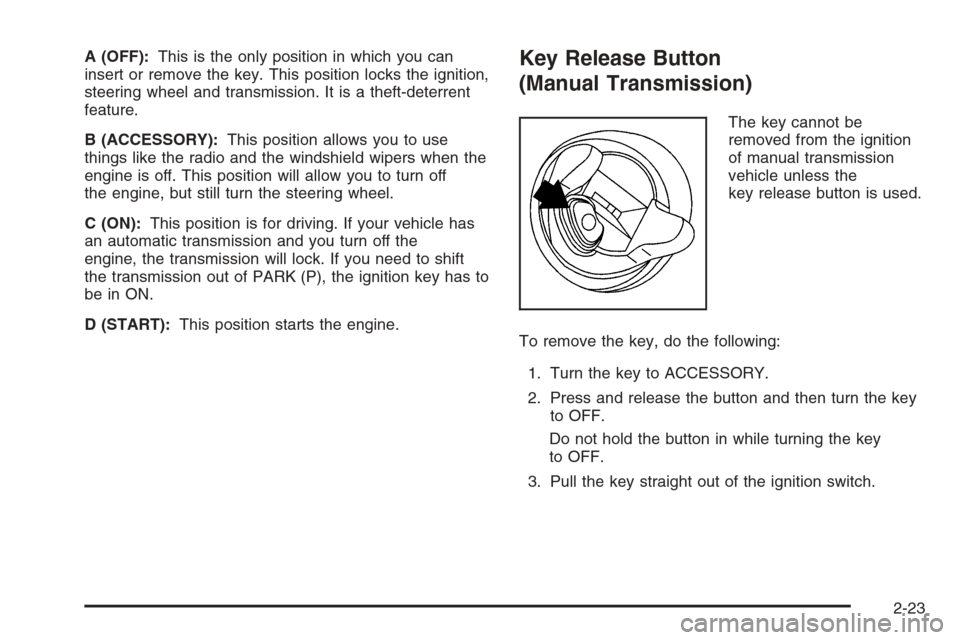
A (OFF):This is the only position in which you can
insert or remove the key. This position locks the ignition,
steering wheel and transmission. It is a theft-deterrent
feature.
B (ACCESSORY):This position allows you to use
things like the radio and the windshield wipers when the
engine is off. This position will allow you to turn off
the engine, but still turn the steering wheel.
C (ON):This position is for driving. If your vehicle has
an automatic transmission and you turn off the
engine, the transmission will lock. If you need to shift
the transmission out of PARK (P), the ignition key has to
be in ON.
D (START):This position starts the engine.Key Release Button
(Manual Transmission)
The key cannot be
removed from the ignition
of manual transmission
vehicle unless the
key release button is used.
To remove the key, do the following:
1. Turn the key to ACCESSORY.
2. Press and release the button and then turn the key
to OFF.
Do not hold the button in while turning the key
to OFF.
3. Pull the key straight out of the ignition switch.
2-23
Page 101 of 442
Starting the Engine
Automatic Transmission
Move your shift lever to PARK (P) or NEUTRAL (N).
Your engine will not start in any other position — that is
a safety feature. To restart when you are already
moving, use NEUTRAL (N) only.
Notice:Do not try to shift to PARK (P) if your
vehicle is moving. If you do, you could damage the
transmission. Shift to PARK (P) only when your
vehicle is stopped.
Manual Transmission
The shift lever should be in NEUTRAL and the parking
brake engaged. Hold the clutch pedal to the oor and
start the engine. Your vehicle will not start if the clutch
pedal is not all the way down — that is a safety feature.
1. With your foot off the accelerator pedal, turn your
ignition key to START. Then, let go of the key; the
engine will start automatically. The idle speed
will go down as your engine gets warm. Do not race
the engine immediately after starting it. Operate
the engine and transmission gently until the
oil warms up and lubricates all moving parts.Your vehicle has a Computer-Controlled Cranking
System. This feature assists in starting the
engine and protects the electrical system. If the
ignition key is turned to the START position,
and then released when the engine begins cranking,
the engine will continue cranking until the vehicle
starts or until it exceeds the maximum cranking time
allowed, approximately 15 seconds to prevent
cranking motor damage. To prevent starter-motor
gear damage, this system also prevents cranking if
the engine is already running. The engine cranking
can be stopped by turning the ignition switch to
the ACCESSORY or OFF position.
2. If your engine will not start, or starts but then stops,
it could be ooded with too much gasoline. Try
pushing your accelerator pedal all the way to the
oor and holding it there as you turn the key
to START. If the vehicle starts briey but then stops
again, do the same thing.
Notice:Your engine is designed to work with the
electronics in your vehicle. If you add electrical
parts or accessories, you could change the way the
engine operates. Before adding electrical equipment,
check with your dealer. If you do not, your engine
might not perform properly. Any resulting damage
would not be covered by your vehicle’s warranty.
2-25
Page 105 of 442
Driver Shift Control (DSC)
Notice:If you drive your vehicle at high RPMs
without upshifting while using Driver Shift Control
(DSC), you could damage your vehicle. Always
upshift when necessary while using DSC.
Your automatic transmission has a Driver Shift Control
(DSC) feature that allows you to change gears similar to a
manual transmission. To use the DSC feature:
1. Slide the shift lever over from AUTOMATIC
OVERDRIVE (D) to the right into the DSC area.
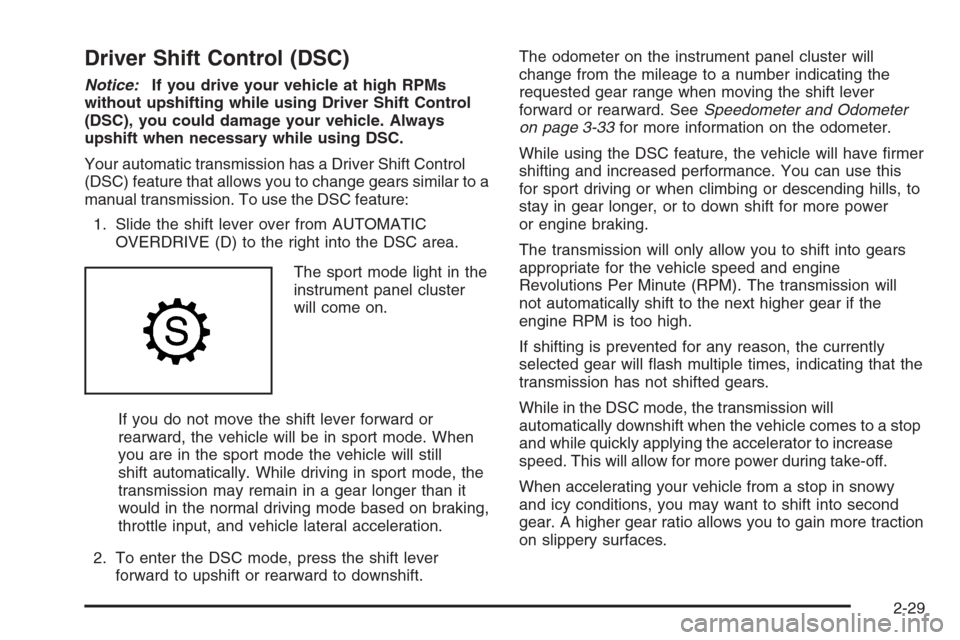
The sport mode light in the
instrument panel cluster
will come on.
If you do not move the shift lever forward or
rearward, the vehicle will be in sport mode. When
you are in the sport mode the vehicle will still
shift automatically. While driving in sport mode, the
transmission may remain in a gear longer than it
would in the normal driving mode based on braking,
throttle input, and vehicle lateral acceleration.
2. To enter the DSC mode, press the shift lever
forward to upshift or rearward to downshift.The odometer on the instrument panel cluster will
change from the mileage to a number indicating the
requested gear range when moving the shift lever
forward or rearward. SeeSpeedometer and Odometer
on page 3-33for more information on the odometer.
While using the DSC feature, the vehicle will have rmer
shifting and increased performance. You can use this
for sport driving or when climbing or descending hills, to
stay in gear longer, or to down shift for more power
or engine braking.
The transmission will only allow you to shift into gears
appropriate for the vehicle speed and engine
Revolutions Per Minute (RPM). The transmission will
not automatically shift to the next higher gear if the
engine RPM is too high.
If shifting is prevented for any reason, the currently
selected gear will ash multiple times, indicating that the
transmission has not shifted gears.
While in the DSC mode, the transmission will
automatically downshift when the vehicle comes to a stop
and while quickly applying the accelerator to increase
speed. This will allow for more power during take-off.
When accelerating your vehicle from a stop in snowy
and icy conditions, you may want to shift into second
gear. A higher gear ratio allows you to gain more traction
on slippery surfaces.
2-29
Page 106 of 442
Manual Transmission Operation
If your vehicle has a manual transmission, the shift lever
is located on the center console between the front
seats. The following explains how to operate the manual
transmission.
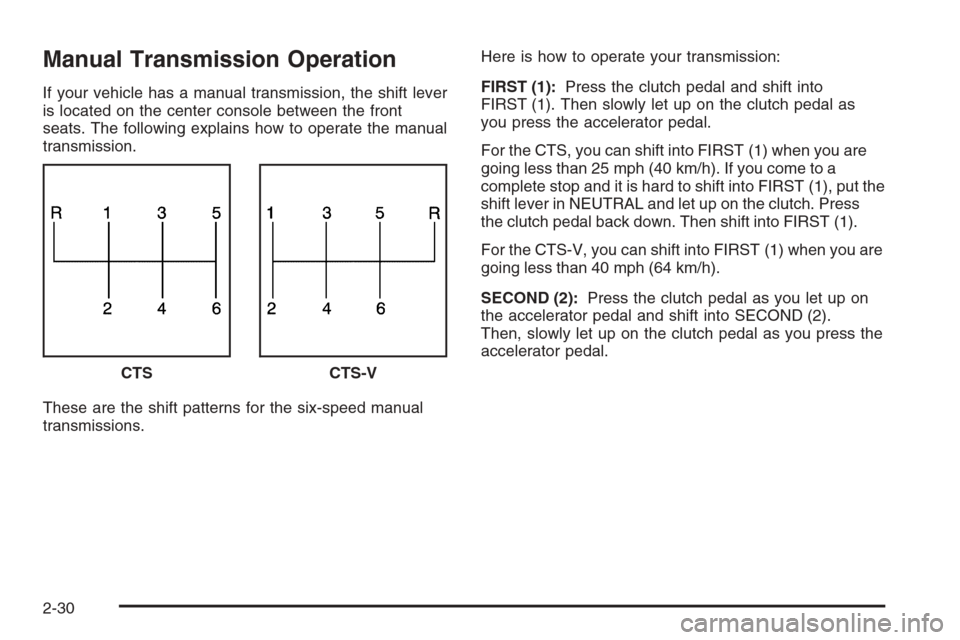
These are the shift patterns for the six-speed manual
transmissions.Here is how to operate your transmission:
FIRST (1):Press the clutch pedal and shift into
FIRST (1). Then slowly let up on the clutch pedal as
you press the accelerator pedal.
For the CTS, you can shift into FIRST (1) when you are
going less than 25 mph (40 km/h). If you come to a
complete stop and it is hard to shift into FIRST (1), put the
shift lever in NEUTRAL and let up on the clutch. Press
the clutch pedal back down. Then shift into FIRST (1).
For the CTS-V, you can shift into FIRST (1) when you are
going less than 40 mph (64 km/h).
SECOND (2):Press the clutch pedal as you let up on
the accelerator pedal and shift into SECOND (2).
Then, slowly let up on the clutch pedal as you press the
accelerator pedal.
CTS
CTS-V
2-30
Page 107 of 442
THIRD (3), FOURTH (4), FIFTH (5) and SIXTH (6):
Shift into THIRD (3), FOURTH (4), FIFTH (5) and
SIXTH (6) the same way you do for SECOND (2). Slowly
let up on the clutch pedal as you press the accelerator
pedal.
To stop, let up on the accelerator pedal and press the
brake pedal. Just before the vehicle stops, press
the clutch pedal and the brake pedal, and shift to
NEUTRAL.
NEUTRAL:Use this position when you start or idle
your engine. Your shift lever is in NEUTRAL when it is
centered in the shift pattern, not in any gear.
REVERSE (R):To back up, press down the clutch
pedal, completely stop the vehicle, and shift into
REVERSE (R). Let up on the clutch pedal slowly while
pressing the accelerator pedal.For the CTS, pull the shift lever quickly to the left and
then forward into gear.
For the CTS-V, your six-speed manual transmission has
a safety feature that prevents you from shifting into
REVERSE (R) while the vehicle is driven at speeds
greater than 3 mph (5 km/h). You will be locked out if
you try to shift into REVERSE (R) while your vehicle
is moving faster than 3 mph (5 km/h). If you have turned
your ignition off and wish to park your vehicle in
REVERSE (R), you will have to overcome the lockout
mechanism by moving the shift lever quickly to the right,
and immediately forward into gear using more force
than a normal shift.
2-31
Page 108 of 442
Shift Speeds (Manual Transmission)
{CAUTION:
If you skip a gear when you downshift, you
could lose control of your vehicle. You could
injure yourself or others. Do not shift down
more than one gear at a time when you
downshift.
Notice:If you skip more than one gear when you
downshift, or if you race the engine when you
release the clutch pedal while downshifting, you
could damage the engine, clutch, driveshaft or the
transmission. Do not skip gears or race the
engine when downshifting.
If the vehicle speed drops below 20 mph (32 km/h), or if
the engine is not running smoothly, you should
downshift to the next lower gear. You may have to
downshift two or more gears to keep the engine running
smoothly or for good performance.
Skip Shift (CTS-V)
1r4:This may appear in the message center in the
speedometer during light throttle, low speed maneuvers
(15 to 19 mph (24 to 31 km/h)). When this message
appears, you can only shift from FIRST (1) to
FOURTH (4) instead of FIRST (1) to SECOND (2).
SeeOne-to-Four Shift Message on page 3-52for more
information.
During the shift from FIRST (1) to FOURTH (4), pull the
shift lever straight back using light force on the shift
lever. You must complete the shift into FOURTH (4) to
turn off this feature. This helps you get the best
possible fuel economy. The skip shift feature is turned
backed on when the vehicle is at a complete stop.
Notice:Forcing the shift lever into any gear except
FOURTH (4), when the One – to – Four Shift
message comes on, may damage the transmission.
Shift only from FIRST (1) to FOURTH (4) when
the One – to – Four Shift message comes on.
This light comes on when:
The engine coolant temperature is higher than
169°F (76°C) and you are going 15 to 19 mph
(24 to 31 km/h).
You are 21 percent throttle or less.
2-32
Page 112 of 442
Shifting Out of Park (P)
(Automatic Transmission)
Your vehicle has an automatic transmission shift lock
control system. You have to fully apply your regular
brakes before you can shift from PARK (P) when the
ignition is in ON. SeeAutomatic Transmission Operation
on page 2-27for more information.
If you cannot shift out of PARK (P), release the button
on the shift lever and ease the pressure on the shift
lever. Push the shift lever all the way into PARK (P)
while pushing the button on the shift lever as you
maintain brake application. Then move the shift lever
into the desired gear.
Parking Your Vehicle
(Manual Transmission)
Before you get out of your vehicle, place the shift lever in
REVERSE (R) and rmly apply the parking brake. Turn
the ignition key to OFF, press the release button and
remove the key. See “Key Release Button” underIgnition
Positions on page 2-22for more information.
If you are towing a trailer, seeTowing a Trailer on
page 4-39.
2-36