transmission CADILLAC CTS 2007 1.G User Guide
[x] Cancel search | Manufacturer: CADILLAC, Model Year: 2007, Model line: CTS, Model: CADILLAC CTS 2007 1.GPages: 518, PDF Size: 2.77 MB
Page 124 of 518
DRIVE (D):This position is for normal driving.
It provides the best fuel economy for your vehicle.
If you need more power for passing, and you are:
Going less than 35 mph (55 km/h), push the
accelerator pedal about halfway down.
Going about 35 mph (55 km/h) or more,
push the accelerator all the way down.
The transmission will shift down to a lower gear
and have more power.
Downshifting the transmission in slippery road
conditions could result in skidding, see Skidding
underLoss of Control on page 303
Notice:Spinning the tires or holding the
vehicle in one place on a hill using only
the accelerator pedal may damage the
transmission. If you are stuck, do not spin
the tires. When stopping on a hill, use
the brakes to hold the vehicle in place.
Driver Shift Control (DSC)
Notice:If you drive your vehicle at high RPMs
without upshifting while using Driver Shift
Control (DSC), you could damage your
vehicle. Always upshift when necessary while
using DSC.
Your automatic transmission has a Driver Shift
Control (DSC) feature that allows you to change
gears similar to a manual transmission. To use the
DSC feature:
1. Slide the shift lever over from DRIVE (D) to
the right into the DSC area.
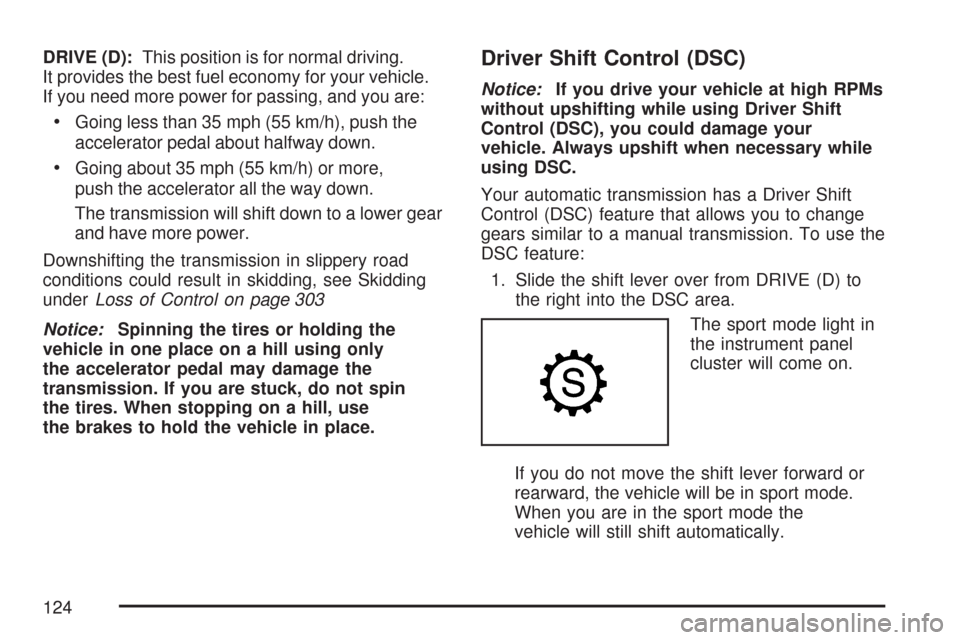
The sport mode light in
the instrument panel
cluster will come on.
If you do not move the shift lever forward or
rearward, the vehicle will be in sport mode.
When you are in the sport mode the
vehicle will still shift automatically.
124
Page 125 of 518
While driving in sport mode, the transmission
may remain in a gear longer than it would
in the normal driving mode based on braking,
throttle input, and vehicle lateral acceleration.
2. To enter the DSC mode, press the shift lever
forward to upshift or rearward to downshift.
The odometer on the instrument panel cluster will
change from the mileage to a number indicating
the requested gear range when moving the
shift lever forward or rearward. SeeSpeedometer
and Odometer on page 200for more information
on the odometer.
While using the DSC feature, the vehicle will have
rmer shifting and increased performance. You
can use this for sport driving or when climbing or
descending hills, to stay in gear longer, or to
down shift for more power or engine braking.The transmission will only allow you to shift into
gears appropriate for the vehicle speed and engine
Revolutions Per Minute (RPM). The transmission
will not automatically shift to the next higher
gear if the engine RPM is too high.
If shifting is prevented for any reason, the currently
selected gear will ash multiple times, indicating
that the transmission has not shifted gears.
While in the DSC mode, the transmission will
automatically downshift when the vehicle comes to
a stop and while quickly applying the accelerator
to increase speed. This will allow for more
power during take-off.
When accelerating your vehicle from a stop in
snowy and icy conditions, you may want to shift
into second gear. A higher gear ratio allows you to
gain more traction on slippery surfaces.
125
Page 126 of 518
Manual Transmission Operation
If your vehicle has a manual transmission, the shift
lever is located on the center console between
the front seats. The following explains how to
operate the manual transmission.
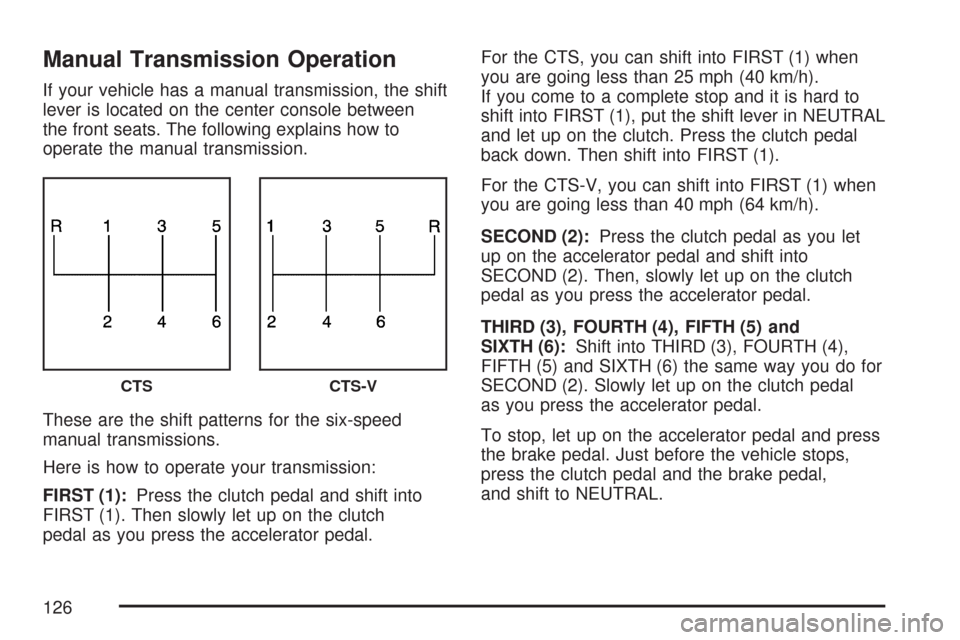
These are the shift patterns for the six-speed
manual transmissions.
Here is how to operate your transmission:
FIRST (1):Press the clutch pedal and shift into
FIRST (1). Then slowly let up on the clutch
pedal as you press the accelerator pedal.For the CTS, you can shift into FIRST (1) when
you are going less than 25 mph (40 km/h).
If you come to a complete stop and it is hard to
shift into FIRST (1), put the shift lever in NEUTRAL
and let up on the clutch. Press the clutch pedal
back down. Then shift into FIRST (1).
For the CTS-V, you can shift into FIRST (1) when
you are going less than 40 mph (64 km/h).
SECOND (2):Press the clutch pedal as you let
up on the accelerator pedal and shift into
SECOND (2). Then, slowly let up on the clutch
pedal as you press the accelerator pedal.
THIRD (3), FOURTH (4), FIFTH (5) and
SIXTH (6):Shift into THIRD (3), FOURTH (4),
FIFTH (5) and SIXTH (6) the same way you do for
SECOND (2). Slowly let up on the clutch pedal
as you press the accelerator pedal.
To stop, let up on the accelerator pedal and press
the brake pedal. Just before the vehicle stops,
press the clutch pedal and the brake pedal,
and shift to NEUTRAL.
CTSCTS-V
126
Page 127 of 518

NEUTRAL:Use this position when you start or
idle your engine. Your shift lever is in NEUTRAL
when it is centered in the shift pattern, not in
any gear.
REVERSE (R):To back up, press down the
clutch pedal, completely stop the vehicle, and shift
into REVERSE (R). Let up on the clutch pedal
slowly while pressing the accelerator pedal.
For the CTS, pull the shift lever quickly to the left
and then forward into gear.
For the CTS-V, the transmission has a safety
feature that prevents you from shifting into
REVERSE (R) while the vehicle is driven at
speeds greater than 3 mph (5 km/h). You will be
locked out if you try to shift into REVERSE (R)
while your vehicle is moving faster than 3 mph
(5 km/h). If you have turned your ignition off and
wish to park your vehicle in REVERSE (R),
you will have to overcome the lockout mechanism
by moving the shift lever quickly to the right,
and immediately forward into gear using more
force than a normal shift.Shift Speeds (Manual Transmission)
{CAUTION:
If you skip a gear when you downshift,
you could lose control of your vehicle.
You could injure yourself or others.
Do not shift down more than one gear
at a time when you downshift.
Notice:If you skip more than one gear when
you downshift, or if you race the engine when
you release the clutch pedal while downshifting,
you could damage the engine, clutch, driveshaft
or the transmission. Do not skip gears or race
the engine when downshifting.
If the vehicle speed drops below 20 mph (32 km/h),
or if the engine is not running smoothly, you should
downshift to the next lower gear. You may have to
downshift two or more gears to keep the engine
running smoothly or for good performance.
127
Page 128 of 518
Skip Shift (CTS-V)
1r4:This message may appear in the message
center in the speedometer during light throttle, low
speed maneuvers (15 to 19 mph (24 to 31 km/h)).
When this message appears, you can only shift
from FIRST (1) to FOURTH (4) instead of
FIRST (1) to SECOND (2).
SeeOne-to-Four Shift Message (CTS-V Only) on
page 222for more information.
During the shift from FIRST (1) to FOURTH (4),
pull the shift lever straight back using light force on
the shift lever. You must complete the shift into
FOURTH (4) to turn off this feature. This helps get
the best possible fuel economy. The skip shift
feature is turned backed on when the vehicle is at
a complete stop and the digital speedometer
reads 0 mph (0 km/h).
Notice:Forcing the shift lever into any gear
except FOURTH (4), when the One – to – Four
Shift message comes on, may damage the
transmission. Shift only from FIRST (1) to
FOURTH (4) when the One – to – Four Shift
message comes on.The One – to – Four Shift message comes on when:The engine coolant temperature is higher than
169°F (76°C) and you are going 15 to 19 mph
(24 to 31 km/h).
You are pressing the accelerator pedal less
then a quarter of the way down.
Parking Brake
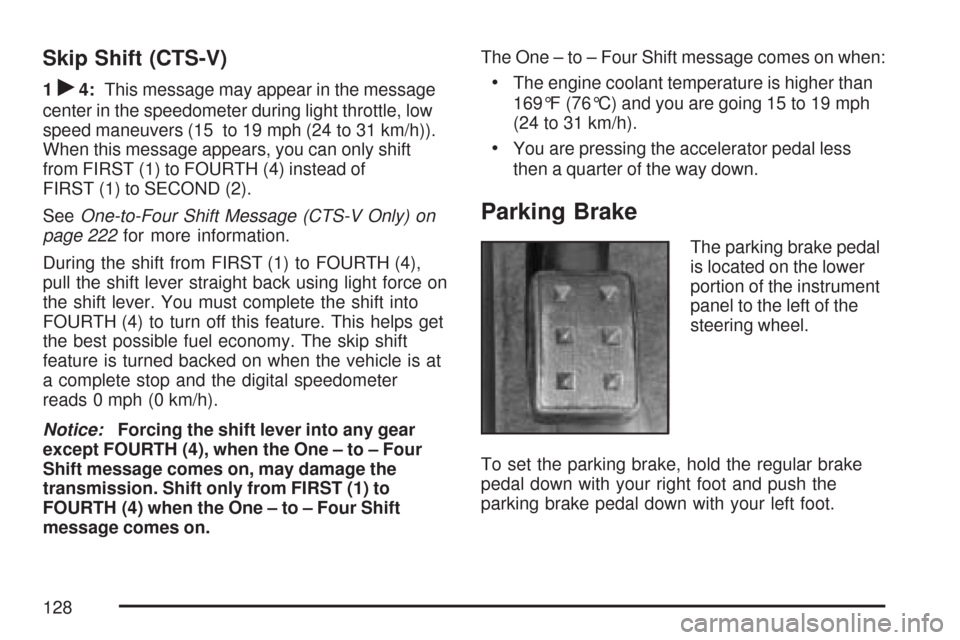
The parking brake pedal
is located on the lower
portion of the instrument
panel to the left of the
steering wheel.
To set the parking brake, hold the regular brake
pedal down with your right foot and push the
parking brake pedal down with your left foot.
128
Page 130 of 518

Shifting Into Park (P)
(Automatic Transmission)
{CAUTION:
It can be dangerous to get out of your
vehicle if the shift lever is not fully in
PARK (P) with the parking brake rmly set.
Your vehicle can roll. If you have left the
engine running, the vehicle can move
suddenly. You or others could be injured.
To be sure your vehicle will not move, even
when you are on fairly level ground, use
the steps that follow. If you are pulling a
trailer, seeTowing a Trailer on page 328.To shift into PARK (P), use the following steps:
1. Hold the brake pedal down with your right foot.
2. Move the shift lever into PARK (P) by
pressing the button on the front of the
shift lever while pushing the lever all the way
toward the front of the vehicle. Release
the button.
3. With your right foot still holding the brake
pedal down, set the parking brake with
your left foot. SeeParking Brake on page 128
for more information.
4. Turn the key to OFF.
5. Remove the key from the ignition switch and
take it with you. If you can leave your vehicle
with the key in your hand, the vehicle is in
PARK (P).
130
Page 131 of 518

Leaving Your Vehicle With the Engine
Running (Automatic Transmission)
{CAUTION:
It can be dangerous to leave your vehicle
with the engine running. Your vehicle could
move suddenly if the shift lever is not fully
in PARK (P) with the parking brake rmly
set. And, if you leave the vehicle with the
engine running, it could overheat and even
catch re. You or others could be injured.
Do not leave your vehicle with the engine
running.
If you have to leave your vehicle with the engine
running, be sure your vehicle is in PARK (P)
and your parking brake is rmly set before you
leave it. After you have moved the shift lever into
PARK (P), hold the regular brake pedal down.
Then, see if you can move the shift lever
away from PARK (P) without rst pushing the
button on the shift lever. If you can, it means that
the shift lever was not fully locked into PARK (P).
Torque Lock (Automatic Transmission)
If you are parking on a hill and you do not shift your
transmission into PARK (P) properly, the weight of
the vehicle may put too much force on the parking
pawl in the transmission. You may nd it difficult to
pull the shift lever out of PARK (P). This is called
“torque lock.” To prevent torque lock, set the
parking brake and then shift into PARK (P) properly
before you leave the driver’s seat. To nd out how,
see “Shifting Into PARK (P)” listed previously.
If torque lock does occur, you may need to have
another vehicle push yours a little uphill to
take some of the pressure from the parking pawl
in the transmission, so you can pull the shift
lever out of PARK (P).
131
Page 132 of 518

Shifting Out of Park (P)
Your vehicle has an automatic transmission shift
lock control system.
To shift out of PARK (P):
1. Apply the regular brake pedal.
2. Then press the shift lever button.
3. Move the shift lever to the desired gear.
If you are still unable to shift out of PARK (P):
1. Fully release the shift lever button.
2. While holding down the brake pedal, press
the shift lever button again.
3. Move the shift lever to the desired gear.
If you still cannot move the shift lever from
PARK (P), consult your dealer.
Parking Your Vehicle
(Manual Transmission)
Before you get out of your vehicle, place the
shift lever in REVERSE (R) and rmly apply the
parking brake. Turn the ignition key to OFF, press
the release button and remove the key. See
“Key Release Button” underIgnition Positions on
page 117for more information.
If you are towing a trailer, seeTowing a Trailer on
page 328.
132
Page 135 of 518

Running the Engine While Parked
It is better not to park with the engine running. But if
you ever have to, here are some things to know.
{CAUTION:
Idling the engine with the climate control
system off could allow dangerous exhaust
into your vehicle. See the earlier caution
underEngine Exhaust on page 134.
Also, idling in a closed-in place can let
deadly carbon monoxide (CO) into your
vehicle even if the climate control fan is at
the highest setting. One place this can
happen is a garage. Exhaust — with
CO — can come in easily. NEVER park in
a garage with the engine running.
Another closed-in place can be a blizzard.
SeeWinter Driving on page 316.
{CAUTION:
It can be dangerous to get out of your
vehicle if the automatic transmission shift
lever is not fully in PARK (P) with the
parking brake rmly set. Your vehicle can
roll. Do not leave your vehicle when the
engine is running unless you have to.
If you have left the engine running, the
vehicle can move suddenly. You or others
could be injured. To be sure your vehicle
will not move, even when it is on fairly
level ground, always set the parking brake
and move the automatic transmission
shift lever to PARK (P), or the manual
transmission shift lever to NEUTRAL.
Follow the proper steps to be sure your vehicle will
not move. SeeShifting Into Park (P) (Automatic
Transmission) on page 130andParking Your
Vehicle (Manual Transmission) on page 132.
If you are parking on a hill and if you are pulling a
trailer, seeTowing a Trailer on page 328.
135
Page 148 of 518

Universal Home Remote System
Operation (With One Triangular LED)
If there is one triangular Light Emitting Diode
(LED) indicator light above the Universal Home
Remote buttons, follow the instructions below.
Do not use the Universal Home Remote with
any garage door opener that does not have the
stop and reverse feature. This includes any
garage door opener model manufactured before
April 1, 1982. If you have a newer garage
door opener with rolling codes, please be sure
to follow Steps 6 through 8 to complete the
programming of your Universal Home Remote
Transmitter.Read the instructions completely before attempting
to program the Universal Home Remote.
Because of the steps involved, it may be helpful
to have another person available to assist you
in the programming steps
Keep the original hand-held transmitter for use in
other vehicles as well as for future Universal
Home Remote programming. It is also
recommended that upon the sale of the vehicle,
the programmed Universal Home Remote buttons
should be erased for security purposes.
See “Erasing Universal Home Remote Buttons”
later in section.
When programming a garage door, it is advised to
park outside of the garage. Be sure that people
and objects are clear of the garage door or
gate operator you are programming.
It is recommended that a new battery be installed
in your hand-held transmitter for quicker and
more accurate transmission of the radio-frequency
signal.
148