transmission CADILLAC CTS 2007 1.G Owner's Manual
[x] Cancel search | Manufacturer: CADILLAC, Model Year: 2007, Model line: CTS, Model: CADILLAC CTS 2007 1.GPages: 518, PDF Size: 2.77 MB
Page 150 of 518
6. Locate in the garage, the garage door opener
receiver (motor-head unit). Locate the “Learn”
or “Smart” button. This can usually be
found where the hanging antenna wire is
attached to the motor-head unit.
7. Firmly press and release the “Learn” or
“Smart” button. The name and color of
the button may vary by manufacturer.
You will have 30 seconds to start Step 8.
8. Return to the vehicle. Firmly press and hold
the programmed Universal Home Remote
button for two seconds, then release it.
Immediately press and hold the same button
a second time for two seconds, then
release it. Immediately, press and hold the
same button a third time for two seconds,
then release.
The Universal Home Remote should now
activate the rolling-code device.
To program the remaining two Universal
Home Remote buttons, begin with Step 2 of
“Programming Universal Home Remote.” You do
not want to repeat Step 1, as this will erase
all previous programming from the Universal Home
Remote buttons.Gate Operator and Canadian
Programming
Canadian radio-frequency laws require transmitter
signals to time out or quit after several seconds
of transmission. This may not be long enough
for Universal Home Remote to pick up the signal
during programming. Similarly, some U.S. gate
operators are manufactured to time out in
the same manner.
If you live in Canada, or you are having difficulty
programming a gate operator or garage door
opener by using the “Programming Universal
Home Remote” procedures, regardless of where
you live, replace Step 3 under “Programming
Universal Home Remote” with the following:
Continue to press and hold the Universal Home
Remote button while you press and release every
two seconds (cycle) the hand-held transmitter
button until the frequency signal has been
successfully accepted by the Universal Home
Remote. The Universal Home Remote indicator
light will ash slowly at rst and then rapidly.
Proceed with Step 4 under “Programming
Universal Home Remote” to complete.
150
Page 164 of 518
Anti-Lock Brake System Warning Light...... 206
Traction Control System (TCS)
Warning Light........................................ 206
Engine Coolant Temperature Warning
Light (CTS)............................................ 207
Engine Coolant Temperature Gage............ 208
Tire Pressure Light (CTS-V Only).............. 208
Malfunction Indicator Lamp........................ 209
Oil Pressure Light..................................... 212
Sport Mode Light (Automatic
Transmission/CTS)................................. 213
Security Light............................................ 213
Fog Lamp Light......................................... 213
Lights On Reminder.................................. 213
Cruise Control Light.................................. 214
Highbeam On Light................................... 214
Fuel Gage................................................. 214
Message Center.......................................... 215
Message Center (CTS-V).......................... 215
Transmission Fluid Hot Message............... 219
Hot Coolant Temperature Warning
Message................................................ 219
Check Engine Oil Pressure Message......... 220Oil Temperature Warning Message............ 220
Tire Pressure Warning Message................ 221
One-to-Four Shift Message
(CTS-V Only)......................................... 222
Driver Information Center (DIC).................. 222
System Controls........................................ 223
Status of Vehicle Systems......................... 223
DIC Main Menu......................................... 228
DIC Warnings and Messages.................... 232
DIC Vehicle Personalization....................... 242
Audio System(s)......................................... 258
Setting the Time........................................ 259
Radio with CD........................................... 260
XM Radio Messages................................. 277
Navigation/Radio System........................... 279
Theft-Deterrent Feature............................. 279
Audio Steering Wheel Controls (CTS)........ 279
Audio Steering Wheel Controls (CTS-V).... 280
Radio Reception........................................ 282
Care of Your CDs..................................... 283
Care of the CD Player.............................. 283
Diversity Antenna System.......................... 284
XM™ Satellite Radio Antenna System....... 284
Section 3 Instrument Panel
164
Page 167 of 518

The main components of the instrument panel are the following:
A. Air Outlets. SeeOutlet Adjustment on page 194.
B. Turn Signal/Multifunction Lever. SeeTurn
Signal/Multifunction Lever on page 171.
C. Recongurable Steering Wheel Controls (CTS)
(If Equipped) or Message Center Controls
(CTS-V). SeeRecongurable Steering Wheel
Controls (SWC) (CTS) on page 169or
Message Center (CTS-V) on page 215.
Steering Wheel Climate Controls (CTS).
SeeSteering Wheel Climate Controls (CTS) on
page 196. Traction Control Disable Button
(CTS-V). SeeTraction Control System (TCS)
(CTS) on page 293orTraction Control
System (TCS) (CTS-V) on page 295.
D. Instrument Panel Cluster. SeeInstrument
Panel Cluster on page 198.
E. Windshield Wiper Lever. SeeWindshield
Wipers on page 173.
F. Hazard Warning Flasher Button. SeeHazard
Warning Flashers on page 168.
G. Audio (Base Audio System) or Audio/Navigation
System (If Equipped). SeeAudio System(s)
on page 258orNavigation/Radio System
on page 279.H. Voice Recognition Button (If Equipped).
See Navigation System Supplement.
I. Audio Volume Knob and Source Button
(CTS Only). SeeAudio Steering Wheel
Controls (CTS) on page 279orAudio Steering
Wheel Controls (CTS-V) on page 280.
J. Storage Compartment or Ashtray (If Equipped).
SeeAshtray(s) and Cigarette Lighter on
page 188.
K. Transmission Shift Lever. SeeAutomatic
Transmission Operation on page 122or
Manual Transmission Operation on page 126.
L. Accessory Power Outlet or Cigarette Lighter
(If Equipped). SeeAccessory Power Outlet(s)
on page 186orAshtray(s) and Cigarette
Lighter on page 188.
M. Climate Control System. SeeDual Climate
Control System on page 189.
N. Glove Box. SeeGlove Box on page 159.
Traction Control Disable Button (CTS).
SeeTraction Control System (TCS) (CTS) on
page 293orTraction Control System (TCS)
(CTS-V) on page 295.
167
Page 179 of 518
Reducing Speed While Using Cruise
Control
There are two ways to reduce your speed while
using cruise control:
Press in the button at the end of the lever
until the desired lower speed is reached,
then release it.
To slow down in very small amounts, briey
press the set button. Each time you do this,
you will go about 1 mph (1.6 km/h) slower.
Passing Another Vehicle While Using
Cruise Control
Use the accelerator pedal to increase your speed.
When you take your foot off the pedal, your
vehicle will slow down to the cruise control speed
you set earlier.
Using Cruise Control on Hills
How well your cruise control will work on hills
depends upon your speed, load, and the steepness
of the hills. When going up steep hills, you mayhave to step on the accelerator pedal to maintain
your speed. When going downhill, you may have to
brake or shift to a lower gear to keep the speed
reduced. Applying the brake or shifting into a lower
gear will take you out of cruise control. If you need
to apply the brake or shift to a lower gear due to the
grade of the downhill slope, you may not want to
use the cruise control feature.
Ending Cruise Control
To end a cruise control session, step lightly on the
brake pedal. If your vehicle has a manual
transmission, lightly tapping the clutch pedal will
also end a cruise control session.
Stepping on the brake or clutch pedal will only end
the current cruise control session. Move the
cruise control switch to off to completely turn off
the system.
Erasing Speed Memory
When you turn off the cruise control or the ignition,
the cruise control set speed memory is erased.
179
Page 181 of 518
Headlamps on Reminder
A warning chime will sound if the exterior lamp
control is left on in either the headlamp or parking
lamp position and the driver’s door is opened
with the ignition off. SeeLights On Reminder on
page 213for additional information.
Daytime Running Lamps (DRL)
Daytime Running Lamps (DRL) can make it easier
for others to see the front of your vehicle during
the day. DRL can be helpful in many different
driving conditions, but they can be especially
helpful in the short periods after dawn and before
sunset. Fully functional daytime running lamps
are required on all vehicles rst sold in Canada.
The DRL system will make the turn signal lamps
come on when the following conditions are met:
It is still daylight and the ignition is in ON
or START.
The exterior lamp control is in off or AUTO and
the headlamps are off.
The automatic transmission is not in PARK (P).When DRL are on, only your front turn signal
lamps will be on. No other exterior lamps will
be on. Your instrument panel cluster will not be
lit up either.
When the exterior lamp control is in AUTO and it
is dark enough outside, the DRL will turn off
and the low-beam headlamps will turn on. When it
is bright enough outside, the low-beam headlamps
will go off, and the DRL will turn back on. If you
start your vehicle in a dark garage, the automatic
headlamp system will come on immediately.
Once you leave the garage, it will take about
one minute for the automatic headlamp system to
change to DRL if it is light outside. During that
delay, your instrument panel cluster may not be as
bright as usual. Make sure your instrument
panel brightness lever is in the full bright position.
SeeInstrument Panel Brightness on page 184.
181
Page 200 of 518

Speedometer and Odometer
The speedometer lets you see your speed in
either miles per hour (mph) or kilometers
per hour (km/h). The odometer shows how far
your vehicle has been driven, in either miles
(used in the United States) or kilometers (used in
Canada).
If your vehicle has to have a new odometer
installed, the new one may read the correct
mileage. This is because your vehicle’s computer
has stored the mileage in memory.
While the Driver Shift Control (DSC) feature is
active, the odometer will change to show the gear
range. SeeAutomatic Transmission Operation
on page 122for more information.
Trip Odometers
The trip odometer can record the number of miles
or kilometers traveled for up to two trips.
The trip odometer is part of the Driver Information
Center (DIC), for more information seeStatus
of Vehicle Systems on page 223.
For vehicles that have the navigation system,
see your Navigation System manual for more
information.
Tachometer
The tachometer displays the engine speed in
revolutions per minute (rpm).
Notice:If you operate the engine with the
tachometer in the shaded warning area, your
vehicle could be damaged, and the damages
would not be covered by your warranty. Do not
operate the engine with the tachometer in
the shaded warning area.
200
Page 209 of 518
Malfunction Indicator Lamp
Check Engine Light
Your vehicle has a
computer which
monitors operation of
the fuel, ignition,
and emission control
systems.
This system is called OBD II (On-Board
Diagnostics-Second Generation) and is intended
to assure that emissions are at acceptable
levels for the life of the vehicle, helping to produce
a cleaner environment. The check engine light
comes on to indicate that there is a problem and
service is required. Malfunctions often will be
indicated by the system before any problem is
apparent. This may prevent more serious damage
to your vehicle. This system is also designed to
assist your service technician in correctly
diagnosing any malfunction.Notice:If you keep driving your vehicle with
this light on, after awhile, the emission controls
might not work as well, your vehicle’s fuel
economy might not be as good, and the engine
might not run as smoothly. This could lead
to costly repairs that might not be covered by
your warranty.
Notice:Modications made to the engine,
transmission, exhaust, intake, or fuel system
of your vehicle or the replacement of the
original tires with other than those of the same
Tire Performance Criteria (TPC) can affect
your vehicle’s emission controls and can cause
this light to come on. Modications to these
systems could lead to costly repairs not
covered by your warranty. This could also
result in a failure to pass a required Emission
Inspection/Maintenance test. SeeAccessories
and Modifications on page 332.
209
Page 213 of 518
Sport Mode Light
(Automatic Transmission/CTS)
This light will come on
while the sport mode is
in use.
When you turn off the sport mode, the light will go
out. If it stays on, your vehicle may need service.
See your dealer. See “Sport Mode” under
Automatic Transmission Operation on page 122
for more information.
Security Light
For information
regarding this light, see
Theft-Deterrent
System on page 111.
Fog Lamp Light
This light will come on
when the fog lamps are
in use.
The light will go out when the fog lamps are
turned off. SeeFog Lamps on page 183for more
information.
Lights On Reminder
This light comes on
whenever the parking
lamps are on.
SeeHeadlamps on Reminder on page 181for
more information.
213
Page 215 of 518

Here are a few concerns some owners have had
about the fuel gage. All of these situations are
normal and do not indicate that anything is wrong
with the fuel gage:
At the gas station the gas pump shuts off
before the gage reads full.
The gage may change when you turn, stop
quickly or accelerate quickly.
It takes a little more or less fuel to ll the tank
than the gage indicated. For example, the gage
may have indicated that the tank was half full,
but it actually took a little more or less than half
the tank’s capacity to ll the tank.
Message Center
Message Center (CTS-V)
Your vehicle may have a message center that can
display information relating to powertrain uids, tire
pressures, vehicle dynamics, speedometer and
odometer information, and transmission status.
It also displays warning messages. There are
two different areas where message center
information will be displayed. One display is inside
of the tachometer and the other is inside of the
speedometer.These are the controls
for the message center.
They are located on
the left spoke of
the steering wheel.
The outboard switch (A and B) controls the display
of information inside of the tachometer. The
upper button (C) on the inboard switch controls
the display of information inside of the
speedometer. The lower button (D) on the inboard
switch turns the traction control on or off. See
Traction Control System (TCS) (CTS) on page 293
orTraction Control System (TCS) (CTS-V) on
page 295for more information.
215
Page 216 of 518
Speedometer Display
This display will show information relating to
vehicle speed, odometer, and transmission status.
The information displayed can be changed by
pressing (C). Pressing this button cycles the
displayed information as follows: digital
speedometer only, odometer only, speedometer
and odometer, or blank display.
When the transmission is shifted into
REVERSE (R), an R will appear in the
upper right corner.
During slow speed maneuvers, the engine’s
computer may command the transmission to
engage the Skip Shift feature. For more
information seeManual Transmission Operation
on page 126.
Tachometer Display
Press (B) to cycle through the following displays:
coolant temperature, oil pressure, oil temperature,
transmission temperature, tire pressure, and
lateral acceleration. Press (A) to cycle through the
displays in reverse order. If you press (A), for
about one second, the display will become blank.
Coolant Temperature
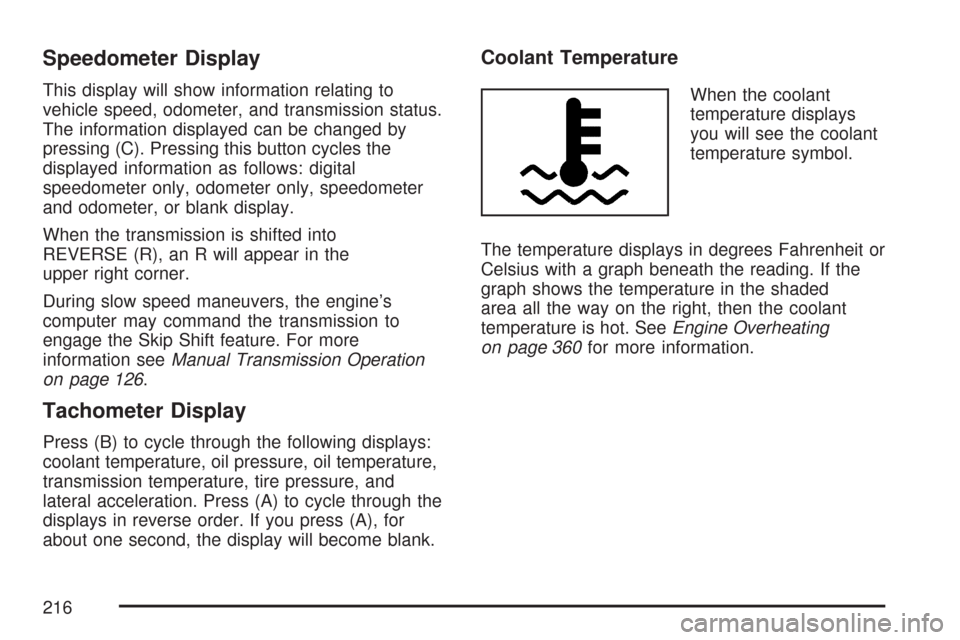
When the coolant
temperature displays
you will see the coolant
temperature symbol.
The temperature displays in degrees Fahrenheit or
Celsius with a graph beneath the reading. If the
graph shows the temperature in the shaded
area all the way on the right, then the coolant
temperature is hot. SeeEngine Overheating
on page 360for more information.
216