ignition CADILLAC CTS 2011 2.G Owners Manual
[x] Cancel search | Manufacturer: CADILLAC, Model Year: 2011, Model line: CTS, Model: CADILLAC CTS 2011 2.GPages: 496, PDF Size: 7.71 MB
Page 14 of 496
Black plate (8,1)Cadillac CTS/CTS-V Owner Manual - 2011
1-8 In Brief
Press the top or bottom of the
control (A) to increase or decrease
support in the seat cushion bolsters.
Press the top or bottom of the
control (C) to increase or decrease
support in the seatback bolsters.
SeeLumbar Adjustment
on
page 3‑7.
Memory Features
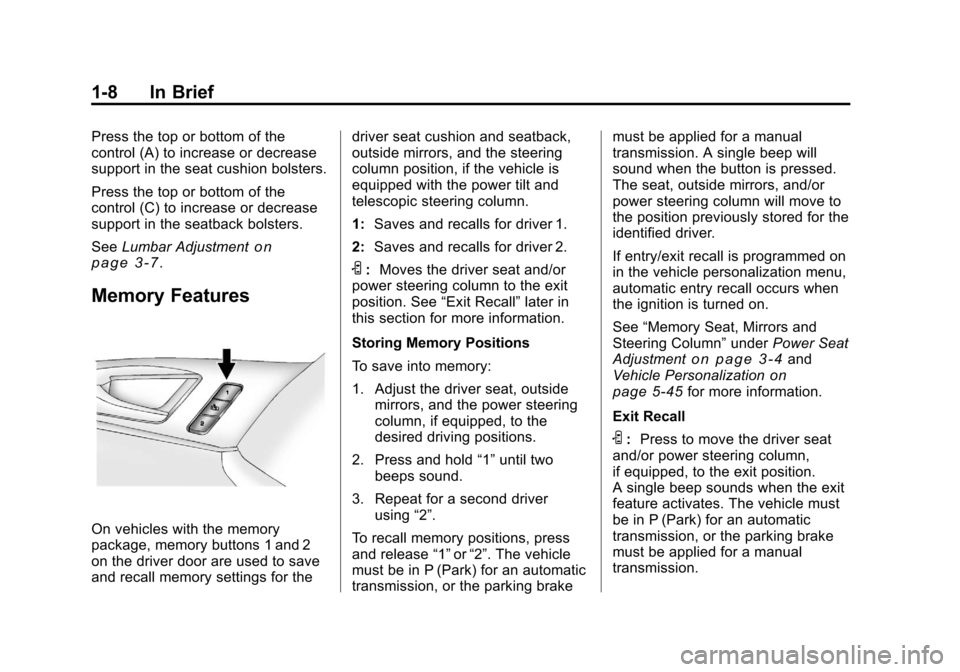
On vehicles with the memory
package, memory buttons 1 and 2
on the driver door are used to save
and recall memory settings for the driver seat cushion and seatback,
outside mirrors, and the steering
column position, if the vehicle is
equipped with the power tilt and
telescopic steering column.
1:
Saves and recalls for driver 1.
2: Saves and recalls for driver 2.
S:Moves the driver seat and/or
power steering column to the exit
position. See “Exit Recall”later in
this section for more information.
Storing Memory Positions
To save into memory:
1. Adjust the driver seat, outside mirrors, and the power steering
column, if equipped, to the
desired driving positions.
2. Press and hold “1”until two
beeps sound.
3. Repeat for a second driver using “2”.
To recall memory positions, press
and release “1”or“2”. The vehicle
must be in P (Park) for an automatic
transmission, or the parking brake must be applied for a manual
transmission. A single beep will
sound when the button is pressed.
The seat, outside mirrors, and/or
power steering column will move to
the position previously stored for the
identified driver.
If entry/exit recall is programmed on
in the vehicle personalization menu,
automatic entry recall occurs when
the ignition is turned on.
See
“Memory Seat, Mirrors and
Steering Column” underPower Seat
Adjustment
on page 3‑4and
Vehicle Personalizationon
page 5‑45for more information.
Exit Recall
S: Press to move the driver seat
and/or power steering column,
if equipped, to the exit position.
A single beep sounds when the exit
feature activates. The vehicle must
be in P (Park) for an automatic
transmission, or the parking brake
must be applied for a manual
transmission.
Page 15 of 496
Black plate (9,1)Cadillac CTS/CTS-V Owner Manual - 2011
In Brief 1-9
If entry/exit recall is programmed on
in the vehicle personalization menu,
automatic seat and/or steering
column movement occurs under the
following conditions:
.The ignition key is removed on
vehicles with Remote Keyless
Entry (RKE).
.The ignition is turned to OFF
and the driver door is opened on
vehicles with Remote Keyless
Access.
If entry/exit recall is programmed off
and the exit button is pressed, the
driver seat will move back a preset
distance and the steering column,
if equipped, will move up and
forward. See Vehicle
Personalization
on page 5‑45for
more information.
Heated and Ventilated
Seats
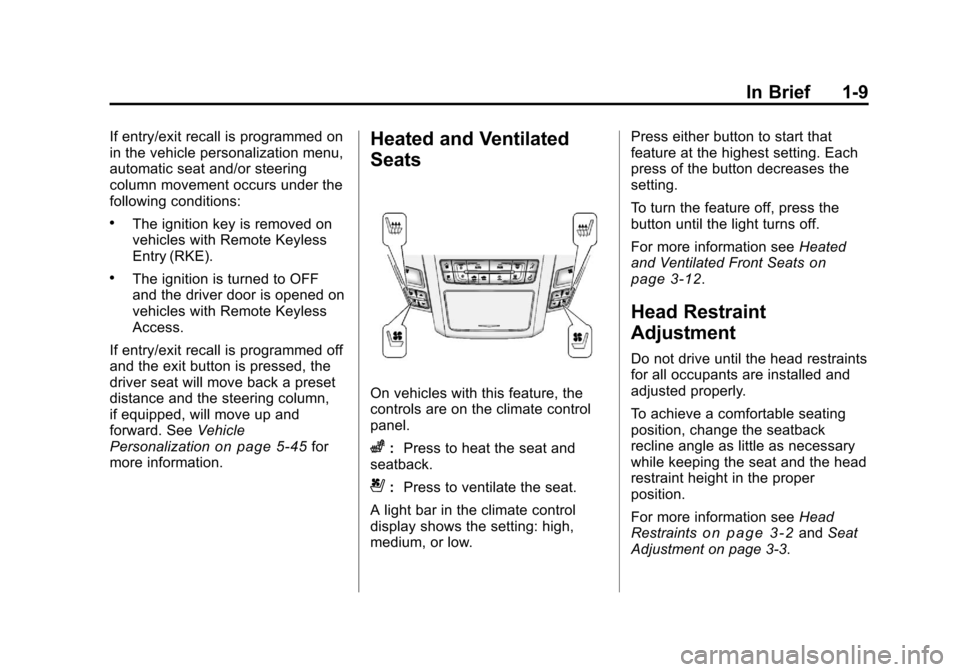
On vehicles with this feature, the
controls are on the climate control
panel.
z: Press to heat the seat and
seatback.
{: Press to ventilate the seat.
A light bar in the climate control
display shows the setting: high,
medium, or low. Press either button to start that
feature at the highest setting. Each
press of the button decreases the
setting.
To turn the feature off, press the
button until the light turns off.
For more information see
Heated
and Ventilated Front Seats
on
page 3‑12.
Head Restraint
Adjustment
Do not drive until the head restraints
for all occupants are installed and
adjusted properly.
To achieve a comfortable seating
position, change the seatback
recline angle as little as necessary
while keeping the seat and the head
restraint height in the proper
position.
For more information see Head
Restraints
on page 3‑2and Seat
Adjustment on page 3‑3.
Page 18 of 496
Black plate (12,1)Cadillac CTS/CTS-V Owner Manual - 2011
1-12 In Brief
Interior Lighting
Reading Lamps
The reading lamps are located on
the overhead console. These lamps
come on automatically when any
door is opened.
For manual operation, press the
button next to each lamp to turn it
on or off.
If the reading lamps are left on, they
automatically shut off 10 minutes
after the ignition has been
turned off.
For more information, see:
.Reading Lamps on page 6‑5.
.Instrument Panel Illumination
Control on page 6‑5.
Exterior Lighting
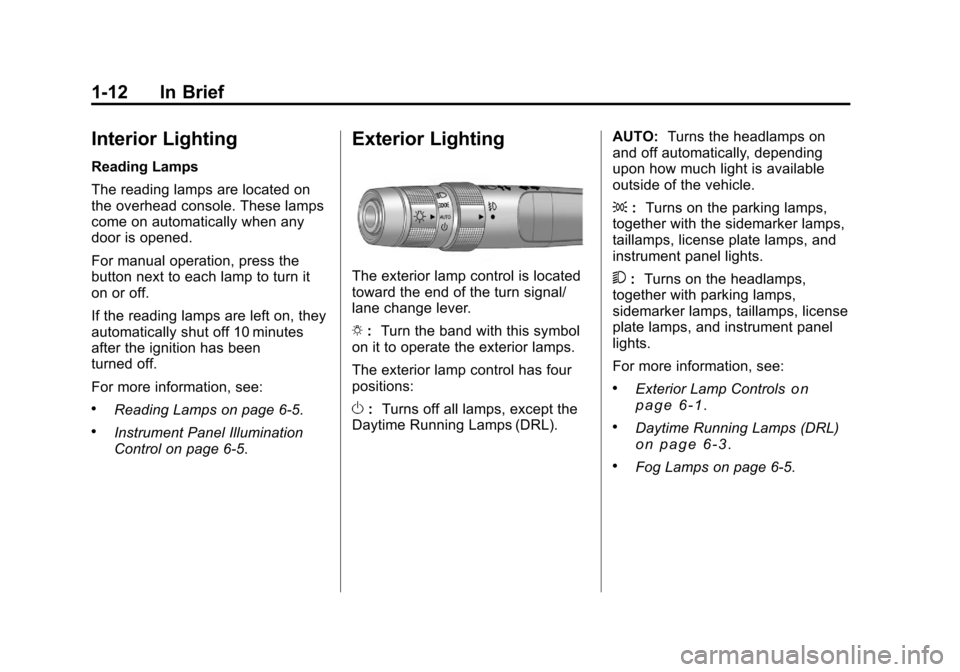
The exterior lamp control is located
toward the end of the turn signal/
lane change lever.
O:Turn the band with this symbol
on it to operate the exterior lamps.
The exterior lamp control has four
positions:
O :Turns off all lamps, except the
Daytime Running Lamps (DRL). AUTO:
Turns the headlamps on
and off automatically, depending
upon how much light is available
outside of the vehicle.
; :Turns on the parking lamps,
together with the sidemarker lamps,
taillamps, license plate lamps, and
instrument panel lights.
5 :Turns on the headlamps,
together with parking lamps,
sidemarker lamps, taillamps, license
plate lamps, and instrument panel
lights.
For more information, see:
.Exterior Lamp Controlson
page 6‑1.
.Daytime Running Lamps (DRL)on page 6‑3.
.Fog Lamps on page 6‑5.
Page 26 of 496
Black plate (20,1)Cadillac CTS/CTS-V Owner Manual - 2011
1-20 In Brief
Power Outlets
Accessory power outlets can be
used to plug in electrical equipment,
such as a cell phone, MP3
player, etc.
There are three accessory power
outlets. The power outlets located
below the climate control system,
inside the center console storage
bin, and on the rear of the center
console are powered while the
vehicle is in ON/RUN/START or
ACC/ACCESSORY mode, or until
the driver door is opened with
10 minutes of turning off the vehicle.
On the CTS Wagon there is an
additional accessory power outlet
located near the rear cargo net that
is powered at all times.
Remove the cover to access and
replace when not in use.
SeePower Outlets on page 5‑9.
Universal Remote System
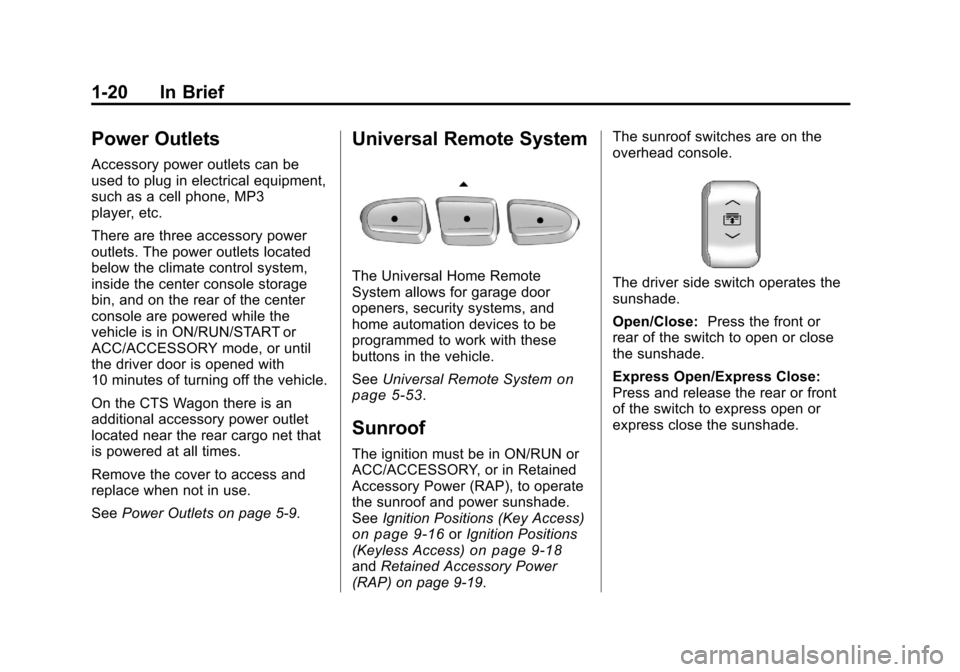
The Universal Home Remote
System allows for garage door
openers, security systems, and
home automation devices to be
programmed to work with these
buttons in the vehicle.
SeeUniversal Remote System
on
page 5‑53.
Sunroof
The ignition must be in ON/RUN or
ACC/ACCESSORY, or in Retained
Accessory Power (RAP), to operate
the sunroof and power sunshade.
See Ignition Positions (Key Access)
on page 9‑16orIgnition Positions
(Keyless Access)on page 9‑18and Retained Accessory Power
(RAP) on page 9‑19. The sunroof switches are on the
overhead console.
The driver side switch operates the
sunshade.
Open/Close:
Press the front or
rear of the switch to open or close
the sunshade.
Express Open/Express Close:
Press and release the rear or front
of the switch to express open or
express close the sunshade.
Page 28 of 496
Black plate (22,1)Cadillac CTS/CTS-V Owner Manual - 2011
1-22 In Brief
Tire Pressure Monitor
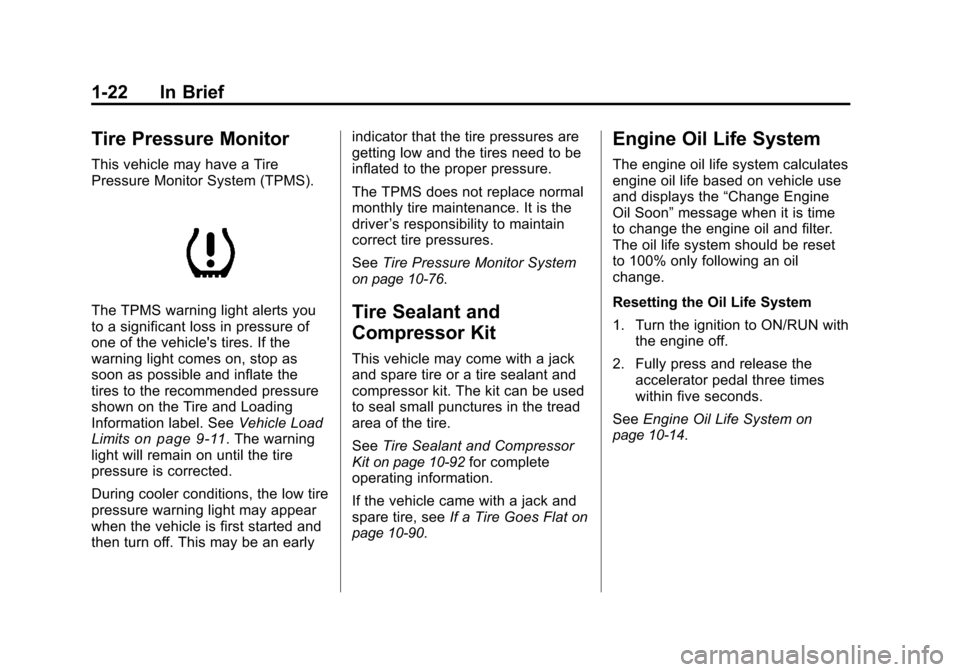
This vehicle may have a Tire
Pressure Monitor System (TPMS).
The TPMS warning light alerts you
to a significant loss in pressure of
one of the vehicle's tires. If the
warning light comes on, stop as
soon as possible and inflate the
tires to the recommended pressure
shown on the Tire and Loading
Information label. SeeVehicle Load
Limits
on page 9‑11. The warning
light will remain on until the tire
pressure is corrected.
During cooler conditions, the low tire
pressure warning light may appear
when the vehicle is first started and
then turn off. This may be an early indicator that the tire pressures are
getting low and the tires need to be
inflated to the proper pressure.
The TPMS does not replace normal
monthly tire maintenance. It is the
driver
’s responsibility to maintain
correct tire pressures.
See Tire Pressure Monitor System
on page 10‑76.
Tire Sealant and
Compressor Kit
This vehicle may come with a jack
and spare tire or a tire sealant and
compressor kit. The kit can be used
to seal small punctures in the tread
area of the tire.
SeeTire Sealant and Compressor
Kit
on page 10‑92for complete
operating information.
If the vehicle came with a jack and
spare tire, see If a Tire Goes Flat
on
page 10‑90.
Engine Oil Life System
The engine oil life system calculates
engine oil life based on vehicle use
and displays the “Change Engine
Oil Soon” message when it is time
to change the engine oil and filter.
The oil life system should be reset
to 100% only following an oil
change.
Resetting the Oil Life System
1. Turn the ignition to ON/RUN with the engine off.
2. Fully press and release the accelerator pedal three times
within five seconds.
See Engine Oil Life System
on
page 10‑14.
Page 34 of 496

Black plate (2,1)Cadillac CTS/CTS-V Owner Manual - 2011
2-2 Keys, Doors and Windows
Keys and Locks
Keys
{WARNING
Leaving children in a vehicle with
the ignition key is dangerous for
many reasons. Children or others
could be badly injured or even
killed. They could operate the
power windows or other controls
or even make the vehicle move.
The windows will function with the
keys in the ignition and children
could be seriously injured or killed
if caught in the path of a closing
window. Do not leave the keys in
a vehicle with children.
{WARNING
Leaving children in a vehicle with
the keyless access transmitter is
dangerous for many reasons,
children or others could be badly
injured or even killed. They could
operate the power windows or
other controls or even make the
vehicle move. The windows will
function with the keyless access
transmitter in the vehicle and they
could be seriously injured or killed
if caught in the path of a closing
window. Do not leave the keyless
access transmitter in a vehicle
with children.
One of the following keys comes
with the vehicle.
Page 35 of 496

Black plate (3,1)Cadillac CTS/CTS-V Owner Manual - 2011
Keys, Doors and Windows 2-3
Key Access
This key is used for the driver door,
ignition, and glove box.Keyless Access
This key, located inside the keyless
access transmitter, is used for the
driver door, glove box, and rear seat
pass-through door. See “Rear Seat
Pass-Through Door” underTrunk
(Sedan, Coupe)
on page 2‑17for
more information.
Keyless Access
If the vehicle has the Keyless
Access System, the transmitter has
a thin button (A) near the bottom of
the transmitter used to remove the
key. Press (A) and pull the key out.
Do not pull the key out without
pressing the button.
Page 36 of 496
Black plate (4,1)Cadillac CTS/CTS-V Owner Manual - 2011
2-4 Keys, Doors and Windows
Key Access
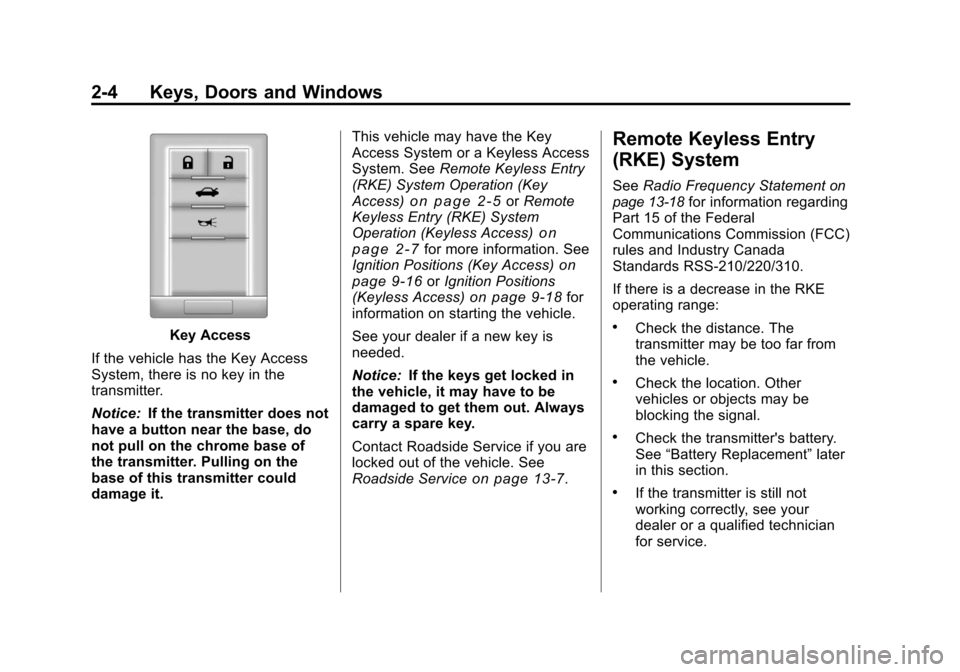
If the vehicle has the Key Access
System, there is no key in the
transmitter.
Notice: If the transmitter does not
have a button near the base, do
not pull on the chrome base of
the transmitter. Pulling on the
base of this transmitter could
damage it. This vehicle may have the Key
Access System or a Keyless Access
System. See
Remote Keyless Entry
(RKE) System Operation (Key
Access)
on page 2‑5or Remote
Keyless Entry (RKE) System
Operation (Keyless Access)
on
page 2‑7for more information. See
Ignition Positions (Key Access)on
page 9‑16or Ignition Positions
(Keyless Access)on page 9‑18for
information on starting the vehicle.
See your dealer if a new key is
needed.
Notice: If the keys get locked in
the vehicle, it may have to be
damaged to get them out. Always
carry a spare key.
Contact Roadside Service if you are
locked out of the vehicle. See
Roadside Service
on page 13‑7.
Remote Keyless Entry
(RKE) System
See Radio Frequency Statementon
page 13‑18for information regarding
Part 15 of the Federal
Communications Commission (FCC)
rules and Industry Canada
Standards RSS-210/220/310.
If there is a decrease in the RKE
operating range:
.Check the distance. The
transmitter may be too far from
the vehicle.
.Check the location. Other
vehicles or objects may be
blocking the signal.
.Check the transmitter's battery.
See “Battery Replacement” later
in this section.
.If the transmitter is still not
working correctly, see your
dealer or a qualified technician
for service.
Page 37 of 496
Black plate (5,1)Cadillac CTS/CTS-V Owner Manual - 2011
Keys, Doors and Windows 2-5
Remote Keyless Entry
(RKE) System Operation
(Key Access)
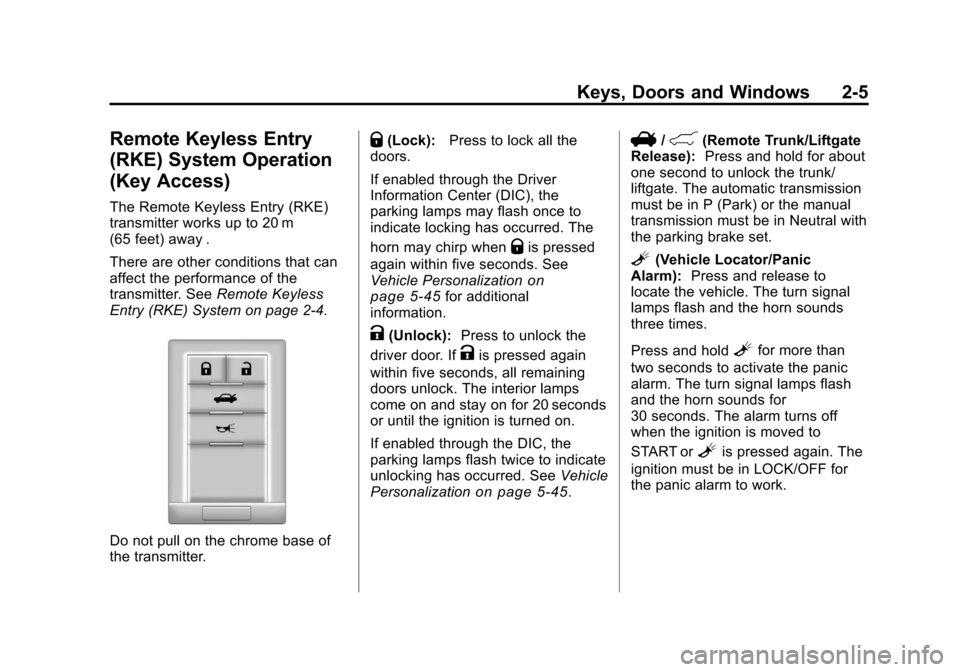
The Remote Keyless Entry (RKE)
transmitter works up to 20 m
(65 feet) away .
There are other conditions that can
affect the performance of the
transmitter. SeeRemote Keyless
Entry (RKE) System on page 2‑4.
Do not pull on the chrome base of
the transmitter.
Q(Lock): Press to lock all the
doors.
If enabled through the Driver
Information Center (DIC), the
parking lamps may flash once to
indicate locking has occurred. The
horn may chirp when
Qis pressed
again within five seconds. See
Vehicle Personalization
on
page 5‑45for additional
information.
K(Unlock): Press to unlock the
driver door. If
Kis pressed again
within five seconds, all remaining
doors unlock. The interior lamps
come on and stay on for 20 seconds
or until the ignition is turned on.
If enabled through the DIC, the
parking lamps flash twice to indicate
unlocking has occurred. See Vehicle
Personalization
on page 5‑45.
V/&(Remote Trunk/Liftgate
Release): Press and hold for about
one second to unlock the trunk/
liftgate. The automatic transmission
must be in P (Park) or the manual
transmission must be in Neutral with
the parking brake set.
L(Vehicle Locator/Panic
Alarm): Press and release to
locate the vehicle. The turn signal
lamps flash and the horn sounds
three times.
Press and hold
Lfor more than
two seconds to activate the panic
alarm. The turn signal lamps flash
and the horn sounds for
30 seconds. The alarm turns off
when the ignition is moved to
START or
Lis pressed again. The
ignition must be in LOCK/OFF for
the panic alarm to work.
Page 41 of 496
Black plate (9,1)Cadillac CTS/CTS-V Owner Manual - 2011
Keys, Doors and Windows 2-9
Programming with a Recognized
Transmitter
A new transmitter can be
programmed to the vehicle when
there is one recognized transmitter.
For vehicles sold in Canada, two
recognized transmitters are required
to program a new transmitter.
1. The vehicle must be off.
2. Place the recognizedtransmitter(s) in the cupholder.
Have the new transmitter
available with you.
3. Insert the vehicle key into the key lock cylinder located on the
outside of the driver door.
4. Turn the key to the unlock position five times within
five seconds.
5. The Driver Information Center (DIC) displays Ready To Learn
Electronic Key #2, 3 or 4.
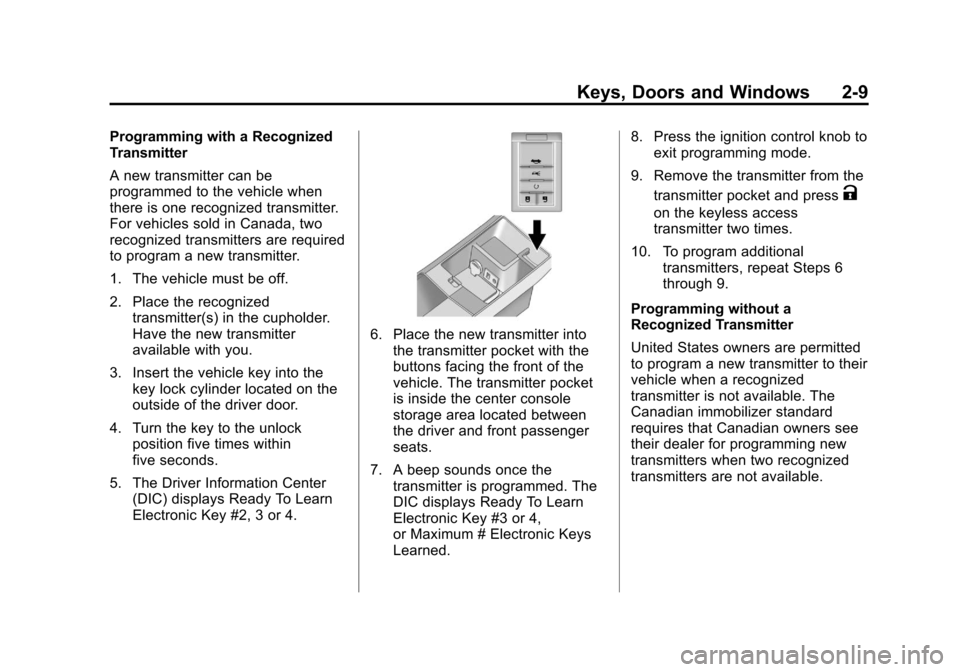
6. Place the new transmitter intothe transmitter pocket with the
buttons facing the front of the
vehicle. The transmitter pocket
is inside the center console
storage area located between
the driver and front passenger
seats.
7. A beep sounds once the transmitter is programmed. The
DIC displays Ready To Learn
Electronic Key #3 or 4,
or Maximum # Electronic Keys
Learned. 8. Press the ignition control knob to
exit programming mode.
9. Remove the transmitter from the transmitter pocket and press
K
on the keyless access
transmitter two times.
10. To program additional transmitters, repeat Steps 6
through 9.
Programming without a
Recognized Transmitter
United States owners are permitted
to program a new transmitter to their
vehicle when a recognized
transmitter is not available. The
Canadian immobilizer standard
requires that Canadian owners see
their dealer for programming new
transmitters when two recognized
transmitters are not available.