low oil pressure CADILLAC CTS 2011 2.G Owners Manual
[x] Cancel search | Manufacturer: CADILLAC, Model Year: 2011, Model line: CTS, Model: CADILLAC CTS 2011 2.GPages: 496, PDF Size: 7.71 MB
Page 5 of 496
Black plate (5,1)Cadillac CTS/CTS-V Owner Manual - 2011
Introduction v
Symbols
The vehicle has components and
labels that use symbols instead of
text. Symbols are shown along with
the text describing the operation or
information relating to a specific
component, control, message,
gauge, or indicator.
M:This symbol is shown when
you need to see your owner manual
for additional instructions or
information.
*: This symbol is shown when
you need to see a service manual
for additional instructions or
information. Vehicle Symbol Chart
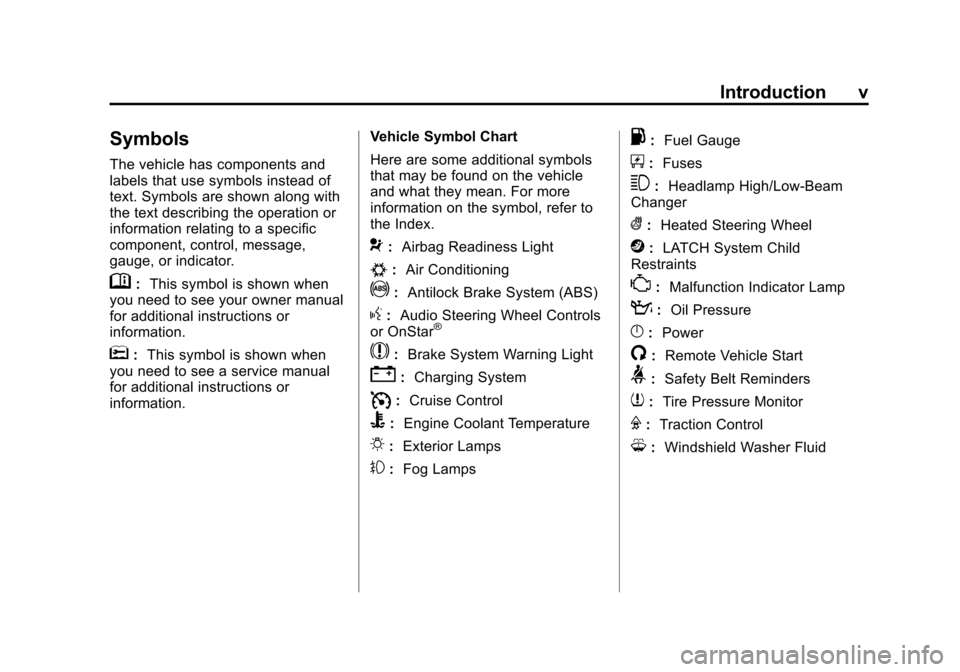
Here are some additional symbols
that may be found on the vehicle
and what they mean. For more
information on the symbol, refer to
the Index.
9:
Airbag Readiness Light
#:Air Conditioning
!:Antilock Brake System (ABS)
g:Audio Steering Wheel Controls
or OnStar®
$: Brake System Warning Light
":Charging System
I:Cruise Control
B: Engine Coolant Temperature
O:Exterior Lamps
#:Fog Lamps
.: Fuel Gauge
+:Fuses
3: Headlamp High/Low-Beam
Changer
(: Heated Steering Wheel
j:LATCH System Child
Restraints
*: Malfunction Indicator Lamp
::Oil Pressure
}:Power
/:Remote Vehicle Start
>:Safety Belt Reminders
7:Tire Pressure Monitor
F:Traction Control
M:Windshield Washer Fluid
Page 28 of 496
Black plate (22,1)Cadillac CTS/CTS-V Owner Manual - 2011
1-22 In Brief
Tire Pressure Monitor
This vehicle may have a Tire
Pressure Monitor System (TPMS).
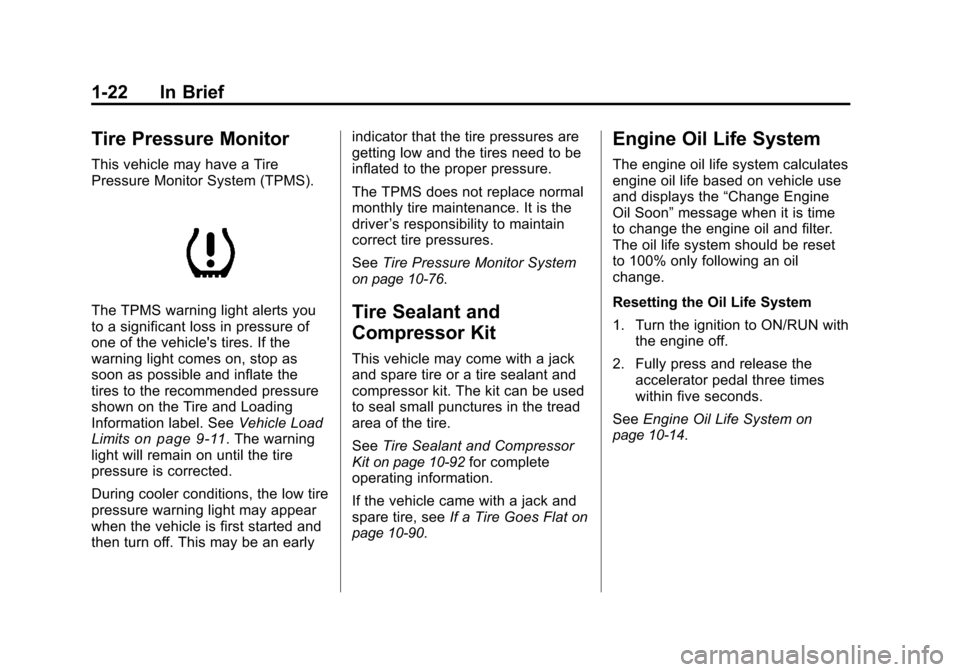
The TPMS warning light alerts you
to a significant loss in pressure of
one of the vehicle's tires. If the
warning light comes on, stop as
soon as possible and inflate the
tires to the recommended pressure
shown on the Tire and Loading
Information label. SeeVehicle Load
Limits
on page 9‑11. The warning
light will remain on until the tire
pressure is corrected.
During cooler conditions, the low tire
pressure warning light may appear
when the vehicle is first started and
then turn off. This may be an early indicator that the tire pressures are
getting low and the tires need to be
inflated to the proper pressure.
The TPMS does not replace normal
monthly tire maintenance. It is the
driver
’s responsibility to maintain
correct tire pressures.
See Tire Pressure Monitor System
on page 10‑76.
Tire Sealant and
Compressor Kit
This vehicle may come with a jack
and spare tire or a tire sealant and
compressor kit. The kit can be used
to seal small punctures in the tread
area of the tire.
SeeTire Sealant and Compressor
Kit
on page 10‑92for complete
operating information.
If the vehicle came with a jack and
spare tire, see If a Tire Goes Flat
on
page 10‑90.
Engine Oil Life System
The engine oil life system calculates
engine oil life based on vehicle use
and displays the “Change Engine
Oil Soon” message when it is time
to change the engine oil and filter.
The oil life system should be reset
to 100% only following an oil
change.
Resetting the Oil Life System
1. Turn the ignition to ON/RUN with the engine off.
2. Fully press and release the accelerator pedal three times
within five seconds.
See Engine Oil Life System
on
page 10‑14.
Page 45 of 496
Black plate (13,1)Cadillac CTS/CTS-V Owner Manual - 2011
Keys, Doors and Windows 2-13
After the vehicle's engine has been
started two times using the remote
start button, the ignition must be
turned on and then back off before
the remote start procedure can be
used again.
Shutting the Engine Off After a
Remote Start
To manually shut off the engine after
a remote start, do any of the
following:
.Press/until the parking lamps
turn off.
.Turn on the hazard warning
flashers.
.Turn the ignition switch on and
then off. Conditions in Which Remote Start
Will Not Work
The remote vehicle start feature will
not operate if any of the following
occur:
.The ignition is in any position
other than LOCK/OFF.
.A keyless access transmitter is
inside the vehicle.
.The vehicle's hood is not closed.
.The hazard warning flashers
are on.
.There is an emission control
system malfunction.
.The engine coolant temperature
is too high.
.The oil pressure is low.
.Two remote vehicle starts have
already been used. The
maximum number of remote
starts or remote start attempts
between ignition cycles with the
key is two.
Page 155 of 496
Black plate (15,1)Cadillac CTS/CTS-V Owner Manual - 2011
Instruments and Controls 5-15
Engine Speed Limiter
This feature prevents the engine
speed from reaching an unsafe
level. If the level is too high, the
throttle closes or limits the fuel
supply until the engine speed
returns to a safe level. Throttle
operation and fuel supply return to
normal when engine speed is
lowered.
For the CTS-V, the tachometer
tracer lights flash prior to reaching
engine speed limit. The tracer lights
also flash on automatic transmission
vehicles while in the DSC or Tap
Shift modes.
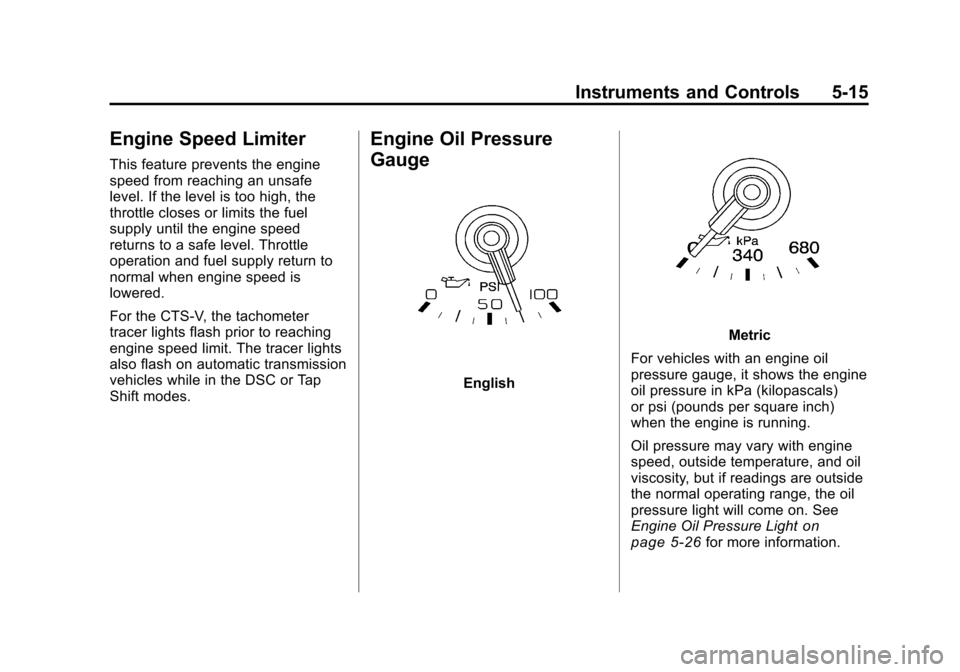
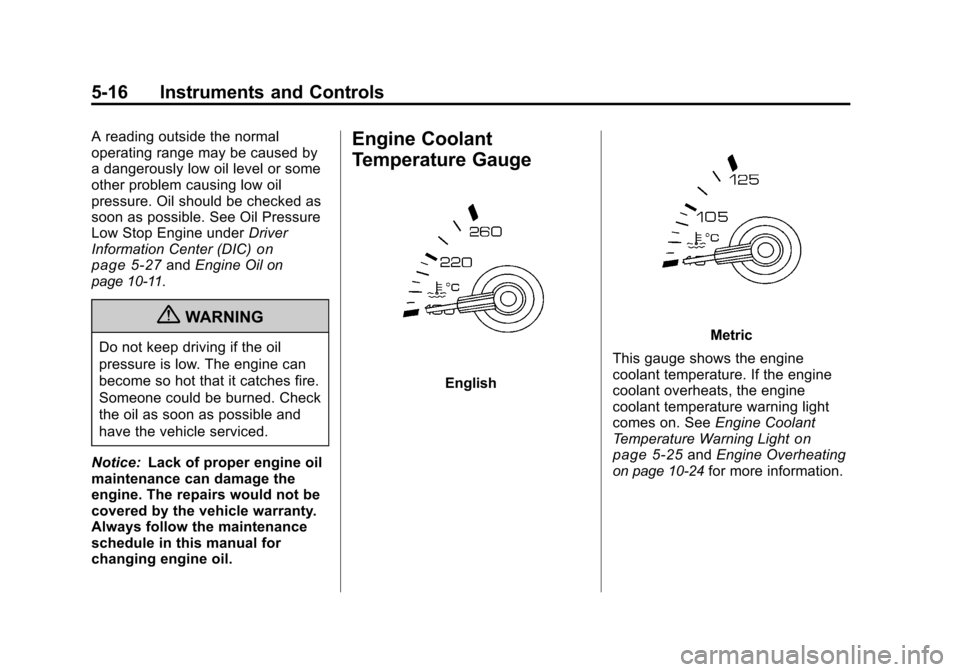
Engine Oil Pressure
Gauge
English
Metric
For vehicles with an engine oil
pressure gauge, it shows the engine
oil pressure in kPa (kilopascals)
or psi (pounds per square inch)
when the engine is running.
Oil pressure may vary with engine
speed, outside temperature, and oil
viscosity, but if readings are outside
the normal operating range, the oil
pressure light will come on. See
Engine Oil Pressure Light
on
page 5‑26for more information.
Page 156 of 496
Black plate (16,1)Cadillac CTS/CTS-V Owner Manual - 2011
5-16 Instruments and Controls
A reading outside the normal
operating range may be caused by
a dangerously low oil level or some
other problem causing low oil
pressure. Oil should be checked as
soon as possible. See Oil Pressure
Low Stop Engine underDriver
Information Center (DIC)
on
page 5‑27and Engine Oilon
page 10‑11.
{WARNING
Do not keep driving if the oil
pressure is low. The engine can
become so hot that it catches fire.
Someone could be burned. Check
the oil as soon as possible and
have the vehicle serviced.
Notice: Lack of proper engine oil
maintenance can damage the
engine. The repairs would not be
covered by the vehicle warranty.
Always follow the maintenance
schedule in this manual for
changing engine oil.
Engine Coolant
Temperature Gauge
English
Metric
This gauge shows the engine
coolant temperature. If the engine
coolant overheats, the engine
coolant temperature warning light
comes on. See Engine Coolant
Temperature Warning Light
on
page 5‑25and Engine Overheatingon page 10‑24for more information.
Page 166 of 496
Black plate (26,1)Cadillac CTS/CTS-V Owner Manual - 2011
5-26 Instruments and Controls
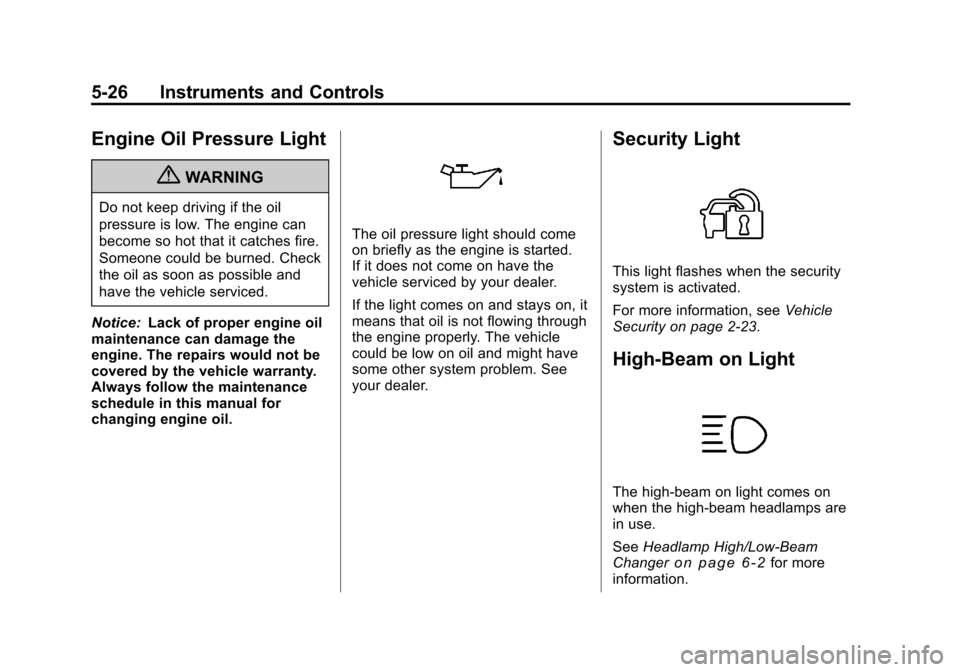
Engine Oil Pressure Light
{WARNING
Do not keep driving if the oil
pressure is low. The engine can
become so hot that it catches fire.
Someone could be burned. Check
the oil as soon as possible and
have the vehicle serviced.
Notice: Lack of proper engine oil
maintenance can damage the
engine. The repairs would not be
covered by the vehicle warranty.
Always follow the maintenance
schedule in this manual for
changing engine oil.
The oil pressure light should come
on briefly as the engine is started.
If it does not come on have the
vehicle serviced by your dealer.
If the light comes on and stays on, it
means that oil is not flowing through
the engine properly. The vehicle
could be low on oil and might have
some other system problem. See
your dealer.
Security Light
This light flashes when the security
system is activated.
For more information, see Vehicle
Security on page 2‑23.
High-Beam on Light
The high-beam on light comes on
when the high-beam headlamps are
in use.
See Headlamp High/Low-Beam
Changer
on page 6‑2for more
information.
Page 170 of 496
Black plate (30,1)Cadillac CTS/CTS-V Owner Manual - 2011
5-30 Instruments and Controls
It cannot be reset accurately until
the next oil change. To reset the
engine oil life system, SeeEngine
Oil Life System
on page 10‑14. The
system is reset when 100%
displays.
Units
Select to display English or Metric
units of measure. Press the set/
reset button to select when units is
displayed.
Parking Assist
If the vehicle has the Ultrasonic
Rear Parking Assist (URPA) system,
this display allows the system to be
turned on or off. Once in this
display, press the set/reset button to
select between On or Off. The
URPA system automatically turns
back on after each vehicle start.
When the URPA system is turned
off and the vehicle is shifted out of
P (Park), the DIC displays the
Parking Assist Off message as a
reminder that the system has been
turned off. See Object Detection System Messages
on page 9‑42and
Ultrasonic Parking Assiston
page 9‑42for more information.
Tire Pressure
Tire pressure is displayed in the DIC
for each tire in either
kilopascals (kPa) or pounds per
square inch (psi). Press the vehicle
information button until the DIC
displays Front Tire kPa (PSI) Left ##
Right ##. Press the vehicle
information button again until the
DIC displays Rear Tire kPa (PSI)
Left ## Right ##.
If a low tire pressure condition is
detected by the system while
driving, a message advises to add
air to a specific tire displays. See
Tire Pressure
on page 10‑74and
Tire Messageson page 5‑43for
more information.
Battery Voltage
This display shows the current
battery voltage. The vehicle's
charging system regulates voltage
based on the state of the battery. The battery voltage may fluctuate
when viewing this information on the
DIC. This is normal.
If there is a problem with the battery
charging system, the charging
system light illuminates and/or the
DIC displays a message. See
Charging System Light
on
page 5‑19, Battery Voltage and
Charging Messageson page 5‑31and Battery Load Managementon
page 6‑6for more information.
Calibrate Compass
The vehicle may have this feature.
The compass can be manually
calibrated. To calibrate the compass
through the DIC, see “DIC
Compass” later in this section.
Change Compass Zone
The vehicle may have this feature.
To change the compass zone
through the DIC, see “DIC
Compass” later in this section.
Page 171 of 496
Black plate (31,1)Cadillac CTS/CTS-V Owner Manual - 2011
Instruments and Controls 5-31
Trans (Transmission) Temp
(Temperature) (CTS-V Only)
This display shows the transmission
fluid temperature in either degrees
Fahrenheit (°F) or degrees
Celsius (°C).
Oil Pressure (CTS-V Only)
This display shows the oil pressure
in either pounds per square
inch (psi) or kilopascals (kPa).
Lateral Acceleration (CTS-V Only)
Lateral Acceleration measures the
force of a turn or corner. For
example, when turning right, it
forces to the left. This gauge
displays the“g”force from 0.0 g
to 2.0 g.
Blank Display
This display shows no information.
DIC Compass
The vehicle may have a compass in
the Driver Information Center (DIC).
See Compass
on page 5‑7for
information.
Vehicle Messages
Messages displayed on the DIC
indicate the status of the vehicle or
some action may be needed to
correct a condition. Multiple
messages may appear one after
another.
The messages that do not require
immediate action can be
acknowledged and cleared by
pressing
V(Set/Reset).
The messages that require
immediate action cannot be cleared
until that action is performed.
All messages should be taken
seriously and clearing the message
does not correct the problem.
The following are the possible
messages and some information
about them.
Battery Voltage and
Charging Messages
Battery Saver Active
This message displays when the
system detects that the battery
voltage is dropping below expected
levels. The battery saver system
starts reducing certain features of
the vehicle that may be noticeable.
At the point that the features are
disabled, this message is displayed.
It means that the vehicle is trying to
save the charge in the battery.
Turn off all unnecessary
accessories to allow the battery to
recharge.
The normal battery voltage range is
11.5 to 15.5 volts. You can monitor
battery voltage on the DIC by
pressing the vehicle information
button until Battery Voltage is
displayed.
Page 176 of 496

Black plate (36,1)Cadillac CTS/CTS-V Owner Manual - 2011
5-36 Instruments and Controls
This message clears itself after
10 seconds, until the next ignition
cycle. SeeEngine Oil
on page 10‑11for additional information.
Oil Pressure Low Stop Engine
Notice:If you drive your vehicle
while the engine oil pressure is
low, severe engine damage may
occur. If a low oil pressure
warning appears on the
instrument panel cluster and/or
DIC, stop the vehicle as soon as
possible. Do not drive the vehicle
until the cause of the low oil
pressure is corrected. See Engine
Oil
on page 10‑11for more
information.
This message displays when the
vehicle's engine oil pressure is low.
The oil pressure light may also
appear on the instrument panel
cluster. See Engine Oil Pressure
Light
on page 5‑26. See Engine Oilon page 10‑11for more information.
Stop the vehicle immediately, as
engine damage can result from
driving a vehicle with low oil pressure. Have the vehicle serviced
by your dealer as soon as possible
when this message is displayed.
Engine Power Messages
Engine Power Is Reduced
This message displays when the
engine power is being reduced to
protect the engine from damage.
There could be several malfunctions
that might cause this message.
Reduced engine power can affect
the vehicle's ability to accelerate.
If this message is on, but there is no
reduction in performance, proceed
to your destination. The
performance may be reduced the
next time the vehicle is driven. The
vehicle may be driven at a reduced
speed while this message is on, but
acceleration and speed may be
reduced. Anytime this message
stays on, the vehicle should be
taken to your dealer for service as
soon as possible.
Fuel System Messages
Fuel Level Low
This message displays when the
vehicle is low on fuel. Refill the fuel
tank as soon as possible. A chime
may sound when this message
displays. See
Filling the Tank
on
page 9‑50.
Tighten Gas Cap
This message displays when the
fuel cap has not been fully
tightened. Recheck the fuel cap to
ensure that it is on and tightened
properly.
Key and Lock Messages
Accessory Mode Active
If the vehicle has the keyless
access system, this message
displays when the accessory mode
is active. See Ignition Positions (Key
Access)
on page 9‑16or Ignition
Positions (Keyless Access)on
page 9‑18for more information.
Page 442 of 496

Black plate (124,1)Cadillac CTS/CTS-V Owner Manual - 2011
10-124 Vehicle Care
Interior Care
The vehicle's interior will continue to
look its best if it is cleaned often.
Dust and dirt can accumulate on the
upholstery and cause damage to
the carpet, fabric, leather, and
plastic surfaces. Stains should be
removed quickly as extreme heat
could cause them to set rapidly.
Lighter colored interiors may
require more frequent cleaning.
Newspapers and garments that can
transfer color to home furnishings
can also transfer color to the
vehicle's interior.
Remove dust from small buttons
and knobs with a small brush with
soft bristles.
Your dealer has products for
cleaning the vehicle's interior. When
cleaning the vehicle's interior, only
use cleaners specifically designed
for the surfaces that are being
cleaned. Permanent damage can
result from using cleaners on
surfaces for which they were not
intended. Apply the cleaner directlyto the cleaning cloth to prevent
over-spray. Remove any accidental
over-spray from other surfaces
immediately.
Notice:
Using abrasive cleaners
when cleaning glass surfaces on
the vehicle, could scratch the
glass and/or cause damage to the
rear window defogger. When
cleaning the glass on the vehicle,
use only a soft cloth and glass
cleaner.
Cleaners can contain solvents that
can become concentrated in the
vehicle's interior. Before using
cleaners, read and adhere to all
safety instructions on the label.
While cleaning the vehicle's interior,
maintain adequate ventilation by
opening the vehicle's doors and
windows.
Do not clean the interior using the
following cleaners or techniques:
.Never use a knife or any other
sharp object to remove a soil
from any interior surface.
.Never use a stiff brush. It can
cause damage to the vehicle's
interior surfaces.
.Never apply heavy pressure or
rub aggressively with a cleaning
cloth. Use of heavy pressure can
damage the interior and does
not improve the effectiveness of
soil removal.
.Use only mild, neutral-pH soaps.
Avoid laundry detergents or
dishwashing soaps with
degreasers. Using too much
soap will leave a residue that
leaves streaks and attracts dirt.
For liquid cleaners, about
20 drops per 3.78 L (1 gal) of
water is a good guide.
.Do not heavily saturate the
upholstery while cleaning.
.Do not use organic solvents
such as naptha, alcohol, etc.
Damage to the vehicle's interior
may result