steering CADILLAC CTS 2018 Workshop Manual
[x] Cancel search | Manufacturer: CADILLAC, Model Year: 2018, Model line: CTS, Model: CADILLAC CTS 2018Pages: 394, PDF Size: 6.48 MB
Page 212 of 394
Cadillac CTS/CTS-V Owner Manual (GMNA-Localizing-U.S./Canada/Mexico-
11349156) - 2018 - CRC - 9/29/17
DRIVING AND OPERATING 211
hold lower gears when not using
paddles. The shifts are also firmer to
increase the quickness of shifting.
Steering (Assist Effort)
Adjusts from a lighter steering feel in
Tour Mode to reduced assist in Sport
and Track Mode for more
steering feel.
Magnetic Ride Control (if equipped)
Adjusts the shock dampening
firmness from a comfort tune in Tour
Mode to an optimized responsiveness
tune in Sport and Track.
Launch Control (V-Series Only)
Available only in Track Mode for
maximum“off–the–line ”acceleration
when in Competitive or PTM Modes.
Stability Control
. Competitive Mode allows less
computer control to permit some
slide and drift and is selected with
the button –only available in
Track Mode.
. StabiliTrak can be turned off by
pressing and holding the button
for five seconds.Driver Mode Customization
The Engine Sound Management,
steering, and suspension drive modes
can be set to the driver’s preference.
See “Driving Mode ”under Vehicle
Personalization 0144.
When in the Track main vehicle mode,
you cannot overwrite the Steering or
Suspension settings. These settings
are designed to interact with the
advanced functions in the Track Mode
and cannot be overwritten.
The selections made in the Driving
Mode menu overwrite the main
vehicle mode selection via the buttons
or switch on the center console. In
order to customize and overwrite,
select one of the three settings by
touching the infotainment display.
When in the customization screen for
each system, select one of the
available options:
. Auto (Follows the MODE switch)
. Tour
. Sport
. Track The default will be to follow the
vehicle MODE switch settings, but the
main vehicle mode selection for the
currently selected system can be
overwritten using this menu. The
settings selected in this menu will set
the vehicle behavior in all selected
vehicle modes, and will be retained
over each ignition cycle. They do not
have to be reset each time the vehicle
is started.
Competitive Driving Mode
(V-Sport Only)
To select this optional handling mode,
press
Yquickly two times and the
DIC will display COMPETITIVE MODE
ON. While in the Competitive Driving
Mode, the traction off light
iand
StabiliTrak OFF light
gwill come on
in the instrument cluster. TCS does
not limit wheel spin, the Electronic
Limited-Slip Differential (eLSD) allows
increased vehicle agility, and more
effort is required to turn the steering
wheel. See “Limited-Slip Differential
Page 214 of 394
Cadillac CTS/CTS-V Owner Manual (GMNA-Localizing-U.S./Canada/Mexico-
11349156) - 2018 - CRC - 9/29/17
DRIVING AND OPERATING 213
.StabiliTrak is on and engine power
is slightly reduced.
PERFORMANCE TRACTION 3 –
SPORT ACTIVE HANDLING ON
. For use by drivers who are familiar
with the track.
. Dry conditions only.
. Requires more driving skill than
mode 2.
. StabiliTrak is on and more engine
power is available than in mode 2.
PERFORMANCE TRACTION 4 –
SPORT ACTIVE HANDLING OFF
. For use by drivers who are familiar
with the track.
. Dry conditions only.
. Requires more driving skill than
modes 2 or 3.
. StabiliTrak is off and available
engine power is the same as
mode 3.
PERFORMANCE TRACTION 5 –
RACE ACTIVE HANDLING OFF
. For use by experienced drivers
who are familiar with the track.
. Dry conditions only.
. Requires more driving skill than in
other modes.
. StabiliTrak is off and engine power
is available for maximum
cornering speed.
Press and release
Yto turn off PTM
and return to the traction control and
StabiliTrak systems. The traction off
light
iand StabiliTrak OFF lightg
will go out.
Launch Control (V-Series Only)
A Launch Control feature is available,
within Performance Traction
Management, to allow the driver to
achieve high levels of vehicle
acceleration in a straight line. Launch
Control is a form of traction control
that manages tire spin while
launching the vehicle. This feature is intended for use during closed course
race events where consistent zero to
60 and quarter mile times are
desirable.
Launch Control is only available when
the following criteria are met:
.
Performance Traction
Management modes are selected.
The TCS light comes on in the
instrument cluster and the
appropriate DIC message displays.
. The vehicle is not moving.
. The steering wheel is pointing
straight.
. The brake pedal must be firmly
pressed to the floor, equivalent to
a panic brake event.
. The accelerator pedal is rapidly
applied to wide open throttle. (If
the vehicle rolls due to wide open
throttle, release the throttle, press
the brake pedal more firmly, and
re-apply the accelerator to wide
open throttle.)
Page 215 of 394
Cadillac CTS/CTS-V Owner Manual (GMNA-Localizing-U.S./Canada/Mexico-
11349156) - 2018 - CRC - 9/29/17
214 DRIVING AND OPERATING
The Launch Control feature will
initially limit engine speed as the
driver rapidly applies the accelerator
pedal to wide open throttle. Allow the
engine rpm to stabilize. A smooth,
quick release of the brake pedal, while
maintaining the fully pressed
accelerator pedal, will manage
wheel slip.
After the vehicle is launched, the
system continues in Performance
Traction Management.
Competitive Driving Mode, PTM, and
Launch Control are systems designed
for a closed course race track and not
intended for use on public roads. The
systems are not intended to
compensate for lack of driver
experience or familiarity with the race
track.Limited-Slip Differential
If equipped, the Electronic
Limited-Slip Differential (eLSD) is
automatically activated. eLSD actively
monitors vehicle sensors and driver
inputs to determine the amount of
change for the conditions. With eLSD,
the vehicle has:
.Enhanced high-speed control.
. Improved traction through
corners, allowing more
acceleration.
. More precise steering.
. Increased vehicle agility.
. Integration with StabiliTrak.
For vehicles with eLSD, driven under
severe conditions, the rear axle fluid
should be changed. See Competitive
Driving Mode (V-Sport Only) 0211 and
Maintenance Schedule 0339.
Cruise Control
{Warning
Cruise control can be dangerous
where you cannot drive safely at a
steady speed. Do not use cruise
control on winding roads or in
heavy traffic.
Cruise control can be dangerous on
slippery roads. On such roads, fast
changes in tire traction can cause
excessive wheel slip, and you could
lose control. Do not use cruise
control on slippery roads.
With cruise control, a speed of about
40 km/h (25 mph) or more can be
maintained without keeping your foot
on the accelerator. Cruise control does
not work at speeds below about
40 km/h (25 mph).
If the StabiliTrak
®system begins to
limit wheel spin while using cruise
control, the cruise control
automatically disengages. See Traction
Control/Electronic Stability Control
0 206. If a collision alert occurs when
Page 221 of 394
Cadillac CTS/CTS-V Owner Manual (GMNA-Localizing-U.S./Canada/Mexico-
11349156) - 2018 - CRC - 9/29/17
220 DRIVING AND OPERATING
Increasing Speed While ACC is at a
Set Speed
If ACC is already activated, do one of
the following:
.Use the accelerator to get to the
higher speed. Press SET– down.
Release the control and the
accelerator pedal. The vehicle will
now cruise at the higher speed.
When the accelerator pedal is
pressed, ACC will not brake
because it is overridden. The ACC
indicator will turn blue on the
instrument cluster and the
Head-Up Display (HUD) (if
equipped).
. Press and hold +RES up until the
desired set speed appears on the
display, then release it.
. To increase vehicle speed in small
increments, press +RES up to the
first detent. For each press, the
vehicle goes 1 km/h (1 mph)
faster.
. To increase vehicle speed in larger
increments, press +RES up to the
second detent. For each press, the vehicle speed increases to the next
5 km/h (5 mph) mark on the
speedometer.
When it is determined that there is no
vehicle ahead or the vehicle ahead is
beyond the selected following gap,
then the vehicle speed will increase to
the set speed.
The speedometer reading can be
displayed in either English or metric
units. See Instrument Cluster 0118.
The increment value used depends on
the units displayed.
Reducing Speed While ACC is at a
Set Speed
If ACC is already activated, do one of
the following:
. Use the brake to get to the desired
lower speed. Release the brake and
press SET–. The vehicle will now
cruise at the lower speed.
. Press and hold SET– down until
the desired lower speed is reached,
then release it. .
To decrease the vehicle speed in
smaller increments, press SET−
down to the first detent. For each
press, the vehicle goes about
1 km/h (1 mph) slower.
. To decrease the vehicle speed in
larger increments, press SET−
down to the second detent. For
each press, the vehicle speed
decreases to the next 5 km/h
(5 mph) mark on the speedometer.
The speedometer reading can be
displayed in either English or metric
units. See Instrument Cluster 0118.
The increment value used depends on
the units displayed.
Selecting the Follow Distance
When a slower moving vehicle is
detected ahead within the selected
following gap, ACC will adjust the
vehicle's speed and attempt to
maintain the follow distance gap
selected.
Press
[on the steering wheel to
adjust the following gap. Each press
cycles the gap button through three
settings: Far, Medium, or Near.
Page 233 of 394
Cadillac CTS/CTS-V Owner Manual (GMNA-Localizing-U.S./Canada/Mexico-
11349156) - 2018 - CRC - 9/29/17
232 DRIVING AND OPERATING
is maneuvering the vehicle into a
previously detected space. The APA
system does not need service.
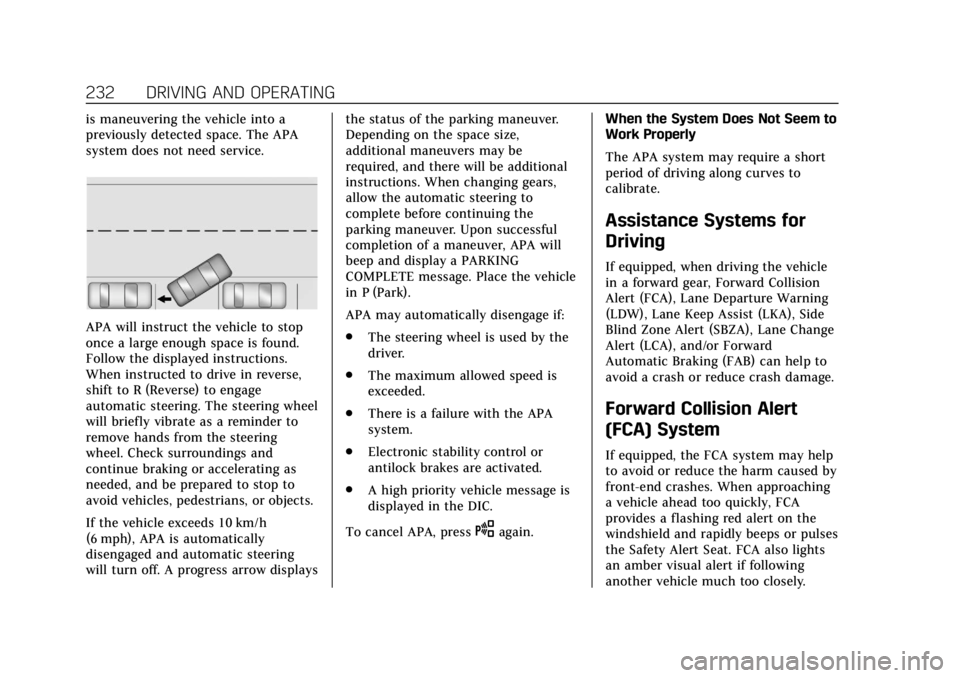
APA will instruct the vehicle to stop
once a large enough space is found.
Follow the displayed instructions.
When instructed to drive in reverse,
shift to R (Reverse) to engage
automatic steering. The steering wheel
will briefly vibrate as a reminder to
remove hands from the steering
wheel. Check surroundings and
continue braking or accelerating as
needed, and be prepared to stop to
avoid vehicles, pedestrians, or objects.
If the vehicle exceeds 10 km/h
(6 mph), APA is automatically
disengaged and automatic steering
will turn off. A progress arrow displaysthe status of the parking maneuver.
Depending on the space size,
additional maneuvers may be
required, and there will be additional
instructions. When changing gears,
allow the automatic steering to
complete before continuing the
parking maneuver. Upon successful
completion of a maneuver, APA will
beep and display a PARKING
COMPLETE message. Place the vehicle
in P (Park).
APA may automatically disengage if:
.
The steering wheel is used by the
driver.
. The maximum allowed speed is
exceeded.
. There is a failure with the APA
system.
. Electronic stability control or
antilock brakes are activated.
. A high priority vehicle message is
displayed in the DIC.
To cancel APA, press
Oagain. When the System Does Not Seem to
Work Properly
The APA system may require a short
period of driving along curves to
calibrate.
Assistance Systems for
Driving
If equipped, when driving the vehicle
in a forward gear, Forward Collision
Alert (FCA), Lane Departure Warning
(LDW), Lane Keep Assist (LKA), Side
Blind Zone Alert (SBZA), Lane Change
Alert (LCA), and/or Forward
Automatic Braking (FAB) can help to
avoid a crash or reduce crash damage.
Forward Collision Alert
(FCA) System
If equipped, the FCA system may help
to avoid or reduce the harm caused by
front-end crashes. When approaching
a vehicle ahead too quickly, FCA
provides a flashing red alert on the
windshield and rapidly beeps or pulses
the Safety Alert Seat. FCA also lights
an amber visual alert if following
another vehicle much too closely.
Page 234 of 394
Cadillac CTS/CTS-V Owner Manual (GMNA-Localizing-U.S./Canada/Mexico-
11349156) - 2018 - CRC - 9/29/17
DRIVING AND OPERATING 233
FCA detects vehicles within a distance
of approximately 60 m (197 ft) and
operates at speeds above 40 km/h
(25 mph). If the vehicle has Adaptive
Cruise Control (ACC), it can detect
vehicles to distances of approximately
110 m (360 ft) and operates at all
speeds. SeeAdaptive Cruise Control
0 217.
{Warning
FCA is a warning system and does
not apply the brakes. When
approaching a slower-moving or
stopped vehicle ahead too rapidly,
or when following a vehicle too
closely, FCA may not provide a
warning with enough time to help
avoid a crash. It also may not
provide any warning at all. FCA
does not warn of pedestrians,
animals, signs, guardrails, bridges,
construction barrels, or other
objects. Be ready to take action and
apply the brakes. See Defensive
Driving 0178. FCA can be disabled with either the
FCA steering wheel control or,
if equipped, through vehicle
personalization. See
“Collision/
Detection Systems” underVehicle
Personalization 0144.
Detecting the Vehicle Ahead
FCA warnings will not occur unless
the FCA system detects a vehicle
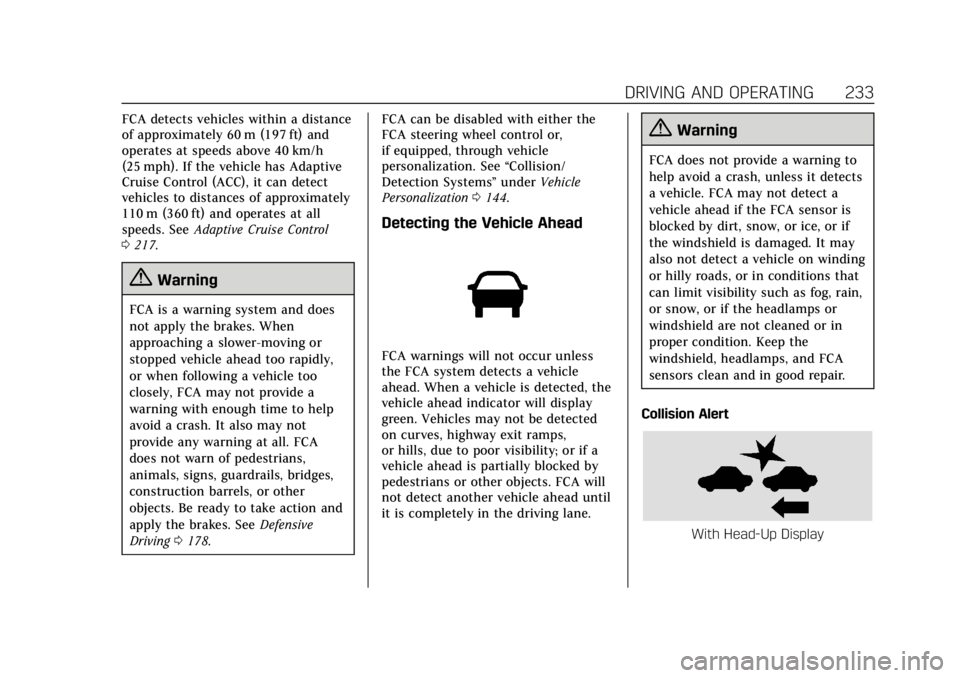
ahead. When a vehicle is detected, the
vehicle ahead indicator will display
green. Vehicles may not be detected
on curves, highway exit ramps,
or hills, due to poor visibility; or if a
vehicle ahead is partially blocked by
pedestrians or other objects. FCA will
not detect another vehicle ahead until
it is completely in the driving lane.
{Warning
FCA does not provide a warning to
help avoid a crash, unless it detects
a vehicle. FCA may not detect a
vehicle ahead if the FCA sensor is
blocked by dirt, snow, or ice, or if
the windshield is damaged. It may
also not detect a vehicle on winding
or hilly roads, or in conditions that
can limit visibility such as fog, rain,
or snow, or if the headlamps or
windshield are not cleaned or in
proper condition. Keep the
windshield, headlamps, and FCA
sensors clean and in good repair.
Collision Alert
With Head-Up Display
Page 235 of 394
Cadillac CTS/CTS-V Owner Manual (GMNA-Localizing-U.S./Canada/Mexico-
11349156) - 2018 - CRC - 9/29/17
234 DRIVING AND OPERATING
Without Head-Up Display
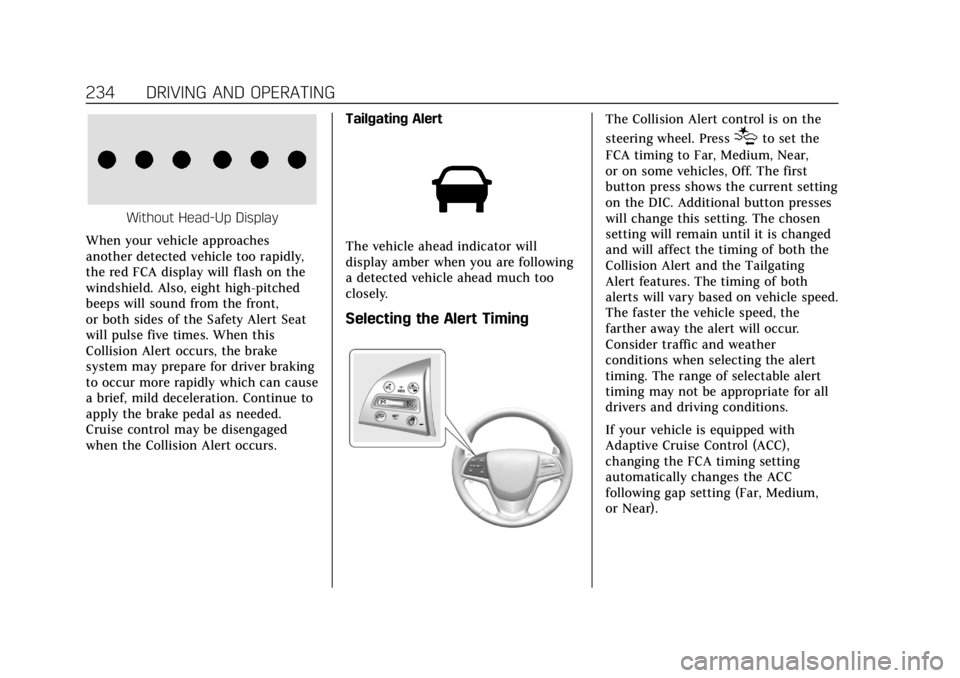
When your vehicle approaches
another detected vehicle too rapidly,
the red FCA display will flash on the
windshield. Also, eight high-pitched
beeps will sound from the front,
or both sides of the Safety Alert Seat
will pulse five times. When this
Collision Alert occurs, the brake
system may prepare for driver braking
to occur more rapidly which can cause
a brief, mild deceleration. Continue to
apply the brake pedal as needed.
Cruise control may be disengaged
when the Collision Alert occurs. Tailgating Alert
The vehicle ahead indicator will
display amber when you are following
a detected vehicle ahead much too
closely.
Selecting the Alert Timing
The Collision Alert control is on the
steering wheel. Press
[to set the
FCA timing to Far, Medium, Near,
or on some vehicles, Off. The first
button press shows the current setting
on the DIC. Additional button presses
will change this setting. The chosen
setting will remain until it is changed
and will affect the timing of both the
Collision Alert and the Tailgating
Alert features. The timing of both
alerts will vary based on vehicle speed.
The faster the vehicle speed, the
farther away the alert will occur.
Consider traffic and weather
conditions when selecting the alert
timing. The range of selectable alert
timing may not be appropriate for all
drivers and driving conditions.
If your vehicle is equipped with
Adaptive Cruise Control (ACC),
changing the FCA timing setting
automatically changes the ACC
following gap setting (Far, Medium,
or Near).
Page 240 of 394

Cadillac CTS/CTS-V Owner Manual (GMNA-Localizing-U.S./Canada/Mexico-
11349156) - 2018 - CRC - 9/29/17
DRIVING AND OPERATING 239
Keep Assist (LKA) system, read the
entire LKA section before using this
feature.
Lane Keep Assist (LKA)
If equipped, LKA may help avoid
crashes due to unintentional lane
departures. It may assist by gently
turning the steering wheel if the
vehicle approaches a detected lane
marking without using a turn signal in
that direction. It may also provide a
Lane Departure Warning (LDW)
system alert as the lane marking is
crossed. The LKA system will not
assist or provide an LDW alert if it
detects that you are actively steering.
Override LKA by turning the steering
wheel. LKA uses a camera to detect
lane markings between 60 km/h (37
mph) and 180 km/h (112 mph).
{Warning
The LKA system does not
continuously steer the vehicle.
It may not keep the vehicle in the(Continued)
Warning (Continued)
lane or give a Lane Departure
Warning (LDW) alert, even if a lane
marking is detected.
The LKA and LDW systems
may not:
. Provide an alert or enough
steering assist to avoid a lane
departure or crash.
. Detect lane markings under
poor weather or visibility
conditions. This can occur if
the windshield or headlamps
are blocked by dirt, snow,
or ice, if they are not in
proper condition, or if the sun
shines directly into the
camera.
. Detect road edges.
. Detect lanes on winding or
hilly roads.
If LKA only detects lane markings
on one side of the road, it will only
assist or provide an LDW alert (Continued)
Warning (Continued)
when approaching the lane on the
side where it has detected a lane
marking. Even with LKA and LDW,
you must steer the vehicle. Always
keep your attention on the road and
maintain proper vehicle position
within the lane, or vehicle damage,
injury, or death could occur. Always
keep the windshield, headlamps,
and camera sensors clean and in
good repair. Do not use LKA in bad
weather conditions.
{Warning
Using LKA while towing a trailer or
on slippery roads could cause loss
of control of the vehicle and a
crash. Turn the system off.
How the System Works
The LKA camera sensor is on the
windshield ahead of the rearview
mirror.
Page 241 of 394

Cadillac CTS/CTS-V Owner Manual (GMNA-Localizing-U.S./Canada/Mexico-
11349156) - 2018 - CRC - 9/29/17
240 DRIVING AND OPERATING
To turn LKA on and off, pressA
on the center stack.
When on,
Ais green if LKA is
available to assist and provide LDW
alerts. It may assist by gently turning
the steering wheel and display
A
as amber if the vehicle approaches a
detected lane marking without
using a turn signal in that direction.
It may also provide an LDW alert by
flashing
Aamber as the lane
marking is crossed. Additionally, there
may be three beeps, or the driver seat
may pulse three times, on the right or
left, depending on the lane departure
direction.
Take Steering
The LKA system does not
continuously steer the vehicle. If LKA
does not detect active driver steering,
an alert, chime, or DIC message may
be provided. Move the steering wheel
to dismiss.
When the System Does Not
Seem to Work Properly
The system performance may be
affected by:
. Close vehicles ahead.
. Sudden lighting changes, such as
when driving through tunnels.
. Banked roads.
. Roads with poor lane markings,
such as two-lane roads.
If the LKA system is not functioning
properly when lane markings are
clearly visible, cleaning the windshield
may help.
A camera blocked message may
display if the camera is blocked.
Cleaning the outside of the windshield
behind the rearview mirror may
correct the issue. Some driver
assistance systems may have reduced
performance or not work at all. An
LKA or LDW unavailable message may
display if the systems are temporarily
unavailable. This message could be
due to a blocked camera. The LKA system does not need service. Clean
the outside of the windshield behind
the rearview mirror.
LKA assistance and/or LDW alerts
may occur due to tar marks, shadows,
cracks in the road, temporary or
construction lane markings, or other
road imperfections. This is normal
system operation; the vehicle does not
need service. Turn LKA off if these
conditions continue.
Vehicle-to-Vehicle
If equipped and travelling in the U.S.
or Canada, Vehicle-to-Vehicle (V2V)
can communicate with other
V2V-equipped vehicles to send and
receive vehicle location, speed,
direction, and notices regarding
certain traffic situations from up to
approximately 300 m (980 ft) away.
Under certain conditions, V2V may
provide notice of certain traffic
situations, such as when other
V2V-equipped vehicles ahead may be
braking hard, disabled, on slippery
roads, or in a crash.
Page 249 of 394
Cadillac CTS/CTS-V Owner Manual (GMNA-Localizing-U.S./Canada/Mexico-
11349156) - 2018 - CRC - 9/29/17
248 DRIVING AND OPERATING
so it is necessary to go much farther
beyond the passed vehicle before
returning to the lane.
Backing Up
Hold the bottom of the steering wheel
with one hand. To move the trailer to
the left, move that hand to the left. To
move the trailer to the right, move
your hand to the right. Always back
up slowly and, if possible, have
someone guide you.
Making TurnsCaution
Making very sharp turns while
trailering could cause the trailer to
come in contact with the vehicle.
The vehicle could be damaged.
Avoid making very sharp turns
while trailering.
When turning with a trailer, make
wider turns than normal. Do this so
the trailer will not strike soft shoulders, curbs, road signs, trees,
or other objects. Avoid jerky or sudden
maneuvers. Signal well in advance.
If the trailer turn signal bulbs burn
out, the arrows on the instrument
cluster will still flash for turns. It is
important to check occasionally to be
sure the trailer bulbs are still working.
Driving on Grades
Reduce speed and shift to a lower gear
before
starting down a long or steep
downgrade. If the transmission is not
shifted down, the brakes might get hot
and no longer work well.
Vehicles can tow in D (Drive). Shift
the transmission to a lower gear if the
transmission shifts too often under
heavy loads and/or hilly conditions.
When towing at high altitude on steep
uphill grades, consider the following:
Engine coolant will boil at a lower
temperature than at normal altitudes.
If the engine is turned off immediately
after towing at high altitude on steep
uphill grades, the vehicle may show
signs similar to engine overheating. To
avoid this, let the engine run while
parked, preferably on level ground, with the automatic transmission in
P (Park) for a few minutes before
turning the engine off. If the overheat
warning comes on, see
Engine
Overheating 0274.
Parking on Hills
{Warning
Parking the vehicle on a hill with
the trailer attached can be
dangerous. If something goes
wrong, the rig could start to move.
People can be injured, and both the
vehicle and the trailer can be
damaged. When possible, always
park the rig on a flat surface.
If parking the rig on a hill: 1. Press the brake pedal, but do not shift into P (Park) yet. Turn the
wheels into the curb if facing
downhill or into traffic if facing
uphill.
2. Have someone place chocks under the trailer wheels.