Car CADILLAC CTS V 2017 3.G User Guide
[x] Cancel search | Manufacturer: CADILLAC, Model Year: 2017, Model line: CTS V, Model: CADILLAC CTS V 2017 3.GPages: 352, PDF Size: 3.99 MB
Page 71 of 352
Cadillac CTS/CTS-V Owner Manual (GMNA-Localizing-MidEast-10293089) -
2017 - crc - 6/22/16
70 SEATS AND RESTRAINTS
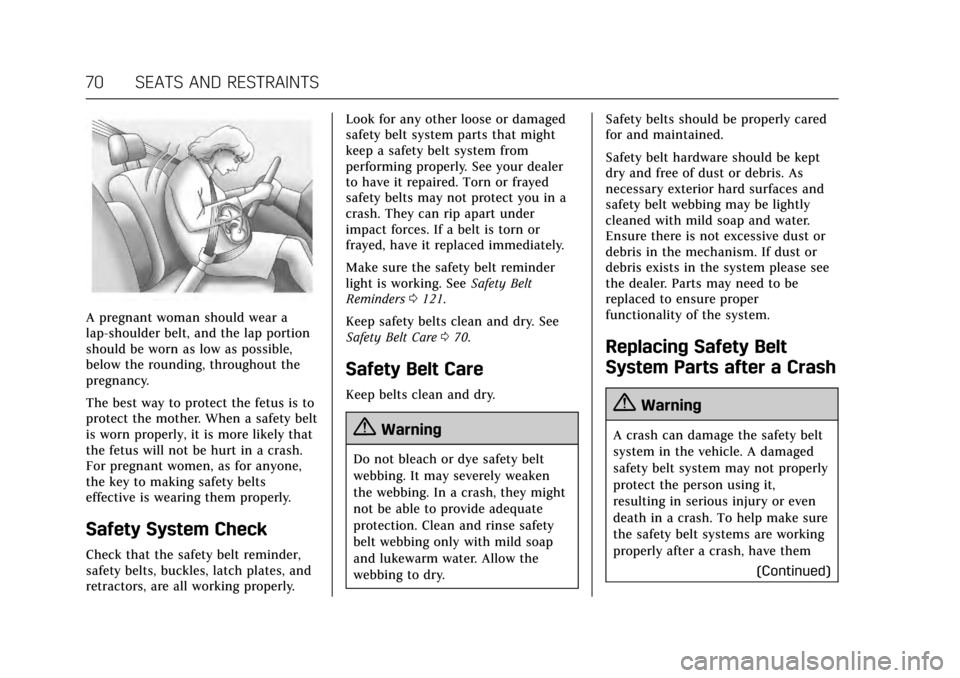
A pregnant woman should wear a
lap-shoulder belt, and the lap portion
should be worn as low as possible,
below the rounding, throughout the
pregnancy.
The best way to protect the fetus is to
protect the mother. When a safety belt
is worn properly, it is more likely that
the fetus will not be hurt in a crash.
For pregnant women, as for anyone,
the key to making safety belts
effective is wearing them properly.
Safety System Check
Check that the safety belt reminder,
safety belts, buckles, latch plates, and
retractors, are all working properly.Look for any other loose or damaged
safety belt system parts that might
keep a safety belt system from
performing properly. See your dealer
to have it repaired. Torn or frayed
safety belts may not protect you in a
crash. They can rip apart under
impact forces. If a belt is torn or
frayed, have it replaced immediately.
Make sure the safety belt reminder
light is working. See
Safety Belt
Reminders 0121.
Keep safety belts clean and dry. See
Safety Belt Care 070.
Safety Belt Care
Keep belts clean and dry.
{Warning
Do not bleach or dye safety belt
webbing. It may severely weaken
the webbing. In a crash, they might
not be able to provide adequate
protection. Clean and rinse safety
belt webbing only with mild soap
and lukewarm water. Allow the
webbing to dry. Safety belts should be properly cared
for and maintained.
Safety belt hardware should be kept
dry and free of dust or debris. As
necessary exterior hard surfaces and
safety belt webbing may be lightly
cleaned with mild soap and water.
Ensure there is not excessive dust or
debris in the mechanism. If dust or
debris exists in the system please see
the dealer. Parts may need to be
replaced to ensure proper
functionality of the system.
Replacing Safety Belt
System Parts after a Crash
{Warning
A crash can damage the safety belt
system in the vehicle. A damaged
safety belt system may not properly
protect the person using it,
resulting in serious injury or even
death in a crash. To help make sure
the safety belt systems are working
properly after a crash, have them
(Continued)
Page 87 of 352
Cadillac CTS/CTS-V Owner Manual (GMNA-Localizing-MidEast-10293089) -
2017 - crc - 6/22/16
86 SEATS AND RESTRAINTS
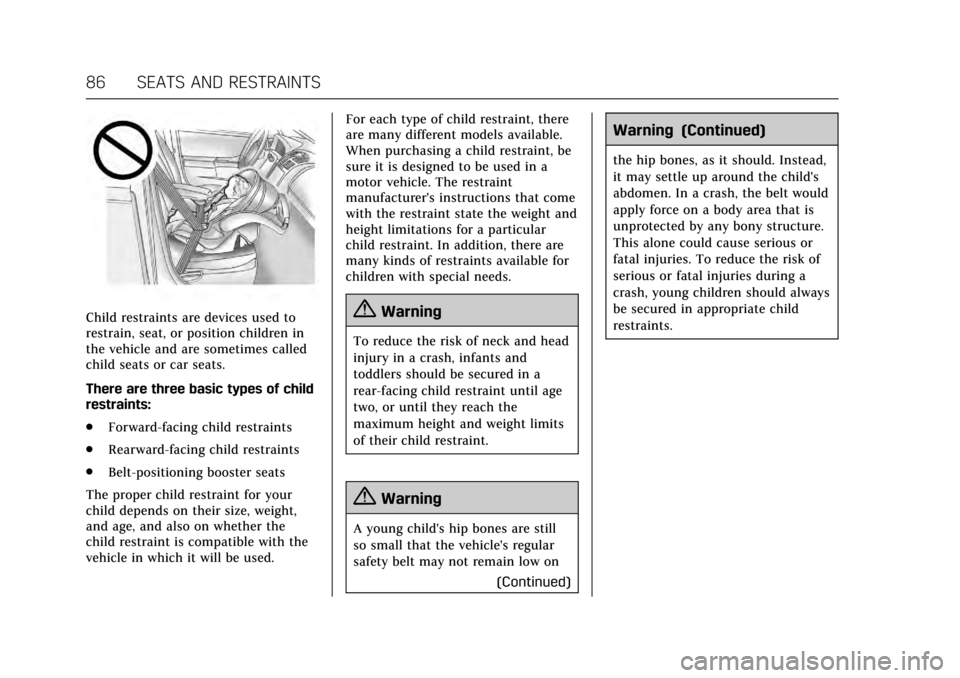
Child restraints are devices used to
restrain, seat, or position children in
the vehicle and are sometimes called
child seats or car seats.
There are three basic types of child
restraints:
.Forward-facing child restraints
. Rearward-facing child restraints
. Belt-positioning booster seats
The proper child restraint for your
child depends on their size, weight,
and age, and also on whether the
child restraint is compatible with the
vehicle in which it will be used. For each type of child restraint, there
are many different models available.
When purchasing a child restraint, be
sure it is designed to be used in a
motor vehicle. The restraint
manufacturer's instructions that come
with the restraint state the weight and
height limitations for a particular
child restraint. In addition, there are
many kinds of restraints available for
children with special needs.{Warning
To reduce the risk of neck and head
injury in a crash, infants and
toddlers should be secured in a
rear-facing child restraint until age
two, or until they reach the
maximum height and weight limits
of their child restraint.
{Warning
A young child's hip bones are still
so small that the vehicle's regular
safety belt may not remain low on
(Continued)
Warning (Continued)
the hip bones, as it should. Instead,
it may settle up around the child's
abdomen. In a crash, the belt would
apply force on a body area that is
unprotected by any bony structure.
This alone could cause serious or
fatal injuries. To reduce the risk of
serious or fatal injuries during a
crash, young children should always
be secured in appropriate child
restraints.
Page 101 of 352
Cadillac CTS/CTS-V Owner Manual (GMNA-Localizing-MidEast-10293089) -
2017 - crc - 6/22/16
100 STORAGE
Storage
Storage Compartments
Storage Compartments . . . . . . . . . . 100
Instrument Panel Storage . . . . . . . . 100
Glove Box . . . . . . . . . . . . . . . . . . . . . . . . . 100
Cupholders . . . . . . . . . . . . . . . . . . . . . . . . 101
Armrest Storage . . . . . . . . . . . . . . . . . . 101
Center Console Storage . . . . . . . . . . 101
Additional Storage Features
Cargo Tie-Downs . . . . . . . . . . . . . . . . . 102
Convenience Net . . . . . . . . . . . . . . . . . 102
Safety Kit . . . . . . . . . . . . . . . . . . . . . . . . . 102
Storage Compartments
{Warning
Do not store heavy or sharp objects
in storage compartments. In a
crash, these objects may cause the
cover to open and could result in
injury.
Instrument Panel Storage
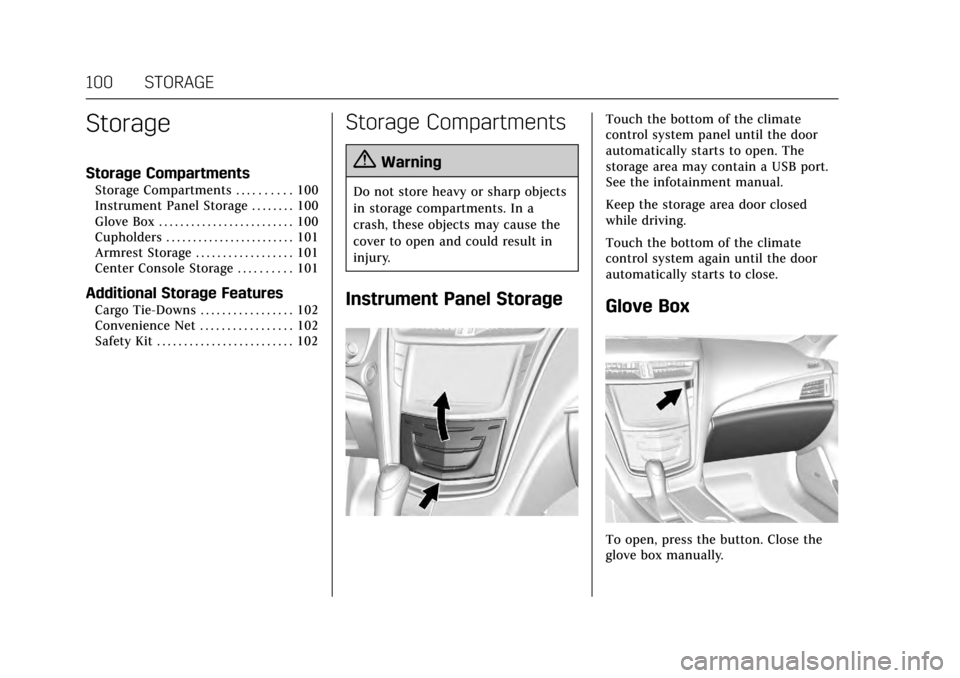
Touch the bottom of the climate
control system panel until the door
automatically starts to open. The
storage area may contain a USB port.
See the infotainment manual.
Keep the storage area door closed
while driving.
Touch the bottom of the climate
control system again until the door
automatically starts to close.
Glove Box
To open, press the button. Close the
glove box manually.
Page 103 of 352
Cadillac CTS/CTS-V Owner Manual (GMNA-Localizing-MidEast-10293089) -
2017 - crc - 6/22/16
102 STORAGE
If equipped, press the top of the door
to open the storage area on the rear of
the center console. If equipped, there
is a power outlet inside.
Additional Storage
Features
Cargo Tie-Downs
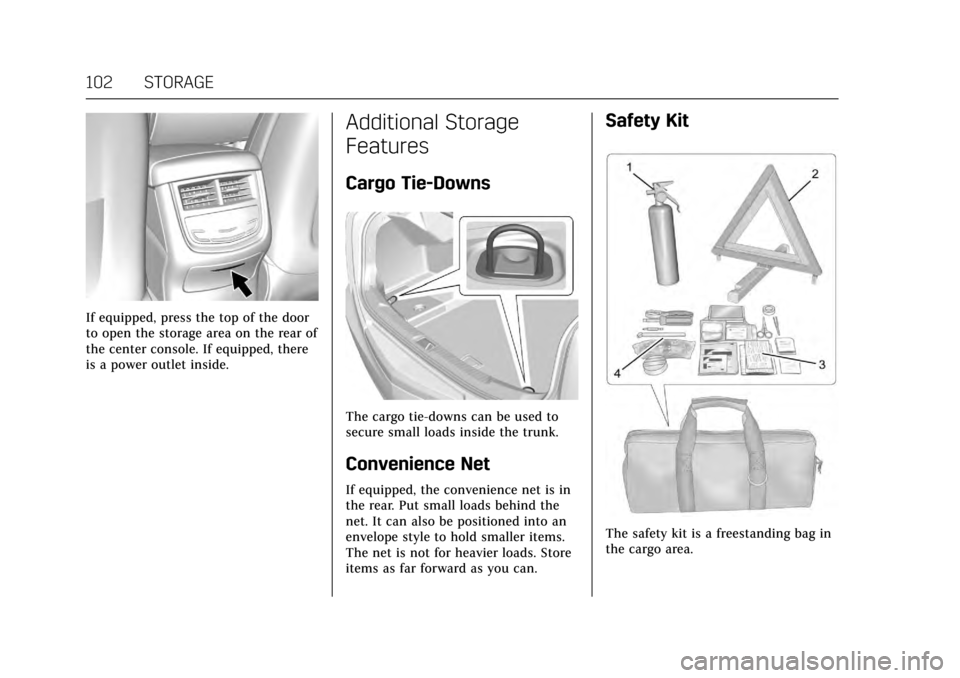
The cargo tie-downs can be used to
secure small loads inside the trunk.
Convenience Net
If equipped, the convenience net is in
the rear. Put small loads behind the
net. It can also be positioned into an
envelope style to hold smaller items.
The net is not for heavier loads. Store
items as far forward as you can.
Safety Kit
The safety kit is a freestanding bag in
the cargo area.
Page 108 of 352
Cadillac CTS/CTS-V Owner Manual (GMNA-Localizing-MidEast-10293089) -
2017 - crc - 6/22/16
INSTRUMENTS AND CONTROLS 107
{Warning
In freezing weather, do not use the
washer until the windshield is
warmed. Otherwise the washer fluid
can form ice on the windshield,
blocking your vision.
Clear snow and ice from the wiper
blades and windshield before using
them. If frozen to the windshield,
carefully loosen or thaw them.
Damaged blades should be replaced.
See Wiper Blade Replacement 0274.
Heavy snow or ice can overload the
wiper motor. See Electrical System
Overload 0278.
Wiper Parking
If the ignition is put in OFF while the
wipers are on LO, HI, or INT, they will
immediately stop.
If the windshield wiper lever is then
moved to OFF before the driver door is
opened or within 10 minutes, the
wipers will restart and move to the
base of the windshield. If the ignition is put in OFF while the
wipers are performing wipes due to
windshield washing or Rainsense
wipes, the wipers continue to run
until they reach the base of the
windshield.
Rainsense™
If equipped, there is a sensor near the
top center of the windshield detects
the amount of water on the
windshield and controls the frequency
of the windshield wiper. To turn this
feature on or off, see
“Rain Sense
Wipers ”under Vehicle
Personalization 0149.
Keep this area of the windshield clear
of debris to allow for best system
performance.
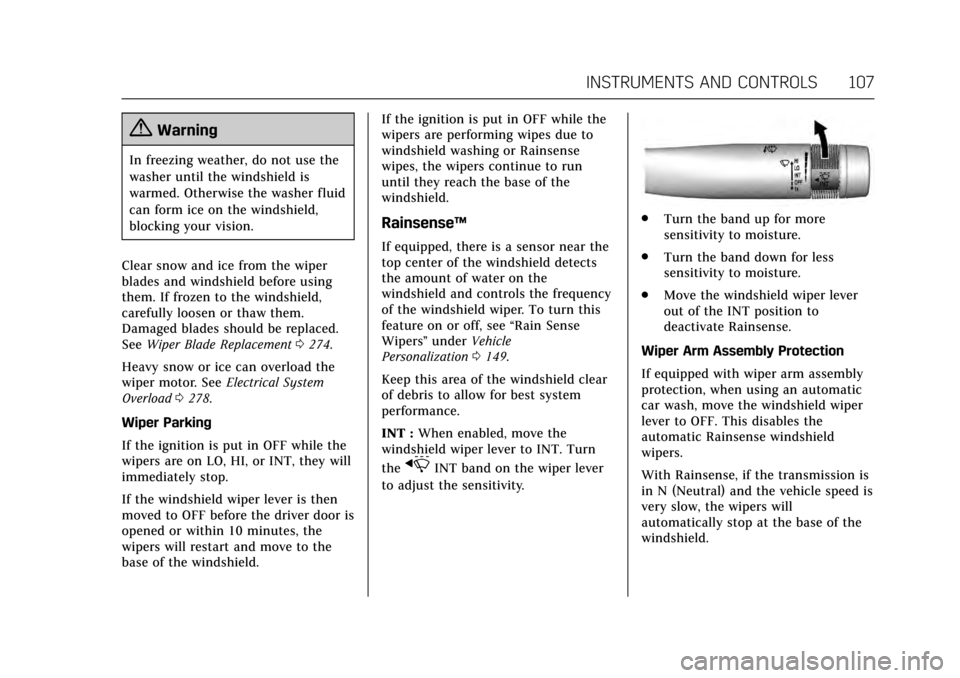
INT : When enabled, move the
windshield wiper lever to INT. Turn
the
xINT band on the wiper lever
to adjust the sensitivity.
. Turn the band up for more
sensitivity to moisture.
. Turn the band down for less
sensitivity to moisture.
. Move the windshield wiper lever
out of the INT position to
deactivate Rainsense.
Wiper Arm Assembly Protection
If equipped with wiper arm assembly
protection, when using an automatic
car wash, move the windshield wiper
lever to OFF. This disables the
automatic Rainsense windshield
wipers.
With Rainsense, if the transmission is
in N (Neutral) and the vehicle speed is
very slow, the wipers will
automatically stop at the base of the
windshield.
Page 125 of 352
Cadillac CTS/CTS-V Owner Manual (GMNA-Localizing-MidEast-10293089) -
2017 - crc - 6/22/16
124 INSTRUMENTS AND CONTROLS
Caution
Modifications to the engine,
transmission, exhaust, intake,
or fuel system, or the use of
replacement tires that do not meet
the original tire specifications, can
cause this light to come on. This
could lead to costly repairs not
covered by the vehicle warranty.
This could also affect the vehicle’s
ability to pass an Emissions
Inspection/Maintenance test. See
Accessories and Modifications0248.
If the light is f lashing : A
malfunction has been detected that
could damage the emission control
system and increase vehicle
emissions. Diagnosis and service may
be required.
To help prevent damage, reduce
vehicle speed and avoid hard
accelerations and uphill grades.
If towing a trailer, reduce the amount
of cargo being hauled as soon as
possible. If the light continues to flash, find a
safe place to park. Turn the vehicle off
and wait at least 10 seconds before
restarting the engine. If the light is
still flashing, follow the previous
guidelines and see your dealer for
service as soon as possible.
If the light is on steady :
A
malfunction has been detected.
Diagnosis and service may be
required.
Check the following:
. If fuel has been added to the
vehicle using the capless funnel
adapter, make sure that it has
been removed. See “Filling the
Tank with a Portable Gas Can ”
under Filling the Tank 0243. The
diagnostic system can detect if the
adapter has been left installed in
the vehicle, allowing fuel to
evaporate into the atmosphere.
A few driving trips with the
adapter removed may turn off the
light.
. Poor fuel quality can cause
inefficient engine operation and
poor driveability, which may go
away once the engine is warmed up. If this occurs, change the fuel
brand. It may require at least one
full tank of the proper fuel to turn
the light off. See
Fuel0242.
If the light remains on, see your
dealer.
Emissions Inspection and
Maintenance Programs
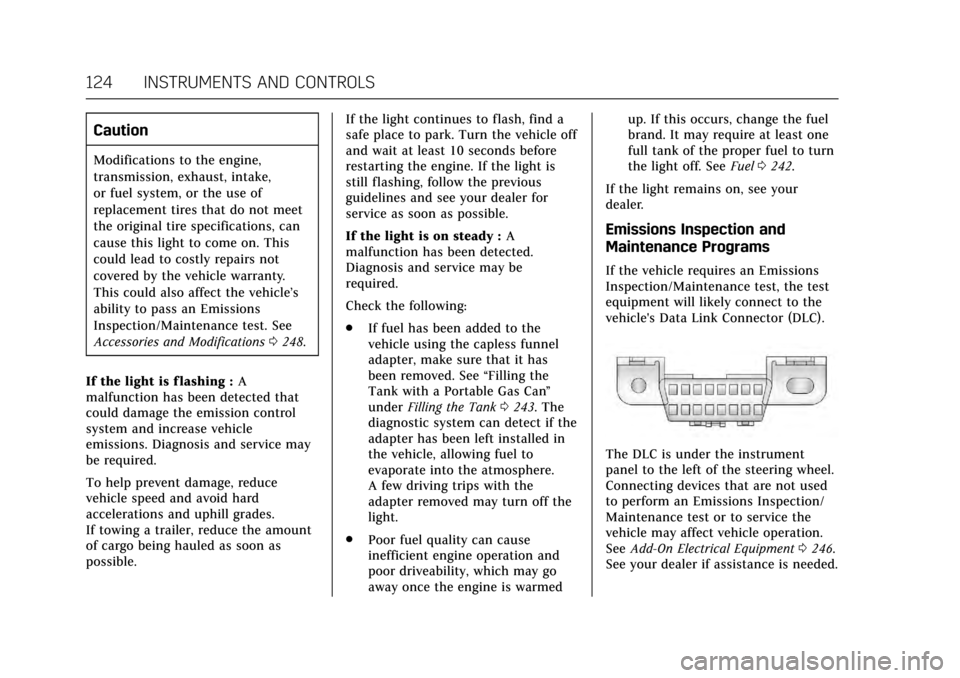
If the vehicle requires an Emissions
Inspection/Maintenance test, the test
equipment will likely connect to the
vehicle's Data Link Connector (DLC).
The DLC is under the instrument
panel to the left of the steering wheel.
Connecting devices that are not used
to perform an Emissions Inspection/
Maintenance test or to service the
vehicle may affect vehicle operation.
See Add-On Electrical Equipment 0246.
See your dealer if assistance is needed.
Page 126 of 352
Cadillac CTS/CTS-V Owner Manual (GMNA-Localizing-MidEast-10293089) -
2017 - crc - 6/22/16
INSTRUMENTS AND CONTROLS 125
The vehicle may not pass
inspection if:
.The light is on when the engine is
running.
. The light does not come on when
the ignition is in Service
Only Mode.
. Critical emission control systems
have not been completely
diagnosed. If this happens, the
vehicle would not be ready for
inspection and might require
several days of routine driving
before the system is ready for
inspection. This can happen if the
12-volt battery has recently been
replaced or run down, or if the
vehicle has been recently serviced.
See your dealer if the vehicle will not
pass or cannot be made ready for
the test.
Brake System Warning
Light
The vehicle brake system consists of
two hydraulic circuits. If one circuit is
not working, the remaining circuit can still work to stop the vehicle. For
normal braking performance, both
circuits need to be working.
If the warning light comes on, there is
a problem with the braking system.
Have the brake system inspected
right away.
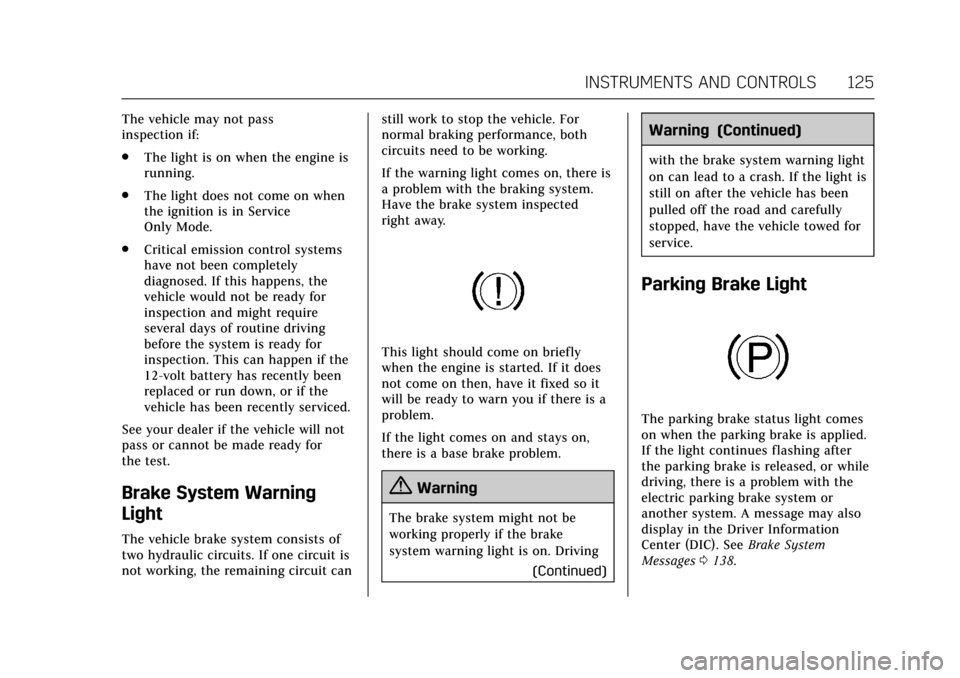
This light should come on briefly
when the engine is started. If it does
not come on then, have it fixed so it
will be ready to warn you if there is a
problem.
If the light comes on and stays on,
there is a base brake problem.
{Warning
The brake system might not be
working properly if the brake
system warning light is on. Driving
(Continued)
Warning (Continued)
with the brake system warning light
on can lead to a crash. If the light is
still on after the vehicle has been
pulled off the road and carefully
stopped, have the vehicle towed for
service.
Parking Brake Light
The parking brake status light comes
on when the parking brake is applied.
If the light continues flashing after
the parking brake is released, or while
driving, there is a problem with the
electric parking brake system or
another system. A message may also
display in the Driver Information
Center (DIC). SeeBrake System
Messages 0138.
Page 138 of 352
Cadillac CTS/CTS-V Owner Manual (GMNA-Localizing-MidEast-10293089) -
2017 - crc - 6/22/16
INSTRUMENTS AND CONTROLS 137
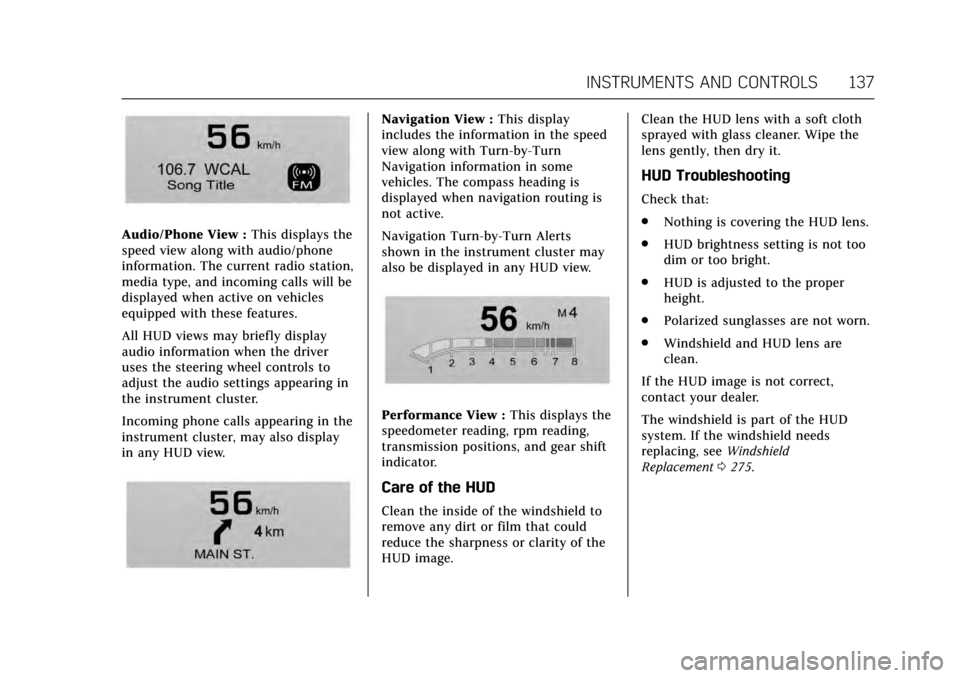
Audio/Phone View :This displays the
speed view along with audio/phone
information. The current radio station,
media type, and incoming calls will be
displayed when active on vehicles
equipped with these features.
All HUD views may briefly display
audio information when the driver
uses the steering wheel controls to
adjust the audio settings appearing in
the instrument cluster.
Incoming phone calls appearing in the
instrument cluster, may also display
in any HUD view.
Navigation View : This display
includes the information in the speed
view along with Turn-by-Turn
Navigation information in some
vehicles. The compass heading is
displayed when navigation routing is
not active.
Navigation Turn-by-Turn Alerts
shown in the instrument cluster may
also be displayed in any HUD view.
Performance View : This displays the
speedometer reading, rpm reading,
transmission positions, and gear shift
indicator.
Care of the HUD
Clean the inside of the windshield to
remove any dirt or film that could
reduce the sharpness or clarity of the
HUD image. Clean the HUD lens with a soft cloth
sprayed with glass cleaner. Wipe the
lens gently, then dry it.
HUD Troubleshooting
Check that:
.
Nothing is covering the HUD lens.
. HUD brightness setting is not too
dim or too bright.
. HUD is adjusted to the proper
height.
. Polarized sunglasses are not worn.
. Windshield and HUD lens are
clean.
If the HUD image is not correct,
contact your dealer.
The windshield is part of the HUD
system. If the windshield needs
replacing, see Windshield
Replacement 0275.
Page 140 of 352

Cadillac CTS/CTS-V Owner Manual (GMNA-Localizing-MidEast-10293089) -
2017 - crc - 6/22/16
INSTRUMENTS AND CONTROLS 139
STEP ON BRAKE TO RELEASE
PARK BRAKE
This message displays when
attempting to release the Electric
Parking Brake without the brake pedal
applied. SeeElectric Parking
Brake 0207.
Cruise Control Messages
ADAPTIVE CRUISE SET TO XXX
This message displays when the
Adaptive Cruise Control (ACC) speed is
set. See Adaptive Cruise Control 0220.
ADAPTIVE CRUISE TEMPORARILY
UNAVAILABLE
This message displays when
attempting to activate Adaptive Cruise
Control (ACC) when it is temporarily
unavailable. The ACC system does not
need service.
This can occur under the following
conditions:
.
The radar is not clean. Keep the
radar sensors free of mud, dirt,
snow, ice, and slush. Clean the entire front and/or rear of the
vehicle. For cleaning instructions,
see
Exterior Care 0315.
. Heavy rain or snow is interfering
with the radar object detection or
camera performance.
CRUISE SET TO XXX
This message displays when the cruise
control speed is set. See Cruise
Control 0218.
NO CRUISE BRAKING GAS PEDAL
APPLIED
This message displays when Adaptive
Cruise Control (ACC) is active and the
driver is pressing the gas pedal. When
this occurs, ACC will not brake. See
Adaptive Cruise Control 0220.
SERVICE ADAPTIVE CRUISE
CONTROL
This message displays when the
Adaptive Cruise Control (ACC) needs
service. Take the vehicle to your
dealer.
SHIFT TO PARK BEFORE EXITING
This message may display if Adaptive
Cruise Control (ACC) is engaged
holding the vehicle at a stop, and the
driver attempts to exit the vehicle. Put
the vehicle in P (Park) before exiting.
Door Ajar Messages
DOOR OPEN
A door open symbol will be displayed
on the DIC showing which door is
open. If the vehicle has been shifted
out of P (Park), a DOOR OPEN
message will also be displayed. The
DOOR OPEN message may also be
displayed if the vehicle starts to move.
Close the door completely.
HOOD OPEN
This message will display along with a
hood open symbol when the hood is
open. A chime may also sound. Close
the hood completely.
TRUNK OPEN
This message will display along with a
symbol when the trunk is open. Close
the trunk completely.
Page 143 of 352
Cadillac CTS/CTS-V Owner Manual (GMNA-Localizing-MidEast-10293089) -
2017 - crc - 6/22/16
142 INSTRUMENTS AND CONTROLS
TURN SIGNAL ON
This message is displayed if the turn
signal has been left on. Turn off the
turn signal.
Object Detection System
Messages
24 GHz RADARS OFF
This message displays when driving in
certain areas where there may be
radar interference. Adaptive Cruise
Control (ACC), Forward Collision Alert
(FCA), and Forward Automatic
Braking (FAB) may not work or may
not work as well. The vehicle does not
need service.
FORWARD COLLISION
SYSTEM OFF
This message displays when Forward
Automatic Braking (FAB) has been
turned off. SeeForward Automatic
Braking (FAB) 0237.
FORWARD COLLISION SYSTEM
REDUCED
This message displays when Forward
Automatic Braking (FAB) has been set
to the Alert setting. This setting
disables most FAB functions. See
Forward Automatic Braking
(FAB) 0237.
FORWARD COLLISION SYSTEM
UNAVAILABLE
This message displays when Forward
Automatic Braking (FAB) has been
unavailable for some time. The FAB
System does not need service. This
message can display under the
following conditions:
.
The front of the vehicle or
windshield is not clean. Keep
these areas clean and free of mud,
dirt, snow, ice, and slush. For
cleaning instructions, see Exterior
Care 0315.
. Heavy rain or snow is interfering
with the object detection
performance. This message may also be displayed if
there is a problem with the StabiliTrak
system. See
Traction Control/Electronic
Stability Control 0209.
FORWARD COLLISION ALERT OFF
This message displays when the
Forward Collision Alert has been
turned off.
FRONT CAMERA BLOCKED CLEAN
WINDSHIELD
This message displays when the
camera is blocked. Cleaning the
outside of the windshield behind the
rearview mirror may correct the issue.
The Lane Keep Assist (LKA) and the
Lane Departure Warning (LDW)
system will not operate. Adaptive
Cruise Control (ACC), Forward
Collision Alert (FCA), and Forward
Automatic Braking (FAB) may not
work or may not work as well.
LANE CHANGE ALERT OFF
This message indicates that the driver
has turned the Side Blind Zone Alert
(SBZA) and Lane Change Alert (LCA)
systems off.