change time CADILLAC CTS V 2017 3.G User Guide
[x] Cancel search | Manufacturer: CADILLAC, Model Year: 2017, Model line: CTS V, Model: CADILLAC CTS V 2017 3.GPages: 352, PDF Size: 3.99 MB
Page 136 of 352
Cadillac CTS/CTS-V Owner Manual (GMNA-Localizing-MidEast-10293089) -
2017 - crc - 6/22/16
INSTRUMENTS AND CONTROLS 135
Head-Up Display (HUD)
{Warning
If the HUD image is too bright or
too high in your field of view, it
may take you more time to see
things you need to see when it is
dark outside. Be sure to keep the
HUD image dim and placed low in
your field of view.
If equipped with HUD, some
information concerning the operation
of the vehicle is projected onto the
windshield. The image is projected
through the HUD lens on top of the
instrument panel. The information
appears as an image focused out
toward the front of the vehicle.
Caution
If you try to use the HUD image as
a parking aid, you may misjudge
the distance and damage your
vehicle. Do not use the HUD image
as a parking aid. The HUD information can be
displayed in various languages in
some vehicles. The speedometer
reading and other numerical values
can be displayed in either English or
metric units.
The language selection is changed
through the radio and the units of
measurement is changed through the
instrument cluster. See
Vehicle
Personalization 0149 and “Cluster
Settings Menu ”under Instrument
Cluster 0114.
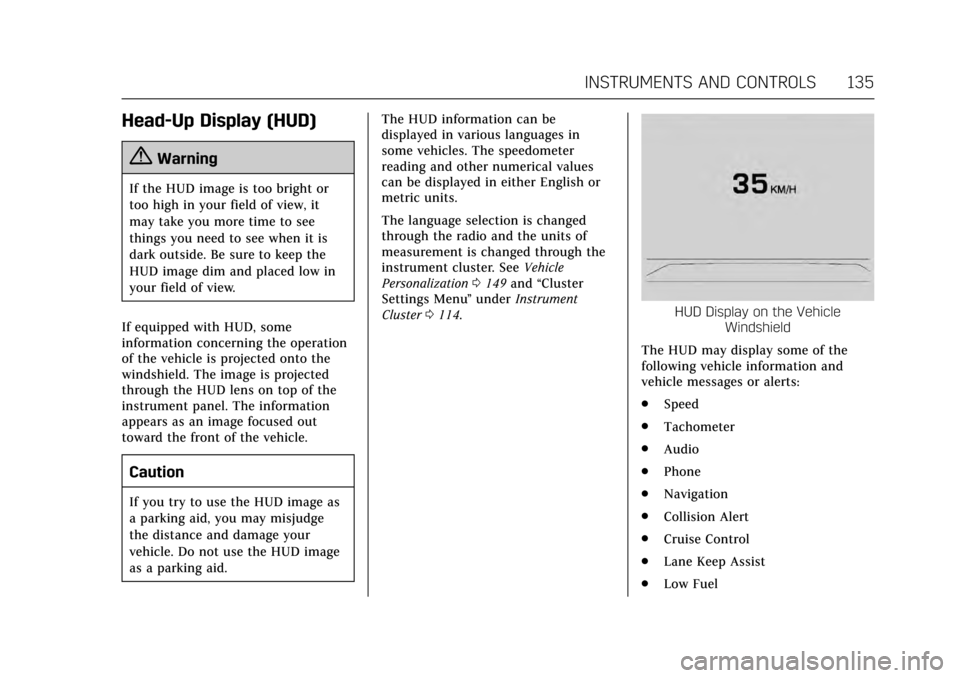
HUD Display on the Vehicle
Windshield
The HUD may display some of the
following vehicle information and
vehicle messages or alerts:
. Speed
. Tachometer
. Audio
. Phone
. Navigation
. Collision Alert
. Cruise Control
. Lane Keep Assist
. Low Fuel
Page 143 of 352
Cadillac CTS/CTS-V Owner Manual (GMNA-Localizing-MidEast-10293089) -
2017 - crc - 6/22/16
142 INSTRUMENTS AND CONTROLS
TURN SIGNAL ON
This message is displayed if the turn
signal has been left on. Turn off the
turn signal.
Object Detection System
Messages
24 GHz RADARS OFF
This message displays when driving in
certain areas where there may be
radar interference. Adaptive Cruise
Control (ACC), Forward Collision Alert
(FCA), and Forward Automatic
Braking (FAB) may not work or may
not work as well. The vehicle does not
need service.
FORWARD COLLISION
SYSTEM OFF
This message displays when Forward
Automatic Braking (FAB) has been
turned off. SeeForward Automatic
Braking (FAB) 0237.
FORWARD COLLISION SYSTEM
REDUCED
This message displays when Forward
Automatic Braking (FAB) has been set
to the Alert setting. This setting
disables most FAB functions. See
Forward Automatic Braking
(FAB) 0237.
FORWARD COLLISION SYSTEM
UNAVAILABLE
This message displays when Forward
Automatic Braking (FAB) has been
unavailable for some time. The FAB
System does not need service. This
message can display under the
following conditions:
.
The front of the vehicle or
windshield is not clean. Keep
these areas clean and free of mud,
dirt, snow, ice, and slush. For
cleaning instructions, see Exterior
Care 0315.
. Heavy rain or snow is interfering
with the object detection
performance. This message may also be displayed if
there is a problem with the StabiliTrak
system. See
Traction Control/Electronic
Stability Control 0209.
FORWARD COLLISION ALERT OFF
This message displays when the
Forward Collision Alert has been
turned off.
FRONT CAMERA BLOCKED CLEAN
WINDSHIELD
This message displays when the
camera is blocked. Cleaning the
outside of the windshield behind the
rearview mirror may correct the issue.
The Lane Keep Assist (LKA) and the
Lane Departure Warning (LDW)
system will not operate. Adaptive
Cruise Control (ACC), Forward
Collision Alert (FCA), and Forward
Automatic Braking (FAB) may not
work or may not work as well.
LANE CHANGE ALERT OFF
This message indicates that the driver
has turned the Side Blind Zone Alert
(SBZA) and Lane Change Alert (LCA)
systems off.
Page 150 of 352
Cadillac CTS/CTS-V Owner Manual (GMNA-Localizing-MidEast-10293089) -
2017 - crc - 6/22/16
INSTRUMENTS AND CONTROLS 149
Vehicle Personalization
Use the audio system controls to
access the personalization menus for
customizing vehicle features.
The following are all possible
personalization features. Depending
on the vehicle, some may not be
available.
Infotainment System Audio System
Controls
To access the personalization menu:1. Press SETTINGS on the Home page on the infotainment system
display.
2. Press the desired feature to display a list of available options.
3. Press to select the desired feature setting.
4. Press the
[Back screen button
to return to the previous menu.
Personalization Menus
The following list of menu items may
be available:
. Time and Date .
Driving Mode
. Language (Language)
. Valet Mode
. Radio
. Vehicle
. Bluetooth
. Apple CarPlay
. Android Auto
. Voice
. Display
. Rear Camera
. Return to Factory Settings
. Software Information
Each menu is detailed in the following
information.
Time and Date
Manually set the time and date. See
Clock 0108.
Driving Mode
These settings will overwrite the main
Vehicle Mode selections made with
the mode button(s) on the console. Press and the following may display:
.
Engine Sound Management
. Steering
. Suspension
Engine Sound Management
This allows the Engine Sound
Management setting to be changed.
Select Auto (Mode Selector), Tour,
Sport, or Track.
Steering
This allows the Steering setting to be
changed.
Select Auto (Mode Selector), Tour,
Sport, or Track.
Suspension
This allows the Suspension setting to
be changed.
Select Auto (Mode Selector), Tour,
Sport, or Track.
Language (Language)
Select Language, then select from the
available language(s).
Page 158 of 352
Cadillac CTS/CTS-V Owner Manual (GMNA-Localizing-MidEast-10293089) -
2017 - crc - 6/22/16
LIGHTING 157
Lighting
Exterior Lighting
Exterior Lamp Controls . . . . . . . . . . 157
Exterior Lamps Off Reminder . . . 159
Headlamp High/Low-BeamChanger . . . . . . . . . . . . . . . . . . . . . . . . . . 159
Flash-to-Pass . . . . . . . . . . . . . . . . . . . . . 159
Daytime Running Lamps (DRL) . . . . . . . . . . . . . . . . . . . . 159
Automatic Headlamp System . . . 160
Adaptive Forward Lighting (AFL) . . . . . . . . . . . . . . . . . . 160
Hazard Warning Flashers . . . . . . . . 161
Turn and Lane-Change Signals . . . . . . . . . . . . . . . . . . . . . . . . . . . 161
Interior Lighting
Instrument Panel IlluminationControl . . . . . . . . . . . . . . . . . . . . . . . . . . 162
Courtesy Lamps . . . . . . . . . . . . . . . . . . 162
Dome Lamps . . . . . . . . . . . . . . . . . . . . . 162
Reading Lamps . . . . . . . . . . . . . . . . . . . 162
Lighting Features
Entry Lighting . . . . . . . . . . . . . . . . . . . . 163
Exit Lighting . . . . . . . . . . . . . . . . . . . . . . 163
Battery Load Management . . . . . . 163
Battery Power Protection . . . . . . . . 164
Exterior Lighting Battery Saver . . . . . . . . . . . . . . . . . . . . . . . . . . . . . 164
Exterior Lighting
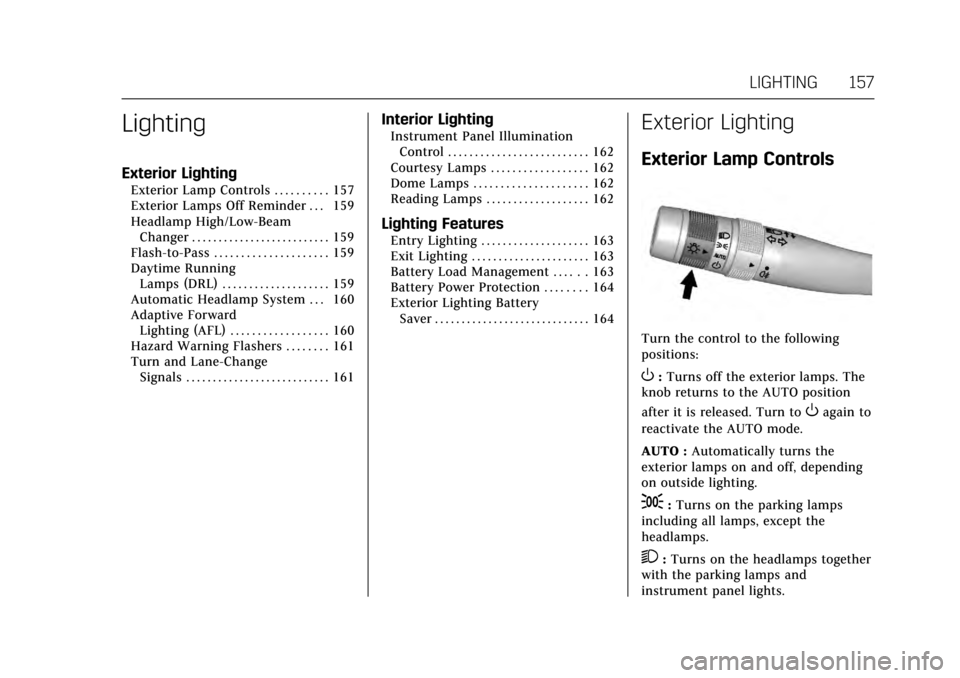
Exterior Lamp Controls
Turn the control to the following
positions:
O:Turns off the exterior lamps. The
knob returns to the AUTO position
after it is released. Turn to
Oagain to
reactivate the AUTO mode.
AUTO : Automatically turns the
exterior lamps on and off, depending
on outside lighting.
;: Turns on the parking lamps
including all lamps, except the
headlamps.
2: Turns on the headlamps together
with the parking lamps and
instrument panel lights.
Page 159 of 352

Cadillac CTS/CTS-V Owner Manual (GMNA-Localizing-MidEast-10293089) -
2017 - crc - 6/22/16
158 LIGHTING
IntelliBeam®System
If equipped, this system turns the
vehicle's high-beam headlamps on and
off according to surrounding traffic
conditions.
The system turns the high-beam
headlamps on when it is dark enough
and there is no other traffic present.
This light comes on in the instrument
cluster when the IntelliBeam system
is enabled.
Turning On and Enabling IntelliBeam
To enable the IntelliBeam system,
with the turn signal lever in the
neutral position, turn the exterior
lamp control to AUTO. The blue
high-beam on light appears on the
instrument cluster when the high
beams are on.Driving with IntelliBeam
The system only activates the high
beams when driving over 40 km/h
(25 mph).
There is a sensor near the top center
of the windshield, which automatically
controls the system. Keep this area of
the windshield clear of debris to allow
for best system performance.
The high-beam headlamps remain on,
under the automatic control, until one
of the following situations occurs:
.
The system detects an
approaching vehicle's headlamps.
. The system detects a preceding
vehicle's taillamps.
. The outside light is bright enough
that high-beam headlamps are not
required.
. The vehicle's speed drops below
20 km/h (12 mph).
. The turn signal lever is moved
forward to the high-beam position
or the Flash-to-Pass feature is
used. See Headlamp High/
Low-Beam Changer 0159 and
Flash-to-Pass 0159. .
The IntelliBeam system can be
disabled by the High/Low-Beam
Changer or the Flash-to-Pass
feature. If this happens, the High/
Low-Beam Changer must be
activated two times within
two seconds to reactivate the
IntelliBeam system. The
instrument cluster light will come
on to indicate the IntelliBeam is
reactivated.
The high beams may not turn off
automatically if the system cannot
detect other vehicle's lamps because
of any of the following:
. The other vehicle's lamp(s) are
missing, damaged, obstructed from
view, or otherwise undetected.
. The other vehicle's lamp(s) are
covered with dirt, snow, and/or
road spray.
. The other vehicle's lamp(s) cannot
be detected due to dense exhaust,
smoke, fog, snow, road spray, mist,
or other airborne obstructions.
Page 160 of 352
Cadillac CTS/CTS-V Owner Manual (GMNA-Localizing-MidEast-10293089) -
2017 - crc - 6/22/16
LIGHTING 159
.Your vehicle's windshield is dirty,
cracked, or obstructed by
something that blocks the view of
the light sensor.
. Your vehicle's windshield is
covered with ice, dirt, haze,
or other obstructions.
. Your vehicle is loaded such that
the front end points upward,
causing the light sensor to aim
high and not detect headlamps
and taillamps.
. You are driving on winding or hilly
roads.
You may need to manually disable or
cancel the high-beam headlamps by
turning the low-beam headlamps on,
if any of the above conditions exist.
Exterior Lamps Off
Reminder
A warning chime will sound if the
exterior lamp control is left on in
either the headlamp or parking lamp
position and the driver door is opened
with the ignition off.
Headlamp High/Low-Beam
Changer
2 3
: Push the turn signal lever
away from you and release, to turn the
high beams on. To return to low
beams, push the lever again or pull it
toward you and release.
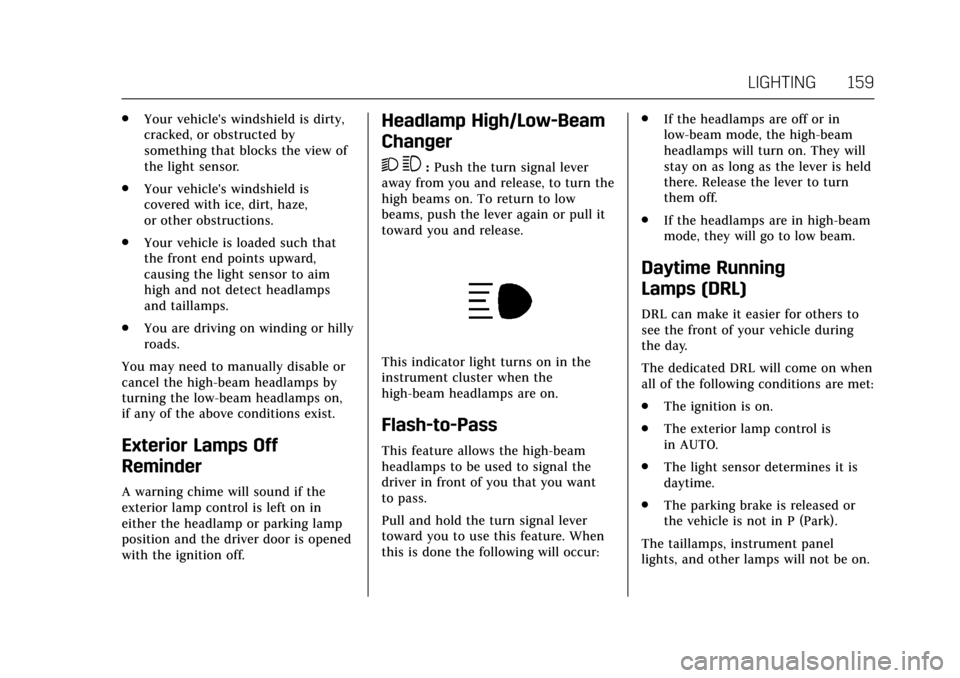
This indicator light turns on in the
instrument cluster when the
high-beam headlamps are on.
Flash-to-Pass
This feature allows the high-beam
headlamps to be used to signal the
driver in front of you that you want
to pass.
Pull and hold the turn signal lever
toward you to use this feature. When
this is done the following will occur: .
If the headlamps are off or in
low-beam mode, the high-beam
headlamps will turn on. They will
stay on as long as the lever is held
there. Release the lever to turn
them off.
. If the headlamps are in high-beam
mode, they will go to low beam.
Daytime Running
Lamps (DRL)
DRL can make it easier for others to
see the front of your vehicle during
the day.
The dedicated DRL will come on when
all of the following conditions are met:
.The ignition is on.
. The exterior lamp control is
in AUTO.
. The light sensor determines it is
daytime.
. The parking brake is released or
the vehicle is not in P (Park).
The taillamps, instrument panel
lights, and other lamps will not be on.
Page 162 of 352
Cadillac CTS/CTS-V Owner Manual (GMNA-Localizing-MidEast-10293089) -
2017 - crc - 6/22/16
LIGHTING 161
Hazard Warning Flashers
|:Press and hold this button for
one second to make the front and rear
turn signal lamps flash on and off.
Release the button for at least
one second and press again to turn
the flashers off.
The hazard warning flashers turn on
automatically if the airbags deploy.
Turn and Lane-Change
Signals
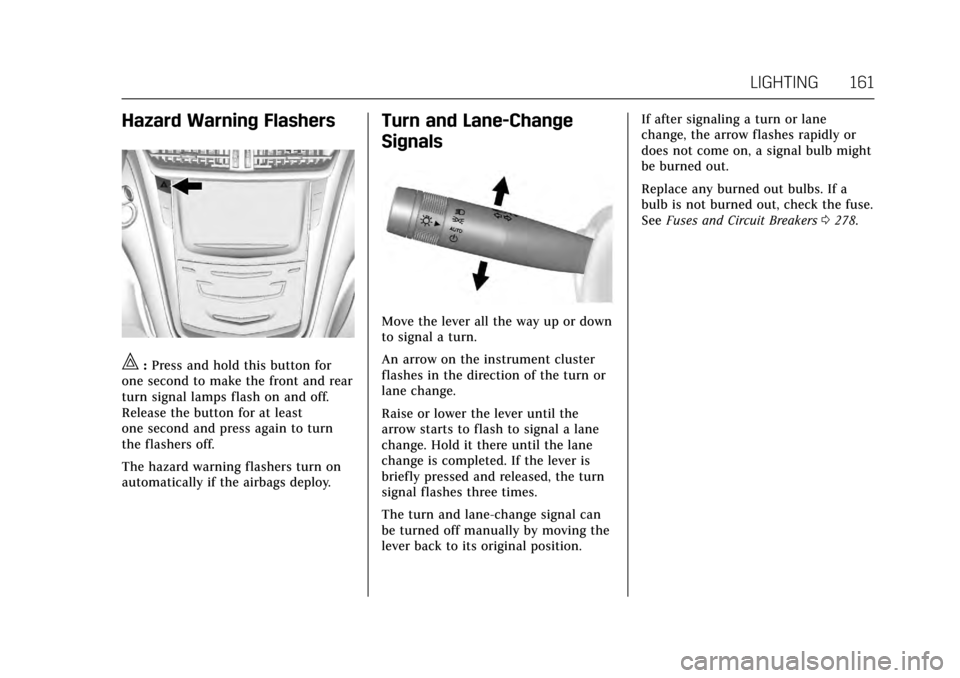
Move the lever all the way up or down
to signal a turn.
An arrow on the instrument cluster
flashes in the direction of the turn or
lane change.
Raise or lower the lever until the
arrow starts to flash to signal a lane
change. Hold it there until the lane
change is completed. If the lever is
briefly pressed and released, the turn
signal flashes three times.
The turn and lane-change signal can
be turned off manually by moving the
lever back to its original position. If after signaling a turn or lane
change, the arrow flashes rapidly or
does not come on, a signal bulb might
be burned out.
Replace any burned out bulbs. If a
bulb is not burned out, check the fuse.
See
Fuses and Circuit Breakers 0278.
Page 164 of 352
Cadillac CTS/CTS-V Owner Manual (GMNA-Localizing-MidEast-10293089) -
2017 - crc - 6/22/16
LIGHTING 163
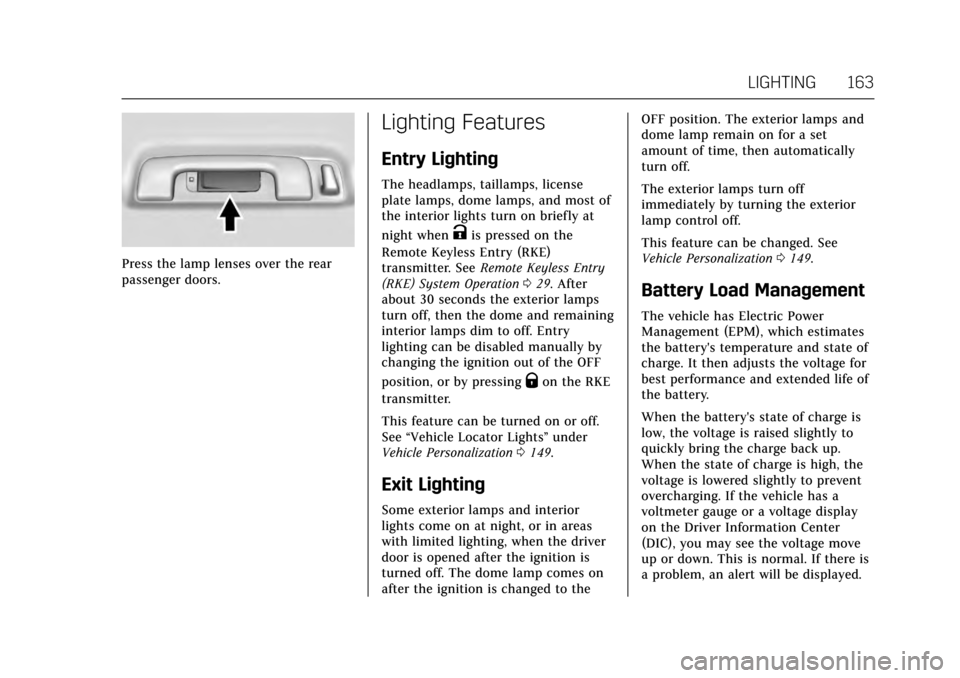
Press the lamp lenses over the rear
passenger doors.
Lighting Features
Entry Lighting
The headlamps, taillamps, license
plate lamps, dome lamps, and most of
the interior lights turn on briefly at
night when
Kis pressed on the
Remote Keyless Entry (RKE)
transmitter. See Remote Keyless Entry
(RKE) System Operation 029. After
about 30 seconds the exterior lamps
turn off, then the dome and remaining
interior lamps dim to off. Entry
lighting can be disabled manually by
changing the ignition out of the OFF
position, or by pressing
Qon the RKE
transmitter.
This feature can be turned on or off.
See “Vehicle Locator Lights” under
Vehicle Personalization 0149.
Exit Lighting
Some exterior lamps and interior
lights come on at night, or in areas
with limited lighting, when the driver
door is opened after the ignition is
turned off. The dome lamp comes on
after the ignition is changed to the OFF position. The exterior lamps and
dome lamp remain on for a set
amount of time, then automatically
turn off.
The exterior lamps turn off
immediately by turning the exterior
lamp control off.
This feature can be changed. See
Vehicle Personalization
0149.
Battery Load Management
The vehicle has Electric Power
Management (EPM), which estimates
the battery's temperature and state of
charge. It then adjusts the voltage for
best performance and extended life of
the battery.
When the battery's state of charge is
low, the voltage is raised slightly to
quickly bring the charge back up.
When the state of charge is high, the
voltage is lowered slightly to prevent
overcharging. If the vehicle has a
voltmeter gauge or a voltage display
on the Driver Information Center
(DIC), you may see the voltage move
up or down. This is normal. If there is
a problem, an alert will be displayed.
Page 168 of 352
Cadillac CTS/CTS-V Owner Manual (GMNA-Localizing-MidEast-10293089) -
2017 - crc - 6/22/16
INFOTAINMENT SYSTEM 167
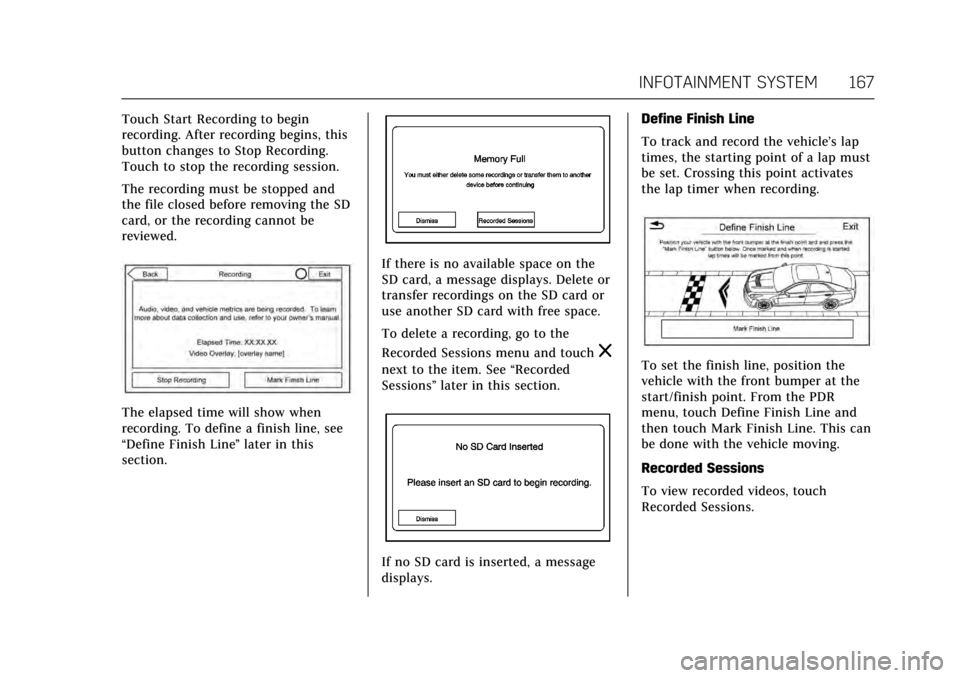
Touch Start Recording to begin
recording. After recording begins, this
button changes to Stop Recording.
Touch to stop the recording session.
The recording must be stopped and
the file closed before removing the SD
card, or the recording cannot be
reviewed.
The elapsed time will show when
recording. To define a finish line, see
“Define Finish Line”later in this
section.
If there is no available space on the
SD card, a message displays. Delete or
transfer recordings on the SD card or
use another SD card with free space.
To delete a recording, go to the
Recorded Sessions menu and touch
z
next to the item. See “Recorded
Sessions” later in this section.
If no SD card is inserted, a message
displays. Define Finish Line
To track and record the vehicle’s lap
times, the starting point of a lap must
be set. Crossing this point activates
the lap timer when recording.
To set the finish line, position the
vehicle with the front bumper at the
start/finish point. From the PDR
menu, touch Define Finish Line and
then touch Mark Finish Line. This can
be done with the vehicle moving.
Recorded Sessions
To view recorded videos, touch
Recorded Sessions.
Page 169 of 352
Cadillac CTS/CTS-V Owner Manual (GMNA-Localizing-MidEast-10293089) -
2017 - crc - 6/22/16
168 INFOTAINMENT SYSTEM
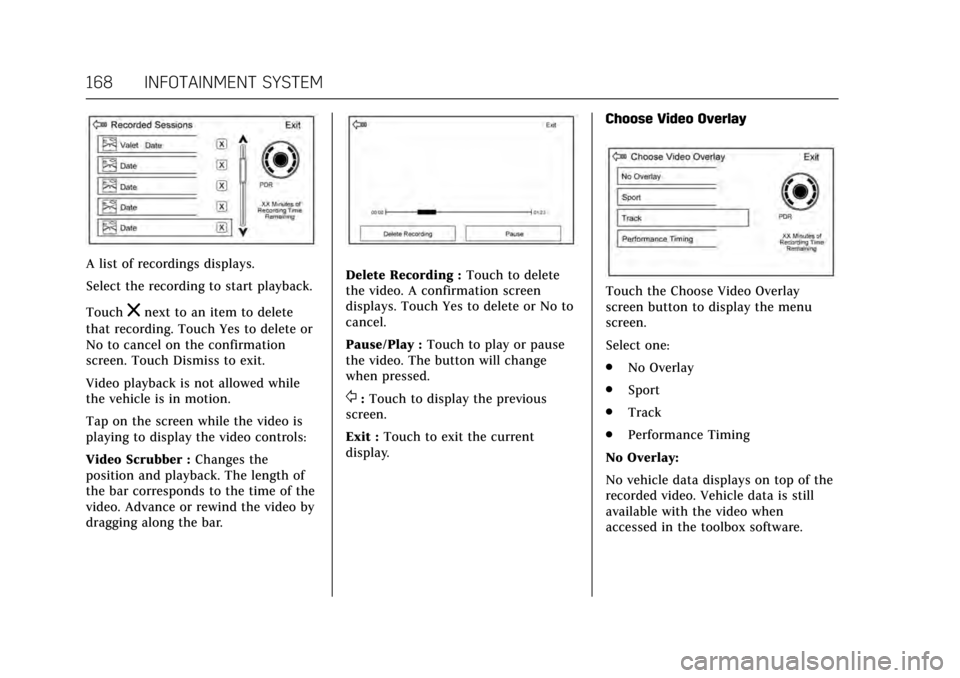
A list of recordings displays.
Select the recording to start playback.
Touch
znext to an item to delete
that recording. Touch Yes to delete or
No to cancel on the confirmation
screen. Touch Dismiss to exit.
Video playback is not allowed while
the vehicle is in motion.
Tap on the screen while the video is
playing to display the video controls:
Video Scrubber : Changes the
position and playback. The length of
the bar corresponds to the time of the
video. Advance or rewind the video by
dragging along the bar.
Delete Recording : Touch to delete
the video. A confirmation screen
displays. Touch Yes to delete or No to
cancel.
Pause/Play : Touch to play or pause
the video. The button will change
when pressed.
/: Touch to display the previous
screen.
Exit : Touch to exit the current
display. Choose Video Overlay
Touch the Choose Video Overlay
screen button to display the menu
screen.
Select one:
.
No Overlay
. Sport
. Track
. Performance Timing
No Overlay:
No vehicle data displays on top of the
recorded video. Vehicle data is still
available with the video when
accessed in the toolbox software.