change time CADILLAC CTS V 2017 3.G Owner's Manual
[x] Cancel search | Manufacturer: CADILLAC, Model Year: 2017, Model line: CTS V, Model: CADILLAC CTS V 2017 3.GPages: 352, PDF Size: 3.99 MB
Page 175 of 352
Cadillac CTS/CTS-V Owner Manual (GMNA-Localizing-MidEast-10293089) -
2017 - crc - 6/22/16
174 CLIMATE CONTROLS
Automatic Operation
The system automatically controls the
fan speed, air delivery, air
conditioning, and recirculation in
order to heat or cool the vehicle to the
desired temperature.
When the indicator light is on or
AUTO is displayed on the touch
screen, the system is in full automatic
operation. If the air delivery mode or
fan setting is manually adjusted, the
auto indicator turns off and the
display will show the selected settings.
Auto operation can be turned off
individually for climate settings.
For automatic operation:1. Press AUTO.
2. Set the temperature. Allow the system time to stabilize. Then
adjust the temperature as needed
for best comfort.
To improve fuel efficiency and to cool
the vehicle faster, recirculation may be
automatically selected in warm
weather. The recirculation light will
not come on. Press
@to select
recirculation; press it again to select
outside air. English units can be changed to
metric units through the instrument
cluster. See
“Cluster Options Menu ”
under Instrument Cluster 0114.
OFF : Press to turn the fan on or off.
The temperature control and air
delivery mode can still be adjusted.
w/x: The temperature can be
adjusted separately for the driver and
the passenger. Press to increase or
decrease the temperature. Press and
hold to rapidly increase or decrease
the temperature.
The driver and passenger
temperatures can also be adjusted by
pressing the controls on the touch
screen.
SYNC : Press SYNC on the touch
screen to link all climate zone settings
to the driver settings. Adjust the
driver side temperature control to
change the linked temperature. When
the passenger settings are adjusted,
the SYNC button is displayed when
the temperatures are unlinked.
Rear : If equipped, press this button
on the front climate control touch
screen to open the rear climate control screen. The rear climate
control settings can now be adjusted
from the front passenger area.
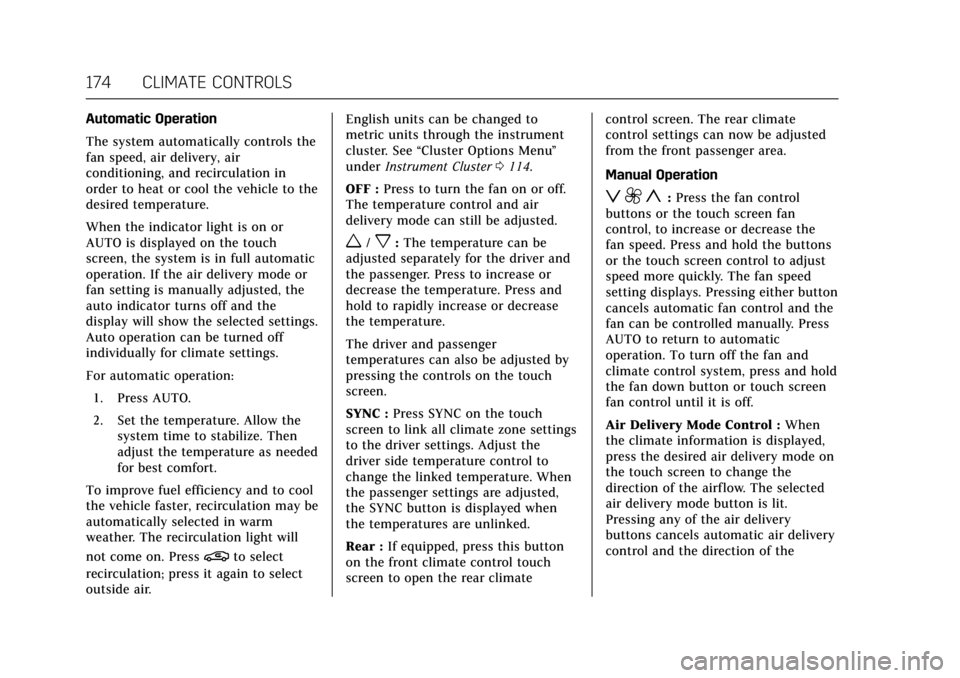
Manual Operation
z 9 y:
Press the fan control
buttons or the touch screen fan
control, to increase or decrease the
fan speed. Press and hold the buttons
or the touch screen control to adjust
speed more quickly. The fan speed
setting displays. Pressing either button
cancels automatic fan control and the
fan can be controlled manually. Press
AUTO to return to automatic
operation. To turn off the fan and
climate control system, press and hold
the fan down button or touch screen
fan control until it is off.
Air Delivery Mode Control : When
the climate information is displayed,
press the desired air delivery mode on
the touch screen to change the
direction of the airflow. The selected
air delivery mode button is lit.
Pressing any of the air delivery
buttons cancels automatic air delivery
control and the direction of the
Page 199 of 352
Cadillac CTS/CTS-V Owner Manual (GMNA-Localizing-MidEast-10293089) -
2017 - crc - 6/22/16
198 DRIVING AND OPERATING
ON/RUN/START (Green Indicator
Light) :This mode is for driving and
starting. With the ignition off, and the
brake pedal applied, pressing the
button once will place the ignition
system in ON/RUN/START. Once
engine cranking begins, release the
button. Engine cranking will continue
until the engine starts. See Starting the
Engine 0198. The ignition will then
remain in ON/RUN.
Service Only Mode
This power mode is available for
service and diagnostics, and to verify
the proper operation of the
malfunction indicator lamp as may be
required for emission inspection
purposes. With the vehicle off, and the
brake pedal not applied, pressing and
holding the button for more than
five seconds will place the vehicle in
Service Only Mode. The instruments
and audio systems will operate as they
do in ON/RUN, but the vehicle will
not be able to be driven. The engine
will not start in Service Only Mode.
Press the button again to turn the
vehicle off.Starting the Engine
Move the shift lever to P (Park) or
N (Neutral). To restart the engine
when the vehicle is already moving,
use N (Neutral) only.
Caution
Do not try to shift to P (Park) if the
vehicle is moving. If you do, you
could damage the transmission.
Shift to P (Park) only when the
vehicle is stopped.
Caution
If you add electrical parts or
accessories, you could change the
way the engine operates. Any
resulting damage would not be
covered by the vehicle warranty. See
Add-On Electrical Equipment 0246.
Starting Procedure 1. With the Keyless Access system, the Remote Keyless Entry (RKE)
transmitter must be in the vehicle. Press ENGINE START/
STOP, if equipped, with the brake
pedal applied. When the engine
begins cranking, let go of the
button.
The idle speed will go down as
the engine gets warm. Do not
race the engine immediately
after starting it.
If the RKE transmitter is not in
the vehicle, if there is
interference, or if the RKE
battery is low, a Driver
Information Center (DIC) will
display a message. See
Key and
Lock Messages 0141 and Remote
Keyless Entry (RKE) System
Operation 029.
Caution
Cranking the engine for long
periods of time, by returning the
ignition to the START position
immediately after cranking has
ended, can overheat and damage
the cranking motor, and drain the
(Continued)
Page 208 of 352
Cadillac CTS/CTS-V Owner Manual (GMNA-Localizing-MidEast-10293089) -
2017 - crc - 6/22/16
DRIVING AND OPERATING 207
a sudden obstacle, a computer senses
the wheels are slowing down. If one of
the wheels is about to stop rolling, the
computer will separately work the
brakes at each wheel.
ABS can change the brake pressure to
each wheel, as required, faster than
any driver could. This can help you
steer around the obstacle while
braking hard.
As the brakes are applied, the
computer keeps receiving updates on
wheel speed and controls braking
pressure accordingly.
Remember: ABS does not change the
time needed to get a foot up to the
brake pedal or always decrease
stopping distance. If you get too close
to the vehicle in front of you, there
will not be enough time to apply the
brakes if that vehicle suddenly slows
or stops. Always leave enough room
up ahead to stop, even with ABS.Using ABS
Do not pump the brakes. Just hold the
brake pedal down firmly and let ABS
work. You may hear the ABS pump or
motor operating and feel the brake
pedal pulsate. This is normal.
Braking in Emergencies
ABS allows you to steer and brake at
the same time. In many emergencies,
steering can help more than even the
very best braking.
Electric Parking Brake
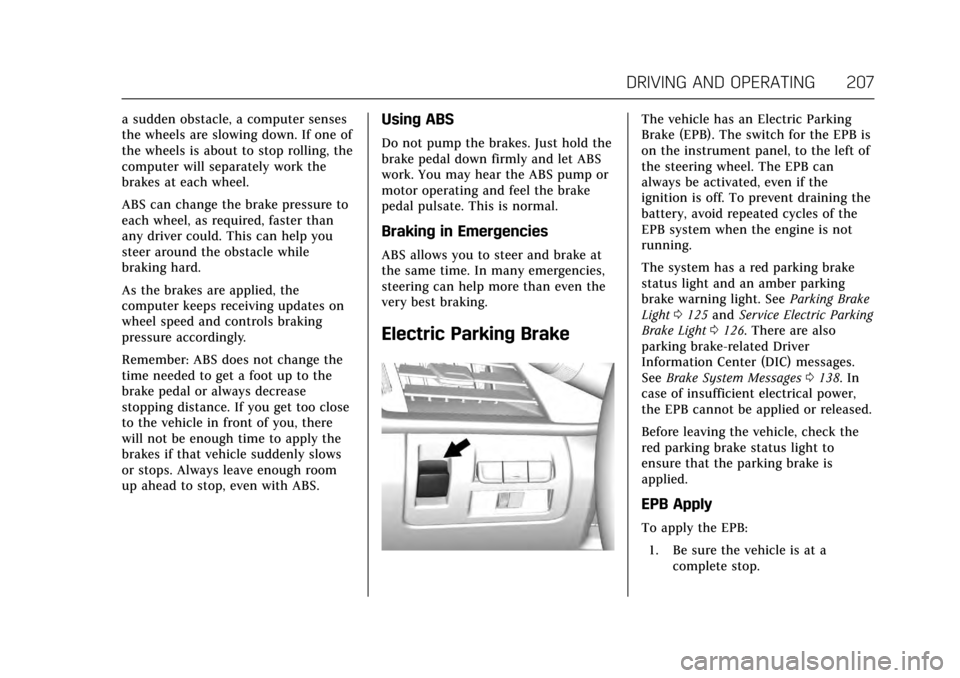
The vehicle has an Electric Parking
Brake (EPB). The switch for the EPB is
on the instrument panel, to the left of
the steering wheel. The EPB can
always be activated, even if the
ignition is off. To prevent draining the
battery, avoid repeated cycles of the
EPB system when the engine is not
running.
The system has a red parking brake
status light and an amber parking
brake warning light. SeeParking Brake
Light 0125 and Service Electric Parking
Brake Light 0126. There are also
parking brake-related Driver
Information Center (DIC) messages.
See Brake System Messages 0138. In
case of insufficient electrical power,
the EPB cannot be applied or released.
Before leaving the vehicle, check the
red parking brake status light to
ensure that the parking brake is
applied.
EPB Apply
To apply the EPB:
1. Be sure the vehicle is at a complete stop.
Page 216 of 352

Cadillac CTS/CTS-V Owner Manual (GMNA-Localizing-MidEast-10293089) -
2017 - crc - 6/22/16
DRIVING AND OPERATING 215
not limit wheel spin, the Electronic
Limited-Slip Differential (eLSD) allows
increased vehicle agility, and more
effort is required to turn the steering
wheel. See“Limited-Slip Differential
(V-Series Only)” later in this section.
Adjust your driving accordingly.
Press
Yagain, or turn the ignition to
ACC/ACCESSORY and restart the
vehicle, to turn TCS back on. The
traction off light
iand StabiliTrak
OFF light
gwill go out in the
instrument cluster.
Caution
When traction control is turned off,
or Competitive Driving Mode is
active, it is possible to lose traction.
Performance Traction
Management (V-Series Only)
Performance Traction Management
(PTM) integrates the Traction Control,
StabiliTrak, and Selective Ride Control
systems to provide improved and
consistent performance when
cornering. The amount of available engine power is based on the mode
selected, track conditions, driver skill,
and the radius of each corner.
This light is on when the vehicle is in
the PTM mode.
To select this optional handling mode,
the vehicle mode must be Track. Then
quickly press
Yon the center
console two times. PERF TRAC 1 -
WET ACTIVE HANDLING ON displays
in the DIC.
When PTM is active, the up and down
buttons will no longer change Drive
Modes, but instead change PTM
modes.
To select a mode while in PTM, press
the Driver Mode Control/PTM buttons
on the center console.
To experience the performance benefit
of this system, after entering a curve
and at the point where normal acceleration occurs, fully push the
accelerator pedal. The PTM system
will modify the level of engine power
for a smooth and consistent
corner exit.
The PTM system contains five modes.
These modes are selected by pressing
the Driver Mode Control/PTM buttons
on the center console. Scroll up or
down through modes 1–5 by pressing
the MODE SELECT up and down
buttons The following is a DIC display
description and the recommended
usage of each mode:PERF TRAC 1
–WET ACTIVE
HANDLING ON
. Intended for all driver skill levels.
. Wet or damp conditions only —
not intended for use in heavy rain
or standing water.
. StabiliTrak is on and engine power
is reduced based on conditions.
Page 218 of 352

Cadillac CTS/CTS-V Owner Manual (GMNA-Localizing-MidEast-10293089) -
2017 - crc - 6/22/16
DRIVING AND OPERATING 217
The Launch Control feature will
initially limit engine speed as the
driver rapidly applies the accelerator
pedal to wide open throttle. Allow the
engine rpm to stabilize. A smooth,
quick release of the brake pedal, while
maintaining the fully pressed
accelerator pedal, will manage
wheel slip.
After the vehicle is launched, the
system continues in Competitive
Driving Mode or Performance Traction
Management (V-Series).
Competitive Driving Mode, PTM, and
Launch Control are systems designed
for a closed course race track and not
intended for use on public roads. The
systems are not intended to
compensate for lack of driver
experience or familiarity with the race
track.Limited-Slip Differential
(Except V-Series)
If equipped, the mechanical
limited-slip differential can give more
traction on snow, mud, ice, sand,
or gravel. It works like a standard axle
most of the time, but when traction is
low, this feature allows the drive
wheel with the most traction to move
the vehicle. For vehicles with
limited-slip differential, driven under
severe conditions, the rear axle fluid
should be changed. SeeCompetitive
Driving Mode 0214 and Maintenance
Schedule 0324.
Limited-Slip Differential
(V-Series Only)
If equipped, the Electronic
Limited-Slip Differential (eLSD) is
automatically activated. eLSD actively
monitors vehicle sensors and driver
inputs to determine the amount of
change for the conditions. With eLSD,
the vehicle has:
.
Enhanced high-speed control. .
Improved traction through
corners, allowing more
acceleration.
. More precise steering.
. Increased vehicle agility.
. Integration with StabiliTrak.
For vehicles with eLSD, driven under
severe conditions, the rear axle fluid
should be changed. See Competitive
Driving Mode 0214 and Maintenance
Schedule 0324.
Page 222 of 352

Cadillac CTS/CTS-V Owner Manual (GMNA-Localizing-MidEast-10293089) -
2017 - crc - 6/22/16
DRIVING AND OPERATING 221
Warning (Continued)
required while driving and you
should be ready to take action and
apply the brakes. SeeDefensive
Driving 0182.
{Warning
ACC will not detect or brake for
children, pedestrians, animals,
or other objects.
Do not use ACC when:
. On winding and hilly roads or
when the sensors are blocked
by snow, ice, or dirt. The
system may not detect a
vehicle ahead. Keep the entire
front of the vehicle clean.
. Visibility is low, such as in
fog, rain, or snow conditions.
ACC performance is limited
under these conditions.
. On slippery roads where fast
changes in tire traction can
cause excessive wheel slip.
J:Press to turn the system on or
off. A white cruise control indicator
comes on.
+RES : Press the control up briefly to
resume the previous set speed or to
increase vehicle speed if ACC is
already activated. To increase speed
by 1 km/h (1 mph), press +RES up to
the first detent. To increase speed to
the next 5 km/h (5 mph) mark on the
speedometer, press +RES up to the
second detent.
SET– :Press the control down briefly
to set the speed and activate ACC or
to decrease vehicle speed if ACC is
already activated. To decrease speed by 1 km/h (1 mph), press SET−
down
to the first detent. To decrease speed
to the next 5 km/h (5 mph) mark on
the speedometer, press SET− down to
the second detent.
*: Press to disengage ACC without
erasing the set speed from memory.
[: Press to select a following gap
time (or distance) setting for ACC of
Far, Medium, or Near.
Setting Adaptive Cruise Control
If the cruise control is on when not in
use, the cruise on/off control could get
pressed and cruise control could
become active when not desired. Keep
cruise control button off when cruise
is not being used.
Select the set speed desired for cruise.
This is the vehicle speed when no
vehicle is detected in its path.
ACC will not set at a speed less than
25 km/h (16 mph), although it can be
resumed when driving at lower
speeds.
To set ACC:
1. Press
J.
Page 224 of 352

Cadillac CTS/CTS-V Owner Manual (GMNA-Localizing-MidEast-10293089) -
2017 - crc - 6/22/16
DRIVING AND OPERATING 223
Reducing Speed While ACC is at a
Set Speed
If ACC is already activated, do one of
the following:
.Use the brake to get to the desired
lower speed. Press SET– down and
release the accelerator pedal. The
vehicle will now cruise at the
lower speed.
. Press and hold SET– down until
the desired lower speed is reached,
then release it.
. To decrease the vehicle speed in
smaller increments, press SET−
down to the first detent. For each
press, the vehicle goes about
1 km/h (1 mph) slower.
. To decrease the vehicle speed in
larger increments, press SET−
down to the second detent. For
each press, the vehicle speed
decreases to the next 5 km/h
(5 mph) mark on the speedometer.
The speedometer reading can be
displayed in either English or metric
units. See Instrument Cluster 0114.
The increment value used depends on
the units displayed. Selecting the Follow Distance
When a slower moving vehicle is
detected ahead within the selected
following gap, ACC will adjust the
vehicle's speed and attempt to
maintain the follow distance gap
selected.
Press
[on the steering wheel to
adjust the following gap. Each press
cycles the gap button through three
settings: Far, Medium, or Near.
When pressed, the current gap setting
displays briefly on the instrument
cluster and HUD, if equipped.
Subsequent presses cycle the gap
button through three settings: Far,
Medium, or Near. The gap setting will
be maintained until it is changed.
Since each gap setting corresponds to
a following time (Far, Medium,
or Near), the following distance will
vary based on vehicle speed. The
faster the vehicle speed, the further
back your vehicle will follow a vehicle
detected ahead. Consider traffic and
weather conditions when selecting the
following gap. The range of selectable
gaps may not be appropriate for all
drivers and driving conditions. Changing the gap setting
automatically changes the alert timing
sensitivity (Far, Medium, or Near) for
the Forward Collision Alert (FCA)
feature. See
Forward Collision Alert
(FCA) System 0235.
Alerting the Driver
Without Head-Up Display
With Head-Up Display
If ACC is engaged, driver action may
be required when ACC cannot apply
sufficient braking because of
approaching a vehicle too rapidly.
When this condition occurs, a series
of red lights or the collision alert
symbol on the HUD, if equipped, will
Page 227 of 352

Cadillac CTS/CTS-V Owner Manual (GMNA-Localizing-MidEast-10293089) -
2017 - crc - 6/22/16
226 DRIVING AND OPERATING
Warning (Continued)
exiting or entering exit ramps. You
could lose control of the vehicle or
crash. Do not use ACC while driving
on an entrance or exit ramp. Always
be ready to use the brakes if
necessary.
{Warning
On curves, ACC may respond to a
vehicle in another lane, or may not
have time to react to a vehicle in
your lane. You could crash into a
vehicle ahead of you, or lose control
of your vehicle. Give extra attention
in curves and be ready to use the
brakes if necessary. Select an
appropriate speed while driving in
curves.
ACC may operate differently in a
sharp curve. It may reduce the vehicle
speed if the curve is too sharp.
When following a vehicle and entering
a curve, ACC may not detect the
vehicle ahead and accelerate to the set
speed. When this happens the vehicle
ahead symbol will not appear.
ACC may detect a vehicle that is not
in your lane and apply the brakes.
ACC may occasionally provide an alert
and/or braking that is considered
unnecessary. It could respond to
vehicles in different lanes, signs, guardrails, and other stationary
objects when entering or exiting a
curve. This is normal operation. The
vehicle does not need service.
Other Vehicle Lane Changes
ACC will not detect a vehicle ahead
until it is completely in the lane. The
brake may need to be manually
applied.
Page 229 of 352

Cadillac CTS/CTS-V Owner Manual (GMNA-Localizing-MidEast-10293089) -
2017 - crc - 6/22/16
228 DRIVING AND OPERATING
Warning (Continued)
.Detect vehicles or objects
outside the area monitored by
the system.
. Work at all driving speeds.
. Warn you or provide you with
enough time to avoid a crash.
. Work under poor visibility or
bad weather conditions.
. Work if the detection sensor
is not cleaned or is covered
by ice, snow, mud, or dirt.
. Work if the detection sensor
is covered up, such as with a
sticker, magnet, or metal
plate.
. Work if the area surrounding
the detection sensor is
damaged or not properly
repaired.
Complete attention is always
required while driving, and you
should be ready to take action and
apply the brakes and/or steer the
vehicle to avoid crashes. Audible or Safety Alert Seat
Some driver assistance features alert
the driver of obstacles by beeping. To
change the volume of the warning
chime, see
“Comfort and Convenience ”
under Vehicle Personalization 0149.
If equipped with the Safety Alert Seat,
the driver seat cushion may provide a
vibrating pulse alert instead of
beeping. To change this, see
“Collision/Detection Systems” under
Vehicle Personalization 0149.
Assistance Systems for
Parking or Backing
If equipped, the Rear Vision Camera
(RVC), Rear Parking Assist (RPA),
Front Parking Assist (FPA), Surround
Vision, Front Vision Camera, Curb
View Camera, Reverse Automatic
Braking (RAB) and Backing Warning
System, Rear Cross Traffic Alert
(RCTA), and Automatic Parking Assist
(APA) may help the driver park or
avoid objects. Always check around
the vehicle when parking or backing. Rear Vision Camera (RVC)
When the vehicle is shifted into
R (Reverse), the RVC displays an
image of the area behind the vehicle
in the infotainment display. The
previous screen displays when the
vehicle is shifted out of R (Reverse)
after a short delay. To return to the
previous screen sooner, press any
button on the infotainment system,
shift into P (Park), or reach a vehicle
speed of 8 km/h (5 mph). Select Front
or Rear Camera on the camera screen
to view the front or rear camera views.
Select Guidance Lines on the camera
screen to enable or disable the
guidance lines.
Page 232 of 352

Cadillac CTS/CTS-V Owner Manual (GMNA-Localizing-MidEast-10293089) -
2017 - crc - 6/22/16
DRIVING AND OPERATING 231
sensors will not detect objects and
can also cause false detections. Keep
the sensors clean of mud, dirt, snow,
ice, and slush; and clean sensors after
a car wash in freezing temperatures.
{Warning
The Parking Assist system does not
detect children, pedestrians,
bicyclists, animals, or objects
located below the bumper or that
are too close or too far from the
vehicle. It is not available at speeds
greater than 8 km/h (5 mph). To
prevent injury, death, or vehicle
damage, even with Parking Assist,
always check the area around the
vehicle and check all mirrors before
moving forward or backing.
The instrument cluster may have a
parking assist display with bars that
show“distance to object ”and object
location information for the Parking
Assist system. As the object gets
closer, more bars light up and the bars
change color from yellow to amber
to red.
When an object is first detected in the
rear, one beep will be heard from the
rear, or both sides of the Safety Alert
Seat will pulse two times. When an
object is very close (<0.6 m (2 ft) in the
vehicle rear, or <0.3 m (1 ft) in the
vehicle front), five beeps will sound
from the front or rear depending
where the object is detected, or both
sides of the Safety Alert Seat will
pulse five times. Beeps for FPA are
higher pitched than for RPA. Backing Warning and Reverse
Automatic Braking
Vehicles with Adaptive Cruise Control
(ACC) have the Backing Warning and
Reverse Automatic Braking (RAB)
system. The Backing Warning part of
this system can warn of rear objects
when backing up at speeds greater
than 8 km/h (5 mph).
The Backing Warning System will
beep once from the rear when an
object is first detected, or pulse twice
on both sides of the Safety Alert Seat.
When the system detects a potential
crash, beeps will be heard from the
rear, or five pulses will be felt on both
sides of the Safety Alert Seat. There
may also be a brief, sharp application
of the brakes.
{Warning
The Backing Warning System only
operates at speeds greater than
8 km/h (5 mph). It does not detect
children, pedestrians, bicyclists,
animals, or objects below the
bumper or that are too close or too
(Continued)