Ant CADILLAC DEVILLE 1994 7.G Workshop Manual
[x] Cancel search | Manufacturer: CADILLAC, Model Year: 1994, Model line: DEVILLE, Model: CADILLAC DEVILLE 1994 7.GPages: 399, PDF Size: 20.97 MB
Page 173 of 399

Downloaded from www.Manualslib.com manuals search engine -
The Lower Knob
Turn the lower knob to choose radio stations. Push the knob to switch
from
AM or FM.
Behind the lower knob is the Fade control. It fades the sound between
the front and rear speakers.
SCAN
When you press the SCAN button, the SCAN indicator in the display will
light and the radio will find the next station and stay there about
5
seconds. Then it will go to the next station and pause, and keep doing
that until
you push either the SCAN or upper knob.
SEEK
This button selects stations, but it doesn’t keep moving as SCAN does.
When
you push SEEK the radio will automatically go to the next
strongest station and stay there.
AM-ST (AM Stereo)
Pressing the AM-ST button enables the AM stereo reproduction of an
AM station that is broadcasting in stereo. Switching to stereo on weaker
non
AM stereo stations improves fidelity, but may increase noise due to
interference from power lines, neon signs, atmosphere conditions, and
unwanted stations. The STEREO indicator light
only comes on when the
radio is tuned to a clear, noise free station broadcasting
C-QUAM@ AM
stereo.
Pushbuttons
You can set the pushbuttons to get up to 14 favorite stations (seven on
FM and seven more on AM). Just:
Choose either AM or FM.
Tune in the station.
Push the SET button.
Within 5 seconds, push one of the four pushbuttons.
Repeat these steps for each of the 5 pushbuttons.
,-
L
Page 174 of 399

Downloaded from www.Manualslib.com manuals search engine In addition to the 14 stations set as above, up to three additional stations
may be present
on each band by pressing two adjoining buttons at the
same time. Just:
0 Tune in the desired station.
Press the SET button.
0 Within 5 seconds, press any two adjoining pushbuttons at the same
time. (The station will return when the same
two buttons are pressed
again
.)
-. Five Band Graphic Equalizer
The equalizer lets you set the bass, midrange and treble to sound just the
way you want. The
60 and 250 controls work the bass side. The midrange
is the 1K The 3.3K and 10K are the treble sound controls.
We suggest that
you start with the midrange (1K) control lever in the
center. Then move the other controls until you get the sound you want.
Moving the control levers up
(+) gives your more sound in that range.
Moving it down
(-) gives you less.
If
the 10 K control lever is near the top, you may hear a hissing sound. To
eliminate it, move the 10K control lever down until the hiss goes away.
Your Cassette Tape Player
Your cassette tape player works best with tapes that are 30 to 45 minutes
long on each side. Tapes longer than that are so thin that they may not
work well in this player.
If you look at the tape, or on its label or box, it should say whether its bias,
“equalization” is
70 microseconds (70 p) or 120 microseconds (120 p).
Chrome and metal tapes are 70 p sec and standard iron tapes are 120 p sec.
Your tape player
will adjust automatically for either type of cassette tape.
Setting The Clock On The AM FM ETR Sound System
Push SET and within 5 seconds,
Press and hold SCAN until the correct hour appears.
0 Then press and hold SEEK until the correct minute appears. Your
clock is set.
161
Page 187 of 399
Downloaded from www.Manualslib.com manuals search engine Care of Your Cassette Tape Player
A tape player that is not cleaned regularly can cause reduced sound
quality, ruined cassettes, or a damaged mechanism. Cassette tapes should
be stored in their cases away from contaminants, direct sunlight, and
extreme heat. If they aren't, they may not operate properly or cause
failure
of the tape player.
Your tape player should be cleaned after every
50 hours of use. If you
notice
a reduction in sound quality, try a known good cassette to see if the
tape
or the tape player is at fault. If this other cassette has no
improvement
in sound quality, clean the tape player.
Cleaning may be done with a scrubbing action, non-abrasive cleaning
cassette. This system uses a cleaning cassette with pads which scrub the
tape head as the hubs of the cleaner cassette turn. It is normal for the
cartridge to eject while cleaning. Insert the cassette at least
3 times to
ensure thorough cleaning.
A scrubbing action cleaning cassette is
available through your Cadillac dealership.
You may also choose a non-scrubbing action, wet-type cleaner which uses
a cassette with a fabric belt to clean the tape head. This type
of cleaning
cassette will
not eject. It may not clean as thoroughly as the scrubbing
type cleaner.
Cassettes are subject
to wear and the,sound quality and may degrade over
time. Always make sure that the cassette tape is
in good condition before
you have your tape player serviced.
Care of Your Compact Discs
Handle discs carefully. Store them in their original cases or other
protective cases and away from direct sunlight and dust. If the surface
of
a disc is soiled, dampen a clean, soft cloth in a mild, neutral detergent
solution and clean it, wiping from the center
to the edge.
Be sure never
to touch the signal surface when handling discs. Pick up
discs by grasping the outer edges or the edge of the hole and the
outer edge.
174
r
Page 188 of 399

Downloaded from www.Manualslib.com manuals search engine ‘f Power Antenna Mast Care
r
r i
f‘
r- t
r
i I
T
Your power antenna will look its best and work well if it’s cleaned from
time to time.
To Clean the Antenna Mast:
1. .Turn on the ignition and radio to raise the antenna to full mast
2. Dampen a clean cloth with mineral spirits or equivalent solvent.
3. Wipe cloth over the mast sections, removing any dirt.
4. Wipe dry with clean cloth before retracting.
5. Make the antenna go up and down by turning the radio or ignition on
extension.
and off.
6. Then repeat if necessary.
NOTICE:
Don’t lubricate the power antenna. Lubrication could damage
it.
NOTICE:
Before entering an automatic car wash, turn off your radio to
make the power antenna go down. This
will prevent the mast
from possibly getting damaged.
If the antenna does not go down
when you tum the radio off, it may be damaged or need to be
cleaned. In either case, lower the antenna by hand by carefully
pressing the antenna
down.
175
Page 189 of 399

Downloaded from www.Manualslib.com manuals search engine YOUR DRIVING AND THE ROAD
I- - c-
Here you’ll find information about driving on different kinds of roads and
in varying weather conditions. We’ve also included many other useful tips
on driving.
DEFENSm DmNG
The best advice anyone can give about driving is: Drive defensively.
Please start with a very important safety device
in your Cadillac: Buckle
up. (See “Safety Belts” in the Index.)
Defensive driving really means “be ready for anything.” On city streets,
rural roads, or freeways, it means “always expect the unexpected.”
Assume that pedestrians or other -drivers are going to be careless and
make mistakes. Anticipate what they might do. Be ready for their
mistakes.
Page 192 of 399

Downloaded from www.Manualslib.com manuals search engine DRINKING THAT WILL
RESULT IN A BAC OF .O5%
I# THE TIME SHOWN
NUMBER OF. DR!NKS (as In plcture)
I00 120 140 160 100 200 220 240
BODY WEIGHT IN POUNDS HOURS
HOURS
HOUR
The
law in most U.S. states sets the legal limit at a BAC of 0.10 percent.
In Canada the limit is
0.08 percent, and in some other countries it’s lower
than that. The BAC will be over
0.10 percent after three to six drinks (in
one hour). Of course, as we’ve seen, it depends on how much alcohol is in
the drinks, and how quickly the person drinks them.
But it’s very important to keep in mind that the ability to drive is affected
well below a BAC
of 0.10 percent. Research shows that the driving skills
of many people are impaired at a BAC approaching
0.05 percent, and
that the effects are worse at night. All drivers are impaired at BAC levels
above
0.05 percent. Statistics show that the chance of being in an accident
increases sharply for drivers who have a BAC
of 0.05 percent or above. A
driver with a BAC level
of 0.06 percent (three beers in one hour for a
180-pound or
82 kg person) has doubled his or her chance of having an
accident. At a BAC level
of 0.10 percent, the chance of that driver having
an accident is
six times greater; at a level of 0.15 percent, the chances are
twenty-five times greater! And, the body takes about an hour to rid itself
of the alcohol in one drink. No amount of coffee or number of cold
showers will speed that
up.
“I’ll be careful” isn’t the right answer. What if there’s an emergency, a
need to take sudden action, as when a child darts into the street? A
179
Page 193 of 399

Downloaded from www.Manualslib.com manuals search engine person with a higher BAC might not be able to react quickly enough to
avoid the collision.
There’s something else about drinking and drivifig that many people
don’t know. Medical research shows that alcohol in a person’s system can
make crash injuries worse. That’s especially true for brain, spinal cord
and heart injuries. That means that
if anyone who has been drinking --
driver or passenger -- is in a crash, the chance of being killed or
permanently disabled is higher than if that person had not beendrinking.
And we’ve already seen that the chance of a crash itself is higher for
drinking drivers.
CONTROL OFA VEHICLE
You have three systems that make your vehicle go where you want it to
go. They are the brakes, the steering and the accelerator. All three
systems have to do their work at the places where the tires meet the road.
180
Page 194 of 399

Downloaded from www.Manualslib.com manuals search engine Sometimes, as when you're driving on snow or ice, it's easy to ask more of
those control systems than the tires and road can provide. That means
you can lose control
of your vehicle.
Braking action involves perception time and reaction time.
First, you have to decide to push on the brake pedal. That's perception
time. Then you have to bring up your foot and do it. That's reaction time.
Average reaction time is about 3/4
of a second. But that's only an
average. It might be less with one driver and as long as two or three
seconds or more with another. Age, physical condition, alertness,
coordination, and eyesight all play a part.
So do alcohol, drugs and
frustration. But even in 3/4 of a second, a vehicle moving at
60 mph (100
h/h) travels 66 feet (20 m). That could be a lot of distance in an
emergency,
so keeping enough space between your vehicle and others is
important.
And, of course, actual stopping distances vary greatly with the surface of
the road (whether it's pavement or gravel); the condition
of the road
(wet, dry, icy); tire tread; and the condition of your brakes.
Avoid needless heavy braking. Some people drive
in spurts -- heavy
acceleration followed by heavy braking
-- rather than keeping pace with
traffic. This is a mistake. Your brakes may not have time to cool between
hard stops. Your brakes will wear out much faster if you
do a lot of heavy
braking. If you keep pace with the traffic and allow realistic following
181
Page 195 of 399

Downloaded from www.Manualslib.com manuals search engine distances, you will eliminate a lot of unnecessary braking. That means
better braking and longer brake life.
If your engine ever stops while you’re driving, brake normally but don’t
pump your brakes.
If you do, the pedal may get harder to push down. If
your engine stops, you will still have some power brake assist. But you will
use it when you brake. Once the power assist is used up, it may take
longer to stop and the brake pedal will be harder to push.
Anti-Lock Brakes (ABS)
Your Cadillac has an advanced electronic braking system that will help
prevent skidding.
This light
on the instrument panel will go on when you start your vehicle.
When you start your vehicle and begin to drive away, you may hear a
momentary motor or clicking noise. And you may even notice that your
brake pedal moves a little while this is going on. This is the
ABS system
testing itself.
If there’s a problem with the anti-lock brake system, the
anti-lock brake system warning light will stay
on.
See “Anti-lock Brake System Warning Light” in the Index.
182
Page 196 of 399
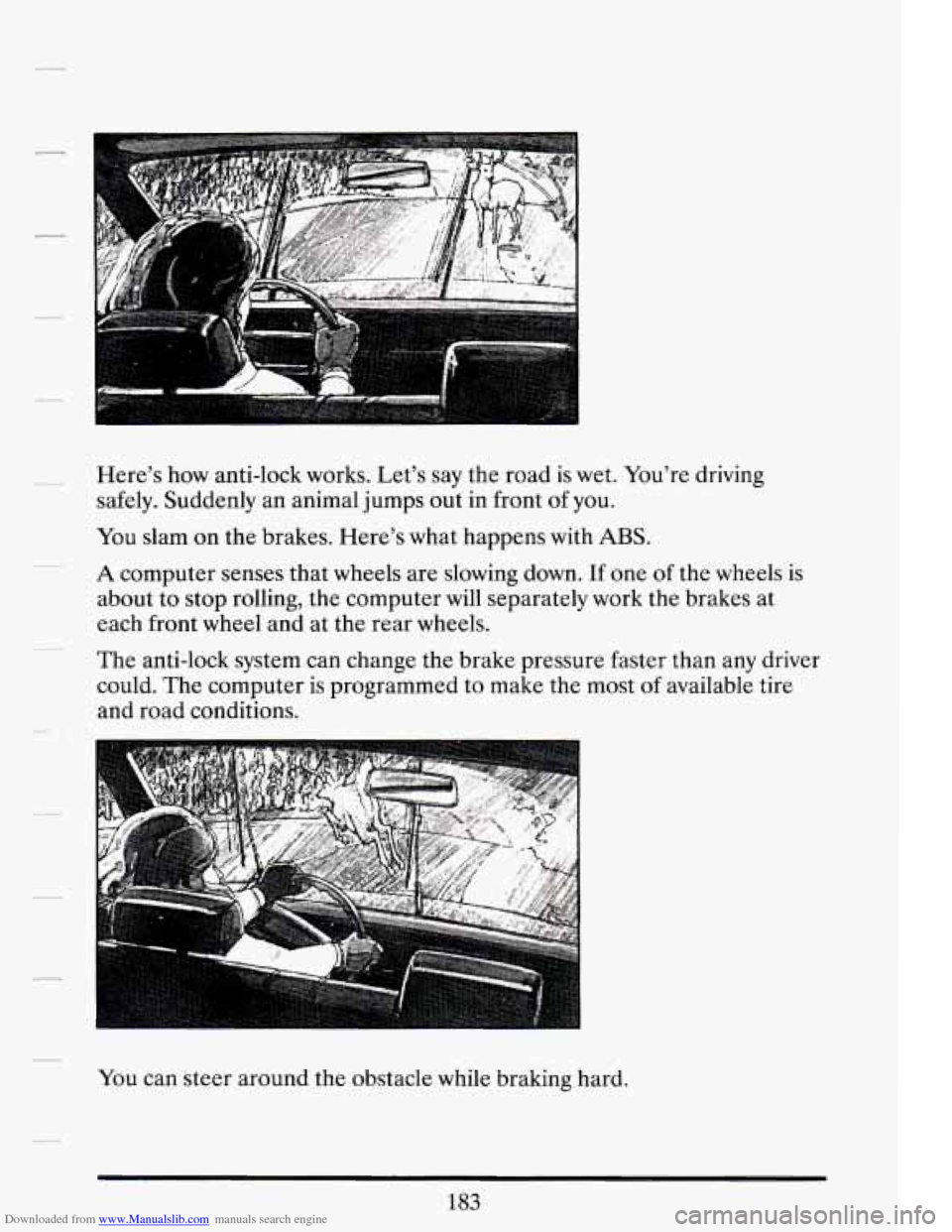
Downloaded from www.Manualslib.com manuals search engine Here’s how anti-lock works. Let’s say the road is wet. You’re driving
safely. Suddenly an animal jumps out in front
of you.
You slam on the brakes. Here’s what happens with
ABS.
A computer senses that wheels are slowing down. If one of the wheels is
about to stop rolling, the computer will separately work the brakes at
each front wheel and at the rear wheels.
The anti-lock system can change the brake pressure faster than any driver
could. The computer is programmed to make the most
of available tire
and road conditions.
You can steer around the obstacle while braking hard.
183