steering wheel CADILLAC DEVILLE 1997 7.G User Guide
[x] Cancel search | Manufacturer: CADILLAC, Model Year: 1997, Model line: DEVILLE, Model: CADILLAC DEVILLE 1997 7.GPages: 386, PDF Size: 21.61 MB
Page 90 of 386
Downloaded from www.Manualslib.com manuals search engine Automatic Transaxle Operation
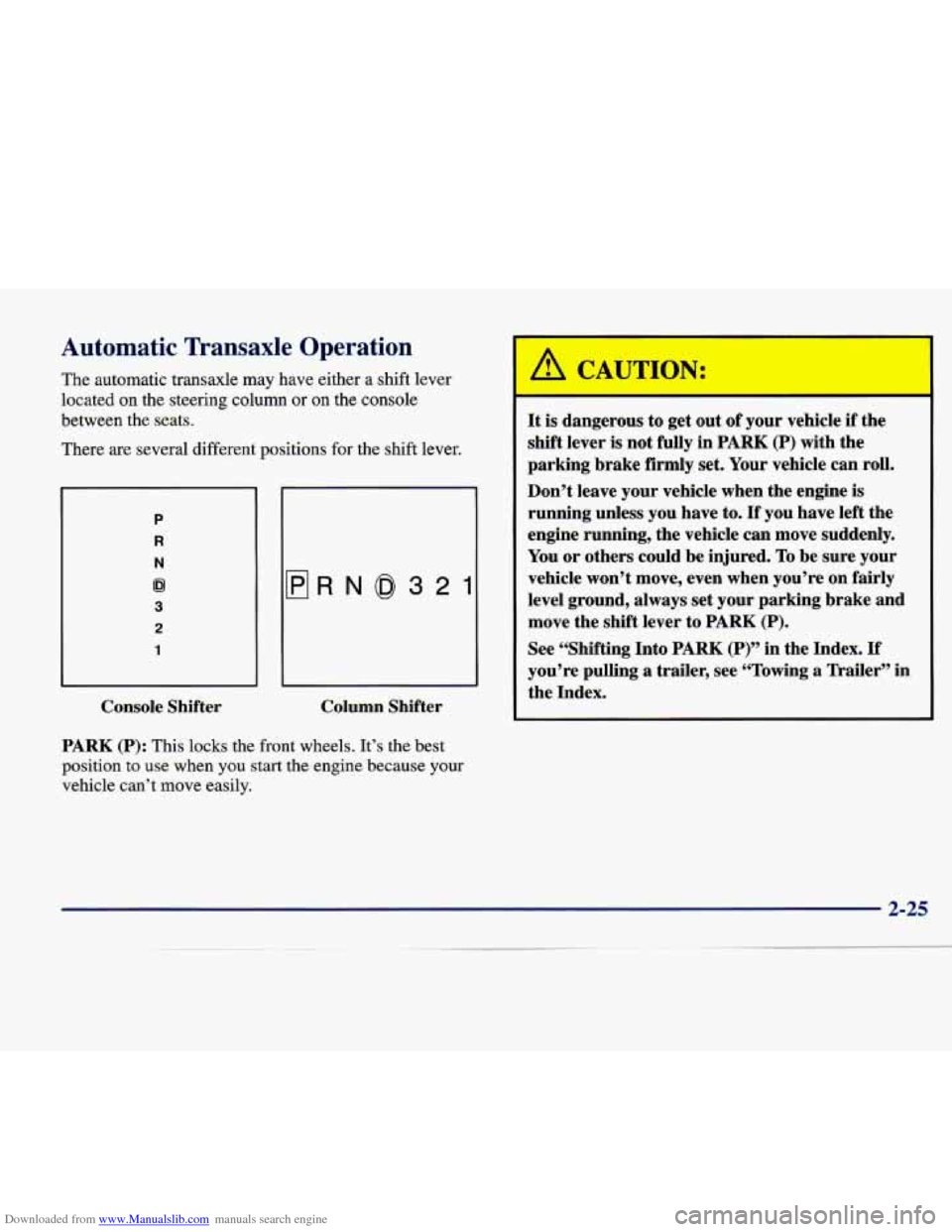
The automatic transaxle may have either a shift lever
located on the steering column or
on the console
between the seats.
There are several different positions for the shift lever.
P
R
N
62
3
2
1
flRN0321
Console Shifter Column Shifter
PARK (P): This
locks the front wheels. It’s the best
position
to use when you start the engine because your
vehicle can’t move easily.
It is dangerous to get out of your vehicle if the
shift lever
is not fully in PARK (P) with the
parking brake firmly set. Your vehicle can roll.
Don’t leave your vehicle when the engine is
running unless you have to.
If you have left the
engine running, the vehicle can move suddenly.
You or others could be injured.
To be sure your
vehicle won’t move, even when you’re on fairly
level ground, always set your parking brake and
move the shift lever to
PARK (P).
See “Shifting Into PARK (P)” in the Index. If
you’re pulling a trailer, see “Towing a Trailer” in
the Index.
Page 101 of 386

Downloaded from www.Manualslib.com manuals search engine Express-Down Window
This feature is present on the driver’s power window.
Pressing the control rearward into the second position then
releasing it
will lower the window completely. If you want
to stop the window as it
is lowering, press the control
forward. Press the control forward to raise the window.
Note that the first position
on the control operates the
driver’s power window in the non-express mode.
Rear Window Lockout
Pressing the button down will disable the rear
passenger window controls.
This is a useful feature if
you have children
as
passengers. Press the button
again to allow your
passengers to reuse their
window controls.
Horn
The horn can be sounded by pressing on the center of
the steering wheel pad.
Tilt Wheel
Tilt steering allows you to adjust the steering wheel
before you drive. Raising the steering wheel to the
highest level gives your legs more room when you enter
and exit the vehicle.
Hold the steering wheel and pull the lever toward
you to
tilt the wheel. Adjust the steering wheel to a comfortable
position and then release the lever to
lock the wheel
in place.
Page 128 of 386

Downloaded from www.Manualslib.com manuals search engine Illuminated Rear Seat Visor Vanity
Mirror (DeVille d’Elegance and DeVille
Concours Only)
Turn the sunshade down and lift the cover to see the
mirror. Move the slide switch up or down to brighten or
dim the lamp.
Cellular Telephone (Option)
Your vehicle has been prewired for dealer installation of
a Cadillac dual-mode (analog/digital) cellular telephone.
A fixed mobile or a portable hand-held system are
available. Either system has steering wheel telephone
controls and information output through the DIC.
Voice activation and hands-free operation are standard
features. For more information, contact your Cadillac
dealer.
A user’s guide is provided with the telephone.
OnStar System (Option)
This system may be ordered if you have the optional
fixed cellular telephone. The following services are
available
24 hours a day:
0 Roadside Service with Location
0 Emergency Services Button
0
0
0
0
Remote Door Unlock
Theft DetectiodNotification and Stolen-Vehicle
Tracking
Automatic Notification of Front
Air Bag Deployment
Concierge/Customer Convenience Services
For more information, contact your Cadillac dealer.
Assist Handles
A folding handle above each door can be used when
getting out of your vehicle.
Umbrella Holder
(DeVille d’Elegance
Only)
The driver’s front seat cushion comes equipped with an
umbrella holder. Gently slide the umbrella into the slot
located under the front portion
of the driver’s seat cushion.
Floor Mats
Your Cadillac is equipped with rubber-backed front and
rear floor mats. Keep them clean by vacuuming and
using a spot cleaner,
if necessary. Do not machine wash.
2-63
Page 134 of 386

Downloaded from www.Manualslib.com manuals search engine The instrument panel is designed to let you know at a glance how your Cadillac is running. You’ll know how fast
you’re going, how much fuel you’re using and many of the other things you’ll need to know to drive safely and
economically. The main components of the instrument panel are:
A. Air Outlets
B. Turn SignaVMultifunction Lever
C. Driver Information Center Control Buttons
D. Driver’s Side Air Bag
E. Cluster
E Steering Column Shift Lever
G. Electronic Climate Controls
H. Radio
I. Passenger’s Side Air Bag
J. Lamp Controls
K. HVAC Steering Wheel Controls (or Cellular
L. Hood Release
M. Horn
N. Audio Steering Wheel Controls
0. Ashtray and Cigarette Lighter
P. Glove Box
Telephone Controls,
If Equipped)
Page 164 of 386

Downloaded from www.Manualslib.com manuals search engine /.*--
Section 3 Comfort Controls and Audio System-
In this section, you’ll find out how to operate the comfort control and audio systems offered with your Cadillac. Be
sure to read about the particular systems supplied with your vehicle.
3-2 3-2
3-6
3-6
3-10
3-1 1
3-1 1
3-13
3-13
3- 14
3- 14
3- 14
3-15 Comfort
Controls
Digital Cluster Climate Control Panel
(If Equipped)
Electronic Solar Sensor
Analog Cluster Climate Control Panel
(If Equipped)
Air Conditioning
Heating Ventilation System
Defogging and Defrosting
Rear Window Defogger
HVAC Steering Wheel Controls
Climate Control Personalization
(If Equipped)
Audio Systems Setting the Clock 3-15
3-18
3 -22
3 -26
3-29
3-29 3-30
3-30
3-30 3-3 1
3-32
3-32 AM-FM
Stereo with Cassette Tape Player and
Optional Compact Disc Player
Active Audio AM-FM Stereo with Cassette
Tape and Compact Disc Player (If Equipped)
Active Audio AM-FM Stereo with Cassette
Tape and Compact Disc Player with Digital
Signal Processing (If Equipped)
Trunk Mounted CD Changer (If Equipped)
Radio Personalization (If Equipped)
Theft-Deterrent Feature Audio Steering Wheel Controls
Understanding Radio Reception
Tips About Your Audio System
Care of Your Cassette Tape Player
Care of Your Compact Discs
Power Antenna Mast Care
3-1
Page 177 of 386

Downloaded from www.Manualslib.com manuals search engine HVAC Steering Wheel Controls
Some heating and cooling
controls can be adjusted at
the steering wheel. Other touch controls operate some
audio controls. See “Audio
Steering Wheel Controls”
later in this section.
% FAN SPEED: Press the up arrow lever to increase
the fan speed and the down arrow lever to decrease
fan speed.
TEMP: Press the up arrow lever to increase the
temperature and the down arrow lever to decrease
temperature.
Climate Control Personalization
(If Equipped)
With this feature, your vehicle will recall the latest
climate control settings as adjusted the last time your
vehicle was operated. This feature allows two different
drivers to store and recall their own climate control settings. The settings recalled by the climate control
system are determined by which RKE transmitter
(“l”
or “2”) was used to enter the vehicle. The number on the
back of the RKE transmitter corresponds to driver
1 or
to driver
2. After the unlock button is pressed on the
RISE transmitter or the ignition key is placed in the
ignition (the ignition must be turned to LOCK), the climate control settings will automatically adjust to
where they were last set. The settings can also be
changed by briefly pressing the memory seat buttons
1
or 2 located on the driver’s door.
Audio Systems
Your Cadillac audio system has been designed to operate
easily and give years of listening pleasure. You will get
the most enjoyment out of it if you acquaint yourself
with it first. Find out what your audio system can do
and how to operate all its controls, to be sure you’re
getting the most out of the advanced engineering that
went into it.
3-14
Page 193 of 386

Downloaded from www.Manualslib.com manuals search engine * -1io Steering Wheel Controls Understanding Radio
VO1 ME: Press the up
arrow lever to increase
volume and the down arrow
lever to decrease volume.
SELECT: When listening to the radio, press the up or
down arrow lever to tune to the next or previous radio
station (factory presets which have not been
reprogrammed with your stations will be ignored).
When listening to a cassette tape, the up or down mow
lever can be used to
SEEK forward and rearward
through the tape. Pressing the up or down arrow lever
when listening
to a CD will cause the player to go to the
next or previous selection.
FM Stereo
FM stereo will give you the best sound. But FM signals
will reach only about
10 to 40 miles (1 6 to 65 km). Tall
buildings or hills can interfere with
FM signals, causing
the sound to come and go.
AM
The range for most AM stations is greater than for FM,
especially at night. The longer range, however, can
cause stations to interfere with each other. AM can pick
up noise from things like storms and power lines. Try
reducing the treble to reduce this noise if you ever get it.
Tips About Your Audio System
Hearing damage from loud noise is almost undetectable
until it is too late. Your hearing can adapt to higher
volumes of sound. Sound that seems normal can be loud and harmful to your hearing. Take precautions
by
adjusting the volume control on your radio to a safe
sound level before your hearing adapts to it.
3-30
Page 211 of 386
Downloaded from www.Manualslib.com manuals search engine in sand, mud, ice or snow. See “Rocking Your Vehicle”
in the Index.)
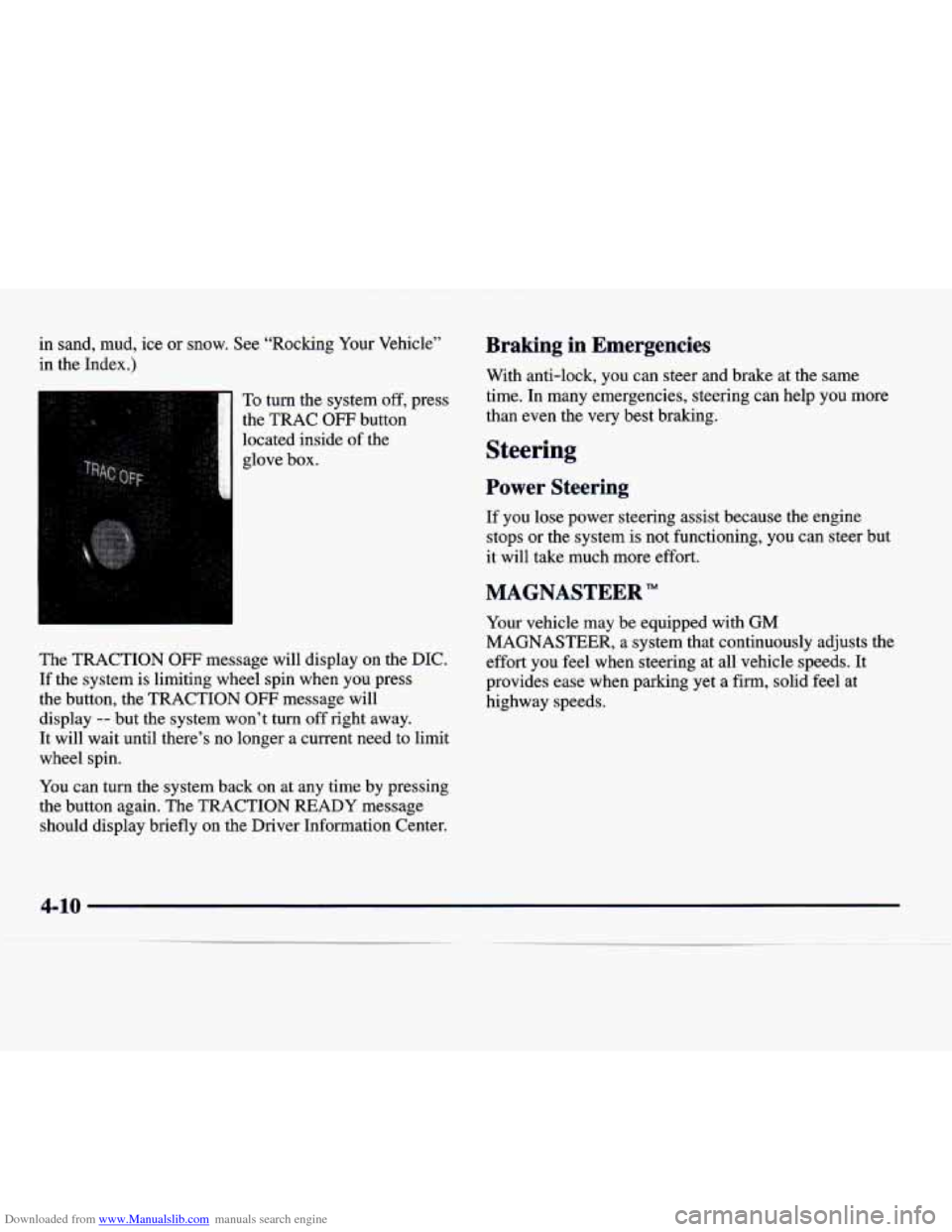
To turn the system off, press
the TRAC
OFF button
located inside
of the
glove box.
The TRACTION
OFF message will display on the DIC.
If the system is limiting wheel spin when you press
the button, the TRACTION
OFF message will
display
-- but the system won’t turn off right away.
It will wait until there’s no longer a current need to limit
wheel spin.
You can turn the system back on at any time by pressing
the button again. The TRACTION READY message
should display briefly on the Driver Information Center.
Braking in Emergencies
With anti-lock, you can steer and brake at the same
time. In many emergencies, steering can help you more
than even the very best braking.
Steering
Power Steering
If you lose power steering assist because the engine
stops
or the system is not functioning, you can steer but
it will take much more effort.
MAGNASTEER”
Your vehicle may be equipped with GM
MAGNASTEER, a system that continuously adjusts the
effort you feel when steering at all vehicle speeds. It
provides ease when parking yet a firm, solid feel at
highway speeds.
4-10
Page 212 of 386

Downloaded from www.Manualslib.com manuals search engine Steering Tips
Driving on Curves
It’s important to take curves at a reasonable speed.
A lot of the “driver lost control” accidents mentioned on
the news happen on curves. Here’s why:
Experienced driver or beginner, each of us
is subject to
the same laws of physics when driving on curves. The
traction of the tires against the road surface makes it
possible for the vehicle to change its path when you turn
the front wheels. If there’s
no traction, inertia will keep
the vehicle going in the same direction. If you’ve ever
tried to steer a vehicle on wet ice, you’ll understand this.
The traction you can get in a curve depends on the
condition of your tires and the road surface, the angle at
which the curve is banked and your speed. While you’re
in a curve, speed is the one factor you can control.
Suppose you’re steering through a sharp curve. Then you
suddenly accelerate. Both control systems
-- steering and
acceleration
-- have to do their work where the tires meet
the road. Adding the sudden acceleration can demand too much of those places. You can lose control. Refer to
“Traction Control System”
in the Index. What should
you do if this ever happens? Ease up on the
accelerator pedal, steer the vehicle the way you want it
to go, and slow down.
If you have the DeVille Concours, you may see the
STABILITY
SYS ENGAGED message on the Driver
Information Center. See “Stability Engaged Message” in
the Index.
Speed limit signs near curves warn that you should
adjust your speed. Of course, the posted speeds are
based on good weather and road conditions. Under less
favorable conditions you’ll want to go slower.
If you need to reduce your speed as you approach a
curve, do it before you enter the curve, while your front
wheels are straight ahead.
Try to adjust your speed
so you can “drive” through the
curve. Maintain a reasonable, steady speed. Wait to
accelerate until you are out of the curve, and then
accelerate gently into the straightaway.
4-11
-_
Page 213 of 386
Downloaded from www.Manualslib.com manuals search engine Steering in Emergencies
There are times when steering can be more effective
than braking. For example, you come over a hill and
find a truck stopped in your lane, or a car suddenly pulls
out from nowhere, or a child darts out from between
parked
cars and stops right in front of you. You can
avoid these problems by braking
-- if you can stop in
time. But sometimes you can’t; there isn’t room.
That’s the time for evasive action
-- steering around
the problem.
Your Cadillac can perform very well in emergencies like
these. First apply your brakes. (See “Braking in
Emergencies” earlier in this section.) It
is better to
remove as much speed as you can from a possible
collision. Then steer around the problem, to the left
or
right depending on the space available.
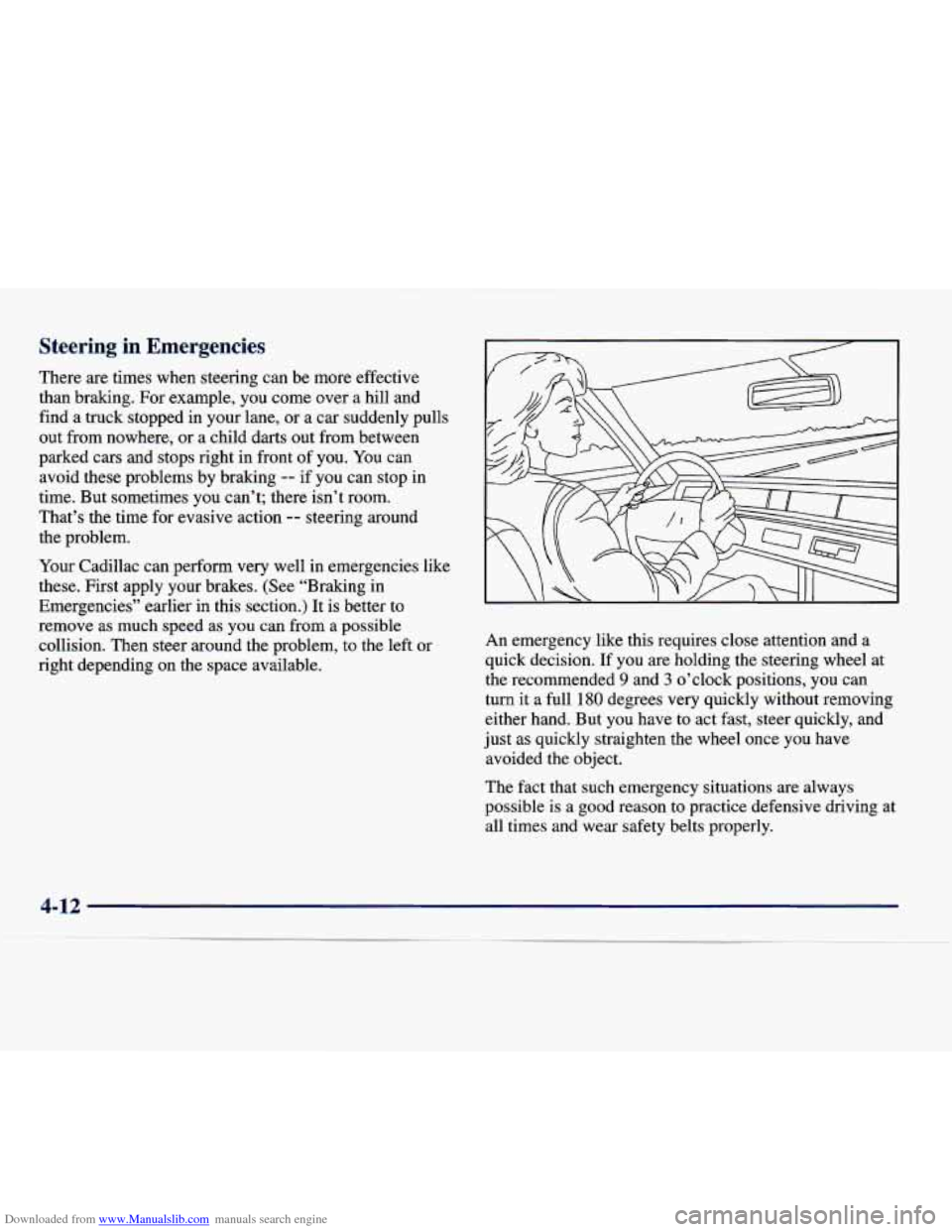
An emergency like this requires close attention and a
quick decision. If you are holding the steering wheel at
the recommended
9 and 3 o’clock positions, you can
turn it a full
180 degrees very quickly without removing
either hand. But you have to act fast, steer quickly, and
just as quickly straighten the wheel once you have
avoided the object.
The fact that such emergency situations are always
possible
is a good reason to practice defensive driving at
all times and wear safety belts properly.