lock CADILLAC DTS 2008 1.G Repair Manual
[x] Cancel search | Manufacturer: CADILLAC, Model Year: 2008, Model line: DTS, Model: CADILLAC DTS 2008 1.GPages: 454, PDF Size: 2.48 MB
Page 212 of 454
When the SBZA system is turned off, the DIC will display
the SIDE BLIND ZONE ALERT SYSTEM OFF message
as a reminder that the system has been turned off. See
DIC Warnings and Messages on page 3-75andSide
Blind Zone Alert (SBZA) on page 2-43for more
information.
FRONT TIRES or REAR TIRES
The pressure for each tire can be viewed in the DIC.
The tire pressure will be shown in either pounds
per square inch (psi) or kilopascals (kPa). Press the
vehicle information button until the DIC displays
FRONT TIRES PSI (kPa) LEFT ## RIGHT ##. Press
the vehicle information button again until the DIC
displays REAR TIRES PSI (kPa) LEFT ## RIGHT ##.
If a low or high tire pressure condition is detected by
the system while driving, a message advising you
to check the pressure in a specic tire will appear in the
display. SeeInflation - Tire Pressure on page 5-60
andDIC Warnings and Messages on page 3-75for more
information.
If the tire pressure display shows dashes instead of a
value, there may be a problem with your vehicle. If this
consistently occurs, see your dealer/retailer for service.
RELEARN REMOTE KEY
This display allows you to match Remote Keyless
Entry (RKE) transmitters to your vehicle. To match an
RKE transmitter to your vehicle:
1. Press the vehicle information button until
PRESS
VTO RELEARN REMOTE KEY displays.
2. Press the set/reset button until REMOTE KEY
LEARNING ACTIVE is displayed.
3. Press and hold the lock and unlock buttons on the
rst transmitter at the same time for about
15 seconds.
On vehicles with memory recall seats, the rst
transmitter learned will match driver 1 and
the second will match driver 2.
A chime will sound indicating that the transmitter
is matched.
4. To match additional transmitters at this time,
repeat Step 3.
Each vehicle can have a maximum of eight
transmitters matched to it.
5. To exit the programming mode, you must cycle
the key to LOCK/OFF.
Blank Display
This display shows no information.
3-74
Page 214 of 454
To read the other messages that may have been sent
at the same time, press the set/reset button. If a tire
pressure message appears on the DIC, stop as soon as
you can. Have the tire pressures checked and set to
those shown on the Tire Loading Information label. See
Tires on page 5-52,Loading the Vehicle on page 4-20,
andInflation - Tire Pressure on page 5-60. The DIC also
shows the tire pressure values. SeeDIC Operation and
Displays on page 3-70. If the tire pressure is low, the low
tire pressure warning light comes on. SeeTire Pressure
Light on page 3-64.
CLEAN RADAR
This message displays when the Adaptive Cruise
Control (ACC) system and the Forward Collision Alert
(FCA) system are disabled because the radar is blocked
and cannot detect vehicles in your path. It may also
activate during heavy rain or due to road spray. To clean
the system, see “Cleaning the System” underAdaptive
Cruise Control on page 3-19.
CLEAN SIDE BLIND ZONE ALERT
SYSTEM
If your vehicle has the Side Blind Zone Alert (SBZA)
system, this message displays when the SBZA system
is disabled because the sensor is blocked and cannot
detect vehicles in your blind zone. The sensor may
be blocked by mud, dirt, snow, ice, or slush.This message may also display during heavy rain or
due to road spray. It may also come on when driving in
isolated areas with no guardrails, trees, or road signs
and light traffic. Your vehicle does not need service.
For cleaning instructions, seeWashing Your Vehicle
on page 5-94. SeeSide Blind Zone Alert (SBZA)
on page 2-43for more information.
CRUISE SET TO XXX MPH (km/h)
This message displays whenever the cruise control is
set. SeeCruise Control on page 3-16andAdaptive
Cruise Control on page 3-19for more information.
If your vehicle has Adaptive Cruise Control (ACC), after
a few seconds, this message clears and the message
“SET SPD XX” displays at the bottom of the DIC.
See “SET SPD (Speed)” later in this section.
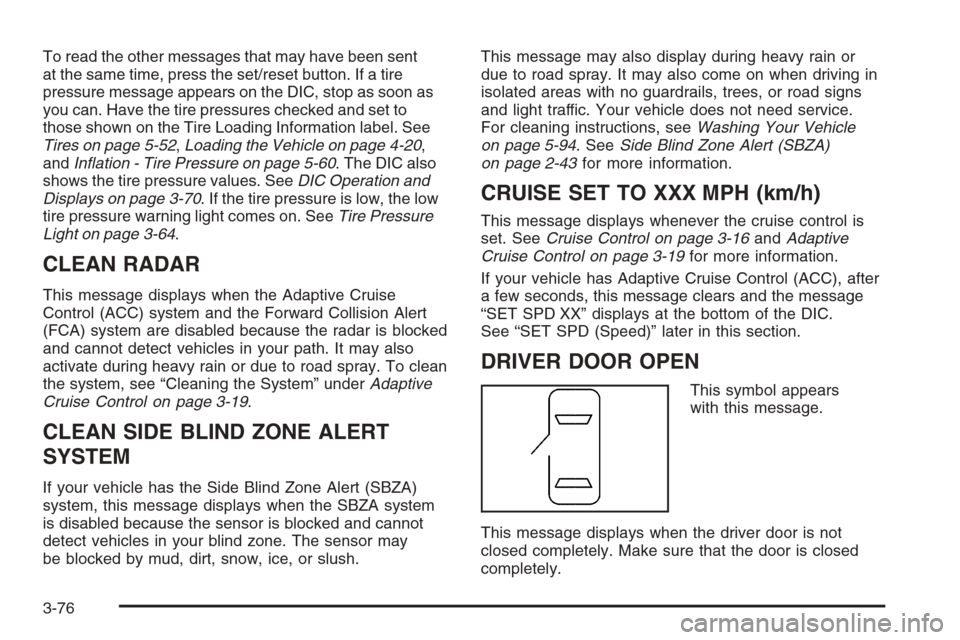
DRIVER DOOR OPEN
This symbol appears
with this message.
This message displays when the driver door is not
closed completely. Make sure that the door is closed
completely.
3-76
Page 220 of 454

SERVICE A/C SYSTEM
This message displays when the air delivery mode door
or the electronic sensors that control the air conditioning
and heating systems are no longer working. Have
the climate control system serviced by your dealer/
retailer if you notice a drop in heating and air
conditioning efficiency.
SERVICE BATTERY CHARGING
SYSTEM
This message displays when a problem with the
charging system has been detected. The charging
system light also displays on the instrument panel
cluster. SeeCharging System Light on page 3-60for
more information. Have your vehicle serviced by
your dealer/retailer.
SERVICE BRAKE ASSIST
This message displays if there is a problem with the
brake system. The brake system warning light and the
antilock brake system warning light may also be
displayed on the instrument panel cluster. SeeBrake
System Warning Light on page 3-60andAntilock Brake
System (ABS) Warning Light on page 3-61for more
information. If this happens, stop as soon as possible
and turn off the vehicle. Restart the vehicle and
check for the message on the DIC display.If the message is displayed or appears again when you
begin driving, the brake system needs service. See
your dealer/retailer as soon as possible. SeeBrakes
on page 5-37for more information.
SERVICE BRAKE SYSTEM
This message displays if the ignition is on to inform the
driver that the brake uid level is low. Have the brake
system serviced by your dealer/retailer as soon as
possible.
SERVICE LANE DEPARTURE SYSTEM
If your vehicle has the Lane Departure Warning
(LDW) system, this message may display to indicate
that the LDW system is not working properly.
If this message remains on after continued driving,
the system needs service. See your dealer/retailer.
SeeLane Departure Warning (LDW) on page 2-46for
more information.
SERVICE PARKING ASSIST
If your vehicle has the Ultrasonic Front and Rear
Parking Assist (UFRPA) system, this message displays
if there is a problem with the UFRPA system. Do not
use this system to help you park. SeeUltrasonic Front
and Rear Parking Assist (UFRPA) on page 2-40for
more information. See your dealer/retailer for service.
3-82
Page 226 of 454

Feature Settings Menu Items
The following are customization features that allow you
to program settings to the vehicle:
DISPLAY IN ENGLISH
This feature will only display if a language other than
English has been set. This feature allows you to change
the language in which the DIC messages appear to
English.
Press the customization button until the PRESS
VTO
DISPLAY IN ENGLISH screen appears on the DIC
display. Press the set/reset button once to display all
DIC messages in English.
DISPLAY LANGUAGE
This feature allows you to select the language in which
the DIC messages will appear.
Press the customization button until the DISPLAY
LANGUAGE screen appears on the DIC display. Press
the set/reset button once to access the settings for
this feature. Then press the menu up/down button to
scroll through the following settings:
ENGLISH (default):All messages will appear in
English.
DEUTSCH:All messages will appear in German.FRANCAIS:All messages will appear in French.
ESPANOL:All messages will appear in Spanish.
JAPANESE:All messages will appear in Japanese.
ARABIC:All messages will appear in Arabic.
NO CHANGE:No change will be made to this feature.
The current setting will remain.
To select a setting, press the set/reset button while the
desired setting is displayed on the DIC.
AUTO DOOR LOCK
This feature allows you to select when the vehicle’s
doors will automatically lock. SeeProgrammable
Automatic Door Locks on page 2-11for more
information.
Press the customization button until AUTO DOOR
LOCK appears on the DIC display. Press the set/reset
button once to access the settings for this feature.
Then press the menu up/down button to scroll through
the following settings:
SHIFT OUT OF PARK (default):The doors
automatically lock when the doors are closed and the
vehicle is shifted out of PARK (P).
AT VEHICLE SPEED:The doors automatically lock
when the vehicle speed is above 5 mph (8 km/h)
for three seconds.
3-88
Page 227 of 454
NO CHANGE:No change will be made to this feature.
The current setting will remain.
To select a setting, press the set/reset button while the
desired setting is displayed on the DIC.
AUTO DOOR UNLOCK
This feature allows you to select whether or not to turn
off the automatic door unlocking feature. It also
allows you to select which doors and when the doors
will automatically unlock. SeeProgrammable Automatic
Door Locks on page 2-11for more information.
Press the customization button until AUTO DOOR
UNLOCK appears on the DIC display. Press the
set/reset button once to access the settings for this
feature. Then press the menu up/down button to scroll
through the following settings:
OFF:None of the doors will automatically unlock.
DRIVER AT KEY OUT:Only the driver’s door will
unlock when the key is taken out of the ignition.
DRIVER IN PARK:Only the driver’s door will unlock
when the vehicle is shifted into PARK (P).
ALL AT KEY OUT:All of the doors will unlock when
the key is taken out of the ignition.
ALL IN PARK (default):All of the doors will unlock
when the vehicle is shifted into PARK (P).NO CHANGE:No change will be made to this feature.
The current setting will remain.
To select a setting, press the set/reset button while the
desired setting is displayed on the DIC.
REMOTE DOOR LOCK
This feature allows you to select the type of feedback
you will receive when locking the vehicle with the
Remote Keyless Entry (RKE) transmitter. You will not
receive feedback when locking the vehicle with the RKE
transmitter if the doors are open. SeeRemote Keyless
Entry (RKE) System Operation on page 2-5for more
information.
Press the customization button until REMOTE DOOR
LOCK appears on the DIC display. Press the set/reset
button once to access the settings for this feature.
Then press the menu up/down button to scroll through
the following settings:
OFF:There will be no feedback when you press the
lock button on the RKE transmitter.
LIGHTS ONLY:The exterior lamps will ash when you
press the lock button on the RKE transmitter.
HORN ONLY:The horn will sound on the second press
of the lock button on the RKE transmitter.
3-89
Page 228 of 454
HORN & LIGHTS (default):The exterior lamps will
ash when you press the lock button on the RKE
transmitter, and the horn will sound when the lock button
is pressed again within ve seconds of the previous
command.
NO CHANGE:No change will be made to this feature.
The current setting will remain.
To select a setting, press the set/reset button while the
desired setting is displayed on the DIC.
REMOTE DOOR UNLOCK
This feature allows you to select the type of feedback
you will receive when unlocking the vehicle with
the Remote Keyless Entry (RKE) transmitter. You will
not receive feedback when unlocking the vehicle
with the RKE transmitter if the doors are open. See
Remote Keyless Entry (RKE) System Operation
on page 2-5for more information.
Press the customization button until REMOTE DOOR
UNLOCK appears on the DIC display. Press the
set/reset button once to access the settings for this
feature. Then press the menu up/down button to scroll
through the following settings:
LIGHTS OFF:The exterior lamps will not ash when
you press the unlock button on the RKE transmitter.
LIGHTS ON (default):The exterior lamps will
ash when you press the unlock button on the RKE
transmitter.NO CHANGE:No change will be made to this feature.
The current setting will remain.
To select a setting, press the set/reset button while the
desired setting is displayed on the DIC.
DELAY DOOR LOCK
This feature allows you to select whether or not the
locking of the vehicle’s doors will be delayed. When
locking the doors with the power door lock switch and a
door is open, this feature will delay locking the doors
until ve seconds after the last door is closed. You will
hear three chimes to signal that the delayed locking
feature is in use. The key must be out of the ignition for
this feature to work. You can temporarily override
delayed locking by pressing the power door lock switch
twice or the lock button on the RKE transmitter twice.
Press the customization button until DELAY DOOR
LOCK appears on the DIC display. Press the set/reset
button once to access the settings for this feature.
Then press the menu up/down button to scroll through
the following settings:
OFF:There will be no delayed locking of the
vehicle’s doors.
ON (default):The doors will not lock until ve seconds
after the last door is closed.
3-90
Page 229 of 454
NO CHANGE:No change will be made to this feature.
The current setting will remain.
To select a setting, press the set/reset button while the
desired setting is displayed on the DIC.
EXIT LIGHTING
This feature allows you to select the amount of time you
want the exterior lamps to remain on when it is dark
enough outside. This happens after the key is turned
from ON/RUN to LOCK/OFF.
Press the customization button until EXIT LIGHTING
appears on the DIC display. Press the set/reset button
once to access the settings for this feature. Then
press the menu up/down button to scroll through the
following settings:
OFF:The exterior lamps will not turn on.
30 SECONDS (default):The exterior lamps will stay on
for 30 seconds.
1 MINUTE:The exterior lamps will stay on for
one minute.
2 MINUTES:The exterior lamps will stay on for
two minutes.
NO CHANGE:No change will be made to this feature.
The current setting will remain.To select a setting, press the set/reset button while the
desired setting is displayed on the DIC.
APPROACH LIGHTING
This feature allows you to select whether or not to have
the exterior lights turn on briey during low light
periods after unlocking the vehicle using the Remote
Keyless Entry (RKE) transmitter.
Press the customization button until APPROACH
LIGHTING appears on the DIC display. Press the
set/reset button once to access the settings for
this feature. Then press the menu up/down button to
scroll through the following settings:
OFF:The exterior lights will not turn on when you
unlock the vehicle with the RKE transmitter.
ON (default):If it is dark enough outside, the exterior
lights will turn on briey when you unlock the vehicle
with the RKE transmitter.
The lights will remain on for 20 seconds or until the lock
button on the RKE transmitter is pressed, or the vehicle is
no longer off. SeeRemote Keyless Entry (RKE) System
Operation on page 2-5for more information.
NO CHANGE:No change will be made to this feature.
The current setting will remain.
To select a setting, press the set/reset button while the
desired setting is displayed on the DIC.
3-91
Page 232 of 454

ALL (default):The driver’s seat and the steering wheel
tilt and steering column telescope features will recall,
if your vehicle has this option.
NO CHANGE:No change will be made to this feature.
The current setting will remain.
To select a setting, press the set/reset button while the
desired setting is displayed on the DIC.
MEMORY SEAT RECALL
If your vehicle has this feature, it allows you to select
your preference for the remote memory seat recall
feature. SeeMemory Seat, Mirrors and Steering Wheel
on page 1-4for more information.
Press the customization button until MEMORY SEAT
RECALL appears on the DIC display. Press the set/reset
button once to access the settings for this feature.
Then press the menu up/down button to scroll through
the following settings:
OFF (default):No remote memory seat recall will occur.
ON:The driver’s seat and outside mirrors will
automatically move to the stored driving position when
the unlock button on the Remote Keyless Entry
(RKE) transmitter is pressed. The steering column will
also move on vehicles with the power tilt and telescopic
steering feature. SeePower Tilt Wheel and Telescopic
Steering Column on page 3-7for more information.See “RELEARN REMOTE KEY” underDIC Operation
and Displays on page 3-70for more information on
matching transmitters to driver ID numbers.
NO CHANGE:No change will be made to this feature.
The current setting will remain.
To select a setting, press the set/reset button while the
desired setting is displayed on the DIC.
REMOTE START
If your vehicle has this feature, it allows you to turn the
remote start off or on. The remote start feature allows
you to start the engine from outside of the vehicle using
the Remote Keyless Entry (RKE) transmitter. See
Remote Vehicle Start on page 2-8for more information.
Press the customization button until REMOTE START
appears on the DIC display. Press the set/reset
button once to access the settings for this feature. Then
press the menu up/down button to scroll through the
following settings:
OFF:The remote start feature will be disabled.
ON (default):The remote start feature will be enabled.
NO CHANGE:No change will be made to this
feature. The current setting will remain.
To select a setting, press the set/reset button while the
desired setting is displayed on the DIC.
3-94
Page 235 of 454
Setting the Clock
Radio with a Single CD or a
Six-Disc CD Player
Your vehicle has an analog clock as well as the
digital radio clock. At the time of new vehicle delivery,
the digital radio clock display should be disabled.
If you decide to use the digital radio clock as well as
the analog clock, you can change the setting to enable
the radio clock display.
Enabling/Disabling the Digital
Radio Clock
For the Single CD Player
Turn the radio clock display on or off by following
these steps:
1. Turn the radio on.
2. Press the
Hbutton until the clock and date
setting menus appear.3. Press the pushbutton located under the forward
arrow label until the menu for default clock and
date settings appear.
4. Press the pushbutton located under the currently
displayed status of either ON or OFF. The ON
display indicates the radio clock display is disabled
and the OFF display indicates the radio clock
display is enabled. Press this pushbutton to toggle
the radio clock display on or off.
If the radio clock display is turned on, the screen
displays Radio Clock ON for 10 seconds, then
returns to the original clock display menu.
If the radio clock display is turned off, the screen
displays Radio Clock OFF for 10 seconds. The
menus for clock and date settings are removed, and
ON displays as a current status indicating that the
clock display can be turned on, if desired.
The radio clock and analog clock are not synchronized.
Occasionally you might need to set the digital radio
clock using the procedure below to synchronize
both clocks.
3-97
Page 236 of 454
For a Six-Disc CD Player
Turn the radio clock display on or off by following
these steps:
1. Turn the radio on.
2. Press the MENU button until
His displayed
3. Press the pushbutton located under
Huntil the
clock and date settings appear.
4. Press the pushbutton located under the forward
arrow label until the menu for default clock and
date settings appear.
5. Press the pushbutton located under the currently
displayed status of either ON or OFF. The ON
display indicates the radio clock display is disabled
and the OFF display indicates the radio clock
display is enabled. Press this pushbutton to toggle
the radio clock display on or off.
If the radio clock display is turned on, the screen
displays Radio Clock ON for 10 seconds, then
returns to the original clock display menu.
If the radio clock display is turned off, the screen
displays Radio Clock OFF for 10 seconds. The
menus for clock and date settings are removed, and
ON displays as a current status indicating that the
clock display can be turned on, if desired.
Setting the Time and Date
For the Single CD Player
This type of radio has aHbutton for setting the time
and date. To set the time and date, do the following:
1. Turn the radio on.
2. Press
Hand HR, MIN, MM, DD, YYYY (hour,
minute, month, day, and year) displays.
3. Press the pushbutton located under any one of
the labels that you want to change. Every time
the pushbutton is pressed again, the time or
the date if selected, increases by one.
Another way to increase the time or date, is to
press the right SEEK arrow or the
\FWD
button.
To decrease the time or date, press the left
SEEK arrow or the
sREV button. You can
also turn the
aknob, located on the upper
right side of the radio faceplate, to adjust the
selected setting.
3-98