audio CADILLAC DTS 2008 1.G Owners Manual
[x] Cancel search | Manufacturer: CADILLAC, Model Year: 2008, Model line: DTS, Model: CADILLAC DTS 2008 1.GPages: 454, PDF Size: 2.48 MB
Page 1 of 454
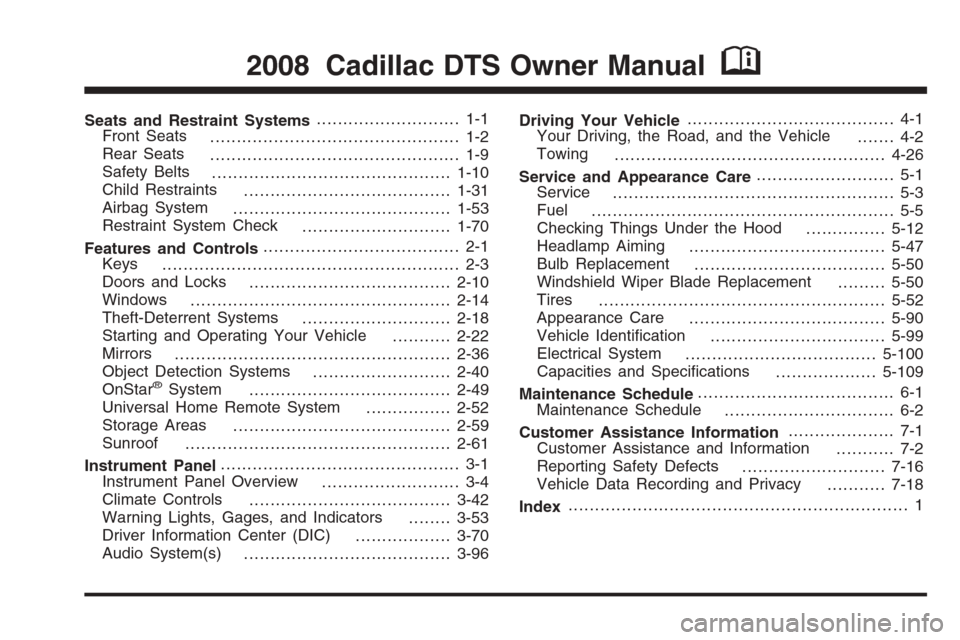
Seats and Restraint Systems........................... 1-1
Front Seats
............................................... 1-2
Rear Seats
............................................... 1-9
Safety Belts
.............................................1-10
Child Restraints
.......................................1-31
Airbag System
.........................................1-53
Restraint System Check
............................1-70
Features and Controls..................................... 2-1
Keys
........................................................ 2-3
Doors and Locks
......................................2-10
Windows
.................................................2-14
Theft-Deterrent Systems
............................2-18
Starting and Operating Your Vehicle
...........2-22
Mirrors
....................................................2-36
Object Detection Systems
..........................2-40
OnStar
®System
......................................2-49
Universal Home Remote System
................2-52
Storage Areas
.........................................2-59
Sunroof
..................................................2-61
Instrument Panel............................................. 3-1
Instrument Panel Overview
.......................... 3-4
Climate Controls
......................................3-42
Warning Lights, Gages, and Indicators
........3-53
Driver Information Center (DIC)
..................3-70
Audio System(s)
.......................................3-96Driving Your Vehicle....................................... 4-1
Your Driving, the Road, and the Vehicle
....... 4-2
Towing
...................................................4-26
Service and Appearance Care.......................... 5-1
Service
..................................................... 5-3
Fuel
......................................................... 5-5
Checking Things Under the Hood
...............5-12
Headlamp Aiming
.....................................5-47
Bulb Replacement
....................................5-50
Windshield Wiper Blade Replacement
.........5-50
Tires
......................................................5-52
Appearance Care
.....................................5-90
Vehicle Identication
.................................5-99
Electrical System
....................................5-100
Capacities and Specications
...................5-109
Maintenance Schedule..................................... 6-1
Maintenance Schedule
................................ 6-2
Customer Assistance Information.................... 7-1
Customer Assistance and Information
........... 7-2
Reporting Safety Defects
...........................7-16
Vehicle Data Recording and Privacy
...........7-18
Index................................................................ 1
2008 Cadillac DTS Owner ManualM
Page 100 of 454
Key In the Ignition
Never leave your vehicle with the keys inside, as it is an
easy target for joy riders or thieves. If you leave the
key in the ignition and park your vehicle, a chime
will sound, when you open the driver’s door. Always
remember to remove your key from the ignition and take
it with you. This will lock your ignition and transmission.
Also, always remember to lock the doors.
The battery could be drained if you leave the key in the
ignition while your vehicle is parked. You may not be
able to start your vehicle after it has been parked for an
extended period of time.
Retained Accessory Power (RAP)
These vehicle accessories can be used for up to
10 minutes after the ignition key is turned off:
Audio System
Audio Steering Wheel Controls
Power Windows
Sunroof (if equipped)Power to these accessories will work up to 10 minutes
or until the driver’s door is opened. For an additional
10 minutes of power, close all the doors and turn the key
to ON/RUN and then back to LOCK/OFF.
Starting the Engine
Move your shift lever to PARK (P) or NEUTRAL (N).
Your engine will not start in any other position – this
is a safety feature. To restart when you are already
moving, use NEUTRAL (N) only.
Notice:Do not try to shift to PARK (P) if your
vehicle is moving. If you do, you could damage the
transmission. Shift to PARK (P) only when your
vehicle is stopped.
2-24
Page 126 of 454

Available Services with Safe & Sound Plan
Automatic Notication of Airbag Deployment
Advanced Automatic Crash Notication (AACN)
(If equipped)
Link to Emergency Services
Roadside Assistance
Stolen Vehicle Location Assistance
AccidentAssist
Remote Door Unlock/Vehicle Alert
OnStar Vehicle Diagnostics
GM Goodwrench On Demand Diagnostics
OnStar Hands-Free Calling with 30 complimentary
minutes
OnStar Virtual Advisor (U.S. Only)
Available Services included with
Directions & Connections Plan
All Safe and Sound Plan Services
Driving Directions - Advisor delivered or OnStar
Turn-by-Turn Navigation (If equipped)
RideAssist
Information and Convenience Services
OnStar Hands-Free Calling
OnStar Hands-Free Calling allows eligible OnStar
subscribers to make and receive calls using voice
commands. Hands-Free Calling is fully integrated into
the vehicle, and can be used with OnStar Pre-Paid
Minute Packages. Hands-Free Calling may also
be linked to a Verizon Wireless service plan in the U.S.
or a Bell Mobility service plan in Canada, depending
on eligibility. To nd out more, refer to the OnStar
Owner’s Guide in the vehicle’s glove box, visit
www.onstar.com or www.onstar.ca, or speak with an
OnStar advisor by pressing the OnStar button or calling
1-888-4-ONSTAR (1-888-466-7827).
OnStar Virtual Advisor
OnStar Virtual Advisor is a feature of OnStar Hands-Free
Calling that uses your minutes to access location-based
weather, local traffic reports, and stock quotes. By
pressing the phone button and giving a few simple voice
commands, you can browse through the various topics.
See the OnStar Owner’s Guide for more information
(Only available in the continental U.S.).
OnStar Steering Wheel Controls
Your vehicle may have a Talk/Mute button that can be
used to interact with OnStar Hands-Free Calling.
SeeAudio Steering Wheel Controls on page 3-118for
more information.
2-50
Page 140 of 454
Traction Control System (TCS) Warning Light . . .3-62
StabiliTrak®Indicator Light.............................3-62
Lane Departure Warning Light........................3-63
Engine Coolant Temperature Warning Light......3-63
Engine Coolant Temperature Gage..................3-64
Tire Pressure Light.......................................3-64
Malfunction Indicator Lamp.............................3-65
Oil Pressure Light.........................................3-67
Security Light...............................................3-68
Fog Lamp Light............................................3-68
Lights On Reminder......................................3-68
Cruise Control Light......................................3-68
Highbeam On Light.......................................3-69
Fuel Gage...................................................3-69Driver Information Center (DIC).......................3-70
DIC Operation and Displays...........................3-70
DIC Warnings and Messages.........................3-75
DIC Vehicle Customization.............................3-87
Audio System(s).............................................3-96
Setting the Clock..........................................3-97
Radio(s) (MP3)...........................................3-100
Using an MP3............................................3-111
XM Radio Messages...................................3-117
Navigation/Radio System..............................3-118
Theft-Deterrent Feature................................3-118
Audio Steering Wheel Controls......................3-118
Radio Reception.........................................3-119
Backglass Antenna......................................3-120
XM™ Satellite Radio Antenna System............3-120
Section 3 Instrument Panel
3-2
Page 143 of 454
The main components of the instrument panel are the following:
A. Air Outlets. SeeOutlet Adjustment on page 3-48.
B. Driver Information Center (DIC) Buttons. SeeDriver
Information Center (DIC) on page 3-70.
C. Exterior Lamp Controls. SeeExterior Lamps on
page 3-32.
D. Instrument Panel Cluster. SeeInstrument Panel
Cluster on page 3-54.
E. Horn. SeeHorn on page 3-6.
F. Audio Steering Wheel Controls. SeeAudio Steering
Wheel Controls on page 3-118.
G. Ultrasonic Front and Rear Parking Assist and
Adaptive Cruise Control Display (If Equipped). See
Ultrasonic Front and Rear Parking Assist (UFRPA)
on page 2-40andAdaptive Cruise Control on
page 3-19.
H. Analog Clock. SeeAnalog Clock on page 3-42.
I. Hazard Warning Flashers Button. SeeHazard
Warning Flashers on page 3-6.
J. Radio. SeeAudio System(s) on page 3-96.
K. Trunk Release Button. SeeTrunk on page 2-12.
L. Instrument Panel Brightness Control. SeeInstrument
Panel Brightness on page 3-37.
M. Lane Departure Warning. SeeLane Departure
Warning (LDW) on page 2-46.N. Turn Signal/Multifunction Lever. SeeTurn
Signal/Multifunction Lever on page 3-8.
O. Hood Release. SeeHood Release on page 5-12.
P. Parking Brake. SeeParking Brake on page 2-30.
Q. Heated Steering Wheel Button (If Equipped).
SeeHeated Steering Wheel on page 3-7.
R. Cruise Control or Adaptive Cruise Control. See
Cruise Control on page 3-16orAdaptive Cruise
Control on page 3-19.
S. Tilt Wheel. SeeTilt Wheel on page 3-6. Power Tilt
and Telescopic Steering Wheel (If Equipped).
SeePower Tilt Wheel and Telescopic Steering
Column on page 3-7.
T. Climate Controls. SeeDual Climate Control System
on page 3-42.
U. Traction Control System Button (Console-Shift
Vehicles). SeeTraction Control System (TCS) on
page 4-5.
V. Shift Lever. SeeAutomatic Transmission Operation
on page 2-27.
W. Accessory Power Outlet. SeeAccessory Power
Outlet(s) on page 3-40.
X. Glove Box. SeeGlove Box on page 2-59. Valet
Lockout Switch. SeeValet Lockout Switch on
page 2-18.
3-5
Page 234 of 454
Audio System(s)
Determine which radio your vehicle has and then read
the pages following to familiarize yourself with its
features.
{CAUTION:
This system provides you with far greater
access to audio stations and song listings.
Giving extended attention to entertainment
tasks while driving can cause a crash and you
or others can be injured or killed. Always keep
your eyes on the road and your mind on the
drive — avoid engaging in extended searching
while driving.
Keeping your mind on the drive is important for safe
driving. SeeDefensive Driving on page 4-2. Here
are some ways in which you can help avoid distraction
while driving.While your vehicle is parked:
Familiarize yourself with all of its controls.
Familiarize yourself with its operation.
Set up your audio system by presetting your
favorite radio stations, setting the tone, and
adjusting the speakers. Then, when driving
conditions permit, you can tune to your favorite
radio stations using the presets and steering wheel
controls if the vehicle has them.
Notice:Before adding any sound equipment to
your vehicle, such as an audio system, CD player,
CB radio, mobile telephone, or two-way radio, make
sure that it can be added by checking with your
dealer/retailer. Also, check federal rules covering
mobile radio and telephone units. If sound
equipment can be added, it is very important to do
it properly. Added sound equipment may interfere
with the operation of your vehicle’s engine, radio,
or other systems, and even damage them. Your
vehicle’s systems may interfere with the operation
of sound equipment that has been added.
Your vehicle has a feature called Retained Accessory
Power (RAP). With RAP, the audio system can be
played even after the ignition is turned off. SeeRetained
Accessory Power (RAP) on page 2-24for more
information.
3-96
Page 239 of 454

Radio Data System (RDS)
The audio system has RDS. The RDS feature is
available for use only on FM stations that broadcast
RDS information. This system relies upon receiving
specic information from these stations and only works
when the information is available. While the radio is
tuned to an FM-RDS station, the station name or
call letters display. In rare cases, a radio station can
broadcast incorrect information that causes the
radio features to work improperly. If this happens,
contact the radio station.
Playing the Radio
O
(Power/Volume):Press to turn the system on
and off.
Turn clockwise or counterclockwise to increase or
decrease the volume.Speed Compensated Volume (SCV):Radios with
SCV automatically adjusts the radio volume to
compensate for road and wind noise as you speed up
or slow down while driving. That way, the volume
level should sound about the same as you drive.
To activate SCV:
1. Set the radio volume to the desired level.
2. Press the MENU button to display the radio
setup menu.
3. Press the pushbutton under the AUTO VOLUM
(automatic volume) label on the radio display.
4. Press the pushbutton under the desired Speed
Compensated Volume setting (OFF, Low, Med,
or High) to select the level of radio volume
compensation. The display times out after
approximately 10 seconds. Each higher setting
allows for more radio volume compensation at
faster vehicle speeds.
3-101
Page 240 of 454

AudioPilot®:If your vehicle has the Bose®audio
system, it has AudioPilot noise compensation
technology.
To use AudioPilot, do the following steps:
1. Set the radio volume to the desired level.
2. Press the MENU button to display the radio
setup menu.
3. Press the pushbutton located under the AUTO
VOLUM label on the radio display.
4. Press the ON or OFF button to turn this feature
on or off.
When turned ON, AudioPilot continuously adjusts
the audio system equalization, to compensate for
background noise, so that your music always sounds
the same at the set volume level.
The feature is most effective at lower radio volume
settings where background noise can affect how well you
hear the music being played through your vehicle’s audio
system. At high volume settings there might be little or
no adjustments by AudioPilot. For more information on
AudioPilot, visit www.bose.com/audiopilot.Finding a Station
BAND:Press to switch between AM, FM, or XM™
(if equipped). The selection displays.
a(Tune):Turn to select radio stations.
©SEEK¨:Press the arrows to go to the next or to
the previous station and stay there.
To scan stations, press and hold either arrow for
three seconds until a beep sounds. The radio goes to
a station, plays for a few seconds, then goes to the next
station. Press either arrow again to stop scanning.
The radio only seeks and scans stations with a strong
signal that are in the selected band.
4(Information) (XM™ Satellite Radio Service,
MP3/WMA, and RDS Features):Press this button
to display additional text information related to the
current FM-RDS or XM (if equipped) station, or
MP3/WMA song. A choice of additional information such
as: Channel, Song, Artist, CAT (category) can display.
Continue pressing the information button to highlight
the desired label, or press the pushbutton positioned
under any one of the labels and the information
about that label displays.
When information is not available, No Info displays.
3-102
Page 243 of 454
Adjusting the Speakers (Balance/Fade)
BAL/FADE (Balance/Fade):To adjust balance or
fade, press the
aknob until the speaker control labels
display. Continue pressing to highlight the desired
label, or press the pushbutton positioned under the
desired label. Turn the
aknob clockwise or
counterclockwise to adjust the highlighted setting.
The highlighted setting can be adjusted by pressing
either SEEK arrow,
\FWD, orsREV buttons
until the desired levels are obtained.
To quickly adjust balance or fade to the middle position,
press the pushbutton positioned under the BAL or
FADE label for more than two seconds. A beep sounds
and the level adjusts to the middle position.
To quickly adjust all speaker and tone controls to the
middle position, press the
aknob for more than
two seconds until a beep sounds.
Digital Signal Processing (DSP)
This feature is used to provide a choice of four different
listening experiences. DSP can be used while listening
to the audio system or a CD. To change the DSP mode,
press the
aknob until the DSP control label displays.Press the pushbutton located under the DSP label until
the control labels display. Continue by pressing the
desired button below the control labels on the display.
For more information on the control label displays,
see the following:
Norm (Normal): Select this screen button to adjust
the audio for normal mode. This provides the best
sound quality for all seating positions.
Driv (Driver): Select this screen button to adjust
the audio for the driver to receive the best
possible sound quality.
Rear: Select this screen button to adjust the audio
for the rear seat passengers to receive the best
possible sound quality.
Surround (Centerpoint®): Select this screen button
to enable Bose®Centerpoint signal processing
circuitry. Centerpoint produces a full vehicle
surround sound listening experience from a CD,
MP3/WMA, or XM stereo digital audio source and
delivers ve independent audio channels from
conventional two channel stereo recordings.
(Not available for AM, FM, or auxiliary sources.)
DSP is only available on vehicles that have the Bose
Premium audio system.
3-105
Page 244 of 454

Finding a Category (CAT) Station
CAT (Category):The CAT button is used to nd XM™
(if equipped) stations while the radio is in the XM
mode. To nd XM (if equipped) channels within a
desired category, perform the following:
1. Press the BAND button until the XM (if equipped)
frequency displays. Press the CAT button to
display the category labels. Continue pressing the
CAT button until the desired category name
displays. Another way to select a category is to
press the
sREV or\FWD button until
the desired category is selected.
2. Press either of the two pushbuttons below the
desired category label to immediately tune to
the rst XM (if equipped) station associated with
that category.
3. Turn the
aknob, press the pushbuttons below
the displayed right or left arrows, or press either
SEEK arrow to go to the previous or the next XM
(if equipped) station within the selected category.
4. To exit the category search mode, press the
FAV button or BAND button to display your
favorites again.Undesired XM (if equipped) categories can be removed
through the setup menu. To remove an undesired
category, perform the following:
1. Press the MENU button to display the radio
setup menu.
2. Press the pushbutton located below the
XM CAT label.
3. Turn the
aknob to display the category you want
removed.
4. Press the pushbutton located under the Remove
label until the category name along with the word
Removed displays.
5. Repeat the steps to remove more categories.
Removed categories can be restored by pressing the
pushbutton under the Add label when a removed
category is displayed or by pressing the pushbutton
under the Restore All label.
The radio does not let you remove or add categories
while the vehicle is moving faster than 5 mph (8 km/h).
The CAT button also toggles between compressed
and uncompressed audio when a mixed disc is present.
See “Compressed Audio” later in this section.
3-106