instrument panel CADILLAC DTS 2009 1.G User Guide
[x] Cancel search | Manufacturer: CADILLAC, Model Year: 2009, Model line: DTS, Model: CADILLAC DTS 2009 1.GPages: 462, PDF Size: 2.46 MB
Page 97 of 462
Content Theft-Deterrent
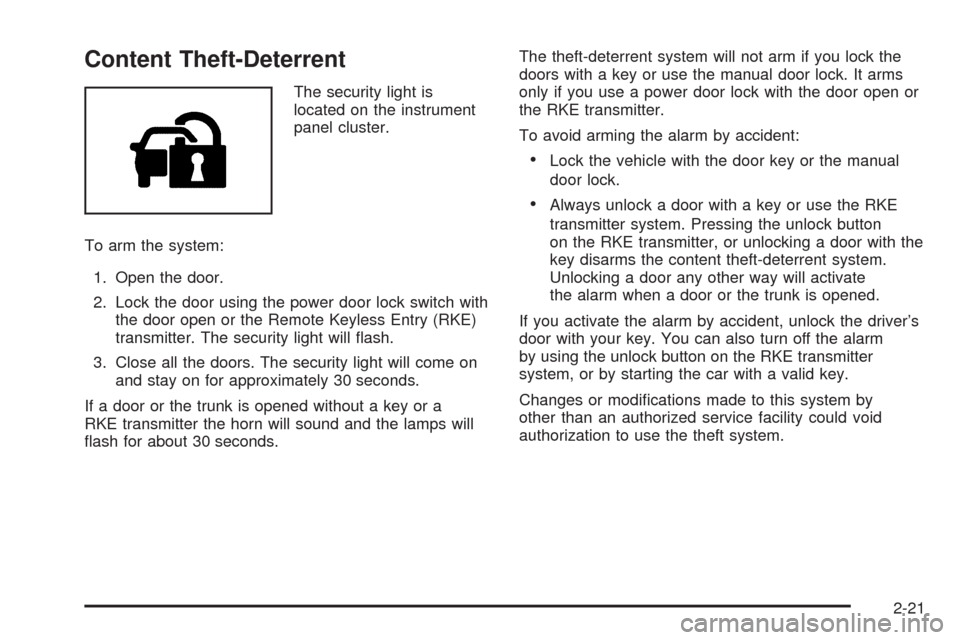
The security light is
located on the instrument
panel cluster.
To arm the system:
1. Open the door.
2. Lock the door using the power door lock switch with
the door open or the Remote Keyless Entry (RKE)
transmitter. The security light will ash.
3. Close all the doors. The security light will come on
and stay on for approximately 30 seconds.
If a door or the trunk is opened without a key or a
RKE transmitter the horn will sound and the lamps will
ash for about 30 seconds.The theft-deterrent system will not arm if you lock the
doors with a key or use the manual door lock. It arms
only if you use a power door lock with the door open or
the RKE transmitter.
To avoid arming the alarm by accident:
Lock the vehicle with the door key or the manual
door lock.
Always unlock a door with a key or use the RKE
transmitter system. Pressing the unlock button
on the RKE transmitter, or unlocking a door with the
key disarms the content theft-deterrent system.
Unlocking a door any other way will activate
the alarm when a door or the trunk is opened.
If you activate the alarm by accident, unlock the driver’s
door with your key. You can also turn off the alarm
by using the unlock button on the RKE transmitter
system, or by starting the car with a valid key.
Changes or modications made to this system by
other than an authorized service facility could void
authorization to use the theft system.
2-21
Page 108 of 462
Performance Shifting
If the vehicle has this feature, it can detect a change in
driving patterns. If you make an aggressive driving
maneuver, the vehicle’s transmission automatically
shifts to the lowest possible gear to maximize vehicle
performance. The vehicle will automatically return
to normal operation when you return to normal driving
patterns.
Parking Brake
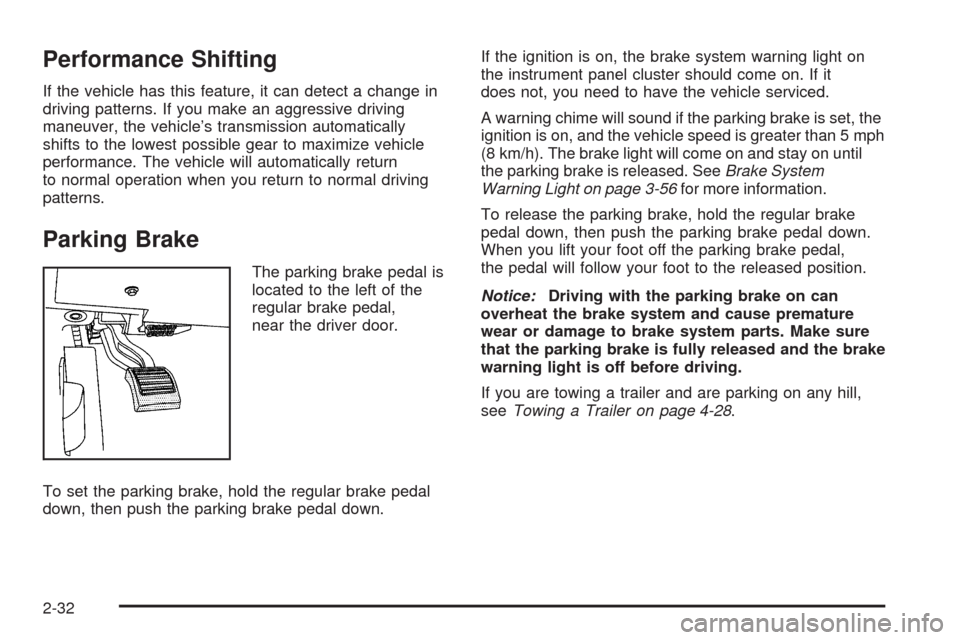
The parking brake pedal is
located to the left of the
regular brake pedal,
near the driver door.
To set the parking brake, hold the regular brake pedal
down, then push the parking brake pedal down.If the ignition is on, the brake system warning light on
the instrument panel cluster should come on. If it
does not, you need to have the vehicle serviced.
A warning chime will sound if the parking brake is set, the
ignition is on, and the vehicle speed is greater than 5 mph
(8 km/h). The brake light will come on and stay on until
the parking brake is released. SeeBrake System
Warning Light on page 3-56for more information.
To release the parking brake, hold the regular brake
pedal down, then push the parking brake pedal down.
When you lift your foot off the parking brake pedal,
the pedal will follow your foot to the released position.
Notice:Driving with the parking brake on can
overheat the brake system and cause premature
wear or damage to brake system parts. Make sure
that the parking brake is fully released and the brake
warning light is off before driving.
If you are towing a trailer and are parking on any hill,
seeTowing a Trailer on page 4-28.
2-32
Page 119 of 462
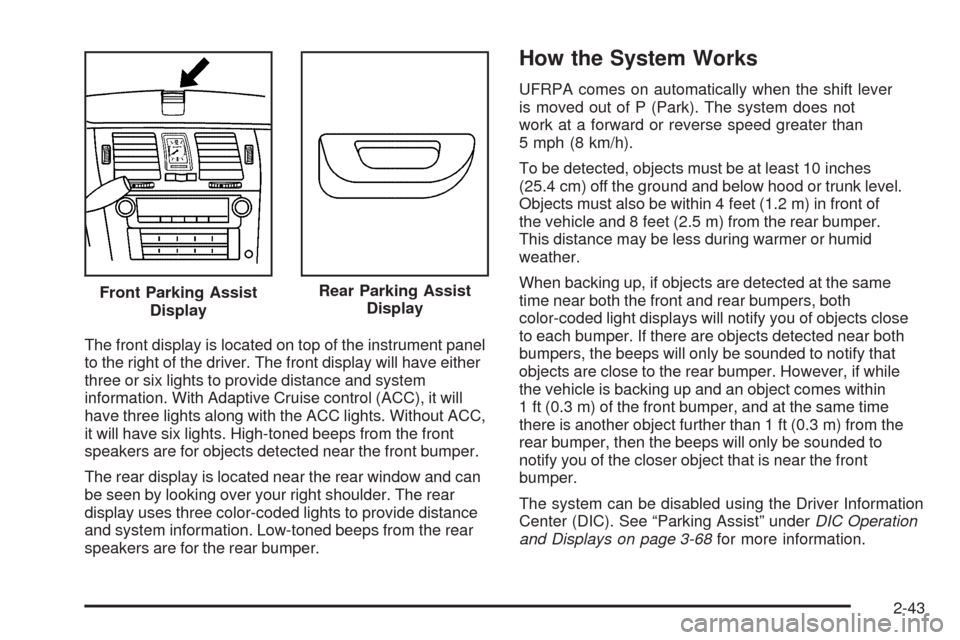
The front display is located on top of the instrument panel
to the right of the driver. The front display will have either
three or six lights to provide distance and system
information. With Adaptive Cruise control (ACC), it will
have three lights along with the ACC lights. Without ACC,
it will have six lights. High-toned beeps from the front
speakers are for objects detected near the front bumper.
The rear display is located near the rear window and can
be seen by looking over your right shoulder. The rear
display uses three color-coded lights to provide distance
and system information. Low-toned beeps from the rear
speakers are for the rear bumper.
How the System Works
UFRPA comes on automatically when the shift lever
is moved out of P (Park). The system does not
work at a forward or reverse speed greater than
5 mph (8 km/h).
To be detected, objects must be at least 10 inches
(25.4 cm) off the ground and below hood or trunk level.
Objects must also be within 4 feet (1.2 m) in front of
the vehicle and 8 feet (2.5 m) from the rear bumper.
This distance may be less during warmer or humid
weather.
When backing up, if objects are detected at the same
time near both the front and rear bumpers, both
color-coded light displays will notify you of objects close
to each bumper. If there are objects detected near both
bumpers, the beeps will only be sounded to notify that
objects are close to the rear bumper. However, if while
the vehicle is backing up and an object comes within
1 ft (0.3 m) of the front bumper, and at the same time
there is another object further than 1 ft (0.3 m) from the
rear bumper, then the beeps will only be sounded to
notify you of the closer object that is near the front
bumper.
The system can be disabled using the Driver Information
Center (DIC). See “Parking Assist” underDIC Operation
and Displays on page 3-68for more information. Front Parking Assist
Display
Rear Parking Assist
Display
2-43
Page 126 of 462

How the System Works
LDW uses a camera located between the inside rearview
mirror and the windshield to detect the lane markings.
@(Lane Departure Warning):To turn LDW on and off,
press the LDW control, located by the exterior headlamp
control. An indicator on the control will light to indicate
that LDW is on.
When the vehicle is started, the LDW symbol, located in
the instrument panel cluster, will briey come on to
indicate that the light is operational.LDW only operates at speeds of 35 mph (56 km) or
greater. If LDW is turned on when traveling at these
speeds, the LDW symbol will appear green if the system
detects a left or right lane marking. This symbol will
change to amber and ash and three beeps will sound if
you cross a detected lane marking without using the
turn signal.
If the LDW symbol does not appear, LDW is not currently
operating and will not warn you.
To change the volume of the warning chime, see Chime
Volume underDIC Vehicle Customization on page 3-86
for more information.
When the System Does Not Seem To
Work Properly
The LDW symbol will not appear when the system is
having difficulty seeing the lines on the road or if
the view of the camera on the windshield is blocked
with mud, dirt, snow, ice, or slush, if the windshield
is damaged, or when weather limits visibility, such as
while driving in fog, rain, or snow conditions. This is
normal operation, the vehicle does not need service.
For cleaning instructions, seeWashing Your Vehicle
on page 5-90.
2-50
Page 141 of 462

Instrument Panel Overview...............................3-4
Hazard Warning Flashers................................3-6
Horn .............................................................3-6
Tilt Wheel.....................................................3-6
Power Tilt Wheel and Telescopic
Steering Column.........................................3-7
Heated Steering Wheel...................................3-7
Turn Signal/Multifunction Lever.........................3-8
Turn and Lane-Change Signals........................3-8
Headlamp High/Low-Beam Changer..................3-9
Forward Collision Alert (FCA) System................3-9
Flash-to-Pass...............................................3-13
Windshield Wipers........................................3-13
Rainsense™ II Wipers...................................3-14
Windshield Washer.......................................3-15
Cruise Control..............................................3-16
Adaptive Cruise Control.................................3-19
Exterior Lamps.............................................3-29
Wiper Activated Headlamps............................3-32
Headlamps on Reminder................................3-33
Daytime Running Lamps (DRL).......................3-33
Fog Lamps ..................................................3-34
Cornering Lamps..........................................3-34
Exterior Lighting Battery Saver........................3-34
Instrument Panel Brightness...........................3-34Courtesy Lamps...........................................3-35
Entry Lighting...............................................3-35
Parade Dimming...........................................3-35
Reading Lamps............................................3-35
Footwell Lamps............................................3-36
Battery Load Management.............................3-36
Electric Power Management...........................3-36
Inadvertent Power Battery Saver.....................3-37
Battery Run-Down Protection..........................3-37
Accessory Power Outlet(s).............................3-38
Ashtray(s)....................................................3-39
Analog Clock...............................................3-39
Climate Controls............................................3-40
Dual Climate Control System..........................3-40
Outlet Adjustment.........................................3-46
Rear Climate Control System.........................3-46
Passenger Compartment Air Filter...................3-48
Warning Lights, Gages, and Indicators............3-50
Instrument Panel Cluster................................3-51
Speedometer and Odometer...........................3-52
Tachometer.................................................3-52
Safety Belt Reminders...................................3-53
Airbag Readiness Light..................................3-54
Passenger Airbag Status Indicator...................3-55
Charging System Light..................................3-56
Section 3 Instrument Panel
3-1
Page 142 of 462

Brake System Warning Light..........................3-56
Antilock Brake System (ABS) Warning Light.....3-57
Traction Control System (TCS) Warning Light . . .3-58
StabiliTrak
®Indicator Light.............................3-58
Lane Departure Warning (LDW) Light..............3-59
Engine Coolant Temperature Warning Light......3-59
Engine Coolant Temperature Gage..................3-60
Tire Pressure Light.......................................3-60
Malfunction Indicator Lamp.............................3-61
Oil Pressure Light.........................................3-64
Security Light...............................................3-65
Fog Lamp Light............................................3-65
Lights On Reminder......................................3-65
Cruise Control Light......................................3-66
Highbeam On Light.......................................3-66
Fuel Gage...................................................3-66Driver Information Center (DIC).......................3-67
DIC Operation and Displays...........................3-68
DIC Warnings and Messages.........................3-73
DIC Vehicle Customization.............................3-86
Audio System(s).............................................3-95
Setting the Clock..........................................3-96
Radio(s) (MP3).............................................3-99
Using an MP3............................................3-110
XM Radio Messages...................................3-115
Navigation/Radio System..............................3-116
Bluetooth
®.................................................3-116
Theft-Deterrent Feature................................3-127
Audio Steering Wheel Controls......................3-127
Radio Reception.........................................3-128
Backglass Antenna......................................3-129
XM™ Satellite Radio Antenna System............3-129
Section 3 Instrument Panel
3-2
Page 144 of 462
Instrument Panel Overview
Console-Shift Model shown, Column-Shift Model similar
3-4
Page 145 of 462
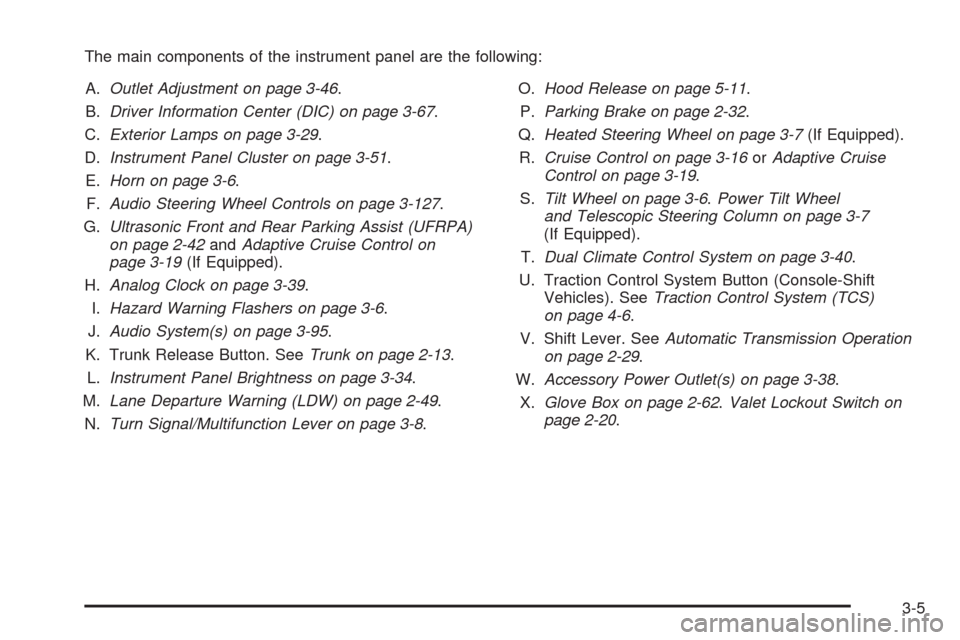
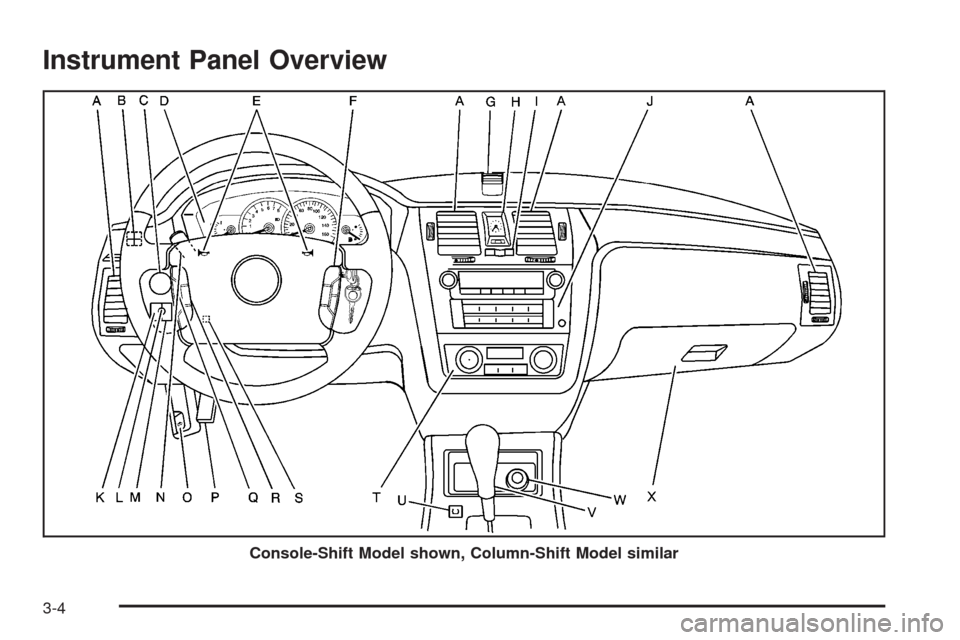
The main components of the instrument panel are the following:
A.Outlet Adjustment on page 3-46.
B.Driver Information Center (DIC) on page 3-67.
C.Exterior Lamps on page 3-29.
D.Instrument Panel Cluster on page 3-51.
E.Horn on page 3-6.
F.Audio Steering Wheel Controls on page 3-127.
G.Ultrasonic Front and Rear Parking Assist (UFRPA)
on page 2-42andAdaptive Cruise Control on
page 3-19(If Equipped).
H.Analog Clock on page 3-39.
I.Hazard Warning Flashers on page 3-6.
J.Audio System(s) on page 3-95.
K. Trunk Release Button. SeeTrunk on page 2-13.
L.Instrument Panel Brightness on page 3-34.
M.Lane Departure Warning (LDW) on page 2-49.
N.Turn Signal/Multifunction Lever on page 3-8.O.Hood Release on page 5-11.
P.Parking Brake on page 2-32.
Q.Heated Steering Wheel on page 3-7(If Equipped).
R.Cruise Control on page 3-16orAdaptive Cruise
Control on page 3-19.
S.Tilt Wheel on page 3-6.Power Tilt Wheel
and Telescopic Steering Column on page 3-7
(If Equipped).
T.Dual Climate Control System on page 3-40.
U. Traction Control System Button (Console-Shift
Vehicles). SeeTraction Control System (TCS)
on page 4-6.
V. Shift Lever. SeeAutomatic Transmission Operation
on page 2-29.
W.Accessory Power Outlet(s) on page 3-38.
X.Glove Box on page 2-62.Valet Lockout Switch on
page 2-20.
3-5
Page 146 of 462
Hazard Warning Flashers
|(Hazard Warning Flasher):Press this button
located on the instrument panel, to make the front and
rear turn signal lamps ash on and off. This warns
others that you are having trouble.
Press
|again to turn the ashers off.
Horn
Press near or on the horn symbols on the steering
wheel pad to sound the horn.
Tilt Wheel
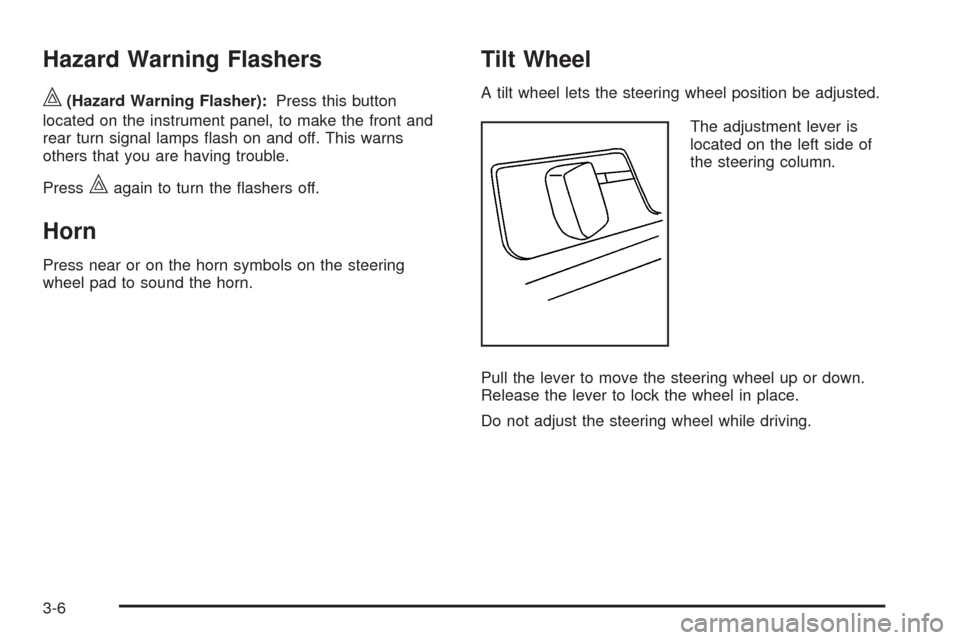
A tilt wheel lets the steering wheel position be adjusted.
The adjustment lever is
located on the left side of
the steering column.
Pull the lever to move the steering wheel up or down.
Release the lever to lock the wheel in place.
Do not adjust the steering wheel while driving.
3-6
Page 148 of 462

Turn Signal/Multifunction Lever
The lever on the left side of the steering column
includes the following:
G:Turn and Lane-Change Signals
23:Headlamp High/Low-Beam Changer
N:Windshield Wipers
L:Windshield Washer
_:Heated Washer Fluid
Flash-To-Pass Feature.
Information for these features is on the pages following.
Turn and Lane-Change Signals
An arrow on the instrument
panel cluster and in the
outside rearview mirror
ashes in the direction of
the turn or lane change.
Move the lever all the way up or down to signal a
turn. The lever returns automatically when the turn is
complete. If you momentarily press and release the lever,
the turn signal will ash 3 times.
Raise or lower the lever until the arrow starts to ash to
signal a lane change. Hold it there until the lane change is
complete.
The lever returns to its starting position when it is
released.
If after signaling a turn or lane change the arrow
ashes rapidly or does not come on, a signal bulb
may be burned out.
Have the bulbs replaced. If the bulb is not burned out,
check the fuse. SeeRear Underseat Fuse Block on
page 5-98.
3-8