service CADILLAC DTS 2009 1.G User Guide
[x] Cancel search | Manufacturer: CADILLAC, Model Year: 2009, Model line: DTS, Model: CADILLAC DTS 2009 1.GPages: 462, PDF Size: 2.46 MB
Page 97 of 462
Content Theft-Deterrent
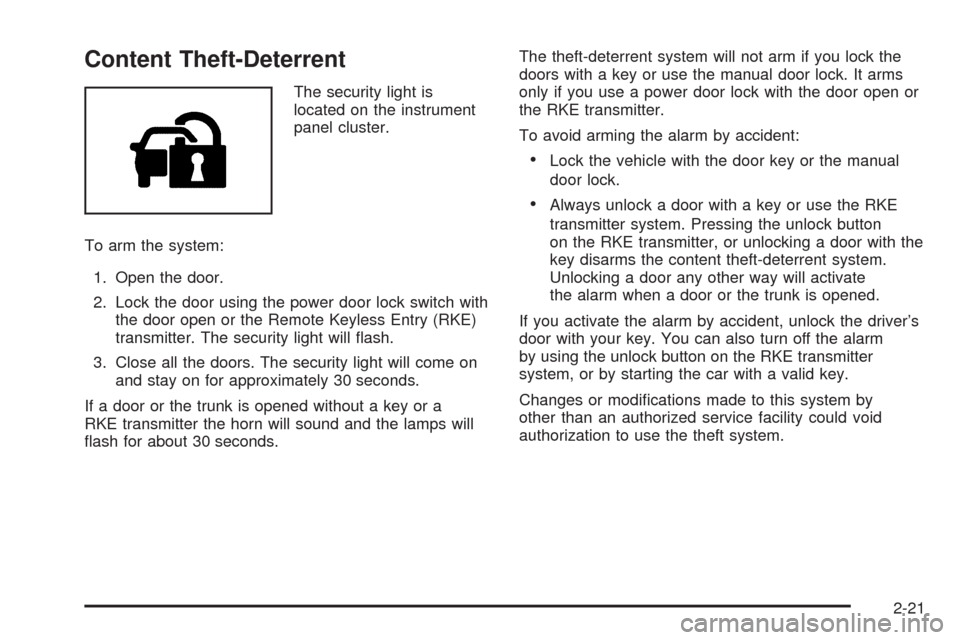
The security light is
located on the instrument
panel cluster.
To arm the system:
1. Open the door.
2. Lock the door using the power door lock switch with
the door open or the Remote Keyless Entry (RKE)
transmitter. The security light will ash.
3. Close all the doors. The security light will come on
and stay on for approximately 30 seconds.
If a door or the trunk is opened without a key or a
RKE transmitter the horn will sound and the lamps will
ash for about 30 seconds.The theft-deterrent system will not arm if you lock the
doors with a key or use the manual door lock. It arms
only if you use a power door lock with the door open or
the RKE transmitter.
To avoid arming the alarm by accident:
Lock the vehicle with the door key or the manual
door lock.
Always unlock a door with a key or use the RKE
transmitter system. Pressing the unlock button
on the RKE transmitter, or unlocking a door with the
key disarms the content theft-deterrent system.
Unlocking a door any other way will activate
the alarm when a door or the trunk is opened.
If you activate the alarm by accident, unlock the driver’s
door with your key. You can also turn off the alarm
by using the unlock button on the RKE transmitter
system, or by starting the car with a valid key.
Changes or modications made to this system by
other than an authorized service facility could void
authorization to use the theft system.
2-21
Page 98 of 462

Testing the Alarm
1. From inside the vehicle, roll down the window, then
get out of the vehicle, keeping the door open.
2. From outside of the vehicle, with the door open,
lock the vehicle using the power door lock or the
RKE system and close the door. Wait 30 seconds
until the security lamp goes off.
3. Reach in and unlock the door using the manual
lock and open the door. The horn will sound and
the hazard lights will ash.
You can turn off the alarm by unlocking the driver’s door
with your key, using the unlock button on the RKE
transmitter or by starting the car with a valid key.
If the alarm does not sound when it should, check to
see if the horn works. The horn fuse may be blown.
To replace the fuse, seeFuses and Circuit Breakers on
page 5-95. If the fuse does not need to be replaced,
you may need to have your vehicle serviced.
To reduce the possibility of theft, always arm the
theft-deterrent system when leaving your vehicle.
PASS-Key®III+ Electronic
Immobilizer
The PASS-Key III+ system operates on a radio
frequency subject to Federal Communications
Commission (FCC) Rules and with Industry Canada.
This device complies with Part 15 of the FCC Rules.
Operation is subject to the following two conditions:
1. This device may not cause harmful interference.
2. This device must accept any interference received,
including interference that may cause undesired
operation.
This device complies with RSS-210 of Industry Canada.
Operation is subject to the following two conditions:
1. This device may not cause interference.
2. This device must accept any interference received,
including interference that may cause undesired
operation of the device.
Changes or modications to this system by other than
an authorized service facility could void authorization to
use this equipment.
PASS-Key III+ uses a radio frequency transponder in
the key that matches a decoder in the vehicle.
2-22
Page 99 of 462

PASS-Key®III+ Electronic
Immobilizer Operation
Your vehicle has PASS-Key®III+ (Personalized
Automotive Security System) theft-deterrent system.
PASS-Key
®III+ is a passive theft-deterrent system.
The system is automatically armed when the key
is removed from the ignition.
The system is automatically disarmed when the key is
turned to ON/RUN, ACC/ACCESSORY or START
from the LOCK/OFF position.
You do not have to manually arm or disarm the system.
The security light will come on if there is a problem
with arming or disarming the theft-deterrent system.
When the PASS-Key
®III+ system senses that someone
is using the wrong key, it prevents the vehicle from
starting. Anyone using a trial-and-error method to start
the vehicle will be discouraged because of the high
number of electrical key codes.If the engine does not start and the security light comes
on when trying to start the vehicle, there may be a
problem with your theft-deterrent system. Turn the
ignition off and try again.
If the engine still does not start, and the key appears to
be undamaged, try another ignition key. At this time,
you may also want to check the fuse, seeFuses
and Circuit Breakers on page 5-95. If the engine still
does not start with the other key, your vehicle needs
service. If your vehicle does start, the rst key may be
faulty. See your dealer/retailer who can service the
PASS-Key
®III+ to have a new key made. In an
emergency, contact Roadside Assistance.
It is possible for the PASS-Key
®III+ decoder to “learn”
the transponder value of a new or replacement key.
Up to 10 keys may be programmed for the vehicle.
The following procedure is for programming additional
keys only. If all the currently programmed keys are
lost or do not operate, you must see your dealer/retailer
or a locksmith who can service PASS-Key
®III+ to
have keys made and programmed to the system.
2-23
Page 100 of 462

See your dealer/retailer or a locksmith who can service
PASS-Key®III+ to get a new key blank that is cut
exactly as the ignition key that operates the system.
To program the new key:
1. Verify that the new key has a
1stamped on it.
2. Insert the original, already programmed, key in the
ignition and start the engine. If the engine will not
start, see your dealer/retailer for service.
3. After the engine has started, turn the key to
LOCK/OFF, and remove the key.
4. Insert the new key to be programmed and turn it to
the ON/RUN position within ve seconds of turning
the original key to LOCK/OFF.
The security light will turn off once the key has
been programmed.
5. Repeat Steps 1 through 4 if additional keys are to
be programmed.
If you lose or damage your PASS-Key
®III+ key, see
your dealer/retailer or a locksmith who can service
PASS-Key
®III+ to have a new key made.
Do not leave the key or device that disarms or
deactivates the theft deterrent system in the vehicle.
Starting and Operating
Your Vehicle
New Vehicle Break-In
Notice:The vehicle does not need an elaborate
break-in. But it will perform better in the long run if
you follow these guidelines:
Do not drive at any one constant speed, fast or
slow, for the rst 500 miles (805 km). Do not
make full-throttle starts. Avoid downshifting to
brake or slow the vehicle.
Avoid making hard stops for the rst 200 miles
(322 km) or so. During this time the new brake
linings are not yet broken in. Hard stops
with new linings can mean premature wear and
earlier replacement. Follow this breaking-in
guideline every time you get new brake linings.
Do not tow a trailer during break-in. SeeTowing
a Trailer on page 4-28for the trailer towing
capabilities of your vehicle and more
information.
Following break-in, engine speed and load can be
gradually increased.
2-24
Page 101 of 462
Ignition Positions
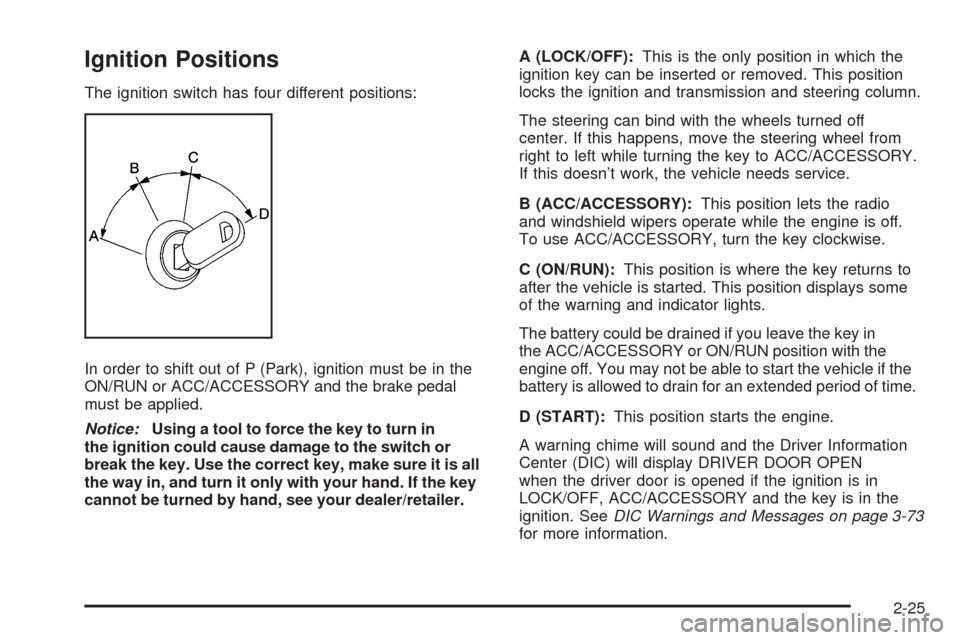
The ignition switch has four different positions:
In order to shift out of P (Park), ignition must be in the
ON/RUN or ACC/ACCESSORY and the brake pedal
must be applied.
Notice:Using a tool to force the key to turn in
the ignition could cause damage to the switch or
break the key. Use the correct key, make sure it is all
the way in, and turn it only with your hand. If the key
cannot be turned by hand, see your dealer/retailer.A (LOCK/OFF):This is the only position in which the
ignition key can be inserted or removed. This position
locks the ignition and transmission and steering column.
The steering can bind with the wheels turned off
center. If this happens, move the steering wheel from
right to left while turning the key to ACC/ACCESSORY.
If this doesn’t work, the vehicle needs service.
B (ACC/ACCESSORY):This position lets the radio
and windshield wipers operate while the engine is off.
To use ACC/ACCESSORY, turn the key clockwise.
C (ON/RUN):This position is where the key returns to
after the vehicle is started. This position displays some
of the warning and indicator lights.
The battery could be drained if you leave the key in
the ACC/ACCESSORY or ON/RUN position with the
engine off. You may not be able to start the vehicle if the
battery is allowed to drain for an extended period of time.
D (START):This position starts the engine.
A warning chime will sound and the Driver Information
Center (DIC) will display DRIVER DOOR OPEN
when the driver door is opened if the ignition is in
LOCK/OFF, ACC/ACCESSORY and the key is in the
ignition. SeeDIC Warnings and Messages on page 3-73
for more information.
2-25
Page 107 of 462
Notice:Driving the vehicle if you notice that it is
moving slowly or not shifting gears as you increase
speed may damage the transmission. Have the
vehicle serviced right away. You can drive in
2 (Second) when you are driving less than 35 mph
(55 km/h) and D (Drive) for higher speeds until then.
D (Drive) can be used for towing. You may want to
shift the transmission to 3 (Third) or, if necessary, to a
lower gear if the transmission shifts too often under
heavy loads and/or hilly conditions.
SeeTowing a Trailer on page 4-28for more information.
3 (Third):This position is also used for normal
driving. However, it reduces vehicle speed more than
D (Drive) without using the brakes. You might choose
3 (Third) instead of D (Drive) when driving on hilly,
winding roads, when towing a trailer, so there is less
shifting between gears and when going down a
steep hill.2 (Second):This position reduces vehicle speed more
than 3 (Third) without using the brakes. You can use
2 (Second) on hills. It can help control vehicle speed
as you go down steep mountain roads, but then
you would also want to use the brakes off and on.
Notice:Do not shift into 2 (Second) unless you are
going slower than 65 mph (105 km/h), or you can
damage the engine and/or transmission.
1 (First):This position reduces vehicle speed even
more than 2 (Second) without using the brakes. You can
use it on very steep hills, or in deep snow or mud.
If the shift lever is put in 1 (First) while the vehicle is
moving forward, the transmission will not shift into rst
gear until the vehicle is going slowly enough.
Notice:Spinning the tires or holding the vehicle
in one place on a hill using only the accelerator
pedal may damage the transmission. The repair will
not be covered by the vehicle warranty. If you are
stuck, do not spin the tires. When stopping on a hill,
use the brakes to hold the vehicle in place.
2-31
Page 108 of 462
Performance Shifting
If the vehicle has this feature, it can detect a change in
driving patterns. If you make an aggressive driving
maneuver, the vehicle’s transmission automatically
shifts to the lowest possible gear to maximize vehicle
performance. The vehicle will automatically return
to normal operation when you return to normal driving
patterns.
Parking Brake
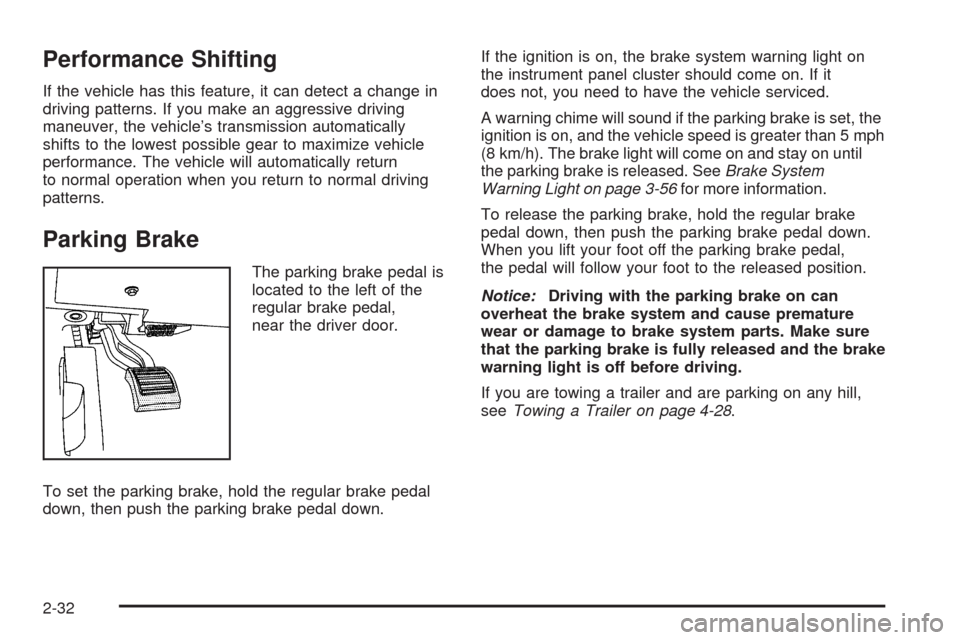
The parking brake pedal is
located to the left of the
regular brake pedal,
near the driver door.
To set the parking brake, hold the regular brake pedal
down, then push the parking brake pedal down.If the ignition is on, the brake system warning light on
the instrument panel cluster should come on. If it
does not, you need to have the vehicle serviced.
A warning chime will sound if the parking brake is set, the
ignition is on, and the vehicle speed is greater than 5 mph
(8 km/h). The brake light will come on and stay on until
the parking brake is released. SeeBrake System
Warning Light on page 3-56for more information.
To release the parking brake, hold the regular brake
pedal down, then push the parking brake pedal down.
When you lift your foot off the parking brake pedal,
the pedal will follow your foot to the released position.
Notice:Driving with the parking brake on can
overheat the brake system and cause premature
wear or damage to brake system parts. Make sure
that the parking brake is fully released and the brake
warning light is off before driving.
If you are towing a trailer and are parking on any hill,
seeTowing a Trailer on page 4-28.
2-32
Page 111 of 462
The shift lock is always functional except in the case
of a an uncharged or low voltage (less than 9 volt)
battery.
If the vehicle has an uncharged battery or a battery with
low voltage, try charging or jump starting the battery.
SeeJump Starting on page 5-38.
Console Shift
If the console shift cannot be moved out of P (Park)
1. Apply the regular brakes.
2. Turn the ignition to ON/RUN or ACC/ACCESSORY
position. SeeIgnition Positions on page 2-25for
more information.
3. Push the shift lever all the way into P (Park).
4. Then, shift into the desired gear.
If you still cannot move the shift lever from P (Park),
consult your dealer/retailer or a professional towing
service.
Column Shift
If the column shift cannot be moved out of P (Park)
1. Apply the regular brakes.
2. Turn the ignition key to the ON/RUN or
ACC/ACCESSORY position. SeeIgnition
Positions on page 2-25for more information.
3. Shift out of the P (Park) position to the
N (Neutral) position.
4. Move the column shift to the desired gear.
If you still cannot move the shift lever from P (Park),
consult your dealer/retailer or a professional towing
service.
Parking Over Things That Burn
{CAUTION:
Things that can burn could touch hot exhaust
parts under the vehicle and ignite. Do not park
over papers, leaves, dry grass, or other things that
can burn.
2-35
Page 123 of 462

How the System Works
When the vehicle is started, both outside mirror displays
will briey come on to indicate that the system is
operating. While driving forward, the left or right side
mirror SBZA display will light up if a vehicle is detected
in that blind zone. If you activate a turn signal and a
vehicle has been detected on the same side, the SBZA
display will ash to give you extra warning not to
change lanes.
SBZA displays do not come on while the vehicle is
approaching or passing other vehicles. At speeds
greater then 20 mph (32 km/h), SBZA displays may
come on when a vehicle you have passed remains in
or drops back into the detection zone.SBZA can be disabled through the Driver Information
Center (DIC). SeeDriver Information Center (DIC)
on page 3-67for more information. If the SBZA
is disabled by the driver, the SBZA mirror displays
will not light up during normal driving.
When the System Does Not Seem To
Work Properly
Occasional missed alerts can occur under normal
circumstances and will increase in wet conditions.
The system does not need to be serviced due to an
occasional missed alert. The number of missed
alerts will increase with increased rainfall or road spray.
If the SBZA displays do not light up when the system
is on and vehicles are in the blind zone, the system may
need service. Take the vehicle to your dealer/retailer.
SBZA is designed to ignore stationary objects; however,
the system may occasionally light up due to guard
rails, signs, trees, shrubs, and other stationary objects.
This is normal system operation, the vehicle does
not need service. Left Side Mirror
DisplayRight Side Mirror
Display
2-47
Page 124 of 462
SBZA does not operate when the left or right corners
of the rear bumper are covered with mud, dirt, snow, ice,
slush, or in heavy rainstorms. For cleaning instructions,
seeWashing Your Vehicle on page 5-90. If the DIC
still displays the SIDE BLIND ZONE SYSTEM
UNAVAILABLE message after cleaning the bumper,
see your dealer/retailer.
The SBZA displays may remain on if a trailer is attached
to the vehicle, or a bicycle or object is extending out
to either side of the vehicle.
When SBZA is disabled for any reason other than the
driver turning it off, the driver will not be able to turn
SBZA back on using the DIC. The SIDE BLIND ZONE
ALERT ON option will not be selectable if the
conditions for normal system operation are not met.
Until normal operating conditions for SBZA are met,
you should not rely upon SBZA while driving.SBZA Error Messages
The following messages may appear in the DIC:
SIDE BLIND ZONE ALERT SYSTEM OFF:
This message indicates that the driver has turned the
system off.
SIDE BLIND ZONE SYSTEM UNAVAILABLE:
This message indicates that the SBZA system is
disabled because the sensor is blocked and cannot
detect vehicles in the blind zone. The sensor may be
blocked by mud, dirt, snow, ice, slush, or even
heavy rainstorms. This message may also activate
during heavy rain or due to road spray. The vehicle does
not need service. For cleaning, seeWashing Your
Vehicle on page 5-90.
SERVICE SIDE BLIND ZONE ALERT SYSTEM:If this
message appears, both SBZA displays will remain on
indicating there is a problem with the SBZA system.
If these displays remain on after continued driving,
the system needs service. Take the vehicle to your
dealer/retailer.
2-48