ignition CADILLAC DTS 2009 1.G Owners Manual
[x] Cancel search | Manufacturer: CADILLAC, Model Year: 2009, Model line: DTS, Model: CADILLAC DTS 2009 1.GPages: 462, PDF Size: 2.46 MB
Page 8 of 462
Power Lumbar
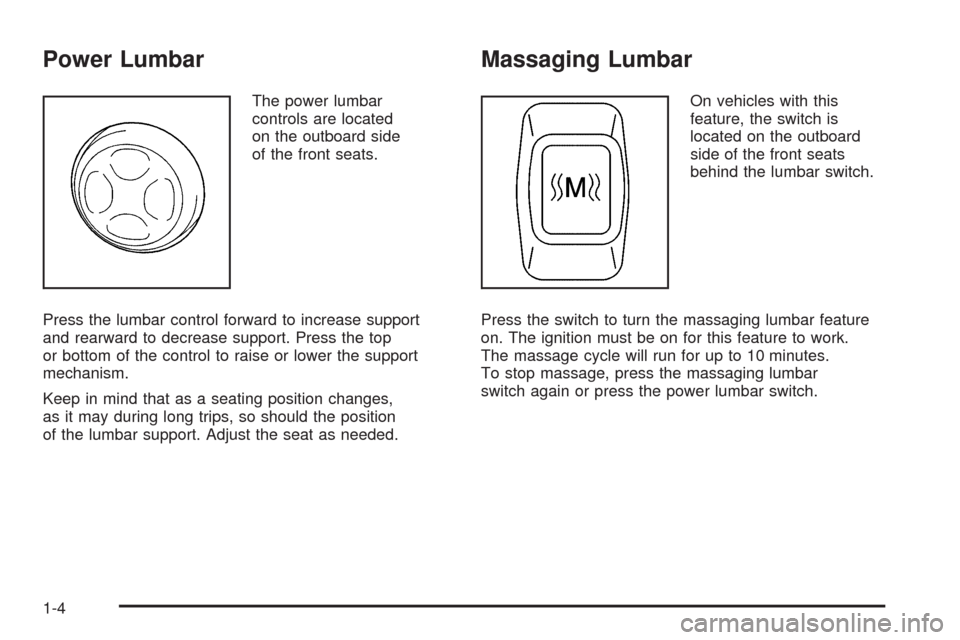
The power lumbar
controls are located
on the outboard side
of the front seats.
Press the lumbar control forward to increase support
and rearward to decrease support. Press the top
or bottom of the control to raise or lower the support
mechanism.
Keep in mind that as a seating position changes,
as it may during long trips, so should the position
of the lumbar support. Adjust the seat as needed.
Massaging Lumbar
On vehicles with this
feature, the switch is
located on the outboard
side of the front seats
behind the lumbar switch.
Press the switch to turn the massaging lumbar feature
on. The ignition must be on for this feature to work.
The massage cycle will run for up to 10 minutes.
To stop massage, press the massaging lumbar
switch again or press the power lumbar switch.
1-4
Page 9 of 462
Heated and Cooled Seats
The vehicle may have heated and cooled front seats.
To operate the heated or cooled seats, the ignition
must be on.
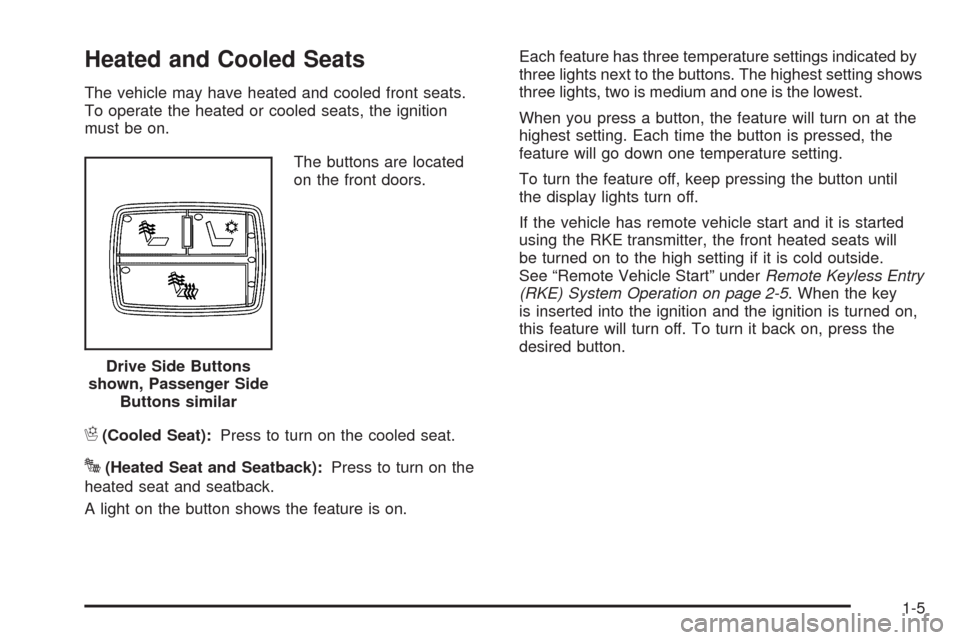
The buttons are located
on the front doors.
H(Cooled Seat):Press to turn on the cooled seat.
J(Heated Seat and Seatback):Press to turn on the
heated seat and seatback.
A light on the button shows the feature is on.Each feature has three temperature settings indicated by
three lights next to the buttons. The highest setting shows
three lights, two is medium and one is the lowest.
When you press a button, the feature will turn on at the
highest setting. Each time the button is pressed, the
feature will go down one temperature setting.
To turn the feature off, keep pressing the button until
the display lights turn off.
If the vehicle has remote vehicle start and it is started
using the RKE transmitter, the front heated seats will
be turned on to the high setting if it is cold outside.
See “Remote Vehicle Start” underRemote Keyless Entry
(RKE) System Operation on page 2-5. When the key
is inserted into the ignition and the ignition is turned on,
this feature will turn off. To turn it back on, press the
desired button.
Drive Side Buttons
shown, Passenger Side
Buttons similar
1-5
Page 12 of 462
Easy Exit Recall
The control for this feature is located on the driver door
panel between buttons 1 and 2.
With the vehicle in P (Park), the exit position can be
recalled by pressing the exit button. You will hear
a single beep. The driver seat will move back, and if the
vehicle has the power tilt wheel and telescopic steering
feature, the power telescopic steering column will
move up and forward.
If the easy exit seat feature is on in the DIC, automatic
seat and power telescopic steering column movement
will occur when the key is removed from the ignition.
See “EASY EXIT RECALL” underDIC Vehicle
Customization on page 3-86for more information.
Further programming for automatic seat and steering
wheel movement can be done using the Driver
Information Center (DIC). You can select or not
select the following:
The easy exit recall feature
The memory seat recall feature
For programming information, seeDIC Vehicle
Customization on page 3-86.
Power Reclining Seatbacks
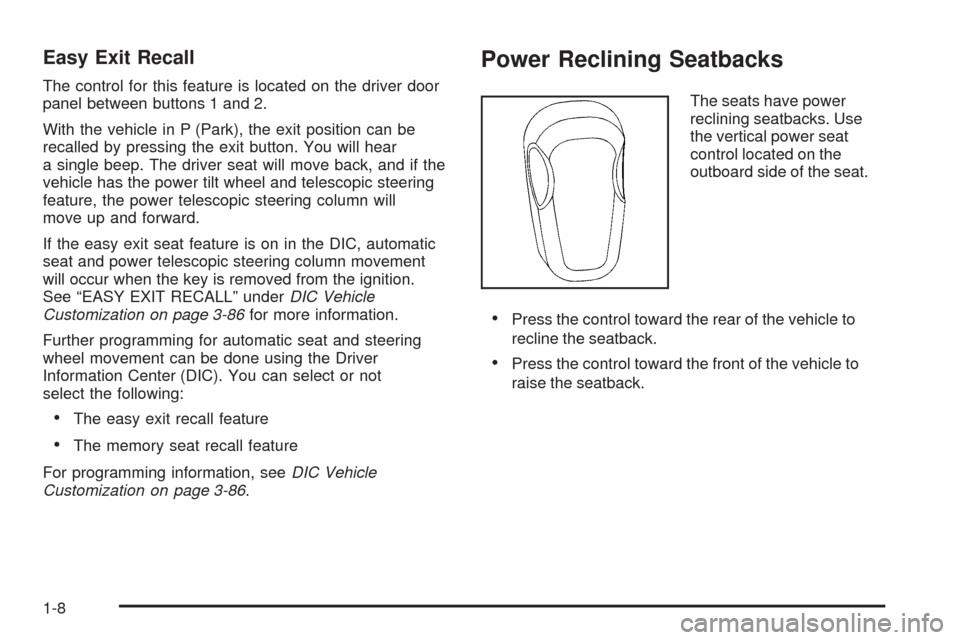
The seats have power
reclining seatbacks. Use
the vertical power seat
control located on the
outboard side of the seat.
Press the control toward the rear of the vehicle to
recline the seatback.
Press the control toward the front of the vehicle to
raise the seatback.
1-8
Page 14 of 462

Center Seat
The vehicle may have a front center seat. This seat
can be converted to a storage area by lowering
the seatback. SeeCenter Flex Storage Unit on
page 2-63.
Rear Seats
Heated Seats
Your vehicle may have heated rear seats.
To operate the rear heated seats, the ignition must be on.
The buttons are located on
the rear doors.
I(Heated Seatback):Press to turn on the heated
seatback.
J(Heated Seat and Seatback):Press to turn on the
heated seat and seatback.
1-10
Page 72 of 462

Additional Factors Affecting System
Operation
Safety belts help keep the passenger in position on the
seat during vehicle maneuvers and braking, which helps
the passenger sensing system maintain the passenger
airbag status. See “Safety Belts” and “Child Restraints” in
the Index for additional information about the importance
of proper restraint use.
A thick layer of additional material, such as a blanket or
cushion, or aftermarket equipment such as seat covers,
seat heaters, and seat massagers can affect how well the
passenger sensing system operates. We recommend
that you not use seat covers or other aftermarket
equipment except when approved by GM for your specic
vehicle. SeeAdding Equipment to Your Airbag-Equipped
Vehicle on page 1-69for more information about
modications that can affect how the system operates.
{CAUTION:
Stowing of articles under the passenger seat or
between the passenger seat cushion and seatback
may interfere with the proper operation of the
passenger sensing system.
Servicing Your Airbag-Equipped
Vehicle
Airbags affect how the vehicle should be serviced.
There are parts of the airbag system in several places
around the vehicle. Your dealer/retailer and the
service manual have information about servicing the
vehicle and the airbag system. To purchase a service
manual, seeService Publications Ordering Information
on page 7-16.
{CAUTION:
For up to 10 seconds after the ignition is turned off
and the battery is disconnected, an airbag can still
inate during improper service. You can be injured
if you are close to an airbag when it inates. Avoid
yellow connectors. They are probably part of the
airbag system. Be sure to follow proper service
procedures, and make sure the person performing
work for you is qualied to do so.
1-68
Page 77 of 462
Keys...............................................................2-3
Remote Keyless Entry (RKE) System................2-4
Remote Keyless Entry (RKE) System
Operation...................................................2-5
Remote Vehicle Start......................................2-7
Doors and Locks............................................2-10
Door Locks..................................................2-10
Central Door Unlocking System......................2-11
Power Door Locks........................................2-11
Programmable Automatic Door Locks..............2-11
Rear Door Security Locks..............................2-12
Lockout Protection........................................2-12
Trunk..........................................................2-13
Windows........................................................2-15
Power Windows............................................2-16
Sun Visors...................................................2-19
Theft-Deterrent Systems..................................2-20
Valet Lockout Switch.....................................2-20
Content Theft-Deterrent.................................2-21
PASS-Key
®III+ Electronic Immobilizer.............2-22
PASS-Key®III+ Electronic Immobilizer
Operation.................................................2-23Starting and Operating Your Vehicle................2-24
New Vehicle Break-In....................................2-24
Ignition Positions..........................................2-25
Retained Accessory Power (RAP)...................2-26
Starting the Engine.......................................2-26
Engine Coolant Heater..................................2-28
Automatic Transmission Operation...................2-29
Performance Shifting.....................................2-32
Parking Brake..............................................2-32
Shifting Into Park..........................................2-33
Shifting Out of Park......................................2-34
Parking Over Things That Burn.......................2-35
Engine Exhaust............................................2-36
Running the Vehicle While Parked..................2-37
Mirrors...........................................................2-38
Automatic Dimming Rearview Mirror................2-38
Compass.....................................................2-38
Outside Power Foldaway Mirrors.....................2-40
Outside Automatic Dimming Mirror..................2-40
Park Tilt Mirrors............................................2-41
Outside Convex Mirror...................................2-41
Outside Heated Mirrors..................................2-41
Section 2 Features and Controls
2-1
Page 79 of 462

Keys
{CAUTION:
Leaving children in a vehicle with the ignition key
is dangerous for many reasons, children or others
could be badly injured or even killed. They could
operate the power windows or other controls or
even make the vehicle move. The windows will
function with the keys in the ignition and children
could be seriously injured or killed if caught in the
path of a closing window. Do not leave the keys in
a vehicle with children.
The master key is used for the driver door, ignition, and
glove box.
The valet key is used for the driver door and ignition.
Notice:If you ever lock your keys in the vehicle,
you may have to damage the vehicle to get in.
Be sure you have spare keys.
In an emergency, contact Roadside Assistance.
SeeRoadside Service on page 7-7.
2-3
Page 81 of 462

Remote Keyless Entry (RKE)
System Operation
The Remote Keyless Entry (RKE) transmitter functions
work up to 195 feet (60 m) away from the vehicle.
There are other conditions which can affect the
performance of the transmitter. SeeRemote Keyless
Entry (RKE) System on page 2-4.
/(Remote Vehicle Start):Press to start the engine
from outside the vehicle using the RKE transmitter.
SeeRemote Vehicle Start on page 2-7for additional
information.
Q(Lock):Press to lock all the doors. If enabled
through the Driver Information Center (DIC), the parking
lamps may ash once to indicate locking has occurred.
The horn may chirp when
Qis pressed again within
ve seconds. SeeDIC Vehicle Customization on
page 3-86for additional information.
Pressing
Qmay arm the content theft-deterrent system.
SeeContent Theft-Deterrent on page 2-21.
K(Unlock):Press once to unlock the driver door.
If
Kis pressed again within ve seconds, all remaining
doors unlock. The interior lamps come on and stay
on for 20 seconds or until the ignition is turned on.
If enabled through the DIC, the parking lamps ash twice
to indicate unlocking has occurred. SeeDIC Vehicle
Customization on page 3-86. Pressing
Kmay disarm
the content theft-deterrent system. SeeContent
Theft-Deterrent on page 2-21. With Remote Start
(Without Remote
Start Similar)
2-5
Page 82 of 462
V(Remote Trunk Release):Press and hold for
about one second to unlock the trunk. The transmission
must be in P (Park).
L(Vehicle Locator/Panic Alarm):Press and release
to locate the vehicle. The turn signal lamps ash and
the horn sounds three times.
Press and hold
Lfor more than two seconds to
activate the panic alarm. The turn signal lamps ash
and the horn sounds repeatedly for 30 seconds.
The alarm turns off when the ignition is moved to
ON/RUN or
Lis pressed again. The ignition must
be in LOCK/OFF for the panic alarm to work.
The vehicle comes with two transmitters.
Each transmitter will have a number on top of it,
“1” or “2”. These numbers correspond to the driver
of the vehicle. For example, the memory seat position
for driver 1 will be recalled when using the transmitter
labeled “1”, if enabled through the DIC. SeeMemory
Seat, Mirrors and Steering Wheel on page 1-6and
DIC Vehicle Customization on page 3-86for more
information.
Programming Transmitters to the
Vehicle
Only RKE transmitters programmed to the vehicle will
work. If a transmitter is lost or stolen, a replacement
can be purchased and programmed through your
dealer/retailer. When the replacement transmitter is
programmed to the vehicle, all remaining transmitters
must also be programmed. Any lost or stolen
transmitters no longer work once the new transmitter
is programmed. Each vehicle can have up to
eight transmitters programmed to it. See RELEARN
REMOTE KEY underDIC Operation and Displays
on page 3-68.
Battery Replacement
Replace the battery if the REPLACE BATTERY
IN REMOTE KEY message displays in the DIC.
See “REPLACE BATTERY IN REMOTE KEY” under
DIC Warnings and Messages on page 3-73for additional
information.
Notice:When replacing the battery, do not touch
any of the circuitry on the transmitter. Static
from your body could damage the transmitter.
2-6
Page 84 of 462

If your vehicle has the remote start feature, the RKE
transmitter functions will have an increased range
of operation. However, the range may be less while the
vehicle is running.
There are other conditions which can affect the
performance of the transmitter, seeRemote Keyless
Entry (RKE) System Operation on page 2-5for
additional information.
/(Remote Start):This button will be on the
RKE transmitter if you have remote start.
To start the vehicle using the remote start feature:
1. Aim the transmitter at the vehicle.
2. Press and release the transmitter’s lock button,
then immediately press and hold the transmitter’s
remote start button until the turn signal lights
ash or if the vehicle’s lights are not visible,
press and hold the remote start button for at least
four seconds. The vehicle’s doors will lock. Pressing
the remote start button again after the vehicle
has started will turn off the ignition.
When the vehicle starts, the parking lamps will turn
on and remain on while the vehicle is running.3. If it is the rst remote start since the vehicle has
been driven, repeat these steps, while the engine
is still running, to extend the engine running time
by 10 minutes. Remote start can be extended
one time.
After entering the vehicle during a remote start, insert
and turn the key to ON/RUN to drive the vehicle.
If the vehicle is left running it will automatically shut off
after 10 minutes unless a time extension has been done.
To manually shut off a remote start:
Aim the RKE transmitter at the vehicle and press
the remote start button until the parking lamps
turn off.
Turn on the hazard warning ashers.
Turn the ignition switch on and then off.
The remote vehicle start feature provides two separate
starts, each with 10 minutes of engine running, or it
provides one start with 10 minutes of engine running that
may be extended 10 more minutes. If you press and
release the transmitter lock button and then press and
hold the remote start button on the RKE transmitter
2-8