lock CADILLAC DTS 2010 1.G Repair Manual
[x] Cancel search | Manufacturer: CADILLAC, Model Year: 2010, Model line: DTS, Model: CADILLAC DTS 2010 1.GPages: 480, PDF Size: 17.56 MB
Page 195 of 480

Wiper Activated Headlamps
This feature activates the headlamps and parking lampsafter the windshield wipers are turned on and havecompleted eight wipe cycles within four minutes.
When the ignition is turned to LOCK/OFF, thewiper-activated headlamps immediately turn off. Thewiper-activated headlamps also turn off if the windshieldwipers are turned off.
Headlamps on Reminder
A warning chime will sound if the exterior lamp controlis left on in either the headlamp or parking lamp positionand the driver’s door is opened with the ignition off.
Daytime Running Lamps (DRL)
Daytime Running Lamps (DRL) can make it easier forothers to see the front of your vehicle during theday. Fully functional daytime running lamps are requiredon all vehicles first sold in Canada.
The DRL system makes the turn signal lamps come onwhen the following conditions are met:
•It is still daylight and the ignition is on.
•The exterior lamp control is in the off position.
•The transmission is not in P (Park)
(United States only).
•The light sensor is covered or not detecting light.
See “Sensors” underDual Climate Control Systemon page 4-36.
When DRL are on, no other exterior lamps such as theparking lamps, taillamps, etc. will be on when theDRL are being used. The instrument panel will not be litup either.
When automatic lighting is on and it is dark enoughoutside, the turn signal lamps turn off and normallow-beam headlamp operation occurs.
When automatic lighting is on and it is bright enoughoutside, the regular lamps go off, and the DRLtakes over. If the vehicle is started in a dark garage, theautomatic headlamp system comes on immediately.Once you leave the garage, it will take approximatelyone minute for the automatic headlamp system tochange to DRL if there is light outside. During that delay,the instrument panel cluster may not be as bright asusual. Make sure the instrument panel brightness knobis in the full bright position. SeeInstrument PanelBrightness on page 4-31.
Turning on automatic lighting or the headlamps willdeactivate the DRL. If the parking lamps or thefog lamps were turned on instead, the DRL will stilldeactivate.
4-29
Page 196 of 480

To idle the vehicle with the DRL off at night, turn offautomatic lighting and shift the transmission into P (Park).Placing the vehicle in P (Park) disables the DRL. TheDRL will stay off until the vehicle is shifted out of P (Park).
To drive the vehicle with the DRL off, turn off automaticlighting and manually turn on the parking lamps orfog lamps, if the vehicle has them.
The regular headlamp system should be turned onwhen needed.
Fog Lamps
The fog lamps button is on the exterior lamps control tothe left of the steering column.
#(Fog Lamps):Press the exterior lamps button to
turn the fog lamps on or off. A light comes on inthe instrument panel cluster when the fog lamps are inuse. SeeInstrument Panel Cluster on page 4-47.The ignition must be in the ON/RUN position for thefog lamps to work.
The fog lamps will go off when the headlamps arechanged to high-beam.
Some localities have laws that require the headlamps tobe on along with the fog lamps.
Cornering Lamps
The cornering lamps come on when the headlamps orparking lamps are on and you signal a turn with themultifunction lever. They provide more light forcornering.
Exterior Lighting Battery Saver
If the exterior lamp button has been left on, the exteriorlamps will turn off about 10 minutes after the ignitionis turned to LOCK/OFF and a door has been opened.This protects against draining the battery if theheadlamps or parking lamps are accidentally left on.If you need to leave the lamps on for more than10 minutes, use the exterior lamp control to turn thelamps back on after the ignition is turned to LOCK/OFFand any door is opened.
4-30
Page 197 of 480

Instrument Panel Brightness
D(Instrument Panel Brightness):This feature
controls the brightness of the instrument paneland footwell lights, if equipped.
The button for this control is located below the exteriorlamps control.
Push the button in and release to extend the button.Turn the button clockwise or counterclockwise tobrighten or dim the lights.
Courtesy Lamps
The courtesy lamps are located on the headliner abovethe rear seat. These lamps come on by turning theinstrument panel brightness knob fully clockwise or whenany door is opened and it is dark outside. Puddle lampsare located on the bottom of the front and rear door trim.
Professional vehicles have an additional dome lampand also opera lamps.
Entry Lighting
This feature turns on the courtesy lamps and thebacklighting for the door switches and the exterior lampcontrol when a door is opened or if the remote keylessentry transmitter unlock button is pressed. If activateddue to the transmitter, the lighting remains active forabout 40 seconds. Since the entry lighting system usesthe light sensor, it must be dark outside in order for thecourtesy lamps to turn on. The courtesy lamps turn offapproximately 25 seconds after the last door is closed.They will dim to off if the ignition key is turned toON/RUN, or immediately deactivate if the power locksare activated.
Parade Dimming
This feature prohibits dimming of the digital displays andbacklighting during daylight hours when the key is inthe ignition and the headlamps are on. This feature isfully automatic. When the light sensor reads darknessoutside and the parking lamps are active, the digitaldisplays can be adjusted by turning the instrument panelbrightness knob counterclockwise to dim and clockwiseto brighten lighting.
4-31
Page 201 of 480

Follow the proper installation instructions that areincluded with any electrical equipment you install.
Notice:Improper use of the power outlet cancause damage not covered by the vehicle warranty.Do not hang any type of accessory or accessorybracket from the plug because the power outlets aredesigned for accessory power plugs only.
Ashtray(s)
Notice:If papers, pins, or other flammable itemsare put in the ashtray, hot cigarettes or othersmoking materials could ignite them and possiblydamage the vehicle. Never put flammable itemsin the ashtray.
Front Ashtray
With the full floor console, the ashtray is located belowthe climate control system. To open, push down andthen release the cover. To clean the ashtray, push thelip of the ashtray to remove it. Push the oppositeside of the ashtray’s lip to install.
For vehicles without the floor console, pull the traylocated below the climate controls to reveal the ashtray.The ashtray can be removed by pulling on the ledgelocated at the top of the ashtray.
Rear Ashtray
The ashtrays are located on the door armrests. To usean ashtray, lift the lid.
Analog Clock
The analog clock is located on the instrument panelabove the radio. The clock is not connected withany other vehicle system and runs by itself. To adjustthe clock:
1. Locate the adjustment button directly below theclock face.
2. Push and hold the adjustment button to advancethe clock hands. Holding the button down willcause the clock to advance faster. Release thebutton before reaching the desired time.
3. Push and release the button to increase the time byone minute increments until the desired time isreached.
4-35
Page 204 of 480

Manual Operation
9(Off):Turns the entire climate control system off.
Outside air still enters the vehicle and is directed to thefloor. The airflow direction and temperature can beadjusted, as indicated below.
If the temperature is adjusted while the system is off,the display will light to show the current settings.
wx(Driver’s Temperature Controls):Press the up
or down buttons next to the fan control to manuallyincrease or decrease the temperature inside the vehicle.
wx(Passenger’s Temperature Controls):Press
the up or down buttons next to the air deliverymode control to manually increase or decrease thetemperature for the front passenger. If the passengerclimate control system is off, pressing one of thesebuttons turns it on.
9(Fan Control):Turn clockwise or counterclockwise
to increase or decrease the fan speed. Turning thiscontrol completely counterclockwise will turn onthe automatic fan operation. If the airflow seems lowwhen the fan speed is at the highest setting, thepassenger compartment air filter may need to bereplaced. SeePassenger Compartment Air Filter onpage 4-44.
Air Delivery Mode Control:Turn clockwise orcounterclockwise to change the current airflow mode.
Select one of the following:
AUTO:Turns on the automatic delivery mode operation.
F(Vent):Air is directed to the instrument panel
outlets.
*(Bi-Level):Air is divided between the instrument
panel and the floor outlets. In automatic operation,cooler air is directed to the upper outlets and warmer airto the floor outlets.
7(Floor):Air is directed to the floor outlets with some
air directed to the side window outlets and thewindshield.
If recirculation is selected, it only stays on for threeminutes to reduce windshield fogging.
W(Floor/Defog):This mode clears the windows of
fog or moisture. Air is directed to the floor outlets, withsome air going to the side window outlets andwindshield. When selected, the system turns offrecirculation and runs the air conditioning compressorunless the outside temperature is at or below freezing.The recirculation mode cannot be selected while inthe floor/defog mode.
4-38
Page 207 of 480

There is also an interiortemperature sensorlocated next to the steeringwheel that measures thetemperature of the airinside the vehicle.
There is also an exterior temperature sensor locatedbehind the front grille. This sensor reads the outside airtemperature and helps maintain the temperatureinside the vehicle. Any cover on the front of the vehiclecould cause a false reading in the displayedtemperature.
In order to prevent false temperature readings atstartup, the displayed temperature will not change untilthe following occurs:
•Vehicle speed is above 16 km/h (10 mph) for
5 minutes.
•Vehicle speed is above 51 km/h (32 mph) for 2 and
a half minutes.
The climate control system uses the information fromthese sensors to maintain your comfort setting byadjusting the outlet temperature, fan speed, and the airdelivery mode. The system may also supply coolerair to the side of the vehicle facing the sun. Therecirculation mode will also be used as needed tomaintain cool outlet temperatures.
Outlet Adjustment
For the front outlets, use the thumbwheel located beloweach outlet to change the direction of the airflow. Use thethumbwheel located next to the outlets to shut the airflowor to open the outlets and re-direct the air.
For the rear outlets, slide the lever left or right and up ordown to change the direction of the airflow.
Operation Tips
•Clear away any ice, snow or leaves from the air
inlets at the base of the windshield that mayblock the flow of air into your vehicle.
•Use of non-GM approved hood deflectors may
adversely affect the performance of the system.
•Keep the path under the front seats clear of objects
to help circulate the air inside of your vehicle moreeffectively.
4-41
Page 219 of 480
If the light comes on while driving, pull off the road andstop carefully.The pedal may be harder to push, orthe pedal may go closer to the floor. It may take longerto stop. If the light is still on, have the vehicle towedfor service. SeeTowing Your Vehicle on page 5-24.
{WARNING:
The brake system might not be working properly if
the brake system warning light is on. Driving with
the brake system warning light on can lead to a
crash. If the light is still on after the vehicle has
been pulled off the road and carefully stopped,
have the vehicle towed for service.
Antilock Brake System (ABS)
Warning Light
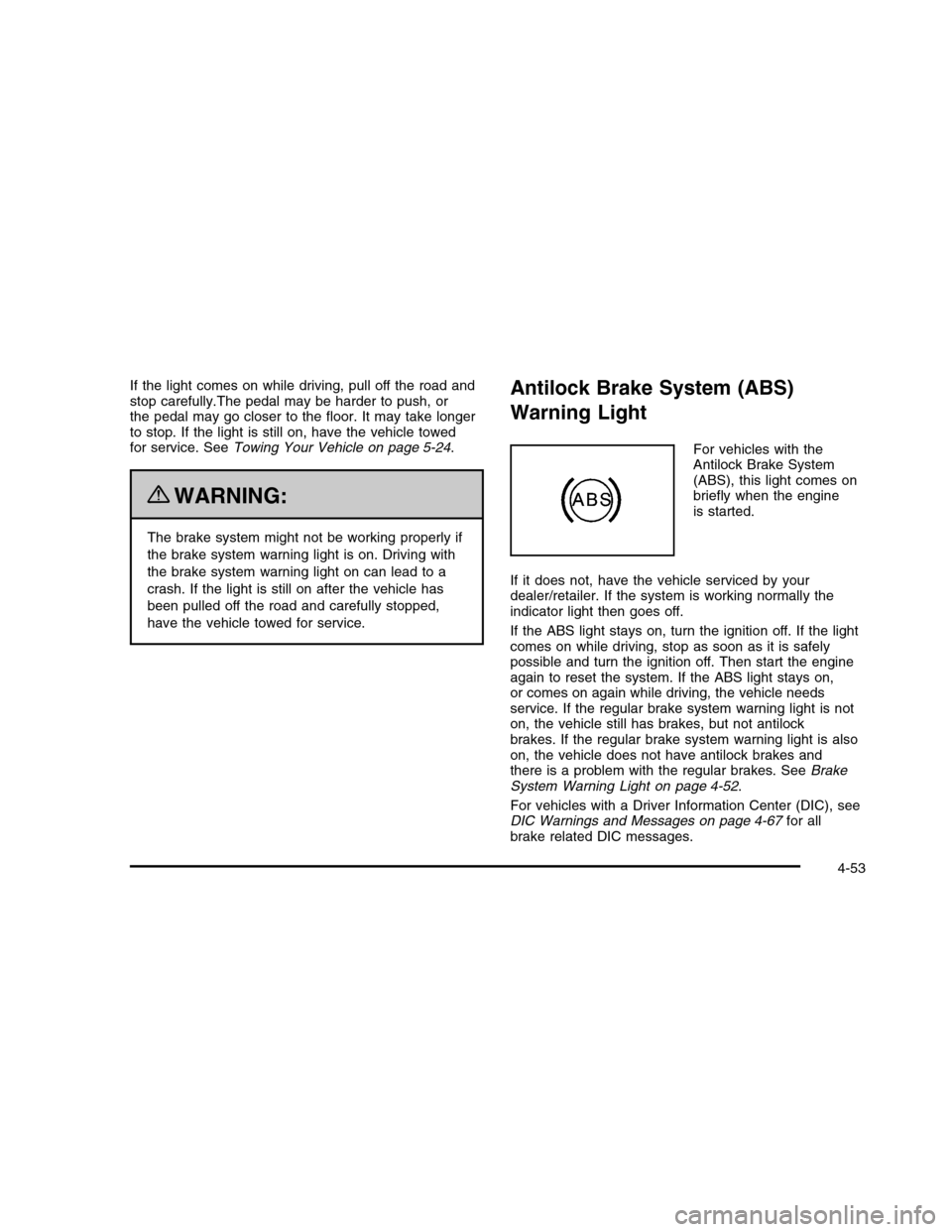
For vehicles with theAntilock Brake System(ABS), this light comes onbriefly when the engineis started.
If it does not, have the vehicle serviced by yourdealer/retailer. If the system is working normally theindicator light then goes off.
If the ABS light stays on, turn the ignition off. If the lightcomes on while driving, stop as soon as it is safelypossible and turn the ignition off. Then start the engineagain to reset the system. If the ABS light stays on,or comes on again while driving, the vehicle needsservice. If the regular brake system warning light is noton, the vehicle still has brakes, but not antilockbrakes. If the regular brake system warning light is alsoon, the vehicle does not have antilock brakes andthere is a problem with the regular brakes. SeeBrakeSystem Warning Light on page 4-52.
For vehicles with a Driver Information Center (DIC), seeDIC Warnings and Messages on page 4-67for allbrake related DIC messages.
4-53
Page 233 of 480

RELEARN REMOTE KEY
This display allows you to match Remote KeylessEntry (RKE) transmitters to your vehicle. This procedurewill erase all previously learned transmitters. Therefore,they must be relearned as additional transmitters.
To match an RKE transmitter to your vehicle:
1. Press the vehicle information button until
PRESSVTO RELEARN REMOTE KEY displays.
2. Press the set/reset button until REMOTE KEYLEARNING ACTIVE is displayed.
3. Press and hold the lock and unlock buttons on thefirst transmitter at the same time for about15 seconds.
On vehicles with memory recall seats, the firsttransmitter learned will match driver 1 andthe second will match driver 2.
A chime will sound indicating that the transmitter ismatched.
4. To match additional transmitters at this time, repeatStep 3.
Each vehicle can have a maximum of eighttransmitters matched to it.
5. To exit the programming mode, you must cycle thekey to LOCK/OFF.
Blank Display
This display shows no information.
DIC Warnings and Messages
These messages appear if there is a problem detectedin one of your vehicle’s systems.
You must acknowledge a message to clear it from thescreen for further use. To clear a message, pressthe set/reset button.
Be sure to take any message that appears on thescreen seriously and remember that clearing themessage will only make the message disappear, notthe problem.
ADVISORY XXX MPH (km/h)
This message displays when the Speed Alert has beenturned on through the DIC Information Menu and thevehicle is at or above the advised speed. SeeDICOperation and Displays on page 4-62.
AUTOMATIC LIGHT CONTROL OFF
This message displays when the automatic headlampsare turned off. SeeExterior Lamps on page 4-25formore information.
4-67
Page 235 of 480

CLEAN RADAR
This message displays when the Adaptive CruiseControl (ACC) system and the Forward Collision Alert(FCA) system are disabled because the radar is blockedand cannot detect vehicles in your path. It may alsoactivate during heavy rain or due to road spray. To cleanthe system, see “Cleaning the System” underAdaptiveCruise Control on page 4-15.
CRUISE SET TO XXX MPH (km/h)
This message displays whenever the cruise control isset. SeeCruise Control on page 4-12andAdaptiveCruise Control on page 4-15for more information.
If your vehicle has Adaptive Cruise Control (ACC), aftera few seconds, this message clears and the message“SET SPD XX” displays at the bottom of the DIC.See “SET SPD (Speed)” later in this section.
DRIVER DOOR OPEN
This symbol appears withthis message.
This message displays when the driver door is notclosed completely. Make sure that the door is closedcompletely.
ENGINE HOT – A/C
(Air Conditioning) OFF
This message displays when the engine coolantbecomes hotter than the normal operating temperature.SeeEngine Coolant Temperature Gage on page 4-56.To avoid added strain on a hot engine, the airconditioning compressor automatically turns off. Whenthe coolant temperature returns to normal, the airconditioning compressor turns back on. You cancontinue to drive your vehicle.
If this message continues to appear, have the systemrepaired by your dealer/retailer as soon as possibleto avoid damage to the engine.
4-69
Page 240 of 480

RIGHT REAR DOOR OPEN
This symbol appears withthis message.
This message displays when the passenger side reardoor is not closed completely. Make sure that the door isclosed completely.
SERVICE AIR BAG
This message displays when there is a problem with theairbag system. Have your vehicle serviced by yourdealer/retailer immediately. SeeAirbag Readiness Lighton page 4-50for more information.
SERVICE A/C SYSTEM
This message displays when the air delivery mode dooror the electronic sensors that control the air conditioningand heating systems are no longer working. Havethe climate control system serviced by yourdealer/retailer if you notice a drop in heating and airconditioning efficiency.
SERVICE BATTERY CHARGING
SYSTEM
This message displays when a problem with thecharging system has been detected. The chargingsystem light also displays on the instrument panelcluster. SeeCharging System Light on page 4-52formore information. Have your vehicle serviced byyour dealer/retailer.
SERVICE BRAKE ASSIST
This message displays if there is a problem with thebrake system. The brake system warning light and theantilock brake system warning light may also bedisplayed on the instrument panel cluster. SeeBrakeSystem Warning Light on page 4-52andAntilock BrakeSystem (ABS) Warning Light on page 4-53for moreinformation. If this happens, stop as soon as possibleand turn off the vehicle. Restart the vehicle andcheck for the message on the DIC display. If themessage is displayed or appears again when you begindriving, the brake system needs service. See yourdealer/retailer as soon as possible. SeeBrakeson page 6-32for more information.
4-74