power steering CADILLAC DTS 2011 1.G User Guide
[x] Cancel search | Manufacturer: CADILLAC, Model Year: 2011, Model line: DTS, Model: CADILLAC DTS 2011 1.GPages: 470, PDF Size: 4.72 MB
Page 39 of 470

Black plate (7,1)Cadillac DTS Owner Manual - 2011
To stop recall movement, press one of the power seat
controls, memory or power mirror buttons, or the power
tilt wheel control.
If something has blocked the driver seat and/or the
steering column while recalling a memory position, the
recall may stop. Remove the obstruction; then press
and hold the appropriate manual control for the memory
item that is not recalling for two seconds. Try recalling
the memory position again by pressing the appropriate
memory button. If the memory position is still not
recalling, see your dealer for service.
Easy Exit Driver Seat
The easy exit driver seat feature can move the seat
rearward and the power steering column, if equipped,
up and forward to allow extra room to exit the vehicle.
S(Easy Exit Driver Seat):Press to recall the easy exit
seat position. The vehicle must be in P (Park). If the easy exit seat feature is programmed on in the
vehicle customization menu, automatic seat and
steering column movement occur when the ignition key
is removed.
A single beep sounds. The driver seat will move
back, and if the vehicle has the power tilt wheel and
telescopic steering feature, the power telescopic
steering column will move up and forward.
If something has blocked the driver seat while recalling
the exit position, the recall may stop. Remove the
obstruction; then press and hold the power seat control
rearward for two seconds. Try recalling the exit position
again. If the exit position is still not recalling, see your
dealer for service.
See
“Easy Exit Recall” and“Easy Exit Setup” under
DIC Vehicle Customizationon page 4‑77for more
information.
2-7
Page 116 of 470
Black plate (12,1)Cadillac DTS Owner Manual - 2011
Trunk
{WARNING:
Exhaust gases can enter the vehicle if it is driven
with the liftgate, trunk/hatch open, or with any
objects that pass through the seal between the
body and the trunk/hatch or liftgate. Engine
exhaust contains Carbon Monoxide (CO) which
cannot be seen or smelled. It can cause
unconsciousness and even death.
If the vehicle must be driven with the liftgate,
or trunk/hatch open:
.Close all of the windows.
.Fully open the air outlets on or under the
instrument panel.
.Adjust the Climate Control system to a setting
that brings in only outside air and set the fan
speed to the highest setting. See Climate
Control System in the Index.
.If the vehicle is equipped with a power liftgate,
disable the power liftgate function.
For more information about carbon monoxide, see
Engine Exhaust on page 3‑33.
Remote Trunk Release
V
(Remote Trunk Release): The remote trunk
release button is located to the left of the steering wheel
next to the instrument panel brightness control. Press
the button to open the trunk. The vehicle must be in
P (Park) or N (Neutral) and the valet lockout switch must
be off to use this button.
You can also press the button with the trunk symbol on
the RKE transmitter to open the trunk. To disable this
feature, see Valet Lockout Switch on page 3‑18.
The trunk can be accessed using the Rear Seat
Pass-Through. See “Rear Seat Pass-Through” following
this section.
3-12
Page 127 of 470
Black plate (23,1)Cadillac DTS Owner Manual - 2011
A (STOPPING THE ENGINE/LOCK/OFF):When the
vehicle is stopped, turn the ignition switch to LOCK/OFF
to turn the engine off. Retained Accessory Power (RAP)
will remain active. See Retained Accessory Power
(RAP) on page 3‑24.
This is the only position in which the ignition key can be
inserted or removed. This position locks the ignition and
transmission and steering column.
Do not turn the engine off when the vehicle is moving.
This will cause a loss of power assist in the brake and
steering systems and disable the airbags.
In an emergency:
1. Brake using a firm and steady pressure. Do not pump the brakes repeatedly. This may deplete
power assist, requiring increased brake pedal
force.
2. Shift the vehicle to neutral. This can be done while the vehicle is moving. After shifting to neutral,
firmly apply the brakes and steer the vehicle to a
safe location.
3. Come to a complete stop, shift to P (Park), and turn the ignition to LOCK/OFF. On vehicles with
an automatic transmission, the shift lever must
be in P (Park) to turn the ignition switch to the
LOCK/OFF position.
4. Set the parking brake. See Parking Brake
on
page 3‑29. The steering can bind with the wheels turned off center.
If this happens, move the steering wheel from right to
left while turning the key to ACC/ACCESSORY. If this
doesn't work, the vehicle needs service.
B (ACC/ACCESSORY):
This position lets the radio
and windshield wipers operate while the engine is off.
To use ACC/ACCESSORY, turn the key clockwise.
C (ON/RUN): This position is where the key returns to
after the vehicle is started. This position displays some
of the warning and indicator lights.
The battery could be drained if you leave the key in
the ACC/ACCESSORY or ON/RUN position with the
engine off. You may not be able to start the vehicle if
the battery is allowed to drain for an extended period
of time.
D (START): This position starts the engine.
A warning chime will sound and the Driver Information
Center (DIC) will display DRIVER DOOR OPEN when
the driver door is opened if the ignition is in LOCK/OFF,
ACC/ACCESSORY and the key is in the ignition. See
DIC Warnings and Messages
on page 4‑65for more
information.
3-23
Page 128 of 470

Black plate (24,1)Cadillac DTS Owner Manual - 2011
Retained Accessory Power (RAP)
These vehicle accessories can be used for up to
10 minutes after the ignition key is turned off:
.Audio System
.Audio Steering Wheel Controls
.Power Windows
.Sunroof (if equipped)
Power to these accessories will work up to 10 minutes
or until the driver's door is opened. For an additional
10 minutes of power, close all the doors and turn the
key to ON/RUN and then back to LOCK/OFF.
Starting the Engine
Move the shift lever to P (Park) or N (Neutral). The
engine will not start in any other position. To restart the
engine when the vehicle is already moving, use
N (Neutral) only.
Notice: Do not try to shift to P (Park) if the vehicle
is moving. If you do, you could damage the
transmission. Shift to P (Park) only when the vehicle
is stopped.
Starting Procedure
1. With your foot off the accelerator pedal, turn the ignition to START. When the engine starts, let
go of the key. The idle speed will slow down
as the engine warms. Do not race the engine
immediately after starting it. Operate the engine
and transmission gently to allow the oil to warm up
and lubricate all moving parts.
The vehicle has a Computer-Controlled Cranking
System. This feature assists in starting the engine
and protects components. If the ignition key is
turned to the START position, and then released
when the engine begins cranking, the engine will
continue cranking for a few seconds or until the
vehicle starts. If the engine does not start and the
key is held in START, cranking will be stopped
after 15 seconds to prevent cranking motor
damage. To prevent gear damage, this system also
prevents cranking if the engine is already running.
Engine cranking can be stopped by turning the
ignition switch to the ACC/ACCESSORY or LOCK/
OFF position.
3-24
Page 163 of 470

Black plate (1,1)Cadillac DTS Owner Manual - 2011
Section 4 Instrument Panel
Instrument Panel Overview. . . . . . . . . . . . . . . . . . . . . . . .4-3
Hazard Warning Flashers . . . . . . . . . . . . . . . . . . . . . . . 4-3
Horn . . . . . . . . . . . . . . . . . . . . . . . . . . . . . . . . . . . . . . . . . . . . 4-3
Tilt Wheel . . . . . . . . . . . . . . . . . . . . . . . . . . . . . . . . . . . . . . . 4-3
Power Tilt Wheel and Telescopic Steering Column . . . . . . . . . . . . . . . . . . . . . . . . . . . . . . . . . . . . . . . 4-4
Heated Steering Wheel . . . . . . . . . . . . . . . . . . . . . . . . . 4-4
Turn Signal/Multifunction Lever . . . . . . . . . . . . . . . . . . 4-5
Turn and Lane-Change Signals . . . . . . . . . . . . . . . . . 4-5
Headlamp High/Low-Beam Changer . . . . . . . . . . . . 4-6
Forward Collision Alert (FCA) System . . . . . . . . . . . 4-6
Flash-to-Pass . . . . . . . . . . . . . . . . . . . . . . . . . . . . . . . . . . 4-10
Windshield Wipers . . . . . . . . . . . . . . . . . . . . . . . . . . . . . 4-10
Windshield Washer . . . . . . . . . . . . . . . . . . . . . . . . . . . . 4-11
Cruise Control . . . . . . . . . . . . . . . . . . . . . . . . . . . . . . . . . 4-12
Adaptive Cruise Control . . . . . . . . . . . . . . . . . . . . . . . 4-14
Exterior Lamps . . . . . . . . . . . . . . . . . . . . . . . . . . . . . . . . 4-25
Wiper Activated Headlamps . . . . . . . . . . . . . . . . . . . 4-28
Headlamps on Reminder . . . . . . . . . . . . . . . . . . . . . . 4-28
Daytime Running Lamps (DRL) . . . . . . . . . . . . . . . . 4-28
Fog Lamps . . . . . . . . . . . . . . . . . . . . . . . . . . . . . . . . . . . . 4-29
Cornering Lamps . . . . . . . . . . . . . . . . . . . . . . . . . . . . . . 4-29
Exterior Lighting Battery Saver . . . . . . . . . . . . . . . . . 4-30
Instrument Panel Brightness . . . . . . . . . . . . . . . . . . . 4-30
Courtesy Lamps . . . . . . . . . . . . . . . . . . . . . . . . . . . . . . . 4-30 Entry Lighting . . . . . . . . . . . . . . . . . . . . . . . . . . . . . . . . . . 4-30
Parade Dimming . . . . . . . . . . . . . . . . . . . . . . . . . . . . . . . 4-31
Reading Lamps . . . . . . . . . . . . . . . . . . . . . . . . . . . . . . . . 4-31
Footwell Lamps . . . . . . . . . . . . . . . . . . . . . . . . . . . . . . . . 4-31
Battery Load Management . . . . . . . . . . . . . . . . . . . . . 4-31
Electric Power Management . . . . . . . . . . . . . . . . . . . 4-32
Inadvertent Power Battery Saver . . . . . . . . . . . . . . . 4-32
Battery Run-Down Protection . . . . . . . . . . . . . . . . . . 4-33
Accessory Power Outlet(s) . . . . . . . . . . . . . . . . . . . . . 4-33
Analog Clock . . . . . . . . . . . . . . . . . . . . . . . . . . . . . . . . . . 4-34
Climate Controls . . . . . . . . . . . . . . . . . . . . . . . . . . . . . . . . . . 4-34
Dual Climate Control System . . . . . . . . . . . . . . . . . . 4-34
Outlet Adjustment . . . . . . . . . . . . . . . . . . . . . . . . . . . . . . 4-40
Rear Climate Control System . . . . . . . . . . . . . . . . . . 4-40
Passenger Compartment Air Filter . . . . . . . . . . . . . 4-42
Warning Lights, Gauges, and Indicators . . . . . . . .4-44
Instrument Panel Cluster . . . . . . . . . . . . . . . . . . . . . . . 4-45
Speedometer and Odometer . . . . . . . . . . . . . . . . . . . 4-46
Tachometer . . . . . . . . . . . . . . . . . . . . . . . . . . . . . . . . . . . . 4-46
Safety Belt Reminders . . . . . . . . . . . . . . . . . . . . . . . . . 4-47
Airbag Readiness Light . . . . . . . . . . . . . . . . . . . . . . . . 4-48
Passenger Airbag Status Indicator . . . . . . . . . . . . . 4-48
Charging System Light . . . . . . . . . . . . . . . . . . . . . . . . 4-49
Brake System Warning Light . . . . . . . . . . . . . . . . . . . 4-50
4-1
Page 166 of 470
Black plate (4,1)Cadillac DTS Owner Manual - 2011
Power Tilt Wheel and Telescopic
Steering Column
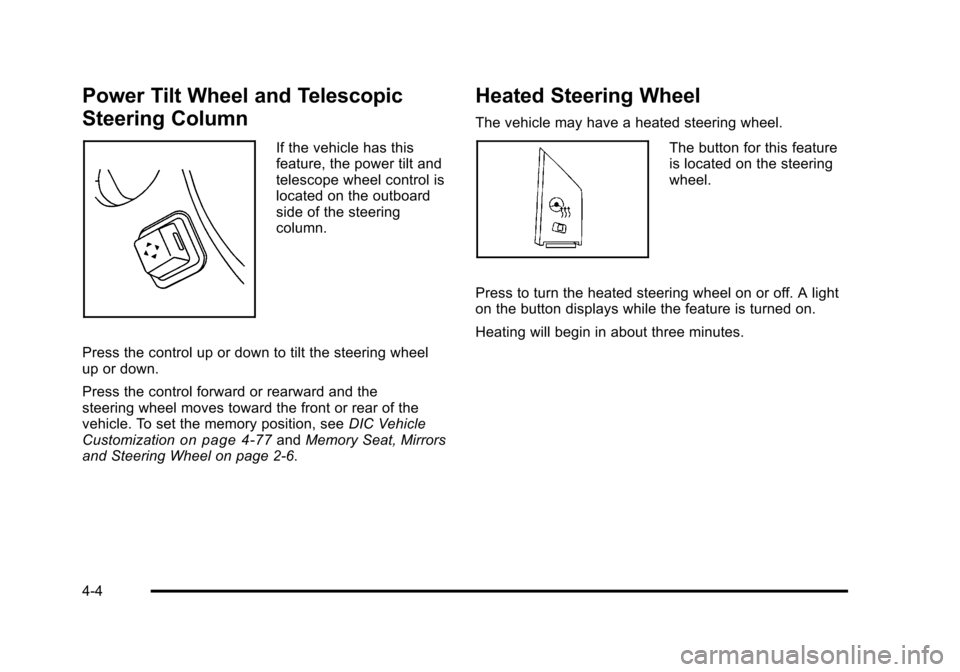
If the vehicle has this
feature, the power tilt and
telescope wheel control is
located on the outboard
side of the steering
column.
Press the control up or down to tilt the steering wheel
up or down.
Press the control forward or rearward and the
steering wheel moves toward the front or rear of the
vehicle. To set the memory position, see DIC Vehicle
Customization
on page 4‑77and Memory Seat, Mirrors
and Steering Wheel on page 2‑6.
Heated Steering Wheel
The vehicle may have a heated steering wheel.
The button for this feature
is located on the steering
wheel.
Press to turn the heated steering wheel on or off. A light
on the button displays while the feature is turned on.
Heating will begin in about three minutes.
4-4
Page 235 of 470
Black plate (73,1)Cadillac DTS Owner Manual - 2011
SERVICE PARKING ASSIST
If your vehicle has the Ultrasonic Front and Rear
Parking Assist (UFRPA) system, this message displays
if there is a problem with the UFRPA system. Do not
use this system to help you park. SeeUltrasonic Front
and Rear Parking Assist (UFRPA)
on page 3‑38for
more information. See your dealer for service.
SERVICE POWER STEERING
Your vehicle may have a speed variable assist steering
system. See Steering on page 5‑8.
This message displays if a problem is detected with
the speed variable assist steering system. When this
message is displayed, you may notice that the effort
required to steer the vehicle decreases or feels lighter,
but you will still be able to steer the vehicle.
SERVICE RADAR CRUISE
This message displays when the Adaptive Cruise
Control (ACC) system and the Forward Collision Alert
(FCA) system are disabled and need service. See your
dealer.
SERVICE SIDE BLIND ZONE ALERT
SYSTEM
If your vehicle has the Side Blind Zone Alert (SBZA)
system and this message displays, both SBZA displays
will remain on indicating there is a problem with the
SBZA system. If these displays remain on after
continued driving, the system needs service. See your
dealer. See Side Blind Zone Alert (SBZA)
on page 3‑42for more information.
SERVICE STABILITRAK
Your vehicle may have a vehicle stability enhancement
system called StabiliTrak®. SeeStabiliTrak®Systemon
page 5‑6.
This message displays if there has been a problem
detected with the StabiliTrak system.
If this message comes on while you are driving, pull off
the road as soon as possible and stop carefully. Try
resetting the system by turning the ignition off then back
on. If this message still stays on or comes back on
again while you are driving, your vehicle needs service.
Have the StabiliTrak system inspected by your dealer
as soon as possible.
4-73
Page 246 of 470

Black plate (84,1)Cadillac DTS Owner Manual - 2011
EASY EXIT RECALL
If your vehicle has this feature, it allows you to select
your preference for the automatic easy exit seat feature.
SeeMemory Seat, Mirrors and Steering Wheel
on
page 2‑6for more information.
Press the customization button until EASY EXIT
RECALL appears on the DIC display. Press the set/
reset button once to access the settings for this feature.
Then press the menu up/down button to scroll through
the following settings:
DOOR BUTTON ONLY: No automatic seat exit recall
will occur. The recall will only occur after pressing the
easy exit seat button.
BUTTON AND KEY OUT (default): If the features are
enabled through the EASY EXIT SETUP menu, the
driver's seat will move back, and if the vehicle has the
power tilt wheel and telescopic steering feature, the
power steering column will move up and forward when
the key is removed from the ignition or after pressing
the easy exit seat button.
The automatic easy exit seat movement will only occur
one time after the key is removed from the ignition.
If the automatic movement has already occurred, and
you put the key back in the ignition and remove it again,
the seat and steering column will stay in the original exit
position, unless a memory recall took place prior to
removing the key again. NO CHANGE:
No change will be made to this feature.
The current setting will remain.
To select a setting, press the set/reset button while the
desired setting is displayed on the DIC.EASY EXIT SETUP
If your vehicle has this feature, it allows you to select
which areas will recall with the automatic easy exit seat
feature. It also allows you to turn off the automatic easy
exit feature. See Memory Seat, Mirrors and Steering
Wheel
on page 2‑6and “EASY EXIT RECALL” earlier
for more information.
Press the customization button until EASY EXIT SETUP
appears on the DIC display. Press the set/reset button
once to access the settings for this feature. Then press
the menu up/down button to scroll through the following
settings:
OFF: No automatic seat exit will recall.
SEAT ONLY: The driver's seat will recall.
TILT ONLY: The steering wheel tilt feature will recall.
TELESCOPE ONLY: The steering column telescope
feature will recall.
SEAT/TILT: The driver's seat and the steering wheel tilt
feature will recall.
SEAT/TELESCOPE: The driver's seat and the steering
column telescope feature will recall.
4-84
Page 247 of 470

Black plate (85,1)Cadillac DTS Owner Manual - 2011
TILT/TELESCOPE:The steering wheel tilt and steering
column telescope features will recall.
ALL (default): The driver's seat and the steering wheel
tilt and steering column telescope features will recall,
if your vehicle has this option.
NO CHANGE: No change will be made to this feature.
The current setting will remain.
To select a setting, press the set/reset button while the
desired setting is displayed on the DIC.
MEMORY SEAT RECALL
If your vehicle has this feature, it allows you to select
your preference for the remote memory seat recall
feature. See Memory Seat, Mirrors and Steering Wheel
on page 2‑6for more information.
Press the customization button until MEMORY SEAT
RECALL appears on the DIC display. Press the set/
reset button once to access the settings for this feature.
Then press the menu up/down button to scroll through
the following settings:
OFF (default): No remote memory seat recall will
occur.
ON: The driver's seat and outside mirrors will
automatically move to the stored driving position when
the unlock button on the Remote Keyless Entry (RKE)
transmitter is pressed. The steering column will also
move on vehicles with the power tilt and telescopic steering feature. See
Power Tilt Wheel and Telescopic
Steering Column
on page 4‑4for more information.
See “RELEARN REMOTE KEY” underDIC Operation
and Displays
on page 4‑60for more information on
matching transmitters to driver ID numbers.
NO CHANGE: No change will be made to this feature.
The current setting will remain.
To select a setting, press the set/reset button while the
desired setting is displayed on the DIC.
REMOTE START
If the vehicle has remote start, this feature allows it to
be turned on or off. When REMOTE START displays,
press and hold the reset button, the select ON or OFF.
OFF disables the remote start feature. See Remote
Vehicle Start
on page 3‑7for more information.
FACTORY SETTINGS
This feature allows you to set all of the customization
features back to their factory default settings.
Press the customization button until FACTORY
SETTINGS appears on the DIC display. Press the
set/reset button once to access the settings for this
feature. Then press the menu up/down button to scroll
through the following settings:
RESTORE ALL (default): The customization features
will be set to their factory default settings.
4-85
Page 283 of 470
Black plate (5,1)Cadillac DTS Owner Manual - 2011
ABS can change the brake pressure to each wheel, as
required, faster than any driver could. This can help the
driver steer around the obstacle while braking hard.
As the brakes are applied, the computer keeps
receiving updates on wheel speed and controls braking
pressure accordingly.
Remember: ABS does not change the time needed to
get a foot up to the brake pedal or always decrease
stopping distance. If you get too close to the vehicle in
front of you, there will not be enough time to apply the
brakes if that vehicle suddenly slows or stops. Always
leave enough room up ahead to stop, even with ABS.
Using ABS
Do not pump the brakes. Just hold the brake pedal
down firmly and let antilock work. The antilock pump or
motor operating might be heard and the brake pedal
might be felt to pulsate, but this is normal.
Braking in Emergencies
ABS allows the driver to steer and brake at the same
time. In many emergencies, steering can help more
than even the very best braking.
Brake Assist
This vehicle has a Brake Assist feature designed to
assist the driver in stopping or decreasing vehicle
speed in emergency driving conditions. This feature
uses the stability system hydraulic brake control module
to supplement the power brake system under conditions
where the driver has quickly and forcefully applied the
brake pedal in an attempt to quickly stop or slow down
the vehicle. The stability system hydraulic brake control
module increases brake pressure at each corner of
the vehicle until the ABS activates. Minor brake pedal
pulsations or pedal movement during this time is normal
and the driver should continue to apply the brake pedal
as the driving situation dictates The Brake Assist
feature will automatically disengage when the brake
pedal is released or brake pedal pressure is quickly
decreased.
5-5