warning CADILLAC DTS 2011 1.G Owners Manual
[x] Cancel search | Manufacturer: CADILLAC, Model Year: 2011, Model line: DTS, Model: CADILLAC DTS 2011 1.GPages: 470, PDF Size: 4.72 MB
Page 1 of 470

Black plate (1,1)Cadillac DTS Owner Manual - 2011
2011 Cadillac DTS Owner ManualM
In Brief. . . . . . . . . . . . . . . . . . . . . . . . . . . . . . . . . . . . . . . . . . . . 1-1
Instrument Panel . . . . . . . . . . . . . . . . . . . . . . . . . . . . . . . . . 1-2
Initial Drive Information . . . . . . . . . . . . . . . . . . . . . . . . . . . 1-4
Vehicle Features . . . . . . . . . . . . . . . . . . . . . . . . . . . . . . . . 1-15
Performance and Maintenance . . . . . . . . . . . . . . . . . . 1-21
Seats and Restraint System . . . . . . . . . . . . . . . . . . . . . . 2-1
Head Restraints . . . . . . . . . . . . . . . . . . . . . . . . . . . . . . . . . . 2-2
Front Seats . . . . . . . . . . . . . . . . . . . . . . . . . . . . . . . . . . . . . . . 2-3
Rear Seats . . . . . . . . . . . . . . . . . . . . . . . . . . . . . . . . . . . . . . 2-10
Safety Belts . . . . . . . . . . . . . . . . . . . . . . . . . . . . . . . . . . . . . 2-11
Child Restraints . . . . . . . . . . . . . . . . . . . . . . . . . . . . . . . . . 2-31
Airbag System . . . . . . . . . . . . . . . . . . . . . . . . . . . . . . . . . . 2-54
Restraint System Check . . . . . . . . . . . . . . . . . . . . . . . . . 2-70
Features and Controls . . . . . . . . . . . . . . . . . . . . . . . . . . . . 3-1
Keys . . . . . . . . . . . . . . . . . . . . . . . . . . . . . . . . . . . . . . . . . . . . . 3-3
Doors and Locks . . . . . . . . . . . . . . . . . . . . . . . . . . . . . . . . . 3-9
Windows . . . . . . . . . . . . . . . . . . . . . . . . . . . . . . . . . . . . . . . . 3-14 Theft-Deterrent Systems . . . . . . . . . . . . . . . . . . . . . . . . 3-18
Starting and Operating Your Vehicle . . . . . . . . . . . . . 3-22
Mirrors . . . . . . . . . . . . . . . . . . . . . . . . . . . . . . . . . . . . . . . . . . 3-35
Object Detection Systems . . . . . . . . . . . . . . . . . . . . . . . 3-38
Universal Home Remote System . . . . . . . . . . . . . . . . 3-47
Storage Areas . . . . . . . . . . . . . . . . . . . . . . . . . . . . . . . . . . . 3-54
Sunroof . . . . . . . . . . . . . . . . . . . . . . . . . . . . . . . . . . . . . . . . . 3-56
Instrument Panel . . . . . . . . . . . . . . . . . . . . . . . . . . . . . . . . . 4-1
Instrument Panel Overview . . . . . . . . . . . . . . . . . . . . . . . 4-3
Climate Controls . . . . . . . . . . . . . . . . . . . . . . . . . . . . . . . . 4-34
Warning Lights, Gauges, and Indicators . . . . . . . . . 4-44
Driver Information Center (DIC) . . . . . . . . . . . . . . . . . 4-59
Audio System(s) . . . . . . . . . . . . . . . . . . . . . . . . . . . . . . . . 4-86
Driving Your Vehicle . . . . . . . . . . . . . . . . . . . . . . . . . . . . . . 5-1
Your Driving, the Road, and the Vehicle . . . . . . . . . . 5-2
Towing . . . . . . . . . . . . . . . . . . . . . . . . . . . . . . . . . . . . . . . . . . 5-24
Page 4 of 470
Black plate (4,1)Cadillac DTS Owner Manual - 2011
Safety Warnings and Symbols
Warning messages found on vehicle labels and in this
manual describe hazards and what to do to avoid or
reduce them.
Dangerindicates a hazard with a high level of risk
which will result in serious injury or death.
Warning orCaution indicates a hazard that could result
in injury or death.
{WARNING:
These mean there is something that could hurt
you or other people.
Notice: This means there is something that could
result in property or vehicle damage. This would not
be covered by the vehicle's warranty.
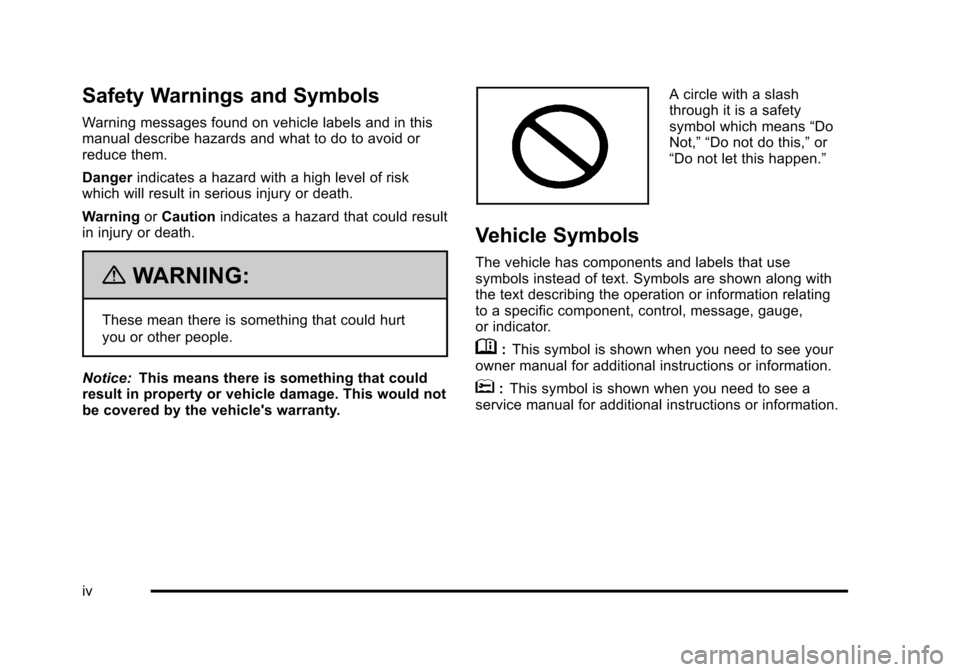
A circle with a slash
through it is a safety
symbol which means “Do
Not,” “Do not do this,” or
“Do not let this happen.”
Vehicle Symbols
The vehicle has components and labels that use
symbols instead of text. Symbols are shown along with
the text describing the operation or information relating
to a specific component, control, message, gauge,
or indicator.
M: This symbol is shown when you need to see your
owner manual for additional instructions or information.
*: This symbol is shown when you need to see a
service manual for additional instructions or information.
iv
Page 5 of 470
Black plate (5,1)Cadillac DTS Owner Manual - 2011
Vehicle Symbol Chart
Here are some additional symbols that may be found on
the vehicle and what they mean. For more information
on the symbol, refer to the Index.
9:Airbag Readiness Light
#:Air Conditioning
!:Antilock Brake System (ABS)
g:Audio Steering Wheel Controls or OnStar®
$: Brake System Warning Light
":Charging System
I:Cruise Control
B: Engine Coolant Temperature
O:Exterior Lamps
#:Fog Lamps
.: Fuel Gauge
+:Fuses
3: Headlamp High/Low-Beam Changer
j:LATCH System Child Restraints
*: Malfunction Indicator Lamp
::Oil Pressure
g:Outside Power Foldaway Mirrors
}:Power
/:Remote Vehicle Start
>:Safety Belt Reminders
7:Tire Pressure Monitor
F:Traction Control
M:Windshield Washer Fluid
v
Page 9 of 470

Black plate (3,1)Cadillac DTS Owner Manual - 2011
A.Outlet Adjustment on page 4‑40.
B. Driver Information Center (DIC) Buttons. See Driver Information Center (DIC) on page 4‑59.
C. Exterior Lamps on page 4‑25.
D. Instrument Panel Cluster on page 4‑45.
E. Horn on page 4‑3.
F. Audio Steering Wheel Controls on page 4‑114.
G. Ultrasonic Front and Rear Parking Assist (UFRPA)
on page 3‑38.
Adaptive Cruise Control
on page 4‑14(If Equipped).
H. Analog Clock on page 4‑34.
I. Hazard Warning Flashers on page 4‑3.
J. Audio System(s) on page 4‑86.
K. Trunk Release Button. See Trunk on page 3‑12.
L. Instrument Panel Brightness on page 4‑30.
M. Lane Departure Warning (LDW) on page 3‑45.
N. Turn Signal/Multifunction Lever on page 4‑5.
Windshield Wipers on page 4‑10. O.
Hood Release on page 6‑13.
P. Parking Brake on page 3‑29.
Q. Data Link Connector (DLC). See Malfunction
Indicator Lamp on page 4‑54.
R. Heated Steering Wheel
on page 4‑4(If Equipped).
S. Cruise Control
on page 4‑12(If Equipped).
Adaptive Cruise Control
on page 4‑14(If Equipped).
T. Tilt Wheel
on page 4‑3.
Power Tilt Wheel and Telescopic Steering Column
on page 4‑4(If Equipped).
U. Dual Climate Control System on page 4‑34.
V. Traction Control System Button (Console-Shift Vehicles). See Traction Control System (TCS)
on
page 5‑6.
W. Shift Lever. See Automatic Transmission Operation
on page 3‑26.
X. Accessory Power Outlet(s) on page 4‑33.
Y. Glove Box
on page 3‑54.
Valet Lockout Switch on page 3‑18.
1-3
Page 11 of 470
Black plate (5,1)Cadillac DTS Owner Manual - 2011
When the vehicle starts, the parking lamps will turn on
and remain on as long as the engine is running. The
doors will be locked and the climate control system may
come on.
The engine will continue to run for 10 minutes. Repeat
the steps for a 10-minute time extension. Remote start
can be extended only once.
Canceling a Remote Start
To cancel a remote start:
.Aim the RKE transmitter at the vehicle and press
and hold
/until the parking lamps turn off.
.Turn on the hazard warning flashers.
.Turn the ignition on and then back off.
See Remote Vehicle Start on page 3‑7.
Door Locks
From the outside, unlock the door using either the key
or the RKE transmitter.
From the inside, use the power door lock switches or
manual lock knobs located at the top of the door panel
near the window.
Power Door Locks
On vehicles with power door locks, the switches are
located on the front doors.
"(Unlock): Press to unlock the doors.
Q(Lock):Remove the key from the ignition and press
to lock the doors.
For more information, see:
.Door Locks on page 3‑9.
.Power Door Locks on page 3‑10.
.Remote Keyless Entry (RKE) System Operationon page 3‑4.
Trunk Release
In addition to the trunk release button on the RKE
transmitter, there is a remote release
Vbutton
located to the left of the steering wheel, next to the
instrument panel brightness control. Press to open the
trunk.
See Trunk on page 3‑12.
1-5
Page 25 of 470
Black plate (19,1)Cadillac DTS Owner Manual - 2011
Driver Information Center (DIC)
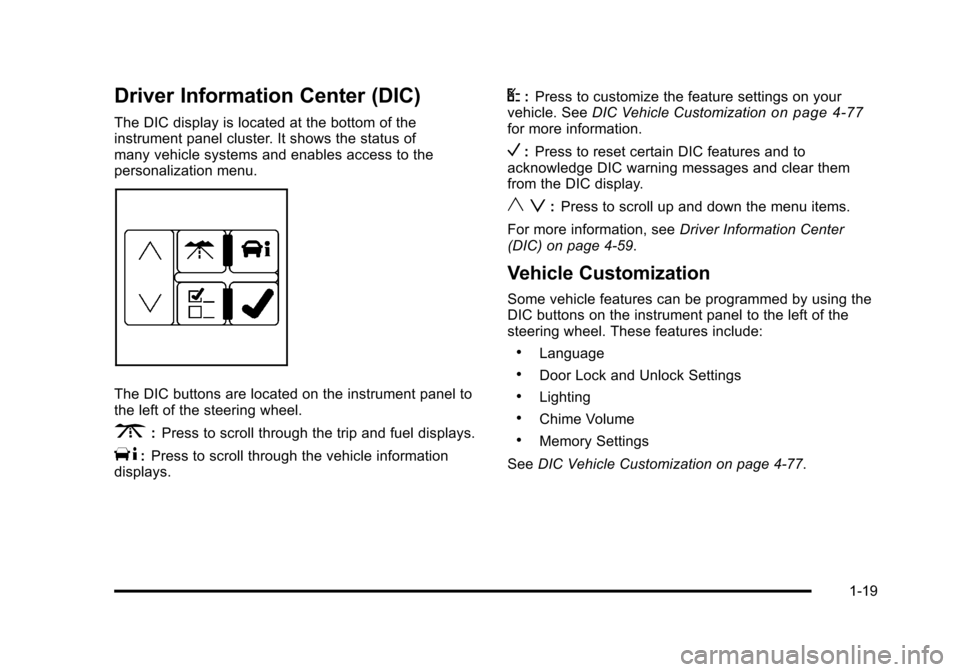
The DIC display is located at the bottom of the
instrument panel cluster. It shows the status of
many vehicle systems and enables access to the
personalization menu.
The DIC buttons are located on the instrument panel to
the left of the steering wheel.
3:Press to scroll through the trip and fuel displays.
T:Press to scroll through the vehicle information
displays.
U: Press to customize the feature settings on your
vehicle. See DIC Vehicle Customizationon page 4‑77for more information.
V:Press to reset certain DIC features and to
acknowledge DIC warning messages and clear them
from the DIC display.
y z: Press to scroll up and down the menu items.
For more information, see Driver Information Center
(DIC) on page 4‑59.
Vehicle Customization
Some vehicle features can be programmed by using the
DIC buttons on the instrument panel to the left of the
steering wheel. These features include:
.Language
.Door Lock and Unlock Settings
.Lighting
.Chime Volume
.Memory Settings
See DIC Vehicle Customization on page 4‑77.
1-19
Page 27 of 470
Black plate (21,1)Cadillac DTS Owner Manual - 2011
Performance and Maintenance
Traction Control System (TCS)
The traction control system limits wheel spin. The
system turns on automatically every time the vehicle is
started.
.To turn off traction control, press and releaseiin
front of the shift lever.
Filluminates and the
appropriate DIC message is displayed. See DIC
Warnings and Messages on page 4‑65.
.Press and release the button again to turn on
traction control.
For more information, see Traction Control System
(TCS) on page 5‑6.
StabiliTrak®System
The vehicle may have the StabiliTrak system that
assists with directional control of the vehicle in difficult
driving conditions. The system turns on automatically
every time the vehicle is started. The system cannot be
turned off.
For more information, see StabiliTrak
®Systemon
page 5‑6.
Tire Pressure Monitor
This vehicle may have a Tire Pressure Monitor
System (TPMS).
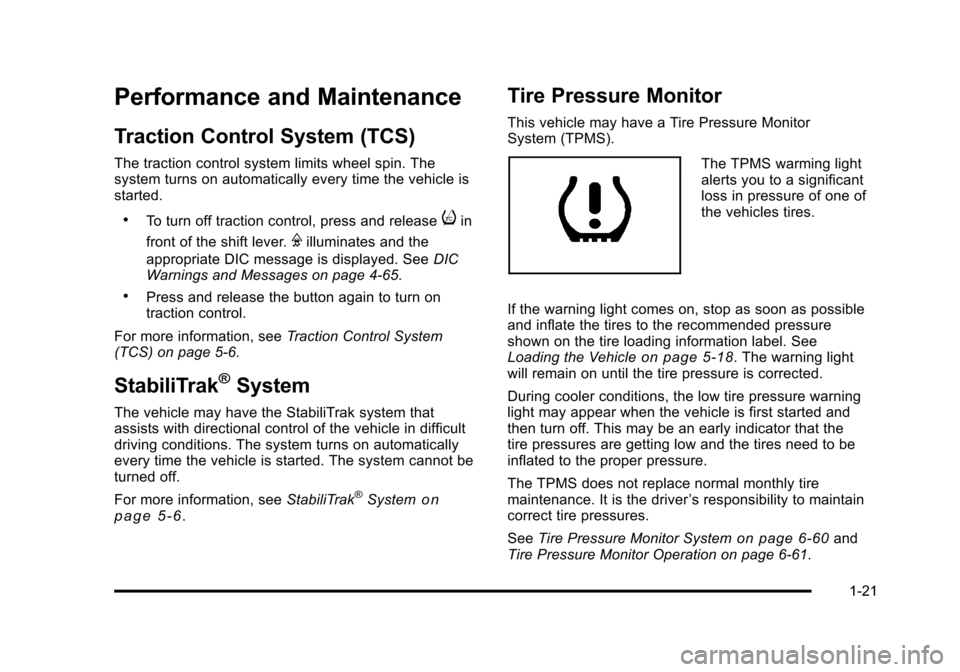
The TPMS warming light
alerts you to a significant
loss in pressure of one of
the vehicles tires.
If the warning light comes on, stop as soon as possible
and inflate the tires to the recommended pressure
shown on the tire loading information label. See
Loading the Vehicle
on page 5‑18. The warning light
will remain on until the tire pressure is corrected.
During cooler conditions, the low tire pressure warning
light may appear when the vehicle is first started and
then turn off. This may be an early indicator that the
tire pressures are getting low and the tires need to be
inflated to the proper pressure.
The TPMS does not replace normal monthly tire
maintenance. It is the driver ’s responsibility to maintain
correct tire pressures.
See Tire Pressure Monitor System
on page 6‑60and
Tire Pressure Monitor Operation on page 6‑61.
1-21
Page 34 of 470
Black plate (2,1)Cadillac DTS Owner Manual - 2011
Head Restraints
The front seats have adjustable head restraints in the
outboard seating positions.
{WARNING:
With head restraints that are not installed and
adjusted properly, there is a greater chance that
occupants will suffer a neck/spinal injury in a
crash. Do not drive until the head restraints for all
occupants are installed and adjusted properly.
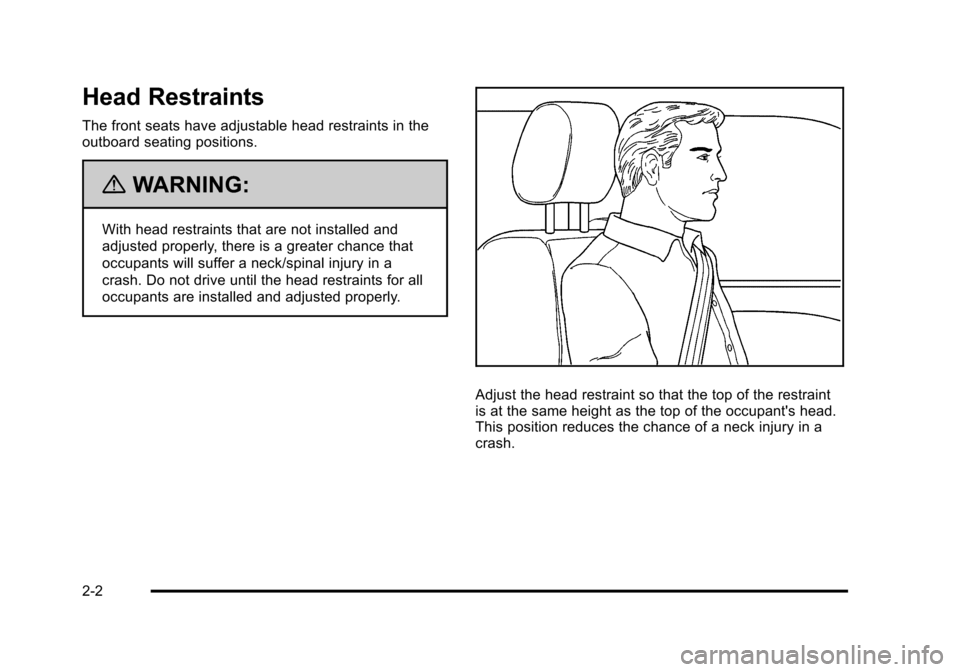
Adjust the head restraint so that the top of the restraint
is at the same height as the top of the occupant's head.
This position reduces the chance of a neck injury in a
crash.
2-2
Page 37 of 470

Black plate (5,1)Cadillac DTS Owner Manual - 2011
Heated and Ventilated Seats
{WARNING:
If you cannot feel temperature change or pain to
the skin, the seat heater may cause burns even at
low temperatures. To reduce the risk of burns,
people with such a condition should use care
when using the seat heater, especially for long
periods of time. Do not place anything on the seat
that insulates against heat, such as a blanket,
cushion, cover or similar item. This may cause the
seat heater to overheat. An overheated seat
heater may cause a burn or may damage
the seat.
To operate the heated and ventilated seats, the ignition
must be on.
Driver Side Buttons Shown On vehicles with this
feature, the buttons are
on the front doors.
J (Heated Seat Cushion and Seatback): Press this
button to heat the seat cushion and seatback.
I (Heated Seatback): Press this button to heat the
seatback.
H (Ventilated Seat Cushion and Seatback): Press this
button to cool the seat cushion and seatback.
Press the desired button once to turn this feature on at
the highest setting. A light on the button turns on to
show which feature is on.
The column of three lights near the buttons shows the
current temperature setting. With each press of the
button, the seat will change to the next lower setting,
and then to the off setting. The lights indicate three for
the highest setting and one for the lowest.
2-5
Page 40 of 470

Black plate (8,1)Cadillac DTS Owner Manual - 2011
Power Reclining Seatbacks
{WARNING:
You can lose control of the vehicle if you try to
adjust the seat while the vehicle is moving. The
sudden movement could startle and confuse you,
or make you push a pedal when you do not want
to. Adjust the driver seat only when the vehicle is
not moving.
The seats have power
reclining seatbacks. Use
the vertical power seat
control located on the
outboard side of the seat.
.Press the control toward the rear of the vehicle to
recline the seatback.
.Press the control toward the front of the vehicle to
raise the seatback.
{WARNING:
Sitting in a reclined position when the vehicle is in
motion can be dangerous. Even when buckled up,
the safety belts cannot do their job when reclined
like this.
The shoulder belt cannot do its job because it will
not be against your body. Instead, it will be in front
of you. In a crash, you could go into it, receiving
neck or other injuries.
The lap belt cannot do its job either. In a crash,
the belt could go up over your abdomen. The belt
forces would be there, not at your pelvic bones.
This could cause serious internal injuries.
For proper protection when the vehicle is in
motion, have the seatback upright. Then sit well
back in the seat and wear the safety belt properly.
2-8