service CADILLAC ELDORADO 1994 10.G User Guide
[x] Cancel search | Manufacturer: CADILLAC, Model Year: 1994, Model line: ELDORADO, Model: CADILLAC ELDORADO 1994 10.GPages: 398, PDF Size: 21.2 MB
Page 147 of 398
Downloaded from www.Manualslib.com manuals search engine i i
r
r
i I
A computer monitors ~pe~~~~~~.~~~y~~!~,.~~~~~~~~-~~ernission
control systems. This light should come on when the ignition is on, but
the engineis not running, as a check
to show you it is.working. If it does:
not come on at: all, have it fixed right away;
If it stays,on, or it comes on
while you are driving, the computer is indicating that. you have a problem.
You should take your vehicle in for service soon.
1’ NOTICE: I
If you keep.driving your vehicle with this light on, after a while ”.
the emission controls won’t work as well, your fuel.ecQn,o.my . . p.
won’t be as good. and-yourL.engine may not run as smmtM$~This.
could lead. to costly repairs not.covered. by your wmanty.
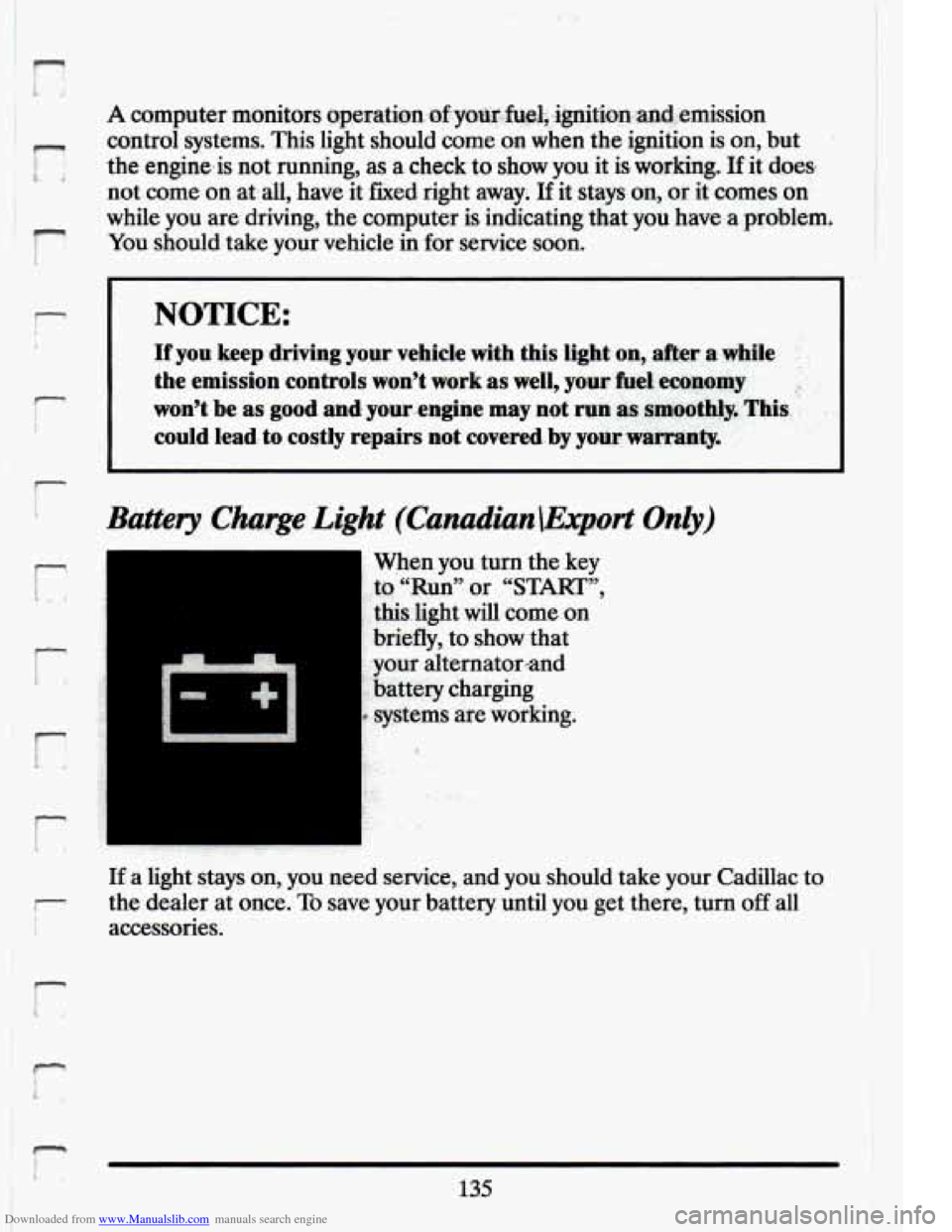
Battery Charge. Light (Canadian.\Eqmt Only)
..
When you.tum the key
,-to “Run”. or “START”,
this.light will come :on
briefly, to show that
:your alternator.rand
:battery charging
. systems are working.
I
If a light stays on, you need senrice, and you should take your Cadillac to
the dealer at once.
To save your battery until you get there, turn off all
accessories.
Page 155 of 398
Downloaded from www.Manualslib.com manuals search engine I-
r- I
i
BATTERY NO CMGE - .07 r,
This message will appear if your battery is not b.eing charged. Have your
electrical ,system checked by your Cadillac dealership at your earliest
convenience.
BATTERY VOLTS HIGH - 08
This .message shows that the electrical charging system is overcharging,
(more than
16 volts). To.avoid being stranded have. the electrical system
checked by your Cadillac dealership at your earliest convenience. You can
reduce the charging overload by using.the accessories. Turn on the lights,
radio,
set the Climate ‘Control on .“AUTO” and ,the.fan speed on “HI’’
and turn the rear window defogger.on. Youcan monitor battery voltage
on the Driver Information Center by toggling the“‘1NFORMATION”
button. When the engine is running, -the normal range is
11.5 to
1.5.5 volts.
BATTERY VOLTS LOW - 06
.This .message will appear when the.electrica1 system is charging less than
10 volts, or if the battery has been drained. If this message appears
immediately.after starting it .is possible that the .generator can still
recharge the battery. The. battery should recharge after driving a,few
miles and the message should go out.
If this .message appears while
driving or. after starting your vehicle and stays on,’have it, checked
immediately.to determine.the cause
of this problem. To help the
generatorrecharge the,,battery quickly, you can .reduce,the load.on the
electrical system by turning
off your accessories. You can monitor battery
voltage on the Driver Information Center. by toggling the
“INFORMATION” button. The. normal range
is 11.5 to 15.5 volts.
CHANGE TRANS FLUID - 47
This message will appear when it is time to replace the transaxle fluid.
See your maintenance booklet for the proper -fluid and change intervals.
CHECKBRAKEFLUID - 37
This.message. is displayed to inform the-driver that the brake.reservoir
fluid level .is low. Check.the brake reservoir level and add as needed.
Have the brake system serviced by a. Cadillac technician
-as soon as
.possible.
IT the brake warning light is on, €0110~ the directionsin that
section.
r L
143
Page 156 of 398
Downloaded from www.Manualslib.com manuals search engine CHECK COOLANT LEVEL - 04
This message will appear when there is a low level of engine coolant.
Have the cooling system serviced
by a Cadillac technician as soon as
possible.
CHECK FUEL GAGE - 39
This message will appear when your fuel supply is less than 4 gallam ad
your display is turned off.
CHECK OIL LEVEL - 36
This message will appear when your engine oil is approximately a quart
low. If this message is displayed, check the oil and add as needed.
CHANGE OIL SOON - 40
This message will appear when your engine oil is less than 10 percent or
the mileage since the last oil change is more than
6750 miles.
CHANGE ENGINE OIL - 82
This means that the life of your engine oil has expired and it should be
changed immediately. See engine oil and filter recommendations i\
n the
Maintenance Schedule. After an
oil change, the Oil Life Index must be
reset. See “Oil Life Indicator”
in the index on how to reset it.
CRUISE ENGAGED - 43
This message will appear for a few seconds when you select a speed to
cruise at.
ENGINE COOLANT HOT - 44
This message will appear when your engine coolant temperature i\
s over
126” C (259°F). To avoid added strain on a hot engine, turn off your
Climate Control system and stop and allow your vehicle to idle until it
cools down or the message is removed. If it does not cool down, turn off
your engine and have it serviced before driving it again. Seve\
re engine damage can result from an overheated engine. See “Engine Ove\
rheating’’
in the Index.
ENGINE HOT - A/C COMPRESSOR OF” - 16
This message will appear when the Climate Control is in “Auto” or
Defrost and the engine coolant
is hotter than the normal operating
temperature.
To avoid added .strain on a hot engine the air conditioning
L. -4
144
Page 157 of 398
Downloaded from www.Manualslib.com manuals search engine n
r
Ir
r
b”
n I t-
compressor,.is ,automatically $Urned.o€L =tlaat.;hap.pgns, air
conditioned air is not delivered.
If the coolant temperature returns to
normal, you must select “AUTO”, “DEFOG” or Defrost to return to a
normal A/C compressor operation.
FUEL LEVEL VERY LOW - 11
This message serves as a warning that the fuel level in your tank is
critically low. It means you should stop for fuel immediately. I
CHECK WASHER FLUID - 25
This message shows that the washer fluid reservoir is nearly empty.
SERVICE A/C SYSTEM A/C COMPRESSOR OFT - 14 I
This message appears when the electronic sensors that control the A/C
and heating system are no longer working. You may notice a drop in
heating and
A/C efficiency when this message appears. Have your
Climate Control system serviced
if this message appears.
STARTING DISABLED DUE TO THEFT SYSTEM REMOVE
IGNITION KEY - 33
This message will a ear when the Personalized Automotive Security
System (PASS Key
gp 11) senses that an improper ignition key is being used
to try to start the vehicle. Check the ignition key for damage.
If it is
damaged, it may need to be replaced.
If you see no damage, clean the Ii
pellet contacts with a soft cloth or napkin. Remove the ignition key and
wait for the Driver Information Center to display “WAIT
3 MINUTES”.
The Instrument Panel Cluster
will then run a timer and change the
messages to “WAIT
2 MINUTES ”, “WMT 1 MINUTE”, and then
“START CAR”. When the “START
CAR” message is displayed, try again
to start the engine.
SERVICE NOW - REFER TO OWNERS MANUAL - 02
This message appears if you have a problem with the Powertrain Control
Module
(PCM). To correct this problem have your vehicle serviced at
your Cadillac dealership.
SERVICE RIDE CONTROL - 84
This message is displayed to indicate that the Suspension System is not
operating properly. To correct this problem have your vehicle serviced at
your Cadillac dealership at your earliest convenience.
145.
Page 158 of 398
Downloaded from www.Manualslib.com manuals search engine STOP ENGINE ENGINE 0-TED - 42
This message will appear when your engine has overheated. Stop and
turn your engine off immediately to avoid severe engine damage. See
“Engine Overheating”
in the Index.
SERVICE VEHICLE SOON - 03
This message will appear if there is a problem with your Emission
Control System. If the “SERVICE ENGINE SOON” light on the
instrument panel and this message appears and then turns
off, it is an
indication that a temporary problem has cleared itself. Have your vehicle
checked at your earliest convenience.
STOP ENGINE LOW OIL PRESSURE - 35
If this message appears while the engine is running, stop the engine and
do not operate it until the cause of low oil pressure is corrected. Severe
damage to the engine can result.
SERVICE AIR BAG SYSTEM - 83
If this message appears, there is a problem with your Supplemental
Inflatable Restraint (Air Bag) system. Let only a qualified technician
work
on your vehicle. See your Cadillac dealer for service at once.
THEFT SYSTEM PROBLEM/CAR MAY NOT RESTART - 34
This message means there is a problem in the Personalized Automotive
Security System (PASS Key@ 11). PASS Key@ I1
will prevent the vehicle
from restarting
if it is turned off, so you should take the vehicle to a
proper service center before turning the engine
off. Never leave an
unattended vehicle with the engine running. Once you are where you can
get service, turn the engine off and then try to restart it. If
the vehicle
does not restart, the PASS Key@ I1 system will need servicing.
TRACTION ACTIVE - 91
If your vehicle is equipped with Traction Control, this message will be
displayed if Traction Control is being used to reduce wheel slippage.
TRACTION DISABLED - 88
If your vehicle is equipped with Traction Control, this message will be
displayed
if a problem is noted in the Traction Control System. Have your
vehicle serviced as soon as possible.
146
Page 160 of 398
Downloaded from www.Manualslib.com manuals search engine from the various components to determine proper system operation. If the
computer receives an incorrect feedback from the system, an error code will
be set in memory and a “SERVICE RIDE CONTROE’ message will display
on the Driver Information Center. If
this message should appear, have your
vehicle serviced at your Cadillac dealer at your earliest conve\
nience.
Oil Life Indicator
This feature lets you know when to change your engine oil. It’s based
upon the engine oil temperatures and your driving patterns.
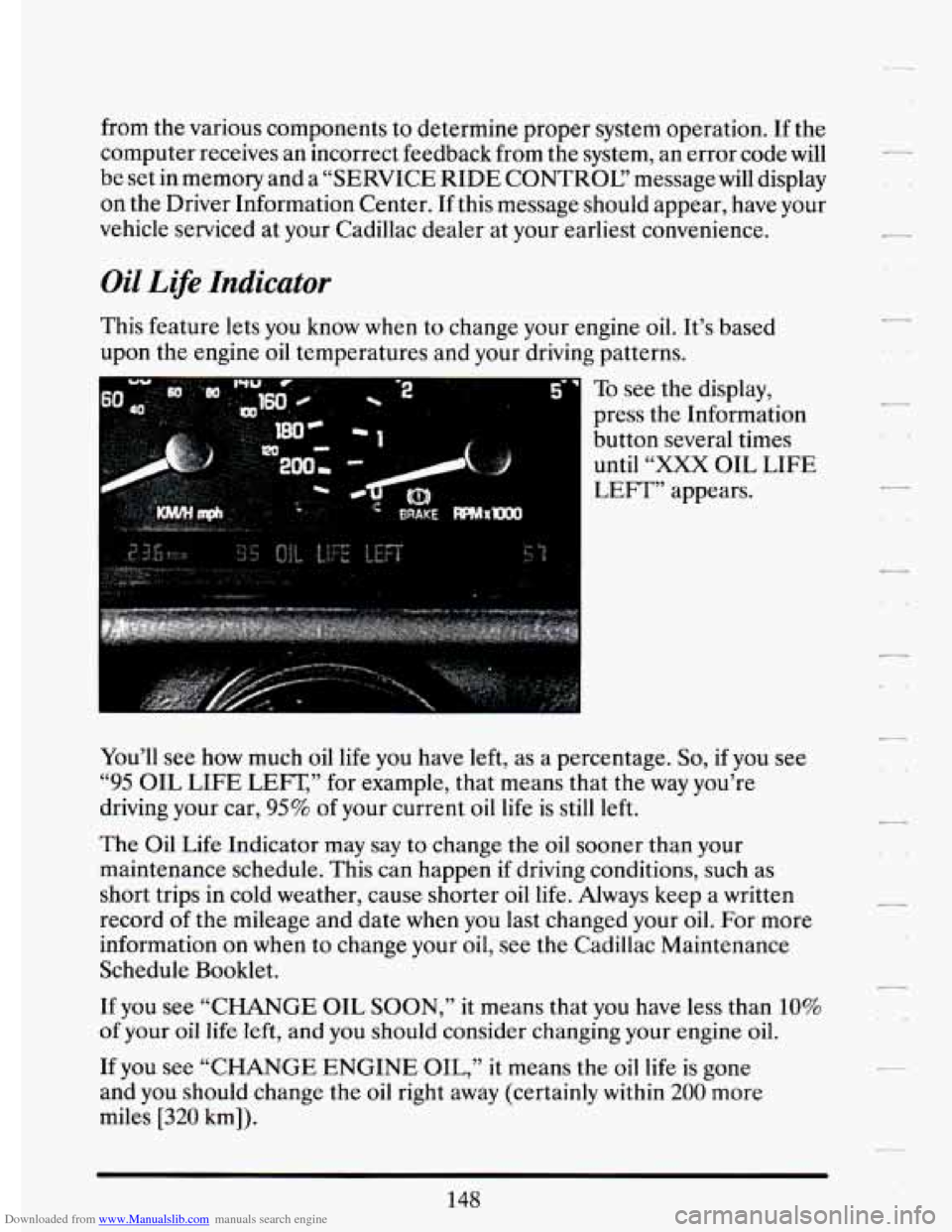
To see
the display,
press the Information
button several times until
“XXX OIL LIFE
LEFT” appears.
You’ll see
now much oil life you have left, as a percentage. So, if you see
“95 OIL LIFE LEFT,’’ for example, that means that the way you’re
driving your car,
95% of your current oil life is still left.
The Oil Life Indicator may
say to change the oil sooner than your
maintenance schedule.
This can happen if driving conditions, such as
short trips in cold weather, cause shorter oil
life. Always keep a written
record of the mileage and date
when you last changed your oil. For more
information on when to change your oil, see
the Cadillac Maintenance
Schedule Booklet.
If you see “CHANGE OIL SOON,”
it means that you have less than 10%
of your oil life left, and you should consider changing your engine oil.
If you see “CHANGE ENGINE
OIL,” it means the oil life is gone
and you should change the oil right away (certainly
within 200 more
miles
[320 km]).
148
-
.. .
Page 161 of 398
Downloaded from www.Manualslib.com manuals search engine n n
r
I-- .,
I
r
r
r
The system probably will say. to change .& d between ,3000 miles
(5000 km) and ,7500 *miles. (125OO km), but it may even sary to change it
before
3000 under very severe conditions. It all depends on .your drivirrg
pattims.
If it’s been 7500 miles (12500 km) it,always says to’ change the oil.
There are two.thingslhe system doesn?t do:
0 It can’t sense. heavy dust in the.places where you- drive. If you -drive in
a dusty area, you should change your
oil -every 3000 miles (5000 km)
or 3 months (whichever comes first), unless the display says to chinge
it even sooner than that.
I
It doesn’t check how much oil you have, so you’ll still have to check
for that. To see how, see “Engine Oil.’’ in the Index.
men You’ve Changed the Oil
When new oi€ is,put in, you’ll need .to reset.your.system. To: do it, display
the “OIL LIFE
.INDEX’’ by pressing the INFORMATION button. Then
press -and;hold the RESET buttons until the display shows “POO-OIL
LIFE LEFT.”
Electronic Level .Control
This keeps your car level.
The ignition’has to be
“ON” for the level control to work. When,you turn
the ignition off, you may hear the level control exhausting. The,system
consists
of an electronic rear position sensor, a smalldectric air
compressor, and air adjustable
SI kabsorbers mounted on the rear of
the vehicle.
If the system has .a slight leak, the air compressor will run frequently for a
few seconds each time.
i For a massive air leak, the air ‘compressor will stay on for. approximately
7 minutes. You should see your.deal.er for service, but.you can keep
driving ,your Cadillac.
149
Page 179 of 398
Downloaded from www.Manualslib.com manuals search engine To Set the Minutes:
F 0 Press SET, and within 5 seconds, 1
Press and hold SCAN. When the clock gets& the correGt minute, Set j
Your clock is set.
go*
I I I
f
Care of Your Cassege .Tape Phyer
-2 , . . . -111.: ,, :
--,= ,: . . , .. . .,,&V?i'.,.r: m.. ... . - ., - c: ,I >$ -72 .. I . ,. .
A tape
player that is qot cl6aiied.r&gctlarly can cause reduad sound
quality, ruined cassettes,
or a..dam&$ed mechanism. Cassette tapes should .
be stored in their cases away ficmici&aninants, direct sunlight, and . '
failure of the tape player. I
,I
L extreme heat. If they aren?, they :may not operate properly or cause
- Your tape player should be cleaned regularly each month or after every
50 hours of use. If you notice a reduction in sound quality, try a known
good cassette to see
if the tape or the tape player is at fault. If this other
Cleaning may be done with a scrubbing action, non-abrasive cleaningi.
~
cassette. This system uses a cleaning cassette with pads which scrub the
tape head 'as the hubs of the cleaner cassette turn. It is-normal for. the
ensure thorough cleaning.
A scrubbing action cleaning cassette is
available through your Cadillac dealership.
-, cassette has no improvement in sound quality, clean the tape player.
.I
(, cartridge to eject while cleaning. Insert the cassette at least 3 times to
r
You may also choose a non-scrubbing action, wet-type cleaner which uses
a cassette with a fabric belt to clean the tape head. This
type of cleaning
cassette
will not eject. It -may not clean as thoroughly as the scrubbing
type cleaner.
Cassettes are subject to wear and the sound quality may degrade over
time. Always make sure that the cassette tape is in good condition before
you have your tape player serviced.
Care of Your Compact Discs
Handle discs carefully. Store them in their original cases or other
protective cases and away from direct sunlight and dust.
If the surface of
a disc
is soiled, dampen a clean, soft cloth in a mild, neutral detergent
solution and clean it, wiping from the center to the edge.
167
Page 204 of 398
Downloaded from www.Manualslib.com manuals search engine Before changing lanes, check your mirrors. Then use your turn signal.
Just before you leave the lane, glance quickly over your shoulder to make
sure there isn’t another vehicle
in your “blind” spot.
Once you are moving
on the freeway, make certain you allow .a
reasonable following distance. Expect to move slightly slower at night.
When you want to leave the freeway, move to the proper lane well
in
advance. If you miss your exit do not, under any circumstances, stop and
back up. Drive
on to the next exit.
The exit ramp can be-curved, sometimes quite sharply.
The exit speed is usually posted.
Reduce your speed according to your speedometer, not
to your sense of
motion. After driving for any distance at higher speeds, you may tend to
think you are going slower than you actually are.
BEFORE LEAVTNG ONA LONG THP
Make sure you’re ready. Try to be well rested. If you must start when
you’re not fresh
-- such as after a day’s work -- don’t plan to make too
many miles that first part of the journey. Wear comfortable clothing and
shoes you can easily drive in.
Is your vehicle ready for a long trip? If you keep it serviced and
maintained, it’s ready to go. If it needs service, have it done before
-
starting out. Of course, you’ll find experienced and able service experts in
Cadillac dealerships all across North America. They’ll be ready and
willing to help
if you need it.
Here are some things
you can check before a trip:
Windshield Washer Fluid: Is the reservoir full? Are all windows clean
inside and outside?
Wiper Blades: Are they in good,shape?
Fuel, Engine Oil. Other Fluids: Have you checked all levels?
-.
192
Page 205 of 398
Downloaded from www.Manualslib.com manuals search engine n
r !
1- ,
r I
ii
P
I
- i
r
E‘
0 LiEhts: Are they all working? Are the lenses clean?
0 Tires: They are vitally important to a safe, trouble-free trip. Is the
tread good enough for long-distance driving? Are the tires all inflated
I
to the recommended pressure? 1 I
0 Weather Forecasts: What’s the weather outlook along your route?
Shodd you delay your trip a
short time to avoid a major storm
system?
0 Maps; Do you have up-to-date maps?
HIGHFKAYHWNOSIS
Is there actually such a condition as “highway hypnosis”? Or is it just
plain falling asleep at the wheel? Call it.highway hypnosis; lack
of
awareness, or whatever.
There
is something about an easy stretch of road with the same scenery,
along with the
hum of the tires on the road, the drone of the engine, and
the rush
of the wind against the vehicle. that can make you sleepy. Don’t
let it happen to you!
If it does, your vehicle can leave the road in less than
a second, and you could crash and be injured.
What can you do about highway hypnosis? First,
be aware that it can
happen.
Then here are some tips:
0 Make sure your vehicle is well ventilated, with a comfortably cool
interior.
0 Keep your eyes moving. Scan the road ahead and to the sides. Check
If you get sleepy, pull off the road into a rest, service., or parking area
your rearview
mirrors and
your instruments frequently.
and take a nap, get some exercise, or both. For safety, treat drowsiness
on the highway as an emergency.
i
193