window CADILLAC ELDORADO 1996 10.G User Guide
[x] Cancel search | Manufacturer: CADILLAC, Model Year: 1996, Model line: ELDORADO, Model: CADILLAC ELDORADO 1996 10.GPages: 354, PDF Size: 19.33 MB
Page 91 of 354
Downloaded from www.Manualslib.com manuals search engine 111 vv heel
This feature is present on the driver's power window.
Pressing the control rearward into
the second position
then releasing it will lower the window completely. If
you want to stop the window as it is lowering, press
the control forward. Press the control forward to raise
the window.
Note that the first position on the control operates the
driver's power window.
Horn
The horn can be sounded by pressing any surface on the
center steering wheel pad.
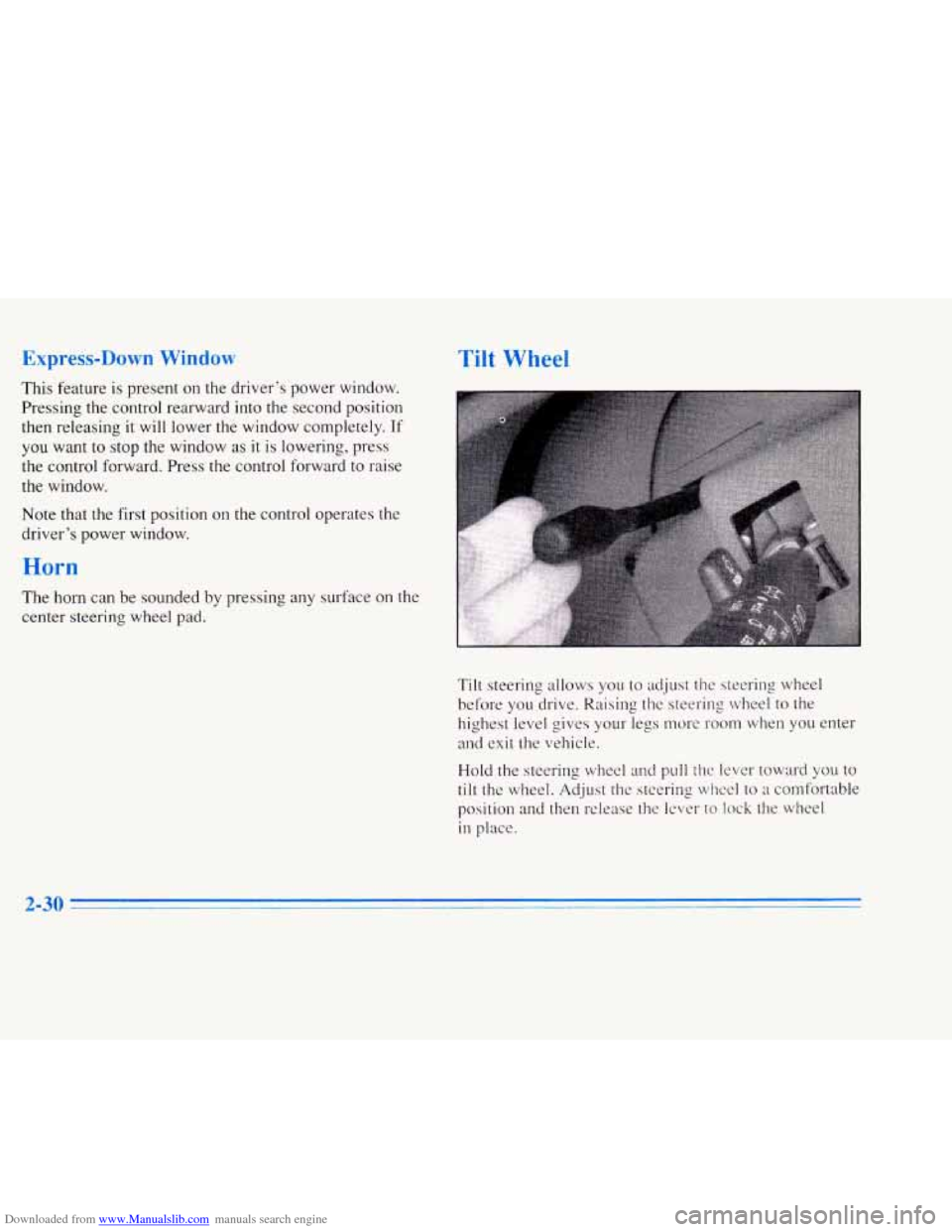
Tilt steering allows you to adjust the steering wheel
before you drive. Raising the steering wheel to the
highest level gives your legs nwre room when
you enter
and exit the vehicle.
Hold the steering wheel and pull
the lever toward you to
tilt the wheel. Adjust the steering wheel to a comfortable
position
and then release the lever to lock the wheel
in place.
Page 109 of 354
Downloaded from www.Manualslib.com manuals search engine Compass Calibration
Once the compass is calibrated, it does not need to be
recalibrated.
To calibrate the compass:
1. Set the switch on the mirror control to C/M.
2. Turn the vehicle ignition switch on. The letter C
should be displayed in the mirror compass window.
If not, hold the CAL switch (on the bottom of the
mirror) for more than 10 seconds, and the letter
C
will appear. To hold in the CAL switch, insert a
paper clip into the small hole on the bottom of the
mirror housing. The display will show a number
first, but keep holding until the letter
C appears.
3. For quick calibration, drive the vehicle in a
360-degree circle at less than
5 mph (8 km/h) until
the display reads a compass direction. For normal
calibration, drive the vehicle on your everyday
routine, and the compass will eventually calibrate.
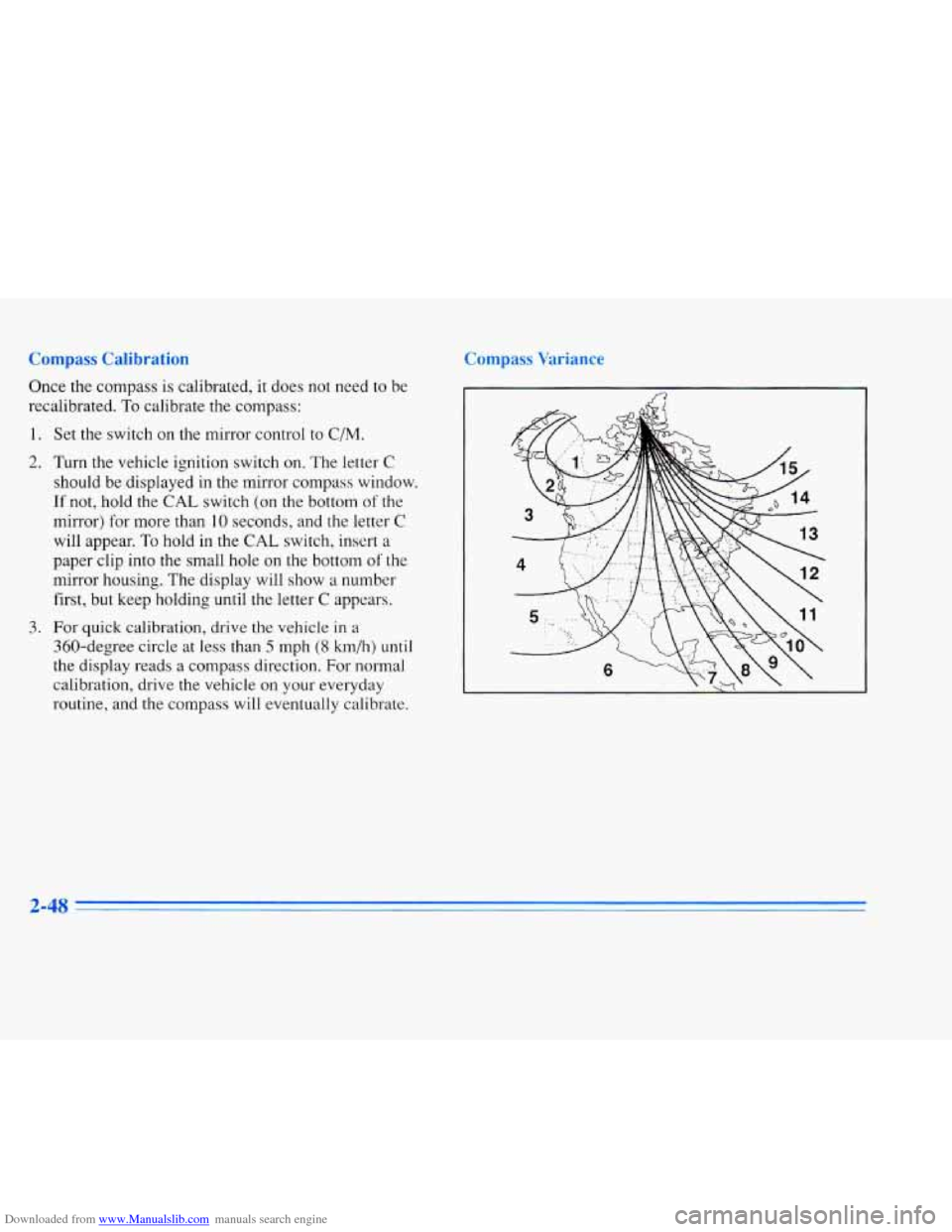
Compass Variance
2-48
Page 140 of 354
Downloaded from www.Manualslib.com manuals search engine BATTERY NO CHARGE - 07: This message will
appear if the battery is not being charged. Have the
electrical system checked by your Cadillac dealership at
your earliest convenience.
BATTERY VOLTS HIGH - 08: This message shows
that the electrical charging system is overcharging (more
than 16 volts). To avoid being stranded, have the
electrical system checked by your Cadillac dealership.
You can reduce the charging overload by using the
accessories. Turn on the lamps and radio, set the climate
control on AUTO and the fan speed on
HI, and turn the
rear window defogger on. You can monitor battery
voltage on the DIC by pressing the INFORMATION
button. The normal range is 11.5 to 15.5 volts when the
engine
is running.
BATTERY VOLTS LOW - 06: This message will
appear when the electrical system is charging less than
10 volts or if the battery has been drained. If this
message appears immediately after starting,
it is possible
that the generator can still recharge the battery. The
battery should recharge after driving a few miles and the
message should go out. If this message appears while
driving or after starting your vehicle and stays on, have
it checked immediately to determine
the cause of this problem.
To help the generator recharge the battery
quickly you can reduce the load on the electrical system
by turning off the accessories. You can monitor battery
voltage on the DIC by pressing the INFORMATION
button. The normal range is 11.5 to 15.5 volts.
BRAKE VACUUM PROBLEM - 108: The circuit in
the brake booster vacuum has shorted or is loose when
this message appears. Your vehicle may lose power
brakes but you will still have the use of manual brakes.
The power brakes will not be affected if the problem is
caused by a failed sensor. Have your vehicle serviced
immediately at your Cadillac dealership.
CHANGE ENGINE OIL - 82: This means that the life
of the engine oil has expired and it should be changed
within
200 miles. See “Engine Oil” and “Filter
Recommendations’’ in the Maintenance Schedule. After
an oil change, the Oil Life Indicator must be reset. See
“Oil Life Indicator” in the Index on how to reset it.
CHANGE TRANS FLUID - 47: This message will
appear when
it is time to replace the transaxle fluid
(system has determined that the transaxle fluid has
reached
0%). See the Maintenance Schedule booklet for
the proper fluid and change intervals.
2-79
1 -
Page 150 of 354
Downloaded from www.Manualslib.com manuals search engine If your vehicle is sitting out on a hot day and you have it
set on AUTO, the air will first flow out the floor air
outlets for a few seconds. That is normal. This
is to
expel hot air in the air outlets. As the air is cooled, the
airflow will move through the
A/C outlets. If you start
your vehicle with the fan setting on
HI, it will skip the
A/C Purge.
To avoid blowing cold air in cold weather, the system
will delay turning on the fan until warm air is available.
The length of delay depends on the outside air
temperature, engine coolant temperature or the time
since the engine was last started.
As the coolant warms
up, the blower fan speed will gradually increase and
air will flow from the heater outlets, with some airflow
to the windshield
to prevent fogging under most
normal conditions.
If you leave your vehicle, the system will remember the
control setting the next time you start your engine,
except for recirculation and defrost. Each ignition cycle
cancels recirculation, whereas,
DEFROST will change
to AUTO when the ignition is shut
off and then turned
back on.
Manual Operation
RECIRCULATION: Press this button to limit the
amount of fresh air entering your vehicle. This
is helpful
when you are trying to cool the air quickly or limit odors
entering your vehicle. In the AUTO mode, the system
will use recirculation as necessary to cool the air.
Pressing the recirculation button will change the
operation
to a manual mode and the air will recirculate
non-stop. Press this button again
to turn off the
recirculation feature.
If you notice the windows fogging, press the
recirculation button to exit the recirculation mode.
OFF: Press this button to turn the system off. Fresh air
will continue
to flow through the vehicle, and the
system will try to maintain the previously set
temperature. The outside temperature will show in the
display when the system is off.
DE-ICE (Option): Pressing this button helps to
remove ice or frost from the windshield. See “Heated
Windshield” later in this section.
3-3
Page 155 of 354
Downloaded from www.Manualslib.com manuals search engine sf FAN SPEEDS: Press the button with the fan
symbol until AUTO is displayed on the screen. At this
setting, the fan speed is automatically controlled. If
it is
cold outside, the blower may not run in the maximum
high fan speed right away.
The system checks the
temperature of the engine coolant to assure it is warm
enough
to provide heat. When the engine coolant is
warm, the controller allows the fan to gradually increase
to a higher speed. This prevents cold air from blowing
into the passenger compartment.
If you want the blower
fan at a high speed, press the up arrow button until you
see
HIGH on the display. If you want the fan speed to be
automatic, but you like the
fm speed to be higher than
the AUTO setting, press the fan symbol button until
HIGH AUTO is shown on the display. If you want the
blower fan at a low speed, press the down arrow button
until
LOW is shown on the display. If you want the fan
speed to run lower than the AUTO setting, press the
button until
LOW AUTO is shown on the display.
OFF: Press this button to turn the system off. Fresh
air will continue
to flow through the vehicle, and the
system will try to maintain the previously set
temperature. The outside temperature will show
on
the display when the system is OFF.
AC: Press this button to turn the air conditioning on and
off. The system will cool and dehumidify the air inside
the vehicle. In the AUTO mode, the display will show
that AC is active, but the air conditioning compressor
only operates when the system determines
it is needed.
RECIRCULATION: Press this button to limit the
amount
of fresh air entering your vehicle. This is helpful
when you are trying to cool the air quickly or limit odors
entering your vehicle. In the AUTO mode, the system
will use recirculation as necessary
to cool the air.
Pressing the recirculation button will change the
operation to
a manual mode and the air will recirculate
non-stop. Press this button again to turn
off the
recirculation feature.
If you notice the windows fogging, press the
recirculation button to exit the recirculation mode.
DUAL TEMPERATURE CONTROL: With
this feature, the right front passenger can control the
temperature of heated air for his/her own zone. The
passenger can select
a four degree warmer or cooler
temperature from the driver's setting.
To turn the system
on, press the PASS/TEMP button. Press the up arrow
to increase the temperature and press the down arrow
to
decrease the climate setting. Pressing the OFF button
will turn
off the dual-zone Function.
Page 156 of 354
Downloaded from www.Manualslib.com manuals search engine Air Conditioning Heating
On
hot days, open the windows long enough to let hot
inside air escape. This reduces the time it takes for your
vehicle to cool down. Then keep your windows closed
for the air conditioner to work its best.
With the ECC system, press the AUTOECON button
to assist in cooling air and in maintaining proper airflow.
Adjust the temperature to a comfortable setting by
pressing the blue button to cool your vehicle and
pressing the red button to warm your vehicle. Press the
fan button arrows up or down to adjust the fan speed.
If you have the dual-zone system, press the AC button
to turn the system on and then select the proper MODE
to direct airflow. The system will cool and dehumidify
the air inside the vehicle. Also while in the AUTO
mode, the system will use recirculation as necessary to
cool the air. You may also need to adjust the interior
temperature. Turn the TEMP knob clockwise to increase
the temperature and counterclockwise to decrease
temperature. Adjust the fan speed as needed.
When the air conditioner is on, you may sometimes
notice slight changes in your vehicle’s engine speed
and power. This is normal because. the system is
designed to cycle the compressor on and
off to keep the
desired temperature. With
the ECC system, press the AUTOECON button
to direct airflow out of the floor outlets and to help save
fuel. Adjust the temperature, if necessary,
by pressing
the blue button to decrease temperature and pressing the
red button to increase temperature. Also remember to
adjust the fan speed by pressing the up
or down arrow.
If you have the dual-zone system, press the MODE
button to select heater. This will direct airflow out of the
floor outlets. Adjust the interior temperature to your
comfort level by turning the
TEMP knob clockwise to
increase temperature and counterclockwise to decrease
temperature. If the fan speed needs adjusting, press the
up or down arrow.
With each system, outside air will be brought in and
sent through the floor outlets. The heater works best
if you keep
your windows closed while using it.
3-9
1
Page 158 of 354
Downloaded from www.Manualslib.com manuals search engine Ventilation Tips
0
0
0
Keep the hood and front air inlet free of ice, snow
or any other obstruction (such as leaves). The heater
and defroster will work far better, reducing the
chance of fogging the inside of the windows.
When you enter a vehicle in cold weather, adjust
the fan to the highest speed for a few moments
before driving off. This helps clear the intake
outlets of snow and moisture, and reduces the
chance of fogging the inside of the windows.
Keep the air path under the front seats clear of
objects. This helps circulate air throughout your
vehicle.
I
Heated Windshield (Option)
The heated windshield will remove ice or frost in
cold weather.
1. Remove snow that is piled up on the windshield.
2. Start your Cadillac and leave it in PARK (P).
3. Press the DE-ICE button. A light will come on to
tell you it is working. Try not to use other electrical
equipment while the system is working. The
system will
go off after a four-minute heating cycle.
If you shift out of PARK (P), the system will only cycle
for two minutes. If you want
it to cycle again, press the
button. It will
go on for two-minute cycles after that.
If the windshield has cleared before the cycle is over,
you can turn it off by pressing the button again.
Use the defroster feature to clear fog from the
windshield as previously described.
There is a metal film in the windshield which will block
out some radio or microwave signals. Therefore, the
heated windshield will reduce the useful range of
devices such as garage door openers and radar detectors.
(In certain states, radar detectors are legal.)
Do not use the DE-ICE button if your vehicle has a
cracked windshield. A crack will not allow the system to
function properly. Have the windshield repaired before using the DE-ICE button again.
3-11
Page 159 of 354
Downloaded from www.Manualslib.com manuals search engine Defogging and Defrosting
On cool, humid days, use DEFOG to keep the
windshield and side windows clear, Use DEFROST
to remove fog or ice from the windshield quickly in
extremely humid or cold conditions.
If you have the ECC system, press the DEFOG or
DE-ICE button and adjust the
fm speed by pressing
the fan button up or down.
If you use DEFROST,
adjust the fan speed the same way.
If you select
DEFROST from AUTO, the system will control the
fan speed.
The temperature will also need to be
adjusted to your comfort level. Press the blue button
to decrease the temperature and the red button to
increase the temperature.
If you have the dual-zone system, press the DEFROST
or
DE-ICE button. If you select DEFROST, adjust the
fan speed by pressing the fan button up or down.
If you
select
DEFROST from AUTO, the system will control
the fan speed. The temperature also needs
to be adjusted
by turning the
TEMP knob.
Note that recirculation is not available in the defrost or
defog modes.
@ Rear Window Defogger
The lines you see on the rear window warm the glass.
Press the button to turn on the rear defogger. With it,
the rear window and both outside rearview mirrors are heated. The system will automatically shut off after
10 minutes. If further defogging is desired, press the
button again.
Do not attach a temporary vehicle license, tape or decals
across the defogger grid on
the rear window.
I I
I NOTICE:
r
~~
Scraping the inside of your rear window could
cut and damage the heating grids. Your warranty
would not cover this damage. And don’t put
decals there;
you might have to scrape them off.
3-12
Page 205 of 354
Downloaded from www.Manualslib.com manuals search engine The exit speed is usually posted.
Reduce your speed according to your speedomete.r, not
to your sense of motion. After driving for any distance
at higher speeds, you may te.nd to think you are going
slower than you actually are.
Before Leaving on a Long Trip
Make sure you’re ready. Try to be well rested. If you
must start when you’re not fresh
-- such as after a day’s
work
-- don’t plan to make too many miles that first part
of the journey. Wear comfortable clothing and shoes you
can easily drive in.
Is your vehicle ready for a long trip‘? If you keep it
serviced and maintained, it’s ready to go. If it needs
service, have it done before starting out. Of course,
you’ll find experienced and able service experts in
Cadillac dealerships all across North America. They’ll
be ready and willing to help if you need
it.
Here are some things you can check before a trip:
0
0
0
Wimid1icld Washer Fluid: Is the reservoir full? Are
all windows clean inside and outside?
Wiper Blndes: Are they in good shape?
Fuel, Eugilze Oil, Other- Fluids: Have you checked
all levels?
Lmps: Are they all working? Are the lenses clean?
Tiws: They are vitally important to a safe,
trouble-free trip.
Is the tread good enough for
long-distance driving? Are the tires all inflated to
the
recommended pressure?
Weatlzer Forecasts: What’s the weather outlook
along your route? Should you delay your trip a short
time
to avoid a major storm system?
Maps: Do you have up-to-date maps?
4-22
Page 211 of 354
Downloaded from www.Manualslib.com manuals search engine Tie a red cloth to your vehicle to alert police that
you’ve been stopped by the snow..
0 Put on extra clothing or wrap a blanket around you.
If you have no blankets or extra clothing, make body
insulators from newspapers, burlap bags, rags, floor
mats
-- anything you can wrap around yourself or
tuck under your clothing to keep warm.
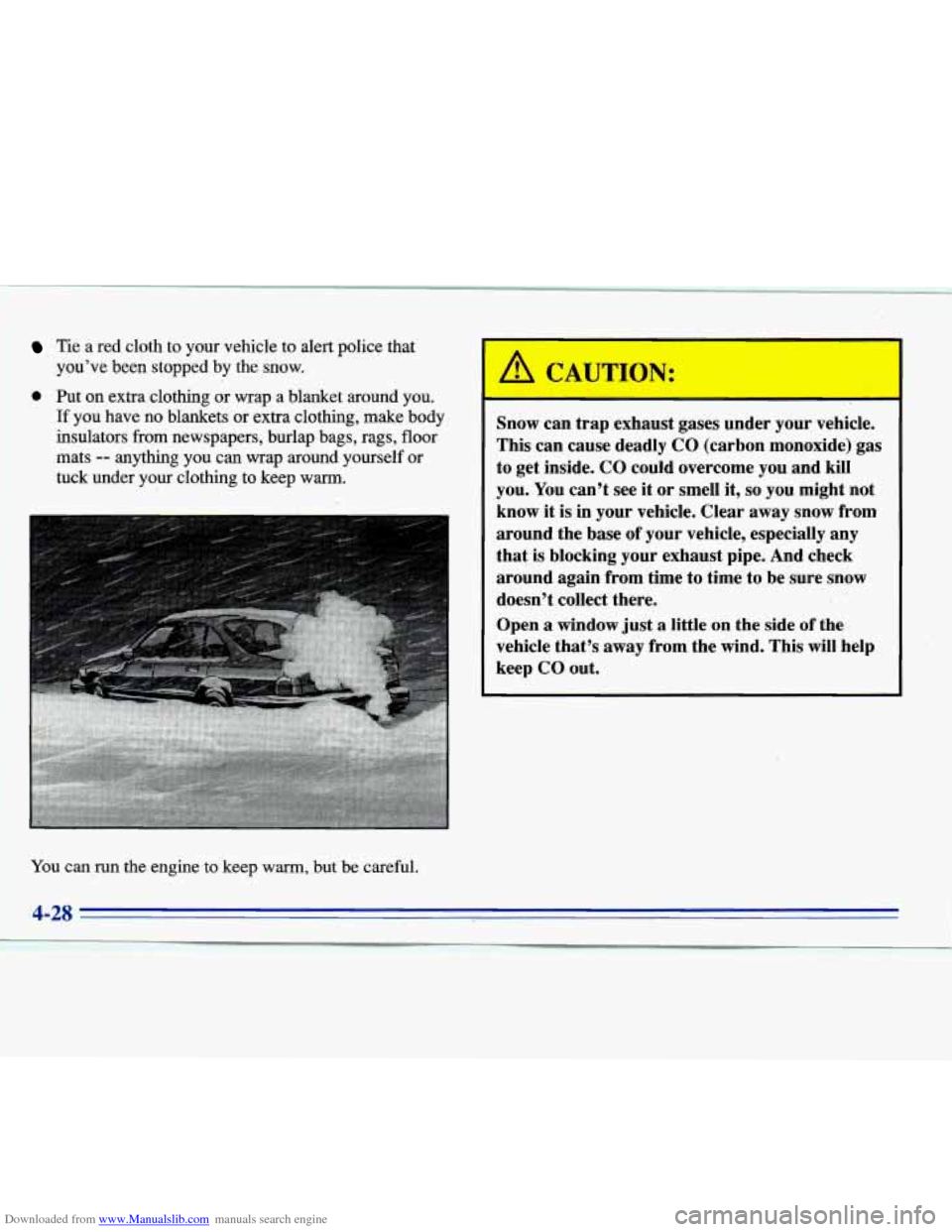
You can run the engine to keep warm, but be careful. Snow
can trap exhaust gases under your vehicle.
This can cause deadly CO (carbon monoxide) gas
to get inside. CO could overcome you and kill
you.
You can’t see it or smell it, so you might not
know it is in your vehicle. Clear away snow from
around the base of your vehicle, especially any
that is blocking your exhaust pipe. And check
around again from time to time to be sure snow doesn’t collect there.
Open
a window just a little on the side of the
vehicle that’s
away from the wind. This will help
keep CO
out.
4-28
‘1