ignition CADILLAC ELDORADO 1997 10.G Workshop Manual
[x] Cancel search | Manufacturer: CADILLAC, Model Year: 1997, Model line: ELDORADO, Model: CADILLAC ELDORADO 1997 10.GPages: 361, PDF Size: 22.85 MB
Page 171 of 361
Downloaded from www.Manualslib.com manuals search engine REVi Press the left arrow to reverse the tape rapidly.
Press it again to return
to playing speed. The radio will
play while
the tape reverses and REV will appear on the
display. You may
use your station pushbuttons to tune to
another radio station while in
REV mode.
FF: Press the right arrow to fast forward to another part
of the tape. Press it again to return to playing speed. The
radio will play while
the tape advances and FWD will
appear on the display. You may
use your station
pushbuttons to tune to another radio station while in
g;F mode.
SEEK-TUNE: Press the sight ~QW to seek to the next
selection on the tape. Press the left
arrow to search for
the previous selection on
the tape (REP will appear on
the display). Your tape must have at least three seconds
of silence between each selection for SEEK-TUNE to
work. The sound will mute while seelung.
SCAN: Press this button. SCAN will appear on the
display until the next selection is found and then PLAY
will appear
on the display. Use SCAN to listen to
selections for a few seconds. The tape will
go to a
selection, stop
for a few seconds, then go on to the next
station. Press this button again to stop scanning.
SIDE: Press this button to change the side of the tape
that
is playing. (PLAY shows on the display.)
SOURCE: Fress this button to switch from radio to
cassette tape play.
If no cassette tape is in the tape
player,
CASS appears on the display and then the radio
station appears briefly. The display then reverts back to
showing the time
of day. Press this button again or
BAND to switch back to the radio.
A EJECT: Press the upward triangle button to
remove a tape. The radio will play. Eject may be
activated with
the radio off. Cassette tapes may be
loaded with the radio
off but they will not start playing
until
the PWR button is pressed. Press PWW or turn the
ignition key
off to stop the cassette tape player. The tape
will stay in the player and resume play
at the point
where
it stopped. If you leave a cassette tape in the
player while listening to the radio, it may become warm.
CLN: If this message appears on the display, the
cassette tape player needs to be cleaned. It will still play
tapes, but you should clean it as soon as possible to
prevent damage to the tapes and player. See “Care of
Your Cassette Tape Player”
in the Index. After you clean
the player, press and hold
EJECT for five seconds to
reset the CLN indicator. The radio will display --- to
show the indicator was reset.
Dolby@ Noise Reduction is manufactured under a
license from Dolby Laboratories Licensing Corporation.
Dolby and the double-D symbol are trademarks
of
Dolby Laboratories Licensing Corporation.
Page 175 of 361
Downloaded from www.Manualslib.com manuals search engine Br: Press the left mow to reverse the tape rapidly.
Press it again
to return to playing speed. The radio will
play while the tape reverses and
REV will appear on the
display. You may use your station pushbuttons to tune to
another radio station while in
REV mode.
FF: Press the right arrow to fast forward to another part
of the tape. Press it again to return to playing speed. The
radio will play while
the tape advances and FF will
appear
on the display. You may ~lse your station
pushbuttons to tune to another radio station
while in
mode.
SEEK-TUNE: Press the right arrow to seek to the next
selection
on the tape. Press the left arrow to search for
the previous selection
on the tape (REP will appear on
the display). Your tape must have at least three
seconds
of silence between each selection for SEEM-TUNE to
work. The sound will mute while seeking.
SCAN: Press this button. SCAN FF will appear on the
display until the next selection
is found and then SCAN
PLAY will appear on the display. Use SCAN to listen to
selections for
a few seconds. The tape will go to a
selection, stop for
a few seconds, then go on to the next
selection. Press this button again to stop scanning.
SIDE: Press this button to change the side of the tape
that
is playing. (PLAY shows on the display.)
SOURCE: Press this button to switch from radio to
cassette tape play.
If no cassette tape is in the tape
player,
CASS appears on the display and then the radio
station appears
briefly. The display then reverts back to
showing the
time of day. Press this button again or
BAND to switch back to the radio.
A EJECT: Press the upward triangle button to remove
a tape. The radio will play. Eject may be activated with
the radio
off if the ignition is on. Cassette tapes may be
loaded with the radio
off but they will not start playing
until the PWR button is pressed. Press PWR or turn the
ignition key
off to stop the cassette tape player. The tape
will stay in
the player and resume play at the point where
it stopped.
If you leave a cassette tape in the player while
listening to the radio, it may become wm.
CLN: If this message appears on the display, the
cassette tape player needs to
be cleaned. It will still play
tapes, but you should clean
it as soon as possible to
prevent damage
to the tapes and player. See “Care of
Your Cassette Tape Player”
in the Index. After you clean
the player, press
and hold EJECT hr five seconds to
reset
the CLN indicator. The radio will display --- to
show the indicator was reset.
Dolby@
Noise Reduction is manufactured under a
license from Dolby Laboratories Licensing Corporation.
Dolby and the double-D symbol are trademarks of
Dolby Laboratories Licensing Corporation.
Page 179 of 361
Downloaded from www.Manualslib.com manuals search engine If ERR or ERROR appears on the display, an error has
occurred
and the compact disc temporarily cannot play.
CD CHANGER ERROR could be displayed for
the following:
The road
is too rough. The disc should play when the
road
is smoother.
The disc is dirty, scratched, wet or loaded label
side up.
@ The air is very humid. If so, wait about an hour and
try again.
CHEK DOOR or CD CHANGER DOOR OPEN is
displayed when the CD changer door is left open.
Completely close
the changer door to restore
normal operation.
CD CHANGER NO DISCS is displayed when an empty
magazine is inserted
in the CD changer. Try the
magazine again with a disc loaded
on one of the trays.
(This message does not appear in
the display on the
standard AM-FM Stereo radios.)
If any error occurs repeatedly or if an error cannot be
corrected, please contact your dealer.
If your radio
displays
an error number, write it down and provide it to
your dealer when reporting
the problem. With this
feature, your vehicle will recall the latest radio
settings as adjusted the last time your vehicle was
operated.
This feature allows two different drivers to
store and recall their own radio settings. The settings
recalled
by the radio are determined by which RKE
transmitter (“1” or “2”) was used to enter the vehicle.
The number on the back
of the RICE transmitter
corresponds to driver
1 or to driver 2. After the unlock
button is pressed on the
RKE transmitter or the ignition
key is placed in the ignition, the radio settings
will
automatically adjust to where they were last set. The
settings can also be changed by briefly pressing the
memory seat buttons
1 or 2 located on the driver’s door.
Your Cadillac has a “built-in” theft-deterrent feature on
each radio that is automatic
-- there is no programming
required. The
radio in your Cadillac cannot be used in
any other vehicle besides another Cadillac if it were to
be removed.
Page 182 of 361
Downloaded from www.Manualslib.com manuals search engine Some cleaning cassettes or CD adapter kits may appear
as
a broken tape. If the cleaning cassette is ejected
immediately from the tape player, follow these steps
for
the TAPE CLEAN OVE
E. Turn the ignition to RUN or ACC.
2. Turn the radio off.
3. Press and hold the SOURCE button for three
seconds. After thee seconds, the tape icon will flash
indicating the cut tape feature
is now turned off.
4. Turn the radio on and insert the cleaning cassette (CX
the CD adapter kit).
5. Eject the tape after the tape player has been cleaned.
When
the cleaning cassette has been ejected, the broken
tape detection feature
is active again.
YOU may also choose a non-scrubbing action, wet-type
cleaner which uses a cassette with
a fabric belt to clean
the
tape head. This type of cleaning cassette will not
eject and, it may
not clean as thoroughly as the
scrubbing
type cleaner.
Cassettes are subject to
wear and the sound quality
may degrade over time. Always make sure the cassette
tape
is in good condition. before YOU have your tape
player serviced. Handle discs carefully. Store
them in their original case:
or other protective cases
and away from direct sunlight
and dust. If the surface
of a disc is soiled, dampen a
clean, soft cloth in a mild, neutral detergent solution anc
clean it, wiping from the center to the edge.
Be sure never to touch the signal surface when handling
discs. Pick up discs by grasping the outer edges or the
edge
of the hole and the outer edge.
Your power antenna will look its best and work
well if it’s cleaned
from time to time. To clean the
antenna mast:
1. Turn on the ignition and radio to raise the antenna.
2. Dampen a clean cloth with mineral spirits or
equivalent solvent.
3. Wipe the cloth over the mast sections, removing
any dirt.
3-27
Page 183 of 361
Downloaded from www.Manualslib.com manuals search engine 4. Wipe dry with a clean cloth.
5. Make the antenna go up and
radio or ignition off and on.
6. Repeat if necessary.
down by turning the
Don't lubricate the
power antenna. Lubrication
could damage it. Before
entering
an automatic car wasn, turn off
your radio to make the power antenna go down.
This will prevent the mast from
possibly getting
damaged.
If the antenna does not go down when
you turn the radio off', it may be damaged or
need
to be cleaned. In either case, lower the
antenna
by hand by carefully pressing the
antenna
down.
If the mast portion of your antenna is damaged, you can
easily replace it. See your dealer for a replacement kit
and follow the instructions in the kit.
Page 210 of 361
Downloaded from www.Manualslib.com manuals search engine If you drive regularly in steep country, or if you’re
planning to visit there, here are some tips that can
make
your trips safer and more enjoyable.
Keep your vehicle
in good shape. Check all fluid
levels and also the brakes, tires, cooling system
and transaxle. These parts can work hard on
mountain roads.
Know how to
go down hills. The most important
thing to know
is this: let your engine do some of the
slowing down. Shift to a lower gear when you go
down a steep or long hill.
~ ~ ~~ -~ ~
Coasting downhill in NEUTRAL (N) or with the
ignition off is dangerous. Your brakes will have to
do dl the work of slowing down. They codd get so
hot that they woddn9t work well. You would then
have poor braking QF even none going down a hill.
You ~dd crash. Always have your engine running
Saaaca your vehicle in gear when you go doMi.
A CAUTION:
you don’t shift down, your brakes could get so
hot that they wouldn’t work well. You would then
have
poor braking or even none going down a hu.
You could crash. Shift down to let your engine
mist
your brakes on a steep downhill slope.
Know how to go uphill. You may want to shift down
to a lower gear. The lower gears help cool your engine
and transaxle, and you
can climb the hill better.
Stay
in your own lane when driving on two-lane
roads in hills OF mountains. Don’t swing wide or cut
across the center
of the road. Drive at speeds that let
you stay
in your own lane.
As you go over the top of a hill, be alert. There could be
something in your lane, like a stalled car or an accident.
You may see highway signs on mountains that warn of
special problems. Examples are Bong grades, passing or
no-passing zones, a falling rocks area or winding
roads. Be
dert to these and take appropriate action.
-2
Page 230 of 361
Downloaded from www.Manualslib.com manuals search engine 2.
3.
4.
Get the vehicles close enough so the jumper cables
can reach, but be sure
the vehicles aren’t touching
each other.
If they are, it could cause a ground
connection you don’t want. You wouldn’t be able to
start your Cadillac and the bad grounding could
damage the electrical systems.
Turn off the ignition on both vehicles. Unplug
unnecessary accessories plugged into the cigarette
lighter.
Turn off all lamps that aren’t needed as well
as radios. This will
avoid sparks and help save both
batteries.
In addition, it could save your radio!
Open
the hoods and locate the batteries. Find the
positive (+) and negative (-) terminals on
each battery.
An electric fan can start up even when the engine
clothhg and tools away from any underhood
is not running and can injure you. Keep hands,
electric fan.
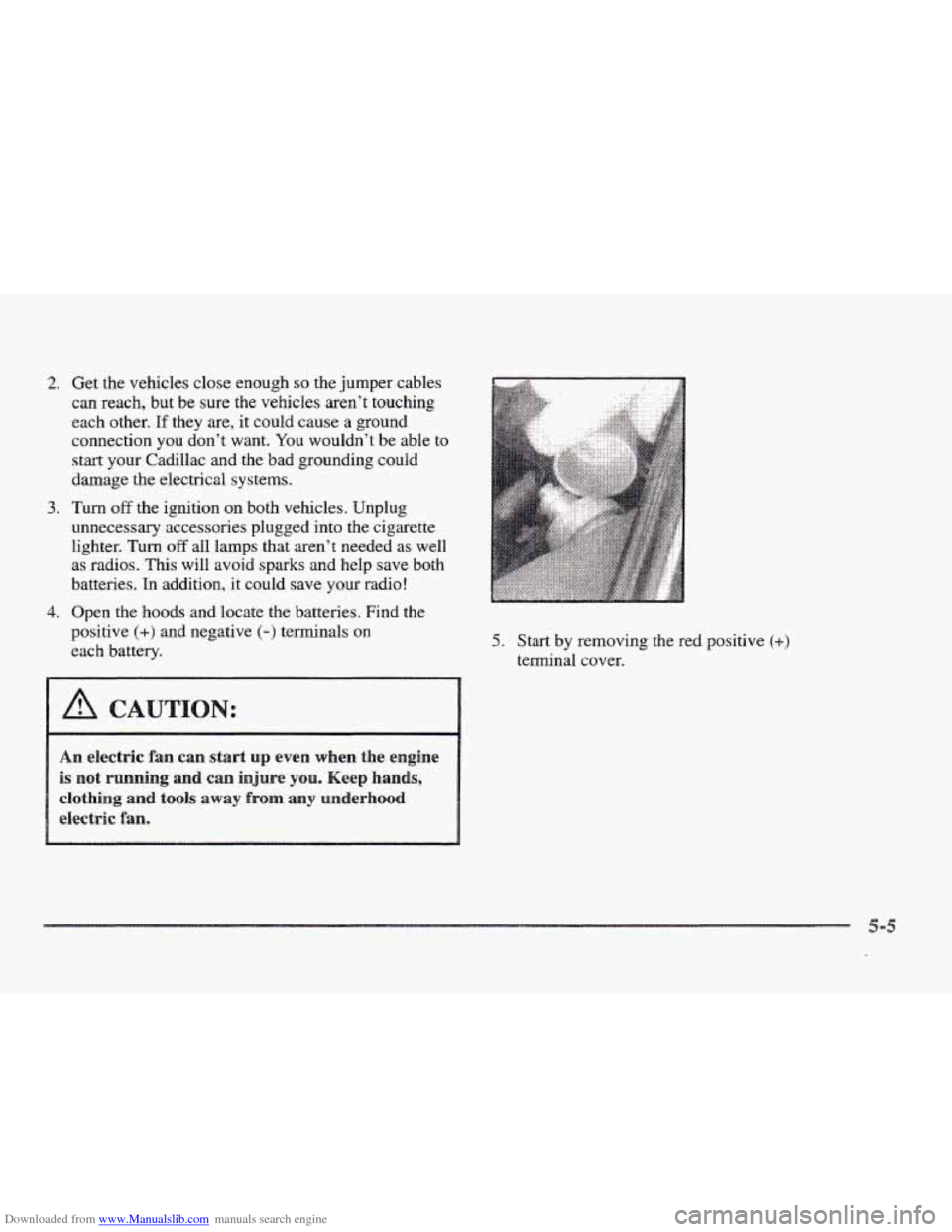
5. Start by removing the red positive (+)
terminal cover.
CAUTION:
Page 236 of 361
Downloaded from www.Manualslib.com manuals search engine ..
CA,U
.. .. . ,
A vehicle ran fall from a car-carrier if it isn’t
adequately secured. This can cause a ccollisiora,
serious
personal injury and vehicle damage. The
vehicle should
be tightly secured with chains or
steel cabIes before it is transported.
Donst
use substitutes (ropes, leather straps,
canvas webbing, etc.) that can be cut by sharp
edges underneath the towed vehicle. Always use
2’-hooks inserted in the front T-h~ok slots or
Ha-hooks inserted in the rear R-hook slots. Never
use J-lho~ks~
They will damage drivetrain and
suspension components.
When your vehicle is being towed, have the ignition
key turned
to the OFF position. The steering wheel
should be clamped in a straight-ahead position, with
a clamping device designed for towing service. Do not
use the vehicle’s steering column lock for this. The
transaxle should be
in NEUTRAL (N) and the parking
brake released.
Don’t have your vehicle towed on the drive wheels
unless you must. If the vehicle must be towed on the
drive wheels,
be sure to follow the speed and distance
restrictions later
in this section or your transaxle will be
damaged. If these limitations must be exceeded, then the
drive wheels
have to be supported on a dolly.
Page 284 of 361
Downloaded from www.Manualslib.com manuals search engine Your vehicle is equipped with a transaxle fluid change
indicator.
A CHANGE TRANS FLUID message will
display on
the Driver Information Center (DIC) when
the powertrain computer determines that the transaxle
fluid needs to be changed or at each
100,080 miles
(160 080 km) interval, whichever occurs first. See your
Maintenance Schedule booklet for more information.
When this message appears, change the transaxle fluid
and reset the transaxle fluid life indicator as follows:
I. Turn the ignition on but do not start the engine.
2. Press and hold the OFF and rear defog buttons on the
climate control at the same time until the
TRANS
FLUID RESET message appears on the DHC.
The cooling s stern in your vehicle is filled with
DEX-COOL engine coolant. This coolant is designed
to remain
in your vehicle for 5 years or 150,000 miles
(240 000 km) whichever occurs first, if you add only
DEX-COOL‘ extended life coolant.
2
The following explains your cooling system and how to
add coolant when
it is low. If YOU have a problem with
engine overheating, see “Engine Overheating”
in
the Index.
A 50/50 mixture of water and DEX-COOL@
coolant will:
@ Give freezing protection down to -34” F (-37°C).
Give boiling protection up to 265 OF (1 29°C).
Protect against rust and corrosion.
Help keep the proper engine temperature.
Let the warning lights and gages work as
they should.
When adding coolant, it is important that you use
only DEX-COOL~ (silicate-free) coolant.
If coolant other than DEX-COOL@is added t~
the system, premature engine, heater core or
radiator corrosion may result. In addition, the
engine coolant
will require change SOQWW 0- at
34b,8(Bo miles (50 000 km) or 24 months,
whichever CD~CUP’S first. Damage caused
of coolant other than
covered
by your new vehicle warranty.
Page 300 of 361
Downloaded from www.Manualslib.com manuals search engine It’s a good idea to clean ox replace the wiper blade
assembly on a regular basis
or when worn. For proper
windshield wiper blade length and type, see
“Normal
Maintenance Replacement Parts” later in this section.
To replace the wiper blade assembly:
I
1. Turn the ignition key to ACCESSORY and turn the
wipers on. Position the wipers on the windshield
in
the “mid” wipe position. Then with the door open,
turn the key
to OFF.
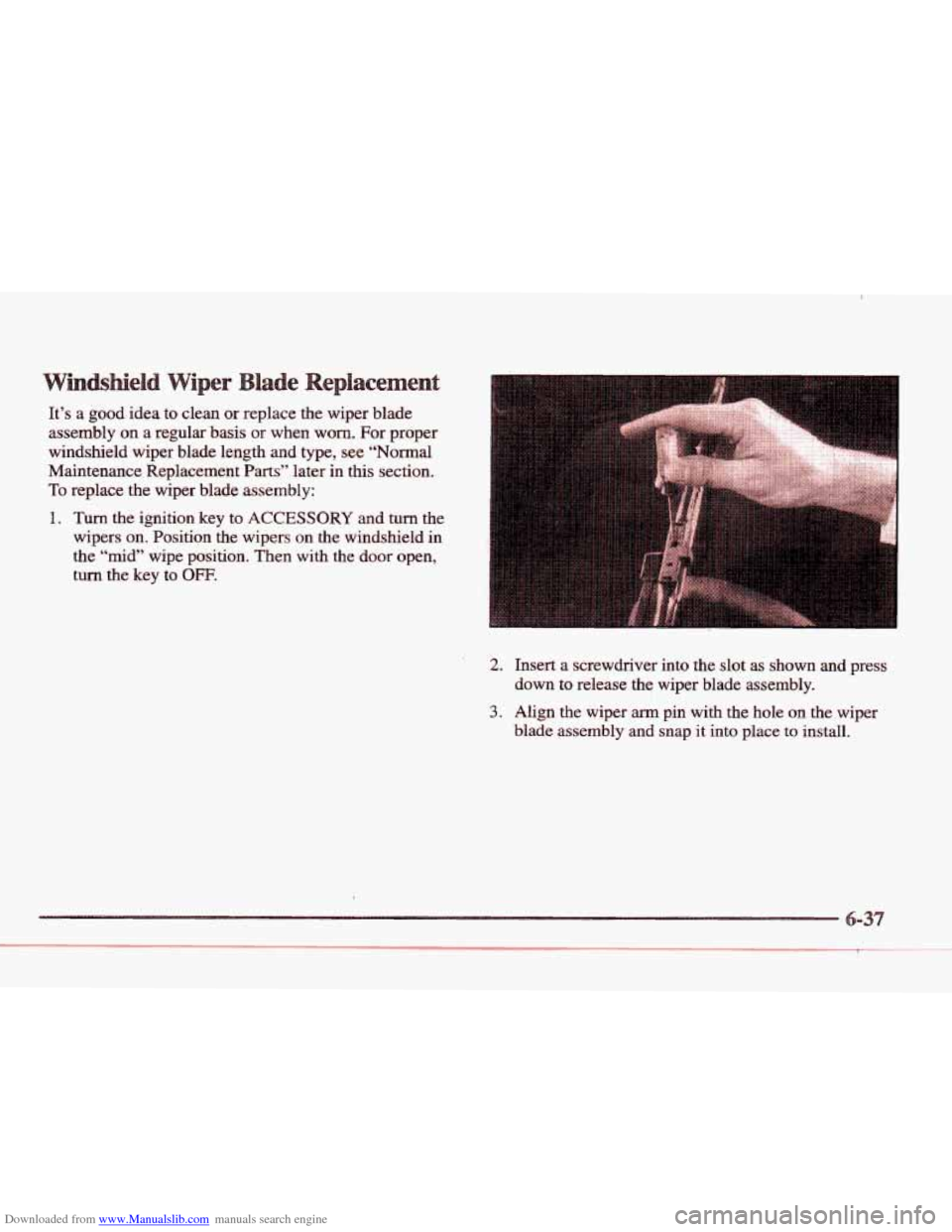
2. Insert a screwdriver into the slot as shown and press
down to release the wiper blade assembly.
3. Align the wiper arm pin with the hole on the wiper
blade assembly
and snap it into place to install.