display CADILLAC ELDORADO 1998 10.G Workshop Manual
[x] Cancel search | Manufacturer: CADILLAC, Model Year: 1998, Model line: ELDORADO, Model: CADILLAC ELDORADO 1998 10.GPages: 380, PDF Size: 21.39 MB
Page 188 of 380
Downloaded from www.Manualslib.com manuals search engine CD Adapter Kits
It is possible to use a CD adapter kit with your cassette
tape player after activating the bypass feature on your
tape player.
To activate the bypass feature, use the following steps:
0 Turn the ignition to RUN or ACCESSORY.
Turn the radio off.
Press and hold the SOURCE button for two seconds.
The tape symbol on the display will flash three
times, indicating the feature is active.
0 Insert the adapter.
This override routine will remain active until EJECT
is pressed.
Radio Personalization (If Equipped)
If your vehicle is equipped with the AM-FM Stereo with
Cassette Tape Player and
1 (H or A) or 2 (H or A)
appears in the display when the radio
is first turned on,
your vehicle is equipped with this feature. If your
vehicle is equipped with any other audio system and
DRIVER
1 (HOME or AWAY) PRESETS or DRIVER 2
(HOME or AWAY) PRESETS appears in the display
when the radio is first turned on, your vehicle is
equipped with
this feature. With
this feature, your vehcle will recall the latest radio
settings as adjusted the last time your vehicle was
operated. This feature allows two different drivers
to
store and recall their own radio settings. The settings
recalled by the radio are determined by which
RKE
transmitter (“1” or “2”) was used to enter the vehicle.
The number
on the back of the RKE transmitter
corresponds to driver
1 or to driver 2. The radio settings
will automatically adjust
to where they were last set by
the identified driver. The settings can also be recalled by
briefly pressing the memory seat buttons
1 or 2 located
on the driver’s door.
Your radio can store home and away presets. Home and
away presets allow you
to use one set of preset radio
settings
in the area where you live, and another set when
you go out of town. That way, you will not need to
reprogram your presets every time you travel. With the
radio off and the clock displayed, use
FF and RW to
select home or away presets. To select the away presets,
press and hold
FF for five counts until you hear a beep.
The next time the radio comes on, the away presets will
be active.
To select the home presets, press and hold RW
for five counts until you hear a beep. The next time the
radio comes
on, the home presets will be active.
3-32
Page 190 of 380
Downloaded from www.Manualslib.com manuals search engine SELECT When listening to the radio, press the up or
down arrow lever to tune to the next or previous preset
radio station. (If your vehicle is equipped with
the
AM-FM Stereo with Cassette Tape Player, factory
presets which have not been reprogrammed with your
stations will be ignored). When listening to a cassette
tape, the up or down arrow lever can be used
to SEEK
forward and rearward through the tape. Pressing the up
or down arrow lever when listening
to a CD will cause
the player to
go to the next or previous selection. When
in Radio Data Systems
(RDS) Program Type (PTY)
mode, the up or down arrow lever can be used to
perform a PTY preset seek.
PSEEK will appear on the
display while the
PTY preset seek is performed. The
radio will seek all
of the PTYs stored in presets, except
for the
PTY Any.
Understanding Radio Reception
AM
The range for most AM stations is greater than for FM,
especially at night. The longer range, however, can
cause stations
to interfere with each other. AM can pick
up noise from things like storms and power lines.
Try
reducing the treble to reduce this noise if you ever get it.
FM Stereo
FM stereo will give you the best sound, but FM signals
will reach
only about 10 to 40 miles (16 to 65 km). Tall
buildings or hills can interfere with
FM signals, causing
the sound to come and go.
Tips About Your Audio System
Hearing damage from loud noise is almost undetectable
until it is
too late. Your hearing can adapt to higher
volumes of sound. Sound that seems normal can be loud
and harmful to your hearing.
Take precautions by
adjusting the volume control on your radio to a safe
sound level before your hearing adapts
to it.
3-34
Page 191 of 380
Downloaded from www.Manualslib.com manuals search engine r
r
I
r
r L
r
f
To help avoid hearing loss or damage:
0 Adjust the volume control to the lowest setting.
0 Increase volume slowly until you hear comfortably
and clearly.
NOTICE:
Before you add any sound equipment to your
vehicle
-- like a tape player, CB radio, mobile
telephone or two-way radio
-- be sure you can
add what you want.
If you can, it’s very
important to do it properly. Added sound
equipment may interfere with the operation of
your vehicle’s engine, radio or other systems, and
even damage them. Your vehicle’s systems may
interfere with the operation of sound equipment
that has been added improperly.
So, before adding sound equipment, check with
your dealer and be sure to check Federal rules
covering mobile radio and telephone units.
Care of Your Cassette Tape Player
A tape player that is not cleaned regularly can cause
reduced sound quality, ruined cassettes or a damaged
mechanism. Cassette tapes should be stored in their
cases away from contaminants, direct sunlight and
extreme heat. If they aren’t, they may not operate
properly or may cause failure of the tape player.
Your tape player should be cleaned regularly after
every
50 hours of use. Your radio may display CLN or
CLEAN
TAPE to indicate that you have used your tape
player for
50 hours without resetting the tape clean
timer.
If this message appears on the display, your
cassette tape player needs to be cleaned.
It will still play
tapes, but you should clean it as soon as possible to
prevent damage to your tapes and player.
If you notice a
reduction in sound quality,
try a known good cassette to
see
if it is the tape or the tape player at fault. If this other
cassette has no improvement in sound quality, clean the
tape player.
The recommended cleaning method for your cassette
tape player is the use of a scrubbing action,
non-abrasive cleaning cassette with pads which scrub
the tape head as the hubs of the cleaner cassette turn.
The recommended cleaning cassette is available through
your dealership
(GM Part No. 12344789).
3-35
Page 192 of 380
Downloaded from www.Manualslib.com manuals search engine When using a scrubbing action, non-abrasive cleaning
cassette,
it is normal for the cassette to eject because
your unit
is equipped with a cut tape detection feature
and a cleaning cassette may appear as a broken tape.
To
prevent the cleaning cassette from being ejected, use the
following steps.
1. Turn the ignition to RUN or ACCESSORY.
2. Turn the radio off.
3. Press and hold the SOURCE button for two
seconds. The tape symbol on the display will flash
three times.
4. Turn the radio on and insert the scrubbing action
cleaning cassette.
5. Eject the cleaning cassette after the manufacturer’s
When the cleaning cassette has been ejected, the cut tape
detection feature is active again.
You may also choose a non-scrubbing action, wet-type
cleaner which uses a cassette with a fabric belt to clean
the tape head. This type
of cleaning cassette will not
eject on its own.
A non-scrubbing action cleaner may
not clean
as thoroughly as the scrubbing type cleaner.
The use of a non-scrubbing action, dry-type cleaning
cassette is not recommended.
recommended
cleaning
time.
If your vehicle is equipped with the AM-FM Stereo with
Cassette Tape Player, press and hold EJECT for five
seconds
to reset the CLN indicator after you clean the
player. The radio will display
--- to show the indicator
was reset.
If your vehicle is equipped with any other radio, press
and hold
EJECT for three seconds to reset the CLEAN
TAPE indicator after you clean the player. The radio will
display CLEAN TAPE
MSG CLEARED to show the
indicator was reset.
Cassettes are subject to wear and the sound quality
may degrade over time. Always make sure the cassette
tape is in good condition before you have your tape
player serviced.
Care of Your Compact Discs
Handle discs carefully. Store them in their original cases
or other protective cases and away from direct sunlight
and dust. If the surface of a disc
is soiled, dampen a
clean, soft cloth in a mild, neutral detergent solution and
clean it, wiping from the center
to the edge.
Be sure never to touch the signal surface when handling
discs. Pick up discs by grasping the outer edges or the
edge of the hole and the outer edge.
3-36
Page 207 of 380
Downloaded from www.Manualslib.com manuals search engine Remember: Anti-lock doesn’t change the time you need
to get your foot up to the brake pedal or always decrease
stopping distance. If you get too close to the vehicle in
front
of you, you won’t have time to apply your brakes
if that vehicle suddenly slows or stops. Always leave
enough room up ahead to stop, even though you have
anti-lock brakes.
Using Anti-Lock
Don’t pump the brakes. Just hold the brake pedal down
firmly and let anti-lock work for you. You may hear the
anti-lock pump or motor operate, and feel the brake
pedal pulsate, but this is normal. If
your vehicle
is in cruise control when the traction
control system begins
to limit wheel spin, the cruise
control will automatically disengage. When road
conditions allow you
to safely use it again, you may
reengage the cruise control. (See “Cruise Control” in
the Index.)
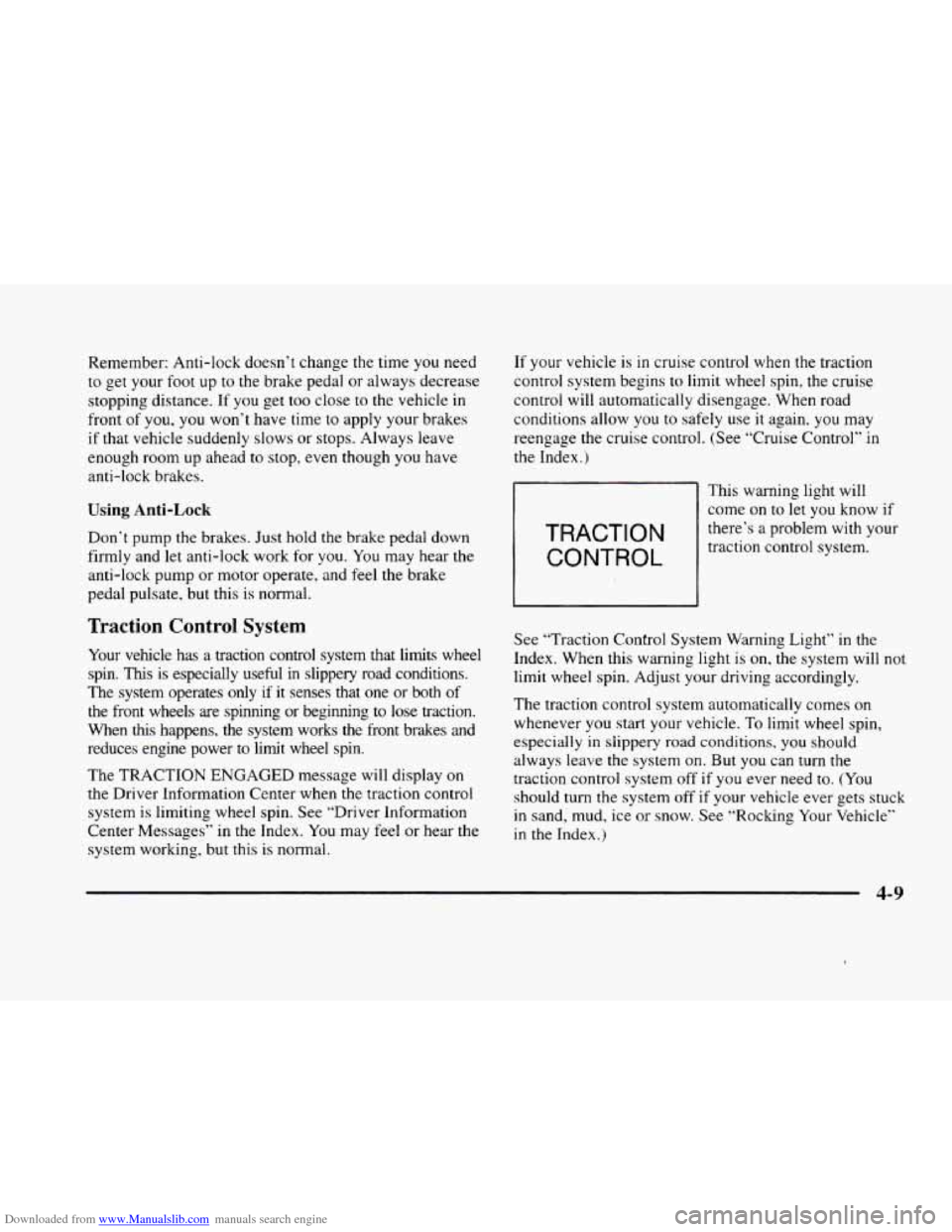
TRACTION
CONTROL
This warning light will
come
on to let you know if
there’s a problem with your
traction control system.
Traction Control System
Your vehicle has a traction control system that limits wheel
spin.
This is especially useful in slippery road conditions.
The system operates only
if it senses that one or both of
the front wheels are spinning or beginning to
lose traction.
When
this happens, the system works the front brakes and
reduces engine power to
limit wheel spin.
The TRACTION ENGAGED message will display on
the Driver Information Center when
the traction control
system
is limiting wheel spin. See ‘.Driver Infomation
Center Messages” in the Index. You may feel or hear the
system working, but this is normal. See
“Traction Control System Warning Light” in the
Index. When this warning light is
on. the system will not
limit wheel spin. Adjust
your driving accordingly.
The traction control system automatically comes on
whenever
you start your vehicle. To limit wheel spin,
especially
in slippery road conditions, you should
always leave the system on. But you can turn the
traction control system
off if you ever need to. (You
should turn the system off if your vehicle ever gets stuck
in sand, mud, ice or snow. See “Rocking Your Vehicle”
in the Index.)
4-9
Page 208 of 380
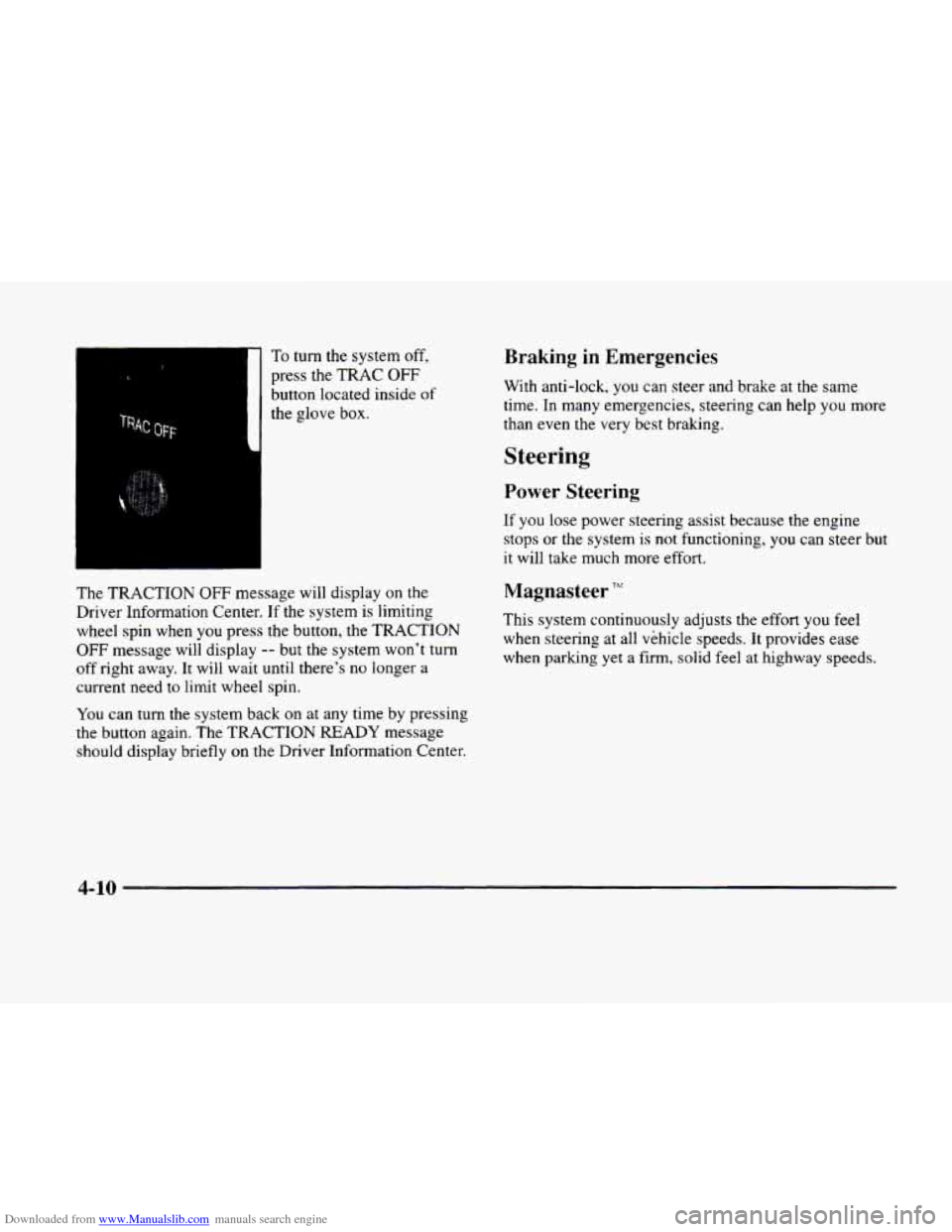
Downloaded from www.Manualslib.com manuals search engine To turn the system off,
press the TRAC OFF
button located inside of
the glove box.
The TRACTION OFF message will display on the
Driver Information Center.
If the system is limiting
wheel spin when you press the button, the TRACTION
OFF message will display -- but the system won’t turn
off right away. It will wait until there’s no longer a
current need
to limit wheel spin.
You can turn the system back on at any time by pressing
the button again.
The TRACTION READY message
should display briefly
on the Driver Information Center.
Braking in Emergencies
With anti-lock, you can steer and brake at the same
time. In many emergencies, steering can help you more
than even
the very best braking.
Steering
Power Steenng
If you lose power steering assist because the engine
stops
or the system is not functioning, you can steer but
it will take much more effort.
Magnasteer TFr‘
This system continuously adjusts the effort you feel
when steering
at all vehicle speeds. It provides ease
when parking yet a firm,
solid feel at highway speeds.
4-10
Page 255 of 380
Downloaded from www.Manualslib.com manuals search engine Engine Overheating
You will find an ENGINE COOLANT HOT, IDLE
ENGINE message or an ENGINE OVERHEATED,
STOP ENGINE message
on the Driver Information
Center (DIC).
You will also hear a chime. There is also
an engine temperature warning light and/or gage
on the
instrument panel. See “Engine Coolant Temperature
Warning Light” or “Engine Coolant Temperature Gage”
in the Index.
Overheated Engine Protection
Operating
Mode
Should an overheated engine condition exist and the
message ENGINE OVERHEATED
STOP ENGINE is
displayed, an overheat protection mode which alternates
firing groups
of four cylinders helps prevent engine
damage. In this mode, you will notice a loss in power and
engine performance. This operating mode allows
your vehicle to be driven to a safe place
in an
emergency; you may drive
up to 50 miles (80 km).
Towing a trailer in the overheat protection mode
should be avoided.
-~
NOTICE:
After driving in the overheated engine protection
operating mode, to avoid engine damage, allow
the engine to cool before attempting any repair.
The engine oil will be severely degraded. Repair
the cause of coolant loss, change the oil and reset
the oil life indicator. See “Engine Oil, When to
Change”
in the Index.
5-15
Page 291 of 380
Downloaded from www.Manualslib.com manuals search engine Underhood Lamp
Turn the parking lamps on to operate the underhood
lamp.
The underhood lamp will come on when the
hood is opened.
Engine Oil
1
iMlUM UNLEADED
FUEL ONLY TRIP fl fl.
@BMaBUD
.......................... .............. ....... ............ ....... .... ..... ........... ... ....... :;if i i.. *: :-i.. : i : ......................................... .".......
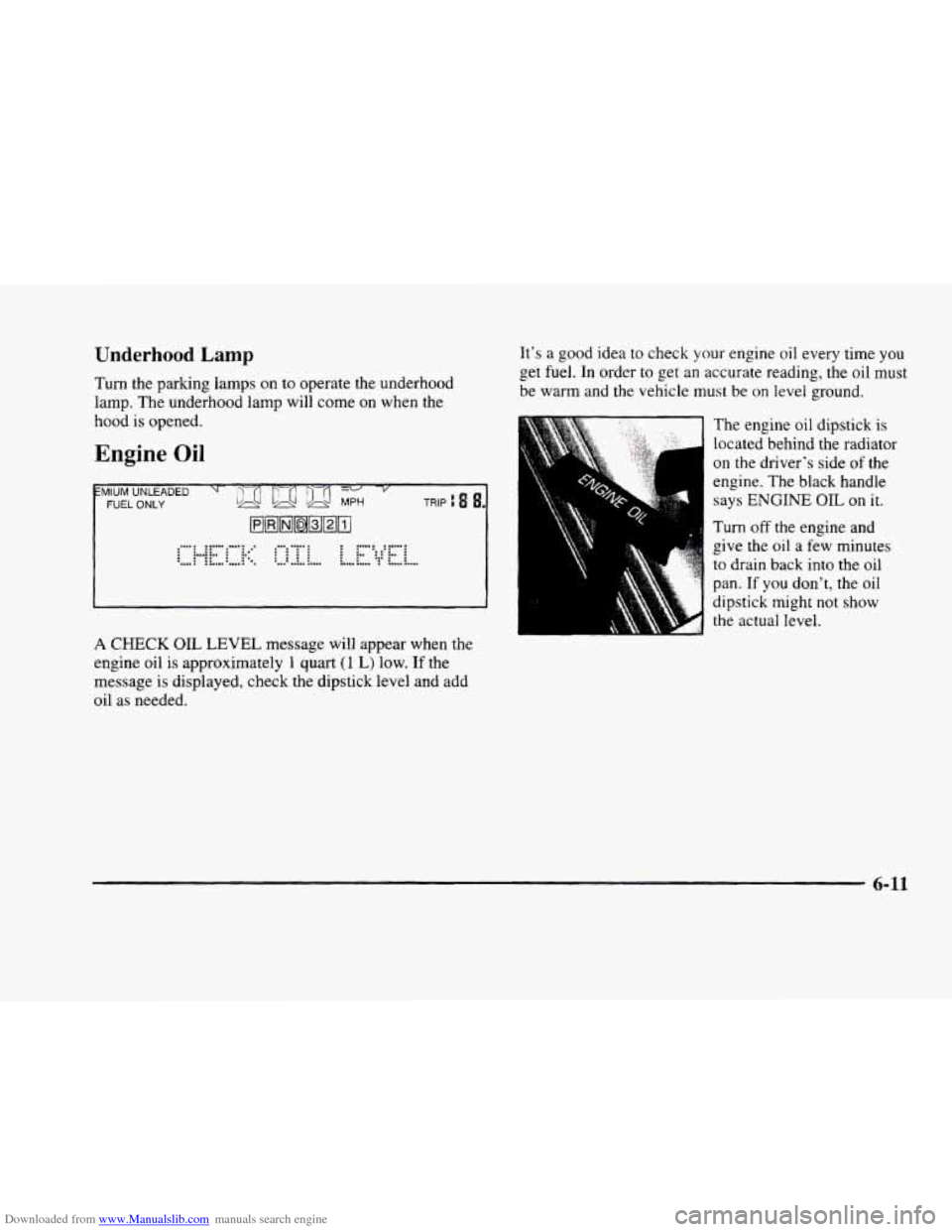
1 CHECK OIL LEVEL message will appear when the
engine oil is approximately
1 quart (1 L) low. If the
message is displayed, check the dipstick level and add
oil
as needed.
It's a good idea to check your engine oil every time you
get fuel. In order to get an accurate reading, the oil must
be warm and the vehicle must be on level ground.
The engine oil dipstick is
located behind
the radiator
on the driver's side of the
engine. The black handle
says ENGINE OIL on it.
Turn off the engine and
give
the oil a few minutes
to drain back into the oil
pan.
If you don't, the oil
dipstick might not show
the actual level.
6-11
Page 295 of 380
Downloaded from www.Manualslib.com manuals search engine How to Reset the Oil Life Indicator
After the oil has been changed, display the OIL LIFE
LEFT message by pressing the INFO button. Then press
and hold the INFO
RESET button until the display
shows
“100.” This resets the oil life index. The message
will remain off until the next oil change is needed. The
percentage of oil life remaining may be checked at
any time by pressing
the INFO button several times
until the
OIL LIFE LEFT message appears. For more
information on the Oil Life feature, see “Oil Life
Indicator”
in the Index.
What to Do with Used Oil
Did you know that used engine oil contains certain
elements that may be unhealthy for your skin and could
even cause cancer? Don‘t let used oil stay on your
skin
for very long. Clean your skin and nails with soap and
water, or
a good hand cleaner. Wash or properly throw
away clothing or rags containing used engine
oil. (See
the manufacturer’s warnings about the use and disposal
of oil products.)
Used oil can be a real threat to the environment. If you
change your own oil, be sure
to drain all free-flowing oil
from the filter before disposal. Don’t ever dispose of oiI
by putting it in the trash, pouring it on the ground, into
sewers, or into streams or bodies
of water. Instead, recycle
it by taking
it to a place that collects used oil. If
you have a problem properly disposing of your used oil.
ask your dealer,
a service station or a local recycling
center for help.
Air Cleaner
The air cleaner is located next to the windshield washer
fluid reservoir on the driver’s side
of the engine. Be sure
the engine has cooled before following these steps to
replace
the air cleaner filter:
6-15
Page 301 of 380
Downloaded from www.Manualslib.com manuals search engine If the fluid level is low, add only enough of the proper
fluid to bring
the level into the cross-hatched area on
the dipstick.
1. Pull out the dipstick.
2. Using a long-neck funnel, add enough fluid at the
dipstick hole
to bring it to the proper level.
It doesn’t take much fluid, generally less than
one pint
(0.5 L). Don’t ovegi’ll.
-
NOTICE:
We recommend you use only fluid labeled
DEXRON@-111, because fluid with that label
is
made especially for your automatic transaxle.
Damage caused by fluid other than DEXRON-I11
is not covered by your new vehicle warranty.
3. After adding fluid, recheck the fluid level as
described under “How
to Check.”
4. When the correct fluid level is obtained, push the
dipstick back
in all the way.
How to Reset Transaxle Fluid
Change Indicator:
Your vehicle is equipped with a transaxle fluid change
indicator.
A CHANGE TRANS FLUID message will
display
on the Driver Information Center (DIC) when
the powertrain computer determines that the transaxle
fluid needs to be changed or at each
100,000 miles
(160 000 km) interval, whichever occurs first. See your
Maintenance Schedule booklet for more information.
When this message appears, change
the transaxle fluid
and reset the transaxle fluid life indicator as follows:
1. Turn the ignition on but do not start the engine.
2. Press and hold the OFF and rear defog buttons on
the climate control system at the same time until
the TRANS FLUID RESET message appears on
the DIC.
6-21