battery location CADILLAC ELR 2015 Owners Manual
[x] Cancel search | Manufacturer: CADILLAC, Model Year: 2015, Model line: ELR, Model: CADILLAC ELR 2015Pages: 407, PDF Size: 41.85 MB
Page 37 of 407
Black plate (2,1)Cadillac ELR Owner Manual (GMNA-Localizing-U.S./Canada-7695154) -
2015 - CRC - 4/25/14
2-2 Keys, Doors, and Windows
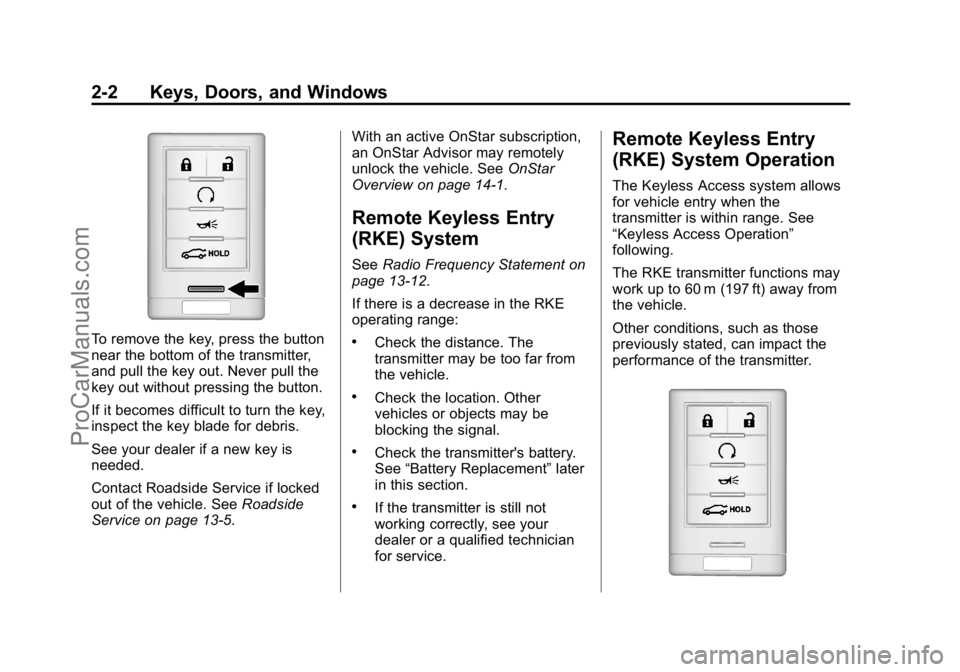
To remove the key, press the button
near the bottom of the transmitter,
and pull the key out. Never pull the
key out without pressing the button.
If it becomes difficult to turn the key,
inspect the key blade for debris.
See your dealer if a new key is
needed.
Contact Roadside Service if locked
out of the vehicle. SeeRoadside
Service on page 13-5. With an active OnStar subscription,
an OnStar Advisor may remotely
unlock the vehicle. See
OnStar
Overview on page 14-1.
Remote Keyless Entry
(RKE) System
See Radio Frequency Statement on
page 13-12.
If there is a decrease in the RKE
operating range:
.Check the distance. The
transmitter may be too far from
the vehicle.
.Check the location. Other
vehicles or objects may be
blocking the signal.
.Check the transmitter's battery.
See “Battery Replacement” later
in this section.
.If the transmitter is still not
working correctly, see your
dealer or a qualified technician
for service.
Remote Keyless Entry
(RKE) System Operation
The Keyless Access system allows
for vehicle entry when the
transmitter is within range. See
“Keyless Access Operation”
following.
The RKE transmitter functions may
work up to 60 m (197 ft) away from
the vehicle.
Other conditions, such as those
previously stated, can impact the
performance of the transmitter.
ProCarManuals.com
Page 87 of 407

Black plate (30,1)Cadillac ELR Owner Manual (GMNA-Localizing-U.S./Canada-7695154) -
2015 - CRC - 4/25/14
3-30 Seats and Restraints
{Warning
Stowing of articles under the
passenger seat or between the
passenger seat cushion and
seatback may interfere with the
proper operation of the passenger
sensing system.
Servicing the
Airbag-Equipped Vehicle
Airbags affect how the vehicle
should be serviced. There are parts
of the airbag system in several
places around the vehicle. Your
dealer and the service manual have
information about servicing the
vehicle and the airbag system. To
purchase a service manual, see
Service Publications Ordering
Information on page 13-11.
{Warning
For up to 10 seconds after the
vehicle is turned off and the 12‐
volt battery is disconnected, an
airbag can still inflate during
improper service. You can be
injured if you are close to an
airbag when it inflates. Avoid
yellow connectors. They are
probably part of the airbag
system. Be sure to follow proper
service procedures, and make
sure the person performing work
for you is qualified to do so.
Adding Equipment to the
Airbag-Equipped Vehicle
Adding accessories that change the
vehicle's frame, bumper system,
height, front end, or side sheet
metal, may keep the airbag system
from working properly. The
operation of the airbag system can
also be affected by changing any
parts of the front seats, safety belts,the airbag sensing and diagnostic
module, steering wheel, instrument
panel, any of the airbag modules,
ceiling or pillar garnish trim,
overhead console, front sensors,
side impact sensors, or airbag
wiring.
Your dealer and the service manual
have information about the location
of the airbag sensors, sensing and
diagnostic module, and airbag
wiring.
In addition, the vehicle has a
passenger sensing system for the
front outboard passenger position,
which includes sensors that are part
of the passenger seat. The
passenger sensing system may not
operate properly if the original seat
trim is replaced with non-GM
covers, upholstery, or trim; or with
GM covers, upholstery, or trim
designed for a different vehicle. Any
object, such as an aftermarket seat
heater or a comfort-enhancing pad
or device, installed under or on top
of the seat fabric, could also
interfere with the operation of the
ProCarManuals.com
Page 160 of 407
Black plate (51,1)Cadillac ELR Owner Manual (GMNA-Localizing-U.S./Canada-7695154) -
2015 - CRC - 4/25/14
Instruments and Controls 5-51
TIRE LEARNING ACTIVE
This message displays when the
system is learning new tires. See
Tire Pressure Monitor Operation on
page 10-49.
TIRE LOW ADD AIR TO TIRE
This message displays when the
pressure in one or more of the tires
is low.
This message also displays LEFT
FRONT, RIGHT FRONT, LEFT
REAR, or RIGHT REAR to indicate
the location of the low tire.
The low tire pressure warning light
will also come on. SeeTire
Pressure Light on page 5-24.
If a tire pressure message appears
on the DIC, stop as soon as you
can. Inflate the tires by adding air
until the tire pressure is equal to the
values shown on the Tire and
Loading Information label. See Tires
on page 10-41, Vehicle Load Limits
on page 9-12, and Tire Pressure on
page 10-47. You can receive more than one tire
pressure message at a time. The
DIC also shows the tire pressure
values. See
Driver Information
Center (DIC) on page 5-38.
Vehicle Reminder
Messages
ICE POSSIBLE DRIVE
WITH CARE
This message displays when ice
conditions are possible.
Vehicle Speed Messages
SELECTED SPEED LIMIT
EXCEEDED
This message is displayed when the
vehicle speed is greater than the set
speed. See "Speed Warning" under
Instrument Cluster on page 5-8.
Washer Fluid Messages
WASHER FLUID LOW ADD
FLUID
This message may display when the
washer fluid level is low. Fill the
windshield washer reservoir as soon
as possible. See Engine
Compartment Overview on
page 10-8 for the location of the
windshield washer reservoir. Also,
see Washer Fluid on page 10-19.
Window Messages
OPEN, THEN CLOSE DRIVER/
PASSENGER WINDOW
This message is displayed when the
window needs to be reprogrammed.
If the vehicle's battery has been
recharged or disconnected, you will
need to program each front window
for the express-up feature to work.
See Power Windows on page 2-19.
ProCarManuals.com
Page 207 of 407

Black plate (18,1)Cadillac ELR Owner Manual (GMNA-Localizing-U.S./Canada-7695154) -
2015 - CRC - 4/25/14
9-18 Driving and Operating
to N (Neutral), firmly apply the
brakes and steer the vehicle to a
safe location.
3. Come to a complete stop, shift to P (Park), and turn the vehicle
off by pressing the POWER
O
button.
4. Set the parking brake. See Electric Parking Brake on
page 9-30.
{Warning
Turning off the vehicle while
moving may disable the airbags.
While driving, only shut the
propulsion system off in an
emergency.
If the vehicle cannot be pulled over,
and must be shut off while driving,
press and hold the POWER
O
button for longer than two seconds,
or press twice in five seconds.
Starting and Stopping the
Vehicle
The engine may start, if required,
when the propulsion system is on.
{Caution
Do not try to shift to P (Park) if the
vehicle is moving or the electric
drive unit could be damaged.
Shift to P (Park) only when the
vehicle is stopped.
{Caution
If you add electrical parts or
accessories, you could change
the way the vehicle operates. Any
resulting damage would not be
covered by the vehicle warranty.
See Add-On Electrical Equipment
on page 9-71.
Starting Procedure
1. Move the shift lever to P (Park) or N (Neutral). The propulsion
system will not start in any other
position.
2. The Remote Keyless Entry (RKE) transmitter must be in the
vehicle.
3. Press the brake pedal and press and release the POWER
O
button.
If the RKE transmitter is not in the
vehicle or something is interfering
with the transmitter, a message
displays in the Driver Information
Center (DIC). See Key and Lock
Messages on page 5-45.
If the vehicle will not start due to a
low RKE transmitter battery, the
vehicle can still be driven. See
“Starting the Vehicle with a Low
Transmitter Battery” inRemote
Keyless Entry (RKE) System
Operation on page 2-2.
ProCarManuals.com
Page 266 of 407

Black plate (5,1)Cadillac ELR Owner Manual (GMNA-Localizing-U.S./Canada-7695154) -
2015 - CRC - 4/25/14
Vehicle Care 10-5
When lifting the vehicle from the
rear, place the service jack directly
under one of the spring seats.When lifting the vehicle from the
front, place the service jack directly
under one of the cradle mounts.
Ramps may be needed under the
front tires to provide the necessary
clearance for certain service jacks in
this location.
For more information, seeDoing
Your Own Service Work on
page 10-5.
Vehicle Checks
Doing Your Own
Service Work
{Warning
Never try to do your own service
on high voltage battery
components. You can be injured
and the vehicle can be damaged
if you try to do your own service
work. Service and repair of these
high voltage battery components
should only be performed by a
trained dealer technician with the
proper knowledge and tools.
Exposure to high voltage can
cause shock, burns, and even
death. The high voltage
components in the vehicle can
only be serviced by technicians
with special training.
(Continued)
ProCarManuals.com
Page 285 of 407
Black plate (24,1)Cadillac ELR Owner Manual (GMNA-Localizing-U.S./Canada-7695154) -
2015 - CRC - 4/25/14
10-24 Vehicle Care
12-Volt Battery
The 12-volt battery is in the trunk,
under the center compartment
cover. Refer to the replacement
number shown on the original
battery label when a new 12-volt
battery is needed. The vehicle has
an Absorbed Glass Mat (AGM)
12-volt battery. Installation of a
standard 12-volt battery will result in
reduced 12-volt battery life.
When using a 12-volt battery
charger on the 12-volt AGM battery,
some chargers have an AGM
battery setting on the charger.
If available, use the AGM setting on
the charger, to limit charge voltage
to 14.8 volts. Follow the charger
manufacturer's instructions.{Warning
Battery posts, terminals, and
related accessories contain lead
and lead compounds, chemicals
known to the State of California to
cause cancer and reproductive
harm. Wash hands after handling.
Vehicle Storage
{Warning
12‐volt batteries have acid that
can burn you and gas that can
explode. You can be badly hurt if
you are not careful. SeeJump
Starting on page 10-69 for tips on
working around a battery without
getting hurt. Up to four weeks
.Plug in the high voltage battery
charge cord if temperatures will
exceed 35°C (95°F) and keep
the 12-volt battery cables
connected.
Four weeks to 12 months
.Discharge the high voltage
battery until two or three bars
remain on the battery range
indicator (Battery symbol) on the
instrument cluster.
.Do not plug in the high voltage
battery charge cord.
.Remove the black negative (−)
cable from the 12-volt battery
and attach a trickle charger to
the battery terminals or keep the
12-volt battery cables connected
and trickle charge from the
underhood remote positive (+)
and negative (−) terminals. See
Jump Starting on page 10-69 for
the location of these terminals.
ProCarManuals.com
Page 373 of 407
Black plate (4,1)Cadillac ELR Owner Manual (GMNA-Localizing-U.S./Canada-7695154) -
2015 - CRC - 4/25/14
13-4 Customer Information
Canada
General Motors of Canada Limited
Canadian Cadillac Customer Care
Centre, Mail Code: CA1-163-005
1908 Colonel Sam Drive
Oshawa, Ontario L1H 8P7
www.gm.ca
1-888-446-2000 (English)
1-800-263-7854 (French)
Roadside Service: 1-800-882-1112
Overseas
Contact the local General Motors
Business Unit.
Customer Assistance for
Text Telephone (TTY)
Users
To assist customers who are deaf,
hard of hearing, or speech-impaired
and who use Text Telephones
(TTYs), Cadillac has TTY equipment
available at its Customer Assistance
Center. Any TTY user cancommunicate with Cadillac by
dialing: 1-800-833-2622. TTY users
in Canada can dial 1-800-263-3830.
Online Owner Center
Online Owner Experience
(U.S.) my.cadillac.com
The Cadillac online owner
experience is a one-stop resource
that allows interaction with Cadillac
and keeps important vehicle-specific
information in one place.
Membership Benefits
E(Vehicle Information):
Download owner manuals and view
vehicle-specific how-to videos.
G(Maintenance Information):
View maintenance schedules,
required alerts, OnStar onboard
vehicle diagnostic information, and
schedule service appointments.
I(Service History): View
printable dealer-recorded service
records and self-recorded service
records.
D(Preferred Dealer
Information): Select a preferred
dealer and view dealer location,
maps, phone numbers, and hours.
J(Warranty Tracking
Information): Track the vehicle’s
warranty information.
J(Recall Information): View
active recalls or search by Vehicle
Identification Number (VIN). See
Vehicle Identification Number (VIN)
on page 12-1.
H(Other Account Information):
View GM Card, SiriusXM Satellite
radio, and OnStar account
information.
F(Live Chat Support): Chat live
with online help representatives.
w(Charging and Efficiency):
View the battery status, charging
information, and mileage history.
x(Remote Commands):
Remotely start/stop the vehicle,
activate the horn and lights alert,
ProCarManuals.com
Page 375 of 407

Black plate (6,1)Cadillac ELR Owner Manual (GMNA-Localizing-U.S./Canada-7695154) -
2015 - CRC - 4/25/14
13-6 Customer Information
Cadillac Owner Privileges™
.Emergency Fuel Delivery:
Delivery of enough fuel for the
vehicle to get to the nearest
service station.
.Lock-Out Service:Service to
unlock the vehicle if you are
locked out. A remote unlock may
be available if you have OnStar.
For security reasons, the driver
must present identification
before this service is given.
.Emergency Tow from a Public
Road or Highway: Tow to the
nearest certified ELR or Volt
dealer for warranty service, or if
the vehicle was in a crash and
cannot be driven. Assistance is
not given when the vehicle is
stuck in the sand, mud, or snow.
Emergency towing may be
covered for the duration of the
Extended Range Electric Vehicle
(EREV) component warranty.
.Flat Tire Change: Service to
change a flat tire with the tire
sealant and compressor kit.
If the tire has been separated
from the wheel, has damaged
sidewalls, or has a large
puncture, the tire is too severely
damaged for the tire sealant and
compressor kit to be effective
and the vehicle will have to be
towed. It is the owner's
responsibility for the repair or
replacement of the tire if it is not
covered by the warranty.
.Battery Jump Start: Service to
jump start a dead battery.
.Trip Interruption Benefits and
Service: If your trip is
interrupted due to a warranty
failure, incidental expenses may
be reimbursed during the
Powertrain warranty period.
Items considered are hotel,
meals and rental car.
Cadillac Technician Roadside
Service (U.S. Only)
Cadillac's exceptional Roadside
Service is more than an auto club or
towing service. It provides every
Cadillac owner in the United States
with the advantage of contacting a
Cadillac advisor and, where
available, a Cadillac trained dealer
technician who can provide on-site
service.
A dealer technician will travel to
your location within a 30-mile radius
of a participating Cadillac
dealership. If beyond this radius, we
will arrange to have your car towed
to the nearest Cadillac dealership.
Each technician travels with a
specially equipped service vehicle
complete with the necessary
Cadillac parts and tools required to
handle most roadside repairs.
ProCarManuals.com
Page 386 of 407
Black plate (1,1)Cadillac ELR Owner Manual (GMNA-Localizing-U.S./Canada-7695154) -
2015 - CRC - 4/25/14
OnStar 14-1
OnStar
OnStar Overview
OnStar Overview . . . . . . . . . . . . 14-1
OnStar Services
Emergency . . . . . . . . . . . . . . . . . . 14-2
Security . . . . . . . . . . . . . . . . . . . . . . 14-3
Navigation . . . . . . . . . . . . . . . . . . . 14-3
Connections . . . . . . . . . . . . . . . . . 14-4
Vehicle Diagnostics . . . . . . . . . . 14-6
OnStar Additional Information
OnStar AdditionalInformation . . . . . . . . . . . . . . . . . 14-6
OnStar Overview
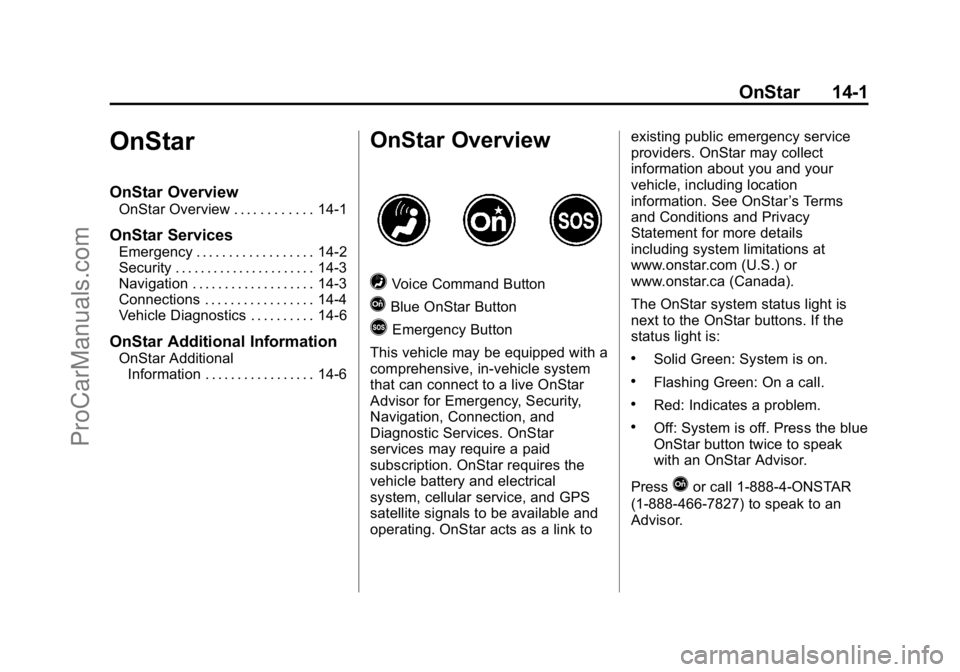
=Voice Command Button
QBlue OnStar Button
>Emergency Button
This vehicle may be equipped with a
comprehensive, in-vehicle system
that can connect to a live OnStar
Advisor for Emergency, Security,
Navigation, Connection, and
Diagnostic Services. OnStar
services may require a paid
subscription. OnStar requires the
vehicle battery and electrical
system, cellular service, and GPS
satellite signals to be available and
operating. OnStar acts as a link to existing public emergency service
providers. OnStar may collect
information about you and your
vehicle, including location
information. See OnStar
’s Terms
and Conditions and Privacy
Statement for more details
including system limitations at
www.onstar.com (U.S.) or
www.onstar.ca (Canada).
The OnStar system status light is
next to the OnStar buttons. If the
status light is:
.Solid Green: System is on.
.Flashing Green: On a call.
.Red: Indicates a problem.
.Off: System is off. Press the blue
OnStar button twice to speak
with an OnStar Advisor.
Press
Qor call 1-888-4-ONSTAR
(1-888-466-7827) to speak to an
Advisor.
ProCarManuals.com
Page 393 of 407

Black plate (8,1)Cadillac ELR Owner Manual (GMNA-Localizing-U.S./Canada-7695154) -
2015 - CRC - 4/25/14
14-8 OnStar
Potential Issues
OnStar cannot perform Remote
Door Unlock or Stolen Vehicle
Assistance after the vehicle has
been off continuously for five days.
After five days, OnStar can contact
Roadside Assistance and a
locksmith to help gain access to the
vehicle.
Global Positioning
System (GPS)
.Obstruction of the GPS can
occur in a large city with tall
buildings; in parking garages;
around airports; in tunnels,
underpasses; or in an area with
very dense trees. If GPS signals
are not available, the OnStar
system should still operate to
call OnStar. However, OnStar
could have difficulty identifying
the exact location.
.In emergency situations, OnStar
can use the last stored GPS
location to send to emergency
responders.A temporary loss of GPS can cause
loss of the ability to send a
Turn-by-Turn Navigation route. The
Advisor may give a verbal route or
may ask for a call back after the
vehicle is driven into an open area.
Cellular and GPS Antennas
Do not place items over or near the
antenna to prevent blocking cellular
and GPS signal reception. Cellular
reception is required for OnStar to
send remote signals to the vehicle.
Unable to Connect to OnStar
Message
If there is limited cellular coverage
or the cellular network has reached
maximum capacity, this message
may come on. Press
Qto try the
call again or try again after driving a
few miles into another cellular area.
Vehicle and Power Issues
OnStar services require a vehicle
electrical system, wireless service,
and GPS satellite technologies to be
available and operating for features to function properly. These systems
may not operate if the battery is
discharged or disconnected.
Add-on Electrical Equipment
The OnStar system is integrated
into the electrical architecture of the
vehicle. Do not add any electrical
equipment. See
Add-On Electrical
Equipment on page 9-71. Added
electrical equipment may interfere
with the operation of the OnStar
system and cause it to not operate.
Privacy
The complete OnStar Privacy
Statement may be found at
www.onstar.com (U.S.),
or www.onstar.ca (Canada). We
recommend that you review it.
If you have any questions, call
1-888-4-ONSTAR (1-888-466-7827)
or press
Qto speak with an
Advisor. Users of wireless
communications are cautioned that
the privacy of any information sent
via wireless cellular communications
cannot be assured. Third parties
ProCarManuals.com