wheel CADILLAC ELR 2016 Service Manual
[x] Cancel search | Manufacturer: CADILLAC, Model Year: 2016, Model line: ELR, Model: CADILLAC ELR 2016Pages: 368, PDF Size: 6.92 MB
Page 202 of 368

Cadillac ELR Owner Manual (GMNA-Localizing-U.S/Canada-9087644) -
2016 - crc - 9/17/15
Driving and Operating 201
When selected, the Mountain Mode
indicator will display in the DIC.
This feature is intended to maintain
a reserve electrical charge of the
high voltage battery to provide
better grade climbing performance.
While driving in Mountain Mode, the
vehicle will have less responsive
acceleration.
Hold Mode
The Hold Mode is only available
when the vehicle is in the Electric
Mode. Use when wanting to change
to Extended Range Mode to
maintain the battery charge reserve.
SeeExtended Range Mode 0187.
When selected, the Hold Mode
indicator will display in the DIC.
This feature is intended to place the
remaining battery charge into a
reserve for the driver to use as
desired. Hold Mode will not change
normal vehicle acceleration or
braking performance.
Competitive Driving Mode
If equipped, the Competitive Driving
Mode is selected by pressing the
TCS/StabiliTrak
®buttonYon the
center console twice within
five seconds while in Sport Mode.
The StabiliTrak OFF light
gwill
come on in the instrument cluster
and a pop-up will appear in the DIC
indicating that Competitive Driving
Mode has been entered.
The Competitive Driving Mode
allows the driver to have control of
the power applied to the wheels,
while the StabiliTrak system helps
steer the vehicle by selective brake
application.
In the Competitive Driving Mode, the
levels at which StabiliTrak is
engaged have been modified to
better suit a performance driving
environment. When the StabiliTrak
OFF light
gis on, TCS will not be
operating. Driving should be
adjusted accordingly. Do not use
Competitive Driving Mode on slippery surfaces such as snow,
mud, ice, etc. See
Traction Control/
Electronic Stability Control 0198.
When the TCS/StabiliTrak button
Y
is pressed again, TCS will be turned
back on and the StabiliTrak OFF
light
gin the instrument cluster will
turn off.
Continuous Damping
Control (CDC)
The CDC feature provides superior
vehicle ride and handling under a
variety of passenger and loading
conditions.
The system is fully automatic and
uses a computer controller to
continuously monitor vehicle speed,
wheel to body position, lift/dive, and
steering position of the vehicle. The
controller then sends signals to
each shock absorber to
independently adjust the damping
level to provide the optimum
vehicle ride.
ProCarManuals.com
Page 203 of 368

Cadillac ELR Owner Manual (GMNA-Localizing-U.S/Canada-9087644) -
2016 - crc - 9/17/15
202 Driving and Operating
Cruise Control
With cruise control, a speed of
about 40 km/h (25 mph) or more can
be maintained without keeping your
foot on the accelerator. Cruise
control does not work at speeds
below about 40 km/h (25 mph).
{Warning
Cruise control can be dangerous
where you cannot drive safely at
a steady speed. Do not use
cruise control on winding roads or
in heavy traffic.
Cruise control can be dangerous
on slippery roads. On such roads,
fast changes in tire traction can
cause excessive wheel slip, and
you could lose control. Do not use
cruise control on slippery roads.
If the StabiliTrak
®system begins to
limit wheel spin while using cruise
control, the cruise control
automatically disengages. See
Traction Control/Electronic Stability
Control 0198. If a collision alert occurs when cruise control is
activated, cruise control is
disengaged. See
Forward Collision
Alert (FCA) System 0214. When
road conditions allow you to safely
use it again, cruise control can be
turned back on.
If the brakes are applied, cruise
control disengages.J(On/Off) : Press to turn the
system on and off. A white cruise
control indicator appears in the
instrument cluster when cruise is
turned on. +RES (Resume/Accelerate) :
If
there is a set speed in memory,
press the control up briefly to
resume that speed or hold to
accelerate. If cruise control is
already active, use to increase
vehicle speed. To increase speed by
1 km/h or 1 mph, press +RES up to
the first detent. To increase speed to
the next 5 km/h or 5 mph mark on
the speedometer, press +RES up to
the second detent.
SET− (Set/Coast) : Press the
control down briefly to set the speed
and activate cruise control. If cruise
control is already active, use to
decrease vehicle speed. To
decrease speed by 1 km/h or 1 mph,
press SET− down to the first detent.
To decrease speed to the next
5 km/h or 5 mph mark on the
speedometer, press SET− down to
the second detent.*(Cancel) : Press to disengage
cruise control without erasing the
set speed from memory.
ProCarManuals.com
Page 204 of 368

Cadillac ELR Owner Manual (GMNA-Localizing-U.S/Canada-9087644) -
2016 - crc - 9/17/15
Driving and Operating 203
Setting Cruise Control
If
Jis on when not in use, SET−or
+RES could get bumped and go into
cruise when not desired. Keep
J
off when cruise is not being used.
1. Press
J.
2. Get up to the desired speed.
3. Press and release SET− .
4. Remove your foot from the accelerator.
When the cruise control has been
set to the desired speed, the cruise
control indicator appears green on
the instrument cluster.
Resuming a Set Speed
If the cruise control is set at a
desired speed and then the brakes
or
*is applied, the cruise control is
disengaged without erasing the set
speed from memory.
Once the vehicle speed reaches
about 40 km/h (25 mph) or more,
press +RES up to the first detent briefly on the steering wheel. The
vehicle returns to the previous set
speed.
Increasing Speed While Cruise
Control is at a Set Speed
If the cruise control system is
already activated:
.
Press and hold +RES up until
the desired speed is reached,
then release it.
. To increase vehicle speed in
small increments, briefly press
+RES up to the first detent. For
each press, the vehicle goes
about 1 km/h or 1 mph faster.
. To increase vehicle speed in
larger increments, briefly press
+RES up to the second detent.
For each press, the vehicle
speed increases to the next
5 km/h or 5 mph mark on the
speedometer.
The speedometer reading can be
displayed in either English or metric
units. See Instrument Cluster 0104.
The increment value used depends
on the units displayed. Reducing Speed While Cruise
Control is at a Set Speed
If the cruise control system is
already activated:
.
Press and hold SET− down until
the desired lower speed is
reached, then release it.
. To decrease the vehicle speed in
small increments, briefly press
SET− down to the first detent.
For each press, the vehicle goes
about 1 km/h or 1 mph slower.
. To decrease the vehicle speed in
larger increments, briefly press
SET− down to the second
detent. For each press, the
vehicle speed decreases to the
next 5 km/h or 5 mph mark on
the speedometer.
The speedometer reading can be
displayed in either English or metric
units. See Instrument Cluster 0104.
The increment value used depends
on the units displayed.
ProCarManuals.com
Page 206 of 368

Cadillac ELR Owner Manual (GMNA-Localizing-U.S/Canada-9087644) -
2016 - crc - 9/17/15
Driving and Operating 205
Warning (Continued)
this section. Complete attention is
always required while driving and
you should be ready to take
action and apply the brakes. See
Defensive Driving0174.
{Warning
ACC will not detect or brake for
children, pedestrians, animals,
or other objects.
Do not use ACC when:
. On winding and hilly roads
or when the sensors are
blocked by snow, ice, or dirt.
The system may not detect
a vehicle ahead. Keep the
entire front of the vehicle
clean.
. Visibility is low, such as in
fog, rain, or snow
conditions. ACC
performance is limited under
these conditions.
(Continued)
Warning (Continued)
.On slippery roads where
fast changes in tire traction
can cause excessive
wheel slip.
J(On/Off) : Press to turn the
system on or off. A white adaptive
cruise control indicator comes on.
+RES (Resume/Accelerate) :
Press the control up briefly to
resume the previous set speed or hold to accelerate. If ACC is already
activated, use to increase vehicle
speed.
SET–
(Set/Coast) : Press the
control down briefly to set the speed
and activate ACC. If cruise control is
already active, use to decrease
vehicle speed.
*(Cancel) : Press to disengage
ACC without erasing the selected
speed.
[(Follow Distance Gap) : Press
to select a following gap time (or
distance) setting for ACC of Far,
Medium, or Near.
Setting Adaptive Cruise Control
If the cruise button is on when not in
use, the cruise on/off control could
get pressed and cruise control could
become active when not desired.
Keep the cruise control off when
cruise is not being used.
Select the set speed desired for
cruise. This is the vehicle speed
when no vehicle is detected in
its path.
ProCarManuals.com
Page 207 of 368

Cadillac ELR Owner Manual (GMNA-Localizing-U.S/Canada-9087644) -
2016 - crc - 9/17/15
206 Driving and Operating
ACC will not set at a speed less
than 24 km/h (15 mph), although it
can be resumed when driving at
lower speeds.
To set ACC:1. Press
J.
2. Get up to the desired speed.
3. Press and release the SET– control on the steering wheel.
4. Remove foot from the accelerator.
After ACC is set, it may immediately
apply the brakes if a vehicle ahead
is detected closer than the selected
following gap.
The ACC indicator displays in the
instrument cluster. When the ACC is
active, the indicator will be lit green. Be mindful of speed limits,
surrounding traffic speeds, and
weather conditions when selecting
the set speed.
Resuming a Set Speed
If the ACC is set at a desired speed
and then the brakes are applied, the
ACC is disengaged without erasing
the set speed from memory.
To begin using ACC again, press
+RES up briefly on the steering
wheel. The vehicle returns to the
previous set speed.
Increasing Speed While ACC is at
a Set Speed
If ACC is already activated, do one
of the following:
.
For increases of 16 km/h
(10 mph) over the current cruise
speed, use the accelerator to get
to the higher speed. Press SET–
down. Release the control and
the accelerator pedal. The
vehicle will now cruise at the
higher speed. When the accelerator pedal is
pressed, ACC will not brake
because it is overridden.
A warning message will appear
on the Driver Information Center
(DIC). See
Cruise Control
Messages 0136.
. Press and hold +RES up until
the desired set speed appears
on the display, then release it.
. To increase vehicle speed in
small increments, briefly press
+RES . For each press, the
vehicle goes to the next 1 km/h
or 1 mph faster mark on the
speedometer.
. To increase vehicle speed in
larger increments, press +RES
up to the second detent. For
each press, the vehicle speed
increases to the next 5 km/h or
5 mph mark on the
speedometer.
When it is determined that there is
no vehicle ahead inside the selected
following gap, then the vehicle
speed will increase to the set speed.
ProCarManuals.com
Page 208 of 368

Cadillac ELR Owner Manual (GMNA-Localizing-U.S/Canada-9087644) -
2016 - crc - 9/17/15
Driving and Operating 207
The speedometer reading can be
displayed in either English or metric
units. SeeInstrument Cluster 0104.
The increment value used depends
on the units displayed.
Reducing Speed While ACC is at a
Set Speed
If ACC is already activated, do one
of the following:
. Use the brake to get to the
desired lower speed. Press
SET– down and release the
accelerator pedal. The vehicle
will now cruise at the lower
speed.
. Press and hold SET– down until
the desired lower speed is
reached, then release it.
. To decrease the vehicle speed in
smaller increments, press SET−.
For each press, the vehicle goes
to the next 1 km/h or 1 mph
slower mark on the
speedometer.
. To decrease the vehicle speed in
larger increments, press SET−
down to the second detent. For
each press, the vehicle speed decreases to the next 5 km/h or
5 mph mark on the
speedometer.
The speedometer reading can be
displayed in either English or metric
units. See Instrument Cluster 0104.
The increment value used depends
on the units displayed.
Selecting the Follow Distance
When a slower moving vehicle is
detected ahead within the selected
following gap, ACC will adjust the
vehicle's speed and attempt to
maintain the follow distance gap
selected.
Press
[on the steering wheel to
adjust the following gap. When
pressed, the current gap setting
displays briefly on the instrument
cluster.
Subsequent presses cycle the gap
button through three settings: Far,
Medium, or Near. The gap setting
will be maintained until it is
changed.
Since each gap setting corresponds
to a following time (Far, Medium,
or Near), the following distance will vary based on vehicle speed. The
faster the vehicle speed, the further
back your vehicle will follow a
vehicle detected ahead. Consider
traffic and weather conditions when
selecting the following gap. The
range of selectable gaps may not be
appropriate for all drivers and
driving conditions.
Changing the gap setting
automatically changes the alert
timing sensitivity (Far, Medium,
or Near) for the Forward Collision
Alert (FCA) feature. See
Forward
Collision Alert (FCA) System 0214.
Alerting the Driver
If ACC is engaged, driver action
may be required when ACC cannot
apply sufficient braking because of
approaching a vehicle too rapidly.
ProCarManuals.com
Page 216 of 368

Cadillac ELR Owner Manual (GMNA-Localizing-U.S/Canada-9087644) -
2016 - crc - 9/17/15
Driving and Operating 215
alert on the windshield and rapidly
beeps or pulses the driver seat.
FCA also lights an amber visual
alert if following another vehicle
much too closely.
FCA detects vehicles within a
distance of approximately 60 m
(197 ft) and operates at speeds
above 40 km/h (25 mph). If the
vehicle has Adaptive Cruise Control
(ACC), it can detect vehicles to
distances of approximately 110 m
(360 ft) and operates at all speeds.
SeeAdaptive Cruise Control 0204.
{Warning
FCA is a warning system and
does not apply the brakes. When
approaching a slower-moving or
stopped vehicle ahead too rapidly,
or when following a vehicle too
closely, FCA may not provide a
warning with enough time to help
avoid a crash. It also may not
provide any warning at all. FCA
does not warn of pedestrians,
animals, signs, guardrails,
(Continued)
Warning (Continued)
bridges, construction barrels,
or other objects. Be ready to take
action and apply the brakes. See
Defensive Driving0174.
FCA can be disabled with the FCA
steering wheel control, or if your
vehicle is equipped with Adaptive
Cruise Control (ACC), through
vehicle personalization. See the
“Auto Collision Preparation” portion
of “Collision/Detection Systems”
under Vehicle
Personalization 0145.
Detecting the Vehicle Ahead
FCA warnings will not occur unless
the FCA system detects a vehicle
ahead. When a vehicle is detected,
the vehicle ahead indicator will display green. Vehicles may not be
detected on curves, highway exit
ramps, or hills, due to poor visibility;
or if a vehicle ahead is partially
blocked by pedestrians or other
objects. FCA will not detect another
vehicle ahead until it is completely
in the driving lane.
{Warning
FCA does not provide a warning
to help avoid a crash, unless it
detects a vehicle. FCA may not
detect a vehicle ahead if the FCA
sensor is blocked by dirt, snow,
or ice, or if the windshield is
damaged. It may also not detect a
vehicle on winding or hilly roads,
or in conditions that can limit
visibility such as fog, rain,
or snow, or if the headlamps or
windshield are not cleaned or in
proper condition. Keep the
windshield, headlamps, and FCA
sensors clean and in good repair.
ProCarManuals.com
Page 217 of 368

Cadillac ELR Owner Manual (GMNA-Localizing-U.S/Canada-9087644) -
2016 - crc - 9/17/15
216 Driving and Operating
Collision Alert
When your vehicle approaches
another detected vehicle too rapidly,
the red FCA display will flash on the
windshield. Also, eight rapid
high-pitched beeps will sound from
the front, or both sides of the Safety
Alert Seat will pulse five times.
When this Collision Alert occurs, the
brake system may prepare for driver
braking to occur more rapidly which
can cause a brief, mild deceleration.
Continue to apply the brake pedal
as the driving situation dictates.
Cruise control may be disengaged
when the Collision Alert occurs.Tailgating AlertThe vehicle-ahead indicator will
display amber when you are
following a vehicle ahead much too
closely.
Selecting the Alert Timing
The Collision Alert control is on the
steering wheel. Press
[to set the
FCA timing to far, medium, near, or on some vehicles, off. The first
button press shows the current
setting on the DIC. Additional button
presses will change this setting. The
chosen setting will remain until it is
changed and will affect the timing of
both the Collision Alert and the
Tailgating Alert features. The timing
of both alerts will vary based on
vehicle speed. The faster the
vehicle speed, the farther away the
alert will occur. Consider traffic and
weather conditions when selecting
the alert timing. The range of
selectable alert timing may not be
appropriate for all drivers and
driving conditions.
If your vehicle is equipped with
Adaptive Cruise Control (ACC),
changing the FCA timing setting
automatically changes the following
gap setting (Far, Medium, or Near).
Following Distance Indication
The following distance to a moving
vehicle you are following is
indicated in following time in
seconds on the Driver Information
Center (DIC). See
Driver
Information Center (DIC) 0132. The
ProCarManuals.com
Page 236 of 368
Cadillac ELR Owner Manual (GMNA-Localizing-U.S/Canada-9087644) -
2016 - crc - 9/17/15
Vehicle Care 235
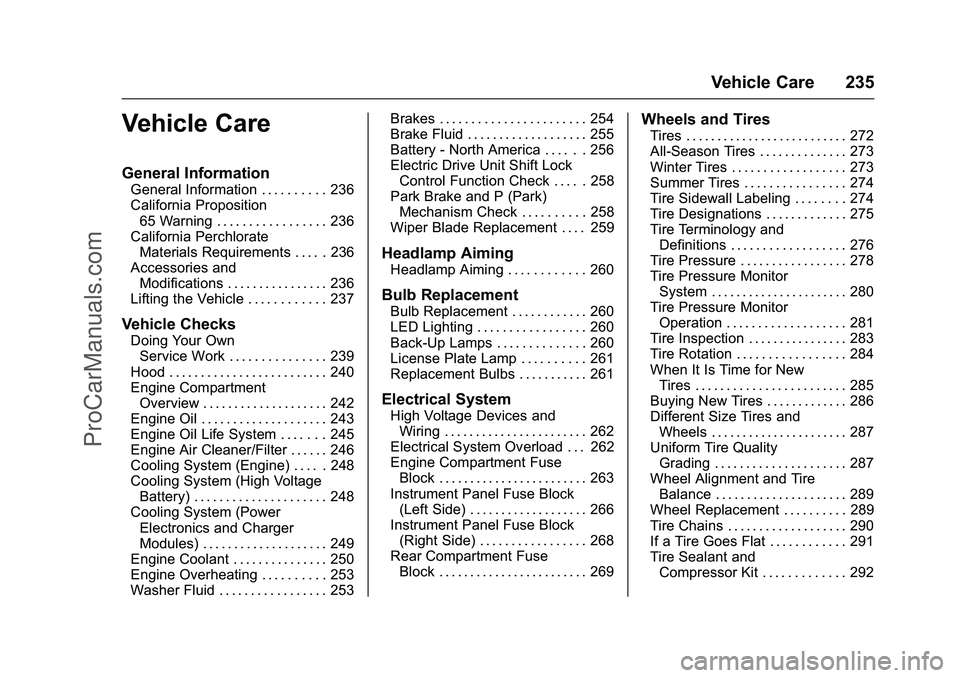
Vehicle Care
General Information
General Information . . . . . . . . . . 236
California Proposition65 Warning . . . . . . . . . . . . . . . . . 236
California Perchlorate Materials Requirements . . . . . 236
Accessories and Modifications . . . . . . . . . . . . . . . . 236
Lifting the Vehicle . . . . . . . . . . . . 237
Vehicle Checks
Doing Your Own Service Work . . . . . . . . . . . . . . . 239
Hood . . . . . . . . . . . . . . . . . . . . . . . . . 240
Engine Compartment Overview . . . . . . . . . . . . . . . . . . . . 242
Engine Oil . . . . . . . . . . . . . . . . . . . . 243
Engine Oil Life System . . . . . . . 245
Engine Air Cleaner/Filter . . . . . . 246
Cooling System (Engine) . . . . . 248
Cooling System (High Voltage Battery) . . . . . . . . . . . . . . . . . . . . . 248
Cooling System (Power Electronics and Charger
Modules) . . . . . . . . . . . . . . . . . . . . 249
Engine Coolant . . . . . . . . . . . . . . . 250
Engine Overheating . . . . . . . . . . 253
Washer Fluid . . . . . . . . . . . . . . . . . 253 Brakes . . . . . . . . . . . . . . . . . . . . . . . 254
Brake Fluid . . . . . . . . . . . . . . . . . . . 255
Battery - North America . . . . . . 256
Electric Drive Unit Shift Lock
Control Function Check . . . . . 258
Park Brake and P (Park) Mechanism Check . . . . . . . . . . 258
Wiper Blade Replacement . . . . 259
Headlamp Aiming
Headlamp Aiming . . . . . . . . . . . . 260
Bulb Replacement
Bulb Replacement . . . . . . . . . . . . 260
LED Lighting . . . . . . . . . . . . . . . . . 260
Back-Up Lamps . . . . . . . . . . . . . . 260
License Plate Lamp . . . . . . . . . . 261
Replacement Bulbs . . . . . . . . . . . 261
Electrical System
High Voltage Devices and Wiring . . . . . . . . . . . . . . . . . . . . . . . 262
Electrical System Overload . . . 262
Engine Compartment Fuse Block . . . . . . . . . . . . . . . . . . . . . . . . 263
Instrument Panel Fuse Block (Left Side) . . . . . . . . . . . . . . . . . . . 266
Instrument Panel Fuse Block (Right Side) . . . . . . . . . . . . . . . . . 268
Rear Compartment Fuse Block . . . . . . . . . . . . . . . . . . . . . . . . 269
Wheels and Tires
Tires . . . . . . . . . . . . . . . . . . . . . . . . . . 272
All-Season Tires . . . . . . . . . . . . . . 273
Winter Tires . . . . . . . . . . . . . . . . . . 273
Summer Tires . . . . . . . . . . . . . . . . 274
Tire Sidewall Labeling . . . . . . . . 274
Tire Designations . . . . . . . . . . . . . 275
Tire Terminology andDefinitions . . . . . . . . . . . . . . . . . . 276
Tire Pressure . . . . . . . . . . . . . . . . . 278
Tire Pressure Monitor System . . . . . . . . . . . . . . . . . . . . . . 280
Tire Pressure Monitor Operation . . . . . . . . . . . . . . . . . . . 281
Tire Inspection . . . . . . . . . . . . . . . . 283
Tire Rotation . . . . . . . . . . . . . . . . . 284
When It Is Time for New Tires . . . . . . . . . . . . . . . . . . . . . . . . 285
Buying New Tires . . . . . . . . . . . . . 286
Different Size Tires and Wheels . . . . . . . . . . . . . . . . . . . . . . 287
Uniform Tire Quality Grading . . . . . . . . . . . . . . . . . . . . . 287
Wheel Alignment and Tire Balance . . . . . . . . . . . . . . . . . . . . . 289
Wheel Replacement . . . . . . . . . . 289
Tire Chains . . . . . . . . . . . . . . . . . . . 290
If a Tire Goes Flat . . . . . . . . . . . . 291
Tire Sealant and Compressor Kit . . . . . . . . . . . . . 292
ProCarManuals.com
Page 239 of 368

Cadillac ELR Owner Manual (GMNA-Localizing-U.S/Canada-9087644) -
2016 - crc - 9/17/15
238 Vehicle Care
Warning (Continued)
badly injured. Find a level place
to lift your vehicle. To help
prevent the vehicle from moving:1. Set the parking brake firmly.
2. Put the shift lever inP (Park).
3. Turn off the vehicle.
To be even more certain the
vehicle will not move, put blocks
in front of and behind the wheels.
{Warning
Getting under a vehicle when it is
lifted on a jack is dangerous.
If the vehicle slips off the jack,
you could be badly injured or
killed. Never get under a vehicle
when it is supported only by
a jack.
{Warning
Raising the vehicle with the jack
improperly positioned can
damage the vehicle or the vehicle
may fall and cause injury to you
or others.
When using a jack to lift the vehicle,
follow the instructions that came
with the jack and be sure to use the
correct lifting points to avoid
damaging the vehicle.
Caution
Lifting the vehicle improperly can
cause damage and result in
costly repairs not covered by the
warranty. To lift the vehicle
properly, use this procedure. For
additional information, see your
dealer and the service manual.
There are four points where the
vehicle can be lifted with a
service jack.
ProCarManuals.com