wheel CADILLAC ESCALADE 2005 2.G Owner's Manual
[x] Cancel search | Manufacturer: CADILLAC, Model Year: 2005, Model line: ESCALADE, Model: CADILLAC ESCALADE 2005 2.GPages: 470, PDF Size: 2.86 MB
Page 145 of 470
To tilt the wheel, hold the steering wheel and pull the
lever. Move the steering wheel to a comfortable
level, then release the lever to lock the wheel in place.
Turn Signal/Multifunction Lever
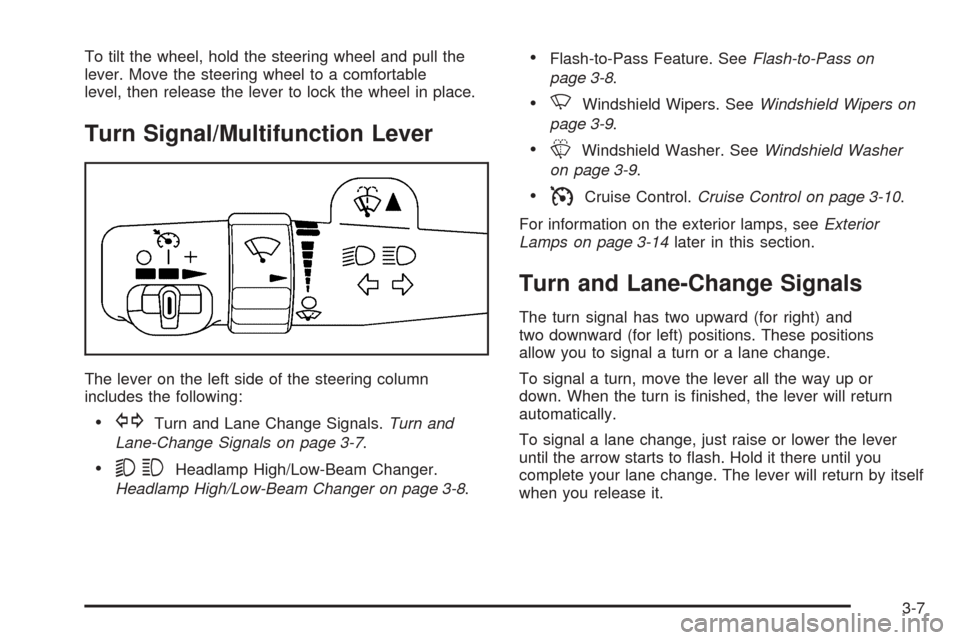
The lever on the left side of the steering column
includes the following:
GTurn and Lane Change Signals.Turn and
Lane-Change Signals on page 3-7.
53Headlamp High/Low-Beam Changer.
Headlamp High/Low-Beam Changer on page 3-8.
Flash-to-Pass Feature. SeeFlash-to-Pass on
page 3-8.
NWindshield Wipers. SeeWindshield Wipers on
page 3-9.
LWindshield Washer. SeeWindshield Washer
on page 3-9.
ICruise Control.Cruise Control on page 3-10.
For information on the exterior lamps, seeExterior
Lamps on page 3-14later in this section.
Turn and Lane-Change Signals
The turn signal has two upward (for right) and
two downward (for left) positions. These positions
allow you to signal a turn or a lane change.
To signal a turn, move the lever all the way up or
down. When the turn is nished, the lever will return
automatically.
To signal a lane change, just raise or lower the lever
until the arrow starts to ash. Hold it there until you
complete your lane change. The lever will return by itself
when you release it.
3-7
Page 148 of 470
Rear Window Washer/Wiper
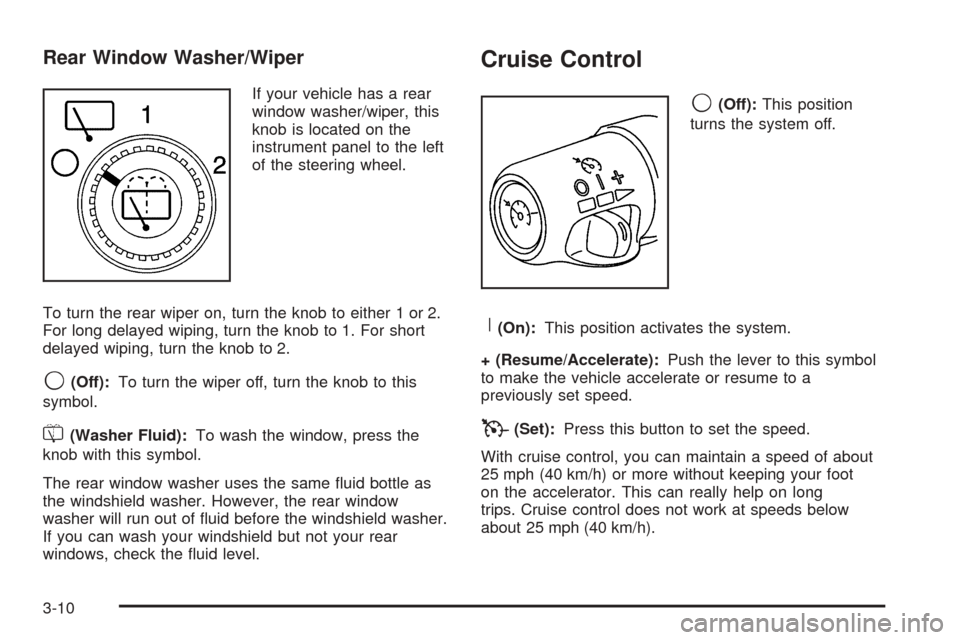
If your vehicle has a rear
window washer/wiper, this
knob is located on the
instrument panel to the left
of the steering wheel.
To turn the rear wiper on, turn the knob to either 1 or 2.
For long delayed wiping, turn the knob to 1. For short
delayed wiping, turn the knob to 2.
9(Off):To turn the wiper off, turn the knob to this
symbol.
=(Washer Fluid):To wash the window, press the
knob with this symbol.
The rear window washer uses the same uid bottle as
the windshield washer. However, the rear window
washer will run out of uid before the windshield washer.
If you can wash your windshield but not your rear
windows, check the uid level.
Cruise Control
9(Off):This position
turns the system off.
R(On):This position activates the system.
+ (Resume/Accelerate):Push the lever to this symbol
to make the vehicle accelerate or resume to a
previously set speed.
T(Set):Press this button to set the speed.
With cruise control, you can maintain a speed of about
25 mph (40 km/h) or more without keeping your foot
on the accelerator. This can really help on long
trips. Cruise control does not work at speeds below
about 25 mph (40 km/h).
3-10
Page 149 of 470
If you apply your brakes, the cruise control will shut off.
{CAUTION:
Cruise control can be dangerous where you
cannot drive safely at a steady speed. So, do
not use your cruise control on winding roads
or in heavy traffic.
Cruise control can be dangerous on slippery
roads. On such roads, fast changes in tire
traction can cause needless wheel spinning,
and you could lose control. Do not use cruise
control on slippery roads.
Setting Cruise Control
{CAUTION:
If you leave your cruise control on when you
are not using cruise, you might hit a button
and go into cruise when you do not want to.
You could be startled and even lose control.
Keep the cruise control switch off until you
want to use cruise control.
1. Move the cruise control switch to on.
2. Get up to the speed you want.
3. Press in the set button at the end of the lever and
release it.
4. Take your foot off the accelerator pedal.
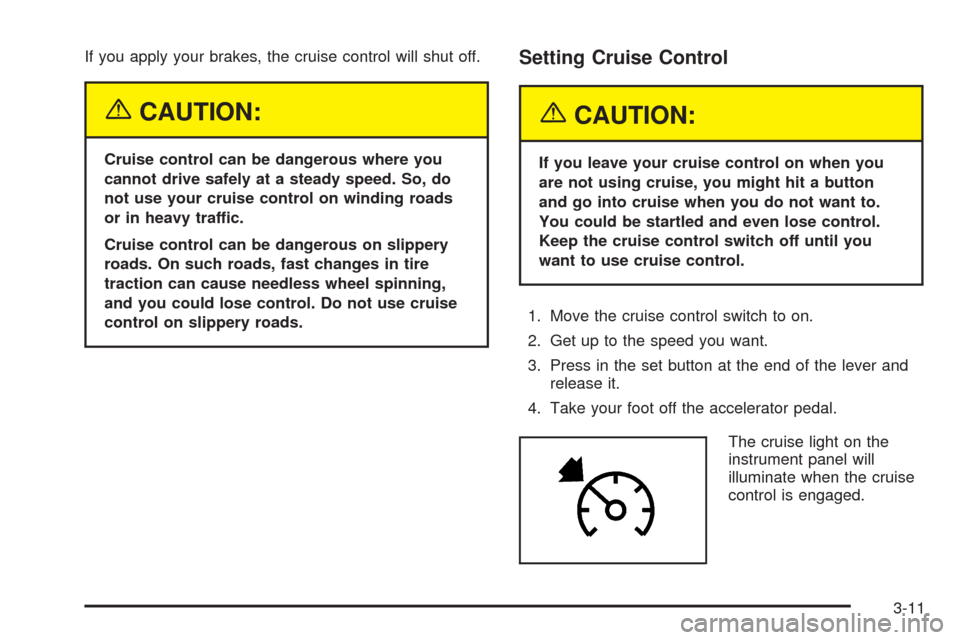
The cruise light on the
instrument panel will
illuminate when the cruise
control is engaged.
3-11
Page 155 of 470
The fog lamps will go off whenever your high-beam
headlamps come on. When the high beams go off, the
fog lamps will come on again.
The fog lamps will be cancelled after the ignition is
turned off. If you still want to use the fog lamps after you
restart the vehicle, you will need to press the fog
lamp button again.
Instrument Panel Brightness
The thumbwheel for this feature is located next to the
exterior lamps control.
D(Instrument Panel Lights):Turn the thumbwheel
up or down to brighten or dim the instrument panel
lights and the radio display. This will only work if
the headlamps or parking lamps are on.
To turn on the dome lamps, with the vehicle doors
closed, turn the thumbwheel all the way up.
Dome Lamps
The dome lamps will come on when you open a door,
and will turn off when all doors are closed.
You can also turn the dome lamps on by turning the
thumbwheel, located next to the exterior lamp control, all
the way up. In this position, the dome lamps will
remain on whether a door is opened or closed.
E(Dome Override):Press this button, located below
the exterior lamp control, to turn dome lamps off even
while a door is opened. To return the lamps to automatic
operation, press the button again and it will return to
the out position. In this position, the dome lamps
will come on when you open a door.
Entry/Exit Lighting
Your vehicle is equipped with an illuminated entry/exit
feature.
When a door is opened or the key is removed from the
ignition, the dome lamps will come on if the dome
override button is in the out position.
3-17
Page 166 of 470
Outlet Adjustment
Your vehicle has air outlets located in the center and on
the side of your instrument panel that allow you to
adjust the direction and amount of airow inside the
vehicle. Move the louvers up or down. Use the
thumbwheel next to or underneath the outlet to close
the louvers. For the most efficient airow and
temperature control, keep the outlet in the fully opened
position.
Operation Tips
Keep the hood and front air inlets free of ice, snow,
or any other obstruction (such as leaves). The
heater and defroster will work far better, reducing
the chance of fogging the inside of your windows.
Keep the air path under the front seats clear
of objects. This helps air to circulate throughout
your vehicle.
Adding outside equipment to the front of your
vehicle, such as hood-air deectors, etc., may affect
the performance of the heating and air conditioning
system. Check with your dealer before adding
equipment to the outside of your vehicle.
3-28
Page 187 of 470
Here are some situations you may experience with your
fuel gage. None of these indicate a problem with the
fuel gage.
At the gas station, the fuel pump shuts off before
the gage reads full.
It takes a little more or less fuel to ll up than the
fuel gage indicated. For example, the gage may
have indicated the tank was half full, but it actually
took a little more or less than half the tank’s
capacity to ll the tank.
The gage goes back to empty when you turn off the
ignition.
Low Fuel Warning Light
The light next to the fuel gage will come on briey when
you are starting the engine.
This light comes on when the fuel tank is low on fuel.
To turn it off, add fuel to the fuel tank. SeeFuel on
page 5-5.
Driver Information Center (DIC)
The Driver Information Center (DIC) display is located
on the instrument panel cluster, below the speedometer.
The DIC buttons, if equipped, are located on the
steering wheel. The DIC can display information such
as the trip odometer, fuel economy, customization
features and warning/status messages.
If your vehicle is not equipped with the DIC steering
wheel buttons, you will not have all of the features listed.
You will scroll through the odometer, trip odometer
and engine hours by pressing the trip odometer reset
stem located on the instrument panel cluster. You
will also turn off, or acknowledge, DIC messages by
pressing the trip odometer reset stem. SeeSpeedometer
and Odometer on page 3-33for information on
features for vehicles without DIC buttons.
3-49
Page 188 of 470
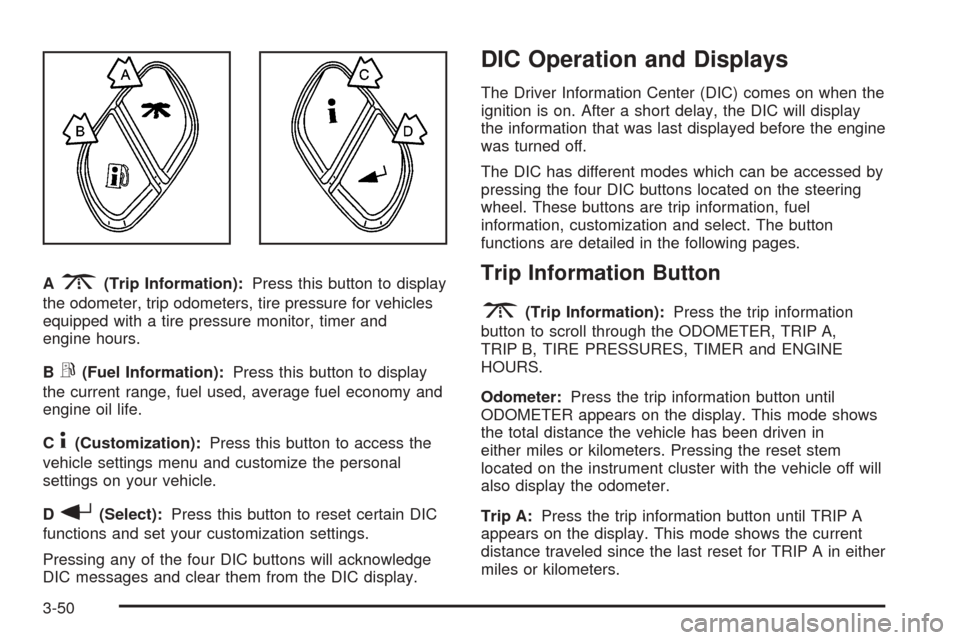
A3(Trip Information):Press this button to display
the odometer, trip odometers, tire pressure for vehicles
equipped with a tire pressure monitor, timer and
engine hours.
B
r(Fuel Information):Press this button to display
the current range, fuel used, average fuel economy and
engine oil life.
C
4(Customization):Press this button to access the
vehicle settings menu and customize the personal
settings on your vehicle.
D
r(Select):Press this button to reset certain DIC
functions and set your customization settings.
Pressing any of the four DIC buttons will acknowledge
DIC messages and clear them from the DIC display.
DIC Operation and Displays
The Driver Information Center (DIC) comes on when the
ignition is on. After a short delay, the DIC will display
the information that was last displayed before the engine
was turned off.
The DIC has different modes which can be accessed by
pressing the four DIC buttons located on the steering
wheel. These buttons are trip information, fuel
information, customization and select. The button
functions are detailed in the following pages.
Trip Information Button
3
(Trip Information):Press the trip information
button to scroll through the ODOMETER, TRIP A,
TRIP B, TIRE PRESSURES, TIMER and ENGINE
HOURS.
Odometer:Press the trip information button until
ODOMETER appears on the display. This mode shows
the total distance the vehicle has been driven in
either miles or kilometers. Pressing the reset stem
located on the instrument cluster with the vehicle off will
also display the odometer.
Trip A:Press the trip information button until TRIP A
appears on the display. This mode shows the current
distance traveled since the last reset for TRIP A in either
miles or kilometers.
3-50
Page 191 of 470
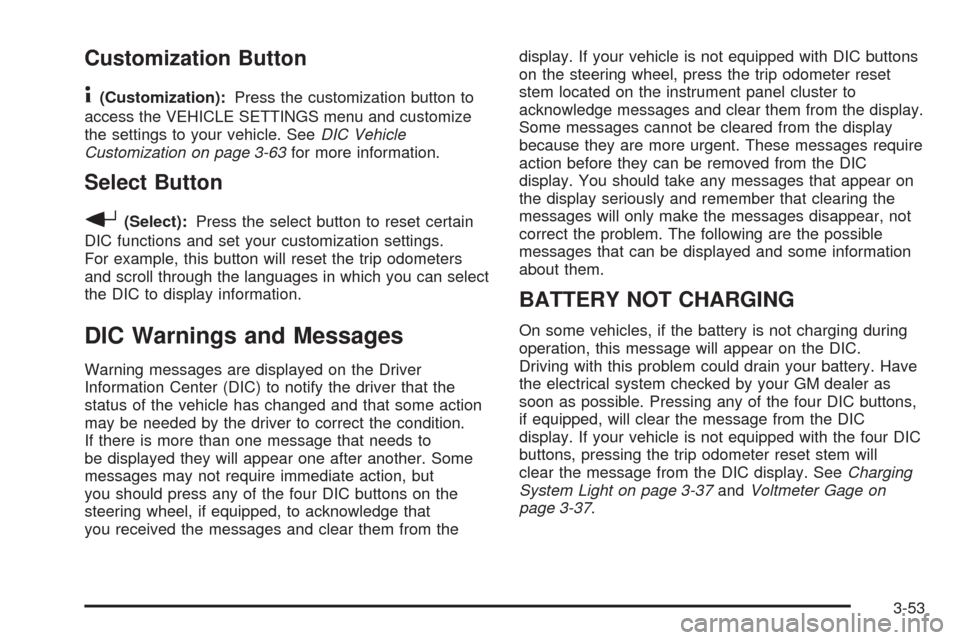
Customization Button
4
(Customization):Press the customization button to
access the VEHICLE SETTINGS menu and customize
the settings to your vehicle. SeeDIC Vehicle
Customization on page 3-63for more information.
Select Button
r
(Select):Press the select button to reset certain
DIC functions and set your customization settings.
For example, this button will reset the trip odometers
and scroll through the languages in which you can select
the DIC to display information.
DIC Warnings and Messages
Warning messages are displayed on the Driver
Information Center (DIC) to notify the driver that the
status of the vehicle has changed and that some action
may be needed by the driver to correct the condition.
If there is more than one message that needs to
be displayed they will appear one after another. Some
messages may not require immediate action, but
you should press any of the four DIC buttons on the
steering wheel, if equipped, to acknowledge that
you received the messages and clear them from thedisplay. If your vehicle is not equipped with DIC buttons
on the steering wheel, press the trip odometer reset
stem located on the instrument panel cluster to
acknowledge messages and clear them from the display.
Some messages cannot be cleared from the display
because they are more urgent. These messages require
action before they can be removed from the DIC
display. You should take any messages that appear on
the display seriously and remember that clearing the
messages will only make the messages disappear, not
correct the problem. The following are the possible
messages that can be displayed and some information
about them.
BATTERY NOT CHARGING
On some vehicles, if the battery is not charging during
operation, this message will appear on the DIC.
Driving with this problem could drain your battery. Have
the electrical system checked by your GM dealer as
soon as possible. Pressing any of the four DIC buttons,
if equipped, will clear the message from the DIC
display. If your vehicle is not equipped with the four DIC
buttons, pressing the trip odometer reset stem will
clear the message from the DIC display. SeeCharging
System Light on page 3-37andVoltmeter Gage on
page 3-37.
3-53
Page 197 of 470
REDUCED ENGINE POWER
This message is displayed and you will hear a chime
when the cooling system temperature gets too hot and
the engine further enters the engine coolant protection
mode. SeeEngine Overheating on page 5-26for further
information.
You may also see this message when the vehicle
determines a problem with the electronic throttle control.
See your GM dealer for service.
REPLACE LIFTGATE FUSE
This message will be displayed if the liftgate lock
malfunctions and/or the liftgate fuse blows. For more
information on fuses, seeFuses and Circuit Breakers on
page 5-107. If the message returns after replacing the
fuse, see your GM dealer for service.
RIGHT REAR DOOR AJAR
If the passenger’s side rear door is not fully closed and
the vehicle is in a drive gear, this message will
appear on the display and you will hear a chime. Stop
and turn off the vehicle, check the door for obstacles,
and close the door again. Check to see if the message
still appears on the DIC. Pressing any of the four DIC
buttons, if equipped, will clear the message from the DIC
display. If your vehicle is not equipped with the
four DIC buttons, pressing the trip odometer reset stem
will clear the message from the DIC display.
SERVICE 4WD (4–Wheel Drive)
If you have all-wheel-drive and a problem occurs with
the all-wheel-drive system, this message will appear on
the DIC. If this message appears, stop as soon as
possible and turn off the vehicle. Restart the vehicle and
check for the message on the DIC display. If the
message is still displayed or appears again when you
begin driving, the four-wheel-drive system needs
service. See your GM dealer. Pressing any of the
four DIC buttons, if equipped, will clear the message
from the DIC display. If your vehicle is not equipped with
the four DIC buttons, pressing the trip odometer reset
stem will clear the message from the DIC display.
SERVICE AIR BAG
If there is a problem with the airbag system, this
message will be displayed on the DIC. Have your
GM dealer inspect the system for problems. SeeAirbag
Readiness Light on page 3-34andAirbag System on
page 1-70. Pressing any of the four DIC buttons, if
equipped, will clear the message from the DIC display.
If your vehicle is not equipped with the four DIC
buttons, pressing the trip odometer reset stem will clear
the message from the DIC display.
3-59
Page 200 of 470
TIGHTEN FUEL CAP
If the vehicle’s fuel cap is not tightened properly this
message may appear along with the check engine light
on the instrument panel. SeeMalfunction Indicator
Lamp on page 3-43. Reinstall the fuel cap, making sure
to fully install the cap. SeeFilling the Tank on
page 5-8. The diagnostic system can determine if the
fuel cap has been left off or improperly installed. A loose
or missing fuel cap will allow fuel to evaporate into
the atmosphere. A few driving trips with the cap properly
installed should turn the light and message off.
TRACTION ACTIVE
When the traction control system has detected that any
of the vehicle’s wheels are slipping, the traction
control system will activate and this message will appear
on the DIC. For more information on traction control
and the StabiliTrak
®system, seeStabiliTrak®System on
page 4-8.
TRACTION SYS (System) LIMITED
If the brake traction control system activates constantly
or if the brakes have heated up due to high-speed
braking, brake traction control will be disabled and the
TRACTION SYS LIMITED message will be displayed.
For more information on the StabiliTrak
®system
and traction control, seeStabiliTrak®System on
page 4-8.
TRANS (Transmission) HOT IDLE
ENGINE
If the transmission uid gets hot, this message will
appear on the DIC along with a continuous chime.
Driving with the transmission uid temperature high can
cause damage to the vehicle. Stop the vehicle and
let it idle to allow the transmission to cool. This message
will clear and the chime will stop when the uid
temperature reaches a safe level.
Notice:If you drive your vehicle while the
transmission uid is overheating and the
transmission temperature warning is displayed on
the instrument panel cluster and/or DIC, you
can damage the transmission. This could lead to
costly repairs that would not be covered by
your warranty. Do not drive your vehicle with
overheated transmission uid or while transmission
temperature warning is displayed.
TRANSMISSION HOT
If the transmission uid temperature becomes high, this
message will appear on the DIC display.
When the transmission enters the protection mode, you
may notice a change in the transmission shifting
patterns. When the transmission uid temperature
returns to normal, the display will turn off and the
transmission shifting patterns will return to normal.
3-62