light CADILLAC ESCALADE 2007 3.G Owner's Manual
[x] Cancel search | Manufacturer: CADILLAC, Model Year: 2007, Model line: ESCALADE, Model: CADILLAC ESCALADE 2007 3.GPages: 574, PDF Size: 2.89 MB
Page 129 of 574
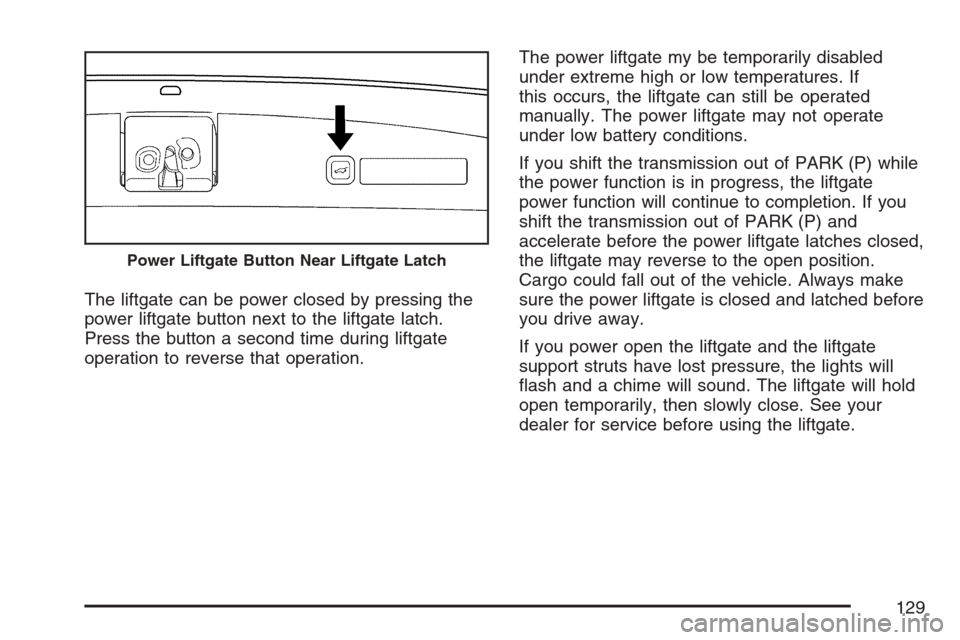
The liftgate can be power closed by pressing the
power liftgate button next to the liftgate latch.
Press the button a second time during liftgate
operation to reverse that operation.The power liftgate my be temporarily disabled
under extreme high or low temperatures. If
this occurs, the liftgate can still be operated
manually. The power liftgate may not operate
under low battery conditions.
If you shift the transmission out of PARK (P) while
the power function is in progress, the liftgate
power function will continue to completion. If you
shift the transmission out of PARK (P) and
accelerate before the power liftgate latches closed,
the liftgate may reverse to the open position.
Cargo could fall out of the vehicle. Always make
sure the power liftgate is closed and latched before
you drive away.
If you power open the liftgate and the liftgate
support struts have lost pressure, the lights will
ash and a chime will sound. The liftgate will hold
open temporarily, then slowly close. See your
dealer for service before using the liftgate.
Power Liftgate Button Near Liftgate Latch
129
Page 130 of 574
Obstacle Detection Features
If the liftgate encounters an obstacle during a
power open or close cycle, a warning chime will
sound and the liftgate will automatically reverse
direction to the full closed or open position.
After removing the obstruction, the liftgate may be
power opened or closed normally. If the liftgate
encounters multiple obstacles on the same power
cycle, the power function will deactivate, and
the liftgate will switch to manual operation. The
REAR ACCESS OPEN warning message in
the Driver Information Center (DIC) will indicate
that the liftgate is open. After removing the
obstructions, manually open the liftgate to the full
open position or close the liftgate to the fully
closed and latched position. The liftgate will now
resume normal power operation.
Your vehicle has pinch sensors located on the
side edges of the liftgate. If an object is caught
between the liftgate and the vehicle body and
presses against this sensor, the liftgate will reverse
direction and open fully. The liftgate will remain
open until it is activated again or closed manually.
Manual Operation of Power Liftgate
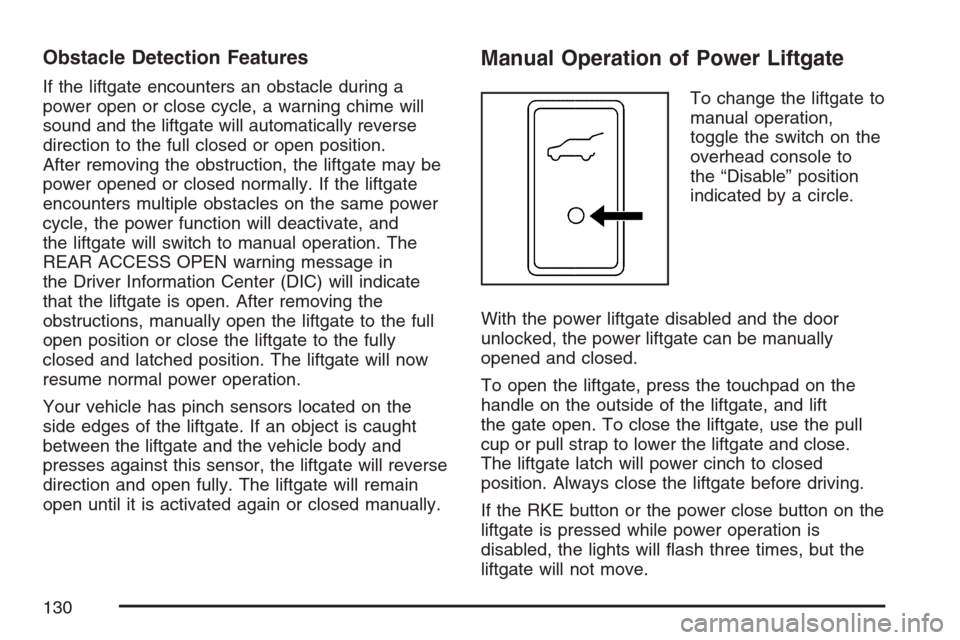
To change the liftgate to
manual operation,
toggle the switch on the
overhead console to
the “Disable” position
indicated by a circle.
With the power liftgate disabled and the door
unlocked, the power liftgate can be manually
opened and closed.
To open the liftgate, press the touchpad on the
handle on the outside of the liftgate, and lift
the gate open. To close the liftgate, use the pull
cup or pull strap to lower the liftgate and close.
The liftgate latch will power cinch to closed
position. Always close the liftgate before driving.
If the RKE button or the power close button on the
liftgate is pressed while power operation is
disabled, the lights will ash three times, but the
liftgate will not move.
130
Page 134 of 574
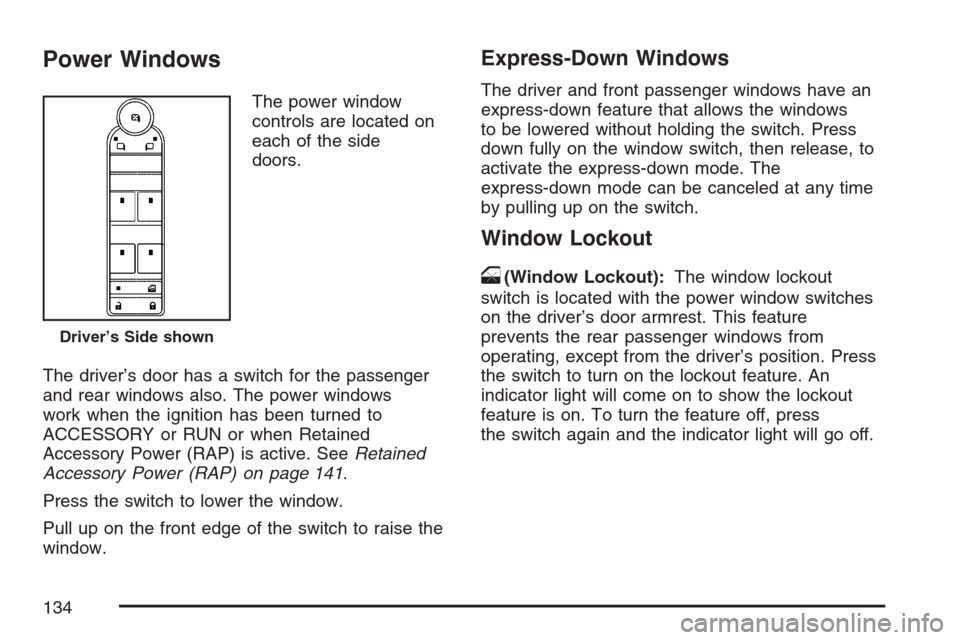
Power Windows
The power window
controls are located on
each of the side
doors.
The driver’s door has a switch for the passenger
and rear windows also. The power windows
work when the ignition has been turned to
ACCESSORY or RUN or when Retained
Accessory Power (RAP) is active. SeeRetained
Accessory Power (RAP) on page 141.
Press the switch to lower the window.
Pull up on the front edge of the switch to raise the
window.
Express-Down Windows
The driver and front passenger windows have an
express-down feature that allows the windows
to be lowered without holding the switch. Press
down fully on the window switch, then release, to
activate the express-down mode. The
express-down mode can be canceled at any time
by pulling up on the switch.
Window Lockout
o
(Window Lockout):The window lockout
switch is located with the power window switches
on the driver’s door armrest. This feature
prevents the rear passenger windows from
operating, except from the driver’s position. Press
the switch to turn on the lockout feature. An
indicator light will come on to show the lockout
feature is on. To turn the feature off, press
the switch again and the indicator light will go off.
Driver’s Side shown
134
Page 135 of 574
Sun Visors
Pull the sun visor down to block glare. Detach the
sun visor from the center mount and slide it
along the rod from side-to-side to cover the driver
or passenger side of the front window. Swing
the sun visor to the side to cover the side window.
It can be moved along the rod from side-to-side
in this position also.
Lighted Visor Vanity Mirror
Your vehicle has lighted visor vanity mirrors on
both the driver’s and passenger’s sun visors. Pull
the sun visor down and lift the mirror cover to
turn the lamps on.
Theft-Deterrent Systems
Vehicle theft is big business, especially in some
cities. Although your vehicle has a number of
theft-deterrent features, we know that nothing we
put on it can make it impossible to steal.
Content Theft-Deterrent
Your vehicle has a content theft-deterrent alarm
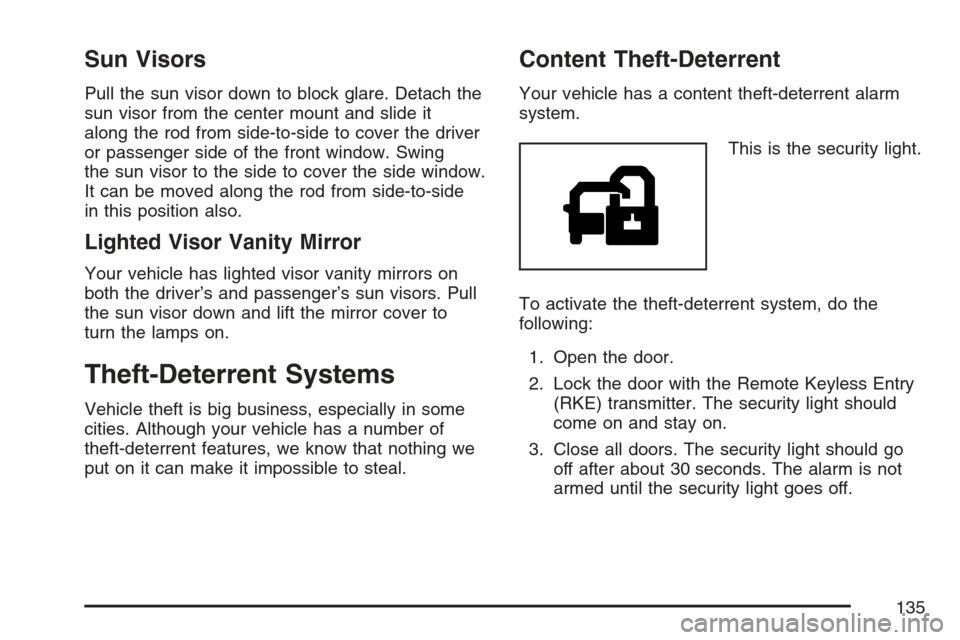
system.
This is the security light.
To activate the theft-deterrent system, do the
following:
1. Open the door.
2. Lock the door with the Remote Keyless Entry
(RKE) transmitter. The security light should
come on and stay on.
3. Close all doors. The security light should go
off after about 30 seconds. The alarm is not
armed until the security light goes off.
135
Page 136 of 574

If a locked door is opened without using the RKE
transmitter, a ten second pre-alarm will occur.
The horn will chirp and the lights will ash. If the
door is not unlocked by pressing the unlock button
on the RKE transmitter during the ten second
pre-alarm, the alarm will go off. The headlamps
and parking lamps will ash for two minutes,
and the horn will sound for 30 seconds, then will
turn off to save the battery power. You can choose
different feedback options for the alarm. See
Driver Information Center (DIC) on page 245Driver
Information Center (DIC).
Remember, the theft-deterrent system will not
activate if you lock the doors with a key, the
manual door lock, or the power door lock switch.
It activates only if you use the RKE transmitter.
You should also remember that you can start your
vehicle with the correct ignition key if the alarm
has been set off.
Here is how to avoid setting off the alarm by
accident:
If you do not want to activate the theft-deterrent
system, the vehicle should be locked with the
door key after the doors are closed.
Always unlock a door with the RKE transmitter.
Unlocking a door any other way will set off the
alarm.
If you set off the alarm by accident, turn off the
alarm by pressing the unlock button on the
RKE transmitter. The alarm will not stop if you try
to unlock a door any other way.
Testing the Alarm
The alarm can be tested by following these steps:
1. From inside the vehicle, lower the driver’s
window and open the driver’s door.
2. Activate the system by locking the doors with
the RKE transmitter.
3. Get out of the vehicle, close the door and wait
for the security light to go out.
4. Then reach in through the window, unlock the
door with the manual door lock and open the
door. This should set off the alarm.
While the alarm is set, the power door unlock
switch will not work.
136
Page 138 of 574
When the PASS-Key®III+ system senses that
someone is using the wrong key, it prevents the
vehicle from starting. Anyone using a trial-and-error
method to start the vehicle will be discouraged
because of the high number of electrical key codes.
If the engine does not start and the security light
on the instrument panel comes on when trying
to start the vehicle, the key may have a damaged
transponder. Turn the ignition off and try again.
If the engine still does not start, and the key
appears to be undamaged, try another ignition key.
At this time, you may also want to check the fuse,
seeFuses and Circuit Breakers on page 507.Ifthe
engine still does not start with the other key, your
vehicle needs service. If your vehicle does start, the
rst key may be faulty. See your dealer who can
service the PASS-Key
®III+ to have a new key
made. In an emergency, contact Roadside
Assistance.It is possible for the PASS-Key
®III+ decoder to
“learn” the transponder value of a new or
replacement key. Up to nine additional keys may
be programmed for the vehicle. The following
procedure is for programming additional keys only.
If all the currently programmed keys are lost or
do not operate, you must see your dealer or
a locksmith who can service PASS-Key
®III+ to
have keys made and programmed to the system.
See your dealer or a locksmith who can service
PASS-Key
®III+ to get a new key blank that is cut
exactly as the ignition key that operates the
system.
To program the new additional key do the
following:
1. Verify that the new key has a
1stamped on it.
2. Insert the original, already programmed, key
in the ignition and start the engine. If the
engine will not start, see your dealer
for service.
138
Page 139 of 574
3. After the engine has started, turn the key to
OFF, and remove the key.
4. Insert the new key to be programmed and
turn it to the RUN position within ve
seconds of removing the original key.
5. The security light will turn off once the key
has been programmed.
6. Repeat Steps 1 through 5 if additional keys
are to be programmed.
If you are driving and the security light comes on
and stays on, you may be able to restart your
engine. Your PASS-Key
®III+ system, however,
may not be working properly and must be serviced
by your dealer.
If you lose or damage your PASS-Key
®III+ key,
see your dealer or a locksmith who can service
PASS-Key
®III+ to have a new key made.
Starting and Operating Your
Vehicle
New Vehicle Break-In
Notice:Your vehicle does not need an
elaborate break-in. But it will perform better in
the long run if you follow these guidelines:
Keep your speed at 55 mph (88 km/h)
or less for the rst 500 miles (805 km).
Do not drive at any one constant speed, fast
or slow, for the rst 500 miles (805 km).
Do not make full-throttle starts. Avoid
downshifting to brake, or slow, the vehicle.
Avoid making hard stops for the rst
200 miles (322 km) or so. During this time
your new brake linings are not yet broken
in. Hard stops with new linings can mean
premature wear and earlier replacement.
Follow this breaking-in guideline every time
you get new brake linings.
Do not tow a trailer during break-in. See
Towing a Trailer on page 379for the trailer
towing capabilities of your vehicle and more
information.
Following break-in, engine speed and load can
be gradually increased.
139
Page 150 of 574
Tow/Haul Mode
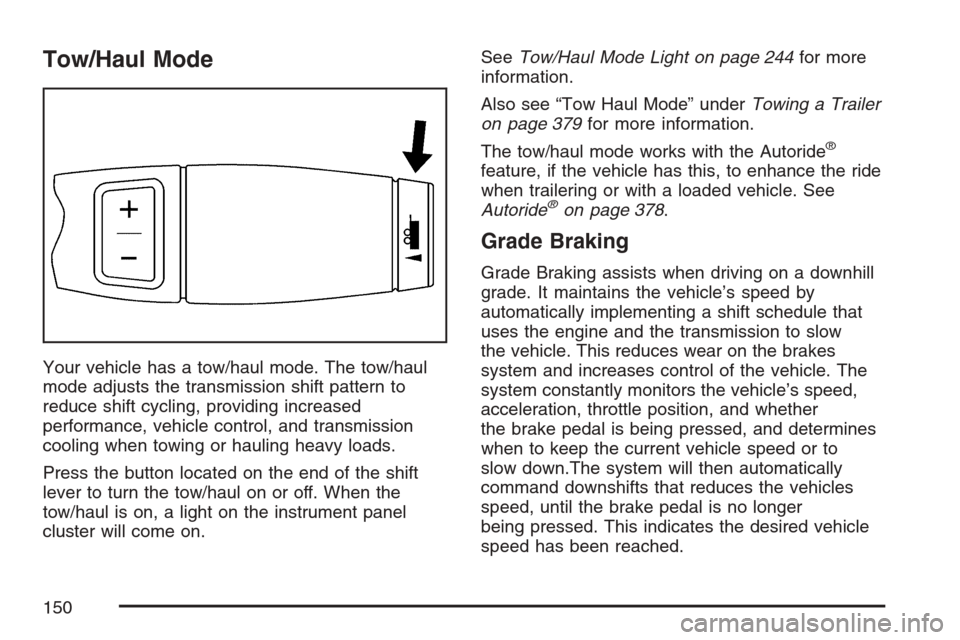
Your vehicle has a tow/haul mode. The tow/haul
mode adjusts the transmission shift pattern to
reduce shift cycling, providing increased
performance, vehicle control, and transmission
cooling when towing or hauling heavy loads.
Press the button located on the end of the shift
lever to turn the tow/haul on or off. When the
tow/haul is on, a light on the instrument panel
cluster will come on.SeeTow/Haul Mode Light on page 244for more
information.
Also see “Tow Haul Mode” underTowing a Trailer
on page 379for more information.
The tow/haul mode works with the Autoride
®
feature, if the vehicle has this, to enhance the ride
when trailering or with a loaded vehicle. See
Autoride
®on page 378.
Grade Braking
Grade Braking assists when driving on a downhill
grade. It maintains the vehicle’s speed by
automatically implementing a shift schedule that
uses the engine and the transmission to slow
the vehicle. This reduces wear on the brakes
system and increases control of the vehicle. The
system constantly monitors the vehicle’s speed,
acceleration, throttle position, and whether
the brake pedal is being pressed, and determines
when to keep the current vehicle speed or to
slow down.The system will then automatically
command downshifts that reduces the vehicles
speed, until the brake pedal is no longer
being pressed. This indicates the desired vehicle
speed has been reached.
150
Page 151 of 574
The tow/haul mode and grade braking shift modes
can be activated by pressing the button on the
end of the shift control stalk. While in the
DSC mode, grade braking is deactivated, allowing
the driver to select a gear.
SeeAutomatic Transmission Operation on
page 144for more information.
Parking Brake
To set the parking brake, hold the regular brake
pedal down with your right foot. Push down
the parking brake pedal with your left foot.
A chime will activate and the warning light will
ash when the parking brake is applied and
the vehicle is moving at least 3 mph (5 km/h) for
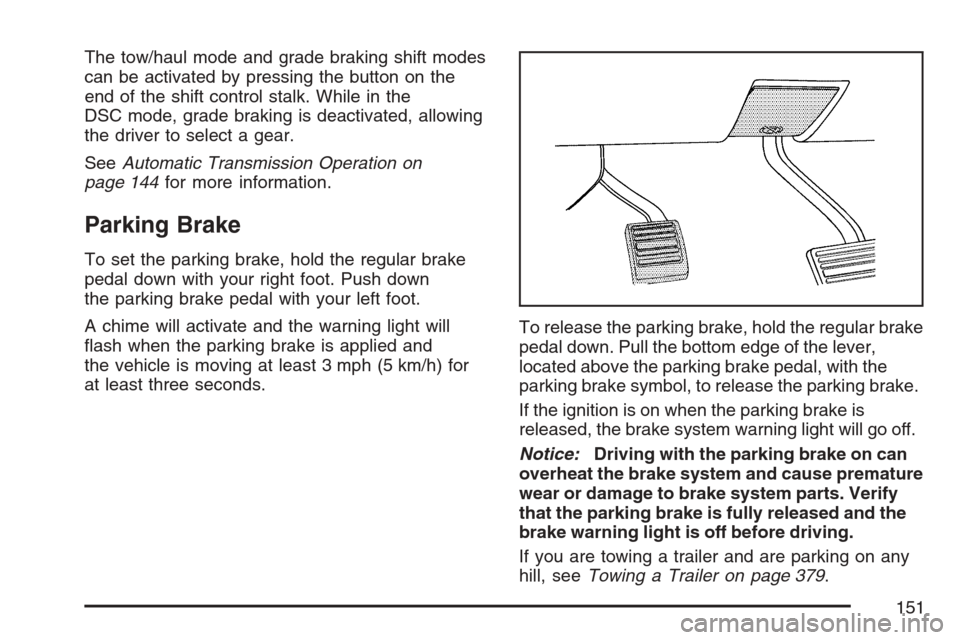
at least three seconds.To release the parking brake, hold the regular brake
pedal down. Pull the bottom edge of the lever,
located above the parking brake pedal, with the
parking brake symbol, to release the parking brake.
If the ignition is on when the parking brake is
released, the brake system warning light will go off.
Notice:Driving with the parking brake on can
overheat the brake system and cause premature
wear or damage to brake system parts. Verify
that the parking brake is fully released and the
brake warning light is off before driving.
If you are towing a trailer and are parking on any
hill, seeTowing a Trailer on page 379.
151
Page 159 of 574
Outside Temperature
Outside temperature is shown in the mirror display.
Temperature will be displayed in Fahrenheit or
Celsius based on the choice of English or metric in
the vehicle’s conguration menu.
If an abnormal temperature reading is displayed
for an extended period of time, please consult your
dealer. Under certain circumstances, a delay in
updating the temperature is normal.
Cleaning the Mirror
When cleaning the mirror, use a paper towel or
similar material dampened with glass cleaner.
Do not spray glass cleaner directly on the mirror
as that may cause the liquid cleaner to enter
the mirror housing.
Automatic Dimming Rearview Mirror
with OnStar
®, Compass and
Temperature Display
Your vehicle has this feature. When on, the
automatic dimming mirror dims to the proper level
to minimize glare from lights behind you after dark.
The mirror has a dual display in the upper right
corner of the mirror face that shows the compass
reading and the outside temperature.
Control buttons for the OnStar
®system are at the
bottom of the mirror. SeeOnStar®System on
page 165for more information about the services
OnStar
®provides.
P(On/Off):This is the on/off button.
159