light CADILLAC ESCALADE 2009 3.G Owners Manual
[x] Cancel search | Manufacturer: CADILLAC, Model Year: 2009, Model line: ESCALADE, Model: CADILLAC ESCALADE 2009 3.GPages: 586, PDF Size: 4.47 MB
Page 314 of 586
Map Coordinates
The coordinates destination entry method lets you
select a destination by entering latitude and longitude
coordinates.
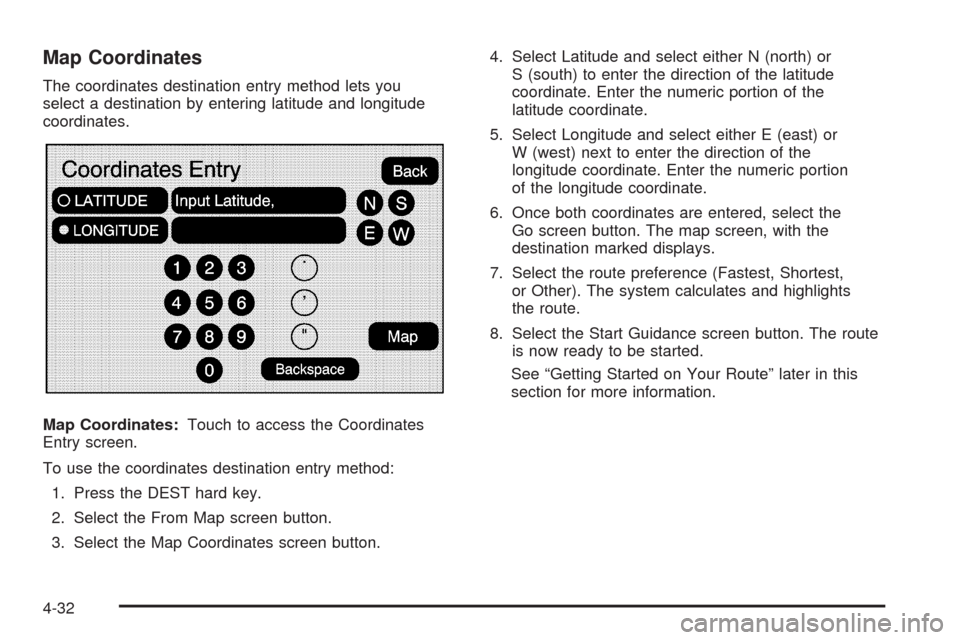
Map Coordinates:Touch to access the Coordinates
Entry screen.
To use the coordinates destination entry method:
1. Press the DEST hard key.
2. Select the From Map screen button.
3. Select the Map Coordinates screen button.4. Select Latitude and select either N (north) or
S (south) to enter the direction of the latitude
coordinate. Enter the numeric portion of the
latitude coordinate.
5. Select Longitude and select either E (east) or
W (west) next to enter the direction of the
longitude coordinate. Enter the numeric portion
of the longitude coordinate.
6. Once both coordinates are entered, select the
Go screen button. The map screen, with the
destination marked displays.
7. Select the route preference (Fastest, Shortest,
or Other). The system calculates and highlights
the route.
8. Select the Start Guidance screen button. The route
is now ready to be started.
See “Getting Started on Your Route” later in this
section for more information.
4-32
Page 315 of 586
Preset Destination
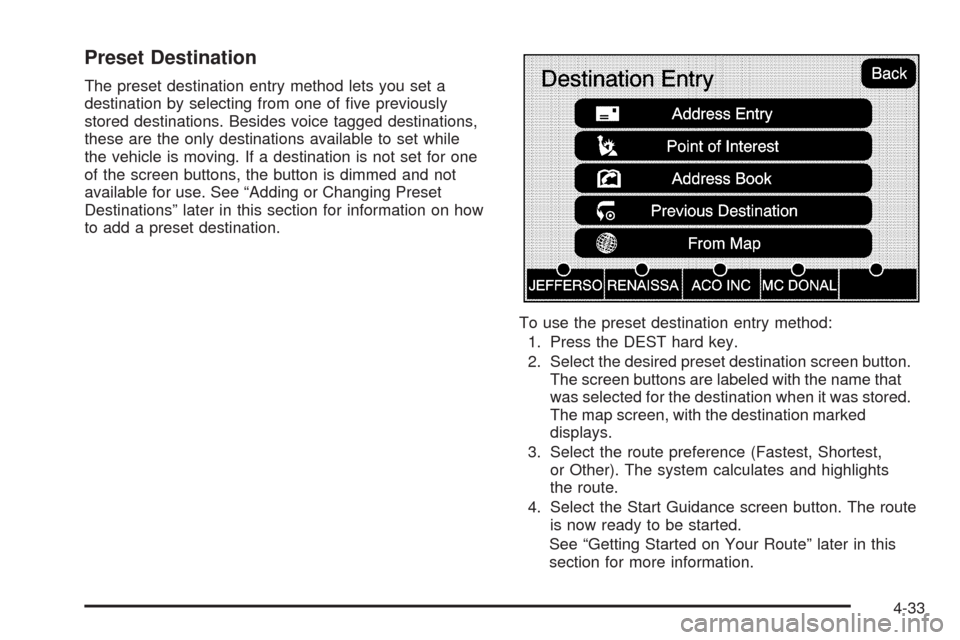
The preset destination entry method lets you set a
destination by selecting from one of ve previously
stored destinations. Besides voice tagged destinations,
these are the only destinations available to set while
the vehicle is moving. If a destination is not set for one
of the screen buttons, the button is dimmed and not
available for use. See “Adding or Changing Preset
Destinations” later in this section for information on how
to add a preset destination.
To use the preset destination entry method:
1. Press the DEST hard key.
2. Select the desired preset destination screen button.
The screen buttons are labeled with the name that
was selected for the destination when it was stored.
The map screen, with the destination marked
displays.
3. Select the route preference (Fastest, Shortest,
or Other). The system calculates and highlights
the route.
4. Select the Start Guidance screen button. The route
is now ready to be started.
See “Getting Started on Your Route” later in this
section for more information.
4-33
Page 321 of 586
Add Stopover
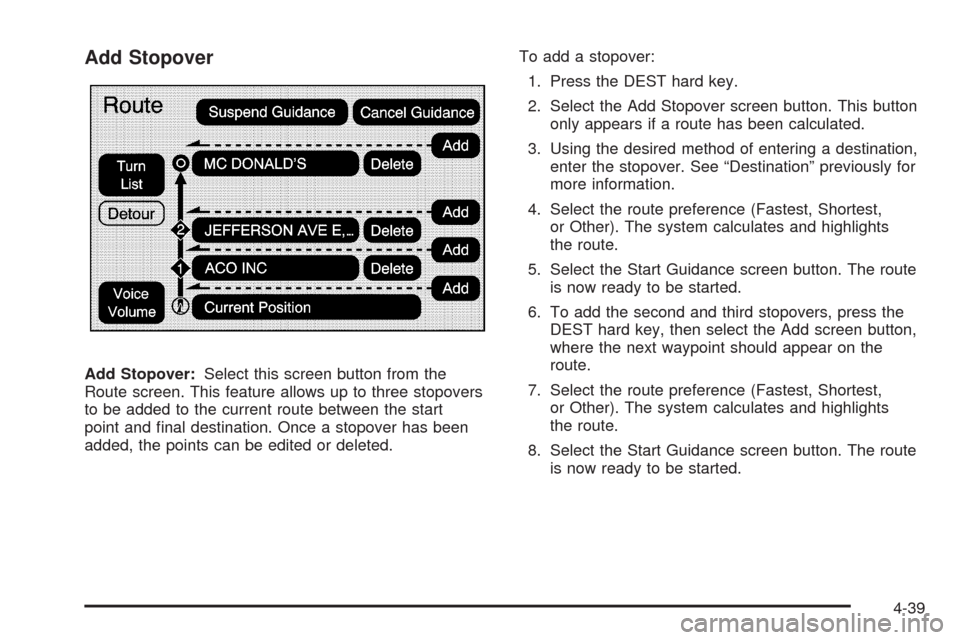
Add Stopover:Select this screen button from the
Route screen. This feature allows up to three stopovers
to be added to the current route between the start
point and nal destination. Once a stopover has been
added, the points can be edited or deleted.To add a stopover:
1. Press the DEST hard key.
2. Select the Add Stopover screen button. This button
only appears if a route has been calculated.
3. Using the desired method of entering a destination,
enter the stopover. See “Destination” previously for
more information.
4. Select the route preference (Fastest, Shortest,
or Other). The system calculates and highlights
the route.
5. Select the Start Guidance screen button. The route
is now ready to be started.
6. To add the second and third stopovers, press the
DEST hard key, then select the Add screen button,
where the next waypoint should appear on the
route.
7. Select the route preference (Fastest, Shortest,
or Other). The system calculates and highlights
the route.
8. Select the Start Guidance screen button. The route
is now ready to be started.
4-39
Page 322 of 586
To delete a stopover from the current route:
1. Press the DEST hard key.
2. Select the Delete screen button for the desired
stopover to delete.
3. The system displays a pop-up conrmation
message. Touch Yes to delete the stopover;
touch No to cancel this operation.
4. Select the route preference (Fastest, Shortest,
or Other). The system calculates and highlights
the route.
5. Select the Start Guidance screen button.
The route is now ready to be started.
Suspend Guidance
Press this screen button, from the Route screen,
to put the current route on hold.
Resume Guidance
Press this screen button, from the Route screen,
to resume guidance on the current route.
Cancel Guidance
Press this screen button, from the Route screen,
to cancel the current route.
Adding Destinations to the
Address Book
There are two ways to add a destination to the
address book:
To add the current vehicle position to the address
book, press the Mark screen button from the map
screen. The system automatically saves the current
vehicle information in the address book. When
scrolling on the map the Mark screen button
automatically adds the current scrolled position
information in the address book.
Press the Add to Address Book screen button when
available on POI information screens, Destination
Entry screens, or POI screens. The system
automatically saves this information in the
address book.
See “Nav” underConfigure Menu on page 4-42for
information on editing address book entries.
4-40
Page 328 of 586
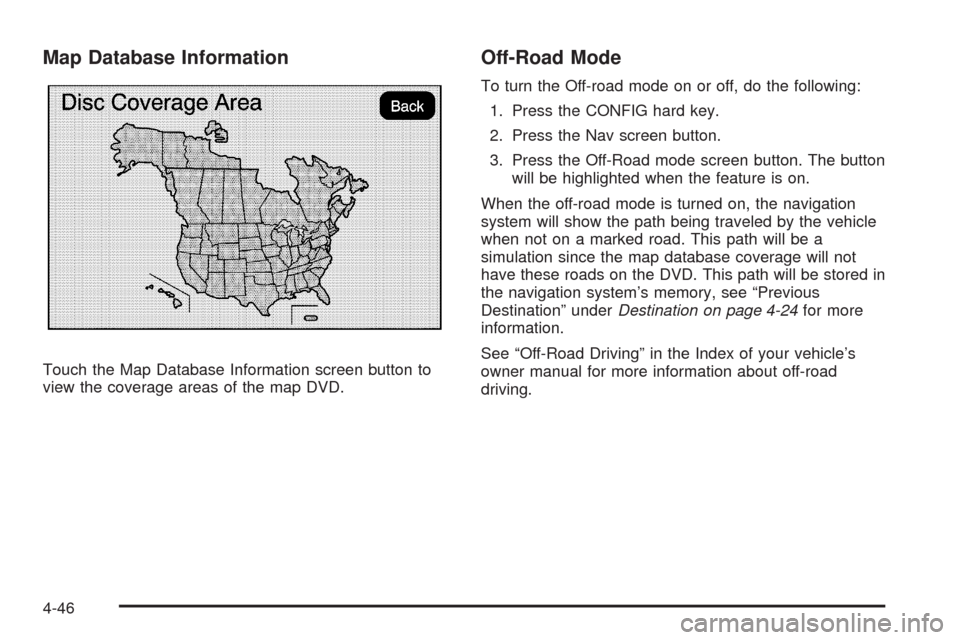
Map Database Information
Touch the Map Database Information screen button to
view the coverage areas of the map DVD.
Off-Road Mode
To turn the Off-road mode on or off, do the following:
1. Press the CONFIG hard key.
2. Press the Nav screen button.
3. Press the Off-Road mode screen button. The button
will be highlighted when the feature is on.
When the off-road mode is turned on, the navigation
system will show the path being traveled by the vehicle
when not on a marked road. This path will be a
simulation since the map database coverage will not
have these roads on the DVD. This path will be stored in
the navigation system’s memory, see “Previous
Destination” underDestination on page 4-24for more
information.
See “Off-Road Driving” in the Index of your vehicle’s
owner manual for more information about off-road
driving.
4-46
Page 330 of 586
XM NavTraffic™ currently broadcasts the traffic
information for many markets nationally, and the service
may be available in more cities in the future. Visit
xmnavtraffic.com for more details on local coverage.
A service fee is required in order to receive the
XM NavTraffic™ service.
Turning XM NavTraffic™ On and Off
To turn traffic on or off:
1. Press the CONFIG hard key, then press the
CONFIG key repeatedly until Nav is selected
or press the Nav screen button.
2. Touch the Traffic Options button.
3. Touch the Traffic button. This button is highlighted
when it is active.
Selecting Alert for Approaching Traffic Events
enables the system to show a pop-up screen that
noties of possible traffic issues ahead.
When this feature is highlighted, while traveling on
a route, accidents located on the route are
indicated and can be avoided.
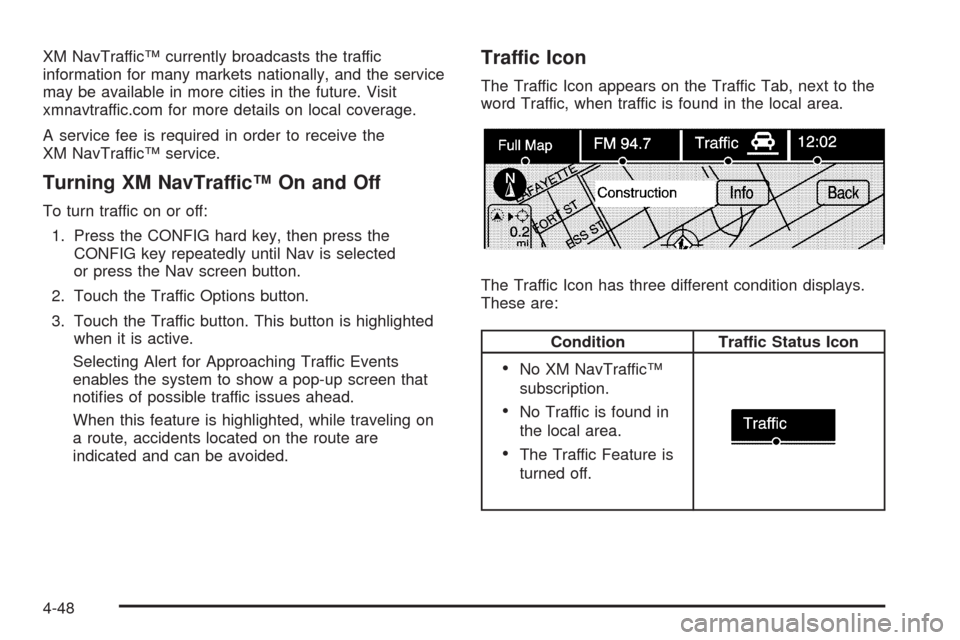
Traffic Icon
The Traffic Icon appears on the Traffic Tab, next to the
word Traffic, when traffic is found in the local area.
The Traffic Icon has three different condition displays.
These are:
Condition Traffic Status Icon
No XM NavTraffic™
subscription.
No Traffic is found in
the local area.
The Traffic Feature is
turned off.
4-48
Page 332 of 586
While the vehicle is moving, the traffic list up or
down, scroll arrows are limited to a maximum
of four pages. No more than four pages of traffic
events may be viewed while the vehicle is moving.
2. Select a traffic condition to get more detailed
information of the event.
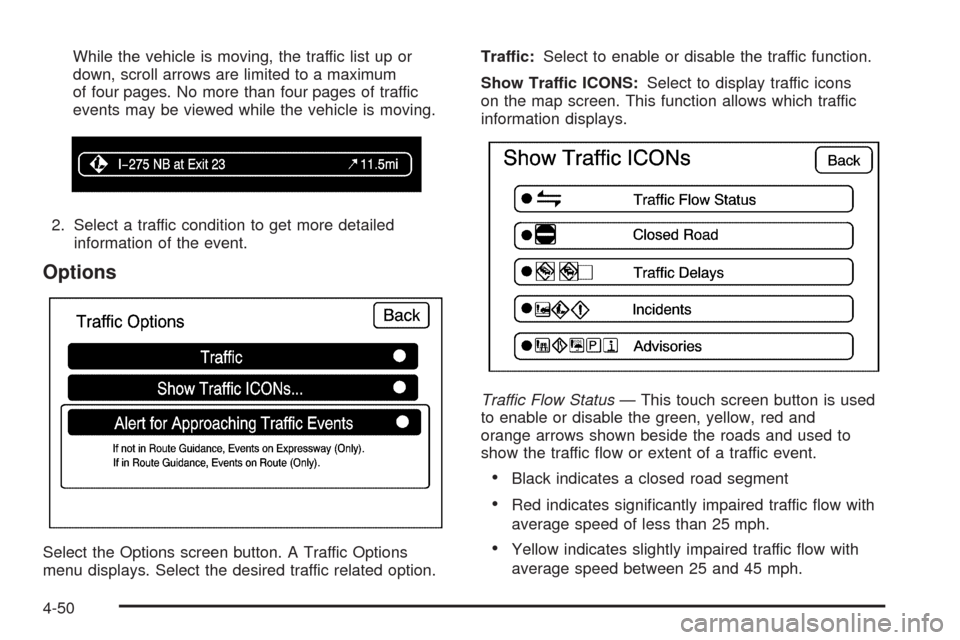
Options
Select the Options screen button. A Traffic Options
menu displays. Select the desired traffic related option.Traffic:Select to enable or disable the traffic function.
Show Traffic ICONS:Select to display traffic icons
on the map screen. This function allows which traffic
information displays.
Traffic Flow Status— This touch screen button is used
to enable or disable the green, yellow, red and
orange arrows shown beside the roads and used to
show the traffic ow or extent of a traffic event.
Black indicates a closed road segment
Red indicates signicantly impaired traffic ow with
average speed of less than 25 mph.
Yellow indicates slightly impaired traffic ow with
average speed between 25 and 45 mph.
4-50
Page 337 of 586
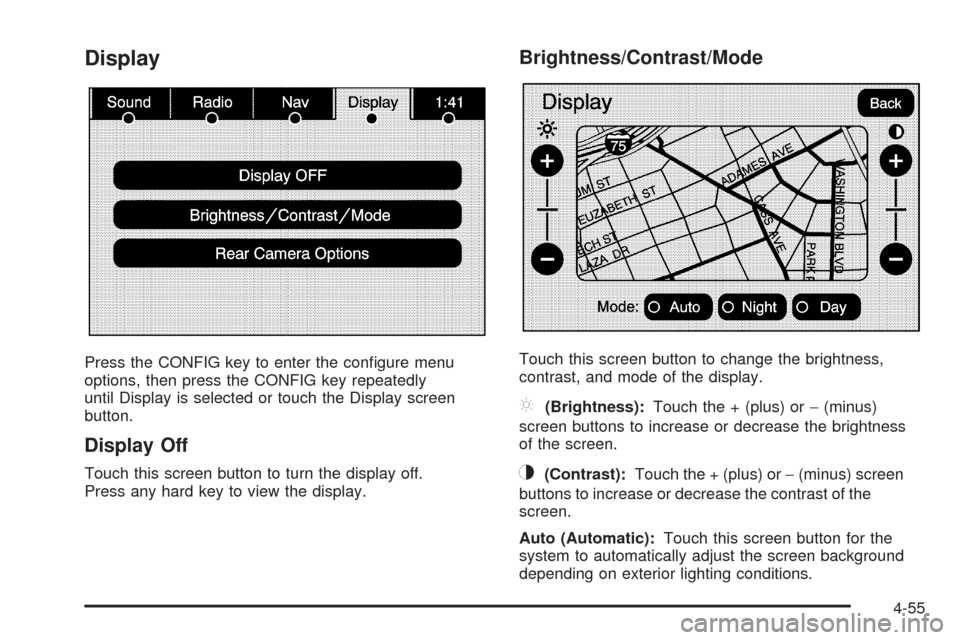
Display
Press the CONFIG key to enter the congure menu
options, then press the CONFIG key repeatedly
until Display is selected or touch the Display screen
button.
Display Off
Touch this screen button to turn the display off.
Press any hard key to view the display.
Brightness/Contrast/Mode
Touch this screen button to change the brightness,
contrast, and mode of the display.
](Brightness):Touch the + (plus) or−(minus)
screen buttons to increase or decrease the brightness
of the screen.
_(Contrast):Touch the + (plus) or−(minus) screen
buttons to increase or decrease the contrast of the
screen.
Auto (Automatic):Touch this screen button for the
system to automatically adjust the screen background
depending on exterior lighting conditions.
4-55
Page 343 of 586
If you do not want to view a split screen or you are not
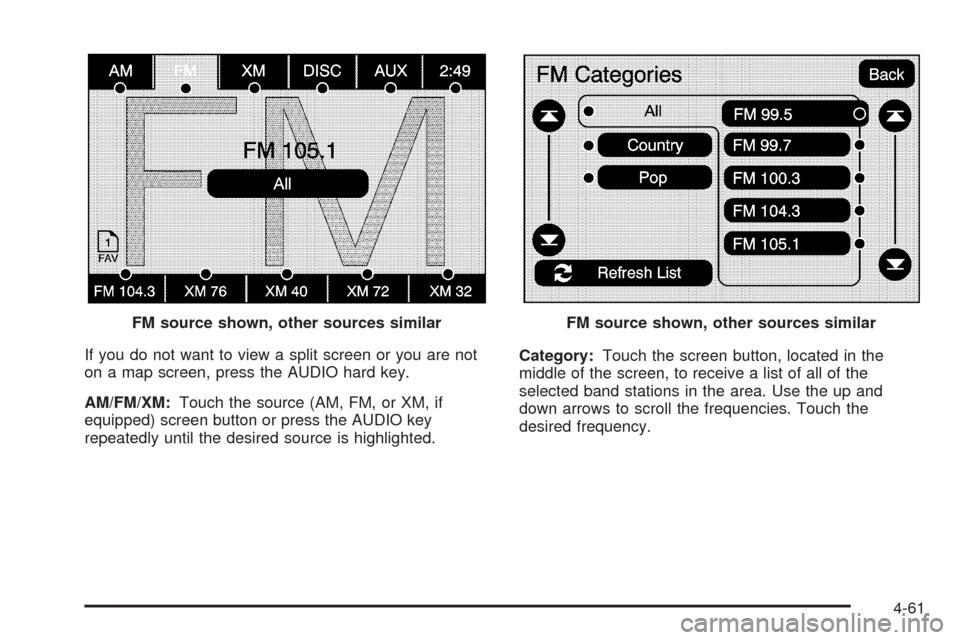
on a map screen, press the AUDIO hard key.
AM/FM/XM:Touch the source (AM, FM, or XM, if
equipped) screen button or press the AUDIO key
repeatedly until the desired source is highlighted.Category:Touch the screen button, located in the
middle of the screen, to receive a list of all of the
selected band stations in the area. Use the up and
down arrows to scroll the frequencies. Touch the
desired frequency. FM source shown, other sources similar
FM source shown, other sources similar
4-61
Page 347 of 586
Limit Features While Driving
Touch the Limit Features While Driving screen button to
turn on and off the ability to limit functions while
driving. When this screen button is highlighted, the
following functions will be limited while driving:
Music Navigator Scrolling
Radio Category Scrolling
Navigation Menu Scrolling and some functions
Number of Preset Pages
Touch the Number of Preset Pages screen button to
change the number of preset pages, 1 through 6. Each
preset page can contain ve preset stations. Touch
the desired numbered screen button.
Bose®AudioPilot®
AudioPilot:The Bose®AudioPilot®noise
compensation technology.
To use AudioPilot
®:
1. Press the CONFIG key to enter the menu screen,
then press the CONFIG key repeatedly until Radio
is selected or touch the Radio screen button
2. Press the Automatic Volume Control screen button
to access the AudioPilot menu.
3. Press the ON screen button.To turn it off, touch the OFF screen button. When on,
AudioPilot
®continuously adjusts the audio system
equalization, to compensate for background noise, so
that the music sound is consistent at the set volume level.
This feature is most effective at lower volume settings
where background noise can affect how well the
music being played is heard through the vehicle’s audio
system. At higher volume settings, where the music
is much louder than the background noise, there may be
little or no adjustments by AudioPilot
®. For more
information on AudioPilot®, visit bose.com/audiopilot.
Remove/Add XM Categories
Touch the Remove/Add XM Categories screen button to
remove or add XM categories when selecting XM
categories from the category list screen. The list of XM
categories appear on the screen. Use the up and down
arrow screen buttons to scroll through the list. The
categories to remove are highlighted and the categories
to add are dark in color. Touch the category to be added
or removed. Touch the Restore All Categories screen
button to add all categories that have been removed.
4-65