remote start CADILLAC ESCALADE 2012 3.G User Guide
[x] Cancel search | Manufacturer: CADILLAC, Model Year: 2012, Model line: ESCALADE, Model: CADILLAC ESCALADE 2012 3.GPages: 538, PDF Size: 7.59 MB
Page 36 of 538
Black plate (6,1)Cadillac Escalade/Escalade ESV Owner Manual - 2012
2-6 Keys, Doors, and Windows
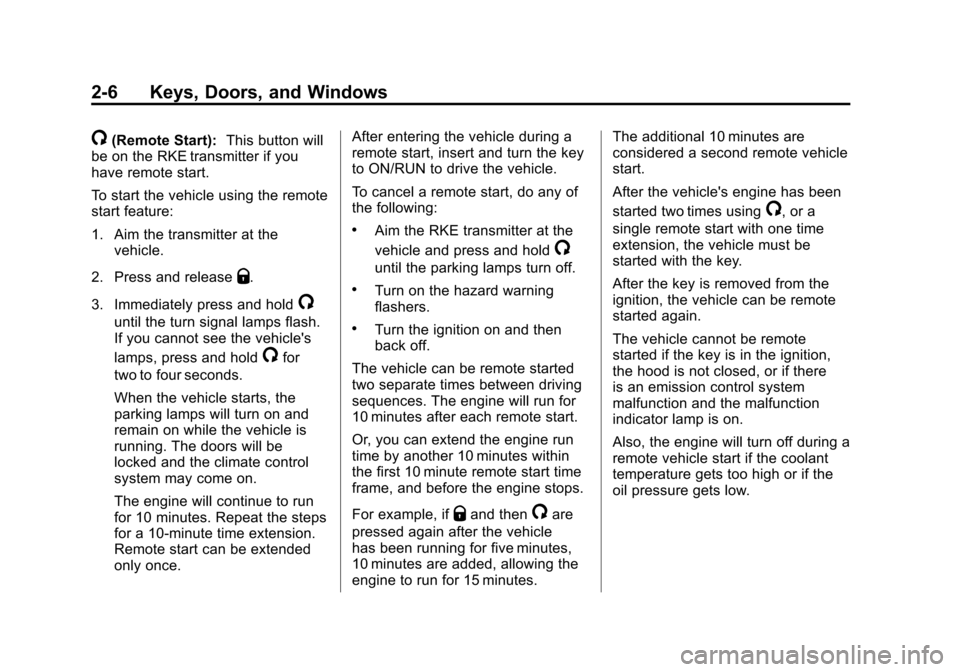
/(Remote Start):This button will
be on the RKE transmitter if you
have remote start.
To start the vehicle using the remote
start feature:
1. Aim the transmitter at the vehicle.
2. Press and release
Q.
3. Immediately press and hold
/
until the turn signal lamps flash.
If you cannot see the vehicle's
lamps, press and hold
/for
two to four seconds.
When the vehicle starts, the
parking lamps will turn on and
remain on while the vehicle is
running. The doors will be
locked and the climate control
system may come on.
The engine will continue to run
for 10 minutes. Repeat the steps
for a 10-minute time extension.
Remote start can be extended
only once. After entering the vehicle during a
remote start, insert and turn the key
to ON/RUN to drive the vehicle.
To cancel a remote start, do any of
the following:
.Aim the RKE transmitter at the
vehicle and press and hold
/
until the parking lamps turn off.
.Turn on the hazard warning
flashers.
.Turn the ignition on and then
back off.
The vehicle can be remote started
two separate times between driving
sequences. The engine will run for
10 minutes after each remote start.
Or, you can extend the engine run
time by another 10 minutes within
the first 10 minute remote start time
frame, and before the engine stops.
For example, if
Qand then/are
pressed again after the vehicle
has been running for five minutes,
10 minutes are added, allowing the
engine to run for 15 minutes. The additional 10 minutes are
considered a second remote vehicle
start.
After the vehicle's engine has been
started two times using
/, or a
single remote start with one time
extension, the vehicle must be
started with the key.
After the key is removed from the
ignition, the vehicle can be remote
started again.
The vehicle cannot be remote
started if the key is in the ignition,
the hood is not closed, or if there
is an emission control system
malfunction and the malfunction
indicator lamp is on.
Also, the engine will turn off during a
remote vehicle start if the coolant
temperature gets too high or if the
oil pressure gets low.
Page 40 of 538
Black plate (10,1)Cadillac Escalade/Escalade ESV Owner Manual - 2012
2-10 Keys, Doors, and Windows
The taillamps will flash and a chime
will sound when the power liftgate is
moving.
{WARNING
You or others could be injured if
caught in the path of the power
liftgate. Make sure there is no one
in the way of the liftgate as it is
opening and closing.
Notice: If you open the liftgate
without checking for overhead
obstructions such as a garage
door, you could damage the
liftgate or the liftgate glass.
Always check to make sure the
area above and behind the liftgate
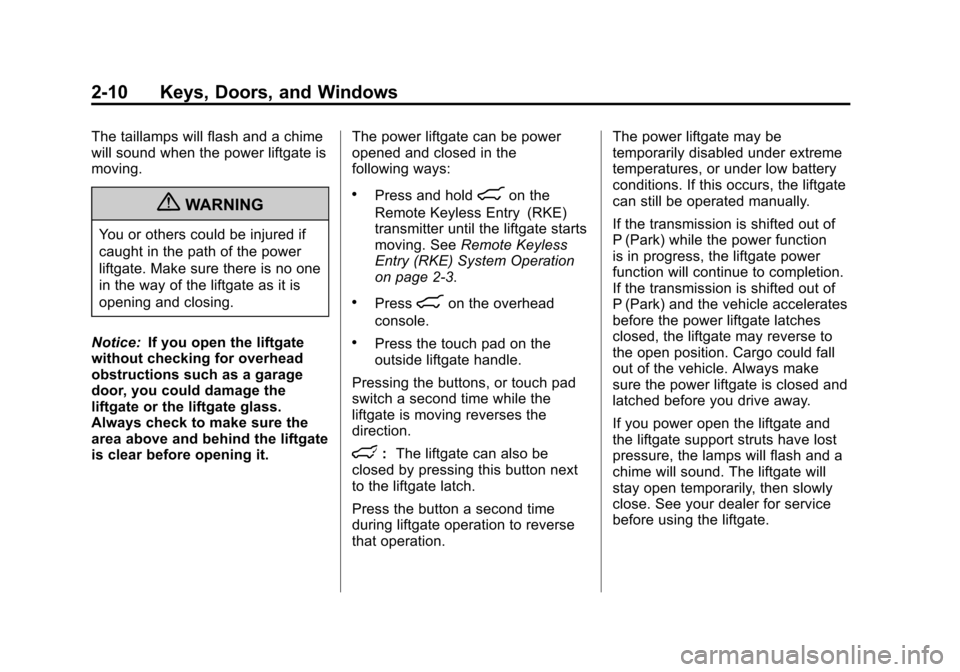
is clear before opening it. The power liftgate can be power
opened and closed in the
following ways:
.Press and hold8on the
Remote Keyless Entry (RKE)
transmitter until the liftgate starts
moving. See Remote Keyless
Entry (RKE) System Operation
on page 2‑3.
.Press8on the overhead
console.
.Press the touch pad on the
outside liftgate handle.
Pressing the buttons, or touch pad
switch a second time while the
liftgate is moving reverses the
direction.
l: The liftgate can also be
closed by pressing this button next
to the liftgate latch.
Press the button a second time
during liftgate operation to reverse
that operation. The power liftgate may be
temporarily disabled under extreme
temperatures, or under low battery
conditions. If this occurs, the liftgate
can still be operated manually.
If the transmission is shifted out of
P (Park) while the power function
is in progress, the liftgate power
function will continue to completion.
If the transmission is shifted out of
P (Park) and the vehicle accelerates
before the power liftgate latches
closed, the liftgate may reverse to
the open position. Cargo could fall
out of the vehicle. Always make
sure the power liftgate is closed and
latched before you drive away.
If you power open the liftgate and
the liftgate support struts have lost
pressure, the lamps will flash and a
chime will sound. The liftgate will
stay open temporarily, then slowly
close. See your dealer for service
before using the liftgate.
Page 89 of 538

Black plate (35,1)Cadillac Escalade/Escalade ESV Owner Manual - 2012
Seats and Restraints 3-35
In many crashes severe enough to
inflate the airbag, windshields are
broken by vehicle deformation.
Additional windshield breakage
may also occur from the right front
passenger airbag.
.Airbags are designed to inflate
only once. After an airbag
inflates, you will need some
new parts for the airbag system.
If you do not get them, the
airbag system will not be there
to help protect you in another
crash. A new system will include
airbag modules and possibly
other parts. The service manual
for your vehicle covers the need
to replace other parts.
.The vehicle has a crash sensing
and diagnostic module which
records information after a
crash. SeeVehicle Data
Recording and Privacy on
page 13‑20 andEvent Data
Recorders on page 13‑20.
.Let only qualified technicians
work on the airbag systems.
Improper service can mean that
an airbag system will not work
properly. See your dealer for
service.
Passenger Sensing
System
If the vehicle has the passenger
airbag status indicator pictured in
the following illustration, then the
vehicle has a passenger sensing
system for the right front passenger
position. The passenger airbag
status indicator, if equipped, is
visible on the overhead console
when the vehicle is started.
In addition, if the vehicle has a
passenger sensing system for the
right front passenger position, the
label on the vehicle's sun visors
refers to “ADVANCED AIRBAGS”.
United States
Canada and Mexico
The words ON and OFF, or the
symbols for on and off, will be
visible during the system check.
If you are using remote start,
if equipped, to start the vehicle from
a distance, you may not see the
system check. When the system
check is complete, either the word
ON or OFF, or the symbol for on or
off, will be visible. See Passenger
Airbag Status Indicator on
page 5‑14.
Page 137 of 538

Black plate (15,1)Cadillac Escalade/Escalade ESV Owner Manual - 2012
Instruments and Controls 5-15
United States
Canada and Mexico
When the vehicle is started, the
passenger airbag status indicator
will light ON and OFF, or the
symbols for on and off, for several
seconds as a system check. If you
are using remote start, if equipped,
to start the vehicle from a distance,
you may not see the system check. Then, after several more seconds,
the status indicator will light either
ON or OFF, or either the on or off
symbol to let you know the status of
the right front passenger frontal
airbag.
If the word ON or the on symbol is
lit on the passenger airbag status
indicator, it means that the right
front passenger frontal airbag is
enabled (may inflate).
If the word OFF or the off symbol is
lit on the airbag status indicator, it
means that the passenger sensing
system has turned off the right front
passenger frontal airbag.
If, after several seconds, both status
indicator lights remain on, or if there
are no lights at all, there may be
a problem with the lights or the
passenger sensing system. See
your dealer for service.
{WARNING
If the airbag readiness light ever
comes on and stays on, it means
that something may be wrong
with the airbag system. To help
avoid injury to yourself or others,
have the vehicle serviced right
away. See
Airbag Readiness
Light on page 5‑14 for more
information, including important
safety information.
Charging System Light
This light comes on briefly when the
ignition key is turned to START, but
the engine is not running, as a
check to show it is working.
Page 167 of 538

Black plate (45,1)Cadillac Escalade/Escalade ESV Owner Manual - 2012
Instruments and Controls 5-45
NO CHANGE:No change will be
made to this feature. The current
setting will remain.
To select a setting, press the set/
reset button while the desired
setting is displayed on the DIC.
REMOTE START
If your vehicle has this feature, it
allows you to turn the remote start
off or on. The remote start feature
allows you to start the engine from
outside of the vehicle using the
Remote Keyless Entry (RKE)
transmitter. See Remote Vehicle
Start on page 2‑5 for more
information.
Press the customization button until
REMOTE START appears on the
DIC display. Press the set/reset
button once to access the settings
for this feature. Then press the
customization button to scroll
through the following settings:
OFF: The remote start feature will
be disabled. ON (default):
The remote start
feature will be enabled.
NO CHANGE: No change will be
made to this feature. The current
setting will remain.
To select a setting, press the set/
reset button while the desired
setting is displayed on the DIC.
DISPLAY DIGITAL SPEED
This feature allows you to enable or
disable the digital speedometer on
the DIC.
Press the customization button until
DISPLAY DIGITAL SPEED appears
on the DIC display. Press the set/
reset button once to access the
settings for this feature. Then press
the customization button to scroll
through the following settings:
OFF: The digital speedometer will
be disabled.
ON (default): The digital
speedometer will be enabled. NO CHANGE:
No change will be
made to this feature. The current
setting will remain.
To select a setting, press the set/
reset button while the desired
setting is displayed on the DIC.
FACTORY SETTINGS
This feature allows you to set all of
the customization features back to
their factory default settings.
Press the customization button until
FACTORY SETTINGS appears on
the DIC display. Press the set/reset
button once to access the settings
for this feature. Then press the
customization button to scroll
through the following settings:
RESTORE ALL (default): The
customization features will be set to
their factory default settings.
DO NOT RESTORE: The
customization features will not be
set to their factory default settings.
Page 169 of 538
Black plate (47,1)Cadillac Escalade/Escalade ESV Owner Manual - 2012
Instruments and Controls 5-47
This system provides a way to
replace up to three remote control
transmitters used to activate
devices such as garage door
openers, security systems, and
home automation devices.
Do not use this system with any
garage door opener that does not
have the stop and reverse feature.
This includes any garage door
opener model manufactured before
April 1, 1982.
Read the instructions completely
before attempting to program the
transmitter. Because of the steps
involved, it may be helpful to have
another person assist with
programming the transmitter.
Be sure to keep the original remote
control transmitter for use in other
vehicles, as well as for future
programming. Only the original
remote control transmitter is needed
for Fixed Code programming.
The programmed buttons should
be erased when the vehicle is soldor the lease ends. See
“Erasing
Universal Home Remote Buttons” in
this section.
Park the vehicle outside of the
garage when programming a garage
door. Be sure that people and
objects are clear of the garage door
or gate that is being programmed.
Programming Universal Home
Remote —Rolling Code
For questions or help programming
the Universal Home Remote
System, call 1-866-572-2728 or go
to www.learcar2u.com.
Most garage door openers sold
after 1996 are Rolling Code units.
Programming a garage door opener
involves time-sensitive actions, so
read the entire procedure before
starting. Otherwise, the device will
time out and the procedure will have
to be repeated.
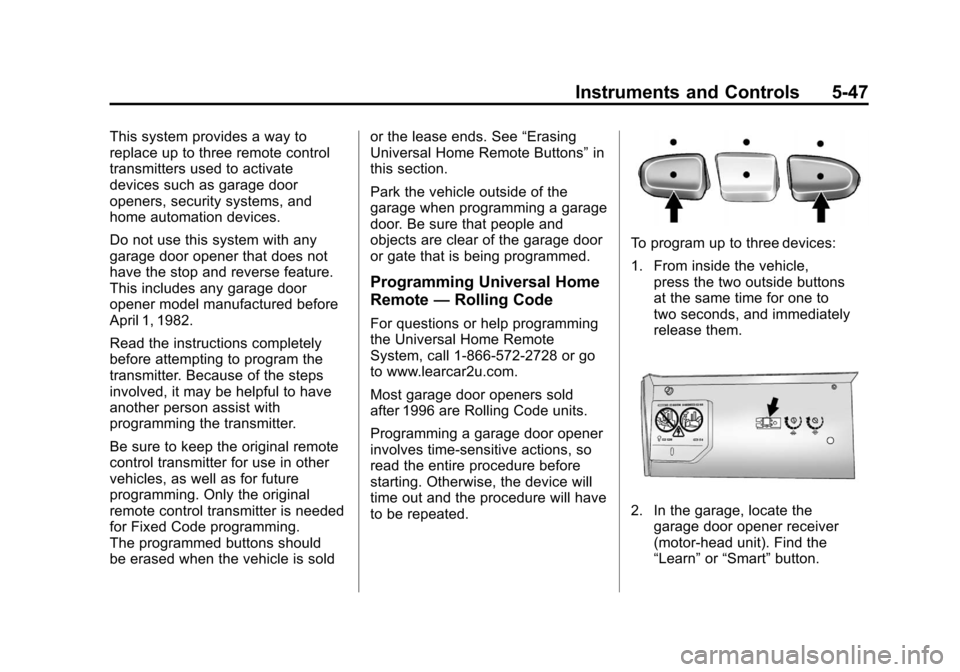
To program up to three devices:
1. From inside the vehicle,
press the two outside buttons
at the same time for one to
two seconds, and immediately
release them.
2. In the garage, locate the
garage door opener receiver
(motor-head unit). Find the
“Learn” or“Smart” button.
Page 170 of 538
Black plate (48,1)Cadillac Escalade/Escalade ESV Owner Manual - 2012
5-48 Instruments and Controls
It can usually be found where
the hanging antenna wire is
attached to the motor-head unit
and may be a colored button.
Press this button. After pressing
this button, complete the
following steps in less than
30 seconds.
3. Immediately return to the vehicle. Press and hold the
Universal Home Remote button
that will be used to control the
garage door until the garage
door moves. The indicator light,
above the selected button,
should slowly blink. This button
may need to be held for up to
20 seconds.
4. Immediately, within one second, release the button when the
garage door moves. The
indicator light will blink rapidly
until programming is complete. 5. Press and release the same
button again. The garage door
should move, confirming that
programming is successful and
complete.
To program another Rolling Code
device such as an additional garage
door opener, a security device,
or home automation device, repeat
Steps 1 through 5, choosing a
different function button in Step 3
than what was used for the garage
door opener.
If these instructions do not work,
the garage door opener is probably
a Fixed Code unit. Follow the
programming instructions that follow
for a Fixed Code garage door
opener.
Programming Universal Home
Remote —Fixed Code
For questions or help programming
the Universal Home Remote
System, call 1-866-572-2728 or go
to www.learcar2u.com. Most garage door openers sold
before 1996 are Fixed Code units.
Programming a garage door opener
involves time-sensitive actions, so
read the entire procedure before
starting. Otherwise, the device will
time out and the procedure will have
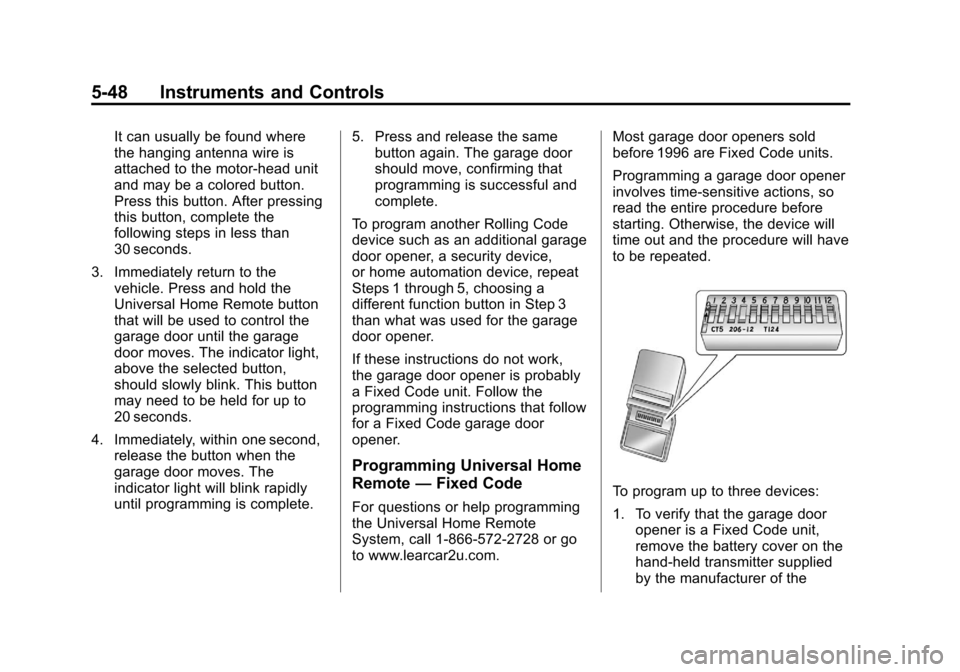
to be repeated.To program up to three devices:
1. To verify that the garage door
opener is a Fixed Code unit,
remove the battery cover on the
hand-held transmitter supplied
by the manufacturer of the
Page 202 of 538
Black plate (18,1)Cadillac Escalade/Escalade ESV Owner Manual - 2012
7-18 Infotainment System
If a cellular telephone antenna
needs to be attached to the glass,
make sure that the grid lines for the
AM-FM antenna are not damaged.
There is enough space between
the grid lines to attach a cellular
telephone antenna without
interfering with radio reception.
Notice:Using a razor blade or
sharp object to clear the inside of
the rear side windows may affect
radio reception or damage the
rear side window antenna.
Repairs would not be covered by
the warranty. Do not clear the
inside of the rear side windows
with sharp objects. Notice:
Do not apply aftermarket
glass tinting with metallic film.
The metallic film in some tinting
materials will interfere with or
distort the incoming radio
reception. Any damage caused to
the antenna due to metallic tinting
materials will not be covered by
the warranty.
Satellite Radio Antenna
The XM Satellite Radio antenna is
located on the roof of the vehicle.
Keep the antenna clear of
obstructions for clear radio
reception.
If the vehicle has a sunroof, the
performance of the XM system
(if equipped) may be affected if the
sunroof is open.
Audio Players
CD/DVD Player
The player can be used for CD,
MP3, and as a DVD video player.
Read this section for more
information about DVD video.
When playing an audio CD the rear
seat operator can power on the
RSE video screen and use the
remote control to navigate through
the tracks on the CD.
CD Player
While playing a CD, the navigation
system is available.
When you insert a CD, the CD
tab displays. If a DSP setting is
selected for the CD, it activates
each time you play a CD.
If the ignition or radio is turned off
with a CD in the player, it stays in
the player. When the ignition or
radio is turned on, the CD starts
playing where it stopped, if it was
the last selected audio source.
Page 204 of 538
Black plate (20,1)Cadillac Escalade/Escalade ESV Owner Manual - 2012
7-20 Infotainment System
y/©or¨/z(Seek/Scan):
1. To seek tracks, press the up arrow to go to the next track.
2. Press the down arrow to go to the start of the current track,
if more than eight seconds have
played.
3. If either arrow is pressed more than once, the player continues
moving backward or forward
through the CD. The sound
mutes while seeking.
w(Tuning Knob):
1. Turn counterclockwise one notch to go to the start of the current
track, turn it again to go to the
previous track.
2. Turn clockwise to go to the next track.
Playing a DVD
DVD video does not display on the
navigation screen unless the vehicle
is in P (Park). It will operate on the
rear seat entertainment screens
while the vehicle is moving.
The Rear Seat Entertainment (RSE)
video screen starts play of the DVD
when a DVD video has been
inserted into the CD/DVD slot. The
DVD player can be controlled by the
buttons on the navigation system,
the Rear Seat Audio (RSA) system,
and the remote control. The DVD
player can also be used for the rear
seat passengers with the radio off.
The rear seat passengers can
power on the video screen and
use the remote control to navigate
the disc. See the Rear Seat
Infotainment user guide for more
information.
The DVD player is only compatible
with DVDs of the appropriate region
code that is printed on the jacket of
most DVDs. The CD/DVD slot is compatible
with most audio CDs, CD-R,
CD-RW, DVD-Video, DVD-R/RW,
DVD+R/RW media along with
MP3 and WMA formats.
If an error appears on the display,
see
“CD/DVD Messages” in this
section.
Once a DVD starts to play, the
menu options and cursor screen
buttons will automatically appear. To
display the menu Options screen
button while a DVD is playing, touch
anywhere on the screen.
There are three ways to play
a DVD:
.Once a DVD is inserted, the
system will automatically start
play of the DVD.
.If you are on a map screen,
press the DVD screen button.
.Press AUDIO, then press the
DVD screen button.
Page 205 of 538
Black plate (21,1)Cadillac Escalade/Escalade ESV Owner Manual - 2012
Infotainment System 7-21
When a DVD is loaded, the rear
seat passengers can power on the
RSE video screen and use the
remote control to navigate through
the DVD.
O/3(Power/Volume):
1. Press to turn the system on and off.
2. Turn the knob to increase or decrease the volume of the
audio system.
3. Press and hold for more than two seconds to turn off the
navigation system, RSE video
screen, and RSA. If the vehicle
has not been tuned off, the RSE
and the RSA can be turned back
on by pressing this knob and will
continue play of the last active
source.
DVD Menu Options
Options: Press to view the
menu option screen buttons. Menu
options are available when they are
highlighted. Some menu options are
only available when the DVD is not
playing.
Cursor: Press to access the cursor
menu. The arrows and other cursor
options allow you to navigate the
DVD menu options. The cursor
menu options are only available if a
DVD has a menu. Use the cursor
menu to start a DVD video from the
disc main menu.
q,Q,r,R(Arrow Buttons):
Press the arrows to move around
the DVD menu.
Enter: Press to select the
highlighted option.
Return: Press to go back to the
previous DVD menu.
Back: Press to go back to the main
DVD display screen. Move:
Press to move the cursor
buttons back and forth from the
bottom-right corner to the top-left
corner of the screen.
j/r(Pause/Play):
1. Press to pause the DVD. This button will then change to the
play button.
2. Press the play button to play the DVD.
3. Press this button in a DVD disc main menu to start the movie.
c(Stop):
1. Press to stop play of the DVD.
2. Press the play button to continue playing the DVD from where the
DVD was stopped.
3. Press this button twice to return to the beginning of the DVD.