change time CADILLAC ESCALADE 2021 User Guide
[x] Cancel search | Manufacturer: CADILLAC, Model Year: 2021, Model line: ESCALADE, Model: CADILLAC ESCALADE 2021Pages: 492, PDF Size: 7.92 MB
Page 147 of 492
Cadillac Escalade Owner Manual (GMNA-Localizing-U.S./Canada/Mexico-
13690472) - 2021 - CRC - 8/10/21
146 INSTRUMENTS AND CONTROLS
Universal Remote System
Programming
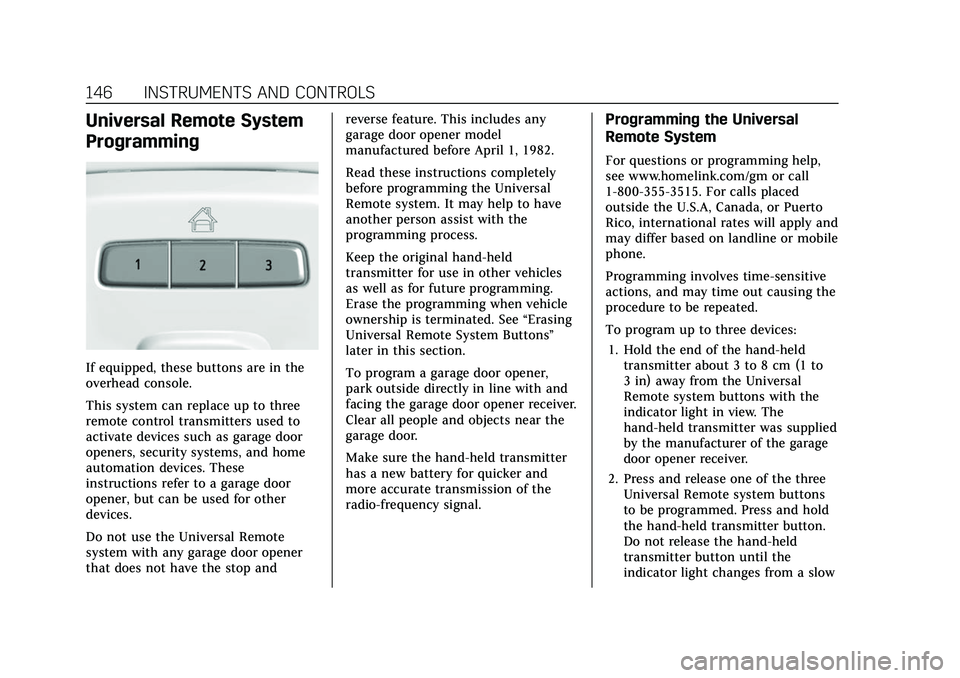
If equipped, these buttons are in the
overhead console.
This system can replace up to three
remote control transmitters used to
activate devices such as garage door
openers, security systems, and home
automation devices. These
instructions refer to a garage door
opener, but can be used for other
devices.
Do not use the Universal Remote
system with any garage door opener
that does not have the stop andreverse feature. This includes any
garage door opener model
manufactured before April 1, 1982.
Read these instructions completely
before programming the Universal
Remote system. It may help to have
another person assist with the
programming process.
Keep the original hand-held
transmitter for use in other vehicles
as well as for future programming.
Erase the programming when vehicle
ownership is terminated. See
“Erasing
Universal Remote System Buttons”
later in this section.
To program a garage door opener,
park outside directly in line with and
facing the garage door opener receiver.
Clear all people and objects near the
garage door.
Make sure the hand-held transmitter
has a new battery for quicker and
more accurate transmission of the
radio-frequency signal.
Programming the Universal
Remote System
For questions or programming help,
see www.homelink.com/gm or call
1-800-355-3515. For calls placed
outside the U.S.A, Canada, or Puerto
Rico, international rates will apply and
may differ based on landline or mobile
phone.
Programming involves time-sensitive
actions, and may time out causing the
procedure to be repeated.
To program up to three devices:
1. Hold the end of the hand-held transmitter about 3 to 8 cm (1 to
3 in) away from the Universal
Remote system buttons with the
indicator light in view. The
hand-held transmitter was supplied
by the manufacturer of the garage
door opener receiver.
2. Press and release one of the three Universal Remote system buttons
to be programmed. Press and hold
the hand-held transmitter button.
Do not release the hand-held
transmitter button until the
indicator light changes from a slow
Page 150 of 492

Cadillac Escalade Owner Manual (GMNA-Localizing-U.S./Canada/Mexico-
13690472) - 2021 - CRC - 8/10/21
LIGHTING 149
Lighting
Exterior Lighting
Exterior Lamp Controls . . . . . . . . . . 149
Exterior Lamps Off Reminder . . . 151
Headlamp High/Low-BeamChanger . . . . . . . . . . . . . . . . . . . . . . . . . . 151
Flash-to-Pass . . . . . . . . . . . . . . . . . . . . . 151
Daytime Running Lamps (DRL) . . . . . . . . . . . . . . . . . . . . 151
Automatic Headlamp System . . . 152
Hazard Warning Flashers . . . . . . . . 153
Turn and Lane-Change Signals . . . . . . . . . . . . . . . . . . . . . . . . . . . 153
Cornering Lamps . . . . . . . . . . . . . . . . . 153
Interior Lighting
Instrument Panel Illumination Control . . . . . . . . . . . . . . . . . . . . . . . . . . 154
Interior Lamps . . . . . . . . . . . . . . . . . . . . 154
Dome Lamps . . . . . . . . . . . . . . . . . . . . . 154
Reading Lamps . . . . . . . . . . . . . . . . . . . 155
Lighting Features
Entry Lighting . . . . . . . . . . . . . . . . . . . . 155
Exit Lighting . . . . . . . . . . . . . . . . . . . . . . 155
Battery Load Management . . . . . . 155
Battery Power Protection . . . . . . . . 156
Exterior Lighting Battery Saver . . . . . . . . . . . . . . . . . . . . . . . . . . . . . 156
Exterior Lighting
Exterior Lamp Controls
The exterior lamp control is on the
turn signal lever.
Turn the control to the following
positions:
O:Turns the exterior lamps off and
deactivates the AUTO mode. Turn to
Oagain to reactivate the AUTO mode.
In Canada, the headlamps will
automatically reactivate when the
vehicle is shifted out of P (Park).
AUTO : Automatically turns the
exterior lamps on and off, depending
on outside lighting.
;: Turns on the parking lamps
including all lamps, except the
headlamps.
2: Turns on the headlamps together
with the parking lamps and
instrument panel lights.
IntelliBeam System
If equipped, this system turns the
vehicle's high-beam headlamps on and
off according to surrounding traffic
conditions.
The system turns the high-beam
headlamps on when it is dark enough
and there is no other traffic present.
This light
bcomes on in the
instrument cluster when the
IntelliBeam system is enabled.
Page 152 of 492

Cadillac Escalade Owner Manual (GMNA-Localizing-U.S./Canada/Mexico-
13690472) - 2021 - CRC - 8/10/21
LIGHTING 151
Exterior Lamps Off
Reminder
If a door is open, a reminder chime
sounds when the headlamps or
parking lamps are manually turned on
and the ignition is off. To turn off the
chime, turn the exterior lamp control
to off or AUTO and then back on,
or close and re-open the door. In the
AUTO mode, the headlamps turn off
once the ignition is off or remain on
until the headlamp delay ends (if
enabled in the DIC). See“Exit
Lighting” underVehicle Personalization
0 138.
Headlamp High/Low-Beam
Changer
Push the turn signal lever away from
you and release to turn the high
beams on.
To return to low beams, push the
lever again or pull it toward you and
release.
When the high-beam headlamps are
on, this indicator light on the
instrument cluster will also be on.
Flash-to-Pass
This feature lets you use the
high-beam headlamps to signal a
driver in front of you that you want to
pass. It works even if the headlamps
are in the automatic position.
To use it, pull the turn signal lever
toward you, then release it.
The high beam headlamps will stay on
as long as you hold the lever toward
you. The high-beam indicator on the
instrument cluster will come on.
Release the lever to return to normal
operation.
Daytime Running
Lamps (DRL)
DRL can make it easier for others to
see the front of the vehicle during the
day. Fully functional DRL are required
on all vehicles first sold in Canada.
The DRL system comes on when the
following conditions are met:
.The ignition is on.
.The exterior lamp control is
in AUTO.
.The light sensor determines it is
daytime.
When the DRL system is on, only the
DRL are on. The taillamps, sidemarker
lamps, instrument panel lights, and
other lamps will not be on.
When it begins to get dark, the
automatic headlamp system switches
from DRL to the headlamps.
To turn off the DRL, turn the exterior
lamp control to
Oand then release.
For vehicles first sold in Canada, off
will only work when the vehicle is
parked.
Page 153 of 492
Cadillac Escalade Owner Manual (GMNA-Localizing-U.S./Canada/Mexico-
13690472) - 2021 - CRC - 8/10/21
152 LIGHTING
Automatic Headlamp
System
When it is dark enough outside, the
automatic headlamp system turns on
the headlamps at the normal
brightness, along with the taillamps,
sidemarker, parking lamps, and the
instrument panel lights. The radio
lights will also be dim.
To turn off the automatic headlamp
system, turn the exterior lamp control
to
Pand then release it.
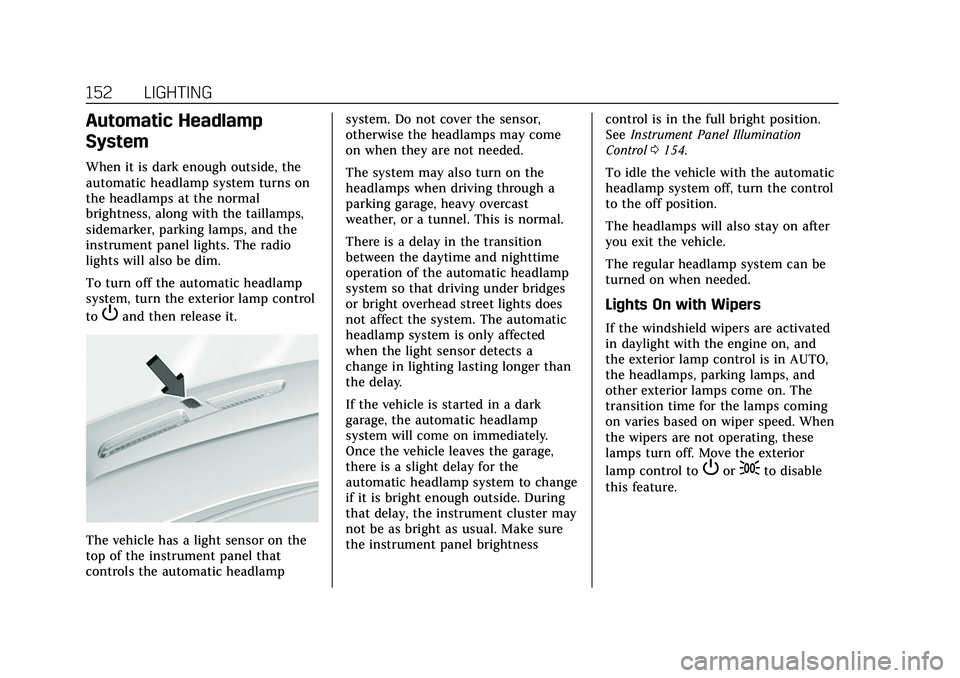
The vehicle has a light sensor on the
top of the instrument panel that
controls the automatic headlampsystem. Do not cover the sensor,
otherwise the headlamps may come
on when they are not needed.
The system may also turn on the
headlamps when driving through a
parking garage, heavy overcast
weather, or a tunnel. This is normal.
There is a delay in the transition
between the daytime and nighttime
operation of the automatic headlamp
system so that driving under bridges
or bright overhead street lights does
not affect the system. The automatic
headlamp system is only affected
when the light sensor detects a
change in lighting lasting longer than
the delay.
If the vehicle is started in a dark
garage, the automatic headlamp
system will come on immediately.
Once the vehicle leaves the garage,
there is a slight delay for the
automatic headlamp system to change
if it is bright enough outside. During
that delay, the instrument cluster may
not be as bright as usual. Make sure
the instrument panel brightness
control is in the full bright position.
See
Instrument Panel Illumination
Control 0154.
To idle the vehicle with the automatic
headlamp system off, turn the control
to the off position.
The headlamps will also stay on after
you exit the vehicle.
The regular headlamp system can be
turned on when needed.
Lights On with Wipers
If the windshield wipers are activated
in daylight with the engine on, and
the exterior lamp control is in AUTO,
the headlamps, parking lamps, and
other exterior lamps come on. The
transition time for the lamps coming
on varies based on wiper speed. When
the wipers are not operating, these
lamps turn off. Move the exterior
lamp control to
Por;to disable
this feature.
Page 154 of 492

Cadillac Escalade Owner Manual (GMNA-Localizing-U.S./Canada/Mexico-
13690472) - 2021 - CRC - 8/10/21
LIGHTING 153
Hazard Warning Flashers
|:Press to make the front and rear
turn signal lamps flash on and off.
Press again to turn the flashers off.
When the hazard warning flashers are
on, the vehicle's turn signals will
not work.
Turn and Lane-Change
Signals
An arrow on the instrument cluster
flashes in the direction of the turn or
lane change.
Move the turn signal lever all the way
up or down to signal a turn.
Raise or lower the lever for less than
one second until the arrow starts to
flash to signal a lane change. This
causes the turn signals to
automatically flash three times. It will
flash six times if Tow/Haul Mode is
active. Holding the turn signal lever
for more than one second will cause
the turn signals to flash until the
lever is released.
The lever returns to its starting
position whenever it is released. If after signaling a turn or a lane
change the arrows flash rapidly or do
not come on, a signal bulb could be
burned out.
Replace any burned out bulbs. If a
bulb is not burned out, check the fuse.
See
Fuses and Circuit Breakers 0385.
Turn Signal On Chime
If the turn signal is left on for more
than 1.2 km (0.75 mi), a chime sounds
at each flash of the turn signal. The
message TURN SIGNAL ON will also
appear in the Driver Information
Center (DIC). To turn the chime and
message off, move the turn signal
lever to the off position.
Cornering Lamps
If equipped with cornering lamps, they
automatically come on when all of the
following occur:
.The low-beam headlamps are on.
.The turn signals are activated or the
steering wheel is at a turning angle.
.The vehicle speed is below 40 km/h
(25 mph) .
Page 156 of 492
Cadillac Escalade Owner Manual (GMNA-Localizing-U.S./Canada/Mexico-
13690472) - 2021 - CRC - 8/10/21
LIGHTING 155
the dome lamp override is activated.
Press OFF
jagain to deactivate
this feature and the indicator light will
turn off. The dome lamps will come
on when any door is opened,
Kon the
remote key is pressed, or when the
ignition is switched off.
Reading Lamps
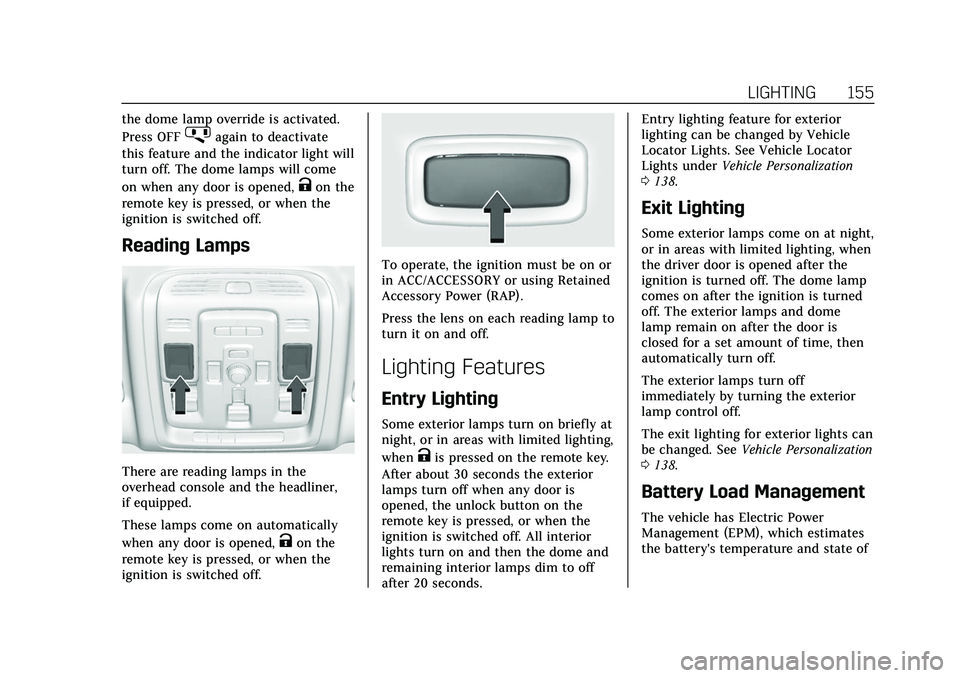
There are reading lamps in the
overhead console and the headliner,
if equipped.
These lamps come on automatically
when any door is opened,
Kon the
remote key is pressed, or when the
ignition is switched off.
To operate, the ignition must be on or
in ACC/ACCESSORY or using Retained
Accessory Power (RAP).
Press the lens on each reading lamp to
turn it on and off.
Lighting Features
Entry Lighting
Some exterior lamps turn on briefly at
night, or in areas with limited lighting,
when
Kis pressed on the remote key.
After about 30 seconds the exterior
lamps turn off when any door is
opened, the unlock button on the
remote key is pressed, or when the
ignition is switched off. All interior
lights turn on and then the dome and
remaining interior lamps dim to off
after 20 seconds. Entry lighting feature for exterior
lighting can be changed by Vehicle
Locator Lights. See Vehicle Locator
Lights under
Vehicle Personalization
0 138.
Exit Lighting
Some exterior lamps come on at night,
or in areas with limited lighting, when
the driver door is opened after the
ignition is turned off. The dome lamp
comes on after the ignition is turned
off. The exterior lamps and dome
lamp remain on after the door is
closed for a set amount of time, then
automatically turn off.
The exterior lamps turn off
immediately by turning the exterior
lamp control off.
The exit lighting for exterior lights can
be changed. See Vehicle Personalization
0 138.
Battery Load Management
The vehicle has Electric Power
Management (EPM), which estimates
the battery's temperature and state of
Page 160 of 492
Cadillac Escalade Owner Manual (GMNA-Localizing-U.S./Canada/Mexico-
13690472) - 2021 - CRC - 8/10/21
INFOTAINMENT SYSTEM 159
.Press and hold to access the
Apple CarPlay or Android Now
Playing View, if connected.
If the current audio source is
the radio, the Apple CarPlay
or Android Auto Now Playing
View with the audio source
plays the radio.
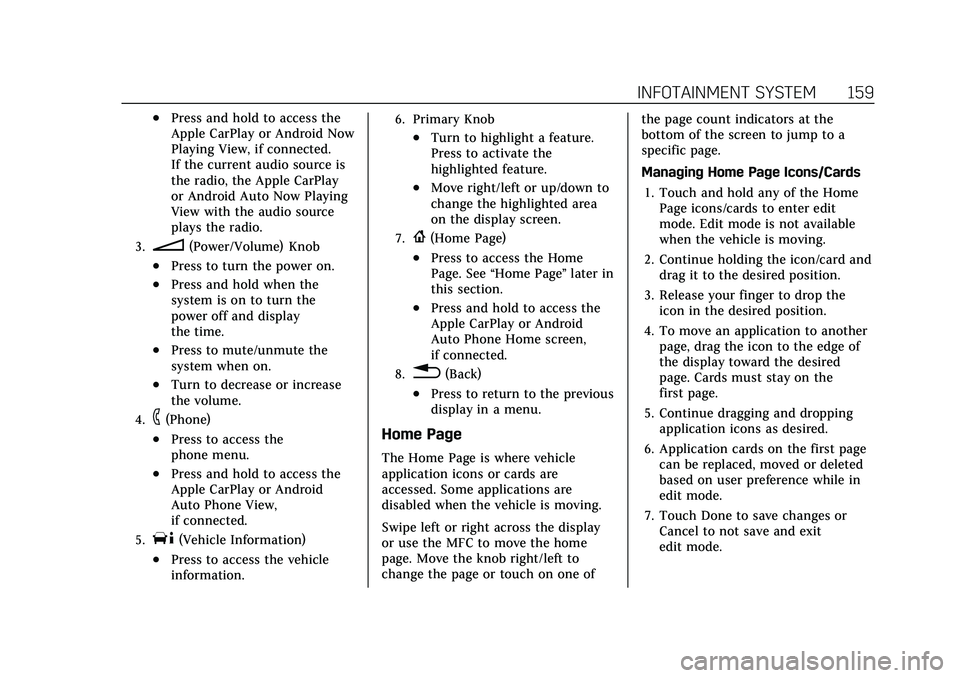
3.n(Power/Volume) Knob
.Press to turn the power on.
.Press and hold when the
system is on to turn the
power off and display
the time.
.Press to mute/unmute the
system when on.
.Turn to decrease or increase
the volume.
4.6(Phone)
.Press to access the
phone menu.
.Press and hold to access the
Apple CarPlay or Android
Auto Phone View,
if connected.
5.T(Vehicle Information)
.Press to access the vehicle
information.
6. Primary Knob
.Turn to highlight a feature.
Press to activate the
highlighted feature.
.Move right/left or up/down to
change the highlighted area
on the display screen.
7.{(Home Page)
.Press to access the Home
Page. See“Home Page ”later in
this section.
.Press and hold to access the
Apple CarPlay or Android
Auto Phone Home screen,
if connected.
8.0(Back)
.Press to return to the previous
display in a menu.
Home Page
The Home Page is where vehicle
application icons or cards are
accessed. Some applications are
disabled when the vehicle is moving.
Swipe left or right across the display
or use the MFC to move the home
page. Move the knob right/left to
change the page or touch on one of the page count indicators at the
bottom of the screen to jump to a
specific page.
Managing Home Page Icons/Cards
1. Touch and hold any of the Home Page icons/cards to enter edit
mode. Edit mode is not available
when the vehicle is moving.
2. Continue holding the icon/card and drag it to the desired position.
3. Release your finger to drop the icon in the desired position.
4. To move an application to another page, drag the icon to the edge of
the display toward the desired
page. Cards must stay on the
first page.
5. Continue dragging and dropping application icons as desired.
6. Application cards on the first page can be replaced, moved or deleted
based on user preference while in
edit mode.
7. Touch Done to save changes or Cancel to not save and exit
edit mode.
Page 162 of 492
Cadillac Escalade Owner Manual (GMNA-Localizing-U.S./Canada/Mexico-
13690472) - 2021 - CRC - 8/10/21
INFOTAINMENT SYSTEM 161
Phone
Touch the Phone icon on the
infotainment display or
6on the MFC
to display the Phone menu. See
Bluetooth (Pairing and Using a Phone)
0 197 or
Bluetooth (Overview) 0196.
Vehicle Information
TouchTon the infotainment
display or press
Ton the MFC. See
Vehicle Information 0134.
Apple CarPlay
Touch the Apple CarPlay icon to
activate Apple CarPlay (if equipped)
after a supported device is connected.
See Apple CarPlay and Android Auto
0 202.
Android Auto
Touch the Android Auto icon to
activate Android Auto (if equipped)
after a supported device is connected.
See Apple CarPlay and Android Auto
0 202.
Users
Touch the Users icon to sign in or
create a new user profile, and follow
the on-screen instructions.
Only four user profiles can be active at
one time in the vehicle. It may be
necessary to remove a profile from the
menu before creating or signing into
an existing profile. The removed
profile can be logged into at a
later time.
Settings
Touch the Settings icon to display the
Settings menu. See Settings0203.
Apps
If equipped, in-vehicle apps are
available for download. Touch the
Apps icon on the Home Page to begin.
Downloading and using in-vehicle
apps requires Internet connectivity
which can be accessed with a data
plan through the vehicle’s built-in 4G
LTE Wi-Fi hotspot, if equipped, or a
compatible mobile device hotspot. On
most mobile devices, activation of the
Wi-Fi hotspot is in the device’s Settings menu under Mobile Network
Sharing, Personal Hotspot, Mobile
Hotspot, or similar.
Availability of apps and connectivity
varies by vehicle, conditions, and
location. Data plan rates apply.
Features are subject to change. For
more information, see
www.my.cadillac.com/learn for US/
Canada and see my.cadillac.com.mx.
for Mexico.
OnStar Services
If equipped, touch the OnStar Services
icon to display the OnStar Services
and Account pages. See
OnStar
Overview 0471 and
OnStar System 0172.
Camera
Touch the Camera icon to access the
camera application. See Assistance
Systems for Parking or Backing 0299.
Rear Media
If equipped, touch the Rear Media
icon to access the Rear Seat
Infotainment application. See Rear
Seat Infotainment (RSI) System 0173.
Page 179 of 492
Cadillac Escalade Owner Manual (GMNA-Localizing-U.S./Canada/Mexico-
13690472) - 2021 - CRC - 8/10/21
178 INFOTAINMENT SYSTEM
.porj(Play or Pause): Touchpto
play or touch
jto pause depending
on the current selection.
.Listen: Touch Listen to hear the
audio source on the vehicle
speakers.
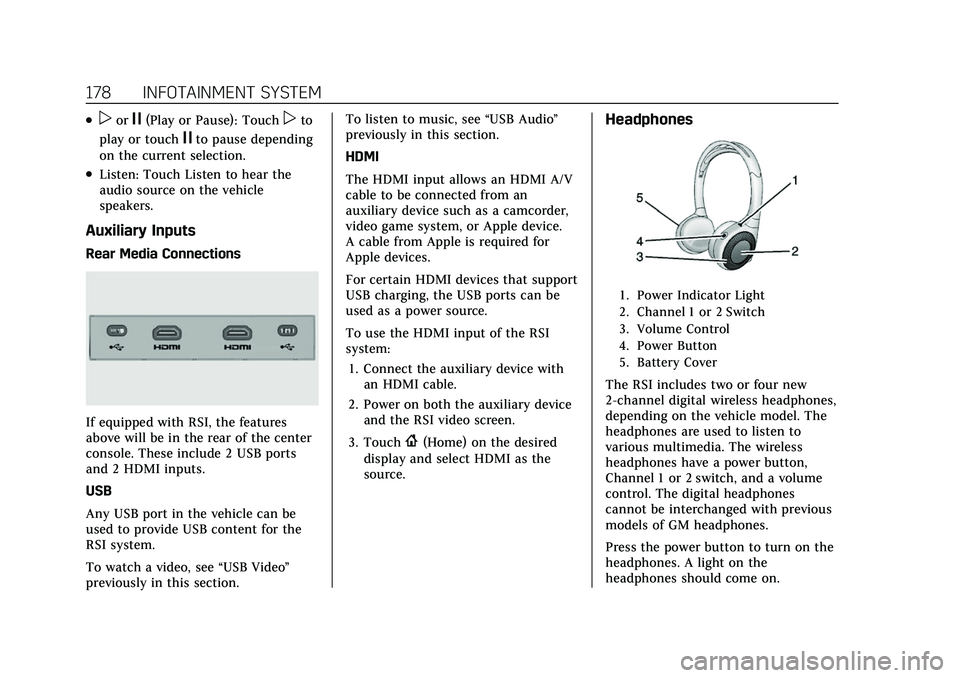
Auxiliary Inputs
Rear Media Connections
If equipped with RSI, the features
above will be in the rear of the center
console. These include 2 USB ports
and 2 HDMI inputs.
USB
Any USB port in the vehicle can be
used to provide USB content for the
RSI system.
To watch a video, see “USB Video”
previously in this section. To listen to music, see
“USB Audio”
previously in this section.
HDMI
The HDMI input allows an HDMI A/V
cable to be connected from an
auxiliary device such as a camcorder,
video game system, or Apple device.
A cable from Apple is required for
Apple devices.
For certain HDMI devices that support
USB charging, the USB ports can be
used as a power source.
To use the HDMI input of the RSI
system:
1. Connect the auxiliary device with an HDMI cable.
2. Power on both the auxiliary device and the RSI video screen.
3. Touch
{(Home) on the desired
display and select HDMI as the
source.
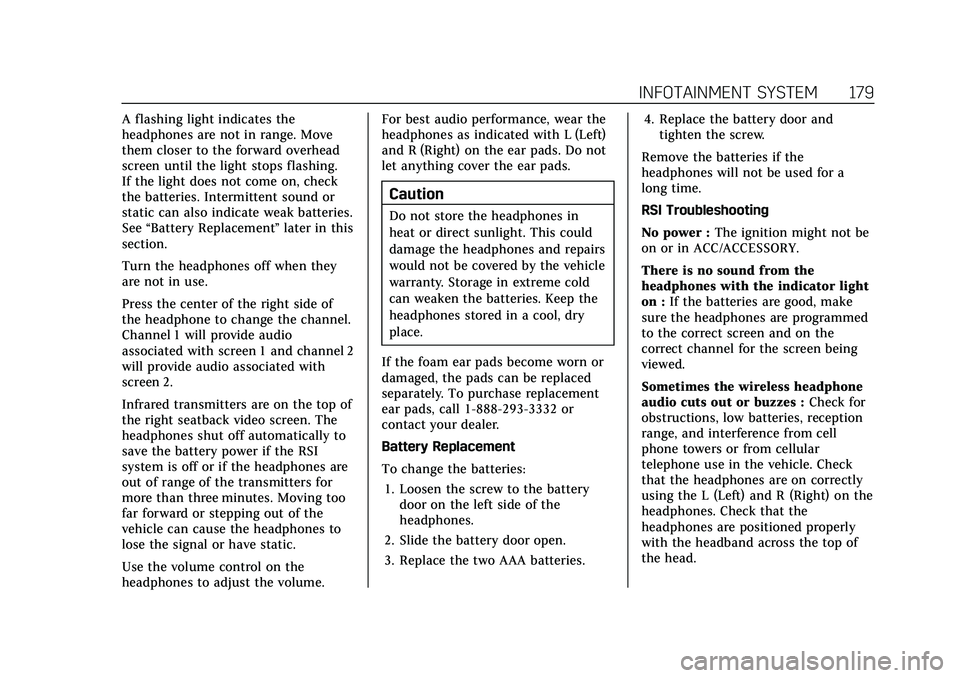
Headphones
1. Power Indicator Light
2. Channel 1 or 2 Switch
3. Volume Control
4. Power Button
5. Battery Cover
The RSI includes two or four new
2-channel digital wireless headphones,
depending on the vehicle model. The
headphones are used to listen to
various multimedia. The wireless
headphones have a power button,
Channel 1 or 2 switch, and a volume
control. The digital headphones
cannot be interchanged with previous
models of GM headphones.
Press the power button to turn on the
headphones. A light on the
headphones should come on.
Page 180 of 492
Cadillac Escalade Owner Manual (GMNA-Localizing-U.S./Canada/Mexico-
13690472) - 2021 - CRC - 8/10/21
INFOTAINMENT SYSTEM 179
A flashing light indicates the
headphones are not in range. Move
them closer to the forward overhead
screen until the light stops flashing.
If the light does not come on, check
the batteries. Intermittent sound or
static can also indicate weak batteries.
See“Battery Replacement ”later in this
section.
Turn the headphones off when they
are not in use.
Press the center of the right side of
the headphone to change the channel.
Channel 1 will provide audio
associated with screen 1 and channel 2
will provide audio associated with
screen 2.
Infrared transmitters are on the top of
the right seatback video screen. The
headphones shut off automatically to
save the battery power if the RSI
system is off or if the headphones are
out of range of the transmitters for
more than three minutes. Moving too
far forward or stepping out of the
vehicle can cause the headphones to
lose the signal or have static.
Use the volume control on the
headphones to adjust the volume. For best audio performance, wear the
headphones as indicated with L (Left)
and R (Right) on the ear pads. Do not
let anything cover the ear pads.
Caution
Do not store the headphones in
heat or direct sunlight. This could
damage the headphones and repairs
would not be covered by the vehicle
warranty. Storage in extreme cold
can weaken the batteries. Keep the
headphones stored in a cool, dry
place.
If the foam ear pads become worn or
damaged, the pads can be replaced
separately. To purchase replacement
ear pads, call 1-888-293-3332 or
contact your dealer.
Battery Replacement
To change the batteries: 1. Loosen the screw to the battery door on the left side of the
headphones.
2. Slide the battery door open.
3. Replace the two AAA batteries. 4. Replace the battery door and
tighten the screw.
Remove the batteries if the
headphones will not be used for a
long time.
RSI Troubleshooting
No power : The ignition might not be
on or in ACC/ACCESSORY.
There is no sound from the
headphones with the indicator light
on : If the batteries are good, make
sure the headphones are programmed
to the correct screen and on the
correct channel for the screen being
viewed.
Sometimes the wireless headphone
audio cuts out or buzzes : Check for
obstructions, low batteries, reception
range, and interference from cell
phone towers or from cellular
telephone use in the vehicle. Check
that the headphones are on correctly
using the L (Left) and R (Right) on the
headphones. Check that the
headphones are positioned properly
with the headband across the top of
the head.