park assist CADILLAC ESCALADE 2022 Owner's Manual
[x] Cancel search | Manufacturer: CADILLAC, Model Year: 2022, Model line: ESCALADE, Model: CADILLAC ESCALADE 2022Pages: 508, PDF Size: 9.18 MB
Page 313 of 508

Cadillac Escalade Owner Manual (GMNA-Localizing-U.S./Canada/Mexico-
15567102) - 2022 - CRC - 11/17/21
312 DRIVING AND OPERATING
.The accessory trailer camera(s) are
connected to the correct camera
input.
.The accessory trailer camera(s) are
not installed according to the
installation instructions.
A feature may be unavailable or not
activating as expected if:
.The customization is disabled.
Check the customization settings
where applicable.
.The accessory trailer cameras are
swapped at the hitch connector.
Ensure that the accessory camera(s)
are connected to the correct camera
input.
A view may switch automatically if:
.The vehicle is shifted to
another gear.
Park Assist
The vehicle may be equipped with
Rear Park Assist (RPA) or Front and
Rear Park Assist (FRPA). Under
certain conditions, the Park Assist
system can assist the driver during
backing and parking maneuvers when
the vehicle is driven at no more than 9 km/h (6 mph). An illuminated
indicator in the Park Assist button
indicates the system is ready.
Sensors located in the bumpers
measure the distance between the
vehicle and objects using sonar
technology. These sensors are
designed to detect certain objects up
to 1.8 m (6 ft) behind and 1.3 m (4 ft)
in front of your vehicle that are taller
than 25 cm (10 in).
Different environmental conditions
may affect whether and how far the
Park Assist system can detect objects.
Keep the sensors clean of mud, dirt,
snow, ice, and slush; and clean
sensors after a car wash in freezing
temperatures. Sensors that are not
clean may not detect objects or may
cause the system to alert when not
required.{Warning
The Park Assist System is no
substitute for careful and attentive
driving. The Park Assist system
does not detect children,
pedestrians, bicyclists, animals,
(Continued)
Warning (Continued)
or objects located below the
bumper or that are too close or too
far from the vehicle. It is not
available at speeds greater than
9 km/h (6 mph). To prevent injury,
death, or vehicle damage, even with
Park Assist, always check the area
around the vehicle and check all
mirrors before moving forward or
backing.
How the System Works
The vehicle may have a Park
Assist amphitheatre-like display on
the cluster with bars that represent
the estimated location of a detected
object and the vehicle’s distance from
the object. As a detected object
becomes closer, more bars light up
and change color from yellow to
amber to red. Vehicles equipped with
RPA will show the amphitheater at
the rear of the vehicle, and if
equipped, FRPA will show
the amphitheater at the front and rear.
Page 314 of 508

Cadillac Escalade Owner Manual (GMNA-Localizing-U.S./Canada/Mexico-
15567102) - 2022 - CRC - 11/17/21
DRIVING AND OPERATING 313
The system warns the driver with
beeps against potentially hazardous
obstacles in the path of the vehicle.
When an object in the driving path is
first detected in the rear, one beep will
be heard from the rear, or the driver's
seat will pulse two times if equipped
with Safety Alert Seat. When an object
is very close, five beeps will sound
from the front or rear, depending on
the object's location, or the driver's
seat will pulse five times. Beeps for
front are higher pitched than the rear.
The beeps may be muted by pressing
the on screen mute button.Turning the System On and Off
The Park Assist System can be turned
on or off using the infotainment
system. SeeVehicle Personalization
0 140.
Turning the Park Assist System on or
off also turns the Backing Warning
and Reverse Automatic Braking (RAB)
on or off at the same time.
When the system is off, PARK ASSIST
OFF is shown on the display. This
message disappears after a short
period of time.
If the vehicle has a trailer hitch
attached, select ON - ATTACHED
using the infotainment system menus
to allow Park Assist to function
properly. Park Assist is able to
compensate for a trailer hitch up to
0.3 m (1 ft) in length and width. Park
Assist may not function properly with
larger trailer hitches and provide
inaccurate information of objects in
the rear
Turn off Park Assist when towing a
trailer to prevent unwanted beeps and
when a bike rack is attached to ensure
proper operation. When the System Does Not Seem to
Work Properly
The following messages may be shown
on the display:
SERVICE PARK ASSIST
If this message displays, check the
following conditions:
.The sensors may not be clean. Keep
the vehicle's front and rear bumpers
free of mud, dirt, snow, ice, and
slush. For cleaning instructions, see
Exterior Care
0444.
.The Park Assist sensors may be
covered by frost or ice. Frost or ice
can form around and behind the
sensors and may not always be
seen; this can occur after washing
the vehicle in cold weather. The
message may not clear until the
frost or ice has melted.
If this message displays and the above
conditions do not exist, take the
vehicle to your dealer for repair.
Page 315 of 508

Cadillac Escalade Owner Manual (GMNA-Localizing-U.S./Canada/Mexico-
15567102) - 2022 - CRC - 11/17/21
314 DRIVING AND OPERATING
PARK ASSIST OFF
If the Park Assist System does not
activate due to a temporary condition,
this message is shown on the display.
This can occur under the following
conditions:
.The driver has disabled the system.
.An object is currently blocking the
rear sensors (for example, bike rack,
tailgate, trailer hitch, etc.) Once the
object is removed, Park Assist will
return to normal operation.
.The bumper is damaged. Take the
vehicle to your dealer for repairs.
.Other conditions, such as vibrations
from a jackhammer or the
compression of air brakes on a very
large truck, are affecting system
performance.
Automatic Parking
Assist (APA)
If equipped, under certain conditions
Enhanced Automatic Parking Assist
(APA) can use sensors based on sonar
technology along the vehicle’s front,
rear and sides to detect a parking spot
and automatically park the vehicle.The vehicle will automatically
maneuver into a detected spot moving
at or near idle speed. It does this by
automatically steering, braking,
accelerating, and gear shifting. The
driver must always be prepared to
apply braking if necessary. A display
and beeps help to guide the parking
maneuvers.
{Warning
APA may not always detect objects
in the parking space, objects that
are not rigid (e.g. shrubs and
chain-link fences), objects below the
bumper, objects high off the ground
(e.g. flatbed trucks), hanging
objects, objects below ground level
(e.g. large potholes), or moving
objects (e.g. pedestrians, cyclists,
vehicles). Always verify that the
parking space is appropriate for
parking a vehicle. APA may not
respond to changes in the parking
space, such as movement of an
adjacent vehicle, or a person or
object entering the parking space.
APA does not detect or avoid traffic
(Continued)
Warning (Continued)
that is behind or alongside of the
vehicle. Always be prepared to stop
the vehicle during the parking
maneuver.
How to Activate Automatic Parking
To activate APA, press
Oon the
Home Page of the infotainment
display for the system to begin
searching for a parking space while
driving forward at no greater than
30 km/h (18 mph). By default, APA
searches for parallel parking spaces to
the right of the vehicle up to the
sensors ’range of 1.5 m (5 ft). To
search for a parking space to the left,
turn on the left turn signal or,
if available, change the side selection
in the infotainment display. To switch
the parking mode between parallel
and perpendicular press and hold
O
while searching for a valid parking
spot or, if available, change the
parking mode in the infotainment
display.
Page 316 of 508

Cadillac Escalade Owner Manual (GMNA-Localizing-U.S./Canada/Mexico-
15567102) - 2022 - CRC - 11/17/21
DRIVING AND OPERATING 315
APA cannot park in all empty parking
spots. The parking spot must:
.Be sufficiently large to fit the
vehicle comfortably.
.Have an adjacent vehicle, wall,
or pillar for the system to align to.
After completely passing an eligible
parking spot, a beep sounds and a red
stop symbol is displayed in the driver
information center. Generally, APA
selects the nearest empty parking spot
behind the vehicle, but under some
conditions may select a space that is
further back. Slow down and bring the
vehicle to a complete stop to begin.
Follow the displayed instructions.
When instructed to drive in reverse,
shift to R (Reverse) while holding the
brakes. The steering wheel will vibrate
briefly as a reminder to remove handsfrom the steering wheel. Release the
brakes slowly when the vibration
stops to begin automatic parking. As
the vehicle automatically steers,
brakes, accelerates, and shifts gears
into the parking spot, check
surroundings. Be prepared to stop to
avoid vehicles, pedestrians, or objects.
A progress arrow displays the status
of the parking maneuver. Once
automatic parking is finished and the
vehicle has come to a full stop, FINAL
POSITION - PRESS BRAKES message
will be displayed. Press and hold the
brakes, and APA will beep and display
a PARKING COMPLETE message. Shift
the vehicle to P (Park) and apply the
parking brake.
How to Activate Automatic Parallel
Spot Unparking Assist
To activate parallel spot unparking
assist, press the soft-touch button or
hard switch
Oafter turning on the
vehicle while leaving it in P (Park) and
the parking brake is off. If the system
is able to determine a path out of the
parking spot, a screen will be
displayed for unparking options.
Similar to automatic parking, follow
the displayed instructions and check
surroundings as the vehicle unparks.
Once automatic unparking is finished
and the vehicle has come to a full
stop, FINAL POSITION - PRESS
BRAKES message will be displayed.
Press and hold the brakes, and APA
will beep and display a TAKE
CONTROL message. The vehicle is
now positioned such that the path to
exit the parking spot is free of
obstructions. Shift into D (Drive) to
start driving away.
Page 317 of 508
Cadillac Escalade Owner Manual (GMNA-Localizing-U.S./Canada/Mexico-
15567102) - 2022 - CRC - 11/17/21
316 DRIVING AND OPERATING
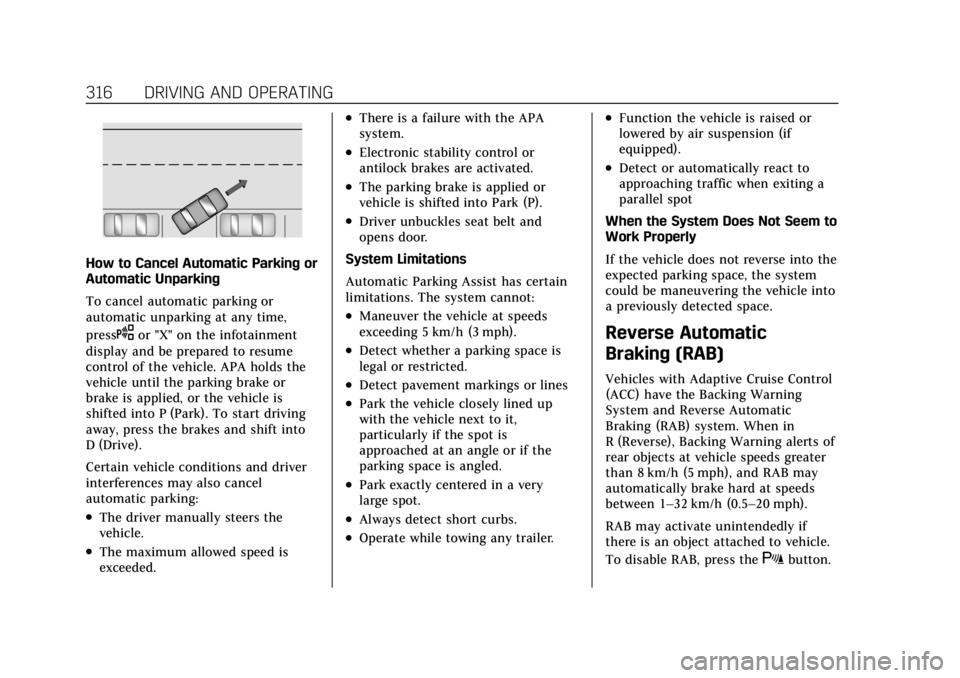
How to Cancel Automatic Parking or
Automatic Unparking
To cancel automatic parking or
automatic unparking at any time,
press
Oor "X" on the infotainment
display and be prepared to resume
control of the vehicle. APA holds the
vehicle until the parking brake or
brake is applied, or the vehicle is
shifted into P (Park). To start driving
away, press the brakes and shift into
D (Drive).
Certain vehicle conditions and driver
interferences may also cancel
automatic parking:
.The driver manually steers the
vehicle.
.The maximum allowed speed is
exceeded.
.There is a failure with the APA
system.
.Electronic stability control or
antilock brakes are activated.
.The parking brake is applied or
vehicle is shifted into Park (P).
.Driver unbuckles seat belt and
opens door.
System Limitations
Automatic Parking Assist has certain
limitations. The system cannot:
.Maneuver the vehicle at speeds
exceeding 5 km/h (3 mph).
.Detect whether a parking space is
legal or restricted.
.Detect pavement markings or lines
.Park the vehicle closely lined up
with the vehicle next to it,
particularly if the spot is
approached at an angle or if the
parking space is angled.
.Park exactly centered in a very
large spot.
.Always detect short curbs.
.Operate while towing any trailer.
.Function the vehicle is raised or
lowered by air suspension (if
equipped).
.Detect or automatically react to
approaching traffic when exiting a
parallel spot
When the System Does Not Seem to
Work Properly
If the vehicle does not reverse into the
expected parking space, the system
could be maneuvering the vehicle into
a previously detected space.
Reverse Automatic
Braking (RAB)
Vehicles with Adaptive Cruise Control
(ACC) have the Backing Warning
System and Reverse Automatic
Braking (RAB) system. When in
R (Reverse), Backing Warning alerts of
rear objects at vehicle speeds greater
than 8 km/h (5 mph), and RAB may
automatically brake hard at speeds
between 1–32 km/h (0.5–20 mph).
RAB may activate unintendedly if
there is an object attached to vehicle.
To disable RAB, press the
Xbutton.
Page 323 of 508
Cadillac Escalade Owner Manual (GMNA-Localizing-U.S./Canada/Mexico-
15567102) - 2022 - CRC - 11/17/21
322 DRIVING AND OPERATING
Warning (Continued)
AEB may not:
.Detect a vehicle ahead on
winding or hilly roads.
.Detect all vehicles, especially
vehicles with a trailer, tractors,
muddy vehicles, etc.
.Detect a vehicle when weather
limits visibility, such as in fog,
rain, or snow.
.Detect a vehicle ahead if it is
partially blocked by pedestrians
or other objects.
Complete attention is always
required while driving, and you
should be ready to take action and
apply the brakes and/or steer the
vehicle to avoid crashes.
AEB may slow the vehicle to a
complete stop to try to avoid a
potential crash. If this happens, AEB
may engage the Electric Parking Brake
(EPB) to hold the vehicle at a stop.
Release the EPB or firmly press the
accelerator pedal.
{Warning
AEB may automatically brake the
vehicle suddenly in situations
where it is unexpected and
undesired. It could respond to a
turning vehicle ahead, guardrails,
signs, and other non-moving
objects. To override AEB, firmly
press the accelerator pedal, if it is
safe to do so.
Intelligent Brake Assist (IBA)
IBA may activate when the brake
pedal is applied quickly by providing a
boost to braking based on the speed
of approach and distance to a vehicle
ahead.
Minor brake pedal pulsations or pedal
movement during this time is normal
and the brake pedal should continue
to be applied as needed. IBA will
automatically disengage only when
the brake pedal is released.
{Warning
IBA may increase vehicle braking in
situations when it may not be
necessary. You could block the flow
of traffic. If this occurs, take your
foot off the brake pedal and then
apply the brakes as needed.
AEB and IBA can be disabled. See
“Collision/Detection Systems” under
Vehicle Personalization 0140.
{Warning
Using AEB or IBA while towing a
trailer could cause you to lose
control of the vehicle and crash.
Turn the system to Alert or Off
when towing a trailer.
A system unavailable message may
display if:
.The front of the vehicle or
windshield is not clean.
.Heavy rain or snow is interfering
with object detection.
.There is a problem with the
StabiliTrak/Electronic Stability
Control (ESC) system.
Page 328 of 508

Cadillac Escalade Owner Manual (GMNA-Localizing-U.S./Canada/Mexico-
15567102) - 2022 - CRC - 11/17/21
DRIVING AND OPERATING 327
Warning (Continued)
.If the pedestrian is wearing
certain types of clothing.
.If headlamps are off, except
when parked.
.If the outside temperature
is high.
.Due to poor visibility, including
in heavy fog, rain, or snow.
.If the sensor is blocked by dirt,
snow, rain, or ice.
Be ready to take action and apply
the brakes. For more information,
see Defensive Driving 0232. Keep
the Night Vision sensor clean and
in good repair.
Night Vision Detection Unavailable
and icon
\is displayed when the
Night Vision system is unable to
detect pedestrians or animals. It may
be caused by high ambient
temperatures or other conditions. The
message can be dismissed and the
system does not need service. In rain, snow, or fog the image may
not be clear and the direction of the
road ahead may not be seen. In more
severe weather conditions, the image
may be unclear and unusable. The
system does not need service.
Keep the night vision camera clean by
activating the front windshield washer
five times when it is dark enough for
the system to operate. If the Night
Vision image still looks blurry, use a
soft wet cloth to gently clean the
sensor camera lens and dry
thoroughly. The night vision camera is
behind the lower front grille below the
driver side headlamp.
The camera must also be aligned to
work correctly. If the camera needs
adjustment, see your dealer. Do not
attempt to adjust the camera yourself.Side Blind Zone
Alert (SBZA)
If equipped, the SBZA system is a
lane-changing aid that assists drivers
with avoiding crashes that occur with
moving vehicles in the side blind
zone, or blind spot areas. When the
vehicle is in a forward gear, the left orright side mirror display will light up
if a moving vehicle is detected in that
blind zone. If the turn signal is
activated and a vehicle is also
detected on the same side, the display
will flash as an extra warning not to
change lanes. Since this system is part
of the Lane Change Alert (LCA)
system, read the entire LCA section
before using this feature.
Lane Change Alert (LCA)
If equipped, the Lane Change Alert
(LCA) system is a lane-changing aid
that can assist drivers with avoiding
lane change crashes with moving
vehicles in the side blind zone,
or blind spot areas or with vehicles
rapidly approaching these areas from
behind. When a vehicle is detected in
the blind zone, the LCA warning
display will light up in the
corresponding side mirror and will
flash if the turn signal is on. The Side
Blind Zone Alert (SBZA) system is
included as part of the LCA system.
Page 338 of 508
Cadillac Escalade Owner Manual (GMNA-Localizing-U.S./Canada/Mexico-
15567102) - 2022 - CRC - 11/17/21
DRIVING AND OPERATING 337
.During the first 800 km (500 mi) of
trailer towing, do not drive over
80 km/h (50 mph) and do not make
starts at full throttle.
.Vehicles can tow in D (Drive).
Tow/Haul Mode is recommended
for heavier trailers. SeeDriver Mode
Control 0267. If the transmission
downshifts too often, a lower gear
may be selected using Manual
Mode. See Manual Mode 0256.
If equipped, the following driver
assistance features should be turned
off when towing a trailer:
.Park Assist
.Automatic Parking Assist (APA)
.Reverse Automatic Braking (RAB)
If equipped, the following driver
assistance features should be turned
to alert or off when towing a trailer,
unless equipped with Super Cruise:
.Automatic Emergency
Braking (AEB)
.Front Pedestrian Braking (FPB)
If equipped with Lane Change Alert
(LCA), the LCA detection zones that
extend back from the side of the
vehicle do not move further back when a trailer is towed. Use caution
while changing lanes when towing a
trailer.
If equipped with Rear Cross Traffic
Alert (RCTA), use caution while
backing up when towing a trailer, as
the RCTA detection zones that extend
out from the back of the vehicle do
not move further back when a trailer
is towed.
{Warning
When towing a trailer, exhaust
gases may collect at the rear of the
vehicle and enter if the liftgate,
trunk/hatch, or rear-most window
is open.
When towing a trailer:
.Do not drive with the liftgate,
trunk/hatch, or rear-most
window open.
.Fully open the air outlets on or
under the instrument panel.
(Continued)
Warning (Continued)
.Also adjust the climate control
system to a setting that brings in
only outside air. See“Climate
Control Systems” in the Index.
For more information about carbon
monoxide, see Engine Exhaust
0 252.
Towing a trailer requires experience.
The combination of the vehicle and
trailer is longer and not as responsive
as the vehicle itself. Get used to the
handling and braking of the
combination by driving on a level road
surface before driving on public roads.
The trailer structure, the tires, and the
brakes must be all be rated to carry
the intended cargo. Inadequate trailer
equipment can cause the combination
to operate in an unexpected or unsafe
manner. Before driving, inspect all
trailer hitch parts and attachments,
safety chains, electrical connectors,
lamps, tires, and mirrors. See Towing
Equipment 0344. If the trailer has
electric brakes, start the combination
moving and then manually apply the
Page 340 of 508
Cadillac Escalade Owner Manual (GMNA-Localizing-U.S./Canada/Mexico-
15567102) - 2022 - CRC - 11/17/21
DRIVING AND OPERATING 339
Parking on Hills
{Warning
To prevent serious injury or death,
always park your vehicle and trailer
on a level surface when possible.
When parking your vehicle and your
trailer on a hill: 1. Press the brake pedal, but do not shift into P (Park) yet. Turn the
wheels into the curb if facing
downhill or into traffic if facing
uphill.
2. Have someone place chocks under the trailer wheels.
3. When the wheel chocks are in place, gradually release the brake
pedal to allow the chocks to absorb
the load of the trailer.
4. Reapply the brake pedal. Then apply the parking brake and shift
into P (Park).
5. Release the brake pedal.
Leaving After Parking on a Hill
1. Apply and hold the brake pedal.
.Start the engine.
.Shift into a gear.
.Release the parking brake.
2. Let up on the brake pedal.
3. Drive slowly until the trailer is clear of the chocks.
4. Stop and have someone pick up and store the chocks.
Launching and Retrieving a Boat
Backing the Trailer into the Water
{Warning
.Have all passengers get out of
the vehicle before backing onto
the sloped part of the ramp.
Lower the driver and passenger
side windows before backing
onto the ramp. This will provide
a means of escape in the unlikely
event the vehicle slides into the
water.
.If the boat launch surface is
slippery, have the driver remain
in the vehicle with the brake
pedal applied while the boat is
being launched. The boat launch
can be especially slippery at low
(Continued)
Warning (Continued)
tide when part of the ramp was
previously submerged at high
tide. Do not back onto the ramp
to launch the boat if you are not
sure the vehicle can maintain
traction.
.Do not move the vehicle if
someone is in the path of the
trailer. Some parts of the trailer
might be underwater and not
visible to people who are
assisting in launching the boat.
Disconnect the wiring to the trailer
before backing the trailer into the
water to prevent damage to the
electrical circuits on the trailer.
Reconnect the wiring to the trailer
after removing the trailer from the
water. If the trailer has electric brakes
that can function when the trailer is
submerged, it might help to leave the
electrical trailer connector attached to
maintain trailer brake functionality
while on the boat ramp.
Page 351 of 508

Cadillac Escalade Owner Manual (GMNA-Localizing-U.S./Canada/Mexico-
15567102) - 2022 - CRC - 11/17/21
350 DRIVING AND OPERATING
start-up if the trailer was
disconnected while the vehicle was
off. Check the trailer connection as
appropriate.
.CHECK TRAILER XXX LAMP
appears when there is a detected
lamp or wiring fault on the trailer.
Check the trailer wiring and lamps.
Turn Signals When Towing a
Trailer
When properly connected, the trailer
turn signals should will illuminate to
indicate the vehicle is turning,
changing lanes, or stopping. When
towing a trailer, the arrows on the
instrument cluster will illuminate
even if the trailer is not properly
connected or the bulbs are
burned out.
Tow/Haul Mode
For instructions on how to enter
Tow/Haul mode, seeDriver Mode
Control 0267.
Tow/Haul assists when pulling a
heavy trailer or a large or heavy load. Tow/Haul Mode is designed to be
most effective when the vehicle and
trailer combined weight is at least
75% of the vehicle's Gross Combined
Weight Rating (GCWR). See
“Maximum Trailer Weight
”under
Trailer Towing 0340.
Tow/Haul Mode is most useful when
towing a heavy trailer or carrying a
large or heavy load:
.through rolling terrain
.in stop-and-go traffic
.in busy parking lots
Operating the vehicle in Tow/Haul
Mode when lightly loaded or not
towing will not cause damage;
however, it is not recommended and
may result in unpleasant engine and
transmission driving characteristics
and reduced fuel economy.
Integrated Trailer Brake Control
System
The vehicle may have an Integrated
Trailer Brake Control (ITBC) system
for use with electric trailer brakes or
most electric over hydraulic trailer brake systems. These instructions
apply to both types of electric trailer
brakes.
This symbol is on the Trailer Brake
Control Panel on vehicles with an
ITBC system. The power output to the
trailer brakes is proportional to the
amount of vehicle braking. This
available power output to the trailer
brakes can be adjusted to a wide
range of trailering situations.
The ITBC system is integrated with
the vehicle’s brake, anti-lock brake,
and StabiliTrak/Electronic Stability
Control (ESC) systems. In trailering
conditions that cause the vehicle’s
anti-lock brake or StabiliTrak/ESC
systems to activate, power sent to the
trailer's brakes will be automatically
adjusted to minimize trailer wheel
lock-up. This does not imply that the
trailer has StabiliTrak/ESC.