ECU CADILLAC ESCALADE EXT 2007 3.G Repair Manual
[x] Cancel search | Manufacturer: CADILLAC, Model Year: 2007, Model line: ESCALADE EXT, Model: CADILLAC ESCALADE EXT 2007 3.GPages: 580, PDF Size: 3.01 MB
Page 301 of 580
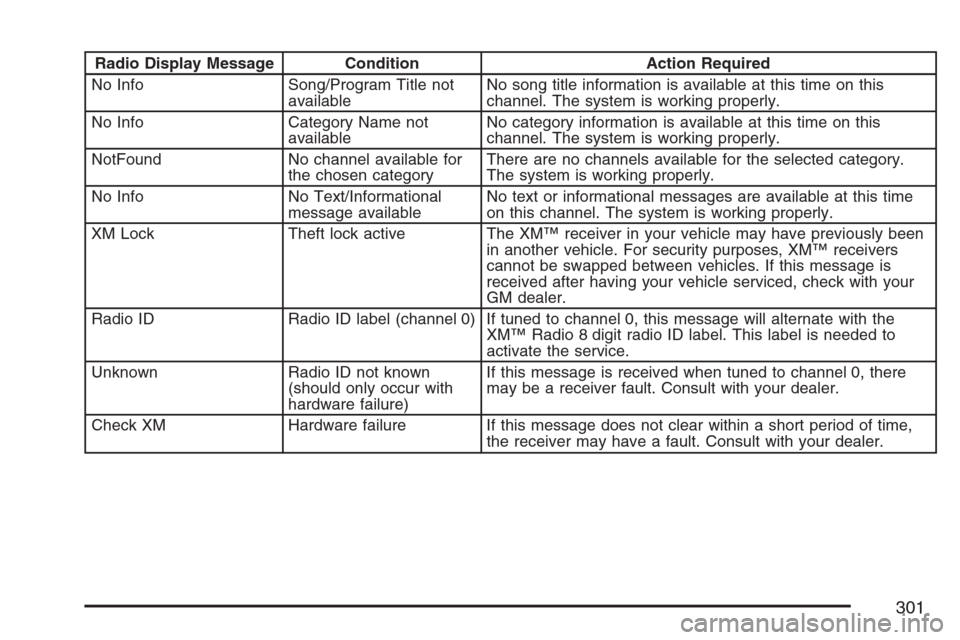
Radio Display Message Condition Action Required
No Info Song/Program Title not
availableNo song title information is available at this time on this
channel. The system is working properly.
No Info Category Name not
availableNo category information is available at this time on this
channel. The system is working properly.
NotFound No channel available for
the chosen categoryThere are no channels available for the selected category.
The system is working properly.
No Info No Text/Informational
message availableNo text or informational messages are available at this time
on this channel. The system is working properly.
XM Lock Theft lock active The XM™ receiver in your vehicle may have previously been
in another vehicle. For security purposes, XM™ receivers
cannot be swapped between vehicles. If this message is
received after having your vehicle serviced, check with your
GM dealer.
Radio ID Radio ID label (channel 0) If tuned to channel 0, this message will alternate with the
XM™ Radio 8 digit radio ID label. This label is needed to
activate the service.
Unknown Radio ID not known
(should only occur with
hardware failure)If this message is received when tuned to channel 0, there
may be a receiver fault. Consult with your dealer.
Check XM Hardware failure If this message does not clear within a short period of time,
the receiver may have a fault. Consult with your dealer.
301
Page 311 of 580
Battery Replacement
To change the remote control batteries, do the
following:
1. Remove the battery compartment door
located on the bottom of the remote control.
2. Replace the two AA batteries in the
compartment. Make sure that they are
installed correctly, using the diagram on
the inside of the battery compartment.
3. Close the battery door securely.
If the remote control is to be stored for a long
period of time, remove the batteries and keep them
in a cool, dry place.
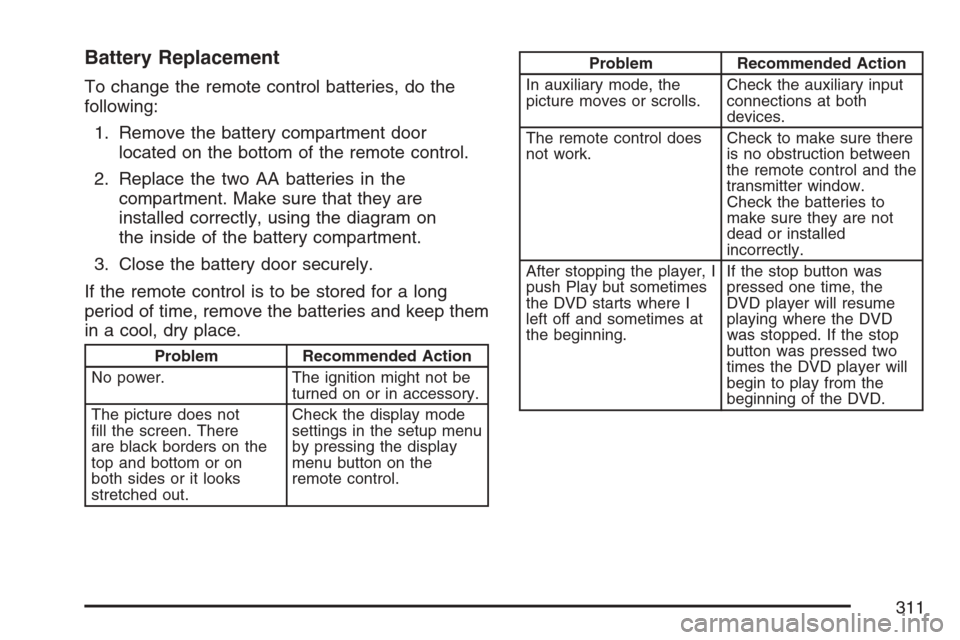
Problem Recommended Action
No power. The ignition might not be
turned on or in accessory.
The picture does not
ll the screen. There
are black borders on the
top and bottom or on
both sides or it looks
stretched out.Check the display mode
settings in the setup menu
by pressing the display
menu button on the
remote control.
Problem Recommended Action
In auxiliary mode, the
picture moves or scrolls.Check the auxiliary input
connections at both
devices.
The remote control does
not work.Check to make sure there
is no obstruction between
the remote control and the
transmitter window.
Check the batteries to
make sure they are not
dead or installed
incorrectly.
After stopping the player, I
push Play but sometimes
the DVD starts where I
left off and sometimes at
the beginning.If the stop button was
pressed one time, the
DVD player will resume
playing where the DVD
was stopped. If the stop
button was pressed two
times the DVD player will
begin to play from the
beginning of the DVD.
311
Page 341 of 580
Loading Your Vehicle for Off-Road
Driving
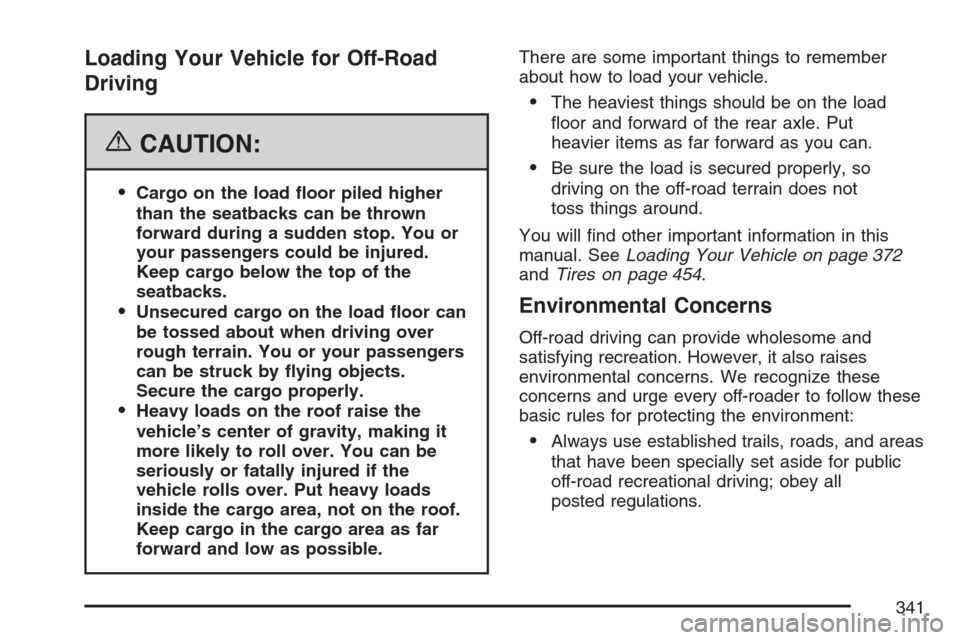
{CAUTION:
Cargo on the load oor piled higher
than the seatbacks can be thrown
forward during a sudden stop. You or
your passengers could be injured.
Keep cargo below the top of the
seatbacks.
Unsecured cargo on the load oor can
be tossed about when driving over
rough terrain. You or your passengers
can be struck by ying objects.
Secure the cargo properly.
Heavy loads on the roof raise the
vehicle’s center of gravity, making it
more likely to roll over. You can be
seriously or fatally injured if the
vehicle rolls over. Put heavy loads
inside the cargo area, not on the roof.
Keep cargo in the cargo area as far
forward and low as possible.There are some important things to remember
about how to load your vehicle.
The heaviest things should be on the load
oor and forward of the rear axle. Put
heavier items as far forward as you can.
Be sure the load is secured properly, so
driving on the off-road terrain does not
toss things around.
You will nd other important information in this
manual. SeeLoading Your Vehicle on page 372
andTires on page 454.
Environmental Concerns
Off-road driving can provide wholesome and
satisfying recreation. However, it also raises
environmental concerns. We recognize these
concerns and urge every off-roader to follow these
basic rules for protecting the environment:
Always use established trails, roads, and areas
that have been specially set aside for public
off-road recreational driving; obey all
posted regulations.
341
Page 366 of 580
Winter Driving
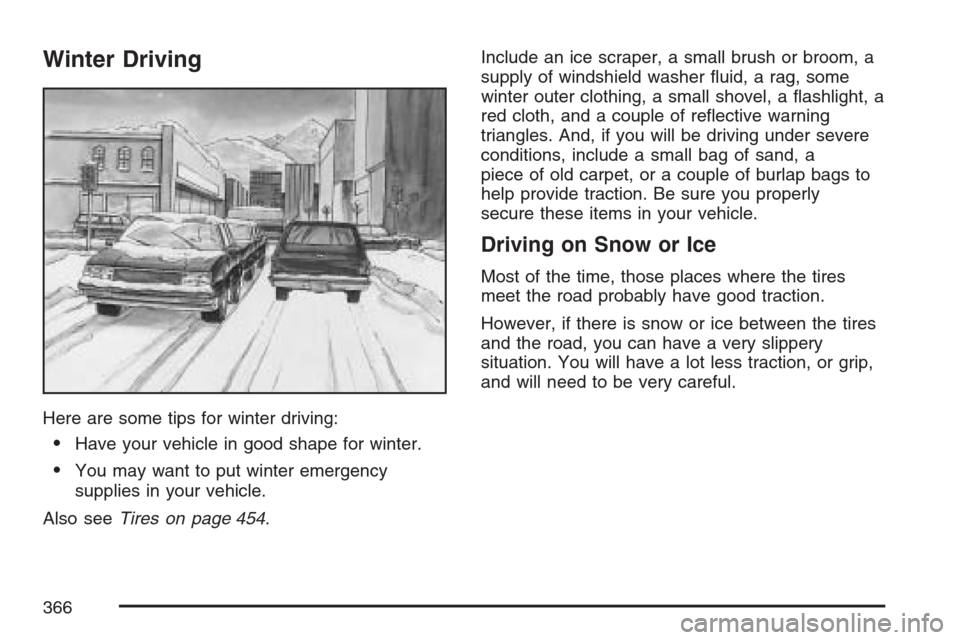
Here are some tips for winter driving:
Have your vehicle in good shape for winter.
You may want to put winter emergency
supplies in your vehicle.
Also seeTires on page 454.Include an ice scraper, a small brush or broom, a
supply of windshield washer uid, a rag, some
winter outer clothing, a small shovel, a ashlight, a
red cloth, and a couple of reective warning
triangles. And, if you will be driving under severe
conditions, include a small bag of sand, a
piece of old carpet, or a couple of burlap bags to
help provide traction. Be sure you properly
secure these items in your vehicle.
Driving on Snow or Ice
Most of the time, those places where the tires
meet the road probably have good traction.
However, if there is snow or ice between the tires
and the road, you can have a very slippery
situation. You will have a lot less traction, or grip,
and will need to be very careful.
366
Page 376 of 580
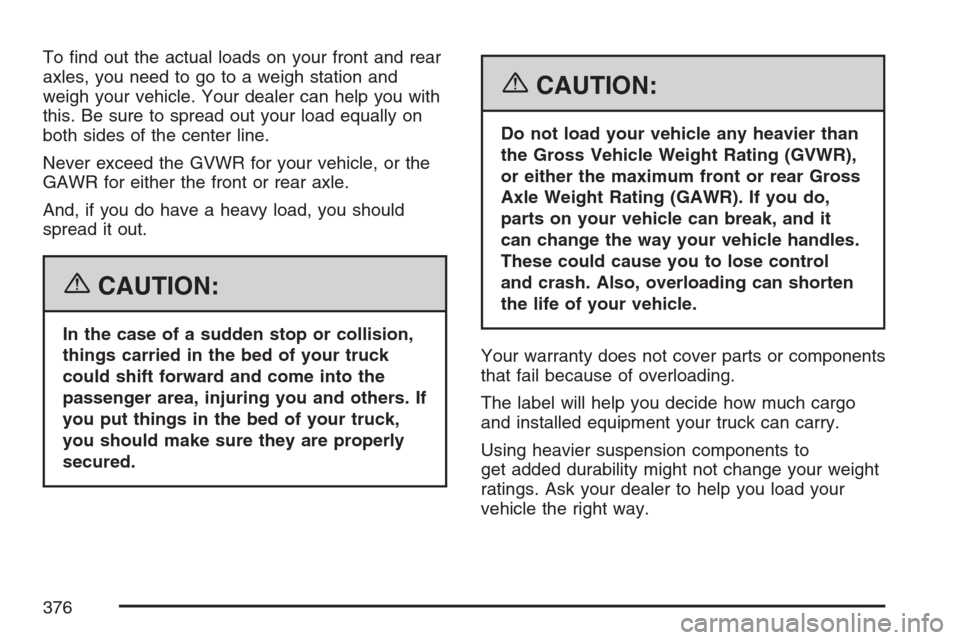
To nd out the actual loads on your front and rear
axles, you need to go to a weigh station and
weigh your vehicle. Your dealer can help you with
this. Be sure to spread out your load equally on
both sides of the center line.
Never exceed the GVWR for your vehicle, or the
GAWR for either the front or rear axle.
And, if you do have a heavy load, you should
spread it out.
{CAUTION:
In the case of a sudden stop or collision,
things carried in the bed of your truck
could shift forward and come into the
passenger area, injuring you and others. If
you put things in the bed of your truck,
you should make sure they are properly
secured.
{CAUTION:
Do not load your vehicle any heavier than
the Gross Vehicle Weight Rating (GVWR),
or either the maximum front or rear Gross
Axle Weight Rating (GAWR). If you do,
parts on your vehicle can break, and it
can change the way your vehicle handles.
These could cause you to lose control
and crash. Also, overloading can shorten
the life of your vehicle.
Your warranty does not cover parts or components
that fail because of overloading.
The label will help you decide how much cargo
and installed equipment your truck can carry.
Using heavier suspension components to
get added durability might not change your weight
ratings. Ask your dealer to help you load your
vehicle the right way.
376
Page 377 of 580
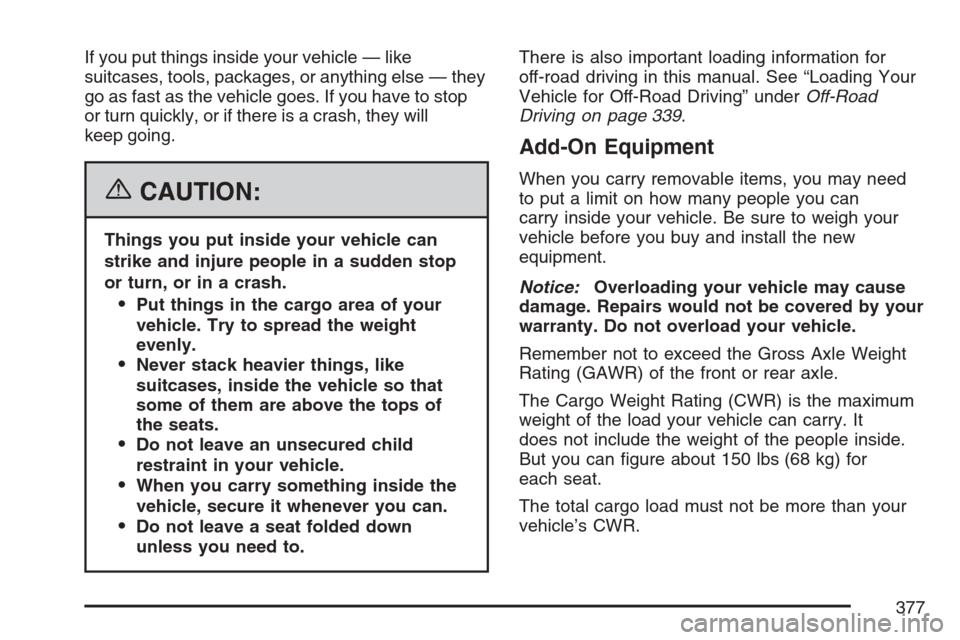
If you put things inside your vehicle — like
suitcases, tools, packages, or anything else — they
go as fast as the vehicle goes. If you have to stop
or turn quickly, or if there is a crash, they will
keep going.
{CAUTION:
Things you put inside your vehicle can
strike and injure people in a sudden stop
or turn, or in a crash.
Put things in the cargo area of your
vehicle. Try to spread the weight
evenly.
Never stack heavier things, like
suitcases, inside the vehicle so that
some of them are above the tops of
the seats.
Do not leave an unsecured child
restraint in your vehicle.
When you carry something inside the
vehicle, secure it whenever you can.
Do not leave a seat folded down
unless you need to.There is also important loading information for
off-road driving in this manual. See “Loading Your
Vehicle for Off-Road Driving” underOff-Road
Driving on page 339.
Add-On Equipment
When you carry removable items, you may need
to put a limit on how many people you can
carry inside your vehicle. Be sure to weigh your
vehicle before you buy and install the new
equipment.
Notice:Overloading your vehicle may cause
damage. Repairs would not be covered by your
warranty. Do not overload your vehicle.
Remember not to exceed the Gross Axle Weight
Rating (GAWR) of the front or rear axle.
The Cargo Weight Rating (CWR) is the maximum
weight of the load your vehicle can carry. It
does not include the weight of the people inside.
But you can gure about 150 lbs (68 kg) for
each seat.
The total cargo load must not be more than your
vehicle’s CWR.
377
Page 388 of 580
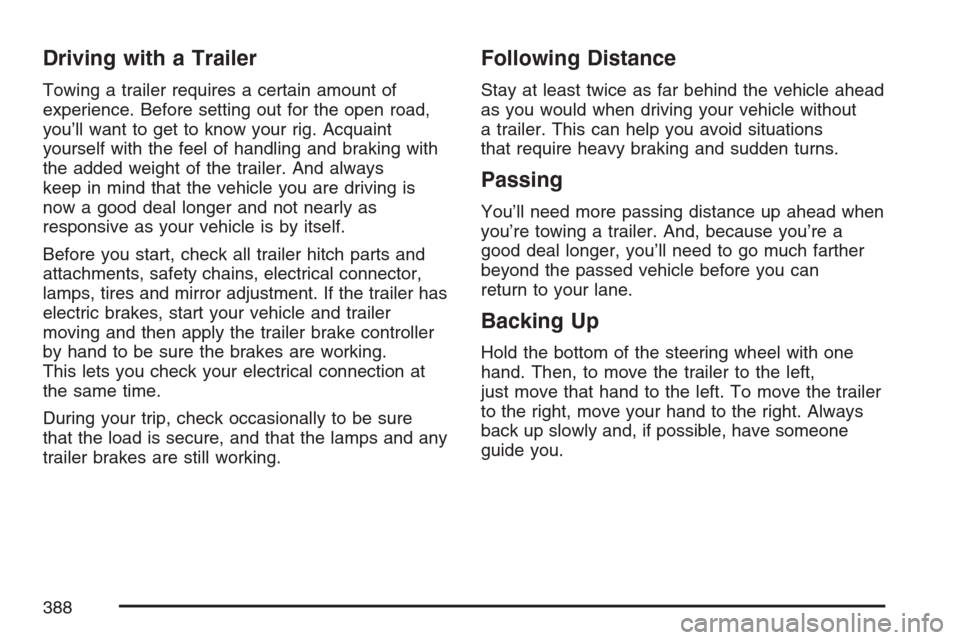
Driving with a Trailer
Towing a trailer requires a certain amount of
experience. Before setting out for the open road,
you’ll want to get to know your rig. Acquaint
yourself with the feel of handling and braking with
the added weight of the trailer. And always
keep in mind that the vehicle you are driving is
now a good deal longer and not nearly as
responsive as your vehicle is by itself.
Before you start, check all trailer hitch parts and
attachments, safety chains, electrical connector,
lamps, tires and mirror adjustment. If the trailer has
electric brakes, start your vehicle and trailer
moving and then apply the trailer brake controller
by hand to be sure the brakes are working.
This lets you check your electrical connection at
the same time.
During your trip, check occasionally to be sure
that the load is secure, and that the lamps and any
trailer brakes are still working.
Following Distance
Stay at least twice as far behind the vehicle ahead
as you would when driving your vehicle without
a trailer. This can help you avoid situations
that require heavy braking and sudden turns.
Passing
You’ll need more passing distance up ahead when
you’re towing a trailer. And, because you’re a
good deal longer, you’ll need to go much farther
beyond the passed vehicle before you can
return to your lane.
Backing Up
Hold the bottom of the steering wheel with one
hand. Then, to move the trailer to the left,
just move that hand to the left. To move the trailer
to the right, move your hand to the right. Always
back up slowly and, if possible, have someone
guide you.
388
Page 422 of 580
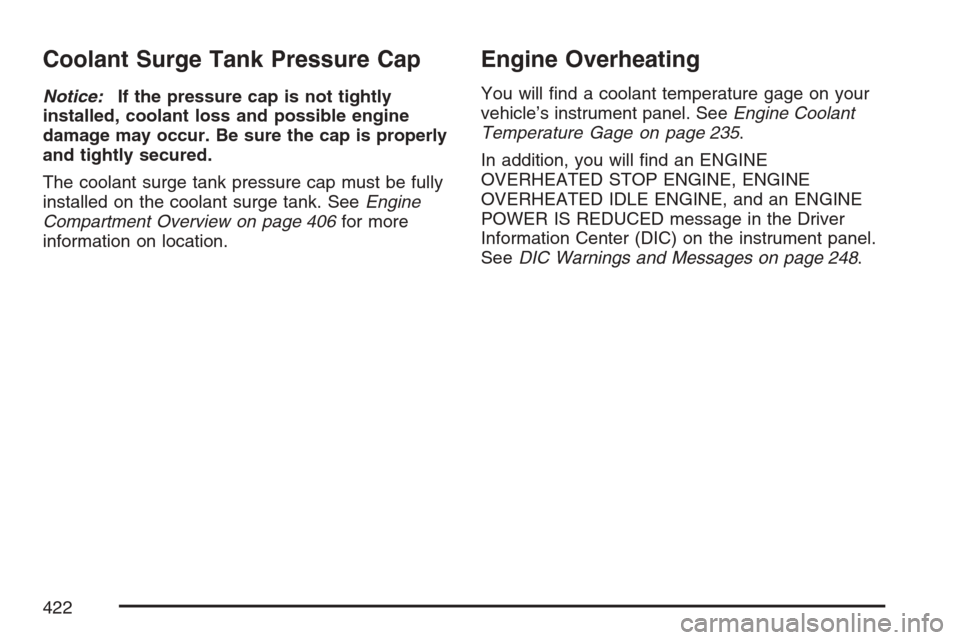
Coolant Surge Tank Pressure Cap
Notice:If the pressure cap is not tightly
installed, coolant loss and possible engine
damage may occur. Be sure the cap is properly
and tightly secured.
The coolant surge tank pressure cap must be fully
installed on the coolant surge tank. SeeEngine
Compartment Overview on page 406for more
information on location.
Engine Overheating
You will nd a coolant temperature gage on your
vehicle’s instrument panel. SeeEngine Coolant
Temperature Gage on page 235.
In addition, you will nd an ENGINE
OVERHEATED STOP ENGINE, ENGINE
OVERHEATED IDLE ENGINE, and an ENGINE
POWER IS REDUCED message in the Driver
Information Center (DIC) on the instrument panel.
SeeDIC Warnings and Messages on page 248.
422
Page 467 of 580
Federal Communications Commission
(FCC) and Industry and Science
Canada
The Tire Pressure Monitor System (TPMS)
operates on a radio frequency and complies with
Part 15 of the FCC Rules. Operation is subject
to the following two conditions:
1. This device may not cause harmful
interference.
2. This device must accept any interference
received, including interference that may
cause undesired operation.
The Tire Pressure Monitor System (TPMS)
operates on a radio frequency and complies with
RSS-210 of Industry and Science Canada.
Operation is subject to the following two
conditions:
1. This device may not cause interference.
2. This device must accept any interference
received, including interference that may
cause undesired operation of the device.
Changes or modications to this system by other
than an authorized service facility could void
authorization to use this equipment.
Tire Inspection and Rotation
Tires should be rotated every 5,000 to 8,000 miles
(8 000 to 13 000 km).
Any time you notice unusual wear, rotate your
tires as soon as possible and check wheel
alignment. Also check for damaged tires or wheels.
SeeWhen It Is Time for New Tires on page 469
andWheel Replacement on page 474for
more information.
Make sure the spare tire is stored securely. Push,
pull, and then try to rotate or turn the tire. If it
moves, use the ratchet/wheel wrench to tighten the
cable. SeeChanging a Flat Tire on page 477.
The purpose of regular rotation is to achieve more
uniform wear for all tires on the vehicle. The
rst rotation is the most important. SeeScheduled
Maintenance on page 523.
467
Page 490 of 580
5. If the spare does not lower, turn the wrench
counterclockwise until approximately 6 inches
(15 cm) of cable is exposed.
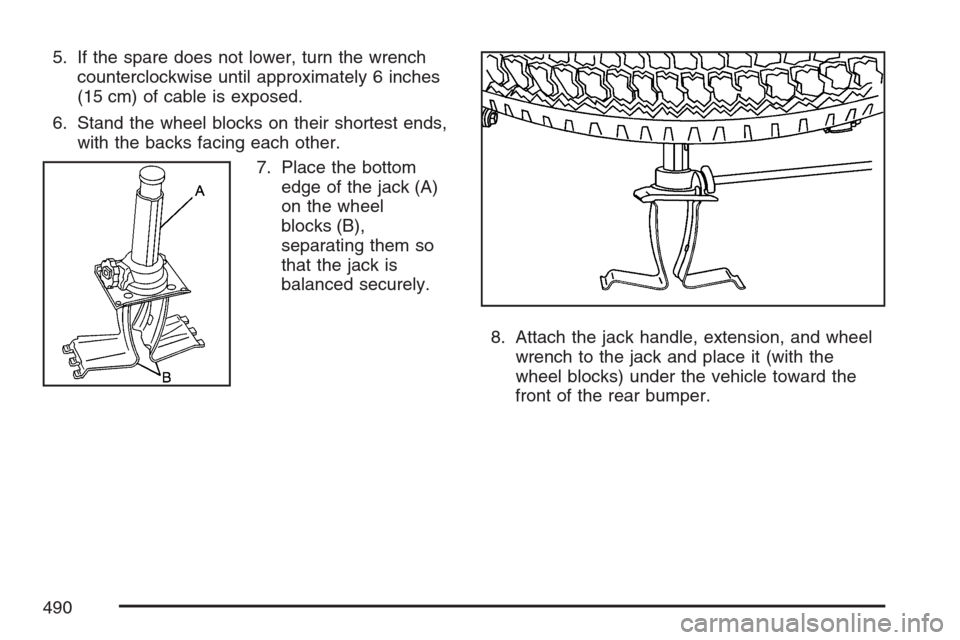
6. Stand the wheel blocks on their shortest ends,
with the backs facing each other.
7. Place the bottom
edge of the jack (A)
on the wheel
blocks (B),
separating them so
that the jack is
balanced securely.
8. Attach the jack handle, extension, and wheel
wrench to the jack and place it (with the
wheel blocks) under the vehicle toward the
front of the rear bumper.
490