audio CADILLAC ESCALADE EXT 2010 3.G Owner's Guide
[x] Cancel search | Manufacturer: CADILLAC, Model Year: 2010, Model line: ESCALADE EXT, Model: CADILLAC ESCALADE EXT 2010 3.GPages: 580, PDF Size: 6.23 MB
Page 273 of 580

A. FULL MAP Touch Screen Button. See“NAV”under
“Hard Keys” underUsing the Navigation System
on page 5‑12for more information.
B. No GPS Symbol. See Symbols
on page 5‑17for
more information.
C. North Up/Heading Up Symbol. See Symbols
on
page 5‑17for more information.
D. Map Scale. See “Map Scales”underMaps
on
page 5‑14for more information.
E.
0(Zoom In) Touch Screen Button. See “Map
Scales” underMaps
on page 5‑14for more
information.
F. Mark Touch Screen Button. See “Adding
Destinations to the Address Book” under
Destination
on page 5‑24for more information.
G.
Z(DVD Map Disc Eject) Key. See Mapson
page 5‑14
for more information.
H. Map DVD Slot. See “Installing the Map DVD” under
Maps
on page 5‑14for information on how to
install and eject a map DVD.
I.
M(Load) Key. See CD Playeron page 5‑68or
DVD Player
on page 5‑75for more information.
J.
Z(CD/DVD Video/Audio Eject) Key. See CD
Player
on page 5‑68or DVD Playeron page 5‑75for more information. K. CD/DVD Video/Audio Slot. See
CD Player
on
page 5‑68or DVD Playeron page 5‑75for more
information.
L.
O/n(Power/Volume) Knob. See Navigation
Audio System
on page 5‑59for more information.
M.
M(Disc Up/Down) Key. See “Hard Keys”under
Using the Navigation System
on page 5‑12for
more information.
N. AUDIO Key. See Navigation Audio System
on
page 5‑59for more information.
O. FAV (Favorite) Key. See “Storing Radio Station
Presets” underNavigation Audio System
on
page 5‑59for more information.
P.
5(Phone) Key. See the OnStar®owner guide and
Bluetooth®on page 4‑66for more information.
Q.
e(Sound) Key. See “Sound Menu”under
Navigation Audio System
on page 5‑59for more
information.
R. Source (AM, FM, XM, CD, etc.) Touch Screen Button. See Navigation Audio System
on
page 5‑59for more information.
S. Clock Touch Screen Button. See “Setting the
Clock” underConfigure Menu
on page 5‑42for
more information.
5-3
Page 274 of 580
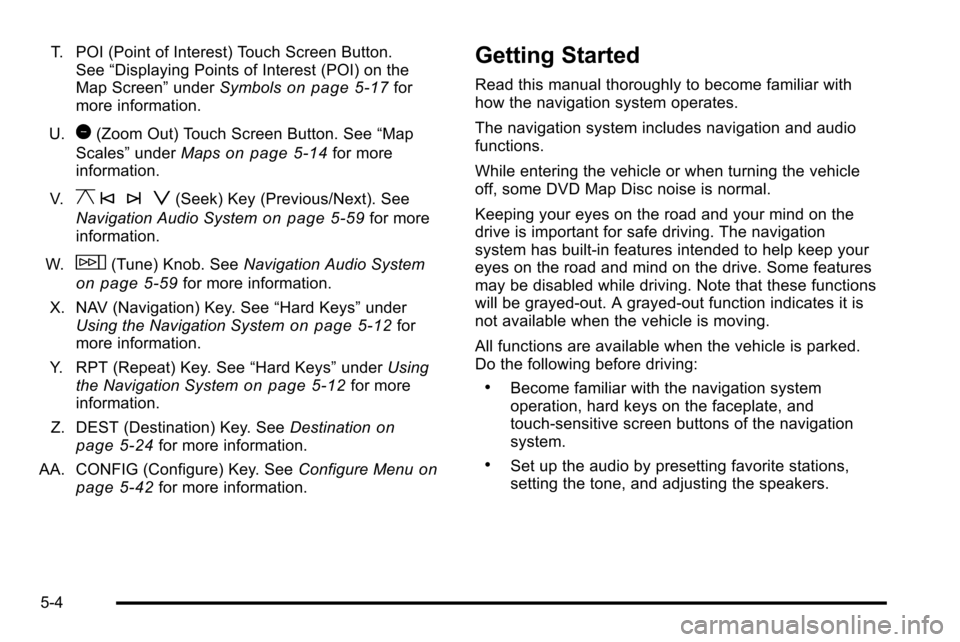
T. POI (Point of Interest) Touch Screen Button.See “Displaying Points of Interest (POI) on the
Map Screen” underSymbols
on page 5‑17for
more information.
U.
1(Zoom Out) Touch Screen Button. See “Map
Scales” underMaps
on page 5‑14for more
information.
V.
y © ¨ z(Seek) Key (Previous/Next). See
Navigation Audio System
on page 5‑59for more
information.
W.
w(Tune) Knob. See Navigation Audio System
on page 5‑59for more information.
X. NAV (Navigation) Key. See “Hard Keys”under
Using the Navigation System
on page 5‑12for
more information.
Y. RPT (Repeat) Key. See “Hard Keys”underUsing
the Navigation System
on page 5‑12for more
information.
Z. DEST (Destination) Key. See Destination
on
page 5‑24for more information.
AA. CONFIG (Configure) Key. See Configure Menu
on
page 5‑42for more information.
Getting Started
Read this manual thoroughly to become familiar with
how the navigation system operates.
The navigation system includes navigation and audio
functions.
While entering the vehicle or when turning the vehicle
off, some DVD Map Disc noise is normal.
Keeping your eyes on the road and your mind on the
drive is important for safe driving. The navigation
system has built-in features intended to help keep your
eyes on the road and mind on the drive. Some features
may be disabled while driving. Note that these functions
will be grayed-out. A grayed-out function indicates it is
not available when the vehicle is moving.
All functions are available when the vehicle is parked.
Do the following before driving:
.Become familiar with the navigation system
operation, hard keys on the faceplate, and
touch-sensitive screen buttons of the navigation
system.
.Set up the audio by presetting favorite stations,
setting the tone, and adjusting the speakers.
5-4
Page 277 of 580
Language—English/Metric
To change the language of the navigation screens, see
Driver Information Center (DIC)on page 4‑39for more
information.
To change the navigation screens from English or
metric, see DIC Operation and Displays
on page 4‑40for more information.
Deleting Personal Information
This navigation system can record and store personal
information such as names and addresses. Delete this
information when selling your vehicle or returning a
leased vehicle. See “Edit Address Book—Edit/View”
under Configure Menu
on page 5‑42for deleting
information from the address book.
Limit Features While Driving
The navigation system may have this feature.
Touch the Limit Features While Driving screen button to
turn the ability to limit functions on and off while driving.
When this screen button is highlighted, the following
functions are limited while driving:
.Music Navigator Scrolling
.Radio Category Scrolling
.Navigation Menu Scrolling and some functions See
“Category” underNavigation Audio System
on
page 5‑59for more information. See “From Map”under
Destinationon page 5‑24for more information.
Some functions will remain limited regardless of the
setting.
Storing Radio Station Presets
To set preset radio stations, do the following:
1. Press
Oto turn the system on.
2. Press the AUDIO hard key and select the desired band (AM, FM, or XM (if equipped)).
3. Use the
w(tuning) knob or the SEEK arrows to
tune to the desired station.
4. Press and hold one of the five preset screen buttons, at the bottom of the screen, until a beep is
heard or if the station displays on the selected
preset button.
5. Repeat the steps for each preset.
See “Storing Radio Station Presets” underNavigation
Audio System
on page 5‑59for more information.
5-7
Page 282 of 580
Features and Controls
Using the Navigation System
This section presents basic information needed to
operate the navigation system.
Use the hard keys located on the navigation system
along with the available touch-sensitive screen buttons
on the navigation screen to operate the system.
SeeNavigation System Overview
on page 5‑2for
more information.
Once the vehicle is moving, various functions are
disabled to reduce driver distractions.
Hard Keys
The following hard keys are located on the navigation
system:
O/n(Power/Volume): Press to turn the system
on and off. Turn to increase or decrease the volume to
the audio system.
Press and hold for more than two seconds to turn off
the navigation system, the Rear Seat Entertainment
(RSE), and Rear Seat Audio (RSA). If the vehicle has
not been tuned off, the RSE and the RSA can be turned
back on by pressing this knob and continues play of the
last active source.
w(Tune): Turn to go to the next or previous radio
station or disc track or chapter. See Navigation Audio
System
on page 5‑59, CD Playeron page 5‑68,
or DVD Playeron page 5‑75for more information.
Z(DVD Map Disc Eject): Press to eject the DVD
map disc. This button is located next to the upper disc
slot. See Maps
on page 5‑14for more information.
M(Load):Press to load CDs or audio/video DVDs.
See CD Playeron page 5‑68orDVD Playeron
page 5‑75for more information.
Z(CD/DVD Eject): Press to eject CDs or audio/video
DVDs. This button is located under the load button.
See CD Player
on page 5‑68orDVD Playeron
page 5‑75for more information.
M(Disc Up/Down): Press the up or down arrows to
go to the next or previous disc.
AUDIO : Press to access the full Audio screen to
change AM, FM, XM™ Satellite Radio Service
(if equipped), CD/DVD, and auxiliary input. See “Audio”
under Navigation Audio System
on page 5‑59for more
information.
5-12
Page 283 of 580
FAV (Favorite) :Press to access the preset stations.
See “Storing Radio Station Presets” underNavigation
Audio System
on page 5‑59for more information.
5(Phone): Press to access calling through OnStar®.
See the OnStar®owner guide and Bluetooth®on
page 4‑66for more information.
e(Sound): Press to access the Sound screen to
adjust bass, midrange, treble, and Digital Signal
Processing (DSP). See “Sound Menu”underNavigation
Audio System
on page 5‑59for more information.
DEST (Destination) : Press to access the Destination
Entry screen to plan a destination. See Destination
on
page 5‑24for more information.
CONFIG (Configure Menu) : Press to adjust features
for sound, radio, navigation, and the display. See
Configure Menu
on page 5‑42for more information.
NAV (Navigation) : Press to view your vehicle's
current position on the map screen. Each press of
this key cycles through Full Map and the tab that
displays the current audio source (AM, FM, CD, etc.). Full Map displays the screen in full map view. Selecting
the audio tab splits the screen between the map screen
and the current audio source screen menu. See
“Audio”
under Navigation Audio System
on page 5‑59for more
information.
RPT (Navigation Repeat) : Press to repeat the last
voice guidance prompt.
y © ¨ z(Seek): Press the seek arrows to seek
and scan radio stations, to seek tracks on a CD, and to
seek chapters on a DVD. See Navigation Audio System
on page 5‑59,CD Playeron page 5‑68, or DVD
Playeron page 5‑75for more information.
Touch-Sensitive Screen Buttons
Touch-sensitive screen buttons are located on the
screen. When a screen button has been selected,
a beep sounds. Screen buttons are highlighted when a
feature is available.
5-13
Page 312 of 580
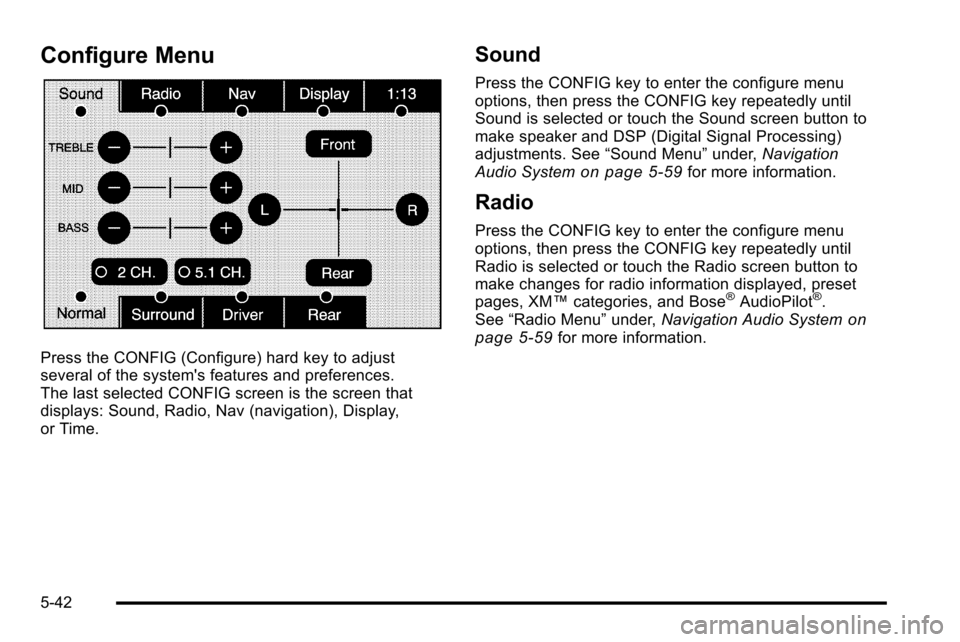
Configure Menu
Press the CONFIG (Configure) hard key to adjust
several of the system's features and preferences.
The last selected CONFIG screen is the screen that
displays: Sound, Radio, Nav (navigation), Display,
or Time.
Sound
Press the CONFIG key to enter the configure menu
options, then press the CONFIG key repeatedly until
Sound is selected or touch the Sound screen button to
make speaker and DSP (Digital Signal Processing)
adjustments. See“Sound Menu”under,Navigation
Audio System
on page 5‑59for more information.
Radio
Press the CONFIG key to enter the configure menu
options, then press the CONFIG key repeatedly until
Radio is selected or touch the Radio screen button to
make changes for radio information displayed, preset
pages, XM™ categories, and Bose
®AudioPilot®.
See “Radio Menu” under,Navigation Audio Systemon
page 5‑59for more information.
5-42
Page 329 of 580

If you have any questions about the operation of
the navigation system or the update process,
contact the GM Nav Disc Center toll‐free phone
number, 1‐877‐NAV‐DISC (1‐877‐628‐3472) or go to
the center's website, gmnavdisc.com. If you need any
updates or a replacement disc, because the current disc
is lost, damaged, or needs to be updated, call the GM
Nav Disc Center or order a new disc online. To order a
disc, have your Vehicle Identification Number (VIN)
available. This helps the center make sure you receive
the correct and most up-to-date DVD map disc for your
vehicle. See“Vehicle Identification Number (VIN)” in
the Index of your vehicle's owner manual for more
information.
After receiving the updated disc, replace the old disc in
the navigation system. See “Installing the DVD Map
Disc” and“Ejecting the DVD Map Disc” underMaps
on
page 5‑14. Dispose of the old disc to avoid confusion
about which disc is the most current.
Database Coverage Explanations
Coverage area depends upon the map detail available.
Some areas have greater map detail than others. The
navigation system works only as well as the information
provided on the map disc. See Ordering Map DVDs
on
page 5‑58on how to obtain updated map information.
Navigation Audio System
Notice: Before adding any sound equipment to
the vehicle, such as an audio system, CD player,
CB radio, mobile telephone, or two-way radio, make
sure that it can be added by checking with your
dealer/retailer. Also, check federal rules covering
mobile radio and telephone units. If sound
equipment can be added, it is very important to do it
properly. Added sound equipment can interfere with
the operation of the vehicle's engine, radio, or other
systems, and even damage them. The vehicle's
systems can interfere with the operation of sound
equipment that has been added.
Notice: The chime signals related to safety belts,
parking brake, and other functions of the vehicle
operate through the navigation system. If that
equipment is replaced or additional equipment is
added to the vehicle, the chimes may not work.
Make sure that replacement or additional equipment
is compatible with the vehicle before installing it.
See “Accessories and Modifications” in the Index of
the vehicle's owner manual.
5-59
Page 330 of 580
Playing the Radio
O
/n(Power/Volume):Press to turn the audio
system on and off. Turn to increase or to decrease the
volume.
Press and hold for more than two seconds to turn off
the navigation system, the Rear Seat Entertainment
(RSE) video screen, and Rear Seat Audio (RSA). If the
vehicle has not been turned off, press this knob to turn
RSE and RSA back on and to continue playback of the
last active source.
w(Tuning Knob): Turn to go to the next or previous
frequency or disc track or chapter. See CD Playeron
page 5‑68or DVD Playeron page 5‑75for more
information.
AUDIO : Press to display the audio screen. Press to
switch between AM, FM, or XM, if equipped, DISC,
or AUX (Auxiliary), or touch the screen button. See CD
Player
on page 5‑68, DVD Playeron page 5‑75, and
Auxiliary Deviceson page 5‑86for more information.
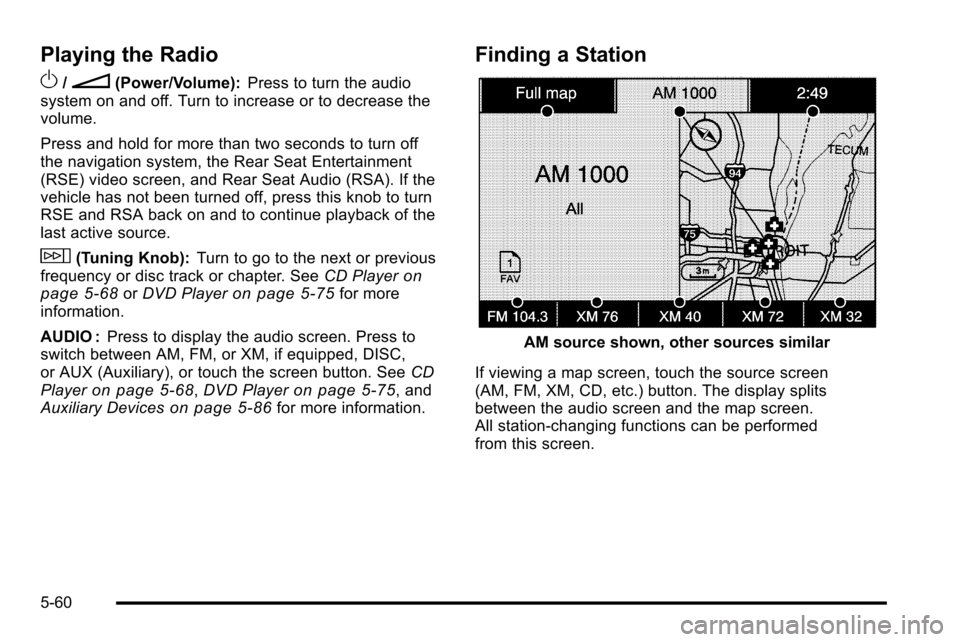
Finding a Station
AM source shown, other sources similar
If viewing a map screen, touch the source screen
(AM, FM, XM, CD, etc.) button. The display splits
between the audio screen and the map screen.
All station-changing functions can be performed
from this screen.
5-60
Page 331 of 580
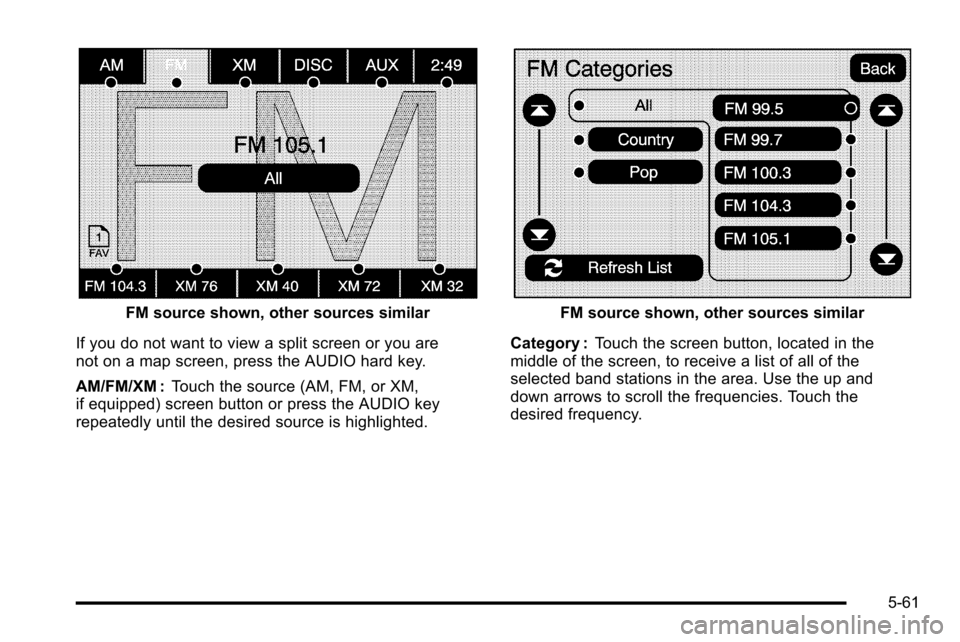
FM source shown, other sources similar
If you do not want to view a split screen or you are
not on a map screen, press the AUDIO hard key.
AM/FM/XM : Touch the source (AM, FM, or XM,
if equipped) screen button or press the AUDIO key
repeatedly until the desired source is highlighted.FM source shown, other sources similar
Category : Touch the screen button, located in the
middle of the screen, to receive a list of all of the
selected band stations in the area. Use the up and
down arrows to scroll the frequencies. Touch the
desired frequency.
5-61
Page 332 of 580
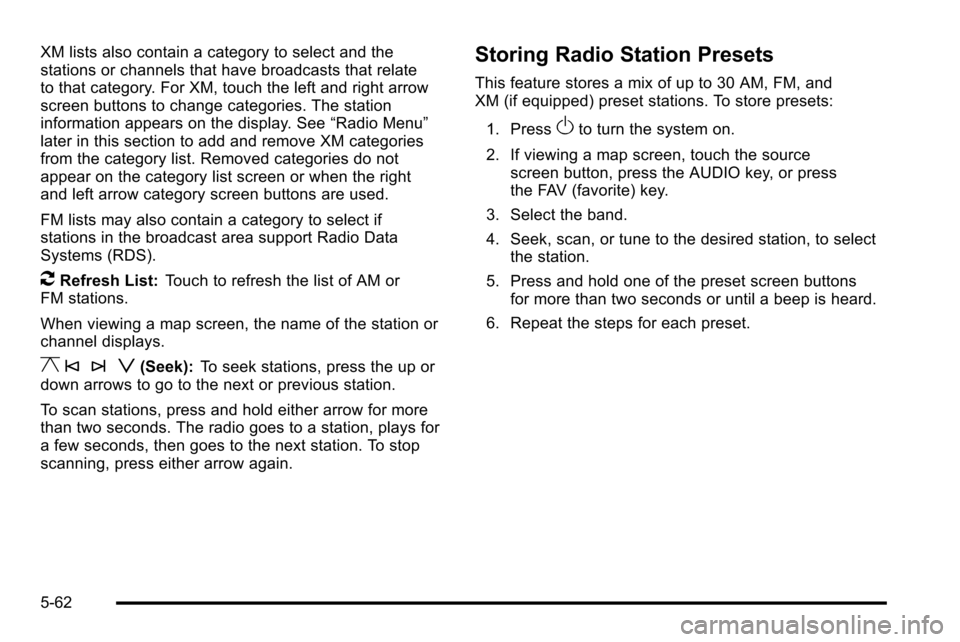
XM lists also contain a category to select and the
stations or channels that have broadcasts that relate
to that category. For XM, touch the left and right arrow
screen buttons to change categories. The station
information appears on the display. See“Radio Menu”
later in this section to add and remove XM categories
from the category list. Removed categories do not
appear on the category list screen or when the right
and left arrow category screen buttons are used.
FM lists may also contain a category to select if
stations in the broadcast area support Radio Data
Systems (RDS).
2Refresh List: Touch to refresh the list of AM or
FM stations.
When viewing a map screen, the name of the station or
channel displays.
y © ¨ z(Seek): To seek stations, press the up or
down arrows to go to the next or previous station.
To scan stations, press and hold either arrow for more
than two seconds. The radio goes to a station, plays for
a few seconds, then goes to the next station. To stop
scanning, press either arrow again.
Storing Radio Station Presets
This feature stores a mix of up to 30 AM, FM, and
XM (if equipped) preset stations. To store presets:
1. Press
Oto turn the system on.
2. If viewing a map screen, touch the source screen button, press the AUDIO key, or press
the FAV (favorite) key.
3. Select the band.
4. Seek, scan, or tune to the desired station, to select the station.
5. Press and hold one of the preset screen buttons for more than two seconds or until a beep is heard.
6. Repeat the steps for each preset.
5-62