ignition CADILLAC FLEETWOOD 1994 Owner's Guide
[x] Cancel search | Manufacturer: CADILLAC, Model Year: 1994, Model line: FLEETWOOD, Model: CADILLAC FLEETWOOD 1994Pages: 398, PDF Size: 19.19 MB
Page 167 of 398
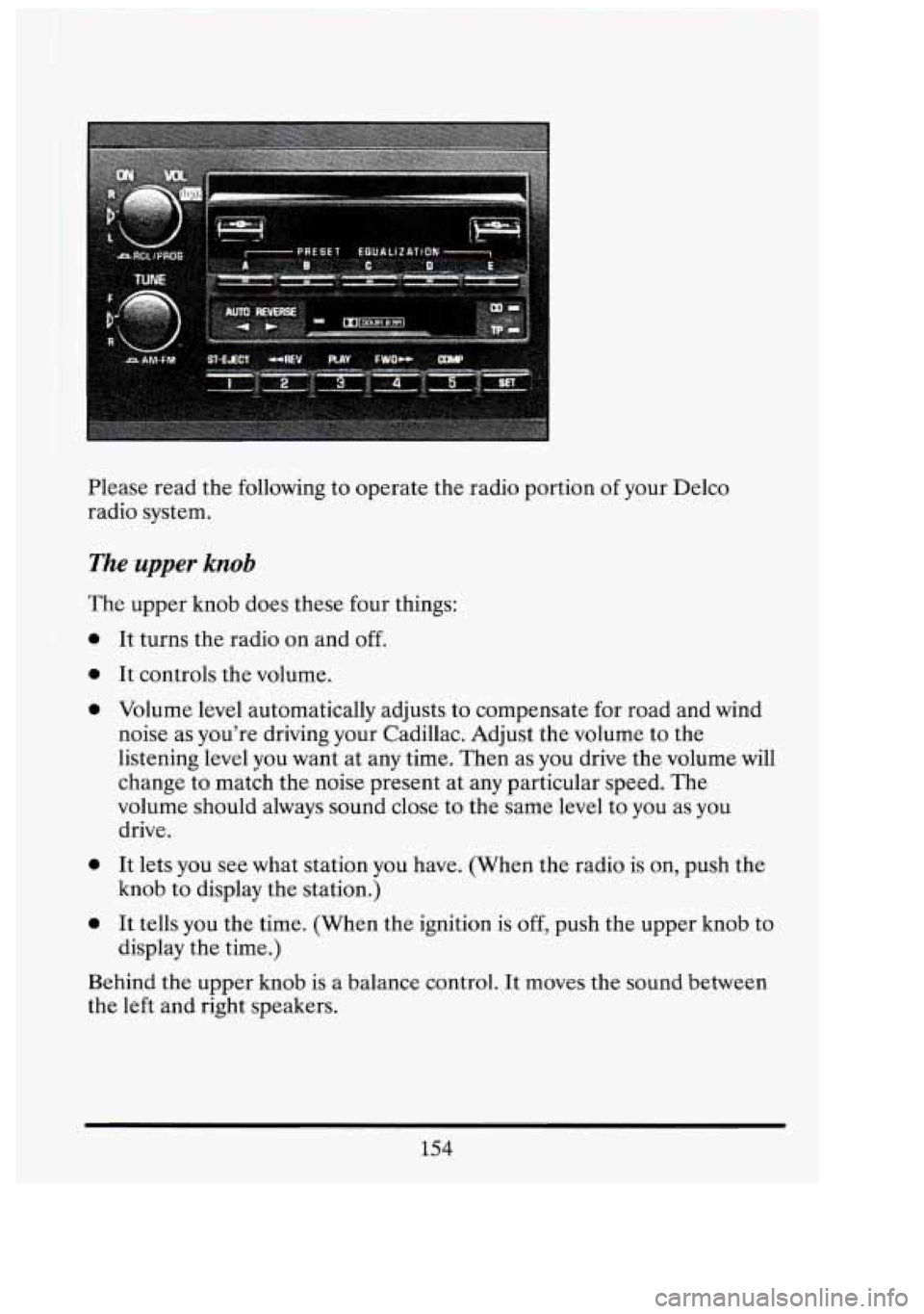
Please read the following to operate the radio portion of your Delco
radio system.
The upper knob
The upper knob does these four things:
0
0
0
0
0
It turns the radio on and off.
It controls the volume.
Volume level automatically adjusts to compensate for road and wind
noise as you're driving your Cadillac. Adjust the volume to the
listening level you want at any time. Then as you drive the volume will
change to match the noise present at any particular speed. The
volume should always sound close to the same level to you as
you
drive.
It lets you see what station you have. (When the radio is on, push the
knob to display the station.)
It tells you the time. (When the ignition is
off, push the upper knob to
display the time.)
Behind the upper knob is a balance control. It moves the sound between
the left and right speakers.
154
n
r
Ll
I s
UI
D'
i
-
d
Page 173 of 398
I I
To go from one side of the tape to the other, push in the upper knob
on your radio. To remove the tape, push EJECT The tape can be
ejected when the ignition is turned off.
SCAN
Push the SCAN button up to jump quickly to the next selection or down
to return to the beginning of the selection you just heard. The tape will
play
for approximately 15 seconds to sample a selection before going on
to the next selection.
To stop the SCAN function, just press it up or down
again or the upper knob.
If the selection is at the end of the tape, the tape
will reverse directions and begin playing at a normal speed.
SEEK
Push the SEEK button up to quickly go to the beginning of the next
selection. Push the SEEK button down to go back to the beginning
of the
selection you are listening to.
During the SCAN and SEEK functions the radio will not play.
STPUY (Stop-Play)
Press ST-PLAY to switch back to the radio without ejecting the tape. In
ST-PLAY function only the tuning
knob can be used for selecting stations.
To Eject A Tape
To remove the tape once it is stopped, push EJECT
lThe Delco Cassette And Compact Disc Music System
This optional sound system combines an AMEM stereo radio with a
cassette tape player and a compact disc player in a single unit.
To operate the radio and cassette tape player portion of this.music
system, please read the beginning
of this section, “How To Operate Your
Sound System” and
“Your Cassette Tape Player”.
160
3
RI
[7/
clj
El
I
I
Page 176 of 398
PLAY
Press PLAY to restart the disc or tape. It will begin playing at the point
where it had stopped.
If the CD and cassette tape are inserted at the
same time, pressing the play button will switch between
CD and the Tape.
COMP (Compression)
Pressing COMP makes soft and loud passages more nearly equal in
volume. For example, playing classical or jazz music with very quiet and
very loud passages in the same tune. The COMP display will light as long
as COMP is on.
Setting The Clock
Turn the ignition and radio on. Then:
To Set the Hour:
Press SET, and within 5 seconds,
0 Press and hold SEEK up or down. When the clock gets to the correct
hour, let go.
To Set the Minutes:
Press SET, and within 5 seconds,
Press and hold SCAN up or down. When the clock gets to the correct
minute,
let go.
Your clock is set.
Care of Your Cassette Tape Player
A tape player that is not cleaned regularly can cause reduced sound
quality, ruined cassettes, or
a damaged mechanism. Cassette tapes should
be stored in their cases away from contaminants, direct sunlight, and
extreme heat.
If they aren’t, they may not operate properly or cause
failure
of the tape player.
Your tape player should be cleaned regularly each month or after
every
15 hours of use. If you notice a reduction in sound quality, try a known
163
Page 177 of 398
good cassette to see if the tape or the tape player is at fault. If this other
cassette has
no improvement in sound quality, clean the tape player.
Clean your tape player with a wiping-action, non-abrasive cleaning
cassette, and follow the directions provided with it.
Cassettes are subject to wear and the sound quality may degrade over
time. Always make sure that the cassette tape is
in good condition before
you have your tape player serviced.
Care of Your Compact Discs
Handle discs carefully. Store them in their original cases or other
protective cases and away from direct sunlight and dust.
If the surface of
a disc is soiled, dampen a clean, soft cloth in a mild, neutral detergent
solution and clean it, wiping from the center to the edge.
Be sure never to touch the signal surface when handling discs. Pick up
discs by grasping the outer edges or the edge
of the hole and the outer
edge.
Power Antenna Mast Care
Your power antenna will look its best and work well if it’s cleaned from
time to time.
To Clean the Antenna Mast:
1. Turn on the ignition and radio to raise the antenna to full mast
extension.
2. Dampen a clean cloth with mineral spirits or equivalent solvent.
3. Wipe cloth over the mast sections, removing any dirt.
4. Wipe dry with clean cloth before retracting.
5. Make the antenna go up and down by turning the radio or ignition on
and
off.
6. Then repeat if necessary. I II
01
I
31
n, I
E
164
Page 190 of 398
.
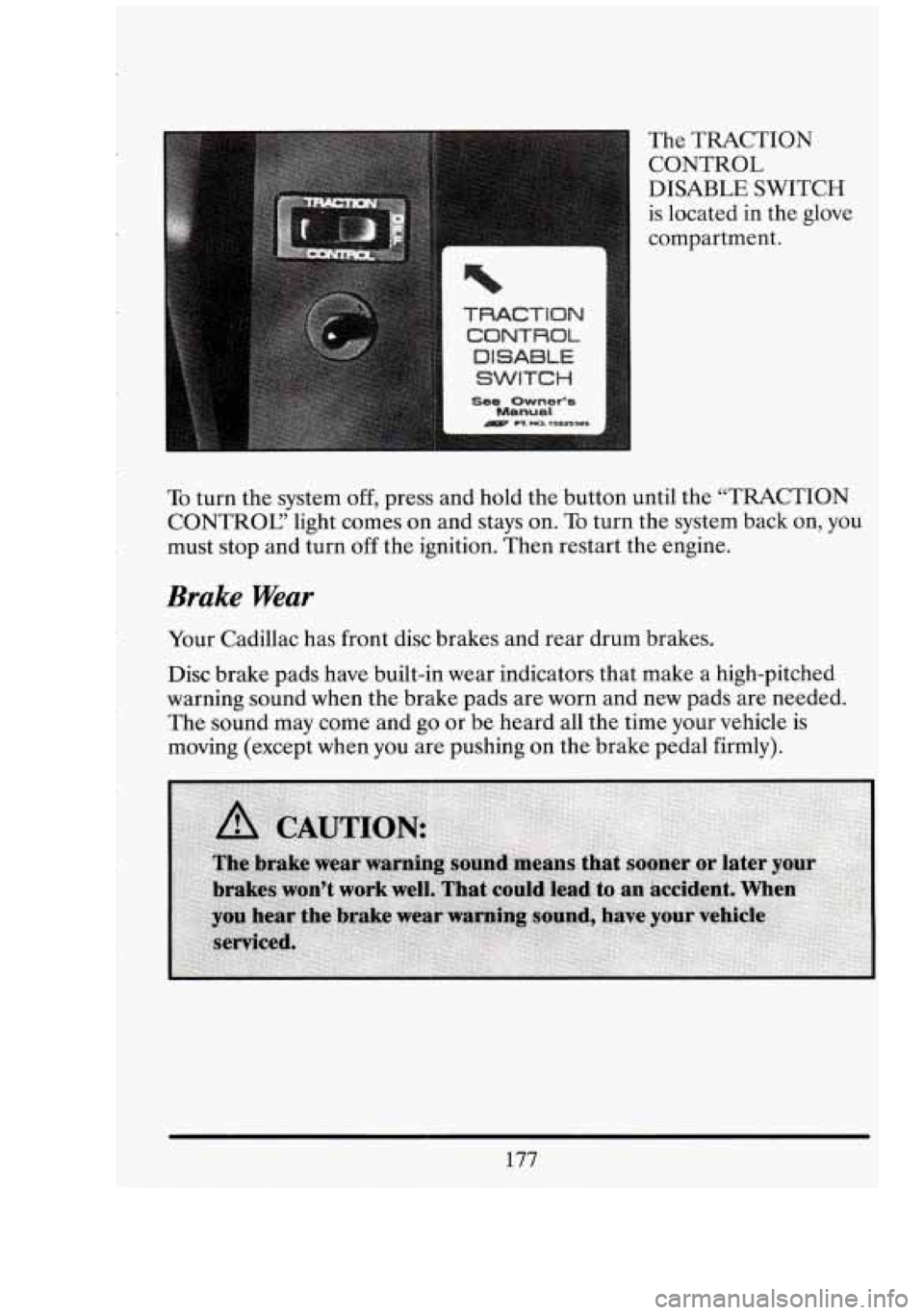
n The TRACTION CONTROL
DISABLE SWITCH
is located
in the glove
compartment.
I
To turn the system off, press and hold the button until the “TRACTION
CONTROC’ light comes
on and stays on. To turn the system back on, you
must stop and turn off the ignition. Then restart the engine.
Brake Wear
Your Cadillac has front disc brakes and rear drum brakes.
Disc brake pads have built-in wear indicators that make a high-pitched
warning sound when the brake pads are worn and new pads are needed.
The
sound may come and go or be heard all the time your vehicle is
moving (except when you are pushing on the brake pedal firmly).
177
Page 219 of 398
Trailer Hitching Procedure Using A Weight
Distributing (Equalizing) Hitch
(Recommended for loaded trailers weighing 3,000 lbs. to 7,000 lbs.)
Your vehicle is equipped with an Electronic Level Control (ELC) feature.
When hooking up a trailer using a weight distributing hitch, always use
the following procedure:
0
0
0
0
0
Place the vehicle on a level surface without the trailer hitched. With
the ignition off, and all doors closed, allow the vehicle to level
automatically.
Disable the Electronic Level Control (ELC) by pulling
MAXI@
fuse #9 (30 AMP) from the underhood electrical center located on
the passenger side wheel housing in the engine compartment. Remove
the cover to gain access.
Attach the trailer to the vehicle. The trailer tongue should weight
12%
of the total loaded trailer weight.
Level the vehicle with the load leveling spring bars (equalizers).
Leave the fuse out while towing your trailer.
n It
I
I
E'
NOTICE:
Adjusting an equalizing hitch with the Electronic Level Control \
(ELC) system engaged will defeat the function of the load
equalizing hitch and may cause unsatisfactory handling.
Once you have completed towing your trailer, be sure to reinstall the
Electronic Level Control (ELC) fuse.
In Addition
Use two friction sway controls if your trailer is over 5,000 lbs. .(2270
kg) loaded weight, and/or is. over 24'. long..
0 Use at least one friction sway control if your trailer is over 2,000 lbs.
(908 kg) loaded weight, and consider using one for trailers under
2,000 lbs. (908 kg).
ill
i
3
206
Page 228 of 398
I r NOTICE:
Ignoring these steps could result in costly damage to your
vehicle that wouldn’t be covered by your warranty.
ming to start. your Cadillac by pushing or pulling it won’t
work, and
it could damage your vehicle.
TO JUMP START YOUR CXDILLAC:
1. Check the other vehicle. It must have a 12-volt battery with a negative
ground system.
NOTICE:
If the other system isn’t a 12-volt system with a negative ground,
both vehicles can be damaged.
2. Get the vehicies close enough
so the jumper cables can reach, but be
sure the vehicles aren’t touching each other. If they are, it could cause
a ground connection you don’t want. You wouldn’t be able to start
your Cadillac, and the bad grounding could damage the electrical
systems.
You could be injured
if the vehicles roll. Set the parking brake firmly
on each vehicle. Put
an automatic transmission in “P” (Park) or a
manual transmission in
“N” (Neutral).
needed, and radios. This will avoid sparks and help save both
batteries. And it could save your radio!
3. Turn off the ignition on both vehicles. Turn off all lights that aren’t
NOTICE:
If you leave your radio on, it could be badly damaged. The
repairs wouldn’t be covered
by your warranty.
215
Page 233 of 398
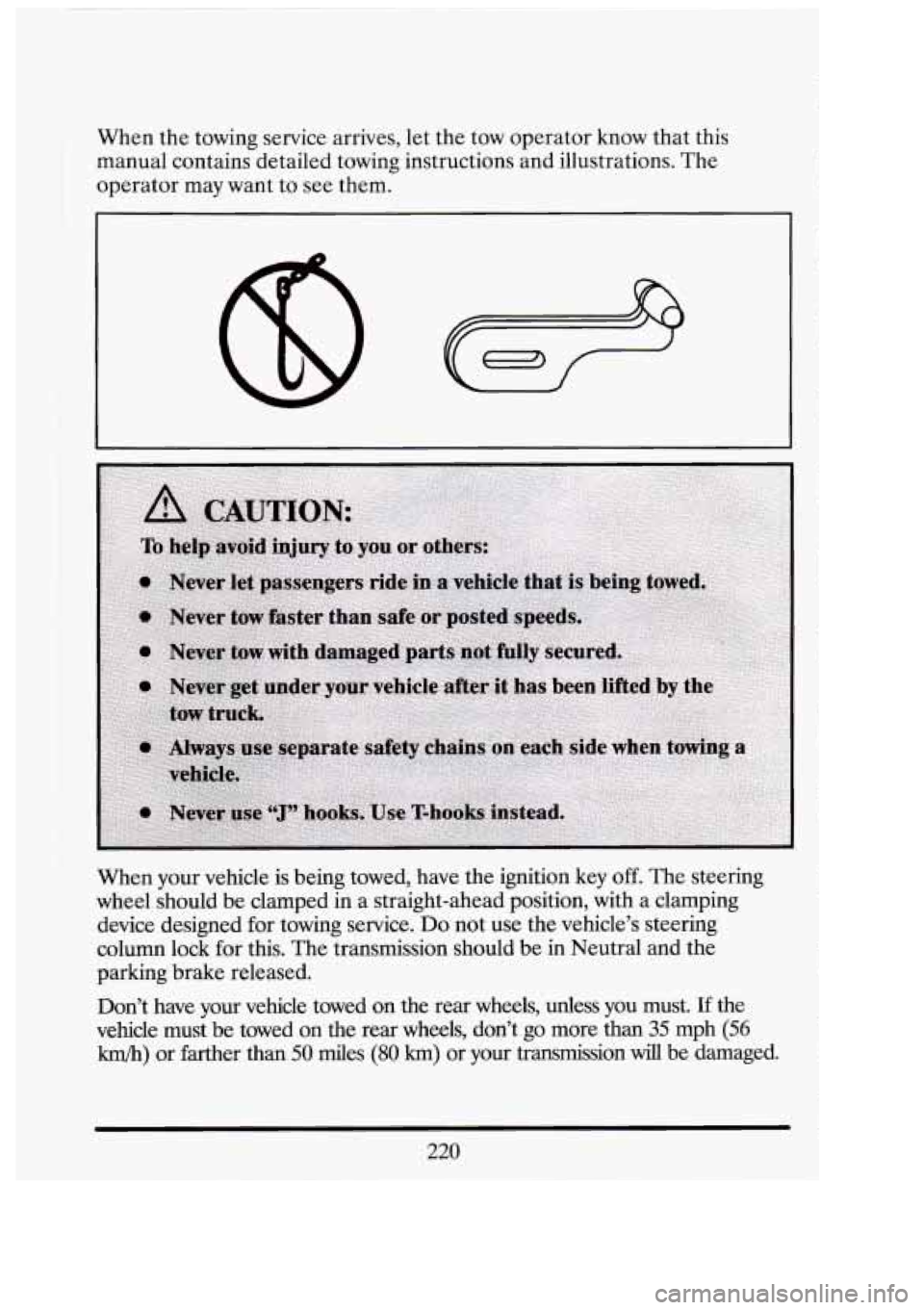
When the towing service arrives, let the tow operator know that this
manual contains detailed towing instructions and illustrations. The
operator may want to see them.
When your vehicle is being towed, have the ignition
key off. The steering
wheel should be clamped in a straight-ahead position, with a clamping
device designed for towing service.
Do not use the vehicle's steering
column lock
for this. The transmission should be in Neutral and the
parking brake released.
Don't have your vehicle towed on the rear wheels, unless you must. If the
vehicle must be towed
on the rear wheels, don't go more than 35 mph (56
km/h) or farther than 50 des (80 km) or your transmission will be damaged.
:!I
u 'I
f
220
Page 273 of 398
Engine Oil Additives
Don’t add anything to your oil. Your Cadillac dealer is ready to advise if
you think something should be added.
When to Change Engine Oil
Your Cadillac has an “Oil Life Indicator.” This feature will let you know
when to change your oil
-- usually between 3,000 miles (5 000 km) and
7,500 miles (12 500 km) since your last oil change. Under severe
conditions, the indicator may come on before
3,000 miles (5 000 km).
Never drive your vehicle more than 7,500 miles (12 500 km) or 12 months
without an oil change.
The system won’t detect dust
in the oil. So, if you drive in a dusty area, be
sure to change your oil every 3,000 miles
(5 000 km) or sooner if the
“Change Oil Soon” light comes on. Remember to reset the Oil Life
Indicator when the oil has been changed. For more information, see
“Oil Life Indicator” in the Index.
How to Reset the Oil Life Indicator
After the oil has been changed, you’ll need to reset your system. To
do that, turn the ignition switch to the “ON” position with the engine
stopped. Fully depress and release the accelerator pedal
3 times within
5 seconds.
If the “CHANGE OIC’ light comes on and stays on for 5 seconds, it did
not reset. You’ll need to reset the system again.
Engine Coolant Heater (Engine Block Heater)
An engine coolant heater can’be a big help if you have to park outside in
very cold weather,
0 F (-18 C) or colder. If your vehicle has this option,
see “Engine Coolant Heater” in the Index.
What to Do with Used Oil
Did you know that used engine oil contains certain elements that may be
unhealthy for your skin and could even cause cancer? Don’t let used oil
stay
on your skin for very long. Clean your skin and nails with soap and
water, or a good hand cleaner. Wash or properly throw away clothing or
-1
c:
I 3‘
260
Page 300 of 398
r
Replace the bulb.
WIPER BLADE REPLACEMENT
Position the windshield wipers on the windshield in the “mid” wipe
position. To do this, turn the ignition
key to Accessory and turn the wipers
on. Then with the door open, turn the ignition key to off.
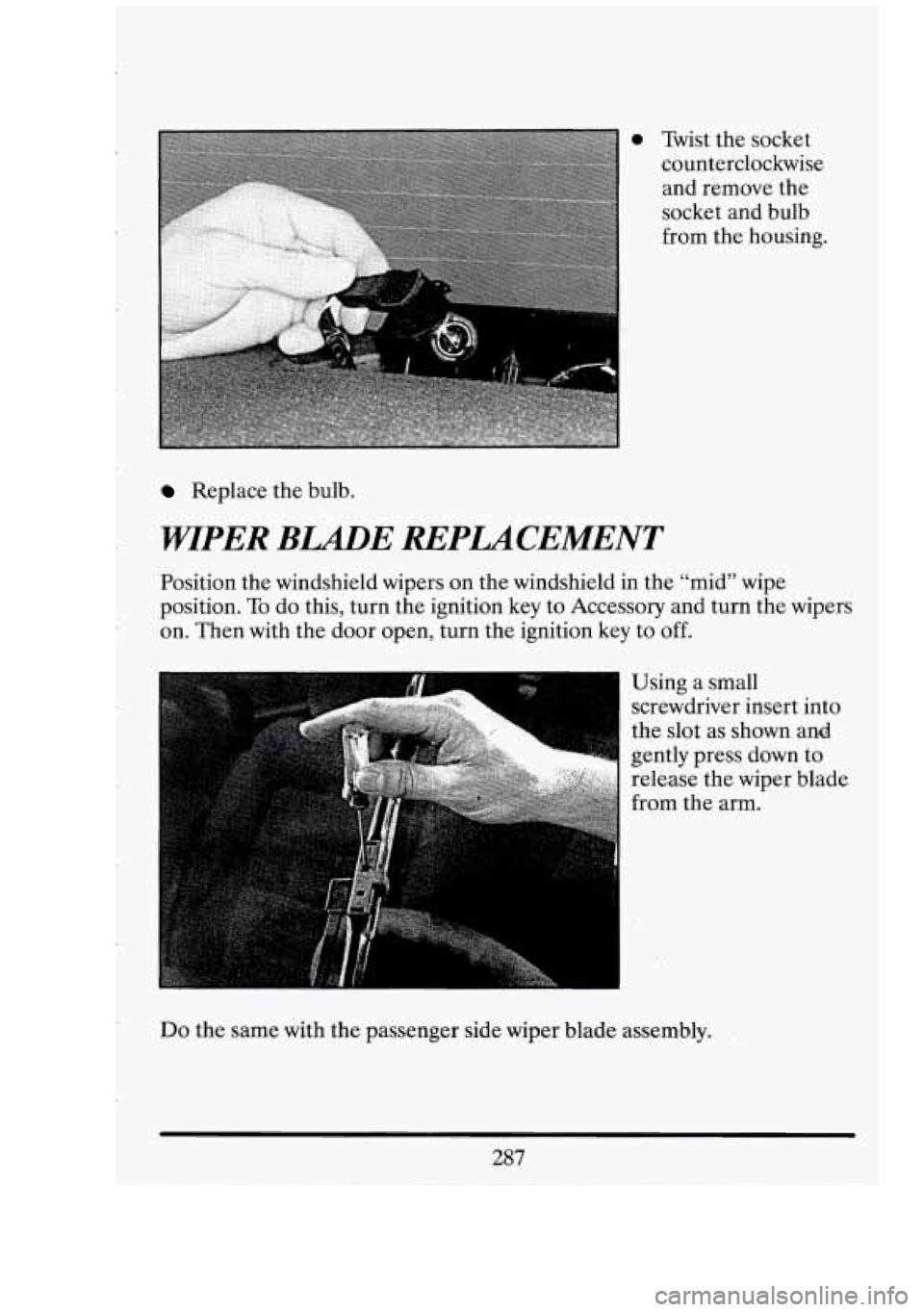
I Using a small
screwdriver insert into
the slot as shown and
gently press down to
release the wiper blade
from the arm.
Do the same with the passenger side wiper blade assembly.
287