coolant temperature CADILLAC SEVILLE 1997 4.G Owners Manual
[x] Cancel search | Manufacturer: CADILLAC, Model Year: 1997, Model line: SEVILLE, Model: CADILLAC SEVILLE 1997 4.GPages: 370, PDF Size: 20.52 MB
Page 85 of 370
Downloaded from www.Manualslib.com manuals search engine 4. Before starting the engine, be sure to unplug and store
the curd as
it was before to keep it away from moving
engine
parts. If you don't, it could be damaged.
How long should you keep the coolant heater plugged
in? The answer depends on the outside temperature. the
kind
of oil you have, and some other things. Instead of
trying to list everything here, we ask that you contact
your Cadillac deafer
in the area where you'll be parking
your vehicle. The dealer can give
you the best advice for
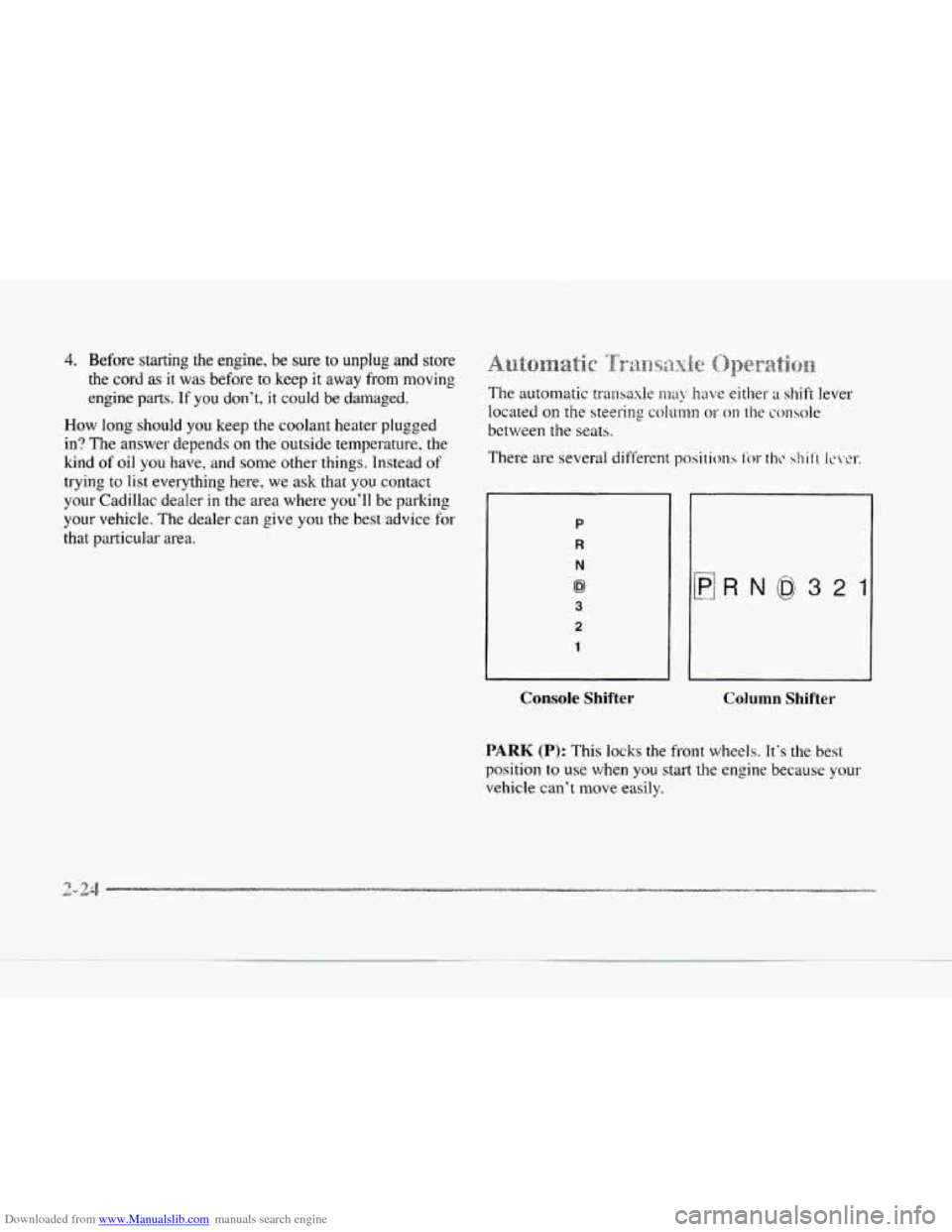
that particular area. P
R
N
0
3
2
1
Console Shifter Column Shifter
PARK (P): This locks the front wheels. It's the best
position
to use when you start the engine because your
vehicle can't move easily.
Page 141 of 370
Downloaded from www.Manualslib.com manuals search engine __
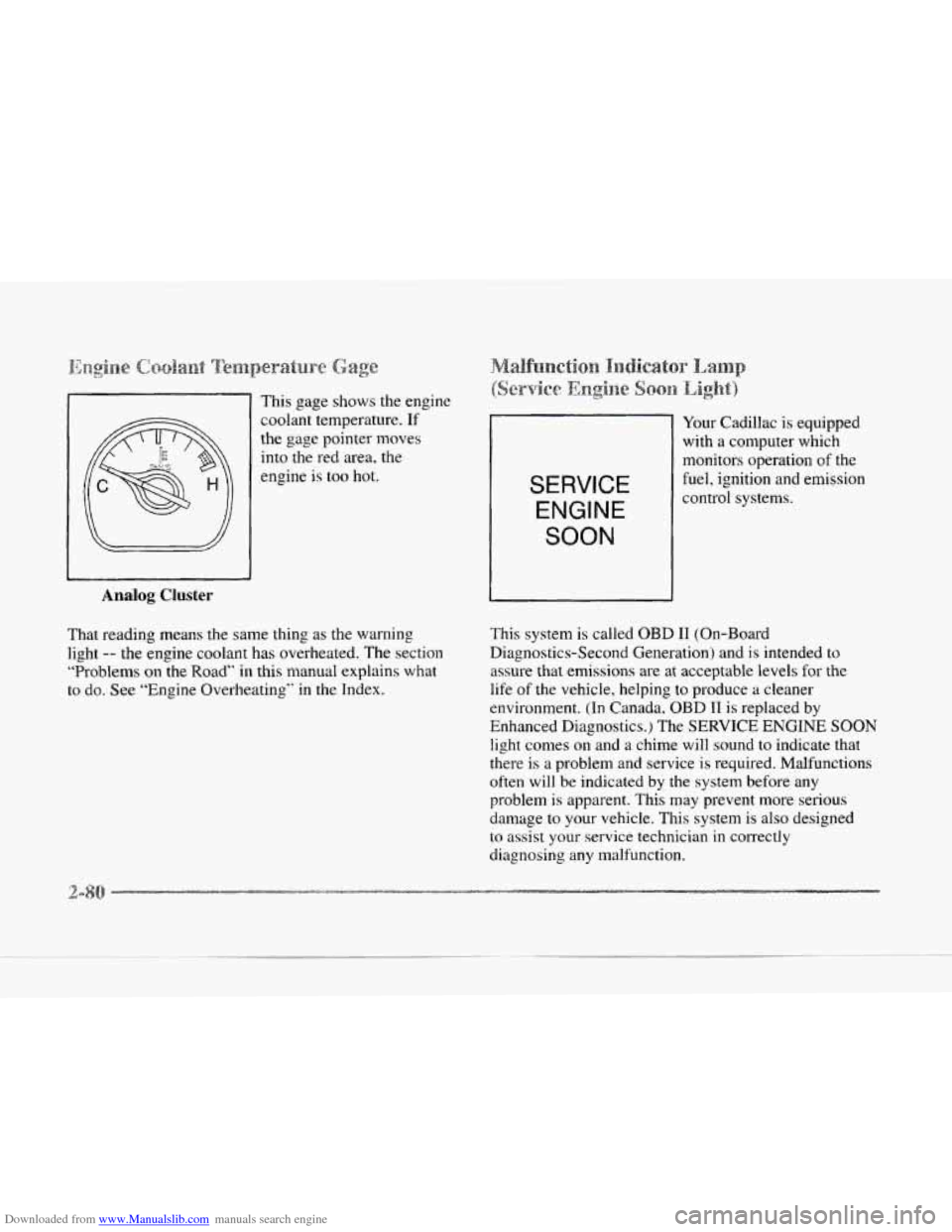
Analog Cluster
This gage shows the engine
coolant temperature.
If
the gage pointer moves
into the red area, the
engine is too hot.
That reading means the same thing as the warning
light
-- the engine coolant has overheated. The section
“Problems on
the Road” in this manual explains what
to
do. See “Engine Overheating’’ in the Index.
SERVICE
ENGINE
SOON
Your Cadillac is equipped
with a computer which
monitors operation
of the
fuel, ignition and emission
control systems.
This system is called OBD I1 (On-Board
Diagnostics-Second Generation) and
is intended to
assure that emissions are at acceptable levels for the
life
of the vehicle, helping to produce a cleaner
environment. (In Canada. OBD I1 is replaced by
Enhanced Diagnostics.) The
SERVICE ENGINE SOON
light conles on and a chime will sound to indicate that
there is
a problem and service is required. Malfunctions
often will be indicated by the system before any
problem
is apparent. This may prevent more serious
damage to your vehicle. This system is also designed
to assist your service technician in correctly
diagnosing any malfunction.
c.
Page 147 of 370
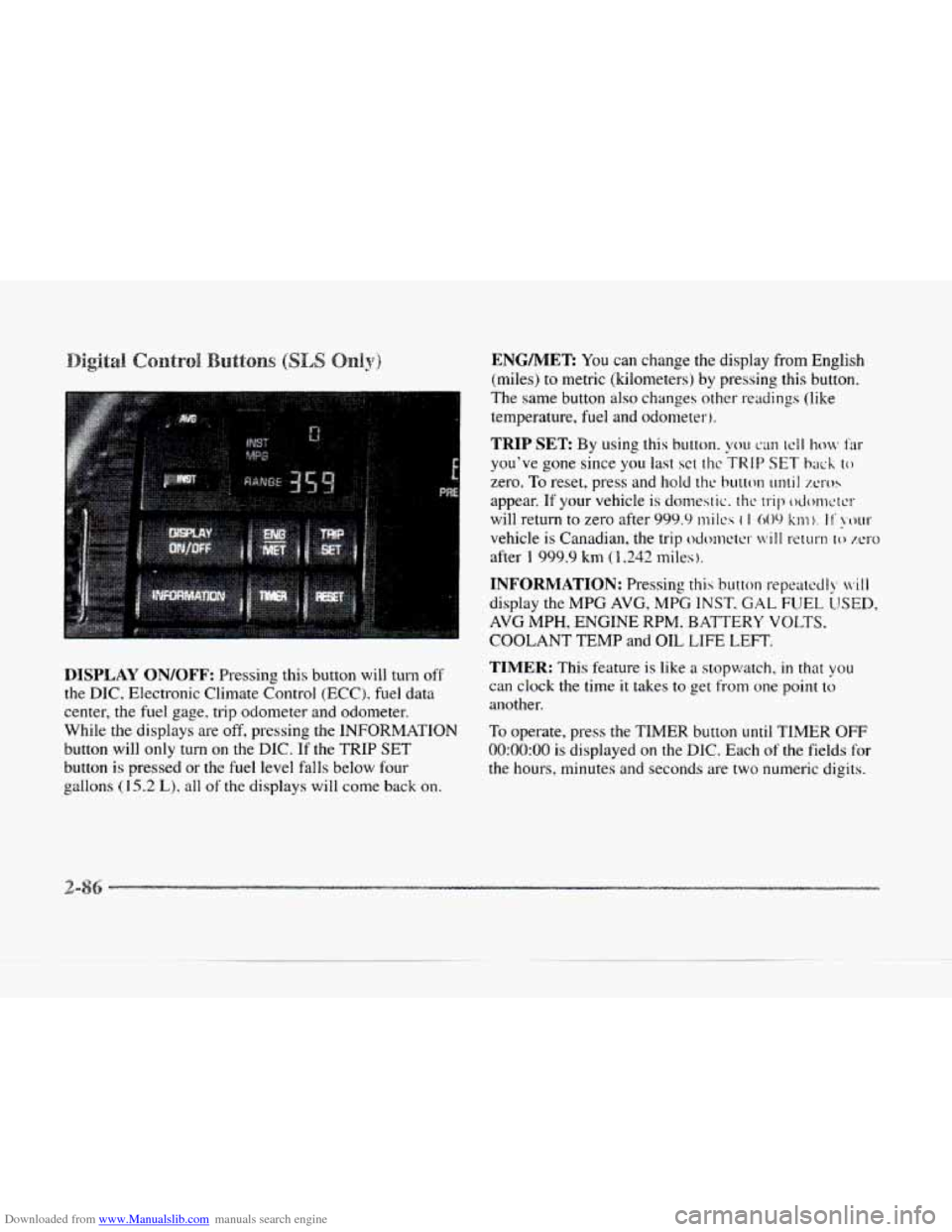
Downloaded from www.Manualslib.com manuals search engine DISPLAY ON/OFF: Pressing this button will turn off
the DIC, Electronic Climate Control (ECC). fuel data
center, the fuel gage. trip odometer- and odometer.
While
the displays are off, pressing the INFORMATION
button will only turn on the DIC. If the TRIP SET
button is pressed or the fuel level falls below fout-
e aallons (15.2 L), all of the displays will come back on.
ENG/MER You can change the display from English
(miles) to metric (kilometers) by pressing
this button.
The same button
also changes other readings (like
temperature, fuel and odometer).
TRIP SET By using this button. you can tcll how Far
you've gone since you last sct t11c TRIP SET back to
zero. To reset, press and hold thc button until XI-OS
appear. If your vehicle is domestic. the trip odonwrcr
will return to zero after 999.9 mi Ics ( I 009 km). I I' !XNII-
vehicle is Canadian, the trip odcmctcr will return lo zero
after 1 999.9 km (1,242 miles ).
INFORMATION: Pressing this button repcatccll), ivill
display the MPG AVG, MPG INST. GAL FUEL LJSED,
AVG MPH, ENGINE RPM. BATTERY VOLTS.
COOLANT TEMP and OIL LIFE LEFT.
TIMER: This feature is like a stopwatch, in that you
can clock the time it takes to get from one point to
another.
To operate, press the TIMER button
until TIMER OFF
0O:OO:OO is displayed on the DIC. Each of the fields for
the hours, minutes and seconds are two numeric digits.
Page 150 of 370
Downloaded from www.Manualslib.com manuals search engine LI
e
OIL LIFE LEFT (Reset): Press the INFO button to
display the OIL LIFE LEFT, then press and hold the
INFO RESET button until
100% OIL LIFE LEFT is
displayed. (This only needs to be reset after you have
had the oil changed.)
ENGLISHMETRIC (Reset): Press the INFO button
to display ENGLISHMETRIC
RESET, then press the
INFO RESET button to select. The display will change
from English (miles)
to metric (kilometers).
INFO: Pressing this button repeatedly will display the
RANGE, MPG AVG, MPG INST, GAL FUEL USED,
MPH, AVG MPH, TIMER. BATTERY VOLTS.
COOLANT TEMP, OIL LIFE LEFT and
ENGLISHMETRIC RESET.
FUEL DOOR: Press this button to open the fuel
door. (This feature will work only when the shift lever
is in PARK (Pj regardless of whether or not the vehicle
is running.)
TRUNK: Press this button to open the trunk. (This
feature will work only when the shift lever
is in
PARK
(P) regardless of whether or not the vehicle
is running.) These
messages will appear if there is
a probien.; sensd
in one of your vehicle's systems. V'hicles that are first
sold in Canada will have a number after each message.
This number helps to identify the message which
is only
displayed in English.
A/C OFF FOR ENGINE PROTECTION - 16: This
message displays when the engine coolant becomes
hotter than the normal operating temperature. To avoid
added strain on a hot engine, the air conditioning
compressor
is automatically turned off so that air
conditioned air
is not deljvered. If the coolant
temperature returns to normal,
you must select AC to
return to a normal A/C compressor operation. If this
message continues to appear, have
the system repaired
as soon as possible to avoid compressor damage.
APPLY BRAKE TO SHIFT - 46: This message will
appear if your vehicle is in PARK (P) for about
15
seconds and the brake is not pressed in. To remove this
message from the
DIC display, hold the OFF and the
blue (cooler) buttons on the digital cluster climate
control panel for about five seconds. On the analog
cluster climate control panel, press the OFF button
(next to the MODE button) and the down arrow on the
PASS
TEMP button for about five seconds. Hold the
same two buttons to display the message again.
Page 152 of 370
Downloaded from www.Manualslib.com manuals search engine k
soon as possible. If the brake warning light is on, follow
the directions in that part.
CHECK COOLANT LEVEL - 02: This message will
appear when there is a low level of engine coolant. Have
the cooling system serviced by a Cadillac technician as
soon
as possible.
CHECK FUEL GAGE - 39: This message will
appear when the fuel supply
is less than four gallons
(15.2 L) and the display is turned off (digital clusters
only). A single chime will also sound when this
message is displayed.
CHECK OIL LEVEL - 36: For correct operation of
the low oil sensing system, your vehicle should be on
a level surface.
A false CHECK OIL LEVEL message
may appear
if the vehicle is parked on grades. The oil
level sensing system does not check for actual oil level
if the engine has been
off for a short period of time, and
the oil level is never sensed while the engine is running.
If the CHECK OIL LEVEL message appears, and your
vehicle has been parked
on level ground with the engine
off for at least 30 minutes, the oil level should be
checked by observing the oil dipstick. Prior to checking
the oil level, be sure
the engine has been off for five
minutes and your vehicle is on a level surface. Then
check the dipstick and add oil if necessary. See “Engine
Oil” in the Index.
CHECK WASHER FLUID - 25: This message will
appear
for several seconds indicating that you need
washer solvent.
CRUISE ENGAGED - 43: This message will appear
for
a few seconds when you select a speed at which
to cruise.
DOOR OPEN - 141: The passenger’s door or rear
doors are open or ajar when this message appears. The
vehicle’s engine must be running and the transaxle not
in PARK
(P) for this message to display, A chime will
also sound when the vehicle’s speed is greater than
5 mph (8.1 km/h).
DRIVER DOOR OPEN - 140: This message will
display when the vehicle
is being shifted out of
PARK (P) with the engine running to signal that
the driver’s door
is open or ajar. A chime will also
sound when the vehicle’s speed is greater than
5 mph (8.1 kdh).
This message will appear when the engine coolant
temperature
is over 248°F ( 126°C). To avoid added
strain
on a hot engine turn off the climate control
system. Stop and allow your vehicle to idle
until it cools
down or the message is removed.
If it does not cool
down, turn off the engine and have it serviced before
driving it again. Severe engine damage can result
ENGINE COOLANT HOT-IDLE ENGINE - 44:
-9
Page 163 of 370
Downloaded from www.Manualslib.com manuals search engine To-find your comfort zone, start with the 75°F (24°C)
setting and allow about 20 minutes for the system to
regulate. Turn the
TEMP/AUTO knob to adjust the
temperature if necessary.
If you choose 60°F ( 1 6"C),
the system will remain at that maximum cooling setting
and will
not regulate fan speed. If you choose the
temperature of
90°F (32'C), the system will remain at
that maximum heating setting and will not regulate fan
speed. Choosing either maximum setting will not cause
the system
to heat or cool any faster.
With
the: automatic setting, the air conditioning
compressor automatically cycles
when needed to cool
the air. In cold weather, when the system senses the need
for heat, the airflow will be directed out the floor
outlets.
As the interior temperature approaches a desired
setting, the blower speed will decrease.
To maintain
interior comfort, the airflow may move
to the instrument
panel air outlets and floor outlets (bi-level mode). On
bright
sunny days in cold weather. the airflow may come
out
of the air conditioning outlets (AC mode) to
maintain comfort and prevent stuffiness.
If your vehicle is sitting out on a hot day and you have it
set on AUTO, the air will first flow out the floor air
outlets for
a few seconds. That is normal. This is to
expel hot air from the air outlets. As the air
is cooled,
the airflow will move through the air conditioning
outlets. If you start your vehicle with the fan setting on
HI, it will skip the air conditioning purge.
To avoid blowing cold air in cold weather, the system
will delay turning on the fan
until warm air is available.
The length
of delay depends on the outside air
temperature, engine coolant temperature or the time
since the engine was last started.
As the coolant warms
up, the blower fan speed will gradually increase and
air will flow from the heater outlets, with some airflow
to the windshield to prevent fogging under most
normal conditions.
If you leave your vehicle, the system will remember the
control setting the next time
you start your engine,
except for recirculation and defrost. Each ignition cycle
cancels recirculation, whereas,
DEFROST will change
to automatic operation when the ignition is shut off and
then turned back
on.
Page 164 of 370
Downloaded from www.Manualslib.com manuals search engine c
~~~~~~~~~ ~~~~~~~,~~~~~
You may manually adjust the air delivery mode or
fan speed.
A*
fl AC: This setting directs airflow through the
middle instrument panel outlets.
be
BI-LEVEL: This setting directs air into your
vehicle in two
ways. Cool air is directed to the upper
portion
of your body through the four instrument panel
outlets while warmed air is directed to the floor.
'H HEATER/DEFROST: This setting directs air to
the floor outlets and toward the windshield.
we
e
HEATER: This setting directs warmed air
through
the floor outlets. Some warm air is diverted to
the windshield to minimize fogging.
DEFROST Press this button to quickly remove
fog or frost from the windshield.
This setting sends most
of
the airflow to the windshield with only a small
amount
to the floor outlets.
3f FAN SPEEDS: Press the button with the fan symbol
on it until AUTO is displayed on the screen. At this
setting. the
Fdn speed is autonratically controlled. If it is
cold outside. the blower may not run in the maximum high
fan speed right away. The system checks the temperature
of the engine coolant
to assure it is warm enough to
provide heat.
When the engine coolant is warrn, the
controller allows the
fan to gradually increase to a higher
speed. This prevznts cold air from blowing into the
passenger compartment.
If you want the blower fdn at a
high speed, press the up arl-ujw button until you see €31 on
the display.
If you want the fan speed to be automatic, but
you
Iike the fan speed to be higher than the AUTO setting,
press the fan
symbol button until HI AUTO is shown on
the display.
If you 'want the blower Fan at a low speed,
press the down
mow button until LO is shown on the
display.
If you want the fan speed to mn lower than the
AUTO setting, press the button until L,O AUTO is shown
on the display.
OFF: Press this button to turn the system off. Fresh air
will continue to flow through the vehicle, and the
system will try to maintain the previously set
temperature. The outside temperature will
show on the
display when the system
is OFF.
Page 247 of 370
Downloaded from www.Manualslib.com manuals search engine You will find an ENGINE COOLANT HOT-IDLE
ENGINE message or a STOP ENGINE ENGINE
OVERHEATED message
on the Driver Information
Center
(DIC). There is also an engine temperature
warning light and/or gage on the instrument panel.
See “Engine Coolant Temperature Warning Light”
or “Engine Coolant Temperature Gage” in the Index
Should a low coolant condition exist and the message
STOP ENGINE ENGINE OVERI-IEATED is displayed,
an overheat protection mode which alternates firing
groups of four cylinders helps prevent engine damage.
In this mode,
you will notice a loss in power and engine
performance. This operating mode allows your vehicle
to be driven
to a safe place in an emergency; you may
drive up
to 50 miles (80 km). Towing a trailer in the
overheat protection mode should be avoided.
NOTICE:
After driving in the overheated engine protection
operating mode, to avoid engine damage.
allow
the engine to cool before attempting any repair.
The engine
oil will be severely degraded. Kcpair
the cause
of coolant loss, change the oil and reset
the
oil life indicator. See “Engine Oil, lli’hcn to
Change” in the Index.
Page 292 of 370
Downloaded from www.Manualslib.com manuals search engine c
c
c
The cooling s stem in your vehicle is filled with
DEX-COOL engine coolant. This coolant
is designed
to remain in your vehicle for 5 years or 150,000 miles
(240 000 km), whichever occurs first, if you add only
DEX-COOL" extended
life coolant.
8
The following explains your cooling system and how
to add coolant when it is low. If you have a problem
with engine overheating, see "Engine Overheating"
in the Index.
A 50/50 mixture of water and DEX-COOL"
coolant will:
0 Give freezing protection down to -34°F (-37°C).
c
F
Give boiling protection up to 265°F (129°C).
0 Protect against rust and corrosion.
Help keep the proper engine temperature.
Let the warning lights and gages work as they
should.
NOTICE:
When adding coolant, it is important that you
use only
DEX-COOL@ (silicate-free) coolant.
If coolant other than DEX-COOL@' is added to
the system, premature engine, heater core or
radiator corrosion may result. In addition, the
engine coolant will require change sooner
-- at
30,000 miles (50 000 km) or 24 months,
whichever occurs first. Damage caused by the use
of coolant other than DEX-COOL@ is not
covered
by your new vehicle warranty.
Use a mixture of one-half cEean wccfer (preferably
distilled) and one-half DEX-COOL'" coolant which
won't damage aluminum parts.
If you use this mixture,
you don't need to add anything else.
Page 295 of 370
Downloaded from www.Manualslib.com manuals search engine ~~~~~~ Cgaolanmt
If you need
more coolant, add the proper DEX-COOL@
coolant mixture at the surge tank, but only when the
engine .is cool.
I A CAUTION:
You can be burned if you spill coolant on hot
engine parts. Coolant contains ethylene glycol,
and it will burn if the engine parts
are hot
enough. Don’t spill coolant
on a hot engine.
When replacing the pressure cap, make sure it is tight.
I NOTICE:
~~~~~~~~~~ ~
The surge tank cap is a 15 psi (105 kPa)
pressure-type cap and must be tightly installed
to
prevent coolant loss and possible engine damage
from overheating. Be sure the arrows
on the cap
line up.
If the surge tank pressure cap needs to be replaced, a
General Motors cap is recommended.
Engine coolant temperature
is controlled by a thermostat
in
the engine coolant system. The thermostat stops the
flow of coolant through the radiator until the coolant
reaches a preset temperature.
If your thermostat needs to be replaced, a General
Motors thermostat
is recommended.
-4