oil reset CADILLAC SEVILLE 1997 4.G Owners Manual
[x] Cancel search | Manufacturer: CADILLAC, Model Year: 1997, Model line: SEVILLE, Model: CADILLAC SEVILLE 1997 4.GPages: 370, PDF Size: 20.52 MB
Page 147 of 370
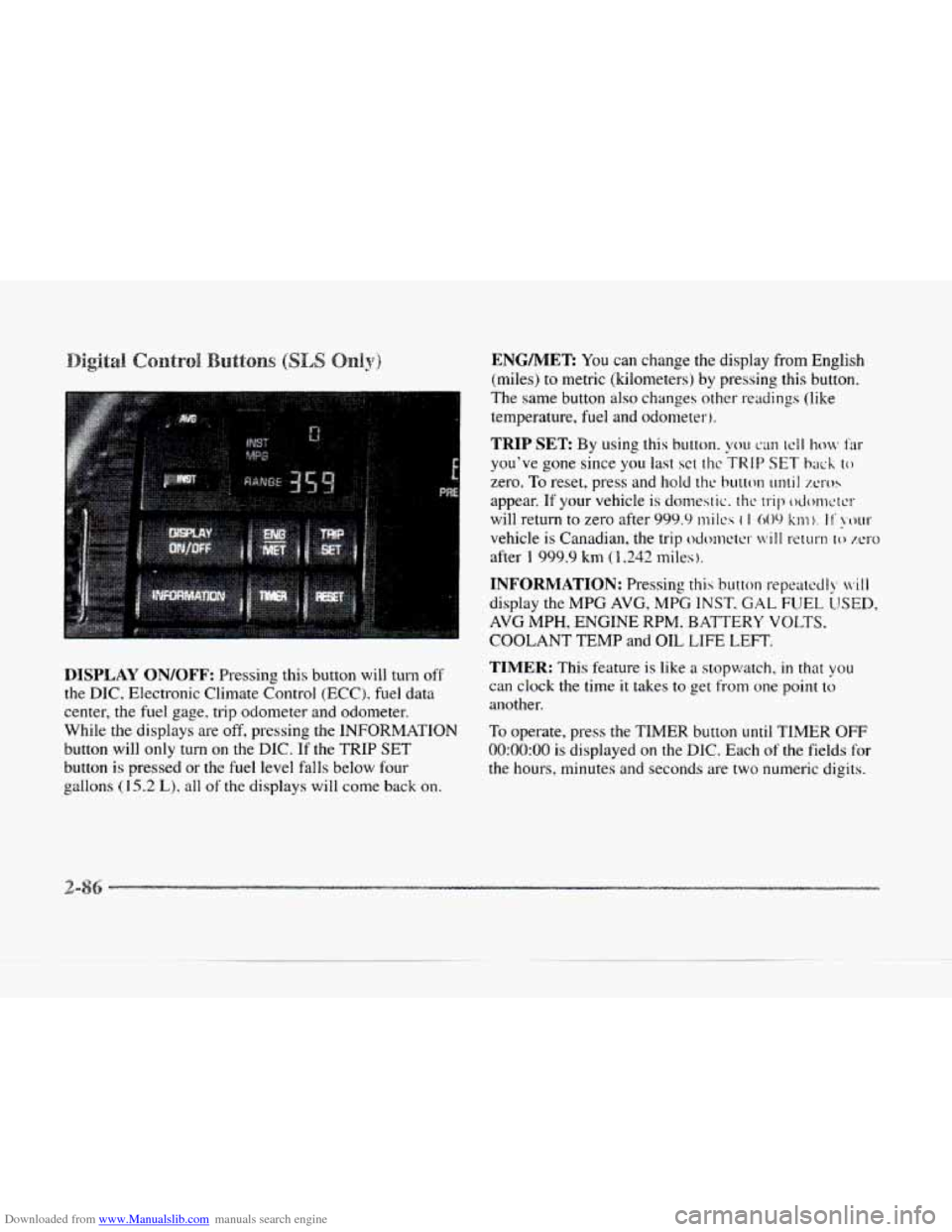
Downloaded from www.Manualslib.com manuals search engine DISPLAY ON/OFF: Pressing this button will turn off
the DIC, Electronic Climate Control (ECC). fuel data
center, the fuel gage. trip odometer- and odometer.
While
the displays are off, pressing the INFORMATION
button will only turn on the DIC. If the TRIP SET
button is pressed or the fuel level falls below fout-
e aallons (15.2 L), all of the displays will come back on.
ENG/MER You can change the display from English
(miles) to metric (kilometers) by pressing
this button.
The same button
also changes other readings (like
temperature, fuel and odometer).
TRIP SET By using this button. you can tcll how Far
you've gone since you last sct t11c TRIP SET back to
zero. To reset, press and hold thc button until XI-OS
appear. If your vehicle is domestic. the trip odonwrcr
will return to zero after 999.9 mi Ics ( I 009 km). I I' !XNII-
vehicle is Canadian, the trip odcmctcr will return lo zero
after 1 999.9 km (1,242 miles ).
INFORMATION: Pressing this button repcatccll), ivill
display the MPG AVG, MPG INST. GAL FUEL LJSED,
AVG MPH, ENGINE RPM. BATTERY VOLTS.
COOLANT TEMP and OIL LIFE LEFT.
TIMER: This feature is like a stopwatch, in that you
can clock the time it takes to get from one point to
another.
To operate, press the TIMER button
until TIMER OFF
0O:OO:OO is displayed on the DIC. Each of the fields for
the hours, minutes and seconds are two numeric digits.
Page 148 of 370
Downloaded from www.Manualslib.com manuals search engine c
c
c
c
Once TIMER OFF 0O:OO:OO is displayed, press the
TIMER button to start the timing feature.
Press the
TIMER button again
to stop it. If you will be starting
and stopping your Cadillac, during
a trip for instance,
the TIMER feature will automatically start timing where
it left
off when you last stopped. To reset it, press and
hold the RESET button until the display reads TIMER
0O:OO:OO. Press the INFORMATION button to exit from
the TIMER function.
RESET Pressing this button will reset the MPG AVG,
MPG INST, GAL FUEL USED, AVG MPH and OIL
LIFE
LEFT. Pressing RESET when a non-resettable
display appears will cause a “recall” mode
to occur.
When this happens, all DIC warning messages that have
been displayed since
the ignition key was turned to
RUN will redisplay. If no messages were displayed, a
MONITORED SYSTEMS OK message will appear.
MPG AVG (Reset): Press the INFORMATION button
to display the MPG AVG (Average Fuel Economy),
then press and
hold the RESET button until 0.0 MPG
AVG is displayed.
FUEL USED (Reset): Press the INFORMATION
button to display the GAL FUEL USED on the DIC,
then press and hold the RESET button until
0.0 GAL
FUEL USED is displayed.
AVG MPH (Reset): Press the INFORMATION button
to display the AVG
MPH A~t‘r;gc Spced). then press
and hold
the RESET button ~~ntil 0.0 AVG MPH is
displayed.
OIL LIFE LEFT (Reset 1: Press the I %FORMATION
button to display
thc OIL LIFE LEFT. then press and
hold the RESET button
until 1005 OIL LIFE LEFT is
displayed. (This only needs to be reset after you have
had the
oil changed. )
Page 149 of 370
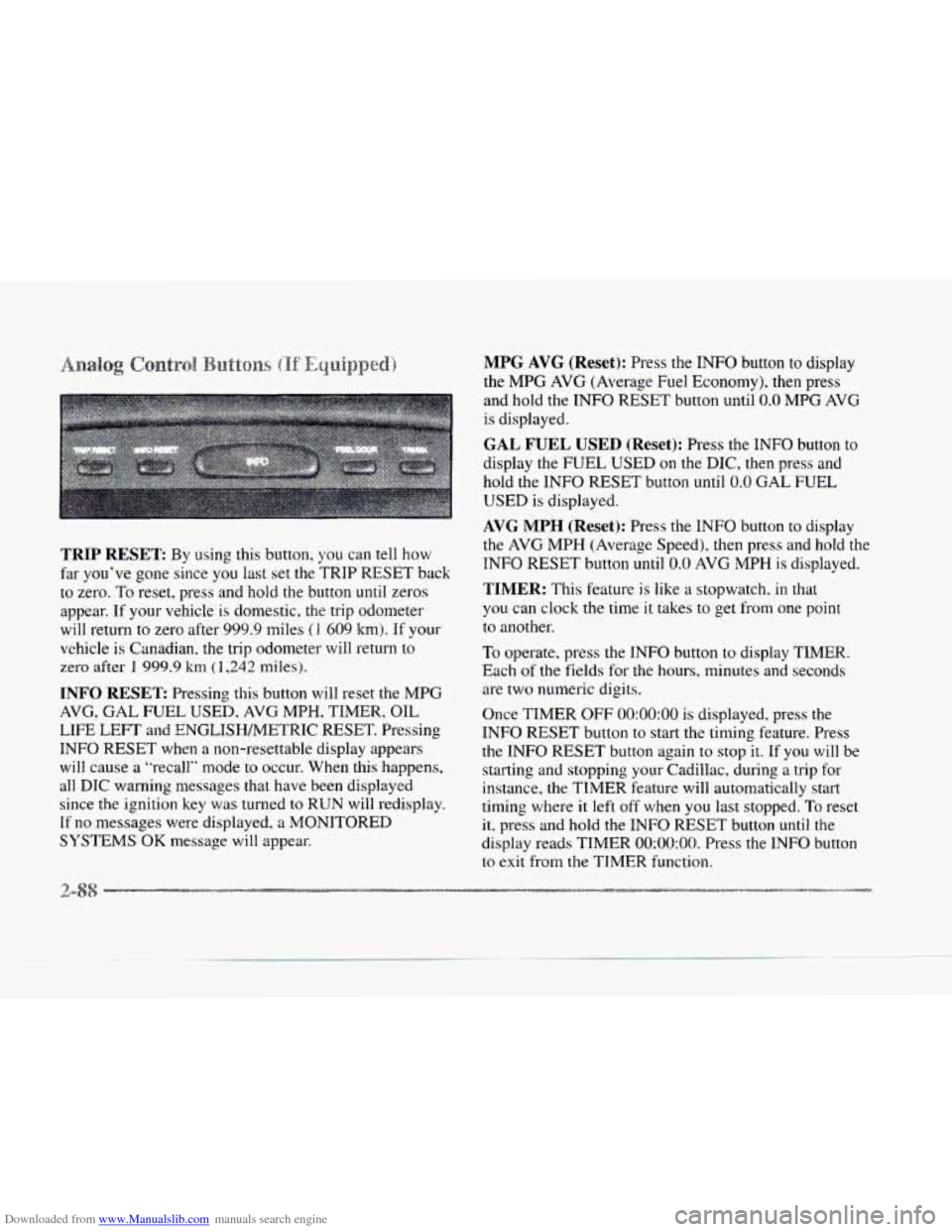
Downloaded from www.Manualslib.com manuals search engine TRIP RESET: By using this button, you can tell how
far you’ve gone since you last set the ?‘RIP
RESET back
to zero. To reset, press and hold the button until zeros
appear.
If your vehicle is domestic. the trip odometer
will return to zero after 999.9 miles
(1 609 km). If your
vehicle is Canadian. the trip odometer will return to
zero after
1 999.9 km ( 1,242 nliles).
INFO RESET Pressing this button will reset the MPG
AVG, GAL FUEL USED, AVG MPH, TIMER, OIL
LIFE LEFT and ENGLISWMETRIC RESET. Pressing
INFO RESET when a non-resettable display appears
will cause a “recall” mode to occur. When this happens,
all DIC waning messages that have been displayed
since the ignition key was turned to RUN will redisplay.
If no messages were displayed, a MONITORED
SYSTEMS
OK message will appear.
MPG AVG (Reset): Press the INFO button to display
the
MPG AVG (Average Fuel Economy), then press
and hold the
INFO RESET button until 0.0 MPG AVG
is displayed.
GAL FUEL USED (Reset): Press the INFO button to
display the
FUEL USED on the DIC, then press and
hold the INFO RESET button until
0.0 GAL FUEL
USED is displayed.
AVG MPH (Reset): Press the INFO button to display
the
AVG MPH (Average Speed), then press and hold the
INFO
RESET button until 0.0 AVG MPH is displayed.
TIMER: This feature is like a stopwatch, in that
you can clock the time
it takes to get from one point
to another.
To operate, press the INFO button to display TIMER.
Each of the fields for the hours, minutes and seconds
are two numeric digits.
Once TIMER
OFF 0O:OO:OO is displayed, press the
INFO RESET button to start the timing feature. Press
the
INFO RESET button again to stop it. If you will be
starting and stopping your Cadillac, during
a trip for
instance, the TIMER feature will automatically start
timing where it
left off when you last stopped. To reset
it, press and hold the lNFO RESET button until the
display reads TIMER
0O:OO:OO. Press the INFO button
to
exit from the TIMER function.
1
Page 150 of 370
Downloaded from www.Manualslib.com manuals search engine LI
e
OIL LIFE LEFT (Reset): Press the INFO button to
display the OIL LIFE LEFT, then press and hold the
INFO RESET button until
100% OIL LIFE LEFT is
displayed. (This only needs to be reset after you have
had the oil changed.)
ENGLISHMETRIC (Reset): Press the INFO button
to display ENGLISHMETRIC
RESET, then press the
INFO RESET button to select. The display will change
from English (miles)
to metric (kilometers).
INFO: Pressing this button repeatedly will display the
RANGE, MPG AVG, MPG INST, GAL FUEL USED,
MPH, AVG MPH, TIMER. BATTERY VOLTS.
COOLANT TEMP, OIL LIFE LEFT and
ENGLISHMETRIC RESET.
FUEL DOOR: Press this button to open the fuel
door. (This feature will work only when the shift lever
is in PARK (Pj regardless of whether or not the vehicle
is running.)
TRUNK: Press this button to open the trunk. (This
feature will work only when the shift lever
is in
PARK
(P) regardless of whether or not the vehicle
is running.) These
messages will appear if there is
a probien.; sensd
in one of your vehicle's systems. V'hicles that are first
sold in Canada will have a number after each message.
This number helps to identify the message which
is only
displayed in English.
A/C OFF FOR ENGINE PROTECTION - 16: This
message displays when the engine coolant becomes
hotter than the normal operating temperature. To avoid
added strain on a hot engine, the air conditioning
compressor
is automatically turned off so that air
conditioned air
is not deljvered. If the coolant
temperature returns to normal,
you must select AC to
return to a normal A/C compressor operation. If this
message continues to appear, have
the system repaired
as soon as possible to avoid compressor damage.
APPLY BRAKE TO SHIFT - 46: This message will
appear if your vehicle is in PARK (P) for about
15
seconds and the brake is not pressed in. To remove this
message from the
DIC display, hold the OFF and the
blue (cooler) buttons on the digital cluster climate
control panel for about five seconds. On the analog
cluster climate control panel, press the OFF button
(next to the MODE button) and the down arrow on the
PASS
TEMP button for about five seconds. Hold the
same two buttons to display the message again.
Page 151 of 370
Downloaded from www.Manualslib.com manuals search engine BATTERY NO CHARGE - 07: This message will
appear if the battery is not being charged. Have the
electrical system checked by your Cadillac dealership
at
your earliest convenience.
BATTERY VOLTS HIGH - 08: This message shov:~
that the electrical charging system is overcharsing :'more
than 16 volts). To avoid being stranded, have the
electrical system checked by your Cadillac dealership.
YOU can reduce the charging overload by
using the
accessories.
TU^ on the lamps and radio. set the climate
control on AUTO and the fan speed
011 HI. and turn the
rear window defogger
on. You can monitor battery
voltage on the
DIC by pressing the INFORMATION
(INFO) button. The normal range
is 11.5 to 15.5 volts
when the engine
is running.
BATTERY VOLTS LOW - 06: This message will
appear when the electrical system
is charging less than
10 volts or if the battery has been drained. If this
message appears immediately after starting, it
is possible
that the generator can still recharge the battery. The
battery should recharge after driving a few miles and
the
message should go out. If this message appears while
driving or after starting your vehicle and stays
on, have
it checked immediately
to determine the cause of this
problem.
To help the generator recharge the battery
quickly, you can reduce the load
on the electrical system
b>. turning off the accessories. You can monitor battery
voltage on the
DIC by pressing the INFORMATION
(INFO) button. The normal range is 11.5
to 15.5 volts.
BRAKE VACUUM PROBLEM -108: The circuit in
the brake booster vacuum has shorted or
is loose when
this message appears. Your vehicle may lose power
brakes but you will
still have the use of manual brakes.
The power brakes will not be affected if the problem is
caused by
a failed sensor. Have your vehicle serviced
immediately at your Cadillac dealership.
CHANGE ENGINE OIL - 82: This means that the life
of the engine oil has expired and it should be changed
within
200 miles. See "Engine Oil" and "Filter
Recommendations" in the Maintenance Schedule booklet.
After an
oil change. the'Oi1 Life Indicator must be reset.
See *'Oil Life Indicator''
in the Index on how to reset it.
CHANGE TRANS FLUID - 47: This message will
appear when it is time
to replace the transaxle fluid. See
the Maintenance Schedule booklet for the proper fluid
and change intervals.
CHECK BRAKE FLUID LEVEL - 37: This message
will display if the ignition
is in the RUN position to
inform the driver that the brake fluid level is low. Check
the brake reservoir level and add fluid as needed. Have
the brake system serviced by a Cadillac technician as
Page 156 of 370
Downloaded from www.Manualslib.com manuals search engine c
c
STOP ENGINE LOW OIL PRESSURE - 35: If this
message appears while the engine is running, stop the
engine and do
!lot operate it until the cause of low oil
pressure
is corrected. Severe damage to the engine can
result.
A nlultiple chime will also sound when this
message is displayed.
THEFT SYSTEM YROBLEWCAR MAY NOT
RESTART
- 34: This message means there is a problem
in the Personalized Automotive Security System
(PASS-Key 11). A fault has been detected in the system
which means thzt the PASS-Key
I1 system is disabled
and is
not protecring the vehicle. The vehicle usually
restarts. however,
you may want to take your vehicle to
a proper service center before turning off the engine.
TOP SPEED FUEL CUT-OFF - 111: This message
will appear when the PCM senses that the maximum
speed
for your Cadillac has been reached. The speed
of your vehicle will decrease several mph as the fuel
supply is cutoff. This allows your vehicle
to stay in a
stable operating range.
TRACTION ENGAGED - 91: When your traction
control system is limiting wheel spin, the TRACTION
ENGAGED message will be displayed. Slippery road
conditions may exist if this message is displayed,
so
adjust your driving accordingly. This message. will stay
on
for a few seconds after the traction control system
stops limiting wheel spin.
TRACTION OFF - 89: This message will be displayed
after the traction control has been turned off.
TRACTION READY - 91: This message informs the
driver that the traction control system is available. This
occurs when
the traction doff button in the glove box
has been returned to an on position (pressing the button
once turns the traction control system
off pressing the
button again turns the system back on). This message
also self cancels after five seconds.
TRACTION SUSPENDED - 56: This message
displays when the traction control system has been
temporarily shut off because your vehicle’s brakes
have overheated. This message
does not indicate a
problem with your vehicle’s traction control system.
After a few minutes, the traction control system will
be available again and
the TRACTION READY
message will appear.
TRANS FLUID RESET - 48: With the engine not
running and the ignition on, press and hold the OFF
and rear defog buttons until the TRANS FLUID
RESET message appears
on the DIC (between five
and 20 seconds).
TRANSMISSION HOT .. 112: This messages indicates
that the transaxle fluid in your vehicle is too hot. Stop
and allow your vehicle to idle until it cools down or
until this message is removed.
Page 158 of 370
Downloaded from www.Manualslib.com manuals search engine The DIC may display a CHECK OIL LEVEL message.
Always keep a written record of the mileage and date
when
you changed your oil. For more information. see
the Cadillac Maintenance Schedule booklet. If you see
CHECK OIL LEVEL,
it means that you have less than
10 percent of the oil life left and you should consider
changing
your engine oil. If you see CHANGE
ENGINE OIL.
it means the oil life is gone and you
should change the oil right away.
The system should indicate changing the
oil between
3,000 miles (5 000 km) and 7,500 miles (12 SO0 km).
It may indicate changing the oil before 3.000 miles
(5 000 lunj depending on your driving habits. If the
vehicle has been driven
7,500 miles (1 2 500 krn), it
, .. . will indicate to change the oil. If you drive in a dusty
area.
you should change your oil every 3,000 miles
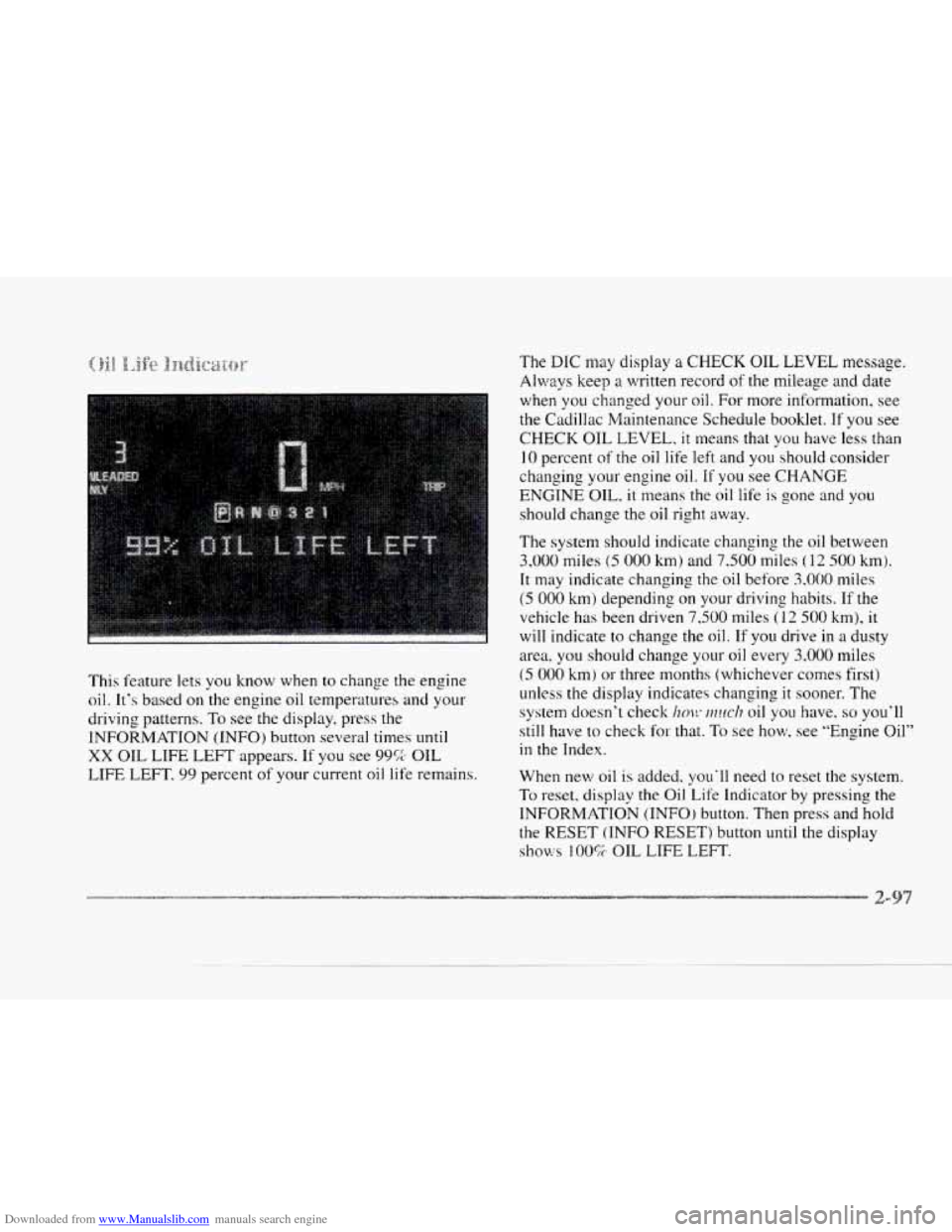
This feature lets
you know when to change the engine
oil. It's based on the engine oil temperatures and your
driving patterns.
To see the display, press the
INFORMATION (INFO) button
several times until
XX OIL LIFE LEFT appears. If you see 99% OIL
LIFE LEFT,
99 percent of your current oil life remains.
(5 000 km) or three months (whichever comes first)
unless
the display indicates changing it sooner. The
system doesn't check
im!~ ~?zuc/? oil you have. so you'll
still have to check
for that. To see how, see "Engine Oil"
in the Index.
When new
oil is added, you'll need to reset the system.
To reset. display the Oil. Life Indicator by pressing the
INFORMATION (INFO) button. Then press and hold
the RESET (INFO RESET) button until the display
shows 100% OIL LIFE LEFT.
Page 247 of 370
Downloaded from www.Manualslib.com manuals search engine You will find an ENGINE COOLANT HOT-IDLE
ENGINE message or a STOP ENGINE ENGINE
OVERHEATED message
on the Driver Information
Center
(DIC). There is also an engine temperature
warning light and/or gage on the instrument panel.
See “Engine Coolant Temperature Warning Light”
or “Engine Coolant Temperature Gage” in the Index
Should a low coolant condition exist and the message
STOP ENGINE ENGINE OVERI-IEATED is displayed,
an overheat protection mode which alternates firing
groups of four cylinders helps prevent engine damage.
In this mode,
you will notice a loss in power and engine
performance. This operating mode allows your vehicle
to be driven
to a safe place in an emergency; you may
drive up
to 50 miles (80 km). Towing a trailer in the
overheat protection mode should be avoided.
NOTICE:
After driving in the overheated engine protection
operating mode, to avoid engine damage.
allow
the engine to cool before attempting any repair.
The engine
oil will be severely degraded. Kcpair
the cause
of coolant loss, change the oil and reset
the
oil life indicator. See “Engine Oil, lli’hcn to
Change” in the Index.
Page 284 of 370
Downloaded from www.Manualslib.com manuals search engine c
c
As showr?, in the chart, SAE 1OW-30 is best for your
vehicle. However. you can use
SAE 5W-30 if it’s
going
to be colder than 60°F (16°C) before your
nest
oii change. When it‘s very cold, you should use Don’t add
anything to your
oil. Your Cadillac dealer is
ready to advise if you think something should be added.
SAE 5W-30. These numbers on an oil container show
its viscosity. or thickness. Do not use other viscosity
oils. such 3s S*AE ?OW-so. Your Cadillac has an Oil Life Indicator. This
feature will let you
know when to change your oil
and filter
-- usually between 3,000 miles (5 000 km)
and 7,500 miles (1 2 500 km) since your last oil change.
Under severe conditions, the indicator may come on
more than 7,500
miles (1 2 500 km) or 12 months
(whichever occurs first) without an
oil change.
Use only engine oil with the American Petroleum before 3,000 miles (5 000 km). Never drive your vehicle
Institute Certified For Gasoline Engines
“Starburst”
symbol. Failure to use the
recommended
oil can result in engine damage not The system won’t detect dust in the oil. So, if you
covered by pour warranty. drive in a dusty area. be sure to change your oil
GM Goodwrench”‘ oil meets all the requirements for
Remember to reset the Oil Life Indicator when the
your vehicle. oil has
been changed. For more information, see
If you are in
an area where the temperature falls ”Oil Life Indicator” in the index.
below -20°F (-39OC), consider using either an SAE
5W-30 synthetic oil or an SAE OW-30 oil. Both will
provide easier cold starting and better protection
for
your engine at extremely low temperatures. every
3,000 miles (5 000 km) or
sooner if the
CHANGE ENGINE OIL message comes on.
Page 285 of 370
Downloaded from www.Manualslib.com manuals search engine ow to Reset t
After the oil has been changed. display the OIL LIF’E
LEFT message by pressing the INFORMATION (INFO)
button. Then press and hold the RESET (INFO RESET)
button until the display shows
”100.” This resets the
oil life index. The message will remain
off until the
next
oil change is needed. The percentage of oil life
remaining may be checked at any time by pressing
the INFORMATION
(INFO) button several times
until the
OIL LIFE LEFT message appears. For more
information
on the Oil Life feature, see “Oil Life
Indicator” in the Index.
Did you know that used engine oil contains certain
elements that may be unhealthy for your skin and could
even cause cancer? Don’t let used oil stay on your skin
for very long. Clean your skin and nails with soap and
water,
or a good hand cleaner. Wash or properly throw
away clothing or rags containing used engine oil. (See
the manufacturer’s warnings about the
use and disposal
of oil products.)
Used oil can be a real threat
to the environment. If you
change your own oil, be sure
to drain all free-flowing oil
from the filter before disposal. Don’t ever dispose of oil
by putting it in the trash, pouring
it on the ground, into sewers,
or into
streams or bodies of water. Instead,
recycle it by taking it to
a place that collects used oil. If
you have
a problem properly disposing of your used oil,
ask your dealer, a service station 01 a local recycling
center for help.
ir
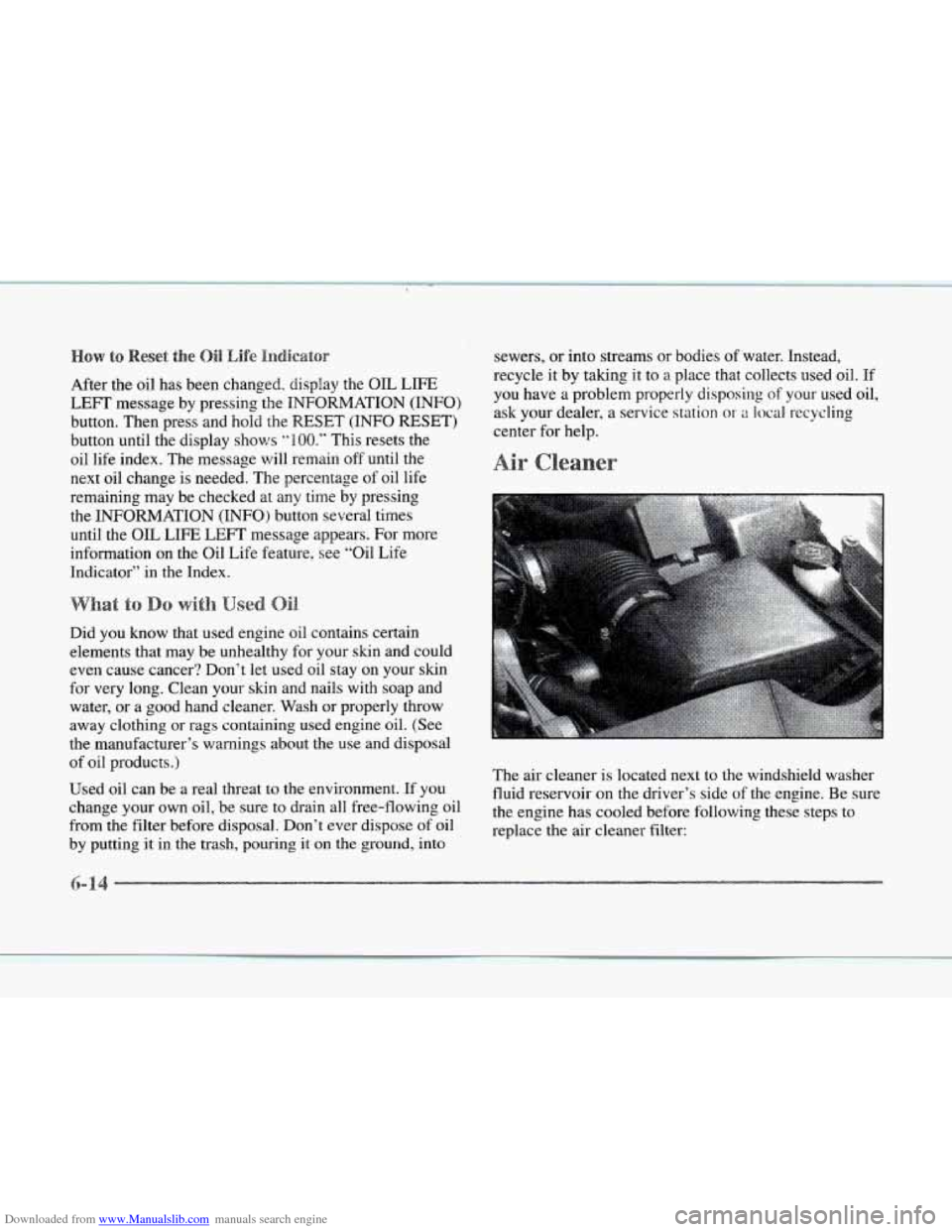
The air cleaner is located next to the windshield washer
fluid reservoir on the driver’s side of the engine. Be sure
the engine has cooled before following these steps
to
replace the air cleaner filter: