light CADILLAC SEVILLE 2003 5.G Owner's Guide
[x] Cancel search | Manufacturer: CADILLAC, Model Year: 2003, Model line: SEVILLE, Model: CADILLAC SEVILLE 2003 5.GPages: 408, PDF Size: 2.72 MB
Page 125 of 408
Cruise Control
With cruise control, you can maintain a speed of about
25 mph (40 km/h) or more without keeping your foot
on the accelerator. This is helpful on long trips. Cruise
control does not work at speeds below about 25 mph
(40 km/h). When cruise control is on, you will see
a CRUISE light on the instrument panel cluster.
When you apply your brakes, the cruise control
shuts off.
{CAUTION:
·Cruise control can be dangerous where
you can not drive safely at a steady speed.
So, do not use your cruise control on
winding roads or in heavy traffic.
CAUTION: (Continued)
CAUTION: (Continued)
·
Cruise control can be dangerous on
slippery roads. On such roads, fast
changes in tire traction can cause needless
wheel spinning, and you could lose control.
Do not use cruise control on slippery roads.
If your vehicle is in cruise control when the traction
control system begins to limit wheel spin, the cruise
control will automatically disengage. See
Traction
Control System (TCS) on page 4-9. When road
conditions allow you to safely use it again, you may turn
the cruise control back on.
3-13
Page 126 of 408
Setting Cruise Control
{CAUTION:
If you leave your cruise control on when you
are not using cruise, you might hit a button
and go into cruise when you do not want to.
You could be startled and even lose control.
Keep the cruise control switch off until you
want to use cruise control.
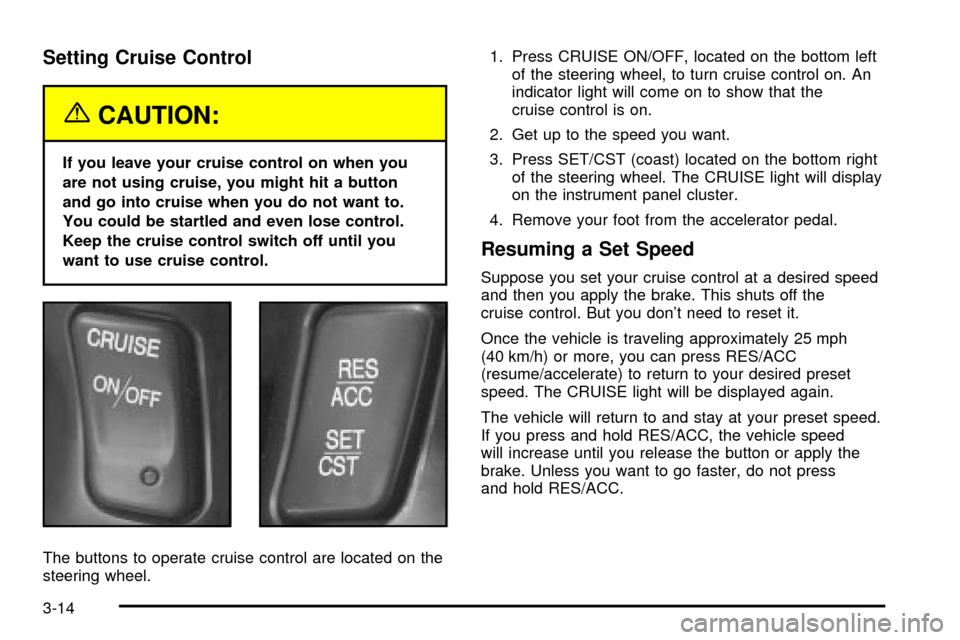
The buttons to operate cruise control are located on the
steering wheel.1. Press CRUISE ON/OFF, located on the bottom left
of the steering wheel, to turn cruise control on. An
indicator light will come on to show that the
cruise control is on.
2. Get up to the speed you want.
3. Press SET/CST (coast) located on the bottom right
of the steering wheel. The CRUISE light will display
on the instrument panel cluster.
4. Remove your foot from the accelerator pedal.
Resuming a Set Speed
Suppose you set your cruise control at a desired speed
and then you apply the brake. This shuts off the
cruise control. But you don't need to reset it.
Once the vehicle is traveling approximately 25 mph
(40 km/h) or more, you can press RES/ACC
(resume/accelerate) to return to your desired preset
speed. The CRUISE light will be displayed again.
The vehicle will return to and stay at your preset speed.
If you press and hold RES/ACC, the vehicle speed
will increase until you release the button or apply the
brake. Unless you want to go faster, do not press
and hold RES/ACC.
3-14
Page 127 of 408

Increasing Speed While Using Cruise
Control
There are two ways to go to a higher speed:
·Use the accelerator pedal to get to the higher
speed. Press SET/CST, then release it and
the accelerator pedal. You will now cruise at the
higher speed.
·Press RES/ACC. Hold it there until you get up to
the speed that you want, and then release it. To
increase your speed in very small amounts, brie¯y
press RES/ACC and then release it. Each time
you do this, your vehicle will speed up
approximately 1 mph (1.6 km/h) faster.
The accelerate feature will only work after you have set
the cruise control speed by pressing SET/CST.
Reducing Speed While Using Cruise
Control
There are two ways to reduce your speed while using
cruise control:
·Press SET/CST until you reach the lower speed
you want, then release it.
·To slow down in very small amounts, press
SET/CST brie¯y. Each time you do this, the vehicle
will slow down approximately 1 mph (1.6 km/h).
Passing Another Vehicle While Using
Cruise Control
Use the accelerator pedal to increase your speed.
When you take your foot off the pedal, your vehicle will
slow down to the cruise control speed you set earlier.
Using Cruise Control on Hills
How well your cruise control will work on hills depends
upon your speed, load and the steepness of the
hills. When going up steep hills, you may have to step
on the accelerator pedal to maintain your speed.
When going downhill, you may have to brake or shift to
a lower gear to keep your speed down. Applying the
brake or shifting into a lower gear will take you out
of cruise control. If you need to apply the brake or shift
to a lower gear due to the grade of the downhill
slope, you may not want to attempt to use your cruise
control feature.
Ending Cruise Control
To turn off the cruise control, step lightly on the brake
pedal or press CRUISE ON/OFF on the steering wheel.
Erasing Speed Memory
When you turn off the cruise control or the ignition, your
cruise control set speed memory is erased.
3-15
Page 128 of 408
Exterior Lamps
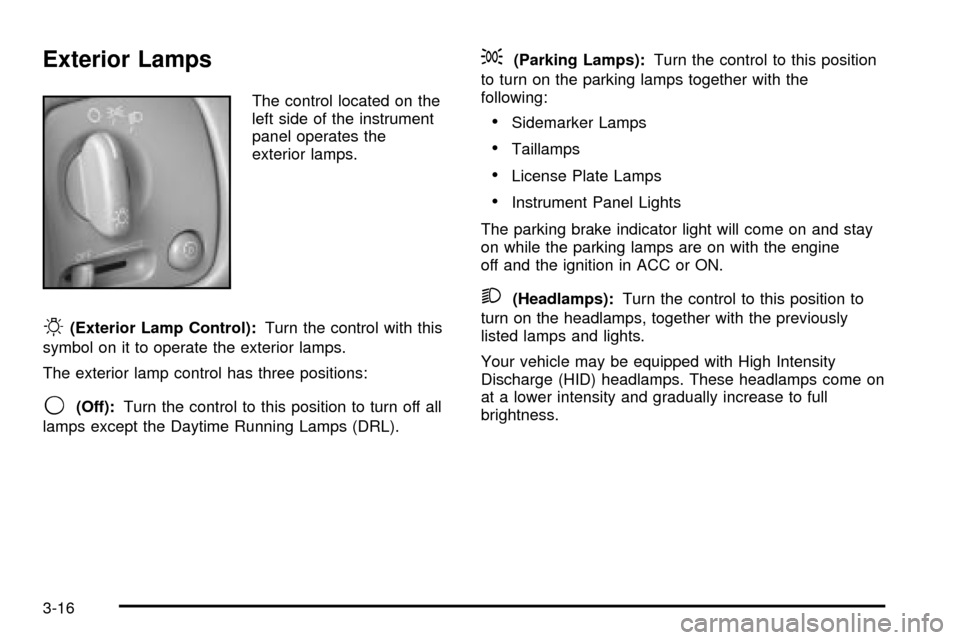
The control located on the
left side of the instrument
panel operates the
exterior lamps.
O(Exterior Lamp Control):Turn the control with this
symbol on it to operate the exterior lamps.
The exterior lamp control has three positions:
9(Off):Turn the control to this position to turn off all
lamps except the Daytime Running Lamps (DRL).
;(Parking Lamps):Turn the control to this position
to turn on the parking lamps together with the
following:
·Sidemarker Lamps
·Taillamps
·License Plate Lamps
·Instrument Panel Lights
The parking brake indicator light will come on and stay
on while the parking lamps are on with the engine
off and the ignition in ACC or ON.
2(Headlamps):Turn the control to this position to
turn on the headlamps, together with the previously
listed lamps and lights.
Your vehicle may be equipped with High Intensity
Discharge (HID) headlamps. These headlamps come on
at a lower intensity and gradually increase to full
brightness.
3-16
Page 129 of 408

Wiper-Activated Headlamps
This feature activates the headlamps and parking lamps
after the windshield wipers have been in use for
about six seconds. To operate, the Twilight Sentinel
ž
feature must be turned on.
When the exterior lamp control is in the off or parking
lamp position and the wiper control is on INT, LO or HI,
the HEADLAMPS SUGGESTED message will appear
on the Driver Information Center (DIC).
When the ignition is turned to OFF, the wiper-activated
headlamps will immediately turn off. The wiper-activated
headlamps will also turn off if the Twilight Sentinel
ž
or the windshield wipers are turned off.
Lamps On Reminder
A warning chime will sound if the exterior lamp control
is left on in either the headlamp or parking lamp position
and the driver's door is opened with the ignition off.
Daytime Running Lamps
Daytime Running Lamps (DRL) can make it easier for
others to see the front of your vehicle during the
day. DRL can be helpful in many different driving
conditions, but they can be especially helpful in the short
periods after dawn and before sunset. Fully functional
daytime running lamps are required on all vehicles
®rst sold in Canada.
The DRL system will make the high-beam headlamps
come on at reduced brightness when the following
conditions are met:
·It is still daylight and the ignition is on,
·the exterior lamp control is in the off position and
·the transaxle is not in PARK (P).
When DRL are on, only your high-beam headlamps (at
reduced brightness) will be on. No other exterior
lamps such as the parking lamps, taillamps, etc. will be
on when the DRL are being used. Your instrument
panel won't be lit up either.
When the Twilight Sentinel
žlever is on and it's dark
enough outside, the high-beam headlamps (at reduced
intensity) will turn off and normal low-beam headlamp
operation will occur.
3-17
Page 130 of 408

When the Twilight Sentinelžlever is on and it's bright
enough outside, the regular lamps will go off, and
the high-beam headlamps at reduced brightness will
take over. If you start your vehicle in a dark garage, the
automatic headlamp system will come on immediately.
Once you leave the garage, it will take approximately
one minute for the automatic headlamp system to
change to DRL if it is light outside. During that delay,
your instrument panel cluster may not be as bright
as usual. Make sure your instrument panel brightness
knob is in the full bright position. See ªInstrument Panel
Brightnessº under
Interior Lamps on page 3-21.
If it's dark enough outside and the Twilight Sentinel
ž
lever is off, a HEADLAMPS SUGGESTED message will
display on the Driver's Information Center (DIC). This
message informs the driver that turning on the exterior
lamps is recommended even though the DRL are
still illuminated. Turning on the Twilight Sentinel
žor the
headlamps will deactivate the DRL and remove the
HEADLAMPS SUGGESTED message. If the parking
lamps or the fog lamps were turned on instead, the DRL
will still deactivate and the HEADLAMPS SUGGESTED
message will continue to be displayed.
To idle your vehicle with the DRL off at night, turn off
the Twilight Sentinel
žand shift the transaxle into
PARK (P). Placing your vehicle in PARK (P) disables
the DRL. The DRL will stay off until you shift out
of PARK (P).To drive your vehicle with the DRL off, turn off the
Twilight Sentinel
žand manually turn on the parking
lamps or fog lamps.
As with any vehicle, you should turn on the regular
headlamp system when you need it.
Fog Lamps
Use the fog lamps for better vision in foggy or misty
conditions.
-(Fog Lamps):Press the button with this symbol on
it, located next to the exterior lamp control, to turn the
fog lamps on.
When the ignition is on and you press the fog lamp
button, a small indicator light in the fog lamp button, the
LIGHTS ON and fog lamp indicator lights on the
instrument panel cluster will come on to indicate that the
fog and the parking lamps are on.
Press the fog lamp button again to turn off the
fog lamps.
If you turn on the high-beam headlamps, the fog lamps
will turn off. They'll turn back on again when you
switch to low-beam headlamps.
When the Twilight Sentinel
žis on and the fog lamps are
turned on, the fog lamps, headlamps and parking
lamps will remain on.
The ignition must be on for the fog lamps to operate.
3-18
Page 131 of 408
Cornering Lamps
The cornering lamps come on when the headlamps or
parking lamps are on and you signal a turn with the
multifunction lever. They provide more light for
cornering.
Twilight Sentinelž
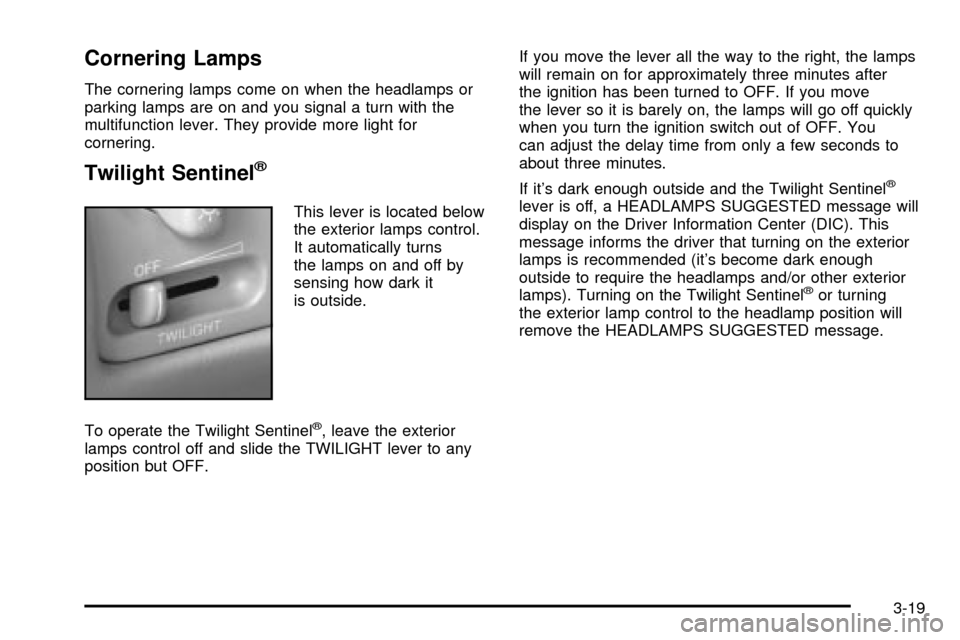
This lever is located below
the exterior lamps control.
It automatically turns
the lamps on and off by
sensing how dark it
is outside.
To operate the Twilight Sentinel
ž, leave the exterior
lamps control off and slide the TWILIGHT lever to any
position but OFF.If you move the lever all the way to the right, the lamps
will remain on for approximately three minutes after
the ignition has been turned to OFF. If you move
the lever so it is barely on, the lamps will go off quickly
when you turn the ignition switch out of OFF. You
can adjust the delay time from only a few seconds to
about three minutes.
If it's dark enough outside and the Twilight Sentinel
ž
lever is off, a HEADLAMPS SUGGESTED message will
display on the Driver Information Center (DIC). This
message informs the driver that turning on the exterior
lamps is recommended (it's become dark enough
outside to require the headlamps and/or other exterior
lamps). Turning on the Twilight Sentinel
žor turning
the exterior lamp control to the headlamp position will
remove the HEADLAMPS SUGGESTED message.
3-19
Page 132 of 408
Light Sensor
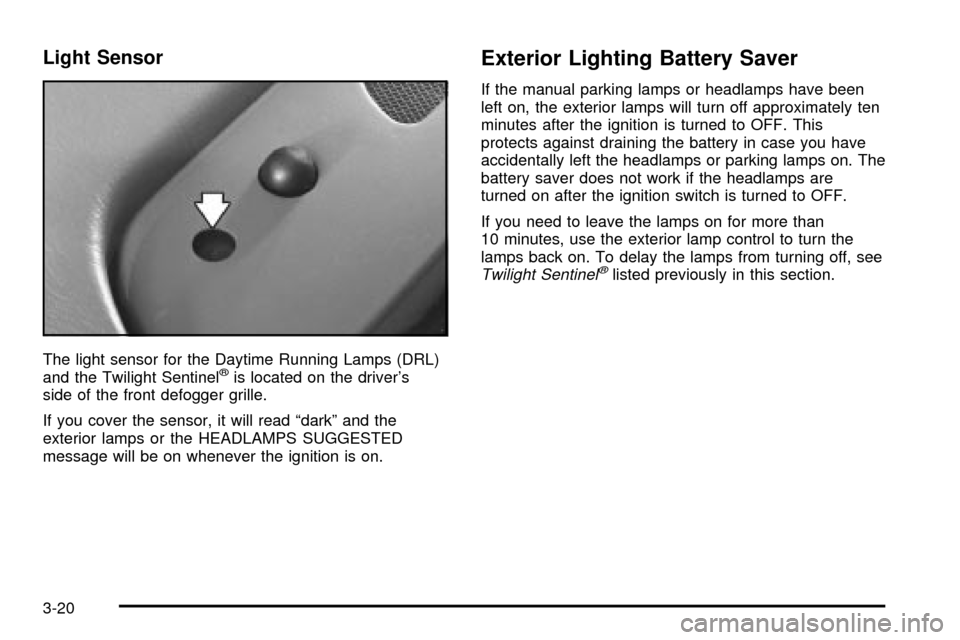
The light sensor for the Daytime Running Lamps (DRL)
and the Twilight Sentinelžis located on the driver's
side of the front defogger grille.
If you cover the sensor, it will read ªdarkº and the
exterior lamps or the HEADLAMPS SUGGESTED
message will be on whenever the ignition is on.
Exterior Lighting Battery Saver
If the manual parking lamps or headlamps have been
left on, the exterior lamps will turn off approximately ten
minutes after the ignition is turned to OFF. This
protects against draining the battery in case you have
accidentally left the headlamps or parking lamps on. The
battery saver does not work if the headlamps are
turned on after the ignition switch is turned to OFF.
If you need to leave the lamps on for more than
10 minutes, use the exterior lamp control to turn the
lamps back on. To delay the lamps from turning off, see
Twilight Sentinelžlisted previously in this section.
3-20
Page 133 of 408
Interior Lamps
Instrument Panel Brightness
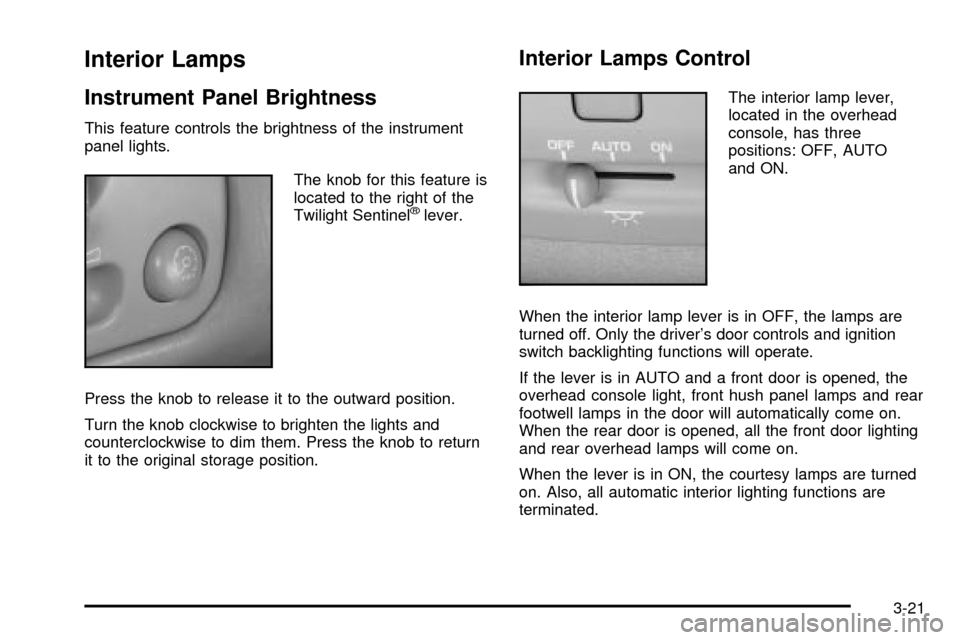
This feature controls the brightness of the instrument
panel lights.
The knob for this feature is
located to the right of the
Twilight Sentinel
žlever.
Press the knob to release it to the outward position.
Turn the knob clockwise to brighten the lights and
counterclockwise to dim them. Press the knob to return
it to the original storage position.
Interior Lamps Control
The interior lamp lever,
located in the overhead
console, has three
positions: OFF, AUTO
and ON.
When the interior lamp lever is in OFF, the lamps are
turned off. Only the driver's door controls and ignition
switch backlighting functions will operate.
If the lever is in AUTO and a front door is opened, the
overhead console light, front hush panel lamps and rear
footwell lamps in the door will automatically come on.
When the rear door is opened, all the front door lighting
and rear overhead lamps will come on.
When the lever is in ON, the courtesy lamps are turned
on. Also, all automatic interior lighting functions are
terminated.
3-21
Page 134 of 408

Entry Lighting
The entry lighting system automatically turns on the
courtesy lamps and the backlighting to the door switches
and to the exterior lamp control when a door is opened
or if you press the remote keyless entry transmitter
unlock button. If activated due to the transmitter,
the lighting will remain active for about 40 seconds.
Since the entry lighting system uses the light sensor, it
must be dark outside in order for the courtesy lamps
to turn on. The courtesy lamps turn off approximately
25 seconds after the last door is closed. They will dim to
off if the ignition key is placed in ON, or immediately
deactivate if the power locks are activated.
Parade Dimming
This feature prohibits dimming of the digital displays and
backlighting during daylight hours when the key is in
the ignition and the headlamps are on. This feature
operates with the light sensor for the Twilight
Sentinel
žand is fully automatic. When the light sensor
reads darkness outside and the parking lamps are
active, the digital displays can be adjusted by turning
the instrument panel brightness knob counterclockwise
to dim and clockwise to brighten lighting.
Reading Lamps
The front reading lamps are located in the overhead
console. These lamps and the interior courtesy lamps
come on when a door is opened and it is dark outside.
The rear reading lamps will not come on when a
front door is opened.
The rear courtesy lamps are located on the rear
headliner above the rear seat outboard positions. When
a rear door is opened, both the front and rear reading
lamps come on with the courtesy lamps.
Press the button near each lamp to turn it on and off.
If the reading lamps are left on, they automatically shut
off 10 minutes after the ignition has been turned off.
3-22