ESP CADILLAC SEVILLE 2003 5.G Owners Manual
[x] Cancel search | Manufacturer: CADILLAC, Model Year: 2003, Model line: SEVILLE, Model: CADILLAC SEVILLE 2003 5.GPages: 408, PDF Size: 2.72 MB
Page 16 of 408
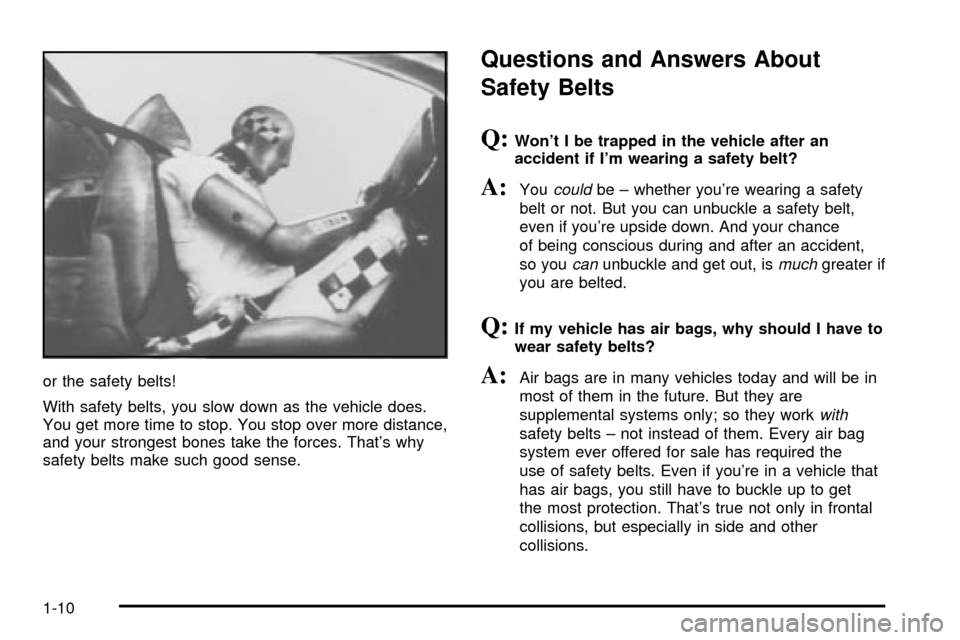
or the safety belts!
With safety belts, you slow down as the vehicle does.
You get more time to stop. You stop over more distance,
and your strongest bones take the forces. That's why
safety belts make such good sense.
Questions and Answers About
Safety Belts
Q:Won't I be trapped in the vehicle after an
accident if I'm wearing a safety belt?
A:Youcouldbe ± whether you're wearing a safety
belt or not. But you can unbuckle a safety belt,
even if you're upside down. And your chance
of being conscious during and after an accident,
so you
canunbuckle and get out, ismuchgreater if
you are belted.
Q:If my vehicle has air bags, why should I have to
wear safety belts?
A:Air bags are in many vehicles today and will be in
most of them in the future. But they are
supplemental systems only; so they work
with
safety belts ± not instead of them. Every air bag
system ever offered for sale has required the
use of safety belts. Even if you're in a vehicle that
has air bags, you still have to buckle up to get
the most protection. That's true not only in frontal
collisions, but especially in side and other
collisions.
1-10
Page 69 of 408
Doors and Locks
Door Locks
{CAUTION:
Unlocked doors can be dangerous.
·Passengers Ð especially children Ð can
easily open the doors and fall out of a
moving vehicle. When a door is locked, the
handle will not open it. You increase the
chance of being thrown out of the vehicle
in a crash if the doors are not locked. So,
wear safety belts properly and lock the
doors whenever you drive.
·Young children who get into unlocked
vehicles may be unable to get out. A child
can be overcome by extreme heat and can
suffer permanent injuries or even death
from heat stroke. Always lock your vehicle
whenever you leave it.
·Outsiders can easily enter through an
unlocked door when you slow down or
stop your vehicle. Locking your doors can
help prevent this from happening.There are several ways to lock and unlock your vehicle.
Because your vehicle has the theft-deterrent system,
you must unlock the doors with the key or remote
keyless entry transmitter to avoid setting off the alarm.
From the outside, use either the key or the remote
keyless entry transmitter.
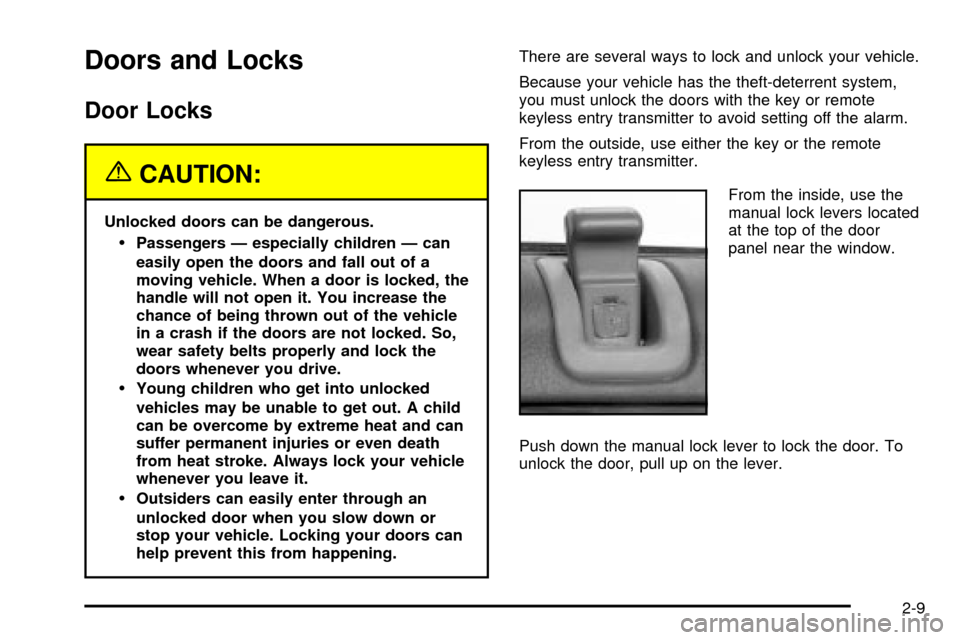
From the inside, use the
manual lock levers located
at the top of the door
panel near the window.
Push down the manual lock lever to lock the door. To
unlock the door, pull up on the lever.
2-9
Page 75 of 408
Windows
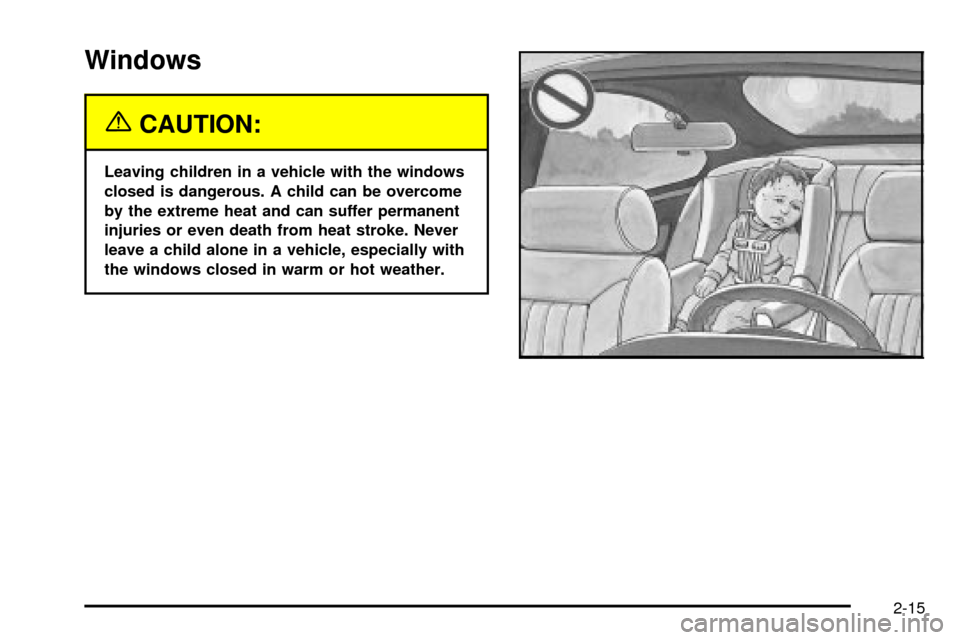
{CAUTION:
Leaving children in a vehicle with the windows
closed is dangerous. A child can be overcome
by the extreme heat and can suffer permanent
injuries or even death from heat stroke. Never
leave a child alone in a vehicle, especially with
the windows closed in warm or hot weather.
2-15
Page 79 of 408

Theft-Deterrent Systems
Vehicle theft is a big business, especially in some cities.
Although your vehicle has a number of theft-deterrent
features, we know that nothing we put on it can make it
impossible to steal.
The SECURITY light is
located on the instrument
panel cluster.
If the ignition is off and any door is open, the SECURITY
light will ¯ash, reminding you to arm the system.
To arm the system, do the following:
1. Open the door.
2. Lock the door using the power door lock switch with
the door open or the remote keyless entry
transmitter. The SECURITY light should come on
and stay on.
3. Close all the doors. The SECURITY light should go
off within approximately 30 seconds.If a door or a trunk is opened without a key or a remote
keyless entry transmitter, the horn will sound and the
lamps will ¯ash for about 30 seconds.
Remember, the theft-deterrent system won't arm if you
lock the doors with a key or use the manual door
lock. It activates only if you use a power door lock with
the door open or the remote keyless entry transmitter.
To avoid activating the alarm by accident do the
following:
·The vehicle should be locked with the door key or
the manual door lock after the doors are closed if
you don't want to arm the theft-deterrent system.
·Always unlock a door with a key or use the remote
keyless entry transmitter. Pressing the unlock
button on the remote keyless entry transmitter
disables the theft-deterrent system. Unlocking a
door any other way will activate the alarm when a
door or the trunk is opened.
If you activate the alarm by accident, unlock the driver's
door with your key. You can also turn off the alarm
by using the unlock button on the remote keyless entry
transmitter, or by starting the car with a valid key.
Changes or modi®cations made to this system by other
than an authorized service facility could void
authorization to use the theft system.
2-19
Page 111 of 408
Vehicle Personalization
Memory Seat, Mirrors and Steering
Wheel
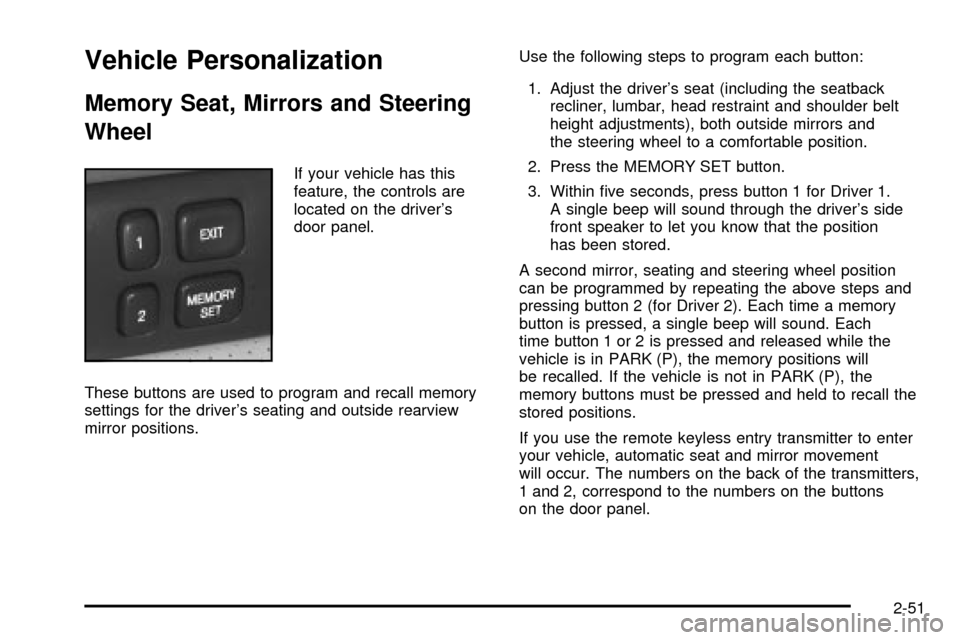
If your vehicle has this
feature, the controls are
located on the driver's
door panel.
These buttons are used to program and recall memory
settings for the driver's seating and outside rearview
mirror positions.Use the following steps to program each button:
1. Adjust the driver's seat (including the seatback
recliner, lumbar, head restraint and shoulder belt
height adjustments), both outside mirrors and
the steering wheel to a comfortable position.
2. Press the MEMORY SET button.
3. Within ®ve seconds, press button 1 for Driver 1.
A single beep will sound through the driver's side
front speaker to let you know that the position
has been stored.
A second mirror, seating and steering wheel position
can be programmed by repeating the above steps and
pressing button 2 (for Driver 2). Each time a memory
button is pressed, a single beep will sound. Each
time button 1 or 2 is pressed and released while the
vehicle is in PARK (P), the memory positions will
be recalled. If the vehicle is not in PARK (P), the
memory buttons must be pressed and held to recall the
stored positions.
If you use the remote keyless entry transmitter to enter
your vehicle, automatic seat and mirror movement
will occur. The numbers on the back of the transmitters,
1 and 2, correspond to the numbers on the buttons
on the door panel.
2-51
Page 129 of 408

Wiper-Activated Headlamps
This feature activates the headlamps and parking lamps
after the windshield wipers have been in use for
about six seconds. To operate, the Twilight Sentinel
ž
feature must be turned on.
When the exterior lamp control is in the off or parking
lamp position and the wiper control is on INT, LO or HI,
the HEADLAMPS SUGGESTED message will appear
on the Driver Information Center (DIC).
When the ignition is turned to OFF, the wiper-activated
headlamps will immediately turn off. The wiper-activated
headlamps will also turn off if the Twilight Sentinel
ž
or the windshield wipers are turned off.
Lamps On Reminder
A warning chime will sound if the exterior lamp control
is left on in either the headlamp or parking lamp position
and the driver's door is opened with the ignition off.
Daytime Running Lamps
Daytime Running Lamps (DRL) can make it easier for
others to see the front of your vehicle during the
day. DRL can be helpful in many different driving
conditions, but they can be especially helpful in the short
periods after dawn and before sunset. Fully functional
daytime running lamps are required on all vehicles
®rst sold in Canada.
The DRL system will make the high-beam headlamps
come on at reduced brightness when the following
conditions are met:
·It is still daylight and the ignition is on,
·the exterior lamp control is in the off position and
·the transaxle is not in PARK (P).
When DRL are on, only your high-beam headlamps (at
reduced brightness) will be on. No other exterior
lamps such as the parking lamps, taillamps, etc. will be
on when the DRL are being used. Your instrument
panel won't be lit up either.
When the Twilight Sentinel
žlever is on and it's dark
enough outside, the high-beam headlamps (at reduced
intensity) will turn off and normal low-beam headlamp
operation will occur.
3-17
Page 148 of 408

Climate Controls Personalization
If your vehicle is equipped with this feature, you
can store and recall climate control settings for the
temperature, the fan speed and the direction of
the air¯ow.
Memory buttons 1 and 2 are located on the driver's door
panel and correspond to the numbers 1 or 2 found on
the back of each remote keyless entry transmitter.
To recall the climate control settings last stored on your
transmitter, press the unlock button on your remote
keyless entry transmitter and put the ignition in ACC or
ON. The settings will be recalled.
To change the stored settings, do the following:
1. Select the desired temperature, fan speed and
air¯ow mode. If desired, a separate temperature
setting may also be selected for the front seat
passenger. For information on how to do this, see
Dual Climate Control System on page 3-28.2. Locate memory buttons 1 and 2 on the driver's
door panel.
3. Press the memory button on the door panel that
corresponds to the number on the back of the
transmitter you are programming, until you hear two
beeps. The beeps con®rm that your selection has
been saved and can now be recalled. For more
information on the memory feature, see
Memory
Seat, Mirrors and Steering Wheel on page 2-51.
Follow these steps each time you want to change the
stored settings.
3-36
Page 164 of 408

Fuel Gage
The fuel gage shows approximately how much fuel is in
the tank. It works only when the ignition is in ON.
If the fuel supply gets down to approximately three
gallons (11.4 L) of fuel remaining in the tank, the FUEL
LEVEL LOW message will appear on the Driver
Information Center (DIC) and a single chime will sound.Here are a few concerns some owners have had about
the fuel gage. All of these situations are normal and
do not indicate that anything is wrong with the fuel gage:
·At the gas station the gas pump shuts off before
the gage reads full.
·GAL FUEL USED on the DIC does not correspond
exactly to the amount of fuel remaining as shown
on the fuel gage.
·The gage may change when you turn, stop quickly
or accelerate quickly.
United States
Canada
3-52
Page 214 of 408

Radio Personalization with Home
and Away Feature
If DRIVER 1 (HOME or AWAY) PRESETS or DRIVER 2
(HOME or AWAY) PRESETS appears in the display
when the radio is ®rst turned on, your vehicle is
equipped with this feature.
This feature allows the driver to return to the last used
audio source (radio, cassette, or CD) using the
remote keyless entry transmitter. This feature can also
store and recall AM and FM presets, volume, tone,
and the last selected radio station. The number on the
back of each transmitter (1 or 2) corresponds to
driver 1 or 2. If transmitter 1 is used to enter the vehicle,
the last used audio source and/or settings set by
driver 1 will be recalled. If transmitter 2 is used to enter
the vehicle, the last used audio source and/or settings
set by driver 2 will be recalled. The settings can also be
recalled by pressing the MEMORY seat buttons 1 or 2
located on the driver's door.
Your radio can store home and away presets. Home
and away presets allow you to use one set of preset
radio settings in the area where you live, and another set
when you go out of town. You will not need to
reprogram your presets every time you travel. With the
radio off and the time displayed, use fast forward
and reverse to select home or away presets. To selectthe away presets, press and hold FF for ®ve seconds
until you hear a beep. The next time the radio comes on,
the away presets will be active. To select the home
presets, press and hold RW for ®ve seconds until you
hear a beep. The next time the radio comes on,
the home presets will be active.
When battery power is removed and later applied, you
will not have to reset your home radio presets
because the radio remembers them. However, you will
have to reset your away radio presets.
Theft-Deterrent Feature
THEFTLOCKžis designed to discourage theft of your
radio. Your vehicle has a ªbuilt inº theft-deterrent feature
on each radio that is automatic ± there is no
programming required. The radio in your vehicle cannot
be used in any other vehicle. When the radio was
originally installed in your vehicle at the factory, it stored
the Vehicle Identi®cation Number (VIN). Each time
the ignition is turned on, the VIN is veri®ed. If the
vehicle's VIN does not match the VIN stored in the
radio, THEFTLOCK
žwill be activated and the audio
system will not play. If the radio is removed from your
vehicle, the original VIN in the radio can be used to trace
the radio back to your vehicle.
3-102
Page 215 of 408
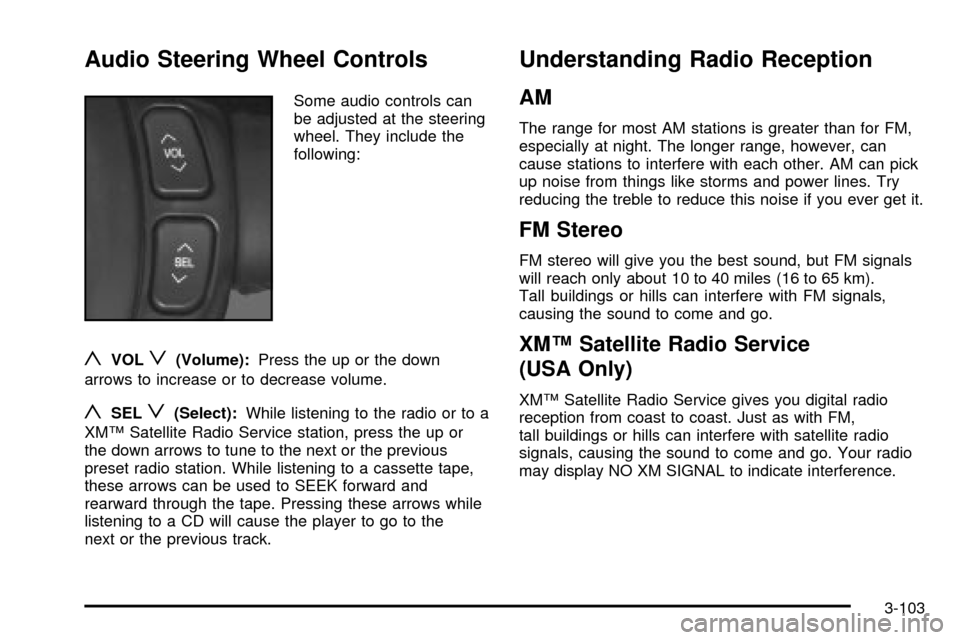
Audio Steering Wheel Controls
Some audio controls can
be adjusted at the steering
wheel. They include the
following:
yVOLz(Volume):Press the up or the down
arrows to increase or to decrease volume.
ySELz(Select):While listening to the radio or to a
XMŸ Satellite Radio Service station, press the up or
the down arrows to tune to the next or the previous
preset radio station. While listening to a cassette tape,
these arrows can be used to SEEK forward and
rearward through the tape. Pressing these arrows while
listening to a CD will cause the player to go to the
next or the previous track.
Understanding Radio Reception
AM
The range for most AM stations is greater than for FM,
especially at night. The longer range, however, can
cause stations to interfere with each other. AM can pick
up noise from things like storms and power lines. Try
reducing the treble to reduce this noise if you ever get it.
FM Stereo
FM stereo will give you the best sound, but FM signals
will reach only about 10 to 40 miles (16 to 65 km).
Tall buildings or hills can interfere with FM signals,
causing the sound to come and go.
XMŸ Satellite Radio Service
(USA Only)
XMŸ Satellite Radio Service gives you digital radio
reception from coast to coast. Just as with FM,
tall buildings or hills can interfere with satellite radio
signals, causing the sound to come and go. Your radio
may display NO XM SIGNAL to indicate interference.
3-103