battery CADILLAC SRX 2004 1.G User Guide
[x] Cancel search | Manufacturer: CADILLAC, Model Year: 2004, Model line: SRX, Model: CADILLAC SRX 2004 1.GPages: 468, PDF Size: 2.92 MB
Page 146 of 468
Accessory Power Outlets
Your vehicle is equipped with accessory power outlets.
The outlets can be used to plug in electrical equipment
such as a cellular telephone, CB radio, etc.
Your vehicle has one outlet in front of the center
console, one in the rear of the center console, one in
the rear compartment, and there may be an additional
outlet in the rear of the center console.
Your vehicle may have a small cap that must be
removed to access the accessory power outlet. If it
does, when not using the outlet be sure to cover it with
the protective cap.
Notice:Leaving electrical equipment on for
extended periods will drain the battery. Always turn
off electrical equipment when not in use and do
not plug in equipment that exceeds the maximum
amperage rating.Certain accessory power plugs may not be compatible
to the accessory power outlet and could result in
blown vehicle or adapter fuses. If you experience a
problem see your dealer for additional information on the
accessory power outlets.
Notice:Adding any electrical equipment to your
vehicle may damage it or keep other components
from working as they should. The repairs would not
be covered by your warranty. Check with your
dealer before adding electrical equipment.
Follow the proper installation instructions that are
included with any electrical equipment you install.
Notice:Improper use of the power outlet can cause
damage not covered by your warranty. Do not
hang any type of accessory or accessory bracket
from the plug because the power outlets are
designed for accessory power plugs only.
3-24
Page 162 of 468
{CAUTION:
If the air bag readiness light stays on after you
start your vehicle, it means the air bag system
may not be working properly. The air bags in
your vehicle may not inate in a crash, or they
could even inate without a crash. To help
avoid injury to yourself or others, have your
vehicle serviced right away if the air bag
readiness light stays on after you start your
vehicle.
The air bag readiness light should ash for a few
seconds when you turn the ignition key to ON. If the
light doesn’t come on then, have it xed so it will
be ready to warn you if there is a problem.
If there is a problem with the air bag system in your
vehicle, the Service Air Bag message will appear on the
DIC display. SeeDIC Warnings and Messages on
page 3-64for more information.
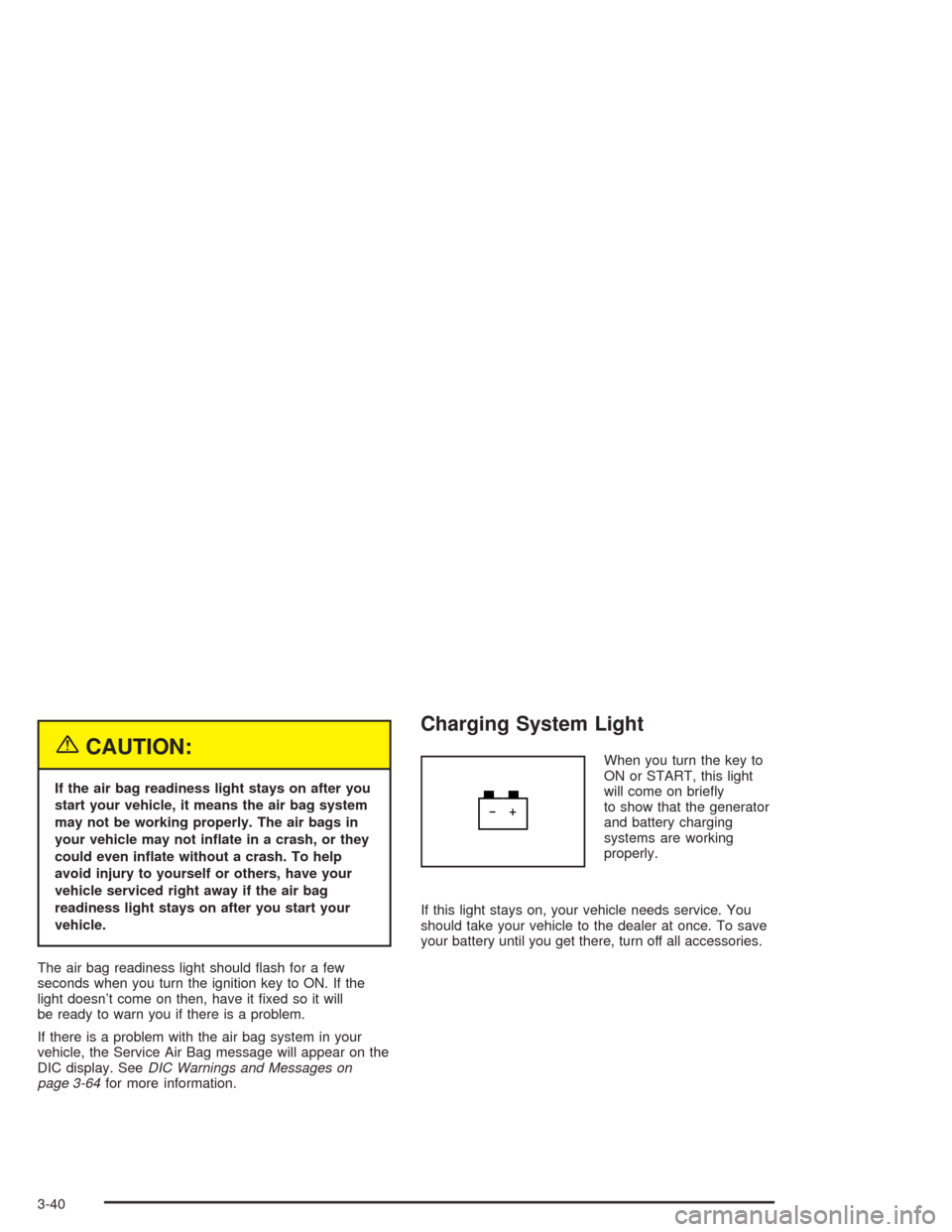
Charging System Light
When you turn the key to
ON or START, this light
will come on briey
to show that the generator
and battery charging
systems are working
properly.
If this light stays on, your vehicle needs service. You
should take your vehicle to the dealer at once. To save
your battery until you get there, turn off all accessories.
3-40
Page 169 of 468

Have you recently changed brands of fuel?
If so, be sure to fuel your vehicle with quality fuel.
SeeGasoline Octane on page 5-5. Poor fuel quality
will cause your engine not to run as efficiently as
designed. You may notice this as stalling after start-up,
stalling when you put the vehicle into gear, misring,
hesitation on acceleration or stumbling on acceleration.
(These conditions may go away once the engine is
warmed up.) This will be detected by the system and
cause the light to turn on.
If you experience one or more of these conditions,
change the fuel brand you use. It will require at least
one full tank of the proper fuel to turn the light off.
If none of the above steps have made the light turn off,
your dealer can check the vehicle. Your dealer has
the proper test equipment and diagnostic tools to x
any mechanical or electrical problems that may
have developed.Emissions Inspection and
Maintenance Programs
Some state/provincial and local governments have or
may begin programs to inspect the emission control
equipment on your vehicle. Failure to pass this
inspection could prevent you from getting a vehicle
registration.
Here are some things you need to know to help your
vehicle pass an inspection:
Your vehicle will not pass this inspection if the check
engine light is on or not working properly.
Your vehicle will not pass this inspection if the OBD
(on-board diagnostic) system determines that critical
emission control systems have not been completely
diagnosed by the system. The vehicle would be
considered not ready for inspection. This can happen
if you have recently replaced your battery or if your
battery has run down. The diagnostic system is
designed to evaluate critical emission control systems
during normal driving. This may take several days
of routine driving. If you have done this and your vehicle
still does not pass the inspection for lack of OBD
system readiness, your GM dealer can prepare the
vehicle for inspection.
3-47
Page 175 of 468

Status of Vehicle Systems
You can view the status of several vehicle systems
using the DIC. Depending upon whether or not
your vehicle has the Navigation system, the menu items
will vary slightly.
Vehicle Information Menu
(Base Audio System)
To access this menu using the Base audio system,
press the up or down arrow on the INFO switch located
to the right of the display.
The following items are available when the ignition is in
RUN. These items will not be available when the
ignition is in accessory. The tire pressure menu items
are only available if your vehicle has the Tire Pressure
Monitor (TPM) System:
OUTSIDE TEMP
MI TRIP A*
MI TRIP B*
MILES RANGE
MPG AVG*
MPG INST
GAL FUEL USED*
AVG MPH*
TIMER*
BATTERY VOLTS
ENGINE OIL LIFE*
TRANS FLUID LIFE*
PSI LF TIRE
PSI RF TIRE
PSI RR TIRE
PSI LR TIRE
BLANK LINE
*These items can be reset. Each one must be reset
individually. For a detailed description of the menu items
and how to reset them, see “Vehicle Information
Menu Item Descriptions” later in this section.
You can view any of these items at any time, but only
one item can be displayed at a time.
3-53
Page 176 of 468
Vehicle Information Menu
(Navigation System)
To access the Vehicle Info menu using the Navigation
system, press and hold the vehicle information button in
the upper right corner of the screen for three seconds.
You can also access this menu through the Main
Audio menu. See “Main Audio Menu” in the Index of the
SRX Entertainment and Navigation System owner’s
manual.
The following submenu appears when Vehicle Info is
selected. The tire pressure menu items are only
available if your vehicle has the Tire Pressure Monitor
(TPM) System:
Clock/Outside Air Temp
Trip Odometer A*
Trip Odometer B*
Fuel Range
Average Fuel Economy*
Instantaneous Fuel Economy
Fuel Used*
Average Vehicle Speed*
Timer*
Battery Voltage
Left Front Tire Pressure
Left Rear Tire Pressure
Right Front Tire Pressure
Right Rear Tire Pressure
Engine Oil Life*
Transmission Fluid Life*
*These items can be reset. Each one must be reset
individually. For a detailed description of the menu items
and how to reset them, see “Vehicle Information
Menu Item Descriptions” following.
You can view any of these submenu items at any time
by selecting them using the button next to the item.
The currently selected item is displayed at the top of the
screen. Only one item can be displayed at a time.
3-54
Page 180 of 468
BATTERY VOLTS/Battery Voltage:If you select this
item, the current battery voltage is displayed. If the
voltage is in the normal range, the display will have OK
after it. For example, the display may read 13.2 Battery
Volts OK.
If there is a problem with the battery charging system,
there are four possible DIC messages that may be
displayed. SeeDIC Warnings and Messages on
page 3-64for more information.
LF TIRE/Left Front Tire Pressure:If you select this
item, the driver’s side front tire pressure will be
displayed. If the tire pressure is low, LOW will be
displayed with this item. The pressure will be displayed
in PSI or KPA. If you wish to change the units on
the base system, seeDIC Main Menu on page 3-60.
If you wish to change the units on the Navigation
system, see “Main Audio Menu” in the SRX
Entertainment and Navigation System owner’s manual.
RF TIRE/Right Front Tire Pressure:If you select
this item, the passenger’s side front tire pressure will be
displayed. If the tire pressure is low, LOW will be
displayed with this item. The pressure will be displayed
in PSI or KPA. If you wish to change the units on
the base system, seeDIC Main Menu on page 3-60.If you wish to change the units on the Navigation
system, see “Main Audio Menu” in the SRX
Entertainment and Navigation System owner’s manual.
RR TIRE/Right Rear Tire Pressure:If you select
this item, the passenger’s side rear tire pressure will be
displayed. If the tire pressure is low, LOW will be
displayed with this item. The pressure will be displayed
in PSI or KPA. If you wish to change the units on
the base system, seeDIC Main Menu on page 3-60.
If you wish to change the units on the Navigation
system, see “Main Audio Menu” in the SRX
Entertainment and Navigation System owner’s manual.
LR TIRE/Left Rear Tire Pressure:If you select this
item, the driver’s side rear tire pressure will be
displayed. If the tire pressure is low, LOW will be
displayed with this item. The pressure will be displayed
in PSI or KPA. If you wish to change the units on
the base system, seeDIC Main Menu on page 3-60.
If you wish to change the units on the Navigation
system, see “Main Audio Menu” in the SRX
Entertainment and Navigation System owner’s manual.
3-58
Page 186 of 468

DIC Warnings and Messages
These messages will appear if there is a problem
sensed in one of your vehicle’s systems. The text
messages are the same for both the Base audio and
Navigation systems unless otherwise indicated.
You must acknowledge a message to clear it from the
screen for further use. To clear a message, do one
of the following:
Using the Base audio system, press CLR.
Using the Navigation system, Press the Ok button
on the screen.
Be sure to take any message that appears on the screen
seriously and remember that clearing the message will
only make the message disappear, not the problem.
Battery Saver Active
This message appears when the system detects that
the battery voltage is dropping beyond a reasonable
level. The battery saver system will start reducing certain
features of the vehicle that you may not be able to
notice. At the point that the features are disabled, this
message is displayed. It means that the vehicle is trying
to save the charge in the battery.
Turn off all unnecessary accessories to allow the battery
to recharge.The normal battery voltage range is 11.5 to 15.5 volts.
You can monitor battery voltage on the DIC by pressing
the INFO button until you nd BATTERY VOLTS
(Base audio system) or by selecting Battery Volts from
the Vehicle Information menu (Navigation system).
See “Vehicle Information menu” in the SRX
Entertainment and Navigation System owner’s manual
for more information.
Battery Voltage High
This message indicates that the electrical charging
system is overcharging the battery. When the system
detects that the battery voltage is above approximately
16 volts, this message will be displayed.
To reduce the charging overload, use the vehicle’s
accessories. Turn on the exterior lamps and radio, set the
climate control on AUTO and the fan speed on the
highest setting, and turn the rear window defogger on.
The normal battery voltage range is 11.5 to 15.5 volts
when the engine is running. You can monitor battery
voltage on the DIC by pressing the INFO button until you
nd BATTERY VOLTS (Base audio system) or by
selecting Battery Volts from the Vehicle Information
menu (Navigation system). See “Vehicle Information
menu” in the SRX Entertainment and Navigation System
owner’s manual for more information.
3-64
Page 187 of 468
Battery Voltage Low
This message will appear when the electrical system is
charging less than 10 volts or if the battery has been
drained.
If this message appears immediately after starting the
engine, it is possible that the generator can still recharge
the battery. The battery should recharge while driving but
may take a few hours to do so. Consider using an
auxiliary charger (be sure to follow the manufacturer’s
instructions) to boost the battery after returning home or
to a nal destination.
If this message appears while driving or after starting
your vehicle and stays on, have it checked immediately
to determine the cause of this problem.
To help the generator recharge the battery quickly,
you can reduce the load on the electrical system
by turning off the accessories.
The normal battery voltage range is 11.5 to 15.5 volts.
You can monitor battery voltage on the DIC by pressing
the INFO button until you nd BATTERY VOLTS
(Base audio system) or by selecting Battery Volts from
the Vehicle Information menu (Navigation system).
See “Vehicle Information menu” in the SRX
Entertainment and Navigation System owner’s manual
for more information.
Check Tire Pressure
This message indicates that one or more of the vehicle’s
tires are low. SeeStatus of Vehicle Systems on
page 3-53for information on checking your vehicle’s tire
pressures.
Check Oil Level
This message indicates that the oil level is low. See
Engine Oil on page 5-15for more information on
checking you engine oil.
Change Engine Oil
When this message comes on, it means that service is
required for your vehicle. SeeEngine Oil on page 5-15
andScheduled Maintenance on page 6-4for more
information.
When you reset the Change Engine Oil message by
clearing it from the display, you still must reset the
engine oil life monitor separately. For more information
on resetting the engine oil life monitor, seeEngine
Oil on page 5-15.
3-65
Page 219 of 468
Setting Preset Stations
The six numbered pushbuttons let you return to your
favorite stations. You can set up to 30 stations
(six FM1, six FM2, and six AM, six XM1 and six XM2
(48 contiguous US states, if equipped), by performing
the following steps:
To set your preset stations manually, perform the
following steps:
1. Turn the radio on.
2. Press BAND to select FM1, FM2, or AM,
or XM1 or XM2.
3. Tune in the desired station.
4. Press and hold one of the six numbered pushbuttons
for two seconds until you hear a beep. The set preset
station number will appear on the display above the
pushbutton that it is set to. Whenever you press that
numbered pushbutton for less than two seconds,
the station you set will return.
5. Repeat the steps for each pushbutton.
To set your preset stations with an equalization
setting, DSP setting, or a PTY setting, see each of
these features later in this section. When a preset
station is selected, once one of these additional
settings is selected, the preset station will remember
each setting and it will remain active, until the setting
is selected off for that preset station.AUTOSTORE PRESETS:To set your preset stations
automatically, perform the following steps:
1. Turn the radio on.
2. Press BAND to select FM1, FM2, or AM.
3. Press the TUNE/SEL knob to enter the main menu.
4. Turn the TUNE/SEL knob until AUTOSTORE
PRESETS appears on the display.
5. Press the TUNE/SEL knob to select. AUTOSTORE
will appear on the display. The radio will
automatically search the band and select and store
the six radio stations with the strongest signal.
The stations will be stored by signal strength, not
sequential order. The set preset station number will
appear on the display above the pushbutton that
it is set to. Whenever you press that numbered
pushbutton for less than two seconds, the station
that is set will return.
6. Press the CLR button to exit the display. To return
to the original display, repeatedly press the CLR
button or wait for the display to time out.
When battery power is removed and later applied,
you will not have to reset your radio presets because
they remain in the radios memory.
3-97
Page 233 of 468
Headphones
The RSE system includes two sets of wireless
headphones.
Each set of headphones has an ON/OFF control.
An indicator light will illuminate on the headphones when
they are on. If the light does not illuminate, the batteries
may need to be replaced. See “Battery Replacement”
later in this section for more information. To turn
the headphones OFF activate the ON/OFF control.
Each set of headphones has a volume knob. To adjust
the volume, adjust this knob.
The transmitters are located below the video display
screen. The headphones will shut off to save battery
power if they lose the signal from the system after about
four minutes. The signal may be lost if the system is
turned off or if the headphones are out of range of the
signal transmitters.
Notice:Do not store the headphones in heat or
direct sunlight. This could damage the headphones
and repairs would not be covered by your warranty.
Keep the headphones stored in a cool, dry place.
Battery Replacement
To change the batteries, do the following:
1. Loosen the screw on the battery compartment door
located on the left side of the headphone earpiece.
2. Replace the two AAA batteries in the compartment.
Make sure that they are installed correctly, using
the diagram on the inside of the battery
compartment.
3. Tighten the screws to close the compartment door.
If the headphones are to be stored for a long period
of time, remove the batteries and keep them in a cool,
dry place.
3-111