battery CADILLAC SRX 2004 1.G Owner's Manual
[x] Cancel search | Manufacturer: CADILLAC, Model Year: 2004, Model line: SRX, Model: CADILLAC SRX 2004 1.GPages: 468, PDF Size: 2.92 MB
Page 239 of 468

Region Code Error:This message will be
displayed if the region code of the DVD is not
compatible with the DVD player. The disc will be
automatically ejected from the DVD player.
No Disc:This message will be displayed if the
PLAY button is pressed and no disc is in the player.
Parental Control Button:This button is located on the
navigation system screen. Press this button while a
DVD or CD is playing to freeze the video and mute the
audio. The video screen will display Parental Control
ON and the power indicator light on the DVD player will
ash. It will also disable all other button operations
from the remote control and the DVD player, with the
exception of the eject button. The driver will then be able
to gain the attention of the rear seat passengers.
Press this button again to restore normal operation of
the DVD player.
This button may also be used to turn the DVD player
power on and automatically resume play if the vehicle is
in an enabled power mode.
Remote Control
To use the remote control, aim it at the transmitter
window above the video screen and press the desired
button. Direct sunlight or very bright light may affect
the ability of the RSE system to receive signals from the
remote control. If the remote control does not seem to
be working, the batteries may need to be replaced.
See “Battery Replacement” later in this section.
Objects blocking the line of sight may also affect the
function of the remote control.
Notice:Storing the remote control in a hot area or
in direct sunlight may damage it, and the repairs
would not be covered by your warranty. Keep
the remote control stored in a cool, dry place.
3-117
Page 242 of 468
Battery Replacement
To change the batteries, do the following:
1. Remove the battery compartment door located on
the bottom of the remote control.
2. Replace the two AA batteries in the compartment.
Make sure that they are installed correctly, using the
diagram on the inside of the battery compartment.
3. Close the battery door securely.
If the remote control is to be stored for a long period of
time, remove the batteries and keep them in a cool,
dry place.
Problem Recommended Action
No power. The ignition might not be
in on or accessory.
The parental control
button might have been
turned on. The power
indicator light will ash.
Disc will not play. The system might be off.
The parental control
button might have been
turned on. The power
indicator light will ash.
The system might be in
auxiliary source mode.
Press the MODE button
to switch between the
DVD player and the
auxiliary source.
The disc is upside down
or is not compatible.
3-120
Page 248 of 468
Cellular Phone Usage
Cellular phone usage may cause interference with your
vehicle’s radio. This interference may occur when
making or receiving phone calls, charging the phone’s
battery, or simply having the phone on. This interference
is an increased level of static while listening to the
radio. If static is received while listening to the radio,
unplug the cellular phone and turn it off.
Care of Your CDs and DVDs
Handle discs carefully. Store them in their original cases
or other protective cases and away from direct sunlight
and dust. If the surface of a disc is soiled, dampen
a clean, soft cloth in a mild, neutral detergent solution
and clean it, wiping from the center to the edge.
Be sure never to touch the side without writing when
handling discs. Pick up discs by grasping the outer
edges or the edge of the hole and the outer edge.
Care of Your CD and DVD Player
The use of CD lens cleaners for CDs is not advised, due
to the risk of contaminating the lens of the CD optics
with lubricants internal to the CD mechanism.
Diversity Antenna System
The AM-FM antenna is integrated with the rear quarter
glass windows, located in the rear of the vehicle on
the driver and passenger sides. Make sure that
the inside surface of the rear windows are not scratched
and that the grid lines on the glass are not damaged.
If the inside surface is damaged, it could interfere
with radio reception.
Notice:Do not apply aftermarket glass tinting with
metallic lm. The metallic lm in some tinting
materials will interfere with or distort the incoming
radio reception. Any damage caused to your
backglass antenna due to metallic tinting materials
will not be covered by your warranty.
3-126
Page 293 of 468
{CAUTION:
Snow can trap exhaust gases under your
vehicle. This can cause deadly CO (carbon
monoxide) gas to get inside. CO could
overcome you and kill you. You can not see it
or smell it, so you might not know it is in your
vehicle. Clear away snow from around the
base of your vehicle, especially any that is
blocking your exhaust pipe. And check around
again from time to time to be sure snow does
not collect there.
Open a window just a little on the side of the
vehicle that is away from the wind. This will
help keep CO out.Run your engine only as long as you must. This saves
fuel. When you run the engine, make it go a little
faster than just idle. That is, push the accelerator
slightly. This uses less fuel for the heat that you get
and it keeps the battery charged. You will need a
well-charged battery to restart the vehicle, and possibly
for signaling later on with your headlamps. Let the
heater run for a while.
Then, shut the engine off and close the window almost
all the way to preserve the heat. Start the engine
again and repeat this only when you feel really
uncomfortable from the cold. But do it as little as
possible. Preserve the fuel as long as you can.
To help keep warm, you can get out of the vehicle and
do some fairly vigorous exercises every half hour or
so until help comes.
4-43
Page 309 of 468

Service............................................................5-3
Doing Your Own Service Work.........................5-4
Adding Equipment to the Outside of Your
Vehicle......................................................5-5
Fuel................................................................5-5
Gasoline Octane............................................5-5
Gasoline Specications....................................5-6
California Fuel...............................................5-6
Additives.......................................................5-7
Fuels in Foreign Countries...............................5-7
Filling Your Tank............................................5-8
Filling a Portable Fuel Container.....................5-10
Checking Things Under the Hood....................5-10
Hood Release..............................................5-11
Engine Compartment Overview.......................5-12
Engine Oil...................................................5-15
Engine Air Cleaner/Filter................................5-22
Automatic Transmission Fluid.........................5-24
Engine Coolant.............................................5-25
Coolant Surge Tank Pressure Cap..................5-28
Engine Overheating.......................................5-28
Cooling System............................................5-31
Power Steering Fluid.....................................5-37
Windshield Washer Fluid................................5-38Brakes........................................................5-40
Battery........................................................5-43
Jump Starting...............................................5-44
All-Wheel Drive..............................................5-51
Rear Axle.......................................................5-52
Front Axle......................................................5-53
Bulb Replacement..........................................5-54
High Intensity Discharge (HID) Lighting............5-54
Halogen Bulbs..............................................5-54
Headlamps, Sidemarker, and Parking Lamps......5-55
Front Turn Signal and Fog Lamps...................5-56
Sidemarker Lamps........................................5-57
Center High-Mounted Stoplamp (CHMSL).........5-57
Taillamps, Turn Signal, Stoplamps and
Sidemarker Lamps.....................................5-57
Back-Up and License Plate Lamps..................5-57
Replacement Bulbs.......................................5-58
Windshield Wiper Blade Replacement..............5-59
Tires..............................................................5-61
Ination - Tire Pressure.................................5-68
Tire Pressure Monitor System.........................5-69
Tire Inspection and Rotation...........................5-71
When It Is Time for New Tires.......................5-72
Section 5 Service and Appearance Care
5-1
Page 321 of 468
A. Underhood Fuse Block. SeeFuses and Circuit
Breakers on page 5-103.
B. Windshield Washer Fluid Reservoir. SeeWindshield
Washer Fluid on page 5-38.
C. Battery. SeeBattery on page 5-43.
D. Power Steering Fluid Reservoir. SeePower Steering
Fluid on page 5-37.
E. Engine Oil Fill Cap. SeeEngine Oil on page 5-15.F. Engine Oil Dipstick. SeeEngine Oil on page 5-15.
G. Brake Master Cylinder Reservoir. SeeBrakes
on page 5-40.
H. Engine Coolant Surge Tank and Pressure Cap. See
Coolant Surge Tank Pressure Cap on page 5-28
andCooling System on page 5-31.
I. Engine Air Cleaner/Filter. SeeEngine Air
Cleaner/Filter on page 5-22.
5-13
Page 323 of 468
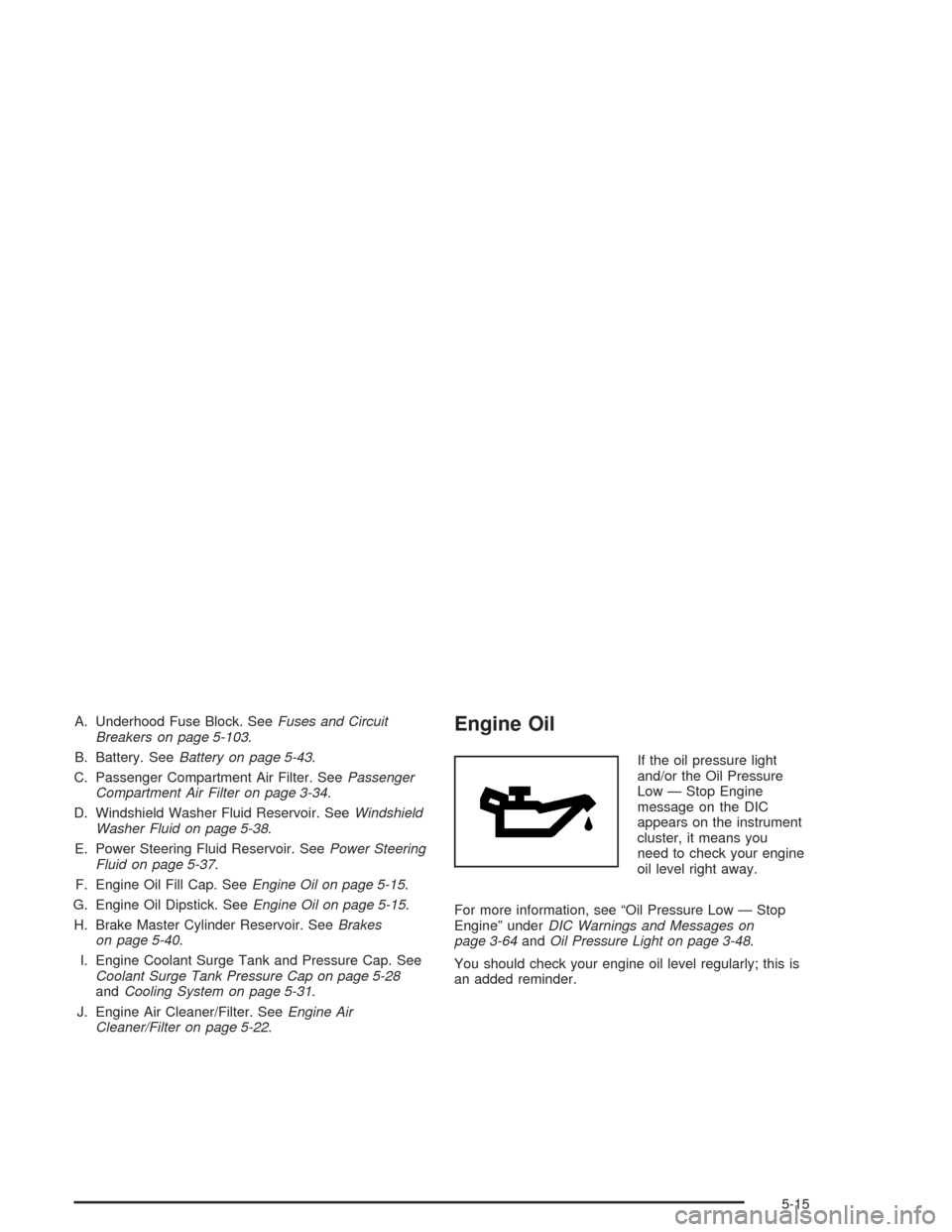
A. Underhood Fuse Block. SeeFuses and Circuit
Breakers on page 5-103.
B. Battery. SeeBattery on page 5-43.
C. Passenger Compartment Air Filter. SeePassenger
Compartment Air Filter on page 3-34.
D. Windshield Washer Fluid Reservoir. SeeWindshield
Washer Fluid on page 5-38.
E. Power Steering Fluid Reservoir. SeePower Steering
Fluid on page 5-37.
F. Engine Oil Fill Cap. SeeEngine Oil on page 5-15.
G. Engine Oil Dipstick. SeeEngine Oil on page 5-15.
H. Brake Master Cylinder Reservoir. SeeBrakes
on page 5-40.
I. Engine Coolant Surge Tank and Pressure Cap. See
Coolant Surge Tank Pressure Cap on page 5-28
andCooling System on page 5-31.
J. Engine Air Cleaner/Filter. SeeEngine Air
Cleaner/Filter on page 5-22.Engine Oil
If the oil pressure light
and/or the Oil Pressure
Low — Stop Engine
message on the DIC
appears on the instrument
cluster, it means you
need to check your engine
oil level right away.
For more information, see “Oil Pressure Low — Stop
Engine” underDIC Warnings and Messages on
page 3-64andOil Pressure Light on page 3-48.
You should check your engine oil level regularly; this is
an added reminder.
5-15
Page 351 of 468
Brake Pedal Travel
See your dealer if the brake pedal does not return to
normal height, or if there is a rapid increase in
pedal travel. This could be a sign of brake trouble.
Brake Adjustment
Every time you make a brake stop, your disc brakes
adjust for wear.
Replacing Brake System Parts
The braking system on a vehicle is complex. Its many
parts have to be of top quality and work well together if
the vehicle is to have really good braking. Your
vehicle was designed and tested with top-quality GM
brake parts. When you replace parts of your braking
system — for example, when your brake linings
wear down and you need new ones put in — be sure
you get new approved GM replacement parts. If you do
not, your brakes may no longer work properly. For
example, if someone puts in brake linings that are wrong
for your vehicle, the balance between your front and
rear brakes can change — for the worse. The braking
performance you have come to expect can change
in many other ways if someone puts in the wrong
replacement brake parts.
Battery
Your new vehicle comes with a maintenance free
ACDelco®battery. When it is time for a new battery, get
one that has the replacement number shown on the
original battery’s label. We recommend an ACDelco
®
battery. SeeEngine Compartment Overview on
page 5-12for battery location.
Warning:Battery posts, terminals and related
accessories contain lead and lead compounds,
chemicals known to the State of California to cause
cancer and reproductive harm. Wash hands after
handling.
5-43
Page 352 of 468
Vehicle Storage
If you are not going to drive your vehicle for 25 days
or more, remove the black, negative (−) cable from
the battery. This will help keep your battery from
running down.
{CAUTION:
Batteries have acid that can burn you and gas
that can explode. You can be badly hurt if you
are not careful. SeeJump Starting on
page 5-44for tips on working around a battery
without getting hurt.
Contact your dealer to learn how to prepare your
vehicle for longer storage periods.
Also, for your audio system, seeTheft-Deterrent
Feature on page 3-123.
Jump Starting
If your battery has run down, you may want to use
another vehicle and some jumper cables to start your
vehicle. Be sure to follow the steps below to do it safely.
{CAUTION:
Batteries can hurt you. They can be dangerous
because:
They contain acid that can burn you.
They contain gas that can explode
or ignite.
They contain enough electricity to
burn you.
If you do not follow these steps exactly, some
or all of these things can hurt you.
5-44
Page 353 of 468
Notice:Ignoring these steps could result in costly
damage to your vehicle that would not be covered
by your warranty.
Trying to start your vehicle by pushing or pulling it
will not work, and it could damage your vehicle.
1. Check the other vehicle. It must have a 12-volt
battery with a negative ground system.
Notice:If the other vehicle’s system is not a 12-volt
system with a negative ground, both vehicles can
be damaged. Only use vehicles with 12-volt systems
with negative grounds to jump start your vehicle.
2. Get the vehicles close enough so the jumper cables
can reach, but be sure the vehicles aren’t touching
each other. If they are, it could cause a ground
connection you don’t want. You wouldn’t be able to
start your vehicle and the bad grounding could
damage the electrical systems.To avoid the possibility of the vehicles rolling, set
the parking brake rmly on both vehicles involved in
the jump start procedure. Put an automatic
transmission in PARK (P) or a manual transmission
in NEUTRAL before setting the parking brake.
Notice:If you leave your radio or other accessories
on during the jump starting procedure, they could
be damaged. The repairs would not be covered
by your warranty. Always turn off your radio and
other accessories when jump starting your vehicle.
3. Turn off the ignition on both vehicles. Unplug
unnecessary accessories plugged into the cigarette
lighter or in the accessory power outlets. Turn off
the radio and all lamps that aren’t needed. This will
avoid sparks and help save both batteries. And it
could save your radio!
5-45