tow CADILLAC SRX 2006 1.G User Guide
[x] Cancel search | Manufacturer: CADILLAC, Model Year: 2006, Model line: SRX, Model: CADILLAC SRX 2006 1.GPages: 456, PDF Size: 2.55 MB
Page 100 of 456

Automatic Transmission Operation
The shift lever is located on the center console between
the front seats.
There are several different
positions for the shift lever.
PARK (P):This position locks the rear wheels. It is the
best position to use when you start the engine
because your vehicle cannot move easily.{CAUTION:
It is dangerous to get out of your vehicle if the
shift lever is not fully in PARK (P) with the
parking brake rmly set. Your vehicle can roll.
Do not leave your vehicle when the engine is
running unless you have to. If you have left
the engine running, the vehicle can move
suddenly. You or others could be injured.
To be sure your vehicle will not move, even
when you are on fairly level ground, always
set your parking brake and move the shift
lever to PARK (P). SeeShifting Into Park (P)
on page 2-32. If you are pulling a trailer, see
Towing a Trailer on page 4-52.
Ensure the shift lever is fully in PARK (P) before starting
the engine. Your vehicle has an automatic transmission
shift lock control system. You must fully apply your
regular brakes before you can shift from PARK (P)
when the ignition key is in ON. If you cannot shift
out of PARK (P), ease pressure on the shift lever.
2-28
Page 101 of 456

Push the shift lever all the way into PARK (P) while
pressing the button on the shift lever as you maintain
brake application. Then move the shift lever into
the gear you wish. SeeShifting Out of Park (P)
on page 2-34.
Notice:Shifting to REVERSE (R) while your vehicle
is moving forward could damage the transmission.
The repairs would not be covered by your warranty.
Shift to REVERSE (R) only after your vehicle is
stopped.
REVERSE (R):Use this gear to back up.
At low vehicle speeds, you can also use REVERSE (R)
to rock your vehicle back and forth to get out of
snow, ice, or sand without damaging your transmission.
SeeIf Your Vehicle is Stuck in Sand, Mud, Ice, or
Snow on page 4-43for additional information.
NEUTRAL (N):In this position, the engine does not
connect with the wheels. To restart when you are
already moving, use NEUTRAL (N) only. You can also
use NEUTRAL (N) when your vehicle is being towed.
{CAUTION:
Shifting into a drive gear while your engine is
running at high speed is dangerous. Unless
your foot is rmly on the brake pedal, your
vehicle could move very rapidly. You could
lose control and hit people or objects. Do not
shift into a drive gear while your engine is
running at high speed.
Notice:Shifting out of PARK (P) or NEUTRAL (N)
with the engine running at high speed may damage
the transmission. The repairs would not be
covered by your warranty. Be sure the engine is not
running at high speed when shifting your vehicle.
2-29
Page 102 of 456
AUTOMATIC OVERDRIVE (D):This position is for
normal driving. If you need more power for passing, and
you are:
Going less than 35 mph (55 km/h), push the
accelerator pedal about halfway down.
Going about 35 mph (55 km/h) or more, push the
accelerator all the way down.
The transmission will shift down to a lower gear
and have more power.
Notice:Spinning the tires or holding the vehicle in
one place on a hill using only the accelerator
pedal may damage the transmission. If you are
stuck, do not spin the tires. When stopping on a hill,
use the brakes to hold the vehicle in place.
FOURTH (4):This position is also used for normal
driving. However, it offers more power and lower fuel
economy than AUTOMATIC OVERDRIVE (D).
Here are examples for using FOURTH (4) instead of
AUTOMATIC OVERDRIVE (D).
When driving on hilly, winding roads.
When going down a steep hill.
This position may also offer improved trailer towing
performance in certain driving conditions.
Driver Shift Control (DSC)
Notice:If you drive your vehicle at high RPMs
without upshifting while using Driver Shift Control
(DSC), you could damage your vehicle. Always
upshift when necessary while using DSC.
Your automatic transmission has a Driver Shift Control
(DSC) feature that allows you to change gears
similar to a manual transmission. To use the DSC
feature:
1. Slide the shift lever over from AUTOMATIC
OVERDRIVE (D) to the right into the DSC area.
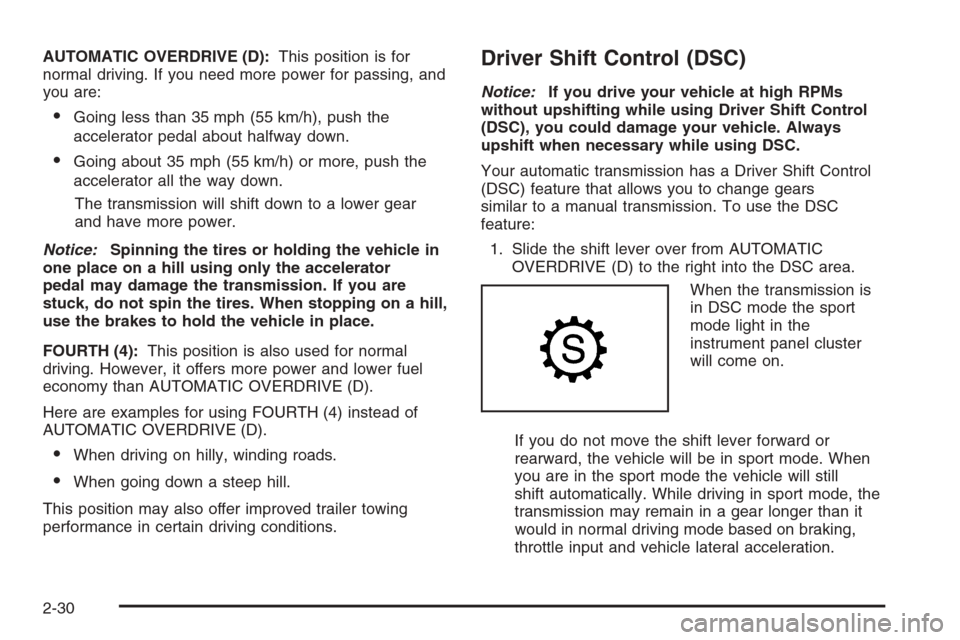
When the transmission is
in DSC mode the sport
mode light in the
instrument panel cluster
will come on.
If you do not move the shift lever forward or
rearward, the vehicle will be in sport mode. When
you are in the sport mode the vehicle will still
shift automatically. While driving in sport mode, the
transmission may remain in a gear longer than it
would in normal driving mode based on braking,
throttle input and vehicle lateral acceleration.
2-30
Page 104 of 456
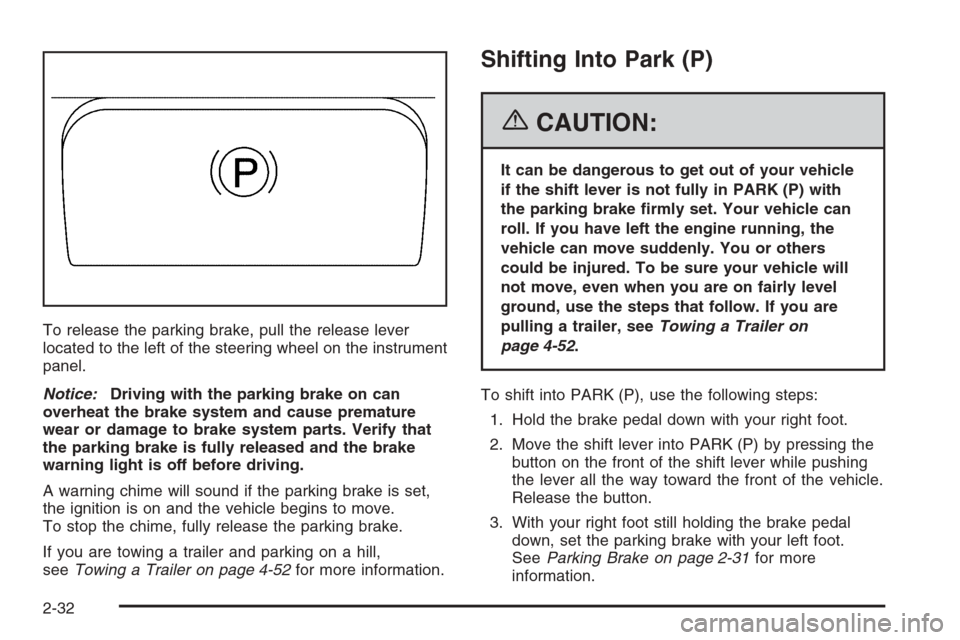
To release the parking brake, pull the release lever
located to the left of the steering wheel on the instrument
panel.
Notice:Driving with the parking brake on can
overheat the brake system and cause premature
wear or damage to brake system parts. Verify that
the parking brake is fully released and the brake
warning light is off before driving.
A warning chime will sound if the parking brake is set,
the ignition is on and the vehicle begins to move.
To stop the chime, fully release the parking brake.
If you are towing a trailer and parking on a hill,
seeTowing a Trailer on page 4-52for more information.
Shifting Into Park (P)
{CAUTION:
It can be dangerous to get out of your vehicle
if the shift lever is not fully in PARK (P) with
the parking brake rmly set. Your vehicle can
roll. If you have left the engine running, the
vehicle can move suddenly. You or others
could be injured. To be sure your vehicle will
not move, even when you are on fairly level
ground, use the steps that follow. If you are
pulling a trailer, seeTowing a Trailer on
page 4-52.
To shift into PARK (P), use the following steps:
1. Hold the brake pedal down with your right foot.
2. Move the shift lever into PARK (P) by pressing the
button on the front of the shift lever while pushing
the lever all the way toward the front of the vehicle.
Release the button.
3. With your right foot still holding the brake pedal
down, set the parking brake with your left foot.
SeeParking Brake on page 2-31for more
information.
2-32
Page 108 of 456
Running the Engine While Parked
It is better not to park with the engine running. But if you
ever have to, here are some things to know.
{CAUTION:
Idling the engine with the climate control
system off could allow dangerous exhaust into
your vehicle. See the earlier caution under
Engine Exhaust on page 2-35.
Also, idling in a closed-in place can let deadly
carbon monoxide (CO) into your vehicle even if
the climate control fan is at the highest setting.
One place this can happen is a garage.
Exhaust — with CO — can come in easily.
NEVER park in a garage with the engine
running.
Another closed-in place can be a blizzard. See
Winter Driving on page 4-39.
{CAUTION:
It can be dangerous to get out of your vehicle
if the shift lever is not fully in PARK (P) with
the parking brake rmly set. Your vehicle can
roll. Do not leave your vehicle when the engine
is running unless you have to. If you have left
the engine running, the vehicle can move
suddenly. You or others could be injured. To
be sure your vehicle will not move, even when
you are on fairly level ground, always set your
parking brake and move the shift lever to
PARK (P).
Follow the proper steps to be sure your vehicle will not
move. SeeShifting Into Park (P) on page 2-32.
If you are pulling a trailer, seeTowing a Trailer on
page 4-52.
2-36
Page 109 of 456
Mirrors
Automatic Dimming Rearview Mirror
with OnStar
®
The vehicle may have an automatic dimming inside
rearview mirror with OnStar®controls. For more
information about OnStar®, seeOnStar®System on
page 2-42.
O(On/Off):The on/off button, located on the lower left
side of the mirror, is used for the automatic dimming
functions of the rearview mirror.
Mirror Operation
The automatic dimming feature comes on each time the
vehicle is started. Automatic dimming reduces the
glare of lights from behind the vehicle.
To turn the automatic dimming feature on or off, press
and release the on/off button. The indicator light will
illuminate when this feature is on.
Cleaning the Mirror
When cleaning the mirror, use a paper towel or similar
material dampened with glass cleaner. Do not spray
glass cleaner directly on the mirror as that may cause
the liquid cleaner to enter the mirror housing.
Automatic Dimming Rearview Mirror
with OnStar
®and Compass
The vehicle may have an automatic dimming inside
rearview mirror with a compass and OnStar®controls.
For more information about OnStar®, seeOnStar®
System on page 2-42.
The mirror has an eight-point compass display in the
upper right corner of the mirror. When on, the compass
automatically calibrates, or sets the driving direction,
as the vehicle is driven. If the vehicle has the navigation
option, the direction the vehicle is facing will be
displayed on the navigation screen.
O(On/Off):The on/off button is located on the lower
left side of the mirror and is used for the automatic
dimming and compass functions of the rearview mirror.
2-37
Page 111 of 456
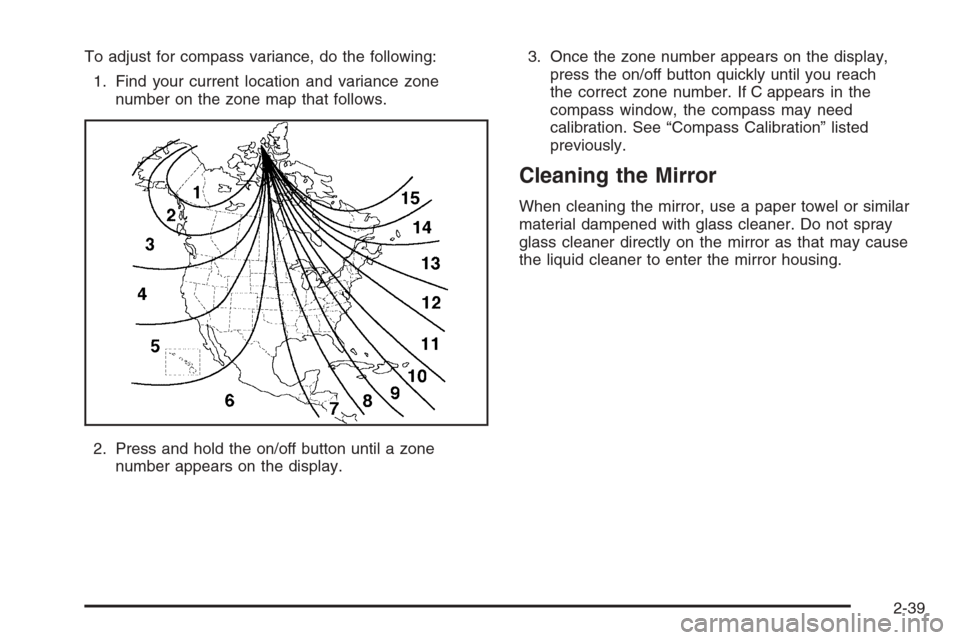
To adjust for compass variance, do the following:
1. Find your current location and variance zone
number on the zone map that follows.
2. Press and hold the on/off button until a zone
number appears on the display.3. Once the zone number appears on the display,
press the on/off button quickly until you reach
the correct zone number. If C appears in the
compass window, the compass may need
calibration. See “Compass Calibration” listed
previously.
Cleaning the Mirror
When cleaning the mirror, use a paper towel or similar
material dampened with glass cleaner. Do not spray
glass cleaner directly on the mirror as that may cause
the liquid cleaner to enter the mirror housing.
2-39
Page 112 of 456
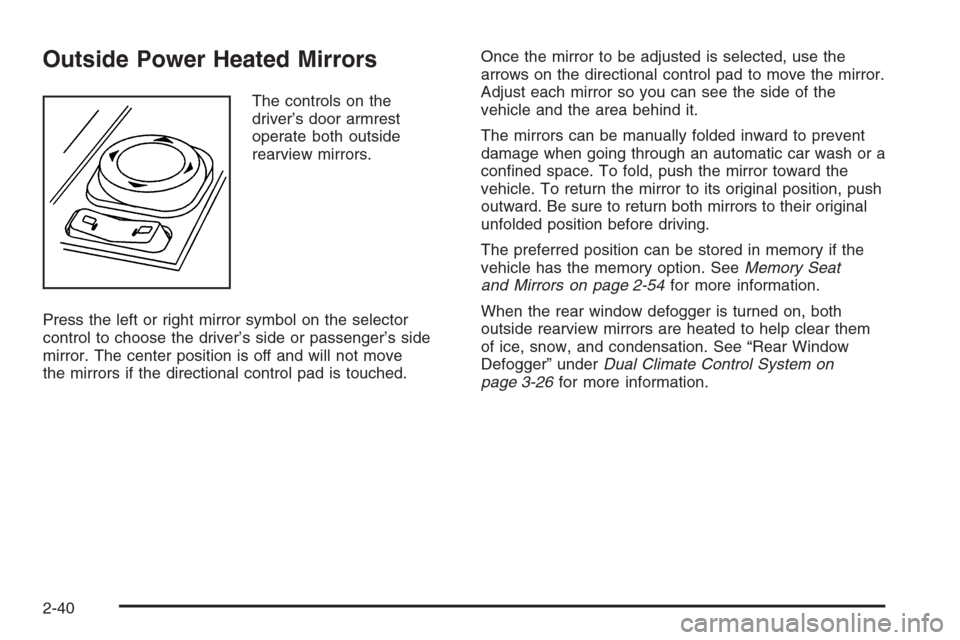
Outside Power Heated Mirrors
The controls on the
driver’s door armrest
operate both outside
rearview mirrors.
Press the left or right mirror symbol on the selector
control to choose the driver’s side or passenger’s side
mirror. The center position is off and will not move
the mirrors if the directional control pad is touched.Once the mirror to be adjusted is selected, use the
arrows on the directional control pad to move the mirror.
Adjust each mirror so you can see the side of the
vehicle and the area behind it.
The mirrors can be manually folded inward to prevent
damage when going through an automatic car wash or a
conned space. To fold, push the mirror toward the
vehicle. To return the mirror to its original position, push
outward. Be sure to return both mirrors to their original
unfolded position before driving.
The preferred position can be stored in memory if the
vehicle has the memory option. SeeMemory Seat
and Mirrors on page 2-54for more information.
When the rear window defogger is turned on, both
outside rearview mirrors are heated to help clear them
of ice, snow, and condensation. See “Rear Window
Defogger” underDual Climate Control System on
page 3-26for more information.
2-40
Page 137 of 456
Flash-to-Pass
This feature allows you to use the high-beam
headlamps to signal the driver in front of you that
you want to pass.
Pull and hold the turn signal/multifunction lever toward
you to use this feature. When you do, the following
will occur:
If the headlamps are off, in low-beam or in
Daytime Running Lamps (DRL) mode, the
high-beam headlamps will turn on. They’ll stay
on as long as you hold the lever there. Release
the lever to turn them off.
If the headlamps are in high-beam mode, they will
switch to low beam. To return to high-beam, push
the lever away from you.
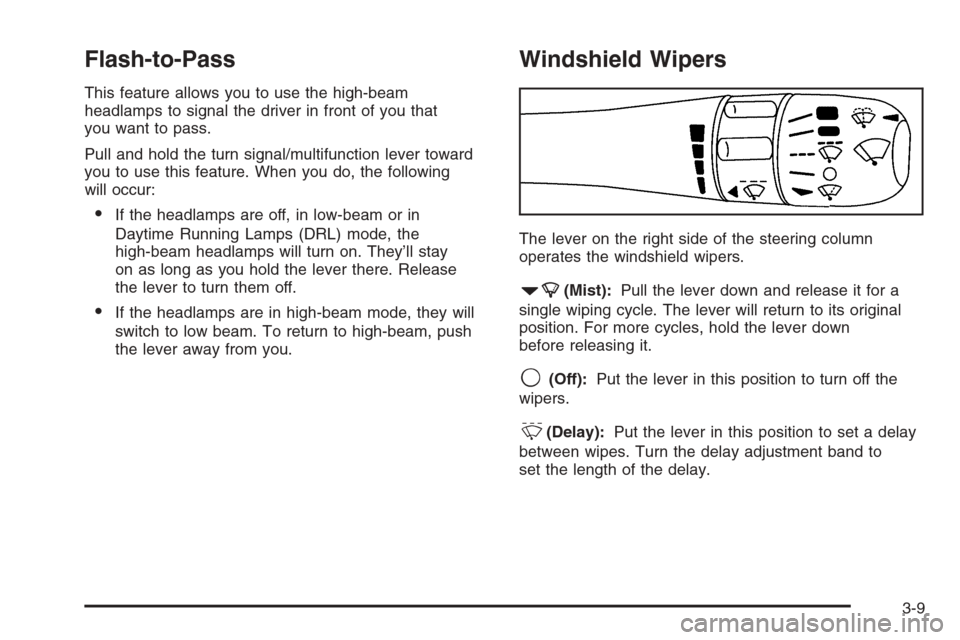
Windshield Wipers
The lever on the right side of the steering column
operates the windshield wipers.
7(Mist):Pull the lever down and release it for a
single wiping cycle. The lever will return to its original
position. For more cycles, hold the lever down
before releasing it.
9(Off):Put the lever in this position to turn off the
wipers.
&(Delay):Put the lever in this position to set a delay
between wipes. Turn the delay adjustment band to
set the length of the delay.
3-9
Page 138 of 456
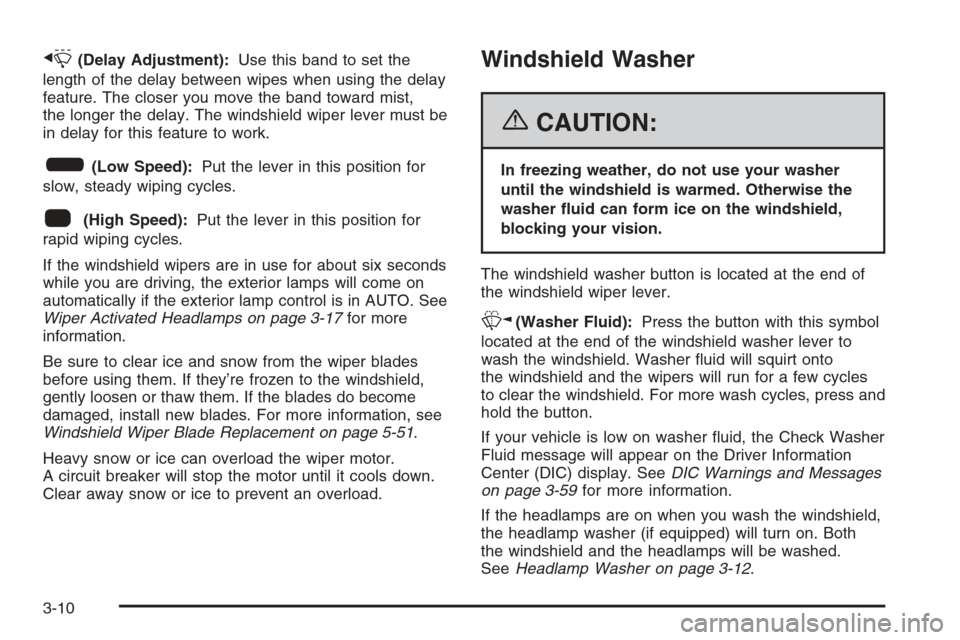
x(Delay Adjustment):Use this band to set the
length of the delay between wipes when using the delay
feature. The closer you move the band toward mist,
the longer the delay. The windshield wiper lever must be
in delay for this feature to work.
6(Low Speed):Put the lever in this position for
slow, steady wiping cycles.
1(High Speed):Put the lever in this position for
rapid wiping cycles.
If the windshield wipers are in use for about six seconds
while you are driving, the exterior lamps will come on
automatically if the exterior lamp control is in AUTO. See
Wiper Activated Headlamps on page 3-17for more
information.
Be sure to clear ice and snow from the wiper blades
before using them. If they’re frozen to the windshield,
gently loosen or thaw them. If the blades do become
damaged, install new blades. For more information, see
Windshield Wiper Blade Replacement on page 5-51.
Heavy snow or ice can overload the wiper motor.
A circuit breaker will stop the motor until it cools down.
Clear away snow or ice to prevent an overload.
Windshield Washer
{CAUTION:
In freezing weather, do not use your washer
until the windshield is warmed. Otherwise the
washer uid can form ice on the windshield,
blocking your vision.
The windshield washer button is located at the end of
the windshield wiper lever.
K(Washer Fluid):Press the button with this symbol
located at the end of the windshield washer lever to
wash the windshield. Washer uid will squirt onto
the windshield and the wipers will run for a few cycles
to clear the windshield. For more wash cycles, press and
hold the button.
If your vehicle is low on washer uid, the Check Washer
Fluid message will appear on the Driver Information
Center (DIC) display. SeeDIC Warnings and Messages
on page 3-59for more information.
If the headlamps are on when you wash the windshield,
the headlamp washer (if equipped) will turn on. Both
the windshield and the headlamps will be washed.
SeeHeadlamp Washer on page 3-12.
3-10