transmission CADILLAC SRX 2006 1.G Owners Manual
[x] Cancel search | Manufacturer: CADILLAC, Model Year: 2006, Model line: SRX, Model: CADILLAC SRX 2006 1.GPages: 456, PDF Size: 2.55 MB
Page 73 of 456
Keys...............................................................2-3
Remote Keyless Entry System.........................2-4
Remote Keyless Entry System Operation...........2-5
Doors and Locks.............................................2-8
Door Locks....................................................2-8
Central Door Unlocking System........................2-9
Power Door Locks..........................................2-9
Delayed Locking.............................................2-9
Programmable Automatic Door Locks...............2-10
Rear Door Security Locks..............................2-10
Lockout Protection........................................2-11
Power Liftgate..............................................2-12
Windows........................................................2-15
Power Windows............................................2-16
Sun Visors...................................................2-18
Theft-Deterrent Systems..................................2-18
Theft-Deterrent System..................................2-18
Immobilizer..................................................2-20
Immobilizer Operation....................................2-20
Starting and Operating Your Vehicle................2-22
New Vehicle Break-In....................................2-22
Ignition Positions..........................................2-23
Retained Accessory Power (RAP)...................2-24Starting the Engine.......................................2-25
Adjustable Throttle and Brake Pedal................2-26
Engine Coolant Heater..................................2-26
Automatic Transmission Operation...................2-28
Parking Brake..............................................2-31
Shifting Into Park (P).....................................2-32
Shifting Out of Park (P).................................2-34
Parking Over Things That Burn.......................2-35
Engine Exhaust............................................2-35
Running the Engine While Parked...................2-36
Mirrors...........................................................2-37
Automatic Dimming Rearview Mirror
with OnStar
®............................................2-37
Automatic Dimming Rearview Mirror
with OnStar
®and Compass........................2-37
Outside Power Heated Mirrors........................2-40
Outside Automatic Dimming Mirror..................2-41
Outside Curb View Assist Mirror.....................2-41
Outside Convex Mirror...................................2-41
OnStar
®System.............................................2-42
Universal Home Remote System......................2-44
Universal Home Remote System Operation......2-44
Section 2 Features and Controls
2-1
Page 85 of 456
If you shift the transmission out of PARK (P) while the
power function is in progress, the liftgate power function
will continue to completion. If you shift the transmission
out of PARK (P) and accelerate before the power
liftgate latches closed, the liftgate may reverse to the
open position. Cargo could fall out of the vehicle. Always
make sure the power liftgate is closed and latched
before you drive away.
If you power open the liftgate and the liftgate support
struts have lost pressure, the lights will ash and a
chime will sound. The liftgate will hold open temporarily,
then slowly close. See your dealer for service before
using the liftgate.
Obstacle Detection Features
If the liftgate encounters an obstacle during a power
open or close cycle, a warning chime will sound and the
liftgate will automatically reverse direction to the fully
closed or open position. After removing the obstruction,
the liftgate may be power opened or closed normally.If the liftgate encounters multiple obstacles on the same
power cycle, the power function will deactivate, and
the liftgate will switch to manual operation. The Lift Gate
Ajar warning message in the Driver Information
Center (DIC) will indicate that the liftgate is open. After
removing the obstructions, manually open the liftgate
to the fully open position or close the liftgate to the fully
closed and latched position. The liftgate will now
resume normal power operation.
Your vehicle has a pinch sensor located on the rear
edge of the rear quarter panel windows. If an object is
caught between the liftgate and the window and presses
against this sensor, the liftgate will reverse direction
and open fully. The liftgate will remain open until
it is activated again or closed manually.
2-13
Page 95 of 456

Ignition Positions
With the key in the ignition switch, you can turn the key
to four different positions.
Notice:If your key seems stuck in OFF and you
can’t turn it, be sure you are using the correct key;
if so, is it all the way in? If it is, then turn the
steering wheel left and right while you turn the key
hard. Turn the key only with your hand. Using a
tool to force it could break the key or the ignition
switch. If none of these works, then your vehicle
needs service.A (OFF):This is the only position in which you can
insert or remove the key. This position locks the ignition,
steering wheel and transmission. It is a theft-deterrent
feature.
B (ACCESSORY):This position allows you to use
things like the radio and the windshield wipers when the
engine is off. This position will allow you to turn off
the engine, but still turn the steering wheel.
C (ON):This position is for driving. When you turn off
the engine, the transmission will lock. If you need to shift
the transmission out of PARK (P), the ignition key has
to be in ON.
D (START):This position starts the engine.
2-23
Page 97 of 456
Starting the Engine
Move your shift lever to PARK (P) or NEUTRAL (N).
Your engine will not start in any other position — that is
a safety feature. To restart when you are already
moving, use NEUTRAL (N) only.
Notice:Do not try to shift to PARK (P) if your
vehicle is moving. If you do, you could damage the
transmission. Shift to PARK (P) only when your
vehicle is stopped.
1. With your foot off the accelerator pedal, turn your
ignition key to START. Then, let go of the key; the
engine will start automatically. The idle speed
will go down as your engine gets warm.
Your vehicle has a Computer-Controlled Cranking
System. This feature assists in starting the
engine and protects the electrical system. If the
ignition key is turned to the START position,
and then released when the engine begins cranking,
the engine will continue cranking until the vehicle
starts or until it exceeds the maximum cranking time
allowed, approximately 15 seconds to prevent
cranking motor damage. To prevent starter-motor
gear damage, this system also prevents cranking if
the engine is already running. The engine cranking
can be stopped by turning the ignition switch to
the ACCESSORY or OFF position.2. If your engine will not start, or starts but then stops,
it could be ooded with too much gasoline. Try
pushing your accelerator pedal all the way to the
oor and holding it there as you turn the key
to START. If the vehicle starts briey but then stops
again, do the same thing.
Notice:Your engine is designed to work with the
electronics in your vehicle. If you add electrical
parts or accessories, you could change the way the
engine operates. Before adding electrical equipment,
check with your dealer. If you do not, your engine
might not perform properly. Any resulting damage
would not be covered by your vehicle’s warranty.
2-25
Page 100 of 456

Automatic Transmission Operation
The shift lever is located on the center console between
the front seats.
There are several different
positions for the shift lever.
PARK (P):This position locks the rear wheels. It is the
best position to use when you start the engine
because your vehicle cannot move easily.{CAUTION:
It is dangerous to get out of your vehicle if the
shift lever is not fully in PARK (P) with the
parking brake rmly set. Your vehicle can roll.
Do not leave your vehicle when the engine is
running unless you have to. If you have left
the engine running, the vehicle can move
suddenly. You or others could be injured.
To be sure your vehicle will not move, even
when you are on fairly level ground, always
set your parking brake and move the shift
lever to PARK (P). SeeShifting Into Park (P)
on page 2-32. If you are pulling a trailer, see
Towing a Trailer on page 4-52.
Ensure the shift lever is fully in PARK (P) before starting
the engine. Your vehicle has an automatic transmission
shift lock control system. You must fully apply your
regular brakes before you can shift from PARK (P)
when the ignition key is in ON. If you cannot shift
out of PARK (P), ease pressure on the shift lever.
2-28
Page 101 of 456

Push the shift lever all the way into PARK (P) while
pressing the button on the shift lever as you maintain
brake application. Then move the shift lever into
the gear you wish. SeeShifting Out of Park (P)
on page 2-34.
Notice:Shifting to REVERSE (R) while your vehicle
is moving forward could damage the transmission.
The repairs would not be covered by your warranty.
Shift to REVERSE (R) only after your vehicle is
stopped.
REVERSE (R):Use this gear to back up.
At low vehicle speeds, you can also use REVERSE (R)
to rock your vehicle back and forth to get out of
snow, ice, or sand without damaging your transmission.
SeeIf Your Vehicle is Stuck in Sand, Mud, Ice, or
Snow on page 4-43for additional information.
NEUTRAL (N):In this position, the engine does not
connect with the wheels. To restart when you are
already moving, use NEUTRAL (N) only. You can also
use NEUTRAL (N) when your vehicle is being towed.
{CAUTION:
Shifting into a drive gear while your engine is
running at high speed is dangerous. Unless
your foot is rmly on the brake pedal, your
vehicle could move very rapidly. You could
lose control and hit people or objects. Do not
shift into a drive gear while your engine is
running at high speed.
Notice:Shifting out of PARK (P) or NEUTRAL (N)
with the engine running at high speed may damage
the transmission. The repairs would not be
covered by your warranty. Be sure the engine is not
running at high speed when shifting your vehicle.
2-29
Page 102 of 456
AUTOMATIC OVERDRIVE (D):This position is for
normal driving. If you need more power for passing, and
you are:
Going less than 35 mph (55 km/h), push the
accelerator pedal about halfway down.
Going about 35 mph (55 km/h) or more, push the
accelerator all the way down.
The transmission will shift down to a lower gear
and have more power.
Notice:Spinning the tires or holding the vehicle in
one place on a hill using only the accelerator
pedal may damage the transmission. If you are
stuck, do not spin the tires. When stopping on a hill,
use the brakes to hold the vehicle in place.
FOURTH (4):This position is also used for normal
driving. However, it offers more power and lower fuel
economy than AUTOMATIC OVERDRIVE (D).
Here are examples for using FOURTH (4) instead of
AUTOMATIC OVERDRIVE (D).
When driving on hilly, winding roads.
When going down a steep hill.
This position may also offer improved trailer towing
performance in certain driving conditions.
Driver Shift Control (DSC)
Notice:If you drive your vehicle at high RPMs
without upshifting while using Driver Shift Control
(DSC), you could damage your vehicle. Always
upshift when necessary while using DSC.
Your automatic transmission has a Driver Shift Control
(DSC) feature that allows you to change gears
similar to a manual transmission. To use the DSC
feature:
1. Slide the shift lever over from AUTOMATIC
OVERDRIVE (D) to the right into the DSC area.
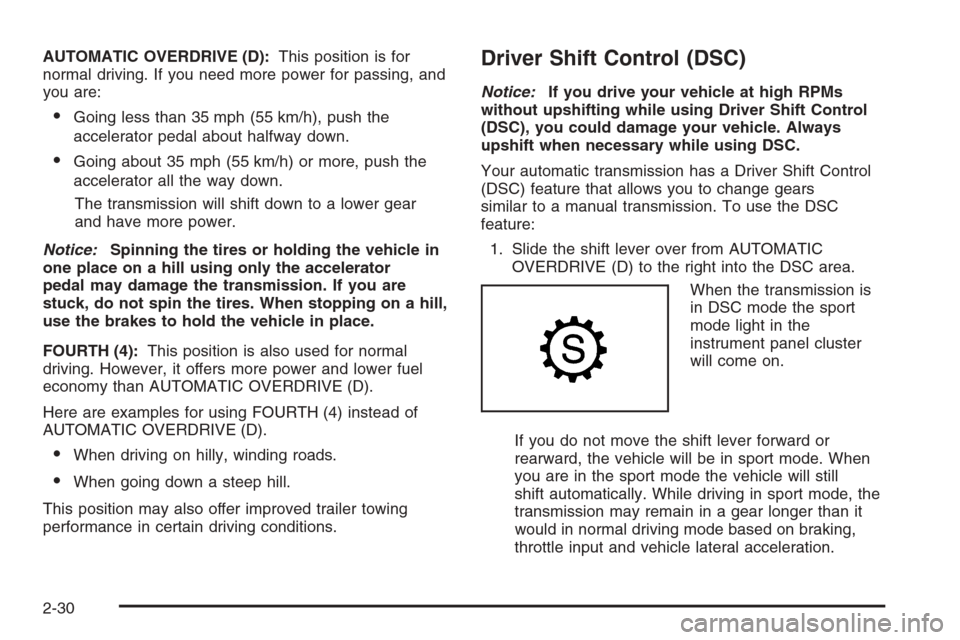
When the transmission is
in DSC mode the sport
mode light in the
instrument panel cluster
will come on.
If you do not move the shift lever forward or
rearward, the vehicle will be in sport mode. When
you are in the sport mode the vehicle will still
shift automatically. While driving in sport mode, the
transmission may remain in a gear longer than it
would in normal driving mode based on braking,
throttle input and vehicle lateral acceleration.
2-30
Page 103 of 456
2. Press the shift lever forward to upshift or rearward
to downshift.
The odometer on the instrument panel cluster will
change from the mileage to a number indicating the
requested gear range when moving the shift
lever forward or rearward. SeeSpeedometer and
Odometer on page 3-36for more information on the
odometer.
While using the DSC feature the vehicle will have rmer
shifting and increased performance. You can use this
for sport driving or when climbing/descending hills
to stay in gear longer or to down shift for more power or
engine braking.
The transmission will only allow you to shift into gears
appropriate for the vehicle speed and engine
Revolutions Per Minute (RPM). The transmission will
not automatically shift to the next higher gear if the
engine rpm is too high.
If shifting is prevented for any reason, the currently
selected gear will ash multiple times, indicating that the
transmission has not shifted gears.
The transmission will allow you to shift to the gear
selected and will automatically downshift when
the vehicle comes to a stop. This will allow for more
power during take-off and passing.When accelerating your vehicle from a stop in snowy
and icy conditions, you may want to shift into second
gear. A higher gear ratio allows you to gain more traction
on slippery surfaces.
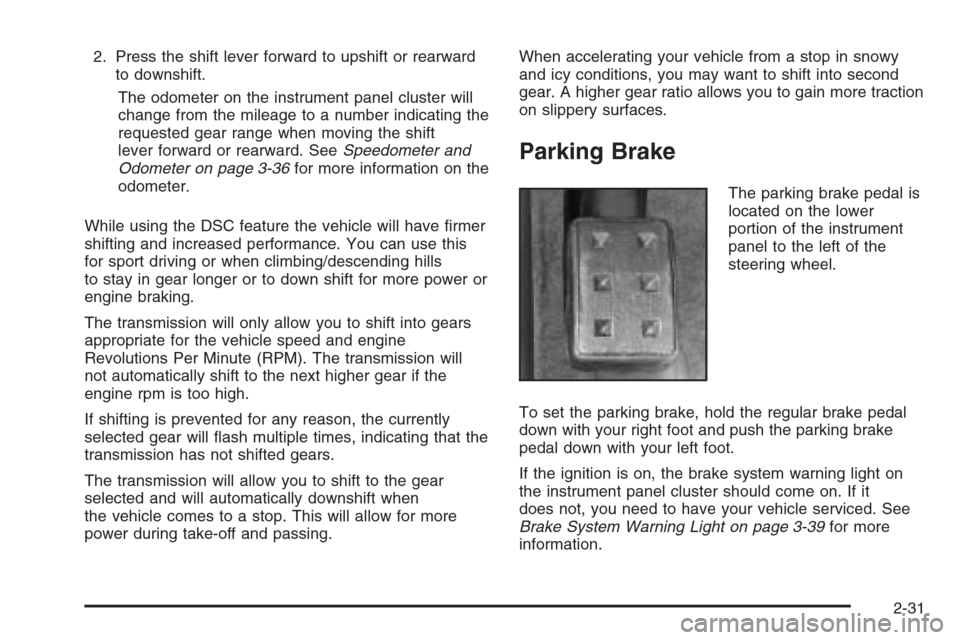
Parking Brake
The parking brake pedal is
located on the lower
portion of the instrument
panel to the left of the
steering wheel.
To set the parking brake, hold the regular brake pedal
down with your right foot and push the parking brake
pedal down with your left foot.
If the ignition is on, the brake system warning light on
the instrument panel cluster should come on. If it
does not, you need to have your vehicle serviced. See
Brake System Warning Light on page 3-39for more
information.
2-31
Page 105 of 456

4. Turn the key to OFF.
5. Remove the key from the ignition switch and take it
with you. If you can leave your vehicle with the key
in your hand, the vehicle is in PARK (P).
Leaving Your Vehicle With the Engine
Running
{CAUTION:
It can be dangerous to leave your vehicle with
the engine running. Your vehicle could move
suddenly if the shift lever is not fully in
PARK (P) with the parking brake rmly set.
And, if you leave the vehicle with the engine
running, it could overheat and even catch re.
You or others could be injured. Do not leave
your vehicle with the engine running.If you have to leave your vehicle with the engine
running, be sure your vehicle is in PARK (P) and your
parking brake is rmly set before you leave it. After you
have moved the shift lever into PARK (P), hold the
regular brake pedal down. Then, see if you can move
the shift lever away from PARK (P) without rst pushing
the button on the shift lever. If you can, it means that
the shift lever was not fully locked into PARK (P).
Torque Lock
If you are parking on a hill and you do not shift your
transmission into PARK (P) properly, the weight of the
vehicle may put too much force on the parking pawl
in the transmission. You may nd it difficult to pull the
shift lever out of PARK (P). This is called “torque
lock.” To prevent torque lock, set the parking brake and
then shift into PARK (P) properly before you leave
the driver’s seat. To nd out how, see “Shifting
Into PARK (P)” listed previously.
If torque lock does occur, you may need to have
another vehicle push yours a little uphill to take some of
the pressure from the parking pawl in the transmission,
so you can pull the shift lever out of PARK (P).
2-33
Page 106 of 456

Shifting Out of Park (P)
Your vehicle has an automatic transmission shift lock
control system. You have to fully apply your regular
brakes before you can shift from PARK (P) when the
ignition is in ON. SeeAutomatic Transmission Operation
on page 2-28for more information.
If you cannot shift out of PARK (P), ease the pressure
on the shift lever. Push the shift lever all the way
into PARK (P) while pushing the button on the shift lever
as you maintain brake application. Then move the
shift lever into the gear you want. If you ever hold the
pedal down but still cannot shift out of PARK (P), try the
following:
1. Turn the ignition key to ACCESSORY. Open and
close the driver’s door to turn off the RAP feature.
2. Apply and hold the brake until the end of Step 4.
3. Shift to NEUTRAL (N).
4. Start the vehicle and then shift to the drive gear
you want.
5. Have the vehicle xed as soon as you can.
Shift Lock Release
If your vehicle has a dead battery or a battery with low
voltage, you can still shift the vehicle into PARK (P)
and remove the ignition key. Use the following
procedure to release the shift lever:
1. Use a tool to remove
the cap with the lock
symbol located
next to the shift lever.
2. Using a narrow, pointed tool, press down on the
mechanism under the cap so that you can move
the shift lever.
2-34