steering CADILLAC SRX 2007 1.G User Guide
[x] Cancel search | Manufacturer: CADILLAC, Model Year: 2007, Model line: SRX, Model: CADILLAC SRX 2007 1.GPages: 522, PDF Size: 2.71 MB
Page 141 of 522

Available Services included with Directions
& Connections®Plan
All Safe and Sound Plan Services
Driving Directions - Advisor delivered or
OnStar®Turn-by-Turn Navigation (If equipped)
RideAssist
Information and Convenience Services
OnStar®Hands-Free Calling
OnStar®Hands-Free Calling allows eligible
OnStar®subscribers to make and receive calls
using voice commands. Hands-Free Calling is fully
integrated into the vehicle, and can be used
with OnStar
®Pre-Paid Minute Packages.
Hands-Free Calling may also be linked to a
Verizon Wireless service plan in the U.S. or a Bell
Mobility service plan in Canada, depending on
eligibility. To nd out more, refer to the OnStar
®
Owners Guide in the vehicle’s glove box, visit
www.onstar.com or www.onstar.ca, or speak with
an OnStar
®advisor by pressing the OnStar®
button or calling 1-888-4-ONSTAR
(1-888-466-7827).
OnStar®Virtual Advisor
OnStar®Virtual Advisor is a feature of OnStar®
Hands-Free Calling that uses your minutes to
access location-based weather, local traffic reports,
and stock quotes. By pressing the phone button
and giving a few simple voice commands, you can
browse through the various topics. See the OnStar
®
Owners Guide for more information (Only available
in the continental U.S.).
OnStar®Steering Wheel Controls
Your vehicle may have a Talk/Mute button that
can be used to interact with OnStar®Hands-Free
Calling. SeeAudio Steering Wheel Controls on
page 269for more information.
On some vehicles, you may have to hold the
button for a few seconds and give the command
“ONSTAR” in order to activate the OnStar
®
Hands-Free Calling feature.
On some vehicles, the mute button can be used to
dial numbers into voicemail systems, or to dial
phone extensions. See the OnStar
®Owner’s
Guide for more information.
141
Page 162 of 522
Passenger Airbag Status Indicator............. 202
Charging System Light.............................. 204
Brake System Warning Light..................... 204
Anti-Lock Brake System Warning Light...... 205
Traction Control System (TCS) Warning
Light...................................................... 206
Engine Coolant Temperature Warning
Light...................................................... 206
Engine Coolant Temperature Gage............ 207
Tire Pressure Light.................................... 207
Malfunction Indicator Lamp........................ 208
Oil Pressure Light..................................... 211
Security Light............................................ 212
Fog Lamp Light......................................... 212
Lights On Reminder.................................. 212
Cruise Control Light.................................. 212
Highbeam On Light................................... 213
Tow/Haul Mode Light................................ 213
Fuel Gage................................................. 213
Driver Information Center (DIC).................. 214
DIC Controls and Displays........................ 215
DIC Warnings and Messages.................... 220
DIC Vehicle Customization........................ 231Audio System(s)......................................... 240
Setting the Time (Radio with Single
CD Player)............................................. 242
Setting the Time (Radio with Six-Disc
CD Player)............................................. 244
Radio with CD........................................... 246
Using an MP3........................................... 257
XM Radio Messages................................. 264
Navigation/Radio System........................... 266
Rear Seat Entertainment System............... 266
Rear Seat Audio (RSA)............................. 266
Theft-Deterrent Feature............................. 268
Audio Steering Wheel Controls.................. 269
Radio Reception........................................ 270
Care of Your CDs..................................... 271
Care of the CD Player.............................. 271
Diversity Antenna System.......................... 272
XM™ Satellite Radio Antenna System....... 272
Section 3 Instrument Panel
162
Page 166 of 522
Hazard Warning Flashers
The hazard warning ashers let you warn the
police and others that you have a problem. The
front and rear turn signal lamps will ash on
and off.
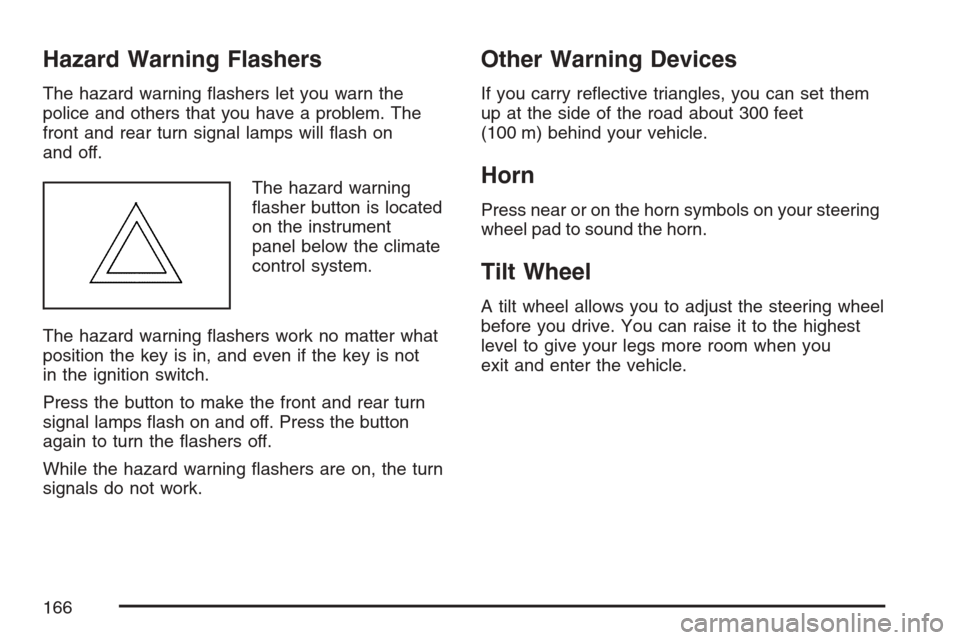
The hazard warning
asher button is located
on the instrument
panel below the climate
control system.
The hazard warning ashers work no matter what
position the key is in, and even if the key is not
in the ignition switch.
Press the button to make the front and rear turn
signal lamps ash on and off. Press the button
again to turn the ashers off.
While the hazard warning ashers are on, the turn
signals do not work.
Other Warning Devices
If you carry reective triangles, you can set them
up at the side of the road about 300 feet
(100 m) behind your vehicle.
Horn
Press near or on the horn symbols on your steering
wheel pad to sound the horn.
Tilt Wheel
A tilt wheel allows you to adjust the steering wheel
before you drive. You can raise it to the highest
level to give your legs more room when you
exit and enter the vehicle.
166
Page 167 of 522
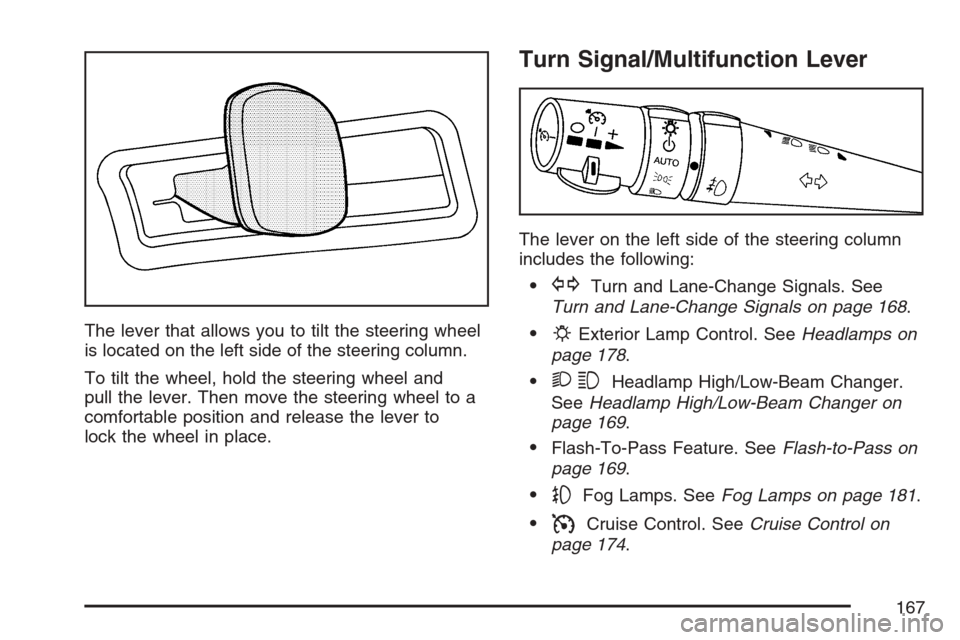
The lever that allows you to tilt the steering wheel
is located on the left side of the steering column.
To tilt the wheel, hold the steering wheel and
pull the lever. Then move the steering wheel to a
comfortable position and release the lever to
lock the wheel in place.
Turn Signal/Multifunction Lever
The lever on the left side of the steering column
includes the following:
GTurn and Lane-Change Signals. See
Turn and Lane-Change Signals on page 168.
PExterior Lamp Control. SeeHeadlamps on
page 178.
23Headlamp High/Low-Beam Changer.
SeeHeadlamp High/Low-Beam Changer on
page 169.
Flash-To-Pass Feature. SeeFlash-to-Pass on
page 169.
-Fog Lamps. SeeFog Lamps on page 181.
ICruise Control. SeeCruise Control on
page 174.
167
Page 170 of 522

Windshield Wipers
The lever on the right side of the steering column
operates the windshield wipers.
7(Mist):Pull the lever down and release it for
a single wiping cycle. The lever will return to its
original position. For more cycles, hold the
lever down before releasing it.
9(Off):Put the lever in this position to turn off
the wipers.
&(Delay):Put the lever in this position to set a
delay between wipes. Turn the delay adjustment
band to set the length of the delay.
6(Delay Adjustment):Use this band to set the
length of the delay between wipes when using the
delay feature.The closer you move the band toward mist, the
longer the delay. The windshield wiper lever must
be in delay for this feature to work.
6(Low Speed):Put the lever in this position
for slow, steady wiping cycles.
1(High Speed):Put the lever in this position
for rapid wiping cycles.
If the windshield wipers are in use for about
six seconds while you are driving, the exterior
lamps will come on automatically if the exterior
lamp control is in AUTO. SeeWiper Activated
Headlamps on page 178for more information.
Be sure to clear ice and snow from the wiper
blades before using them. If they are frozen to the
windshield, gently loosen or thaw them. If the
blades do become damaged, install new blades.
For more information, seeWindshield Wiper Blade
Replacement on page 397.
Heavy snow or ice can overload the wiper motor.
A circuit breaker will stop the motor until it
cools down. Clear away snow or ice to prevent an
overload.
170
Page 193 of 522
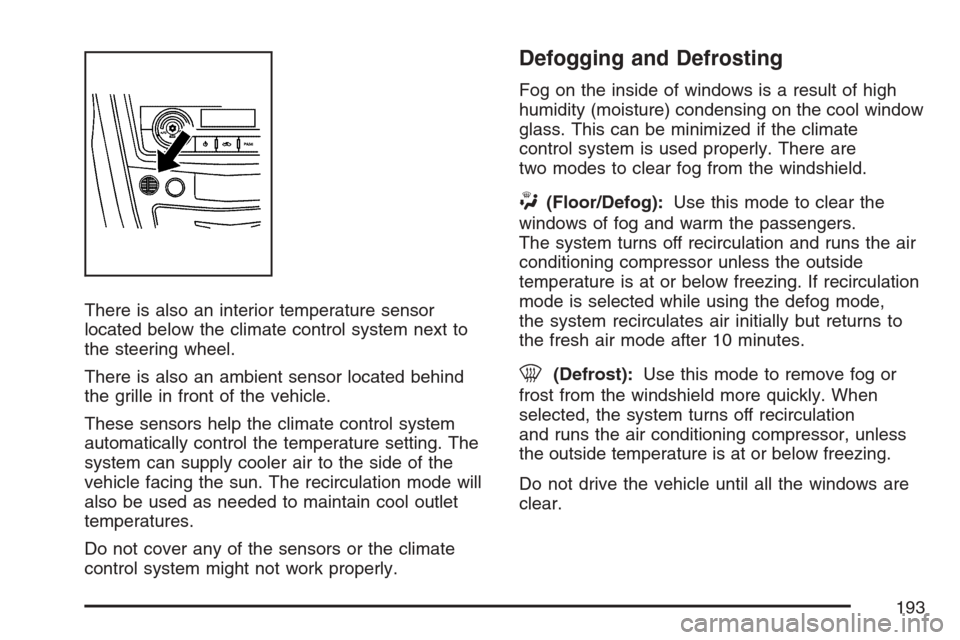
There is also an interior temperature sensor
located below the climate control system next to
the steering wheel.
There is also an ambient sensor located behind
the grille in front of the vehicle.
These sensors help the climate control system
automatically control the temperature setting. The
system can supply cooler air to the side of the
vehicle facing the sun. The recirculation mode will
also be used as needed to maintain cool outlet
temperatures.
Do not cover any of the sensors or the climate
control system might not work properly.
Defogging and Defrosting
Fog on the inside of windows is a result of high
humidity (moisture) condensing on the cool window
glass. This can be minimized if the climate
control system is used properly. There are
two modes to clear fog from the windshield.
W(Floor/Defog):Use this mode to clear the
windows of fog and warm the passengers.
The system turns off recirculation and runs the air
conditioning compressor unless the outside
temperature is at or below freezing. If recirculation
mode is selected while using the defog mode,
the system recirculates air initially but returns to
the fresh air mode after 10 minutes.
0(Defrost):Use this mode to remove fog or
frost from the windshield more quickly. When
selected, the system turns off recirculation
and runs the air conditioning compressor, unless
the outside temperature is at or below freezing.
Do not drive the vehicle until all the windows are
clear.
193
Page 214 of 522

All of the following situations are normal and do
not indicate that anything is wrong with the
fuel gage:
At the gas station the gas pump shuts off
before the gage reads full.
The gage may change when you turn, stop
quickly or accelerate quickly.
It takes a little more or less fuel to ll the tank
than the gage indicated. For example, the gage
may have indicated that the tank was half full,
but it actually took a little more or less than half
the tank’s capacity to ll the tank.
Driver Information Center (DIC)
The Driver Information Center (DIC) gives you the
status of many of your vehicle’s systems. The DIC
is also used to display warning/status messages.
All messages will appear in the DIC display located
at the bottom of the instrument panel cluster, below
the tachometer and speedometer. The DIC buttons
are located on the instrument panel, to the left of
the steering wheel.
The DIC comes on when the ignition is on. After a
short delay, the DIC will display the information
that was last displayed before the engine was
turned off.
The top line of the DIC display shows the vehicle
system information and the warning/status
messages. The bottom line of the DIC display
shows the odometer on the left side, the outside
air temperature on the right side, and the shift
position indicator in the center. For more
information on the shift position indicator, see
Automatic Transmission Operation on page 122.
214
Page 215 of 522
When the sport mode is active, an S will appear
next to the shift position indicator on the center of
the DIC display. When the manual mode is
active, an M will appear on the DIC display. When
the normal mode is active, only the shift position
indicator will appear. While the Driver Shift Control
(DSC) feature is active, the DIC will change to
show the selected gear. See″Driver Shift Control
(DSC)″underAutomatic Transmission Operation
on page 122for more information.
If a problem is detected, a warning message will
appear on the display. Be sure to take any
message that appears on the display seriously
and remember that clearing the message will only
make the message disappear, not correct the
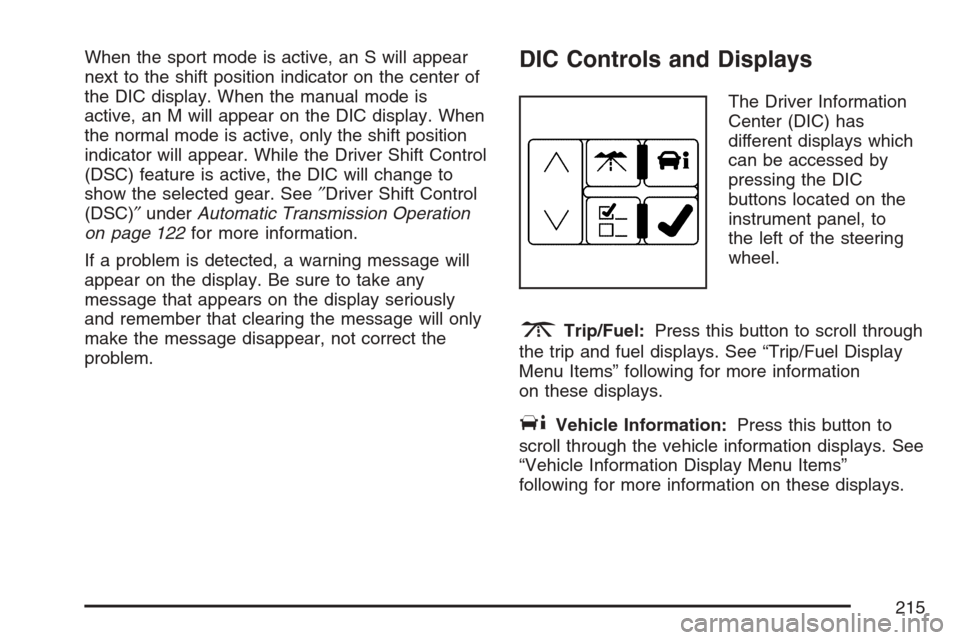
problem.DIC Controls and Displays
The Driver Information
Center (DIC) has
different displays which
can be accessed by
pressing the DIC
buttons located on the
instrument panel, to
the left of the steering
wheel.
3Trip/Fuel:Press this button to scroll through
the trip and fuel displays. See “Trip/Fuel Display
Menu Items” following for more information
on these displays.
TVehicle Information:Press this button to
scroll through the vehicle information displays. See
“Vehicle Information Display Menu Items”
following for more information on these displays.
215
Page 226 of 522
SERVICE BRAKE ASSIST
This message displays if there is a problem with
the brake system. The brake system warning
light and the anti-lock brake system warning light
may also display on the instrument panel
cluster. SeeBrake System Warning Light on
page 204andAnti-Lock Brake System Warning
Light on page 205for more information. If this
happens, stop as soon as possible and turn off the
vehicle. Restart the vehicle and check for the
message on the DIC display. If the message
displays or appears again when you begin driving,
the brake system needs service. See your
dealer as soon as possible. SeeBrakes on
page 381for more information.
SERVICE BRAKE SYSTEM
This message displays, while the ignition is on,
when the brake uid level is low. The brake system
warning light on the instrument panel cluster
also comes on. SeeBrake System Warning Light
on page 204for more information. Have the
brake system serviced by your dealer as soon as
possible.
SERVICE PARKING ASSIST
If your vehicle has the Ultrasonic Rear Parking
Assist (URPA) system, this message displays
if there is a problem with the URPA system. Do
not use this system to help you park. See
Ultrasonic Rear Parking Assist (URPA) on
page 184for more information. See your dealer
for service.
SERVICE POWER STEERING
Your vehicle may have a speed variable assist
steering system. SeeSteering on page 285.
This message displays if a problem is detected
with the speed variable assist steering system.
When this message is displayed, you may notice
that the effort required to steer the vehicle
decreases or feels lighter, but you will still be able
to steer the vehicle.
226
Page 228 of 522
SERVICE TRACTION CONTROL
This message displays when there is a problem
with the Traction Control System (TCS). When this
message displays, the system will not limit
wheel spin. Adjust your driving accordingly. See
your dealer for service. SeeTraction Control
System (TCS) on page 281for more information.
SERVICE TRANSMISSION
This message displays when there is a problem
with the vehicle’s transmission. Have your vehicle
serviced by your dealer.
SERVICE VEHICLE SOON
This message displays when a non-emissions
related malfunction occurs. Have your vehicle
serviced by your dealer as soon as possible.
SPEED LIMITED TO XXX MPH (km/h)
This message displays when your vehicle speed is
limited to 80 mph (128 km/h) because the
vehicle detects a problem in the speed variable
assist steering, magnetic ride control, or automatic
leveling control systems. Have your vehicle
serviced by your dealer.
STABILITRAK NOT READY
This message may display and the Traction
Control System and StabiliTrak®Warning Light on
the instrument panel cluster may be on after
rst driving the vehicle and exceeding 19 mph
(30 km/h) for 30 seconds. The StabiliTrak
®system
is not functional until the light has turned off.
SeeStabiliTrak
®System on page 283for more
information.
STABILITRAK OFF
This message displays when you turn off
StabiliTrak®, or when the stability control has been
automatically disabled. To limit wheel spin and
realize the full benets of the stability
enhancement system, you should normally leave
StabiliTrak
®on. However, you should turn
StabiliTrak®off if your vehicle gets stuck in sand,
mud, ice, or snow and you want to rock your
vehicle to attempt to free it, or if you are driving in
extreme off-road conditions and require more
wheel spin. SeeIf Your Vehicle is Stuck in Sand,
Mud, Ice, or Snow on page 321. To turn the
StabiliTrak
®system on or off, seeStabiliTrak®
System on page 283.
228