steering CADILLAC SRX 2007 1.G Owner's Manual
[x] Cancel search | Manufacturer: CADILLAC, Model Year: 2007, Model line: SRX, Model: CADILLAC SRX 2007 1.GPages: 522, PDF Size: 2.71 MB
Page 240 of 522
Exiting the Feature Settings Menu
The feature settings menu will be exited when any
of the following occurs:
The vehicle is shifted out of PARK (P).
The ignition is no longer in ON.
The trip/fuel or vehicle information DIC buttons
are pressed.
The end of the feature settings menu is
reached.
A 40 second time period has elapsed with no
selection made.
Audio System(s)
Determine which radio your vehicle has and then
read the pages following to familiarize yourself
with its features.
Driving without distraction is a necessity for a
safer driving experience. SeeDefensive Driving on
page 274. By taking a few moments to read this
manual and get familiar with your vehicle’s
audio system, you can use it with less effort, as
well as take advantage of its features. While your
vehicle is parked, set up your audio system by
presetting your favorite radio stations, setting the
tone and adjusting the speakers. Then, when
driving conditions permit, you can tune to
your favorite stations using the presets and
steering wheel controls if the vehicle has them.
240
Page 241 of 522
{CAUTION:
This system provides you with a far greater
access to audio stations and song listings.
Giving extended attention to entertainment
tasks while driving can cause a crash and
you or others can be injured or killed.
Always keep your eyes on the road and
your mind on the drive — avoid engaging
in extended searching while driving.
Keeping your mind on the drive is important for
safe driving. Here are some ways in which you can
help avoid distraction while driving.
While your vehicle is parked:
Familiarize yourself with all of its controls.
Familiarize yourself with its operation.
Set up your audio system by presetting your
favorite radio stations, setting the tone, and
adjusting the speakers. Then, when driving
conditions permit, you can tune to your favorite
radio stations using the presets and steering
wheel controls if the vehicle has them.
Notice:Before adding any sound equipment
to your vehicle, such as an audio system,
CD player, CB radio, mobile telephone,
or two-way radio, make sure that it can be
added by checking with your dealer. Also,
check federal rules covering mobile radio and
telephone units. If sound equipment can be
added, it is very important to do it properly.
Added sound equipment can interfere with the
operation of your vehicle’s engine, radio, or
other systems, and even damage them.
Your vehicle’s systems can interfere with the
operation of sound equipment that has
been added.
Your vehicle has a feature called Retained
Accessory Power (RAP). With RAP, the audio
system can be played even after the ignition
is turned off. SeeRetained Accessory Power
(RAP) on page 118for more information.
241
Page 248 of 522
4(Information) (XM™ Satellite Radio Service,
MP3, and RDS Features):Press the information
button to display additional text information
related to the current FM-RDS or XM™ station, or
MP3 song. A choice of additional information
such as: Channel, Song, Artist, CAT (category)
can appear. Continue pressing the information
button to highlight the desired label, or press the
pushbutton positioned under any one of the
labels and the information about that label
displays.
When information is not available, No Info
displays.
Storing a Radio Station as a Favorite
Drivers are encouraged to set up their radio station
favorites while the vehicle is parked. Tune to
your favorite stations using the presets, favorites
button, and steering wheel controls, if your vehicle
has this feature. SeeDefensive Driving on
page 274.FAV (Favorites):A maximum of 36 stations can
be programmed as favorites using the
six pushbuttons positioned below the radio station
frequency labels and by using the radio favorites
page button (FAV button). Press the FAV button to
go through up to six pages of favorites, each
having six favorite stations available per page.
Each page of favorites can contain any
combination of AM, FM, or XM™ (if equipped)
stations. To store a station as a favorite, perform
the following steps:
1. Tune to the desired radio station.
2. Press the FAV button to display the page
where you want the station stored.
3. Press and hold one of the six pushbuttons
until a beep sounds. Whenever that
pushbutton is pressed and released, the
station that was set, returns.
4. Repeat the steps for each pushbutton radio
station you want stored as a favorite.
248
Page 269 of 522

Audio Steering Wheel Controls
Some audio controls can be adjusted at the
steering wheel. They include the following:
0(Mute):Press this button to mute the system.
Press this button again, or any other radio
button, to turn the sound on.
SRCE (Source):Press this button to switch
between AM, FM, XM™ (if equipped), CD, and
auxiliary jack.
g(Voice Recognition):If your vehicle has the
navigation system, press and hold this button
for longer than one second to initiate voice
recognition. See “Voice Recognition” in the
Navigation System manual for more information.
If your vehicle has OnStar
®, press and hold
this button for longer than one second to interact
with the OnStar
®system. If your vehicle also
has the navigation system, press and hold this
button for longer than one second to initiate voice
recognition and say “OnStar” to enter OnStar
®
mode. See theOnStar®System on page 139in
this manual for more information.
1-6 (Preset Stations):Press this button to play
stations that are programmed on the radio
preset pushbuttons. The radio seeks preset
stations only with a strong signal that are in the
selected band.
While a CD is playing, press this button to go to
the next track.
269
Page 270 of 522

+u−(Volume):Press this button to increase
or to decrease the volume.
+
tu−(Seek):Press either arrow to go to the
next or the previous radio station and stay
there. The radio seeks stations only with a strong
signal that are in the selected band.
While a CD is playing in a single CD player, press
the minus button to go to the previous track or
the plus button to go to the next track on the CD.
While a CD is playing in a six-disc CD player,
loaded with more than one CD, press the minus
button to go to the previous disc or the plus button
to go to the next disc.
If the radio has the navigation system, some of
the audio steering wheel controls work when
a DVD is playing in the navigation radio. See the
Navigation System manual for more information.
Radio Reception
Frequency interference and static can occur
during normal radio reception if items such as
cellphone chargers, vehicle convenience
accessories, and external electronic devices are
plugged into the accessory power outlet. If there is
interference or static, unplug the item from the
accessory power outlet.
AM
The range for most AM stations is greater than for
FM, especially at night. The longer range can
cause station frequencies to interfere with each
other. For better radio reception, most AM
radio stations boost the power levels during the
day, and then reduces these levels during
the night. Static can also occur when things like
storms and power lines interfere with radio
reception. When this happens, try reducing the
treble on the radio.
FM Stereo
FM stereo gives the best sound, but FM signals
reach only about 10 to 40 miles (16 to 65 km). Tall
buildings or hills can interfere with FM signals,
causing the sound to fade in and out.
270
Page 273 of 522
Your Driving, the Road, and Your Vehicle... 274
Defensive Driving...................................... 274
Drunken Driving........................................ 275
Control of a Vehicle.................................. 278
Braking...................................................... 278
Anti-Lock Brake System (ABS).................. 279
Braking in Emergencies............................. 281
Traction Control System (TCS).................. 281
Magnetic Ride Control............................... 283
Limited-Slip Rear Axle............................... 283
StabiliTrak
®System................................... 283
Panic Brake Assist.................................... 284
All-Wheel Drive (AWD) System.................. 284
Steering.................................................... 285
Off-Road Recovery.................................... 287
Passing..................................................... 287
Loss of Control.......................................... 289
Off-Road Driving........................................ 291Driving at Night......................................... 306
Driving in Rain and on Wet Roads............ 308
City Driving............................................... 311
Freeway Driving........................................ 312
Before Leaving on a Long Trip.................. 313
Highway Hypnosis..................................... 314
Hill and Mountain Roads........................... 315
Winter Driving........................................... 317
If Your Vehicle is Stuck in Sand, Mud,
Ice, or Snow.......................................... 321
Rocking Your Vehicle to Get It Out........... 322
Loading Your Vehicle................................ 322
Towing........................................................ 328
Towing Your Vehicle ................................. 328
Recreational Vehicle Towing...................... 328
Level Control............................................. 330
Towing a Trailer........................................ 331
Section 4 Driving Your Vehicle
273
Page 278 of 522
Control of a Vehicle
You have three systems that make your vehicle go
where you want it to go. They are the brakes, the
steering, and the accelerator. All three systems
have to do their work at the places where the tires
meet the road.
Sometimes, as when you are driving on snow or
ice, it is easy to ask more of those control systems
than the tires and road can provide. That means
you can lose control of your vehicle. See
StabiliTrak
®System on page 283.
Adding non-GM accessories can affect your
vehicle’s performance. SeeAccessories and
Modications on page 347.
Braking
SeeBrake System Warning Light on page 204.
Braking action involves perception time and
reaction time.
First, you have to decide to push on the brake
pedal. That is perception time. Then you have to
bring up your foot and do it. That is reaction time.
Average reaction time is about three-fourths of a
second. But that is only an average. It might
be less with one driver and as long as two or
three seconds or more with another. Age, physical
condition, alertness, coordination, and eyesight
all play a part. So do alcohol, drugs, and
frustration. But even in three-fourths of a second,
a vehicle moving at 60 mph (100 km/h) travels
66 feet (20 m). That could be a lot of distance in an
emergency, so keeping enough space between
your vehicle and others is important.
And, of course, actual stopping distances vary
greatly with the surface of the road, whether it is
pavement or gravel; the condition of the road,
whether it is wet, dry, or icy; tire tread; the
condition of the brakes; the weight of the vehicle;
and the amount of brake force applied.
278
Page 281 of 522
Remember: ABS does not change the time you
need to get your foot up to the brake pedal
or always decrease stopping distance. If you get
too close to the vehicle in front of you, you will not
have time to apply your brakes if that vehicle
suddenly slows or stops. Always leave enough
room up ahead to stop, even though you
have ABS.
Using ABS
Do not pump the brakes. Just hold the brake
pedal down rmly and let anti-lock work for you.
You may feel the brakes vibrate, or you may notice
some noise, but this is normal.
Braking in Emergencies
With ABS, you can steer and brake at the same
time. In many emergencies, steering can help you
more than even the very best braking.
Traction Control System (TCS)
Your vehicle has a traction control system that
limits wheel spin. This is especially useful in
slippery road conditions. On a rear-wheel-drive
vehicle, the system operates if it senses that
one or both of the rear wheels are spinning or
beginning to lose traction. On an All-Wheel-Drive
(AWD) vehicle, the system will operate if it
senses that any of the wheels are spinning or
beginning to lose traction. When this happens, the
system brakes the spinning wheel(s) and/or
reduces engine power to limit wheel spin.
You may feel or hear the system working, but this
is normal.
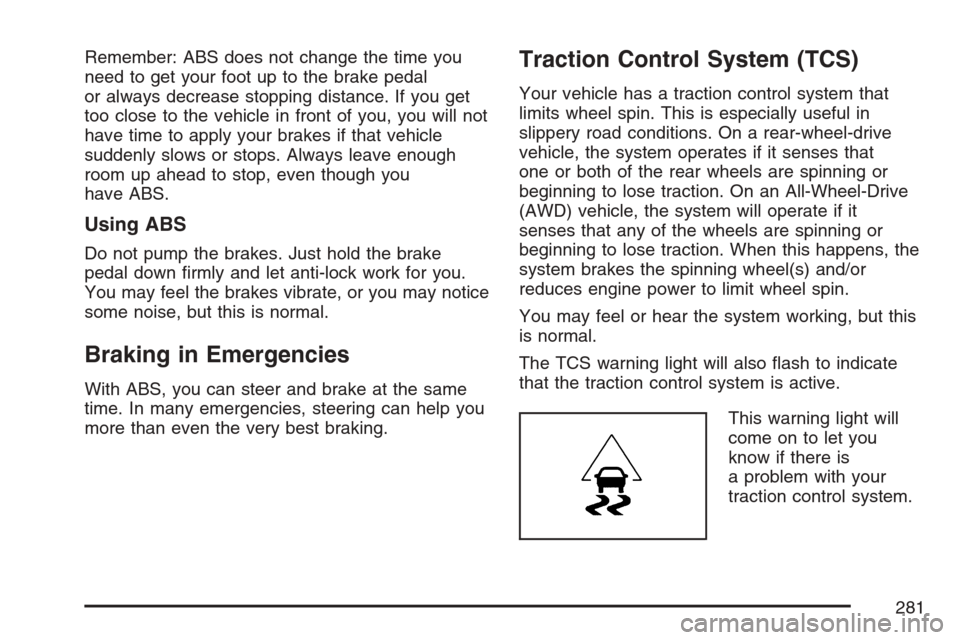
The TCS warning light will also ash to indicate
that the traction control system is active.
This warning light will
come on to let you
know if there is
a problem with your
traction control system.
281
Page 283 of 522
Magnetic Ride Control
Your vehicle may have Magnetic Ride Control
that automatically adjusts the ride of your vehicle.
Automatic ride control is achieved through a
computer used to control and monitor the
suspension system. The controller receives input
from various sensors to determine the proper
system response. If the controller detects a
problem within the system, the DIC will display a
SERVICE SUSPENSION SYS message. See
DIC Warnings and Messages on page 220
for more information. See your dealer for service.
Limited-Slip Rear Axle
Your vehicle may have this feature. A limited-slip
rear axle can give you additional traction on
snow, mud, ice, sand or gravel. It works like a
standard axle most of the time, but when one of
the rear wheels has no traction and the other does,
this feature will allow the wheel with traction to
move the vehicle.
StabiliTrak®System
Your vehicle is equipped with a vehicle stability
enhancement system called StabiliTrak®.It
is an advanced computer controlled system that
assists you with directional control of the vehicle in
difficult driving conditions.
StabiliTrak
®activates when the computer senses
a discrepancy between your intended path
and the direction the vehicle is actually traveling.
StabiliTrak
®selectively applies braking pressure
at any one of the vehicle’s brakes to help steer the
vehicle in the direction which you are steering.
When the stability control system activates,
the traction control system and StabiliTrak
®light
will ash on the instrument panel cluster. This also
occurs when traction control is activated. You
may also hear a noise or feel vibration in the brake
pedal. This is normal. Continue to steer the
vehicle in the direction you want it to go.
283
Page 285 of 522
Steering
Power Steering
If you lose power steering assist because the
engine stops or the system is not functioning, you
can steer but it will take much more effort.
Steering Tips
It is important to take curves at a reasonable
speed.
A lot of the “driver lost control” accidents
mentioned on the news happen on curves.
Here is why:
Experienced driver or beginner, each of us is
subject to the same laws of physics when driving
on curves. The traction of the tires against the
road surface makes it possible for the vehicle to
change its path when you turn the front wheels. If
there is no traction, inertia will keep the vehicle
going in the same direction. If you have ever
tried to steer a vehicle on wet ice, you will
understand this.The traction you can get in a curve depends on
the condition of the tires and the road surface, the
angle at which the curve is banked, and your
speed. While you are in a curve, speed is the
one factor you can control.
Suppose you are steering through a sharp curve.
Then you suddenly accelerate. Both control
systems — steering and acceleration — have to
do their work where the tires meet the road.
Adding the sudden acceleration can demand too
much of those places. You can lose control.
SeeStabiliTrak
®System on page 283.
What should you do if this ever happens? Ease up
on the accelerator pedal, steer the vehicle the
way you want it to go, and slow down.
Speed limit signs near curves warn that you
should adjust your speed. Of course, the posted
speeds are based on good weather and road
conditions. Under less favorable conditions you will
want to go slower.
If you need to reduce your speed as you approach
a curve, do it before you enter the curve, while
the front wheels are straight ahead.
285