wheel CADILLAC SRX 2007 1.G Owner's Manual
[x] Cancel search | Manufacturer: CADILLAC, Model Year: 2007, Model line: SRX, Model: CADILLAC SRX 2007 1.GPages: 522, PDF Size: 2.71 MB
Page 167 of 522
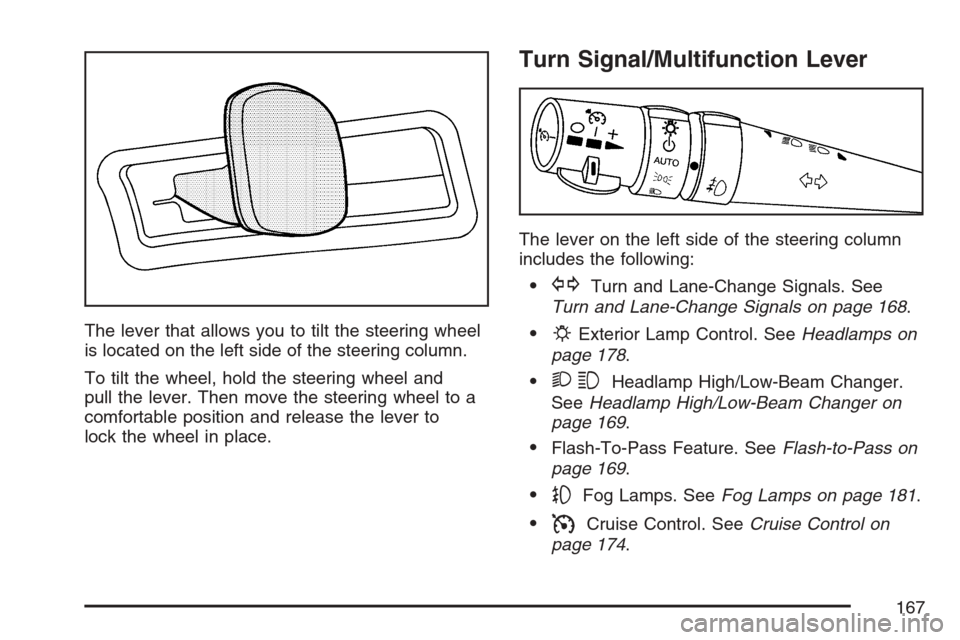
The lever that allows you to tilt the steering wheel
is located on the left side of the steering column.
To tilt the wheel, hold the steering wheel and
pull the lever. Then move the steering wheel to a
comfortable position and release the lever to
lock the wheel in place.
Turn Signal/Multifunction Lever
The lever on the left side of the steering column
includes the following:
GTurn and Lane-Change Signals. See
Turn and Lane-Change Signals on page 168.
PExterior Lamp Control. SeeHeadlamps on
page 178.
23Headlamp High/Low-Beam Changer.
SeeHeadlamp High/Low-Beam Changer on
page 169.
Flash-To-Pass Feature. SeeFlash-to-Pass on
page 169.
-Fog Lamps. SeeFog Lamps on page 181.
ICruise Control. SeeCruise Control on
page 174.
167
Page 174 of 522
Cruise Control
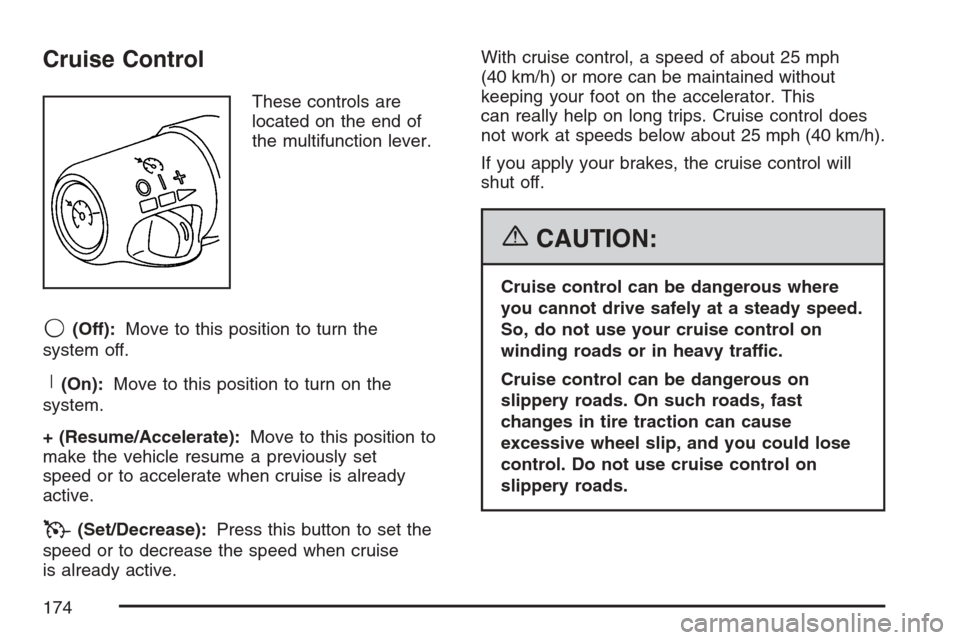
These controls are
located on the end of
the multifunction lever.
9(Off):Move to this position to turn the
system off.
R(On):Move to this position to turn on the
system.
+ (Resume/Accelerate):Move to this position to
make the vehicle resume a previously set
speed or to accelerate when cruise is already
active.
T(Set/Decrease):Press this button to set the
speed or to decrease the speed when cruise
is already active.With cruise control, a speed of about 25 mph
(40 km/h) or more can be maintained without
keeping your foot on the accelerator. This
can really help on long trips. Cruise control does
not work at speeds below about 25 mph (40 km/h).
If you apply your brakes, the cruise control will
shut off.
{CAUTION:
Cruise control can be dangerous where
you cannot drive safely at a steady speed.
So, do not use your cruise control on
winding roads or in heavy traffic.
Cruise control can be dangerous on
slippery roads. On such roads, fast
changes in tire traction can cause
excessive wheel slip, and you could lose
control. Do not use cruise control on
slippery roads.
174
Page 175 of 522
If your vehicle is in cruise control when the
Traction Control System (TCS) begins to limit
wheel spin, the cruise control will automatically
disengage. SeeTraction Control System (TCS) on
page 281andStabiliTrak
®System on page 283.
When road conditions allow you to safely use
it again, you may turn the cruise control back on.
Setting Cruise Control
{CAUTION:
If you leave your cruise control on when
you are not using cruise, you might hit a
button and go into cruise when you do
not want to. You could be startled and
even lose control. Keep the cruise control
switch off until you want to use cruise
control.1. Move the cruise control switch to on.
2. Get up to the speed desired.
3. Press in the set button at the end of the lever
and release it.
4. Take your foot off the accelerator pedal.
This light on the
instrument panel cluster
will come on while
cruise control is on.
175
Page 193 of 522
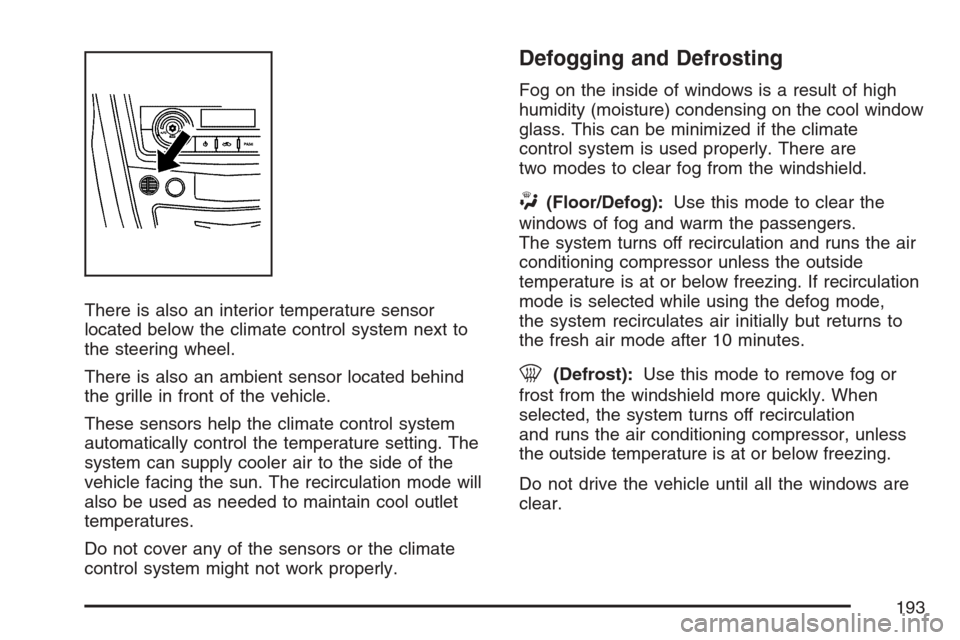
There is also an interior temperature sensor
located below the climate control system next to
the steering wheel.
There is also an ambient sensor located behind
the grille in front of the vehicle.
These sensors help the climate control system
automatically control the temperature setting. The
system can supply cooler air to the side of the
vehicle facing the sun. The recirculation mode will
also be used as needed to maintain cool outlet
temperatures.
Do not cover any of the sensors or the climate
control system might not work properly.
Defogging and Defrosting
Fog on the inside of windows is a result of high
humidity (moisture) condensing on the cool window
glass. This can be minimized if the climate
control system is used properly. There are
two modes to clear fog from the windshield.
W(Floor/Defog):Use this mode to clear the
windows of fog and warm the passengers.
The system turns off recirculation and runs the air
conditioning compressor unless the outside
temperature is at or below freezing. If recirculation
mode is selected while using the defog mode,
the system recirculates air initially but returns to
the fresh air mode after 10 minutes.
0(Defrost):Use this mode to remove fog or
frost from the windshield more quickly. When
selected, the system turns off recirculation
and runs the air conditioning compressor, unless
the outside temperature is at or below freezing.
Do not drive the vehicle until all the windows are
clear.
193
Page 194 of 522
Rear Window Defogger
The rear window defogger uses a warming grid to
remove fog or frost from the rear window.
<(Rear Defogger):Press the center of the
right control to turn the rear window defogger on or
off. Be sure to clear as much snow from the
rear window as possible. The rear window
defogger turns off about 20 minutes after the
button is rst pressed if the vehicle is moving at
slower speeds. At higher vehicle speeds, the rear
defogger can stay on continuously. Each
additional press runs the defogger for about
10 minutes.
The heated outside rearview mirrors also heat to
help clear fog or frost from the surface of the
mirror when the rear window defogger is on.
Notice:Do not use a razor blade or sharp
object to clear the inside rear window. Do not
adhere anything to the defogger grid lines
in the rear glass. These actions may damage
the rear defogger. Repairs would not be
covered by your warranty.
Outlet Adjustment
Use the knobs located in the center of each outlet
to change the direction of the airow. Use the
thumbwheels to open or close the outlets.
Operation Tips
Clear away any ice, snow, or leaves from the
air inlets at the base of the windshield that
could block the ow of air into the vehicle.
Use of non-GM approved hood deectors may
adversely affect the performance of the
system.
Keep the path under the front seats clear of
objects to help circulate the air inside of the
vehicle more effectively.
If the airow seems low when the fan speed is
at the highest setting, the passenger
compartment air lter might need to be
replaced. For more information, see
Passenger Compartment Air Filter on
page 195.
Set the climate control system to AUTO fan
and mode and then adjust the temperature
setting up or down a few degrees for
best comfort.
194
Page 206 of 522
If the regular brake system warning light is not on,
you still have brakes, but you do not have
anti-lock brakes. If the regular brake system
warning light is also on, you do not have anti-lock
brakes and there is a problem with your regular
brakes. SeeBrake System Warning Light on
page 204for more information.
The ABS warning light should come on briey
when you turn the ignition key to ON. If the light
does not come on then, have it xed so it will
be ready to warn you if there is a problem.
Traction Control System (TCS)
Warning Light
Your vehicle has a
traction control system
warning light.
This light will come on when your traction control
system is limiting wheel spin. You may feel or
hear the system working, but this is normal.If the traction control system warning light comes
on and stays on for an extended period of
time when the system is turned on, your vehicle
needs service. SeeTraction Control System (TCS)
on page 281for more information.
Engine Coolant Temperature
Warning Light
This light tells you that
your engine is very hot.
This light will come on when you rst start the
vehicle as a check to let you know that the light is
working. It will go out after a few seconds. If the
light does not come on, the bulb may be burned out.
See your dealer to have it corrected.
If the light does not go out or if the light comes on
and stays on while you are driving, your vehicle
may have a problem with the cooling system.
206
Page 214 of 522

All of the following situations are normal and do
not indicate that anything is wrong with the
fuel gage:
At the gas station the gas pump shuts off
before the gage reads full.
The gage may change when you turn, stop
quickly or accelerate quickly.
It takes a little more or less fuel to ll the tank
than the gage indicated. For example, the gage
may have indicated that the tank was half full,
but it actually took a little more or less than half
the tank’s capacity to ll the tank.
Driver Information Center (DIC)
The Driver Information Center (DIC) gives you the
status of many of your vehicle’s systems. The DIC
is also used to display warning/status messages.
All messages will appear in the DIC display located
at the bottom of the instrument panel cluster, below
the tachometer and speedometer. The DIC buttons
are located on the instrument panel, to the left of
the steering wheel.
The DIC comes on when the ignition is on. After a
short delay, the DIC will display the information
that was last displayed before the engine was
turned off.
The top line of the DIC display shows the vehicle
system information and the warning/status
messages. The bottom line of the DIC display
shows the odometer on the left side, the outside
air temperature on the right side, and the shift
position indicator in the center. For more
information on the shift position indicator, see
Automatic Transmission Operation on page 122.
214
Page 215 of 522
When the sport mode is active, an S will appear
next to the shift position indicator on the center of
the DIC display. When the manual mode is
active, an M will appear on the DIC display. When
the normal mode is active, only the shift position
indicator will appear. While the Driver Shift Control
(DSC) feature is active, the DIC will change to
show the selected gear. See″Driver Shift Control
(DSC)″underAutomatic Transmission Operation
on page 122for more information.
If a problem is detected, a warning message will
appear on the display. Be sure to take any
message that appears on the display seriously
and remember that clearing the message will only
make the message disappear, not correct the
problem.DIC Controls and Displays
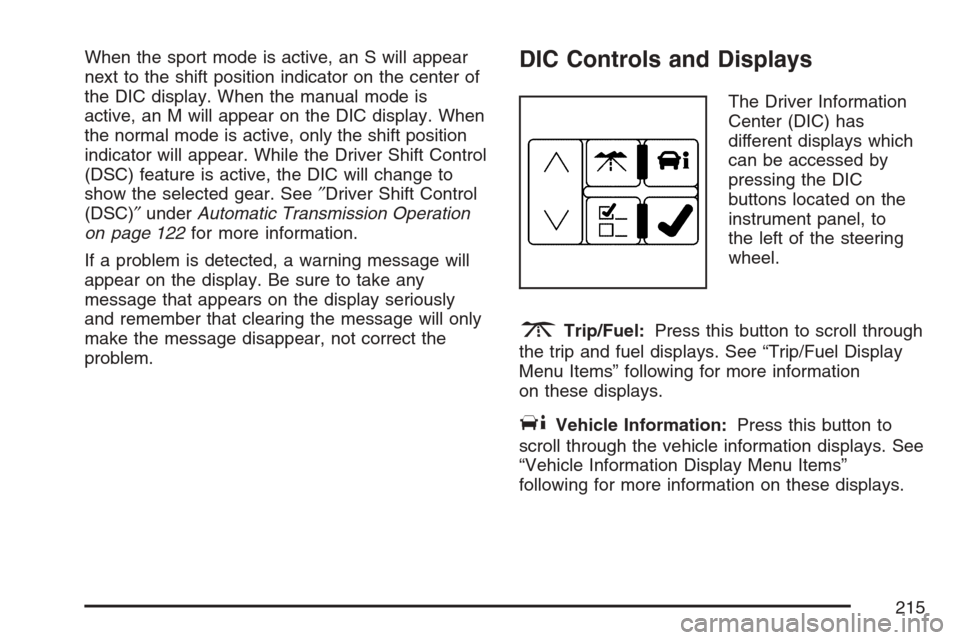
The Driver Information
Center (DIC) has
different displays which
can be accessed by
pressing the DIC
buttons located on the
instrument panel, to
the left of the steering
wheel.
3Trip/Fuel:Press this button to scroll through
the trip and fuel displays. See “Trip/Fuel Display
Menu Items” following for more information
on these displays.
TVehicle Information:Press this button to
scroll through the vehicle information displays. See
“Vehicle Information Display Menu Items”
following for more information on these displays.
215
Page 227 of 522
SERVICE STABILITRAK
This message displays if there has been a
problem detected with the StabiliTrak®system.
If this message comes on while you are driving,
pull off the road as soon as possible and stop
carefully. Try resetting the system by turning the
ignition off then back on. If this message still stays
on or comes back on again while you are
driving, your vehicle needs service. Have the
StabiliTrak
®system inspected by your dealer as
soon as possible. SeeStabiliTrak®System
on page 283for more information.
SERVICE SUSPENSION SYS (System)
This message displays when the magnetic
ride control or automatic leveling control system is
not operating properly. Have your vehicle
serviced by your dealer.
SERVICE THEFT DETERRENT SYSTEM
This message displays when there is a problem
with the theft-deterrent system programmed in the
key. A fault has been detected in the system
which means that the system is disabled and it is
not protecting the vehicle. The vehicle usually
restarts; however, you may want to take the
vehicle to your dealer before turning off the engine.
SeePASS-Key
®III+ Operation on page 114for
more information.
SERVICE TIRE MONITOR SYSTEM
If your vehicle has a Tire Pressure Monitor (TPM)
system, this message displays if a part on the
system is not working properly. If you drive your
vehicle while any of the four sensors are
missing or inoperable, the warning comes on in
about 10 minutes. A sensor would be missing, for
example, if you put different wheels on your
vehicle without transferring the sensors. If the
warning comes on and stays on, there may be a
problem with the TPM. See your dealer.
227
Page 228 of 522
SERVICE TRACTION CONTROL
This message displays when there is a problem
with the Traction Control System (TCS). When this
message displays, the system will not limit
wheel spin. Adjust your driving accordingly. See
your dealer for service. SeeTraction Control
System (TCS) on page 281for more information.
SERVICE TRANSMISSION
This message displays when there is a problem
with the vehicle’s transmission. Have your vehicle
serviced by your dealer.
SERVICE VEHICLE SOON
This message displays when a non-emissions
related malfunction occurs. Have your vehicle
serviced by your dealer as soon as possible.
SPEED LIMITED TO XXX MPH (km/h)
This message displays when your vehicle speed is
limited to 80 mph (128 km/h) because the
vehicle detects a problem in the speed variable
assist steering, magnetic ride control, or automatic
leveling control systems. Have your vehicle
serviced by your dealer.
STABILITRAK NOT READY
This message may display and the Traction
Control System and StabiliTrak®Warning Light on
the instrument panel cluster may be on after
rst driving the vehicle and exceeding 19 mph
(30 km/h) for 30 seconds. The StabiliTrak
®system
is not functional until the light has turned off.
SeeStabiliTrak
®System on page 283for more
information.
STABILITRAK OFF
This message displays when you turn off
StabiliTrak®, or when the stability control has been
automatically disabled. To limit wheel spin and
realize the full benets of the stability
enhancement system, you should normally leave
StabiliTrak
®on. However, you should turn
StabiliTrak®off if your vehicle gets stuck in sand,
mud, ice, or snow and you want to rock your
vehicle to attempt to free it, or if you are driving in
extreme off-road conditions and require more
wheel spin. SeeIf Your Vehicle is Stuck in Sand,
Mud, Ice, or Snow on page 321. To turn the
StabiliTrak
®system on or off, seeStabiliTrak®
System on page 283.
228