warning light CADILLAC SRX 2008 1.G User Guide
[x] Cancel search | Manufacturer: CADILLAC, Model Year: 2008, Model line: SRX, Model: CADILLAC SRX 2008 1.GPages: 448, PDF Size: 5.61 MB
Page 175 of 448
{CAUTION:
If the airbag readiness light stays on after you
start your vehicle, it means the airbag system
may not be working properly. The airbags in
your vehicle may not inate in a crash, or they
could even inate without a crash. To help
avoid injury to yourself or others, have your
vehicle serviced right away if the airbag
readiness light stays on after you start your
vehicle.
The airbag readiness light should ash for a few seconds
when you start the engine. If the light does not come on
then, have it xed immediately. If there is a problem with
the airbag system, an airbag Driver Information Center
(DIC) message may also come on. SeeDIC Warnings
and Messages on page 3-53for more information.
Passenger Airbag Status Indicator
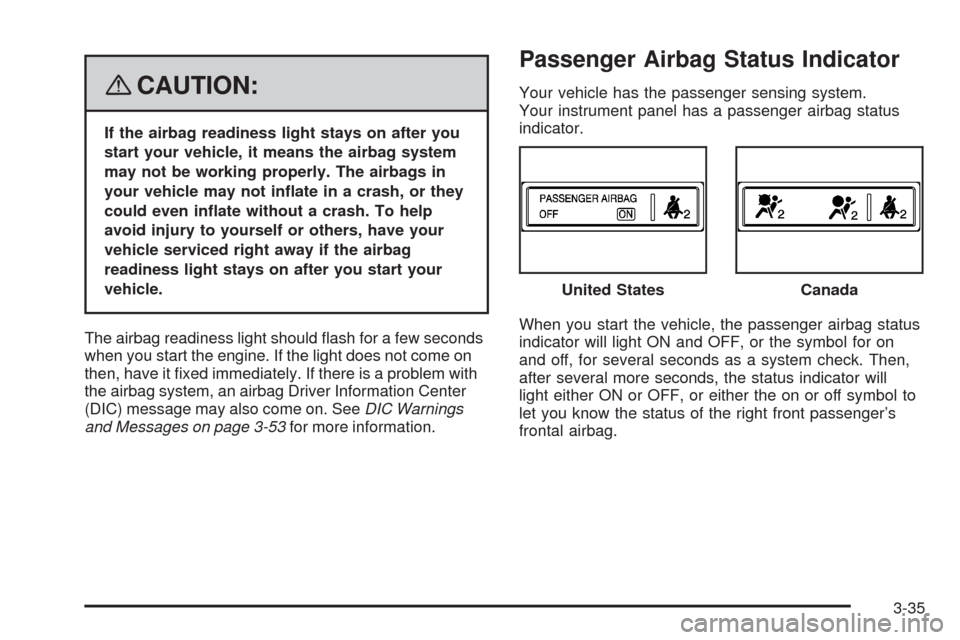
Your vehicle has the passenger sensing system.
Your instrument panel has a passenger airbag status
indicator.
When you start the vehicle, the passenger airbag status
indicator will light ON and OFF, or the symbol for on
and off, for several seconds as a system check. Then,
after several more seconds, the status indicator will
light either ON or OFF, or either the on or off symbol to
let you know the status of the right front passenger’s
frontal airbag.United States
Canada
3-35
Page 177 of 448
{CAUTION:
If the airbag readiness light in the instrument
panel cluster ever comes on and stays on,
it means that something may be wrong with
the airbag system. If this ever happens, have
the vehicle serviced promptly, because an
adult-size person sitting in the right front
passenger’s seat may not have the protection
of the airbag(s). SeeAirbag Readiness Light
on page 3-34for more on this, including
important safety information.
Charging System Light
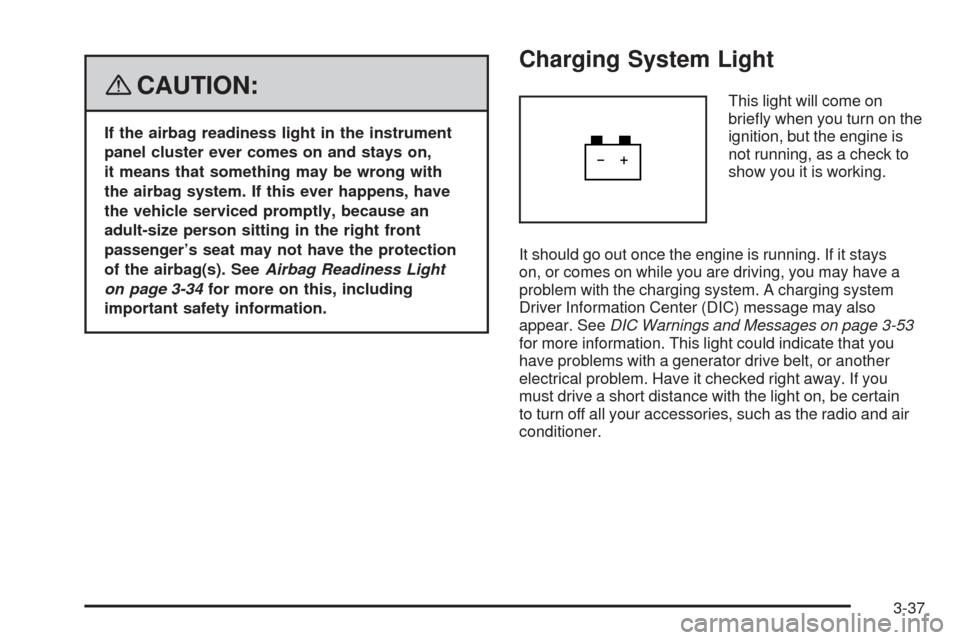
This light will come on
briey when you turn on the
ignition, but the engine is
not running, as a check to
show you it is working.
It should go out once the engine is running. If it stays
on, or comes on while you are driving, you may have a
problem with the charging system. A charging system
Driver Information Center (DIC) message may also
appear. SeeDIC Warnings and Messages on page 3-53
for more information. This light could indicate that you
have problems with a generator drive belt, or another
electrical problem. Have it checked right away. If you
must drive a short distance with the light on, be certain
to turn off all your accessories, such as the radio and air
conditioner.
3-37
Page 178 of 448
Brake System Warning Light
Your vehicle’s hydraulic brake system is divided into
two parts. If one part is not working, the other part can
still work and stop you. For good braking, though,
you need both parts working well.
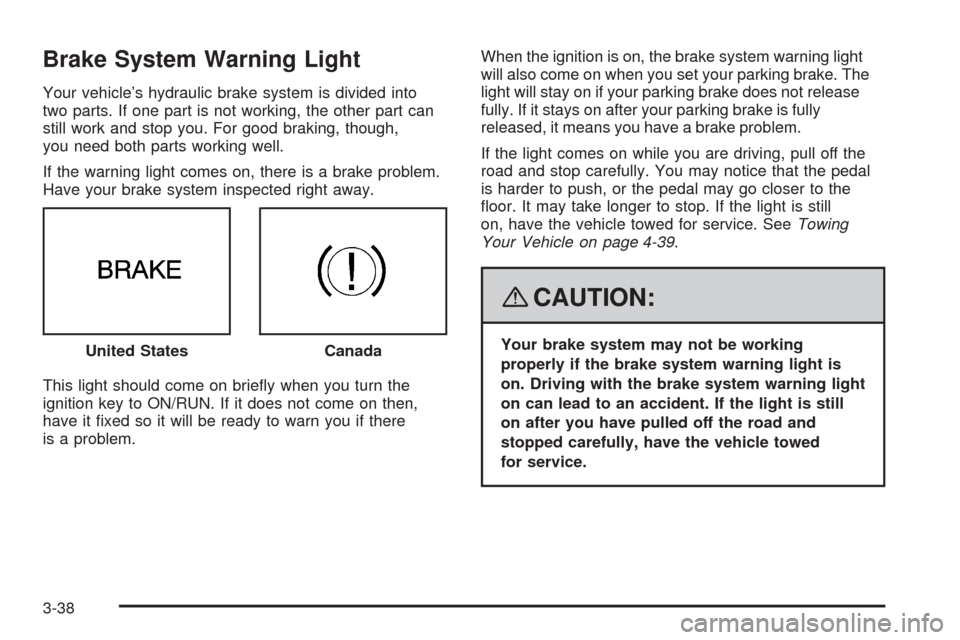
If the warning light comes on, there is a brake problem.
Have your brake system inspected right away.
This light should come on briey when you turn the
ignition key to ON/RUN. If it does not come on then,
have it xed so it will be ready to warn you if there
is a problem.When the ignition is on, the brake system warning light
will also come on when you set your parking brake. The
light will stay on if your parking brake does not release
fully. If it stays on after your parking brake is fully
released, it means you have a brake problem.
If the light comes on while you are driving, pull off the
road and stop carefully. You may notice that the pedal
is harder to push, or the pedal may go closer to the
oor. It may take longer to stop. If the light is still
on, have the vehicle towed for service. SeeTowing
Your Vehicle on page 4-39.
{CAUTION:
Your brake system may not be working
properly if the brake system warning light is
on. Driving with the brake system warning light
on can lead to an accident. If the light is still
on after you have pulled off the road and
stopped carefully, have the vehicle towed
for service. United StatesCanada
3-38
Page 179 of 448
Antilock Brake System
Warning Light
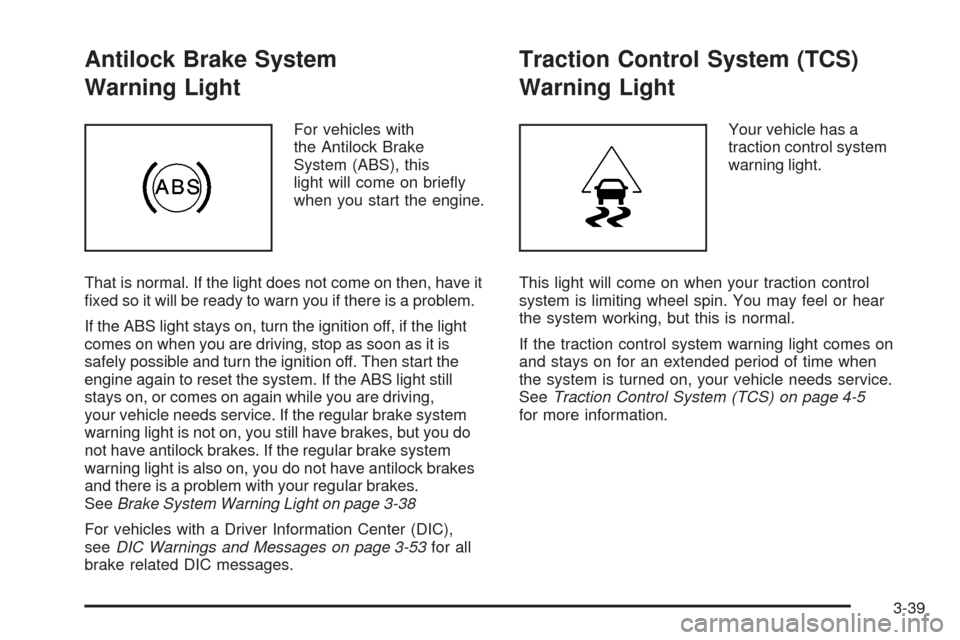
For vehicles with
the Antilock Brake
System (ABS), this
light will come on briey
when you start the engine.
That is normal. If the light does not come on then, have it
xed so it will be ready to warn you if there is a problem.
If the ABS light stays on, turn the ignition off, if the light
comes on when you are driving, stop as soon as it is
safely possible and turn the ignition off. Then start the
engine again to reset the system. If the ABS light still
stays on, or comes on again while you are driving,
your vehicle needs service. If the regular brake system
warning light is not on, you still have brakes, but you do
not have antilock brakes. If the regular brake system
warning light is also on, you do not have antilock brakes
and there is a problem with your regular brakes.
SeeBrake System Warning Light on page 3-38
For vehicles with a Driver Information Center (DIC),
seeDIC Warnings and Messages on page 3-53for all
brake related DIC messages.
Traction Control System (TCS)
Warning Light
Your vehicle has a
traction control system
warning light.
This light will come on when your traction control
system is limiting wheel spin. You may feel or hear
the system working, but this is normal.
If the traction control system warning light comes on
and stays on for an extended period of time when
the system is turned on, your vehicle needs service.
SeeTraction Control System (TCS) on page 4-5
for more information.
3-39
Page 180 of 448

Engine Coolant Temperature
Warning Light
The engine coolant
temperature warning light
will come on when the
engine has overheated.
If this happens you should pull over and turn off the
engine as soon as possible. SeeEngine Overheating
on page 5-26for more information.
Notice:Driving with the engine coolant temperature
warning light on could cause your vehicle to
overheat. SeeEngine Overheating on page 5-26.
Your vehicle could be damaged, and it might not
be covered by your warranty. Never drive with
the engine coolant temperature warning light on.
This light will also come on briey when starting
your vehicle. If it does not, have your vehicle serviced.
Engine Coolant Temperature Gage
This gage shows the
engine coolant
temperature.
It indicates when the engine has warmed up and if
the cooling system is operating properly. If the gage
pointer moves into the shaded area, the engine coolant
is too hot and the engine coolant temperature warning
light will come on. SeeEngine Overheating on
page 5-26for more information.
3-40
Page 181 of 448
Tire Pressure Light
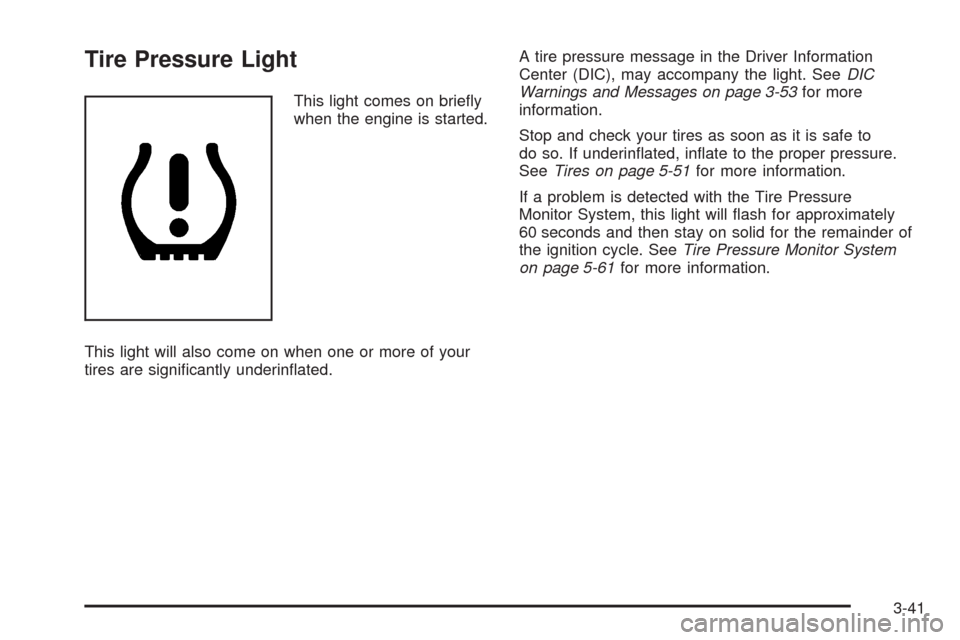
This light comes on briey
when the engine is started.
This light will also come on when one or more of your
tires are signicantly underinated.A tire pressure message in the Driver Information
Center (DIC), may accompany the light. SeeDIC
Warnings and Messages on page 3-53for more
information.
Stop and check your tires as soon as it is safe to
do so. If underinated, inate to the proper pressure.
SeeTires on page 5-51for more information.
If a problem is detected with the Tire Pressure
Monitor System, this light will ash for approximately
60 seconds and then stay on solid for the remainder of
the ignition cycle. SeeTire Pressure Monitor System
on page 5-61for more information.
3-41
Page 190 of 448
TIMER ON/OFF
This display can be used like a stopwatch. You can
record the time it takes to travel from one point to
another. To access the timer, press the trip/fuel
button until 00:00:00 TIMER OFF displays.
To turn on the timer, press the set/reset button until
TIMER ON displays. The timer will then start.
To turn off the timer, press the set/reset button again
until TIMER OFF displays. The timer will stop and
display the end timing value.
To reset the timer, press and hold the set/reset button
after the timer has been stopped. The display will return
to zero.
AVERAGE SPEED
This display shows the average speed of the vehicle in
either miles per hour (mph) or kilometers per hour (km/h).
This average is calculated based on the various vehicle
speeds recorded since the last reset of this display. To
reset this display, press the set/reset button. The display
will return to zero.
BATTERY VOLTAGE
This display shows the current battery voltage. Your
vehicle’s charging system regulates voltage based
on the state of the battery. The battery voltage may
uctuate when viewing this information on the DIC.
This is normal.
If there is a problem with the battery charging system, the
charging system light will illuminate and/or the DIC will
display a message. SeeCharging System Light on
page 3-37,DIC Warnings and Messages on page 3-53
andElectric Power Management on page 3-20for more
information.
Blank Display
This display shows no information.
3-50
Page 193 of 448
DIC Warnings and Messages
These messages appear if there is a problem detected
in one of your vehicle’s systems.
You must acknowledge a message to clear it from the
screen for further use. To clear a message, press
the set/reset button.
Be sure to take any message that appears on the
screen seriously and remember that clearing the
message only makes the message disappear,
not the problem.
AUTOMATIC LIGHT CONTROL OFF
This message displays when the automatic headlamps
are turned off.
AUTOMATIC LIGHT CONTROL ON
This message displays when the automatic headlamps
are turned on.
BATTERY SAVER ACTIVE
This message displays when the system detects that the
battery voltage is dropping below expected levels. The
battery saver system starts reducing certain features of
the vehicle that you may be able to notice. At the point
that the features are disabled, this message is displayed.
It means that the vehicle is trying to save the charge in
the battery.
Turn off all unnecessary accessories to allow the battery
to recharge.
The normal battery voltage range is 11.5 to 15.5 volts.
You can monitor battery voltage on the Driver Information
Center (DIC) by pressing the trip/fuel button until
BATTERY VOLTAGE is displayed.
CHANGE ENGINE OIL SOON
When this message displays, it means that service is
required for your vehicle. See your dealer/retailer.
SeeEngine Oil on page 5-16andScheduled
Maintenance on page 6-4for more information.
When you reset the CHANGE ENGINE OIL SOON
message by clearing it from the display, you still must
reset the engine oil life system separately. For more
information on resetting the engine oil life system,
seeEngine Oil Life System on page 5-19.
3-53
Page 194 of 448
CHECK TIRE PRESSURE
This message displays when the pressure in one or more
of the vehicle’s tires needs to be checked. This message
also displays LEFT FRONT, RIGHT FRONT, LEFT
REAR, or RIGHT REAR to indicate which tire needs to
be checked. You can receive more than one tire pressure
message at a time. To read the other messages that may
have been sent at the same time, press the set/reset
button. If a tire pressure message appears on the DIC,
stop as soon as you can. Have the tire pressures
checked and set to those shown on the Tire Loading
Information label. SeeTires on page 5-51,Loading Your
Vehicle on page 4-33, andInflation - Tire Pressure on
page 5-59. The DIC also shows the tire pressure values.
SeeDIC Operation and Displays on page 3-48. If the tire
pressure is low, the low tire pressure warning light comes
on. SeeTire Pressure Light on page 3-41.
CRUISE SET TO XXX MPH (km/h)
This message displays whenever the cruise control
is set. SeeCruise Control on page 3-12for more
information.
DRIVER DOOR OPEN
This message displays when the driver door is not
closed completely. Make sure that the door is closed
completely.
ENGINE HOT – A/C
(Air Conditioning) OFF
This message displays when the engine coolant
becomes hotter than the normal operating temperature.
SeeEngine Coolant Temperature Gage on page 3-40.
To avoid added strain on a hot engine, the air
conditioning compressor automatically turns off.
When the coolant temperature returns to normal,
the air conditioning compressor turns back on.
You can continue to drive your vehicle.
If this message continues to appear, have the system
repaired by your dealer/retailer as soon as possible
to avoid damage to the engine.
3-54
Page 195 of 448
ENGINE OVERHEATED IDLE ENGINE
Notice:If you drive your vehicle while the engine
is overheating, severe engine damage may occur.
If an overheat warning appears on the instrument
panel cluster and/or DIC, stop the vehicle as soon as
possible. Do not increase the engine speed above
normal idling speed. SeeEngine Overheating
on page 5-26for more information.
This message displays when the engine coolant
temperature is too hot. Stop and allow the vehicle
to idle until it cools down. SeeEngine Coolant
Temperature Warning Light on page 3-40.
SeeOverheated Engine Protection Operating Mode on
page 5-28for information on driving to a safe place
in an emergency.
ENGINE POWER REDUCED
This message displays when the engine power is being
reduced to protect the engine from damage. There could
be several malfunctions that might cause this message.
Reduced engine power can affect the vehicle’s ability to
accelerate. If this message is on, but there is no reduction
in performance, proceed to your destination. The
performance may be reduced the next time the vehicle
is driven. The vehicle may be driven at a reduced speed
while this message is on, but acceleration and speed may
be reduced. Anytime this message stays on, the vehicle
should be taken to your dealer/retailer for service as soon
as possible.
FUEL LEVEL LOW
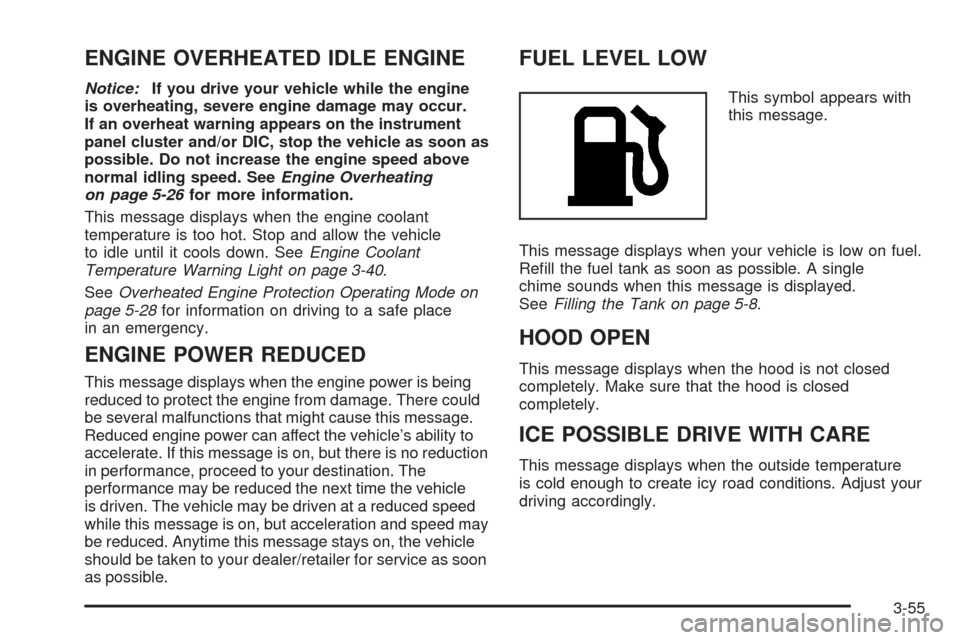
This symbol appears with
this message.
This message displays when your vehicle is low on fuel.
Rell the fuel tank as soon as possible. A single
chime sounds when this message is displayed.
SeeFilling the Tank on page 5-8.
HOOD OPEN
This message displays when the hood is not closed
completely. Make sure that the hood is closed
completely.
ICE POSSIBLE DRIVE WITH CARE
This message displays when the outside temperature
is cold enough to create icy road conditions. Adjust your
driving accordingly.
3-55