power CADILLAC SRX 2011 2.G User Guide
[x] Cancel search | Manufacturer: CADILLAC, Model Year: 2011, Model line: SRX, Model: CADILLAC SRX 2011 2.GPages: 498, PDF Size: 7.62 MB
Page 22 of 498
Black plate (16,1)Cadillac SRX Owner Manual - 2011
1-16 In Brief
Climate Controls
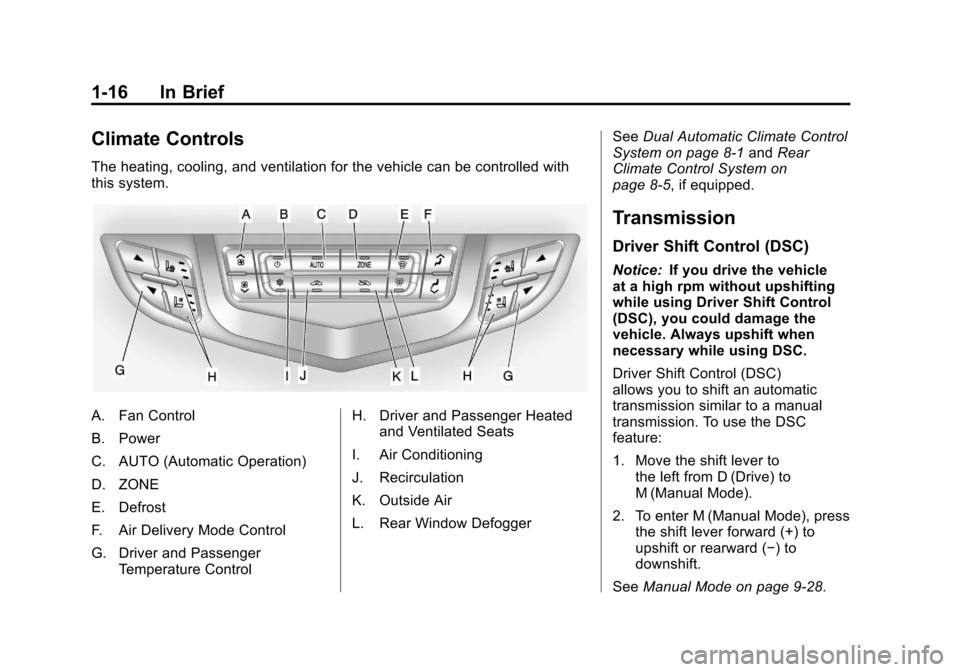
The heating, cooling, and ventilation for the vehicle can be controlled with
this system.
A. Fan Control
B. Power
C. AUTO (Automatic Operation)
D. ZONE
E. Defrost
F. Air Delivery Mode Control
G. Driver and PassengerTemperature Control H. Driver and Passenger Heated
and Ventilated Seats
I. Air Conditioning
J. Recirculation
K. Outside Air
L. Rear Window Defogger See
Dual Automatic Climate Control
System on page 8‑1 andRear
Climate Control System on
page 8‑5, if equipped.
Transmission
Driver Shift Control (DSC)
Notice: If you drive the vehicle
at a high rpm without upshifting
while using Driver Shift Control
(DSC), you could damage the
vehicle. Always upshift when
necessary while using DSC.
Driver Shift Control (DSC)
allows you to shift an automatic
transmission similar to a manual
transmission. To use the DSC
feature:
1. Move the shift lever to the left from D (Drive) to
M (Manual Mode).
2. To enter M (Manual Mode), press the shift lever forward (+) to
upshift or rearward (−) to
downshift.
See Manual Mode on page 9‑28.
Page 27 of 498
Black plate (21,1)Cadillac SRX Owner Manual - 2011
In Brief 1-21
−SET:Press to set the speed and
activate cruise control or make the
vehicle decelerate.
[: Press to disengage cruise
control without erasing the set
speed from memory.
See Cruise Control on page 9‑38.
Navigation System
The vehicle's navigation system
(if equipped) provides detailed maps
of most major freeways and roads.
After a destination has been set,
the system provides turn-by-turn
instructions for reaching the
destination. In addition, the system
can help locate a variety of points
of interest (POI), such as banks,
airports, restaurants, and more.
See the Navigation System manual
for more information.
Driver Information
Center (DIC)
The DIC display is located in the
center of the instrument panel
cluster. It shows the status of many
vehicle systems. The controls for
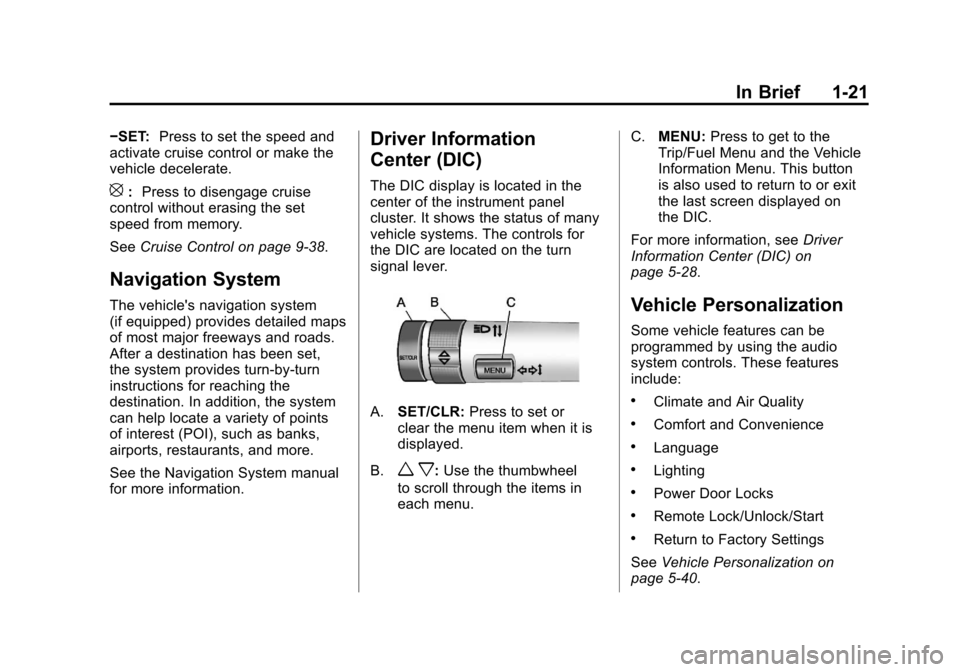
the DIC are located on the turn
signal lever.
A.SET/CLR: Press to set or
clear the menu item when it is
displayed.
B.
w x: Use the thumbwheel
to scroll through the items in
each menu. C.
MENU: Press to get to the
Trip/Fuel Menu and the Vehicle
Information Menu. This button
is also used to return to or exit
the last screen displayed on
the DIC.
For more information, see Driver
Information Center (DIC) on
page 5‑28.
Vehicle Personalization
Some vehicle features can be
programmed by using the audio
system controls. These features
include:
.Climate and Air Quality
.Comfort and Convenience
.Language
.Lighting
.Power Door Locks
.Remote Lock/Unlock/Start
.Return to Factory Settings
See Vehicle Personalization on
page 5‑40.
Page 29 of 498
Black plate (23,1)Cadillac SRX Owner Manual - 2011
In Brief 1-23
Power Outlets
The accessory power outlets can be
used to plug in electrical equipment,
such as a cell phone or MP3 player.
The vehicle has four accessory
power outlets. The power outlets
located below the climate control
system inside the front storage
bin, inside the center floor console,
and on the rear of the center floor
console are powered while the
vehicle is in ON/RUN/START or
ACC/ACCESSORY mode, or until
the driver door is opened within
10 minutes of turning off the vehicle.
The power outlet located in the rear
cargo area is powered at all times.
Open the protective cap to use the
accessory power outlet.
SeePower Outlets on page 5‑9.
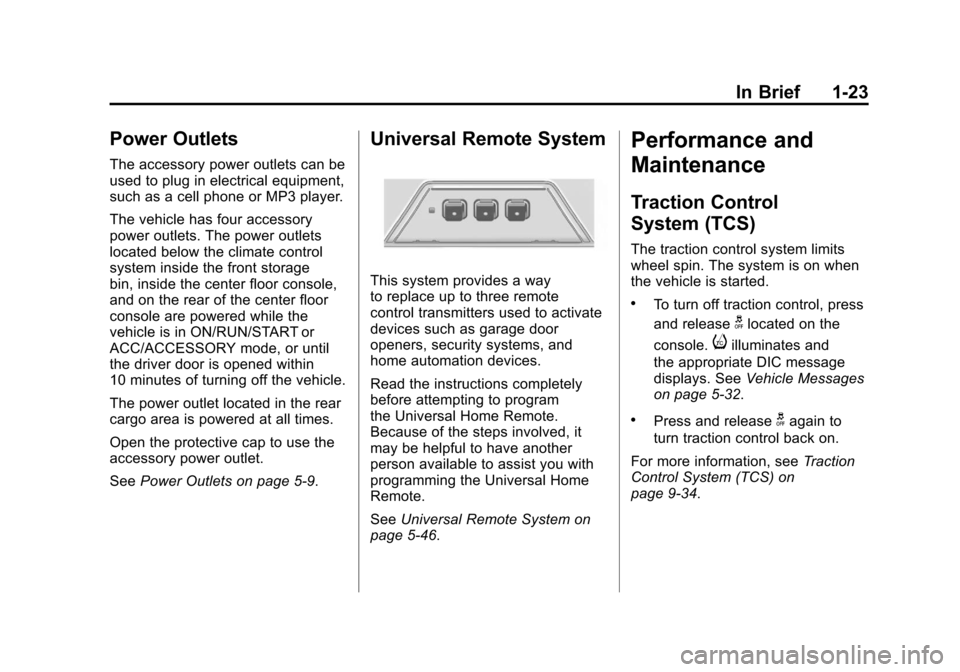
Universal Remote System
This system provides a way
to replace up to three remote
control transmitters used to activate
devices such as garage door
openers, security systems, and
home automation devices.
Read the instructions completely
before attempting to program
the Universal Home Remote.
Because of the steps involved, it
may be helpful to have another
person available to assist you with
programming the Universal Home
Remote.
SeeUniversal Remote System on
page 5‑46.
Performance and
Maintenance
Traction Control
System (TCS)
The traction control system limits
wheel spin. The system is on when
the vehicle is started.
.To turn off traction control, press
and release
glocated on the
console.
iilluminates and
the appropriate DIC message
displays. See Vehicle Messages
on page 5‑32.
.Press and releasegagain to
turn traction control back on.
For more information, see Traction
Control System (TCS) on
page 9‑34.
Page 33 of 498
Black plate (27,1)Cadillac SRX Owner Manual - 2011
In Brief 1-27
How OnStar Service Works
Q:Push this blue button to
connect to a specially trained
OnStar Advisor to verify your
account information and to answer
questions.
]: Push this red emergency
button to get priority help from
specially trained OnStar Emergency
Advisors.
X: Push this button for hands‐free,
voice‐activated calling and to give
voice commands for Hands‐Free
Calling and Turn‐by‐Turn
Navigation.
Automatic Crash Response,
Emergency Services, Crisis Assist,
Stolen Vehicle Assistance, Vehicle
Diagnostics, Remote Door Unlock,
Roadside Assistance, Turn‐by‐Turn
Navigation, and Hands‐Free Calling
are available on most vehicles.
Not all OnStar services are
available on all vehicles. For more
information, see the OnStar Owner's
Guide; visit www.onstar.com (U.S.)
or www.onstar.ca (Canada); contact OnStar at 1-888-4-ONSTAR
(1‐888‐466‐7827) or TTY
1‐877‐248‐2080; or push the
Q
button to speak with an OnStar
Advisor 24 hours a day, 7 days
a week.
For a full description of OnStar
services and system limitations, see
the OnStar Owner's Guide in the
glove box.
OnStar service is subject to the
OnStar Terms and Conditions
included in the OnStar Glove
Box Kit.
OnStar service requires wireless
communication networks and the
Global Positioning System (GPS)
satellite network. Not all OnStar
services are available everywhere
or on all vehicles at all times.
OnStar service can’t work unless
your vehicle is in a place where
OnStar has an agreement with a
wireless service provider for service
in that area, and the wireless
service provider has coverage,
network capacity, reception, and
technology compatible with OnStar's
service. Service involving location
information about your vehicle can’t
work unless GPS signals are
available, unobstructed, and
compatible with the OnStar
hardware. The vehicle has to have
a working electrical system and
adequate battery power for the
OnStar equipment to operate.
OnStar service may not work if the
OnStar equipment isn’t properly
installed or you haven’t maintained
it and your vehicle is in good
working order and in compliance
with all government regulations.
If you try to add, connect, or modify
any equipment or software in your
vehicle, OnStar service may not
work. Other problems OnStar can’t
control may prevent service to you,
such as hills, tall buildings, tunnels,
weather, electrical system design
and architecture of your vehicle,
damage to important parts of your
vehicle in a crash, or wireless phone
network congestion or jamming.
Page 35 of 498
Black plate (1,1)Cadillac SRX Owner Manual - 2011
Keys, Doors and Windows 2-1
Keys, Doors and
Windows
Keys and Locks
Keys . . . . . . . . . . . . . . . . . . . . . . . . . . 2-2
Remote Keyless Entry (RKE)System . . . . . . . . . . . . . . . . . . . . . . 2-3
Remote Keyless Entry (RKE) System Operation . . . . . . . . . . . 2-4
Remote Vehicle Start . . . . . . . . 2-10
Door Locks . . . . . . . . . . . . . . . . . . 2-12
Power Door Locks . . . . . . . . . . . 2-12
Safety Locks . . . . . . . . . . . . . . . . . 2-13
Doors
Liftgate (Manual) . . . . . . . . . . . . . 2-14
Liftgate (Power) . . . . . . . . . . . . . . 2-15
Vehicle Security
Vehicle Security . . . . . . . . . . . . . . 2-19
Anti-Theft Alarm System . . . . . 2-19
Immobilizer . . . . . . . . . . . . . . . . . . 2-20
Immobilizer Operation . . . . . . . 2-20
Exterior Mirrors
Convex Mirrors . . . . . . . . . . . . . . 2-21
Power Mirrors . . . . . . . . . . . . . . . . 2-22
Folding Mirrors . . . . . . . . . . . . . . . 2-22
Heated Mirrors . . . . . . . . . . . . . . . 2-23
Automatic Dimming Mirror . . . 2-23
Reverse Tilt Mirrors . . . . . . . . . . 2-23
Interior Mirrors
Manual Rearview Mirror . . . . . . 2-23
Automatic Dimming Rearview Mirror . . . . . . . . . . . . . . . . . . . . . . . 2-24
Windows
Windows . . . . . . . . . . . . . . . . . . . . . 2-24
Power Windows . . . . . . . . . . . . . 2-25
Sun Visors . . . . . . . . . . . . . . . . . . . 2-27
Roof
Sunroof . . . . . . . . . . . . . . . . . . . . . . 2-28
Page 36 of 498
Black plate (2,1)Cadillac SRX Owner Manual - 2011
2-2 Keys, Doors and Windows
Keys and Locks
Keys
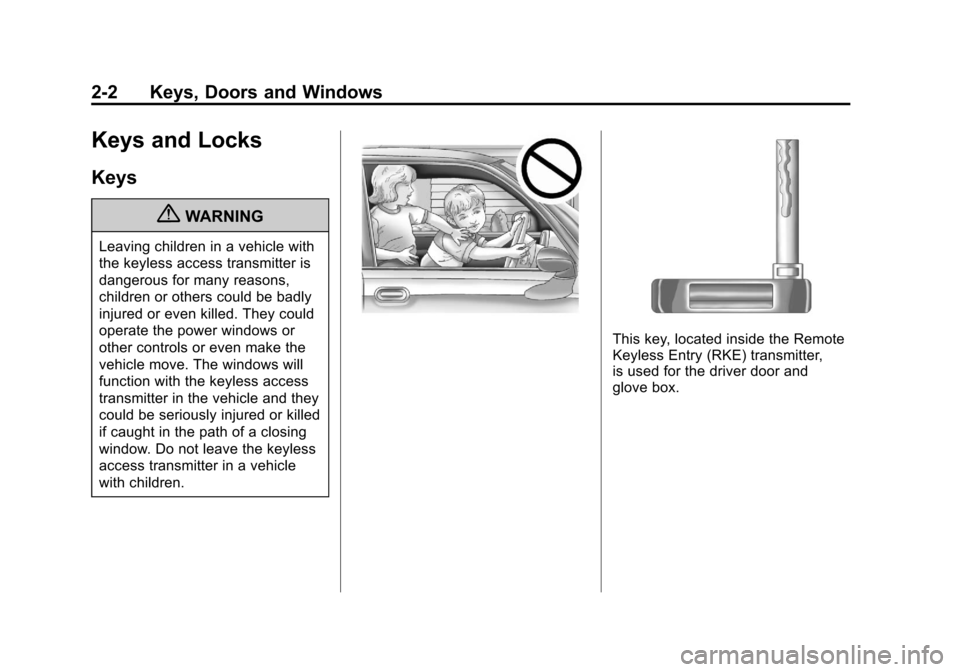
{WARNING
Leaving children in a vehicle with
the keyless access transmitter is
dangerous for many reasons,
children or others could be badly
injured or even killed. They could
operate the power windows or
other controls or even make the
vehicle move. The windows will
function with the keyless access
transmitter in the vehicle and they
could be seriously injured or killed
if caught in the path of a closing
window. Do not leave the keyless
access transmitter in a vehicle
with children.
This key, located inside the Remote
Keyless Entry (RKE) transmitter,
is used for the driver door and
glove box.
Page 38 of 498
Black plate (4,1)Cadillac SRX Owner Manual - 2011
2-4 Keys, Doors and Windows
Remote Keyless Entry
(RKE) System Operation
The Remote Keyless Entry (RKE)
transmitter functions will work up to
60 m (195 ft) away from the vehicle.
Keep in mind that other conditions,
such as those previously stated,
can impact the performance of the
transmitter.
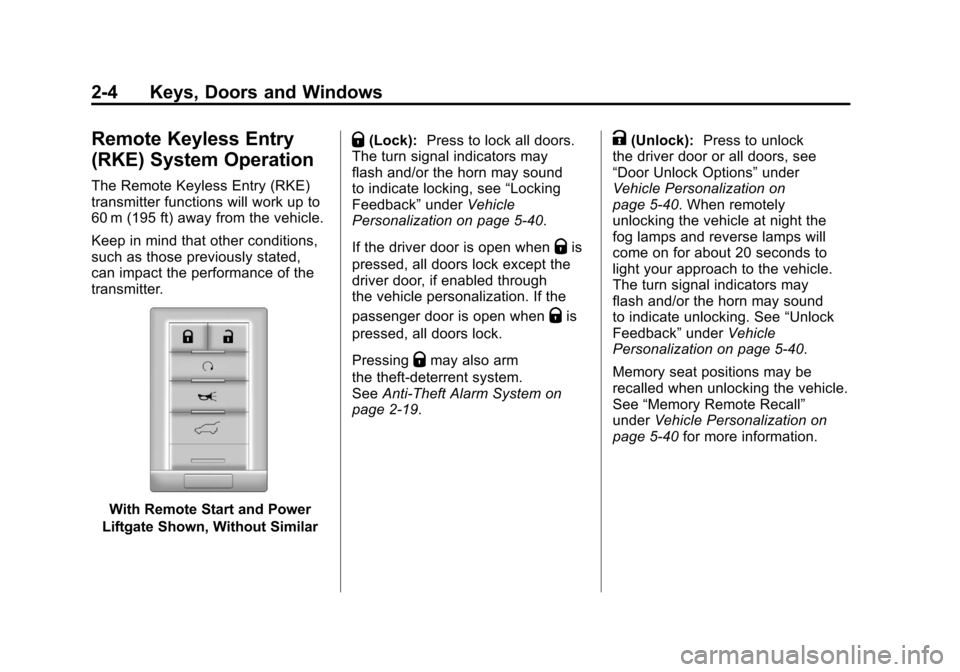
With Remote Start and Power
Liftgate Shown, Without Similar
Q(Lock): Press to lock all doors.
The turn signal indicators may
flash and/or the horn may sound
to indicate locking, see “Locking
Feedback” underVehicle
Personalization on page 5‑40.
If the driver door is open when
Qis
pressed, all doors lock except the
driver door, if enabled through
the vehicle personalization. If the
passenger door is open when
Qis
pressed, all doors lock.
Pressing
Qmay also arm
the theft-deterrent system.
See Anti-Theft Alarm System on
page 2‑19.
K(Unlock): Press to unlock
the driver door or all doors, see
“Door Unlock Options” under
Vehicle Personalization on
page 5‑40. When remotely
unlocking the vehicle at night the
fog lamps and reverse lamps will
come on for about 20 seconds to
light your approach to the vehicle.
The turn signal indicators may
flash and/or the horn may sound
to indicate unlocking. See “Unlock
Feedback” underVehicle
Personalization on page 5‑40.
Memory seat positions may be
recalled when unlocking the vehicle.
See “Memory Remote Recall”
under Vehicle Personalization on
page 5‑40 for more information.
Page 39 of 498
Black plate (5,1)Cadillac SRX Owner Manual - 2011
Keys, Doors and Windows 2-5
PressingKwill disarm
the theft-deterrent system.
See Anti-Theft Alarm System on
page 2‑19.
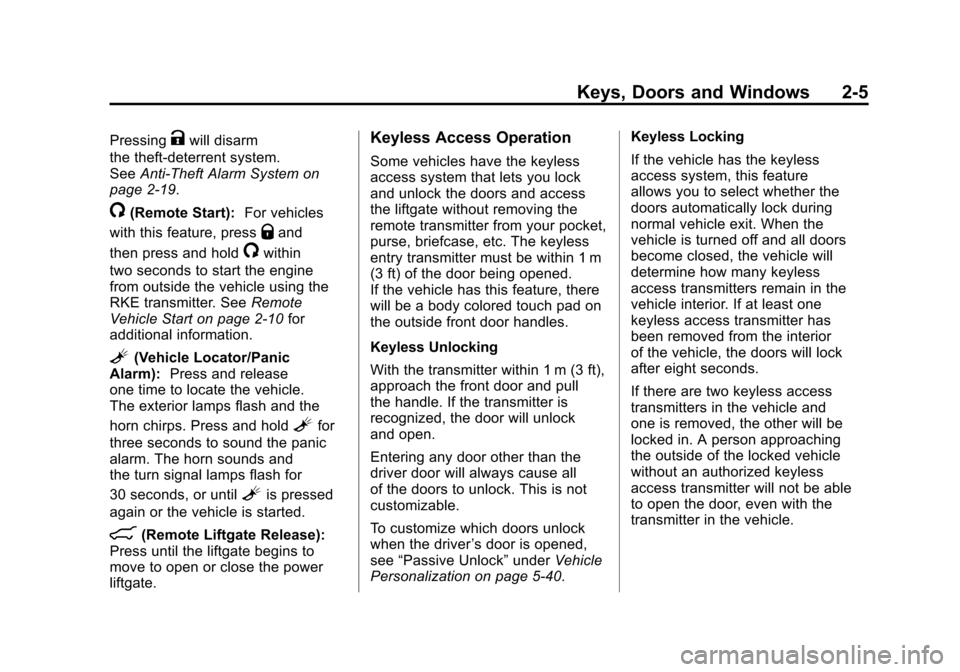
/(Remote Start): For vehicles
with this feature, press
Qand
then press and hold
/within
two seconds to start the engine
from outside the vehicle using the
RKE transmitter. See Remote
Vehicle Start on page 2‑10 for
additional information.
L(Vehicle Locator/Panic
Alarm): Press and release
one time to locate the vehicle.
The exterior lamps flash and the
horn chirps. Press and hold
Lfor
three seconds to sound the panic
alarm. The horn sounds and
the turn signal lamps flash for
30 seconds, or until
Lis pressed
again or the vehicle is started.
&(Remote Liftgate Release):
Press until the liftgate begins to
move to open or close the power
liftgate.
Keyless Access Operation
Some vehicles have the keyless
access system that lets you lock
and unlock the doors and access
the liftgate without removing the
remote transmitter from your pocket,
purse, briefcase, etc. The keyless
entry transmitter must be within 1 m
(3 ft) of the door being opened.
If the vehicle has this feature, there
will be a body colored touch pad on
the outside front door handles.
Keyless Unlocking
With the transmitter within 1 m (3 ft),
approach the front door and pull
the handle. If the transmitter is
recognized, the door will unlock
and open.
Entering any door other than the
driver door will always cause all
of the doors to unlock. This is not
customizable.
To customize which doors unlock
when the driver ’s door is opened,
see “Passive Unlock” underVehicle
Personalization on page 5‑40. Keyless Locking
If the vehicle has the keyless
access system, this feature
allows you to select whether the
doors automatically lock during
normal vehicle exit. When the
vehicle is turned off and all doors
become closed, the vehicle will
determine how many keyless
access transmitters remain in the
vehicle interior. If at least one
keyless access transmitter has
been removed from the interior
of the vehicle, the doors will lock
after eight seconds.
If there are two keyless access
transmitters in the vehicle and
one is removed, the other will be
locked in. A person approaching
the outside of the locked vehicle
without an authorized keyless
access transmitter will not be able
to open the door, even with the
transmitter in the vehicle.
Page 40 of 498
Black plate (6,1)Cadillac SRX Owner Manual - 2011
2-6 Keys, Doors and Windows
You may temporarily disable the
keyless locking feature by pressing
and holding the power door unlock
button on the instrument panel for
several seconds with a door open.
Keyless locking will then remain
disabled until the door lock switch
is pressed, or until the vehicle is
turned on.
To customize whether the doors
automatically lock when you exit
the vehicle, see“Passive Locking”
under Vehicle Personalization on
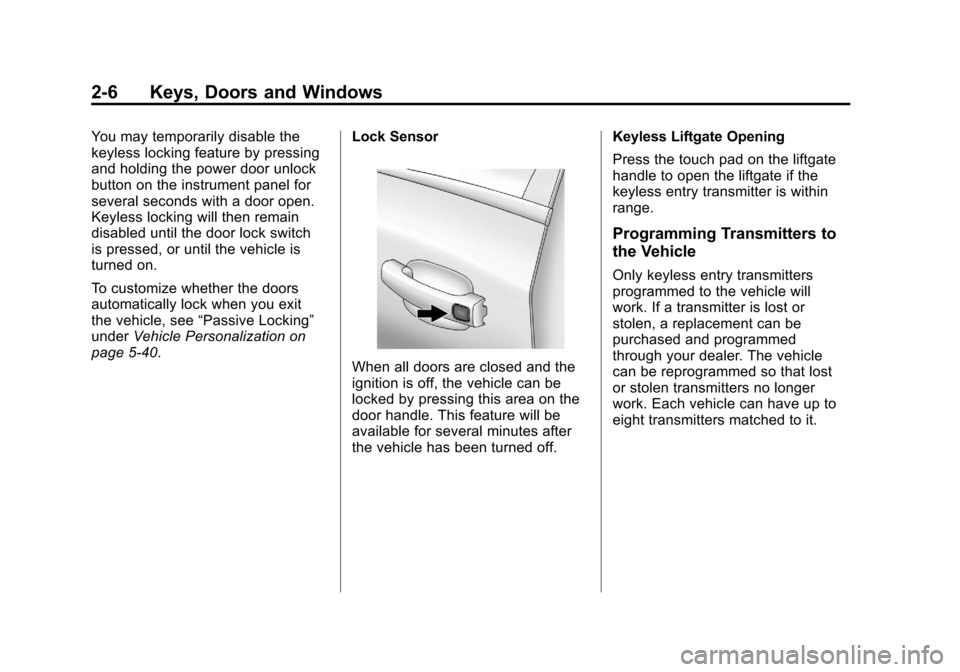
page 5‑40. Lock Sensor
When all doors are closed and the
ignition is off, the vehicle can be
locked by pressing this area on the
door handle. This feature will be
available for several minutes after
the vehicle has been turned off.Keyless Liftgate Opening
Press the touch pad on the liftgate
handle to open the liftgate if the
keyless entry transmitter is within
range.
Programming Transmitters to
the Vehicle
Only keyless entry transmitters
programmed to the vehicle will
work. If a transmitter is lost or
stolen, a replacement can be
purchased and programmed
through your dealer. The vehicle
can be reprogrammed so that lost
or stolen transmitters no longer
work. Each vehicle can have up to
eight transmitters matched to it.
Page 46 of 498
Black plate (12,1)Cadillac SRX Owner Manual - 2011
2-12 Keys, Doors and Windows
Door Locks
{WARNING
Unlocked doors can be
dangerous.
.Passengers, especially
children, can easily open the
doors and fall out of a moving
vehicle. The chance of being
thrown out of the vehicle in
a crash is increased if the
doors are not locked. So,
all passengers should wear
safety belts properly and
the doors should be locked
whenever the vehicle is
driven.(Continued)
WARNING (Continued)
.Young children who get into
unlocked vehicles may be
unable to get out. A child can
be overcome by extreme heat
and can suffer permanent
injuries or even death from
heat stroke. Always lock the
vehicle whenever leaving it.
.Outsiders can easily enter
through an unlocked door
when slowing or stopping
the vehicle. Lock the doors
to help prevent this from
happening.
To lock or unlock a door, use the
Remote Keyless Entry (RKE)
transmitter from the outside.
From inside the vehicle with the
doors locked, pull once on the door
handle to unlock it, and a second
time to open it.
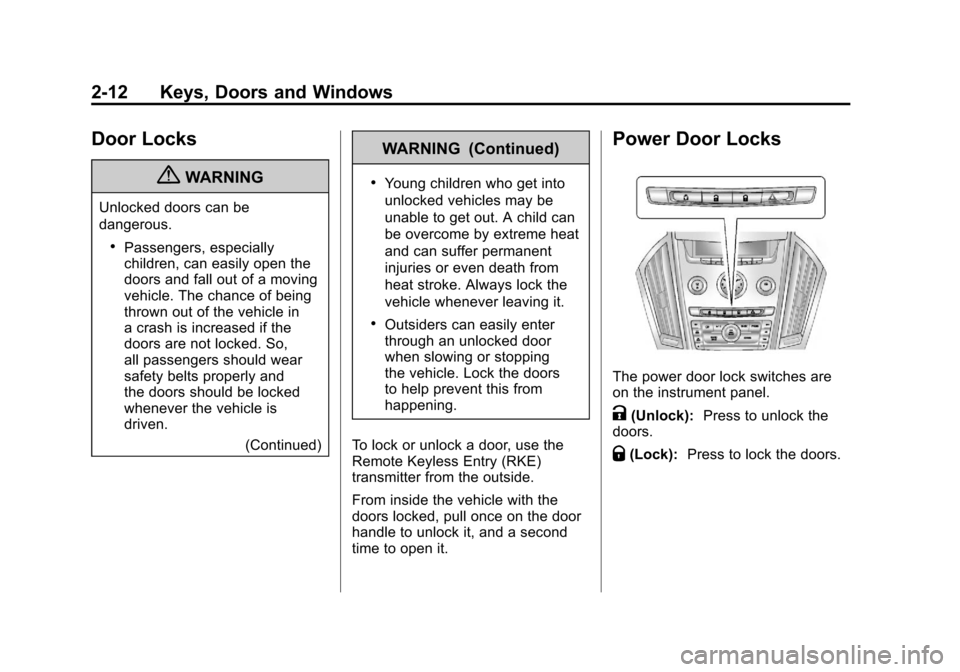
Power Door Locks
The power door lock switches are
on the instrument panel.
K(Unlock): Press to unlock the
doors.
Q(Lock): Press to lock the doors.