brake light CADILLAC SRX 2011 2.G Owners Manual
[x] Cancel search | Manufacturer: CADILLAC, Model Year: 2011, Model line: SRX, Model: CADILLAC SRX 2011 2.GPages: 498, PDF Size: 7.62 MB
Page 1 of 498

Black plate (1,1)Cadillac SRX Owner Manual - 2011
2011 Cadillac SRX Owner ManualM
In Brief. . . . . . . . . . . . . . . . . . . . . . . . 1-1
Instrument Panel . . . . . . . . . . . . . . 1-2
Initial Drive Information . . . . . . . . 1-4
Vehicle Features . . . . . . . . . . . . . 1-17
Performance and Maintenance . . . . . . . . . . . . . . . . 1-23
Keys, Doors and Windows . . . 2-1
Keys and Locks . . . . . . . . . . . . . . . 2-2
Doors . . . . . . . . . . . . . . . . . . . . . . . . 2-14
Vehicle Security . . . . . . . . . . . . . . 2-19
Exterior Mirrors . . . . . . . . . . . . . . . 2-21
Interior Mirrors . . . . . . . . . . . . . . . . 2-23
Windows . . . . . . . . . . . . . . . . . . . . . 2-24
Roof . . . . . . . . . . . . . . . . . . . . . . . . . . 2-28
Seats and Restraints . . . . . . . . . 3-1
Head Restraints . . . . . . . . . . . . . . . 3-2
Front Seats . . . . . . . . . . . . . . . . . . . . 3-4
Rear Seats . . . . . . . . . . . . . . . . . . . 3-12
Safety Belts . . . . . . . . . . . . . . . . . . 3-14
Airbag System . . . . . . . . . . . . . . . . 3-30
Child Restraints . . . . . . . . . . . . . . 3-47 Storage
. . . . . . . . . . . . . . . . . . . . . . . 4-1
Storage Compartments . . . . . . . . 4-1
Additional Storage Features . . . 4-3
Roof Rack System . . . . . . . . . . . . 4-11
Instruments and Controls . . . . 5-1
Controls . . . . . . . . . . . . . . . . . . . . . . . 5-2
Warning Lights, Gauges, and
Indicators . . . . . . . . . . . . . . . . . . . 5-10
Information Displays . . . . . . . . . . 5-28
Vehicle Messages . . . . . . . . . . . . 5-32
Vehicle Personalization . . . . . . . 5-40
Universal Remote System . . . . 5-46
Lighting . . . . . . . . . . . . . . . . . . . . . . . 6-1
Exterior Lighting . . . . . . . . . . . . . . . 6-1
Interior Lighting . . . . . . . . . . . . . . . . 6-6
Lighting Features . . . . . . . . . . . . . . 6-7
Infotainment System . . . . . . . . . 7-1
Introduction . . . . . . . . . . . . . . . . . . . . 7-1
Radio . . . . . . . . . . . . . . . . . . . . . . . . . 7-12 Audio Players . . . . . . . . . . . . . . . . 7-20
Rear Seat Infotainment . . . . . . . 7-38
Phone . . . . . . . . . . . . . . . . . . . . . . . . 7-51
Climate Controls . . . . . . . . . . . . . 8-1
Climate Control Systems . . . . . . 8-1
Air Vents . . . . . . . . . . . . . . . . . . . . . . . 8-6
Maintenance . . . . . . . . . . . . . . . . . . . 8-6
Driving and Operating . . . . . . . . 9-1
Driving Information . . . . . . . . . . . . . 9-2
Starting and Operating . . . . . . . 9-17
Engine Exhaust . . . . . . . . . . . . . . 9-24
Automatic Transmission . . . . . . 9-26
Drive Systems . . . . . . . . . . . . . . . . 9-30
Brakes . . . . . . . . . . . . . . . . . . . . . . . 9-30
Ride Control Systems . . . . . . . . 9-34
Cruise Control . . . . . . . . . . . . . . . . 9-38
Object Detection Systems . . . . 9-40
Fuel . . . . . . . . . . . . . . . . . . . . . . . . . . 9-47
Towing . . . . . . . . . . . . . . . . . . . . . . . 9-54
Conversions and Add-Ons . . . 9-62
Page 5 of 498

Black plate (5,1)Cadillac SRX Owner Manual - 2011
Introduction v
Vehicle Symbol Chart
Here are some additional symbols
that may be found on the vehicle
and what they mean. For more
information on the symbol, refer
to the Index.
0:Adjustable Pedals
9:Airbag Readiness Light
#:Air Conditioning
!:Antilock Brake System (ABS)
g:Audio Steering Wheel Controls
or OnStar®
$: Brake System Warning Light
":Charging System
I:Cruise Control
B: Engine Coolant Temperature
O:Exterior Lamps
#:Fog Lamps
.: Fuel Gauge
+:Fuses
3: Headlamp High/Low-Beam
Changer
j: LATCH System Child
Restraints
*: Malfunction Indicator Lamp
::Oil Pressure
g:Outside Power Foldaway
Mirrors
}: Power
/:Remote Vehicle Start
>:Safety Belt Reminders
7:Tire Pressure Monitor
d:Traction Control/StabiliTrak
M:Windshield Washer Fluid
Page 7 of 498
Black plate (1,1)Cadillac SRX Owner Manual - 2011
In Brief 1-1
In Brief
Instrument Panel
Instrument Panel . . . . . . . . . . . . . . 1-2
Initial Drive Information
Initial Drive Information . . . . . . . . 1-4
Remote Keyless Entry (RKE)System . . . . . . . . . . . . . . . . . . . . . . 1-4
Remote Vehicle Start . . . . . . . . . 1-5
Door Locks . . . . . . . . . . . . . . . . . . . 1-5
Liftgate . . . . . . . . . . . . . . . . . . . . . . . . 1-6
Windows . . . . . . . . . . . . . . . . . . . . . . 1-7
Seat Adjustment . . . . . . . . . . . . . . 1-7
Memory Features . . . . . . . . . . . . . 1-8
Heated and Ventilated Seats . . . . . . . . . . . . . . . . . . . . . . . 1-10
Head Restraint Adjustment . . . . . . . . . . . . . . . . . 1-10
Safety Belts . . . . . . . . . . . . . . . . . . 1-10
Sensing System for Passenger Airbag . . . . . . . . . . 1-11
Mirror Adjustment . . . . . . . . . . . . 1-11
Steering Wheel Adjustment . . . . . . . . . . . . . . . . . 1-12 Throttle and Brake Pedal
Adjustment . . . . . . . . . . . . . . . . . 1-13
Interior Lighting . . . . . . . . . . . . . . 1-13
Exterior Lighting . . . . . . . . . . . . . 1-14
Windshield Wiper/Washer . . . . 1-14
Climate Controls . . . . . . . . . . . . . 1-16
Transmission . . . . . . . . . . . . . . . . 1-16Vehicle Features
Radio(s) . . . . . . . . . . . . . . . . . . . . . 1-17
Satellite Radio . . . . . . . . . . . . . . . 1-19
Portable Audio Devices . . . . . . 1-19
Bluetooth
®. . . . . . . . . . . . . . . . . . . 1-19
Steering Wheel Controls . . . . . 1-20
Cruise Control . . . . . . . . . . . . . . . 1-20
Navigation System . . . . . . . . . . . 1-21
Driver Information Center (DIC) . . . . . . . . . . . . . . . 1-21
Vehicle Personalization . . . . . . 1-21
Rear Vision Camera (RVC) . . . . . . . . . . . . . 1-22
Ultrasonic Parking Assist . . . . 1-22
Storage Compartments . . . . . . 1-22
Power Outlets . . . . . . . . . . . . . . . 1-23
Universal Remote System . . . 1-23
Performance and Maintenance
Traction Control System (TCS) . . . . . . . . . . . . . . 1-23
StabiliTrak
®System . . . . . . . . . 1-24
Tire Pressure Monitor . . . . . . . . 1-24
Tire Sealant and Compressor Kit . . . . . . . . . . . . . 1-24
Engine Oil Life System . . . . . . 1-25
Fuel E85 (85% Ethanol) . . . . . 1-25
Driving for Better Fuel Economy . . . . . . . . . . . . . . . . . . . 1-25
Roadside Service . . . . . . . . . . . . 1-26
OnStar
®. . . . . . . . . . . . . . . . . . . . . 1-26
Page 19 of 498
Black plate (13,1)Cadillac SRX Owner Manual - 2011
In Brief 1-13
3. Pull or push the steering wheelcloser or away from you.
4. Pull the lever up to lock the steering wheel in place.
Do not adjust the steering wheel
while driving.
Throttle and Brake Pedal
Adjustment
If the vehicle has this feature, the
position of the throttle and brake
pedals can be adjusted.
The switch used to adjust the
pedals is located on the right side
of the steering column, below the
wiper stalk. Pull the switch toward
you to move the pedals further from
the floor, or push the switch away
from you to move the pedals closer
to the floor.
See Adjustable Throttle and Brake
Pedal on page 9‑17.
Interior Lighting
Dome Lamps
The dome lamp controls are located
in the overhead console.
To change the dome lamp settings,
press the following:
*: Turns the lamp off, even when
a door is open.
1: The lamp comes on
automatically when a door is
opened.
+: Turns the dome lamp on.
Reading Lamps
There are reading lamps located on
the overhead console and over the
rear passenger doors. These lamps
come on automatically when any
door is opened. To manually turn the reading lamps
on or off:
For the overhead console reading
lamps, press the button next to
each lamp.
For the rear passenger reading
lamps, press the lamp lens.
For more information on interior
lighting, see:
.Instrument Panel Illumination
Control on page 6‑6.
Page 147 of 498
Black plate (1,1)Cadillac SRX Owner Manual - 2011
Instruments and Controls 5-1
Instruments and
Controls
Controls
Steering Wheel Adjustment . . . 5-2
Steering Wheel Controls . . . . . . 5-2
Horn . . . . . . . . . . . . . . . . . . . . . . . . . . 5-3
Windshield Wiper/Washer . . . . . 5-3
Rear Window Wiper/Washer . . . . . . . . . . . . . . . . . . . . . . 5-5
Headlamp Washer . . . . . . . . . . . . 5-6
Compass . . . . . . . . . . . . . . . . . . . . . 5-7
Clock (Analog Clock) . . . . . . . . . . 5-7
Clock (Digital Clock) . . . . . . . . . . 5-8
Power Outlets . . . . . . . . . . . . . . . . . 5-9
Cigarette Lighter . . . . . . . . . . . . . . 5-9
Ashtrays . . . . . . . . . . . . . . . . . . . . . 5-10
Warning Lights, Gauges, and
Indicators
Warning Lights, Gauges, and Indicators . . . . . . . . . . . . . . . . . . 5-10
Instrument Cluster . . . . . . . . . . . 5-11
Speedometer . . . . . . . . . . . . . . . . 5-12
Odometer . . . . . . . . . . . . . . . . . . . . 5-12
Tachometer . . . . . . . . . . . . . . . . . . 5-12
Fuel Gauge . . . . . . . . . . . . . . . . . . 5-12 Fuel Economy Gauge
(3.0L Only) . . . . . . . . . . . . . . . . . 5-13
Turbo Gauge (2.8L Only) . . . . 5-14
Engine Coolant Temperature Gauge . . . . . . . . . . . . . . . . . . . . . . 5-15
Safety Belt Reminders . . . . . . . 5-15
Airbag Readiness Light . . . . . . 5-17
Passenger Airbag Status Indicator . . . . . . . . . . . . . . . . . . . . 5-18
Charging System Light . . . . . . 5-19
Malfunction Indicator Lamp . . . . . . . . . . . . . 5-19
Brake System Warning Light . . . . . . . . . . . . . . . . . . . . . . . 5-22
Electric Parking Brake Light . . . . . . . . . . . . . . . . . . . . . . . 5-23
Antilock Brake System (ABS) Warning Light . . . . . . . . . . . . . . 5-23
Traction Off Light . . . . . . . . . . . . 5-24
StabiliTrak
®OFF Light . . . . . . . 5-24
Traction Control System (TCS)/StabiliTrak
®Light . . . . 5-25
Tire Pressure Light . . . . . . . . . . 5-25
Engine Oil Pressure Light . . . . 5-26
Fuel Economy Light . . . . . . . . . 5-26
Low Fuel Warning Light . . . . . . 5-27
Security Light . . . . . . . . . . . . . . . . 5-27
High-Beam On Light . . . . . . . . . 5-27 Adaptive Forward Lighting
(AFL) Light . . . . . . . . . . . . . . . . . 5-27
Front Fog Lamp Light . . . . . . . . 5-28
Lamps On Reminder . . . . . . . . . 5-28
Cruise Control Light . . . . . . . . . 5-28
Information Displays
Driver Information Center (DIC) . . . . . . . . . . . . . . . 5-28
Vehicle Messages
Vehicle Messages . . . . . . . . . . . 5-32
Battery Voltage and ChargingMessages . . . . . . . . . . . . . . . . . . 5-33
Brake System Messages . . . . 5-33
Compass Messages . . . . . . . . . 5-34
Cruise Control Messages . . . . 5-34
Door Ajar Messages . . . . . . . . . 5-34
Engine Cooling System Messages . . . . . . . . . . . . . . . . . . 5-34
Engine Oil Messages . . . . . . . . 5-35
Engine Power Messages . . . . 5-36
Fuel System Messages . . . . . . 5-36
Key and Lock Messages . . . . . 5-36
Lamp Messages . . . . . . . . . . . . . 5-37
Object Detection System Messages . . . . . . . . . . . . . . . . . . 5-37
Ride Control System Messages . . . . . . . . . . . . . . . . . . 5-37
Page 168 of 498
Black plate (22,1)Cadillac SRX Owner Manual - 2011
5-22 Instruments and Controls
The vehicle may not pass
inspection if:
.The malfunction indicator lamp is
on with the engine running, or if
the light does not come on when
the ignition is turned to ON/RUN
while the engine is off.
.The critical emission control
systems have not been
completely diagnosed by the
system. This can happen if
the battery has recently been
replaced or if the battery has
run down. The diagnostic
system evaluates critical
emission control systems
during normal driving. This can
take several days of routine
driving. If this has been done
and the vehicle still does not
pass the inspection, your dealer
can prepare the vehicle for
inspection.
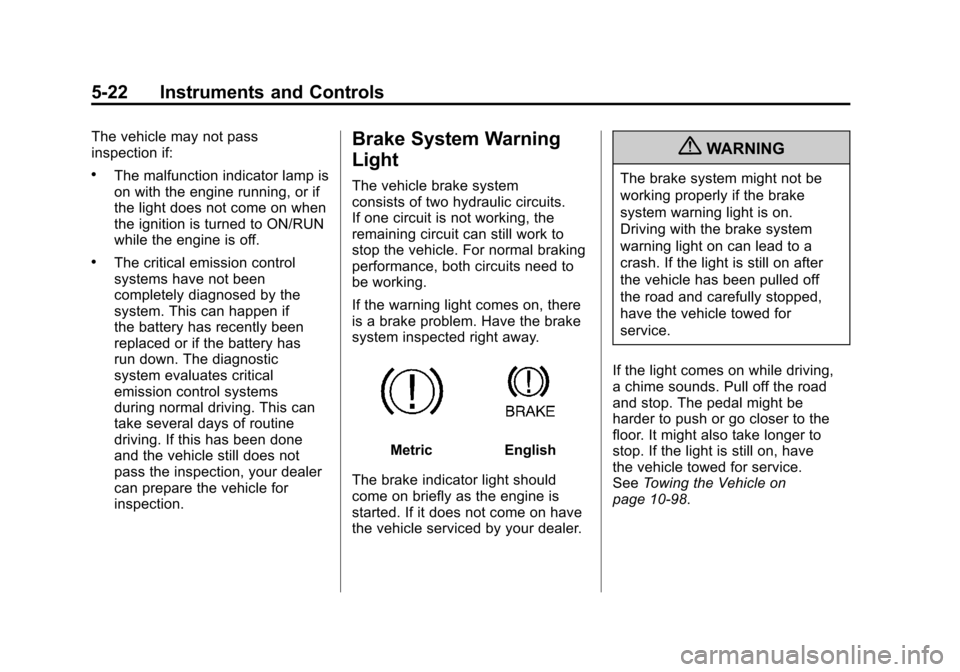
Brake System Warning
Light
The vehicle brake system
consists of two hydraulic circuits.
If one circuit is not working, the
remaining circuit can still work to
stop the vehicle. For normal braking
performance, both circuits need to
be working.
If the warning light comes on, there
is a brake problem. Have the brake
system inspected right away.
MetricEnglish
The brake indicator light should
come on briefly as the engine is
started. If it does not come on have
the vehicle serviced by your dealer.
{WARNING
The brake system might not be
working properly if the brake
system warning light is on.
Driving with the brake system
warning light on can lead to a
crash. If the light is still on after
the vehicle has been pulled off
the road and carefully stopped,
have the vehicle towed for
service.
If the light comes on while driving,
a chime sounds. Pull off the road
and stop. The pedal might be
harder to push or go closer to the
floor. It might also take longer to
stop. If the light is still on, have
the vehicle towed for service.
See Towing the Vehicle on
page 10‑98.
Page 169 of 498
Black plate (23,1)Cadillac SRX Owner Manual - 2011
Instruments and Controls 5-23
Electric Parking Brake
Light
MetricEnglish
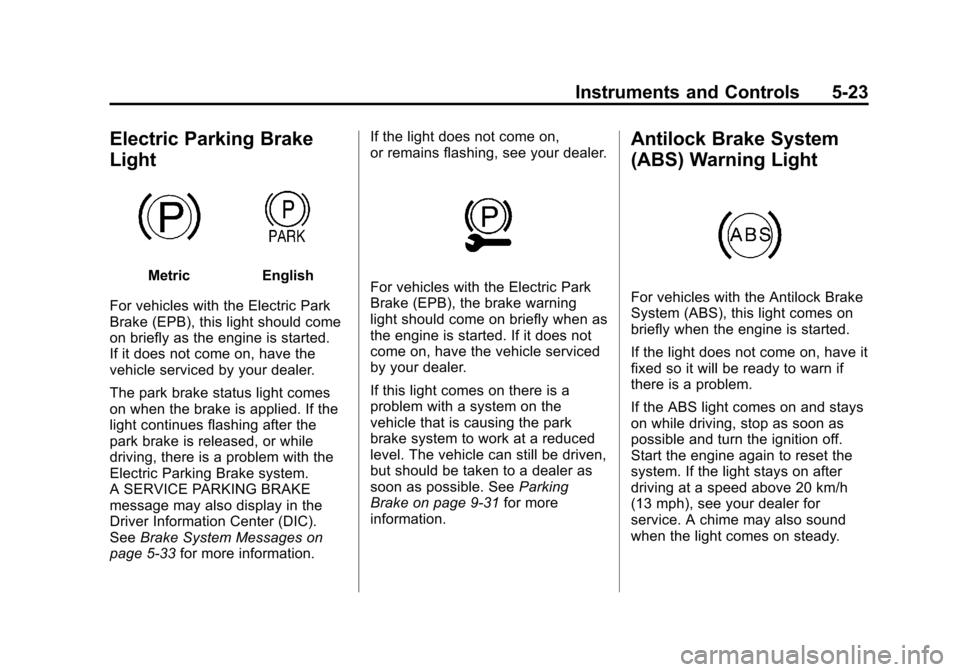
For vehicles with the Electric Park
Brake (EPB), this light should come
on briefly as the engine is started.
If it does not come on, have the
vehicle serviced by your dealer.
The park brake status light comes
on when the brake is applied. If the
light continues flashing after the
park brake is released, or while
driving, there is a problem with the
Electric Parking Brake system.
A SERVICE PARKING BRAKE
message may also display in the
Driver Information Center (DIC).
See Brake System Messages on
page 5‑33 for more information. If the light does not come on,
or remains flashing, see your dealer.For vehicles with the Electric Park
Brake (EPB), the brake warning
light should come on briefly when as
the engine is started. If it does not
come on, have the vehicle serviced
by your dealer.
If this light comes on there is a
problem with a system on the
vehicle that is causing the park
brake system to work at a reduced
level. The vehicle can still be driven,
but should be taken to a dealer as
soon as possible. See
Parking
Brake on page 9‑31 for more
information.
Antilock Brake System
(ABS) Warning Light
For vehicles with the Antilock Brake
System (ABS), this light comes on
briefly when the engine is started.
If the light does not come on, have it
fixed so it will be ready to warn if
there is a problem.
If the ABS light comes on and stays
on while driving, stop as soon as
possible and turn the ignition off.
Start the engine again to reset the
system. If the light stays on after
driving at a speed above 20 km/h
(13 mph), see your dealer for
service. A chime may also sound
when the light comes on steady.
Page 170 of 498
Black plate (24,1)Cadillac SRX Owner Manual - 2011
5-24 Instruments and Controls
If the regular brake system warning
light is not on, the vehicle still has
brakes, but not antilock brakes.
If the regular brake system warning
light is also on, the vehicle does not
have antilock brakes and there is
a problem with the regular brakes.
SeeBrake System Warning Light on
page 5‑22.
See Brake System Messages on
page 5‑33 for all brake‐related DIC
messages.
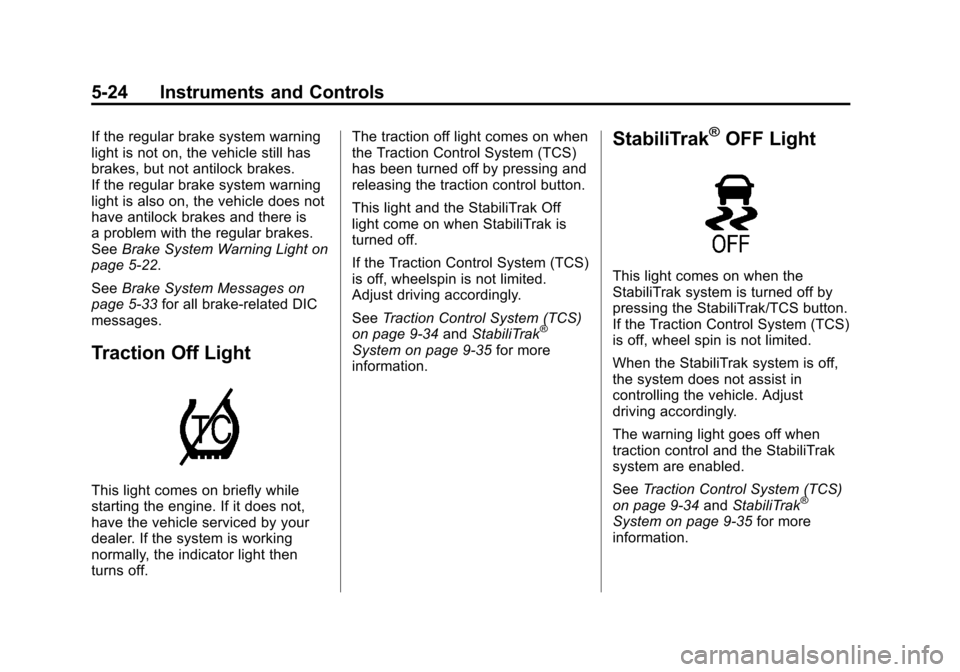
Traction Off Light
This light comes on briefly while
starting the engine. If it does not,
have the vehicle serviced by your
dealer. If the system is working
normally, the indicator light then
turns off. The traction off light comes on when
the Traction Control System (TCS)
has been turned off by pressing and
releasing the traction control button.
This light and the StabiliTrak Off
light come on when StabiliTrak is
turned off.
If the Traction Control System (TCS)
is off, wheelspin is not limited.
Adjust driving accordingly.
See
Traction Control System (TCS)
on page 9‑34 andStabiliTrak
®
System on page 9‑35 for more
information.
StabiliTrak®OFF Light
This light comes on when the
StabiliTrak system is turned off by
pressing the StabiliTrak/TCS button.
If the Traction Control System (TCS)
is off, wheel spin is not limited.
When the StabiliTrak system is off,
the system does not assist in
controlling the vehicle. Adjust
driving accordingly.
The warning light goes off when
traction control and the StabiliTrak
system are enabled.
See Traction Control System (TCS)
on page 9‑34 andStabiliTrak
®
System on page 9‑35 for more
information.
Page 280 of 498
Black plate (4,1)Cadillac SRX Owner Manual - 2011
9-4 Driving and Operating
Braking
SeeBrake System Warning Light on
page 5‑22.
Braking action involves perception
time and reaction time. Deciding
to push the brake pedal is
perception time. Actually doing
it is reaction time.
Average reaction time is about
three‐fourths of a second. But that
is only an average. It might be
less with one driver and as long
as two or three seconds or more
with another. Age, physical
condition, alertness, coordination,
and eyesight all play a part. So do
alcohol, drugs, and frustration. But
even in three‐fourths of a second,
a vehicle moving at 100 km/h
(60 mph) travels 20 m (66 ft).
That could be a lot of distance
in an emergency, so keeping
enough space between the
vehicle and others is important. And, of course, actual stopping
distances vary greatly with the
surface of the road, whether it is
pavement or gravel; the condition
of the road, whether it is wet, dry,
or icy; tire tread; the condition of the
brakes; the weight of the vehicle;
and the amount of brake force
applied.
Avoid needless heavy
braking. Some people drive in
spurts
—heavy acceleration
followed by heavy braking —rather
than keeping pace with traffic.
This is a mistake. The brakes
might not have time to cool between
hard stops. The brakes will wear
out much faster with a lot of heavy
braking. Keeping pace with the
traffic and allowing realistic following
distances eliminates a lot of
unnecessary braking. That means
better braking and longer brake life. If the engine ever stops while
the vehicle is being driven, brake
normally but do not pump the
brakes. If the brakes are pumped,
the pedal could get harder to push
down. If the engine stops, there will
still be some power brake assist but
it will be used when the brake is
applied. Once the power assist is
used up, it can take longer to stop
and the brake pedal will be harder
to push.
Adding non‐dealer accessories
can affect vehicle performance.
See
Accessories and Modifications
on page 10‑3.
Page 282 of 498
Black plate (6,1)Cadillac SRX Owner Manual - 2011
9-6 Driving and Operating
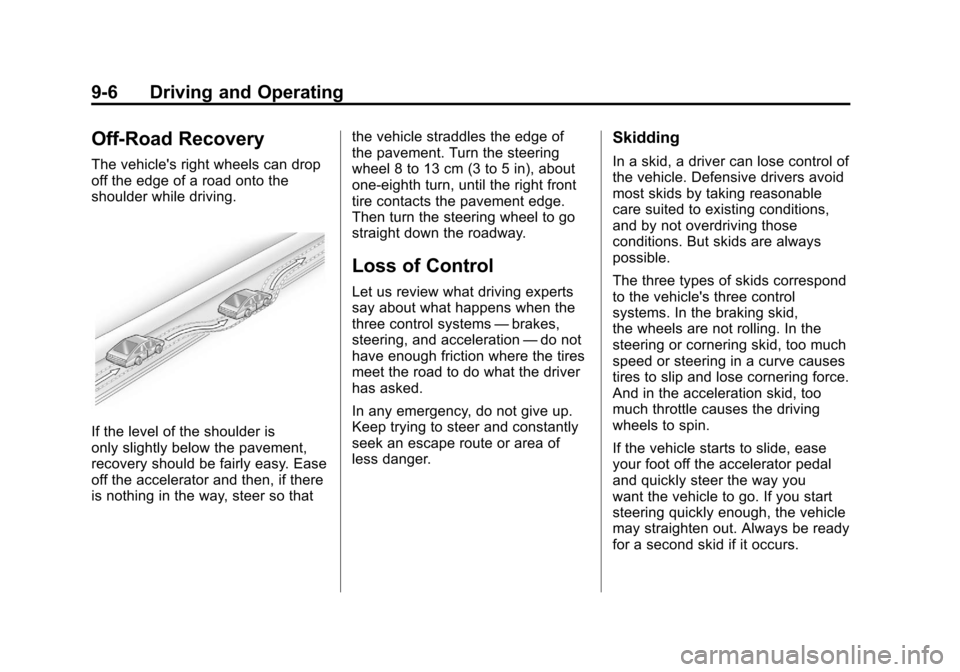
Off-Road Recovery
The vehicle's right wheels can drop
off the edge of a road onto the
shoulder while driving.
If the level of the shoulder is
only slightly below the pavement,
recovery should be fairly easy. Ease
off the accelerator and then, if there
is nothing in the way, steer so thatthe vehicle straddles the edge of
the pavement. Turn the steering
wheel 8 to 13 cm (3 to 5 in), about
one-eighth turn, until the right front
tire contacts the pavement edge.
Then turn the steering wheel to go
straight down the roadway.
Loss of Control
Let us review what driving experts
say about what happens when the
three control systems
—brakes,
steering, and acceleration —do not
have enough friction where the tires
meet the road to do what the driver
has asked.
In any emergency, do not give up.
Keep trying to steer and constantly
seek an escape route or area of
less danger.
Skidding
In a skid, a driver can lose control of
the vehicle. Defensive drivers avoid
most skids by taking reasonable
care suited to existing conditions,
and by not overdriving those
conditions. But skids are always
possible.
The three types of skids correspond
to the vehicle's three control
systems. In the braking skid,
the wheels are not rolling. In the
steering or cornering skid, too much
speed or steering in a curve causes
tires to slip and lose cornering force.
And in the acceleration skid, too
much throttle causes the driving
wheels to spin.
If the vehicle starts to slide, ease
your foot off the accelerator pedal
and quickly steer the way you
want the vehicle to go. If you start
steering quickly enough, the vehicle
may straighten out. Always be ready
for a second skid if it occurs.